

Build a Liability Waiver Form Every Participant Signs Online
Build a liability waiver form that sends each participant a signing link and keeps every signed copy in a database you own.
Build a liability waiver form that each participant signs before the activity.
Trusted by Builders Worldwide
Active Builders Worldwide
Apps Successfully Created
Countries Globally Reached



What Goes Into a Liability Waiver Form
Six parts every signed waiver depends on: the clauses, the people who sign and the record you keep afterward.
Risk clauses the signer initials
Emergent lays out the activity, its named hazards, the assumption of risk, and the release of claims as separate clauses. Each one gets an initials box before the signature line.
A guardian section for anyone under 18
Ask for a date of birth first. A minor gets a section for the parent or guardian with name, relationship, phone and signature, and the child's record links back to that adult.
Signatures drawn on any screen
Signers draw with a finger or a mouse. The form stamps the date and time and writes the signature into a PDF, then emails it to the signer and also offers it as a download.
One waiver per person, never per group
Each adult in a party gets their own signing link, even when one person booked for the whole group. The booking shows who has signed and who still has to before anyone starts.
A record staff can search at check-in
Each signed waiver becomes a row holding the signer and the date it expires. Staff look up a name at the front desk and open the signed PDF from that same row in one click.
Your domain, your code
Publish on a custom domain, included and paid for in credits, or put a QR code at the front desk. On paid plans, export the full code to GitHub to fit waivers into a booking system.
Liability Waivers Built Around the Activity
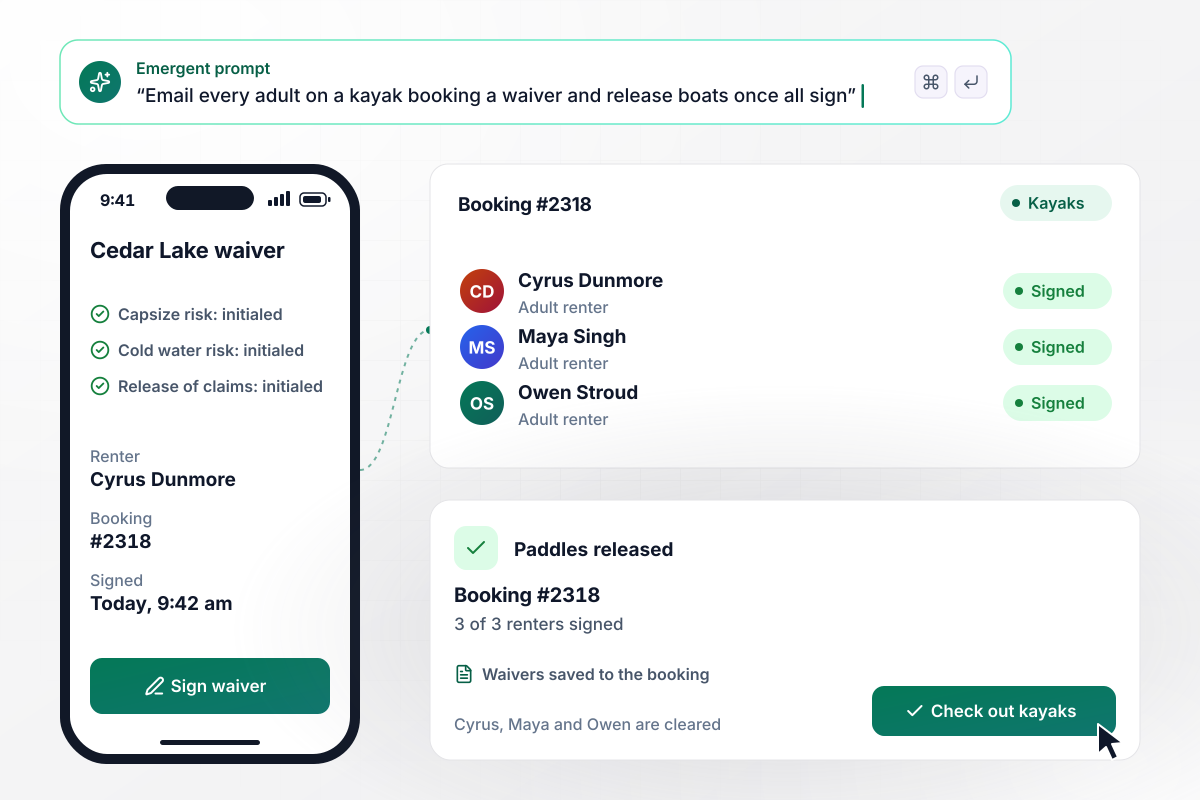
Kayaks stay tied up until every renter signs
Cedar Lake Paddle emails a waiver link to each adult on a booking the moment it is made. Renters initial the capsize and cold-water clauses on their phones, then sign. Staff hand over the paddles once booking #2318 shows all three renters signed. No clipboard changes hands at the dock.
window.awbMockup = { equipmentRentals: "I run Cedar Lake Paddle and need a liability waiver form for kayak rentals. Email a waiver link to every adult on a booking. Each renter initials the capsize and cold-water clauses and signs on their phone. Show staff which renters on a booking have signed, and mark the booking ready only when all of them have.", volunteerPrograms: "Build a volunteer waiver for our Wendover cleanup on Saturday. Forty people signed up. On Friday at 9 am, email a reminder to anyone who has not signed, and post their names to our crew channel in Slack so the coordinator knows who to catch at the sign-in table.", minorsAndFamilies: "Build a climber waiver for Cragmoor Adventure Park. Ask for date of birth first. If the climber is under 18, show a guardian section with name, relationship and phone, and have the parent sign for the child. Adults sign for themselves. Save every waiver to the climber's record.", contractorAccess: "I manage Gristmill Street Lofts. Build a contractor waiver that each vendor signs before their first visit, with an upload for their certificate of insurance. Keep every vendor in one table with the certificate end date, and email the contractor when their certificate is within 30 days of expiring." };
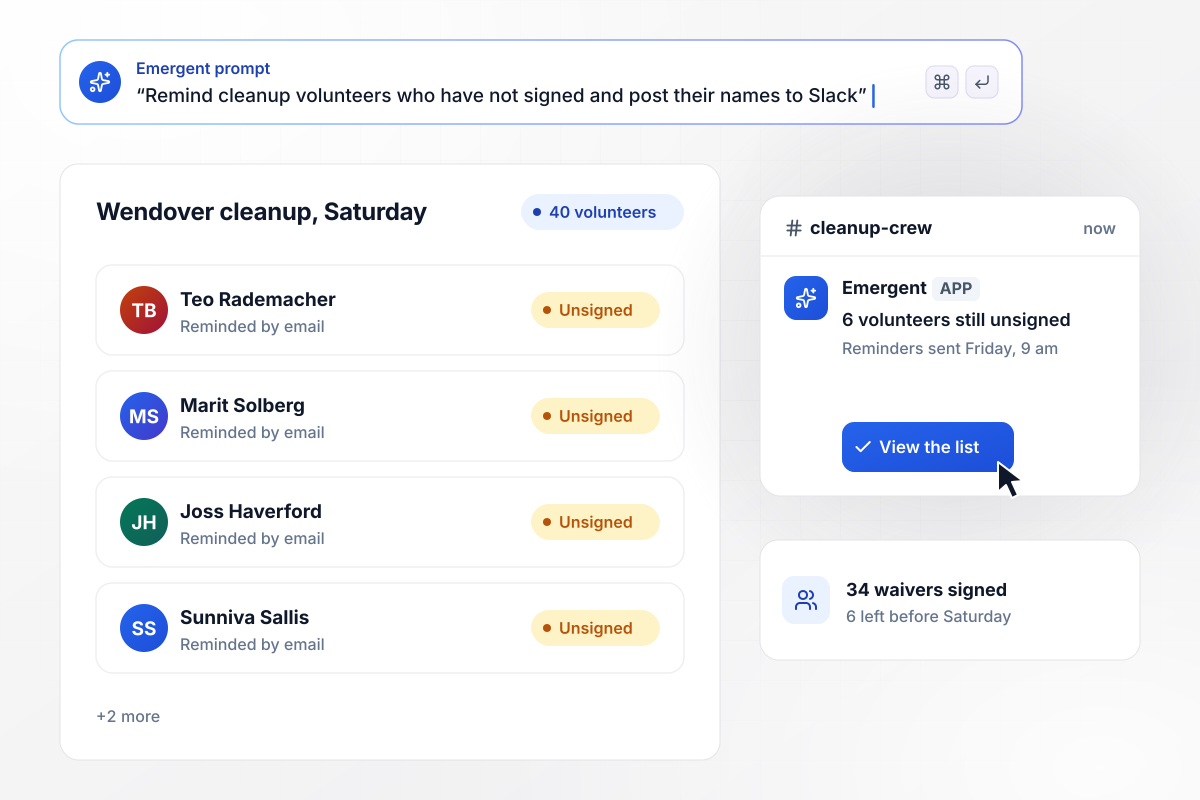
Six unsigned names, flagged a day before the cleanup
The Wendover cleanup on Saturday has 40 volunteers signed up. By Friday at 9 am, 34 have signed the waiver, and the other six get a reminder by email. Those six names also post to the crew's Slack channel, where the coordinator checks who to stop at the sign-in table.
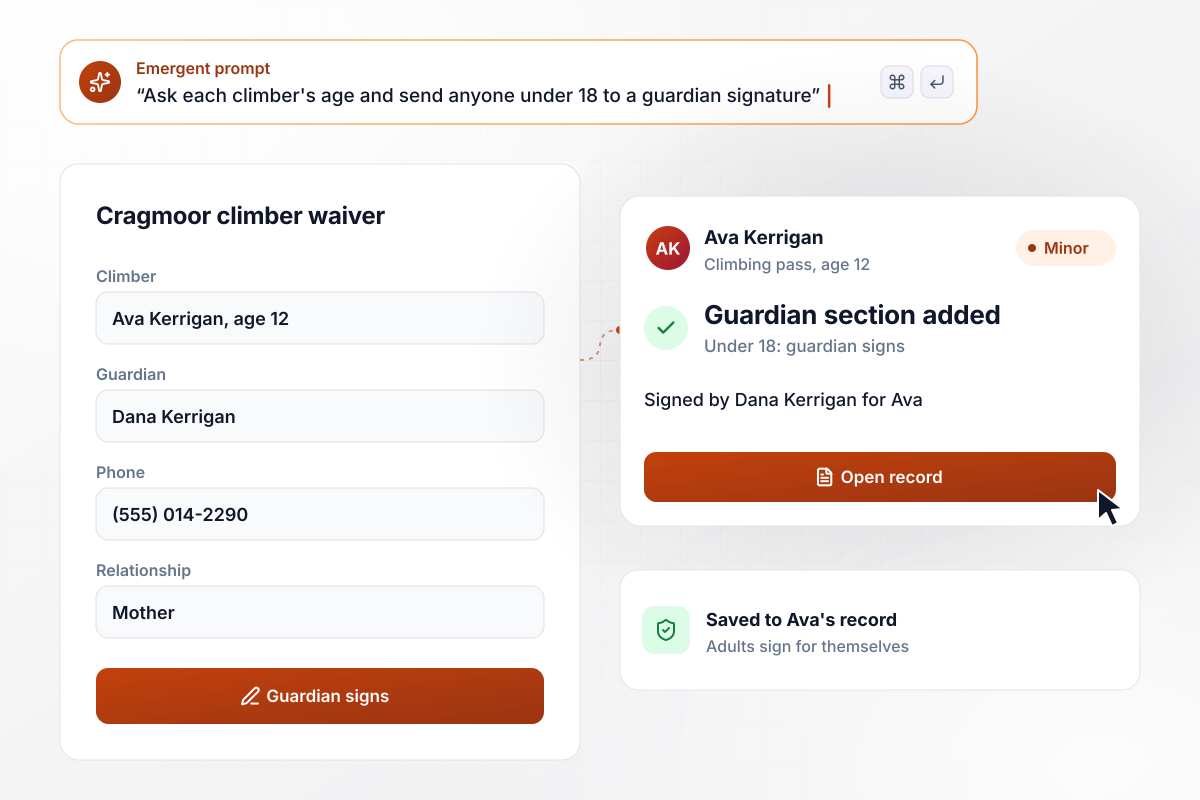
Send every climber under 18 to a guardian signature
Cragmoor Adventure Park asks for each climber's date of birth before anything else. A climber under 18 gets a guardian section with name, relationship and phone, and the parent signs for the child. Adults sign for themselves and never see that section.
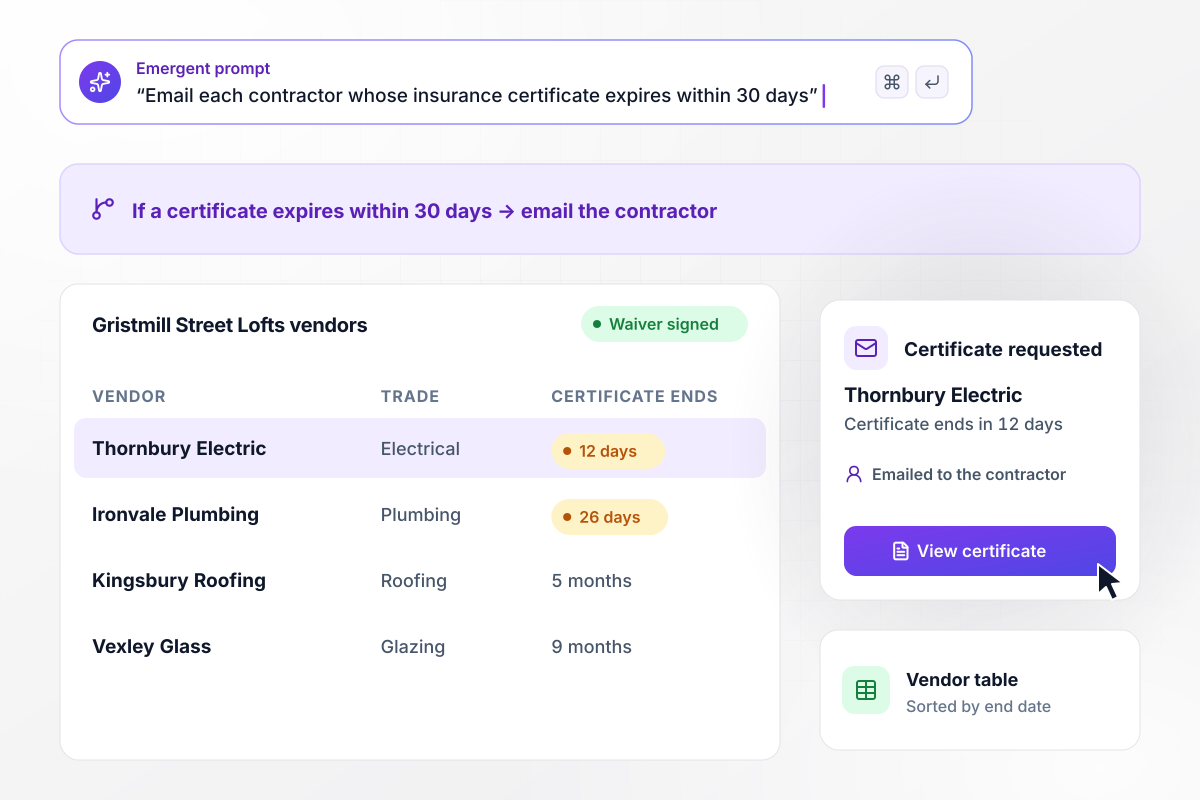
Site access tied to a current insurance certificate
Contractors working at Gristmill Street Lofts sign the building's waiver and upload a certificate of insurance before their first visit. Each certificate's end date lands in a table of every vendor. When one is within 30 days of expiring, that contractor gets an email asking for a new certificate.






How to Create a Liability Waiver Form
Follow these seven steps to write a liability waiver form that names every hazard and the right signer, then build and test it.
Write down what participants will do and what can go wrong: a capsized boat, a fall from a ladder, heat exhaustion on a long trail. Specific hazards read more clearly than a catch-all line about inherent risks, and each becomes a clause the signer initials.
Name the business and its owners, then add employees, contractors, and any landowner whose property you use. Writing employees as a group instead of naming each person keeps the release accurate as staff come and go.
Settle the signing rules for groups and families before you build. Decide whether one guardian may cover several siblings in a single submission, and whether a school trip needs a form from each parent. These rules shape the form more than any field does.
Beyond the release, collect an emergency contact and any medical conditions the instructor should know about. Ask for an email address too, because the signed copy and every reminder go there. Leave out anything staff will never read on the day itself.
Paste your release text word for word and describe the fields around it. Emergent builds the form with its initials boxes and signature step, plus a table of signed waivers. Change any clause later by asking in plain English.
Pick one term and write it into the waiver, such as 12 months from the date it was signed. The form keeps that expiry on each record, and the signer gets an email when a new signature is due.
Vague language is one reason a court can refuse to enforce a waiver. Ask an attorney to review the text before the first real participant sees it. Then sign it yourself as a made-up participant, open the PDF, and check every initials box came through.
Why Build Liability Waivers With Emergent?
Paper waivers end up in a drawer. With Emergent, each signature arrives as a dated record tied to the person and the booking.

|
WaiverSign | Docusign | Adobe Acrobat | |
|---|---|---|---|---|
| How you build | Describe it in plain English | Industry templates, or the team converts yours | Upload a document, place fields, reuse templates | Upload a PDF and place fields, web forms on Pro |
| Response limits | No response caps | Waivers included per month, then billed per waiver | Envelope allowance per plan, then pay per envelope or upgrade | No yearly send cap, usage limits apply |
| Where responses live | A database table you own, plus any integration | WaiverSign account, exportable as data and PDFs | Docusign account, downloadable as PDF | Adobe cloud storage, downloadable as PDF |
| Payments in the form | Through your own Stripe account | No payment step in the waiver itself | Higher plans, through a connected payment gateway | Pro plans only, through your own Braintree account |
| Code ownership | Full code export to GitHub on paid plans | None | None | None |




Pick the Pricing Plan That Works for You
Choose the plan that fits your building ambitions. From weekend projects to enterprise applications, we've got you covered.




Find the right form
for whatever you're collecting















Frequently Asked Questions
Your Questions, Answered
Don't change this element unless you know what you are doing
More things you can build
with Emergent









on Emergent today


