

Build a Photo Release Form That Records Each Person's Choices
Create a photo release form with a yes or no for every use, parent signatures for minors, and one database of answers.
Build a photo release form that records a yes or no for every use.
Trusted by Builders Worldwide
Active Builders Worldwide
Apps Successfully Created
Countries Globally Reached



The Parts of a Photo Release Worth Getting Right
Months after the shoot, someone will ask who agreed to which use. Each part below answers that.
A checkbox for each use
List every place a photo could run, such as the newsletter or a paid ad. People tick the uses they accept, and each tick is stored as its own field you can filter and search.
Parent signatures for minors
Ask for the signer's date of birth first. Anyone under the age you set goes to a page their parent or guardian completes, with the child's name and the parent's relationship saved.
A do-not-photograph list on request
Give photographers a list of everyone who declined, with a class or badge number beside each name. The list changes the moment a new release is signed or an old one is withdrawn.
Withdrawals that reach the right person
Let anyone withdraw through a link in their copy. The record is marked withdrawn with the date, and whoever runs your website gets an email listing the photos tagged with them.
A signed PDF in every inbox
Email each signer a PDF of the release showing their choices and signature. The same file stays in your database beside their answers for the day someone asks what they agreed to.
Code that leaves with you
On paid plans, export the full source code of the release form to your GitHub. A developer can host it on your own servers or connect it to the registration system you run.
Where Photo Releases Get Used
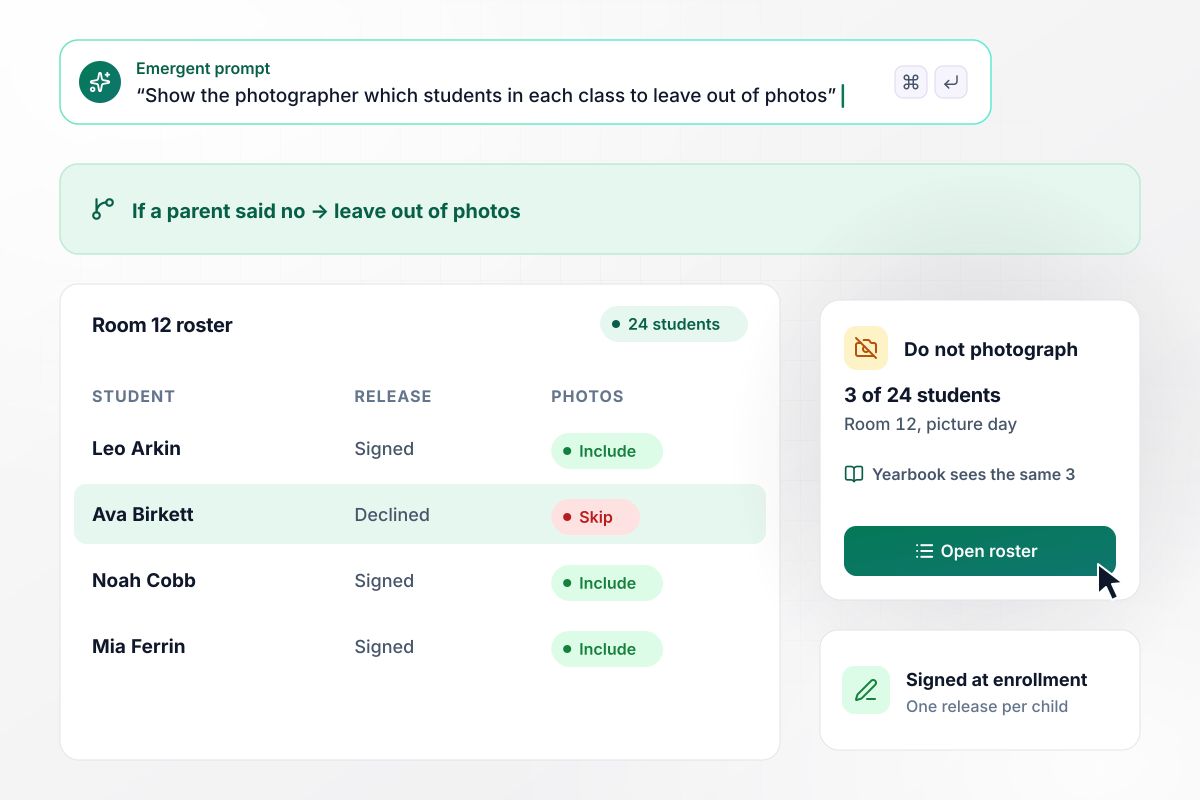
The photographer knows which 3 students to skip
Parents sign the release at enrollment, one form per child. On picture day the photographer opens the Room 12 roster on a tablet, with 3 of its 24 students marked in red. Their parents said no. The yearbook team sees the same 3 names before any candid shot goes to print.
window.awbMockup = { schoolPictureDays: "My elementary school needs a photo release form that parents sign at enrollment, one per child. On picture day, show the photographer a roster for each classroom on a tablet with the students whose parents said no marked in red. Give the yearbook team the same list so no candid shot of those children goes to print.", conferences: "Add a photo question to registration for my conference, answered yes or no. Anyone who says no gets a red dot printed on their badge. Before the doors open, send the event photographer a list of those attendees by badge number, and show me how many of our registered attendees opted out.", churchMedia: "Build a photo and video release for families at my church. Each family answers separately for the printed bulletin, the church website, and the Sunday livestream. Let my media team search a family name before posting anything and see that family's answer for each channel.", nonprofitStories: "My food bank photographs volunteers for the website and newsletter. Build a photo release volunteers sign at their first shift and email them a signed copy with a link to withdraw. When someone withdraws, email my communications lead a list of the website photos tagged with that person and save the withdrawal date on their record." };
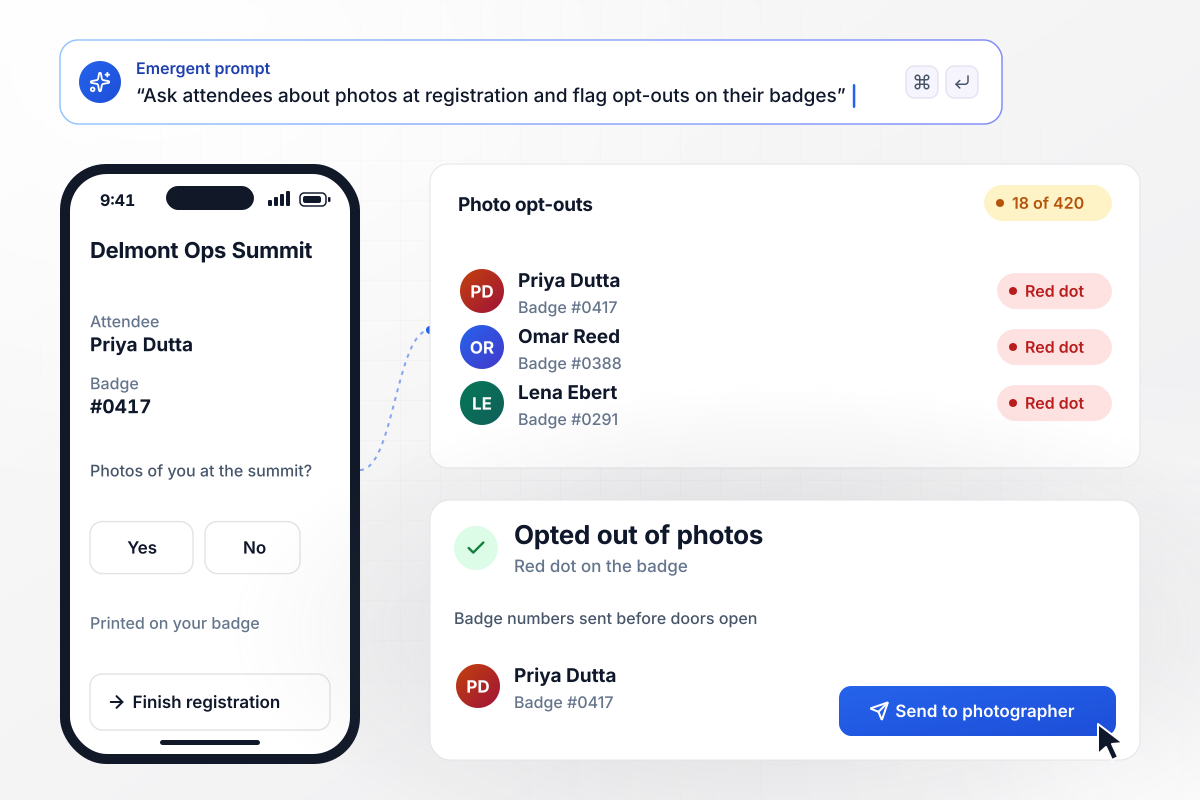
Opt out at registration, then wear a red dot
Registration for the Delmont Ops Summit asks every attendee one question about cameras. This year 18 of 420 attendees said no. Their badges print with a red dot, and the event photographer gets their badge numbers before the doors open.
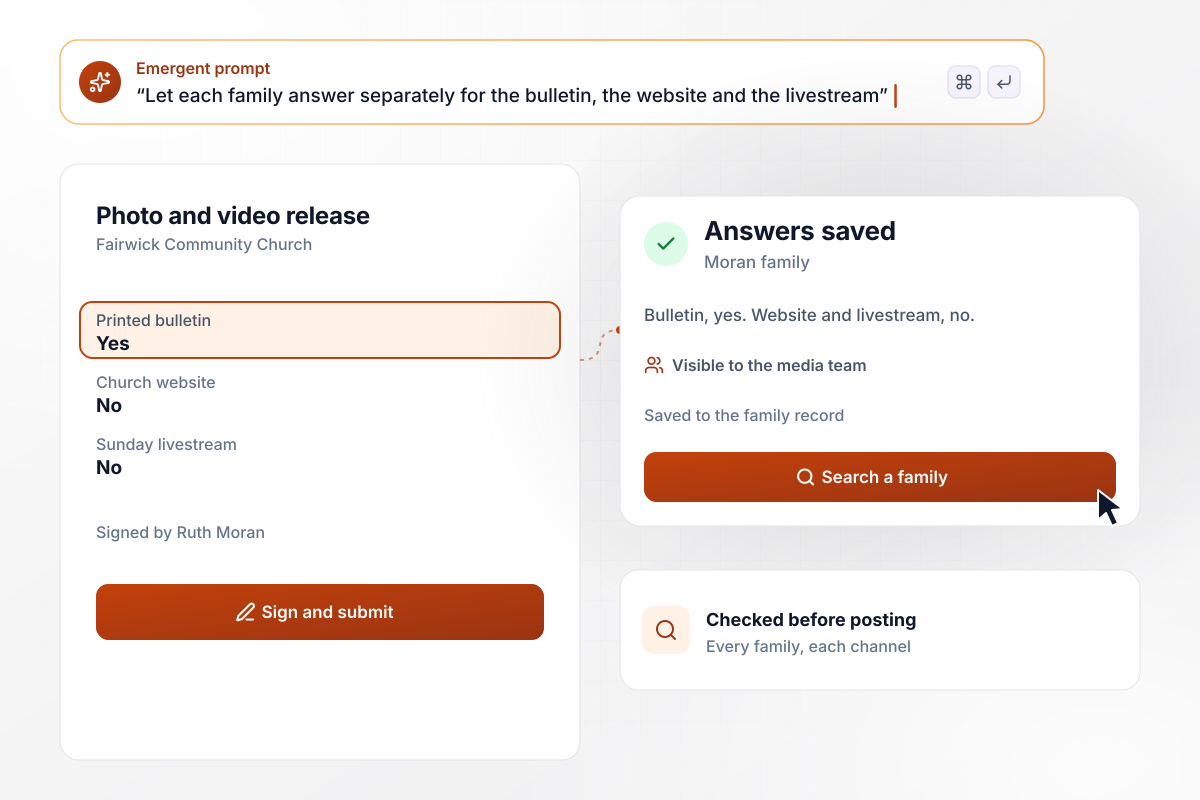
Bulletin, yes. Livestream, no.
Fairwick families answer per channel: the printed bulletin, the church website and the Sunday livestream. The Moran family allows the bulletin and declines the website and livestream. Before anything is posted, the media team searches a family name and sees each answer.
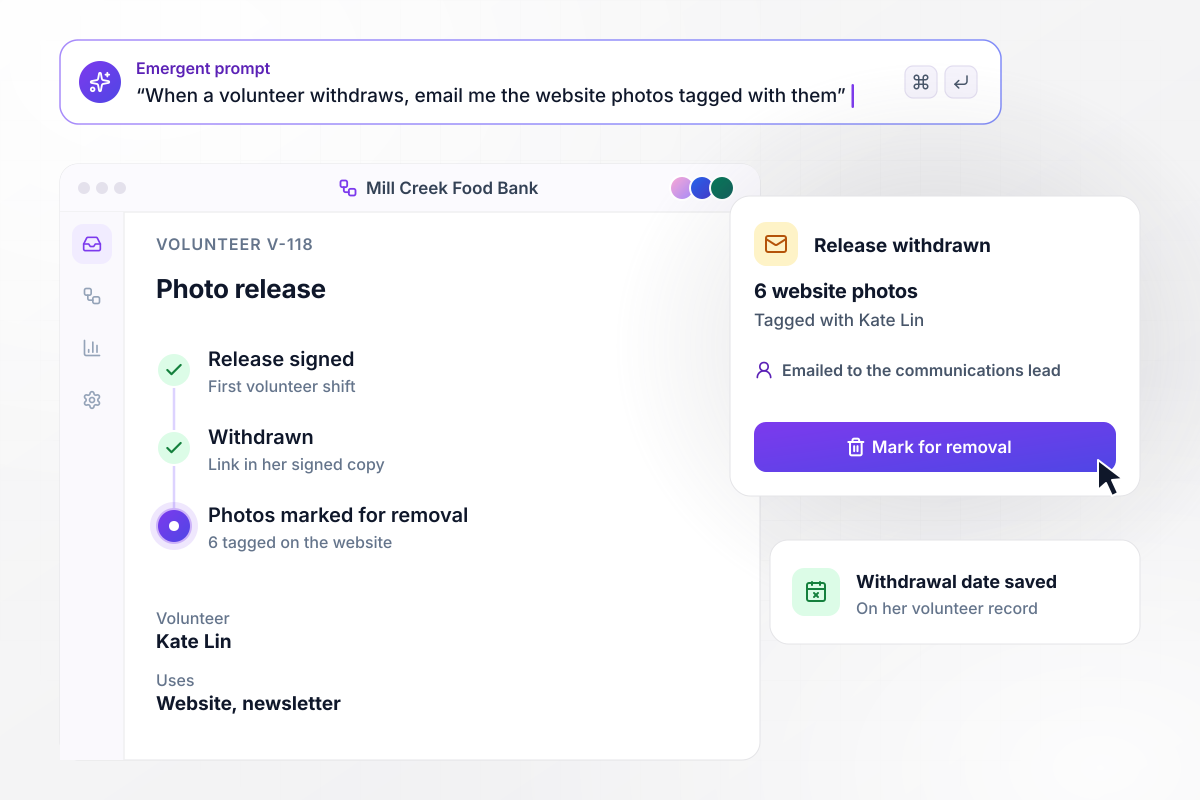
When someone withdraws, their photos come off the site
A volunteer at Mill Creek Food Bank withdraws her release through the link in her signed copy. The communications lead gets an email listing the 6 website photos tagged with her name. Each one is marked for removal, and her volunteer record keeps the date she withdrew.






How to Make a Photo Release Form
Seven steps to plan and word a photo release form, then build it with Emergent so every signed choice lands in your database.
Start with who will appear in the photos. Adults sign for themselves. New York and California both require a parent or guardian to consent before a minor's picture is used in advertising. Give minors a separate path that collects the parent's details and signature.
Ask for each use on its own line, with paid advertising kept apart from the newsletter. Separate lines let a parent accept the yearbook and still turn down an ad campaign. Add one more line stating how long the permission lasts.
Write the release in everyday words a parent reads in one pass. State whether anyone is paid for the photos. Explain how to withdraw and what a withdrawal changes. A dense legal paragraph tends to get signed without being read.
List the people who need the answers on the day itself: the photographer, the yearbook editor, whoever posts to social media. Each one needs the people who declined, sorted the way they work, by class or by badge number.
Paste your release wording into the prompt, then list the uses and the age rule. Emergent builds the form and the database behind it. Name the people who get notified about withdrawals, and change any part of the form later by prompting.
Email every signer a PDF of what they signed. Send the photographer the do-not-photograph list the night before a shoot. Post a Slack message or send an email to your web editor whenever someone withdraws a release.
Fill the form as the parent of a 9-year-old and decline social media before signing. Open the PDF, then confirm the child appears on the photographer's list. Have a lawyer read the wording before the first real family signs it.
Why Build Photo Release Forms With Emergent?
A PDF template gives you the wording. Emergent turns it into a form that saves every choice and hands photographers the opt-out list.

|
Jotform | Google Forms | Typeform | |
|---|---|---|---|---|
| How you build | Describe it in plain English | Templates, editor, AI generator | Editor, with Gemini drafting on some Workspace plans | Templates, editor, AI assist |
| Response limits | No response caps | Monthly submission caps by plan; the form stops at the cap | No limit | Monthly response caps by plan; the form closes at the cap |
| Where responses live | A database table you own, plus any integration | Jotform account | Google Sheets | Typeform account |
| Code ownership | Full code export to GitHub on paid plans | None | None | None |




Pick the Pricing Plan That Works for You
Choose the plan that fits your building ambitions. From weekend projects to enterprise applications, we've got you covered.




Find the right form
for whatever you're collecting















Frequently Asked Questions
Your Questions, Answered
Don't change this element unless you know what you are doing
More things you can build
with Emergent









on Emergent today


