

Build a Consent Form That Records Exactly What Was Signed
Create a consent form that collects each signature on a phone or laptop and keeps every record in a database you own.
Build a consent form that people sign online, with a dated copy of each signed form saved.
Trusted by Builders Worldwide
Active Builders Worldwide
Apps Successfully Created
Countries Globally Reached



What a Consent Form Has to Do
Each one answers a question asked later: what did this person read, which version did they sign, did they withdraw?
Key information before the fine print
Open each form with a short summary of the purpose, the time it takes, and the main risks. The detailed sections come next, and the signature field waits below all of them.
Initials beside the risks that matter
Ask for initials next to any risk that needs its own moment, such as dry socket after an extraction. The signer cannot submit the form until every initial box has been filled in.
Every signature tied to its version
Keep the consent text as numbered versions. Each signature saves the version number and the time. A record from March then shows the exact wording that participant agreed to.
Withdrawal that takes one link
Give every signer a link to withdraw. The record stays in the table, marked withdrawn with the date, and the study coordinator or clinic manager gets an email the same minute.
A signed copy for every signer
Send each signer a PDF of the form with their signature and the date on it. Keep the same copy in your own database next to their answers, ready for the day someone audits.
Source code you can take anywhere
Export the full source of the form and its signature records to your GitHub on paid plans. A developer can then host it on your servers or link it to a study system you run.
Consent Forms for Every Kind of Signer
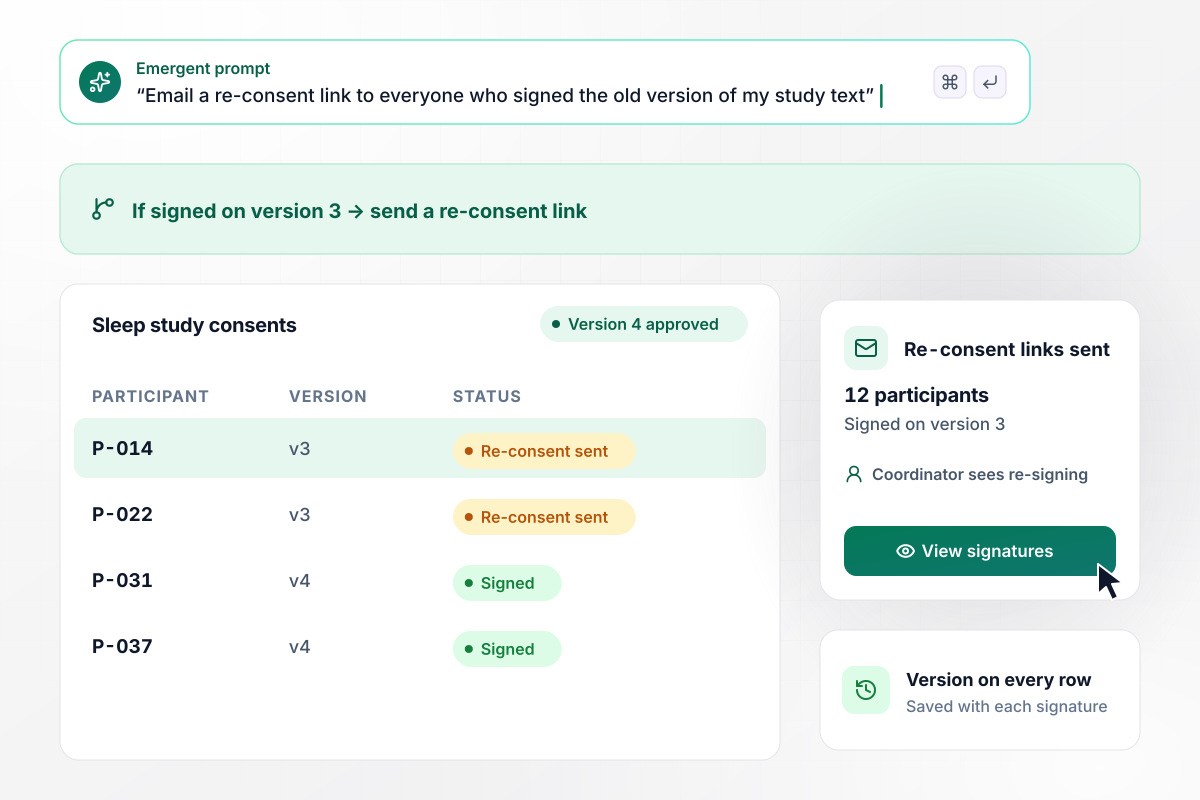
Re-consent goes out the day a new version is approved
Version 4 of the sleep study text adds a new risk. Once the IRB approves it, the 12 participants who signed version 3 each get a link to read the change and sign again. The coordinator sees who has re-signed, and the table shows the version behind every signature.
window.awbMockup = { researchStudies: "I run a sleep study and need an informed consent form for participants. Store the consent text as numbered versions and save the version with every signature. When the IRB approves version 4, email everyone who signed version 3 a link to read the change and sign again, and show me who has re-signed.", clinicProcedures: "My dental practice needs an extraction consent form. Email it to each patient two days before the appointment. List the risks in plain words, including dry socket, and require initials beside each one before the signature. Show the front desk how many of tomorrow's patients have signed and which ones have not.", youthPrograms: "Build a consent flow for a youth sleep study. A parent signs the full permission form first. Then the child, around 11 years old, sees a shorter assent page in plain words with a yes button and a no button. Keep both signatures in one record and stop enrollment if the child says no.", spanishAndEnglish: "Build a consent form for my community health study in English and Spanish. Participants choose a language on the first screen, and each version shows the exact text my IRB approved. Record the language each person signed in, count Spanish consents by month and email every signer a copy in the language they chose." };
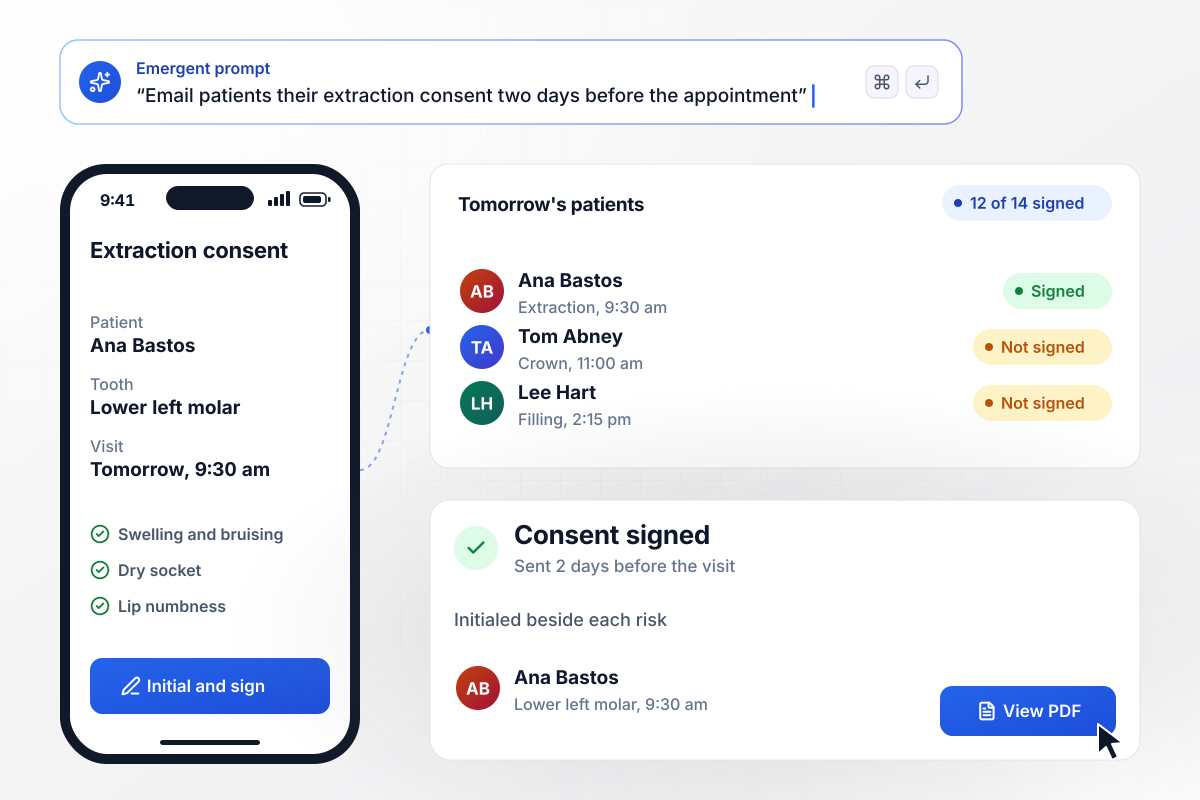
Read at home, two days before the appointment
Two days before an extraction, the patient gets an email with the consent form. Risks such as dry socket are written in plain words, with initials beside each before the signature. At the front desk, staff see that 12 of tomorrow's 14 patients have signed.
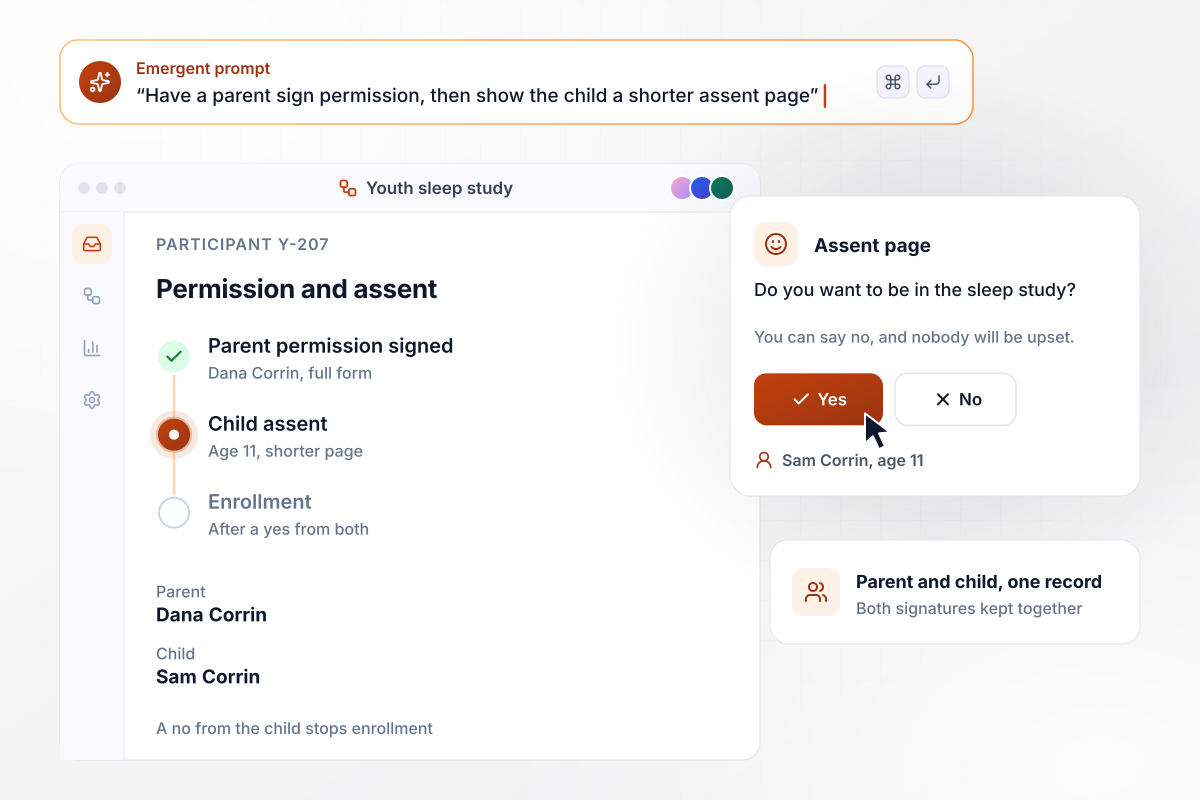
A parent's permission and the child's own assent
Parents sign first, on the full permission form for the youth sleep study. Their 11-year-old then gets a shorter assent page in plain words, with a yes button and a no button. The study record holds both signatures, and a no from the child stops enrollment.
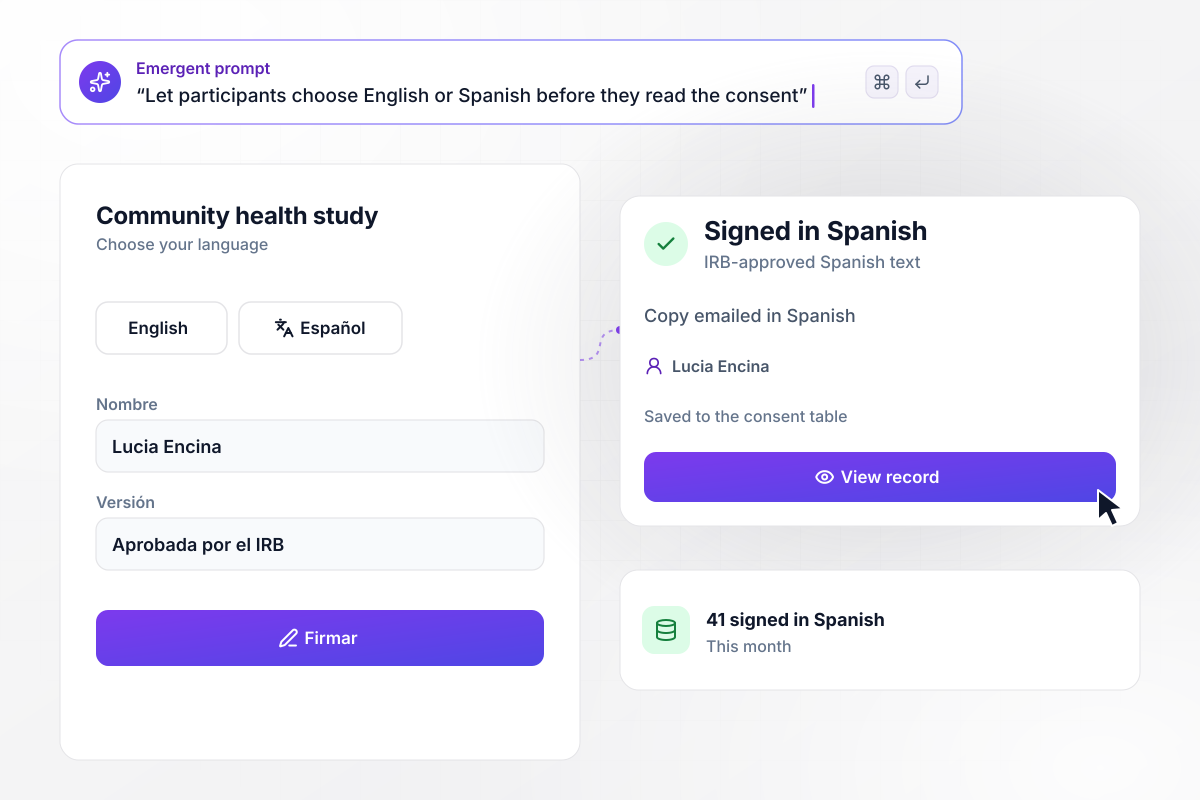
Let each signer choose English or Spanish
Participants choose a language on the first screen of the community health study. The Spanish text is the one the IRB approved, not a machine translation. This month the coordinator counts 41 Spanish consents, and each signer gets a copy in the language they chose.






How to Make a Consent Form
Follow these seven steps to write a consent form people understand, then build it with Emergent.
Adults sign for themselves. Minors need a parent's permission and, in research, their own assent once they are old enough to give it. Someone who cannot consent may need a legally authorized representative. Give each type of signer a separate path through the form.
Put a short summary first: the purpose, how long participation lasts and the risks most likely to matter to the reader. The federal Common Rule asks research consent to begin with this kind of summary, ahead of the detailed sections.
Describe the procedures, the foreseeable risks, the expected benefits, and any alternatives. Say who sees the information, whom to contact with questions and that declining carries no penalty. Your institution's template usually sets the exact headings for research.
Use short sentences and everyday words. Federal research rules require consent information in language the participant understands. Anyone who reads Spanish better than English gets a Spanish version your IRB has approved, never one improvised on the day itself.
Paste the approved text into the prompt word for word, then say where initials go and the order people sign in. Emergent builds the form and the signature records. Change the wording later by prompting, and the change is saved as a new version.
Pick who hears about each signature and each withdrawal, by email or in Slack. Send the signer a PDF of what they signed. Federal research rules require that a copy of the signed form goes to the person who signed it.
Fill the form on a phone as a made-up participant, sign it, then withdraw. Read the PDF and the stored record line by line. Have your IRB or a lawyer review the text before the first real person signs it.
Why Build Consent Forms With Emergent?
A template gives you the wording. Emergent builds the form around it and keeps every signature, version and withdrawal on record.

|
Jotform | Google Forms | Typeform | |
|---|---|---|---|---|
| How you build | Describe it in plain English | Templates, editor, AI generator | Editor, with Gemini drafting on some Workspace plans | Templates, editor, AI assist |
| Response limits | No response caps | Monthly submission caps by plan; the form stops at the cap | No limit | Monthly response caps by plan; the form closes at the cap |
| Where responses live | A database table you own, plus any integration | Jotform account | Google Sheets | Typeform account |
| Code ownership | Full code export to GitHub on paid plans | None | None | None |




Pick the Pricing Plan That Works for You
Choose the plan that fits your building ambitions. From weekend projects to enterprise applications, we've got you covered.




Find the right form
for whatever you're collecting















Frequently Asked Questions
Your Questions, Answered
Don't change this element unless you know what you are doing
More things you can build
with Emergent









on Emergent today


