

Build a Parent Consent Form Staff Can Check on the Spot
Create a parent consent form parents sign on their phones, plus a roster that coaches and nurses check before each activity.
Build a parent consent form that saves every response to a database I own.
Trusted by Builders Worldwide
Active Builders Worldwide
Apps Successfully Created
Countries Globally Reached



What a Parent Consent Form Has to Settle
Staff open these forms when they need an answer fast: a coach at the pool, a nurse with a sick student at the door.
The child and what they may do
Ask for the child's name and date of birth, then the parent or guardian signing and how they are related. Name the activity and its dates. The form then records one clear decision.
Consent with a start and an end
Set the dates a consent covers, such as one away meet or one school year. A form past its end date shows as expired on the roster, and the parent gets a link to sign again.
Other adults a parent trusts
Let a parent list the grandparent or nanny who may pick the child up or bring them to a visit. Staff check a name against that list before the child leaves with any adult.
Medical details staff can act on
Collect allergies and current medicines in their own fields, with a yes or no on emergency care if no parent answers the phone. The nurse or coach reads those answers first.
Both parents, when the activity needs it
Send a second link to the other parent when an activity calls for two signatures. The form stays pending until both have signed, and each signature is saved with its own timestamp.
Source code you can host anywhere
On paid plans, export the consent app's source code to your GitHub repository. A district or league developer can host it on its own servers or link it to tools already in use.
Where Parent Consent Gets Checked
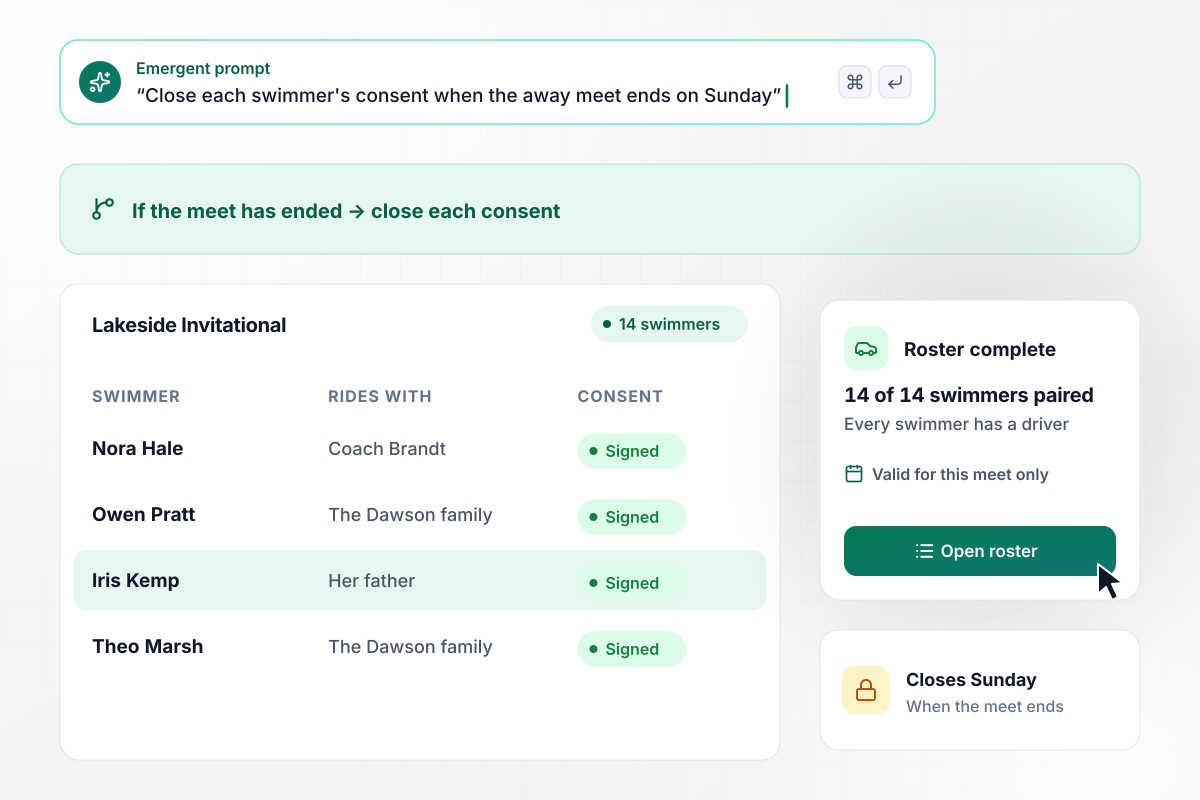
Consent that ends when the meet does
Harbor Swim Club drives 14 swimmers to the Lakeside Invitational. Each parent's form names that meet and the adult their child rides with. The coach's roster pairs every swimmer with a driver. When the meet ends on Sunday, each consent closes, and the next away meet needs new signatures.
window.awbMockup = { clubTravelMeets: "I coach a youth swim club and need a parent consent form for each away meet. The parent names the meet and the adult their child rides with. Give me a roster that pairs every swimmer with a driver, and close each consent when the meet ends so the next meet needs new signatures.", pediatricPractices: "My pediatric practice needs a form where parents list up to 3 other adults who may bring their child in and give consent to routine care. At check-in, show the front desk whether the adult is on that child's list, and flag anyone who is not so staff call a parent first.", collegeCourses: "I run a summer college course for high school students. Students apply and enter a parent's email, and the parent gets a link to a consent form with the course and class times filled in. Hold registration for every student under 18 until a parent signs, and show me who is still waiting.", schoolClinics: "Our school health center needs a parent consent form listing 5 services, each with its own checkbox. When a student walks in, show the nurse which services the parent allowed before the visit starts. Ask every family to renew the form each August." };
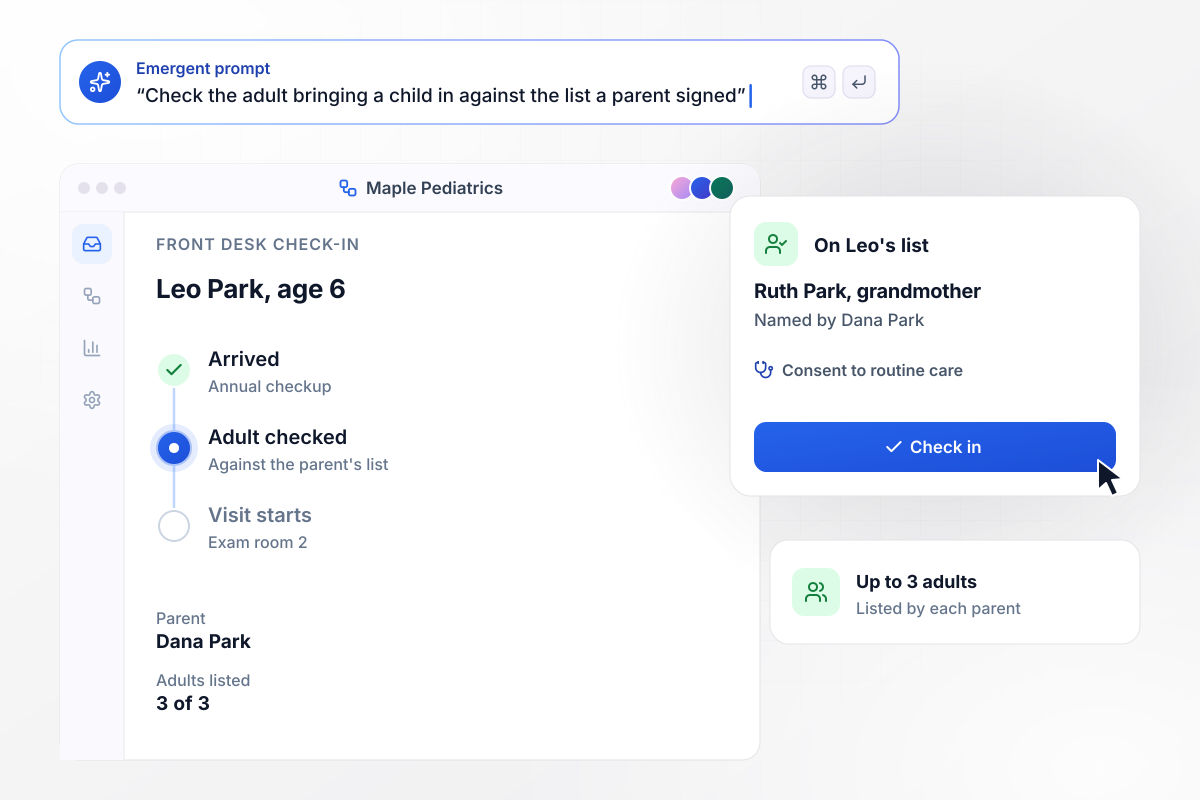
Adults named by a parent, matched at the front desk
Parents at Maple Pediatrics list up to 3 other adults who may bring their child in and give consent to routine care. When a grandmother checks in 6-year-old Leo, the front desk sees her name on his list. An adult who is not on it waits while staff call a parent.
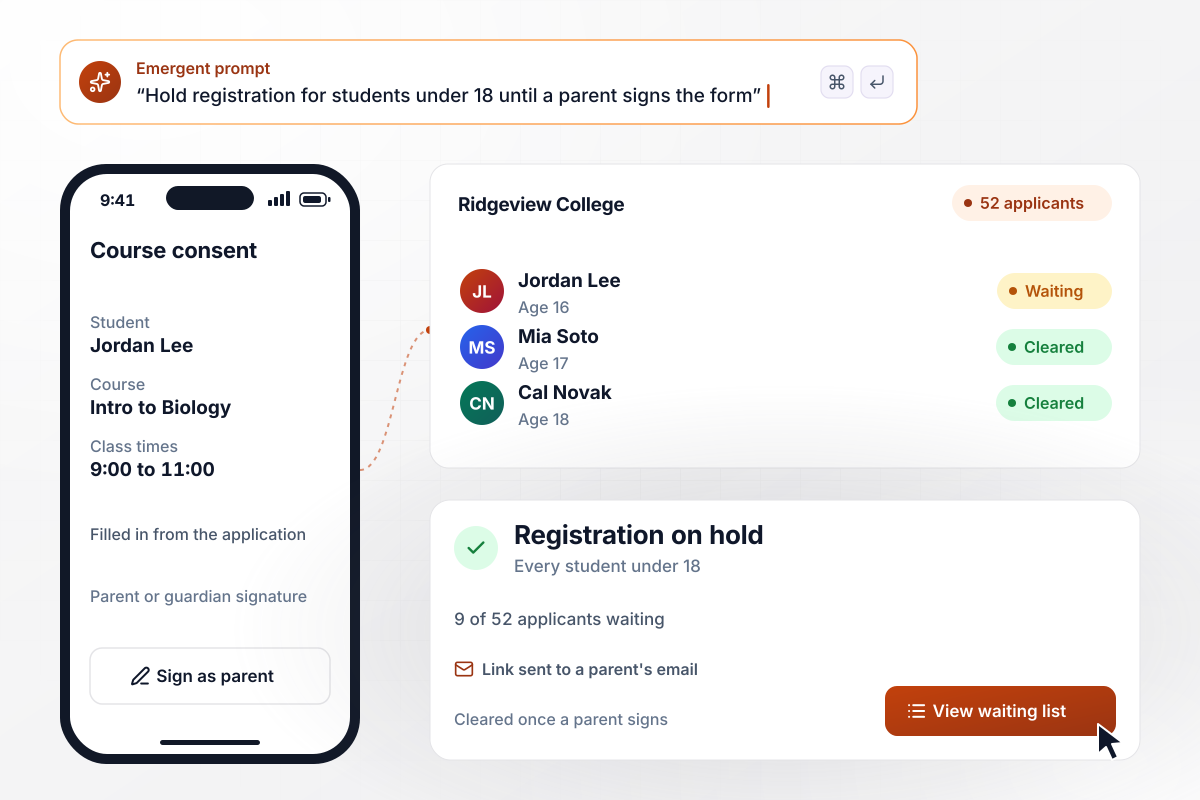
The student applies and a parent finishes
High school juniors apply to a summer course at Ridgeview College and enter a parent's email. That parent gets a link to the form with the course and class times already filled in. Registration holds every student under 18 until a parent signs. This week, 9 of 52 applicants are waiting.
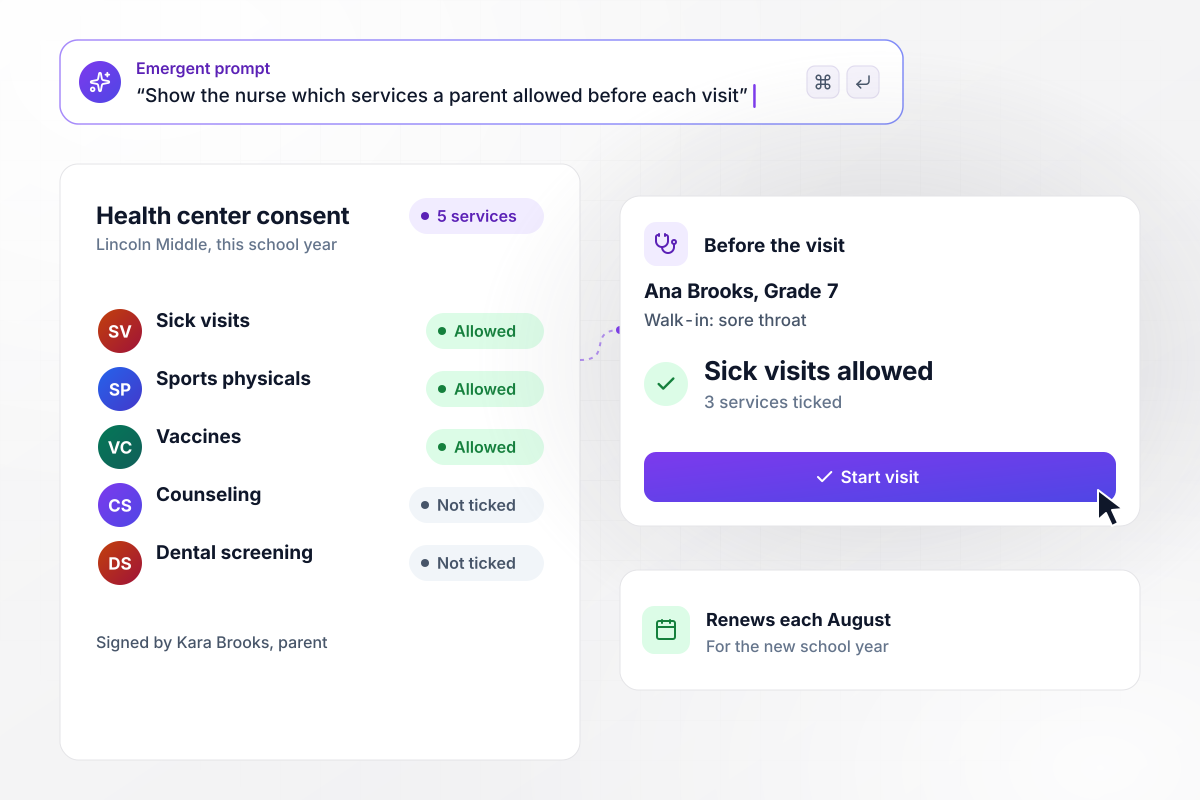
Each service a parent allowed, on the nurse's screen
At Lincoln Middle's health center, the parent form lists 5 services, each with its own box. Ana's mother ticked 3 of them, sick visits included. When Ana walks in with a sore throat, the nurse sees those 3 ticks before the visit starts. Every form renews in August for the new school year.






How to Make a Parent Consent Form
Seven steps to plan a parent consent form around one decision and an end date, then build it with Emergent.
Write one sentence that says what the parent allows, such as riding to an away meet with another family or routine care at a school clinic. Every field on the form supports that sentence. Anything outside it belongs on a separate form.
Collect the child's legal name and birthday. Ask how the signer is related to the child, and add a phone number that works on the day itself. A guardian who is not a parent can upload the court order that names them.
Set when the consent starts and when it stops, whether that is one weekend or one school year. Staff can then tell at a glance if it still applies, and a parent never wonders what a form signed two years ago still allows.
Include only what a coach or nurse would act on during the activity. A question nobody reads on the day is one more reason a parent stops halfway through. Put the doctor's phone number where staff can find it fast.
Paste your wording into the prompt, then say who signs and when the consent ends. Emergent builds the form and the roster staff check, with a signature field at the bottom. Change any question later by prompting again.
Pick who gets an email or a Slack message when a parent signs, and who can open the medical fields. A coach may need the driver list for a trip without ever seeing a child's medicines.
Fill the form on a phone as a made-up family, sign it, then open the roster as staff. When a school or league supplies required wording, copy it exactly. Have a lawyer read any form that also waives rights.
Why Build Parent Consent Forms With Emergent?
A PDF stops at a signature on paper. Emergent builds the working form, and each consent becomes a dated record you own.

|
Jotform | Google Forms | Typeform | |
|---|---|---|---|---|
| How you build | Describe it in plain English | Templates, editor, AI generator | Editor, with Gemini drafting on some Workspace plans | Templates, editor, AI assist |
| Where responses live | A database table you own, plus any integration | Jotform account | Google Sheets | Typeform account |
| Response limits | No response caps | Monthly submission caps by plan; the form stops at the cap | No limit | Monthly response caps by plan; the form closes at the cap |
| Code ownership | Full code export to GitHub on paid plans | None | None | None |




Pick the Pricing Plan That Works for You
Choose the plan that fits your building ambitions. From weekend projects to enterprise applications, we've got you covered.




Find the right form
for whatever you're collecting
Frequently Asked Questions
Your Questions, Answered
Don't change this element unless you know what you are doing
More things you can build
with Emergent









on Emergent today


