

Build a PIP Form Template That Holds Every Goal to a Date
Build a PIP form template that saves only measurable goals, logs each check-in, and keeps every plan in a database you own.
Build a PIP form template for my managers where every goal needs a number and a due date.
Trusted by Builders Worldwide
Active Builders Worldwide
Apps Successfully Created
Countries Globally Reached



What a PIP Needs After the Meeting Ends
Describe the plan you run, and Emergent writes the form plus the record HR opens on the end date.
Goals saved only with a number and a date
Write a vague goal such as better call quality and the form asks for the measure, the target, and the due date before saving it. Both people know on day one what meeting it means.
The current result beside the expected one
Each concern takes two values: where the employee stands today and the standard the role expects. The gap reads as a number on the plan, not as an adjective in a paragraph.
A log of the support the company promised
List the training, shadowing, or weekly one-on-ones the plan offers. The manager records each session as it happens. A week with no session shows as a blank row on the plan record.
Check-in reminders that carry only a link
The manager gets an email before each scheduled check-in. It holds a link to the plan and nothing else. Goals and scores stay out of every inbox and every shared channel.
Signed by the employee and the manager
Both people sign the plan on a phone or a laptop when it starts, and again when it closes. The employee also gets a comments box of their own, saved with the signed record.
Your plan records, exportable as code
On paid plans, export the full codebase to your GitHub repository and run the form next to the HR system you already use. Each plan and its final outcome stay in tables you own.
Where a Plan Gets Used, Week by Week
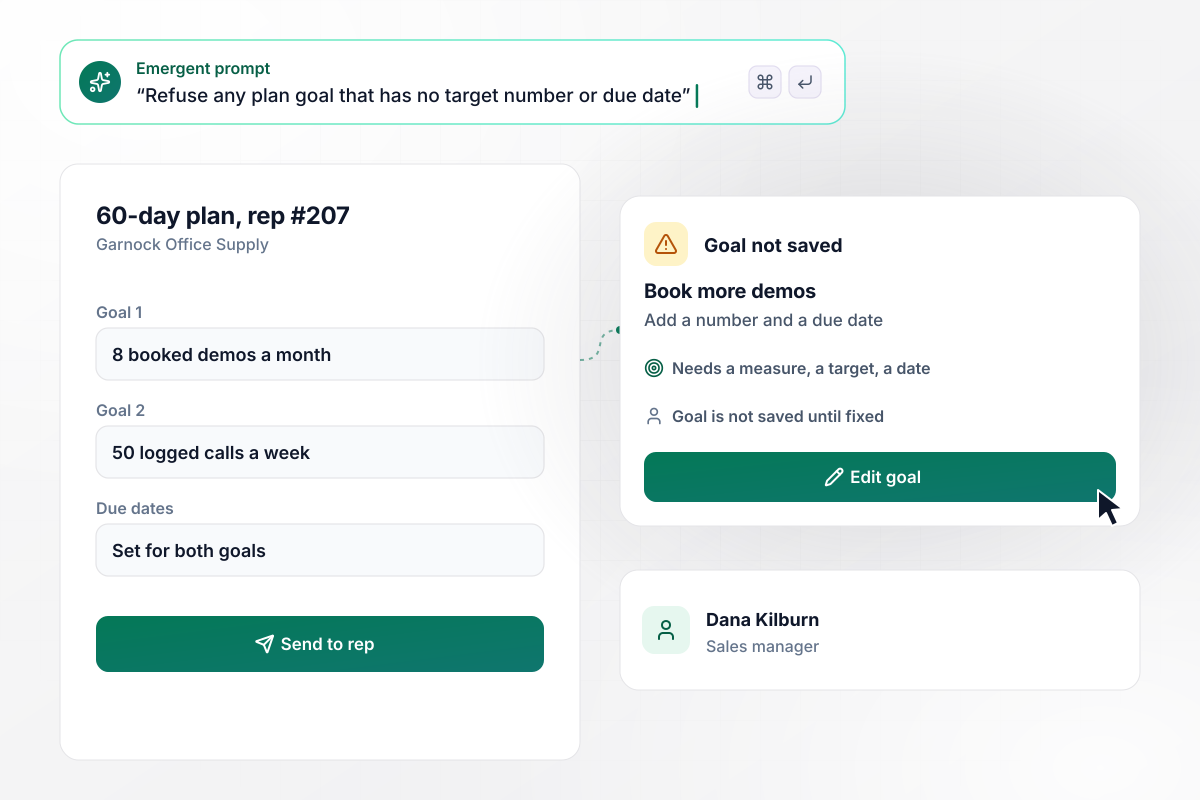
For a sales goal to save, it needs a number and a date
Dana Kilburn writes a 60-day plan for rep #207 at Garnock Office Supply. Her first goal reads book more demos, and the form will not save it. She rewrites it as 8 booked demos a month, then adds 50 logged calls a week as the second goal. Each one carries its own due date before the plan goes to the rep.
window.awbMockup = { salesTeams: "Build a PIP form for my sales managers. Each plan has a length in days, and every goal needs a target number and a due date before it saves, so a goal like book more demos gets sent back. Show the goals in a list the rep signs, with the plan length at the top.", supportCenters: "Build a coaching log for my support team leads. Each plan lists the agent's starting QA score, the target score, and how many coaching sessions a week it promises. The lead logs every session with its date and the calls reviewed, and the plan shows the weekly score next to the sessions logged.", warehouseShifts: "Build check-ins for my warehouse supervisors. Each plan has a check-in every 2 weeks. Email the supervisor 2 days before each one with a link to the plan and no goals or names in the email. At the check-in, the supervisor records the result for each goal and marks it met or not met.", hrOversight: "Build an HR view of every open performance plan across my 4 stores. Sort the plans by end date, show which ones end this week, and put any plan past its end date with no outcome recorded at the top in red until its manager closes it." };
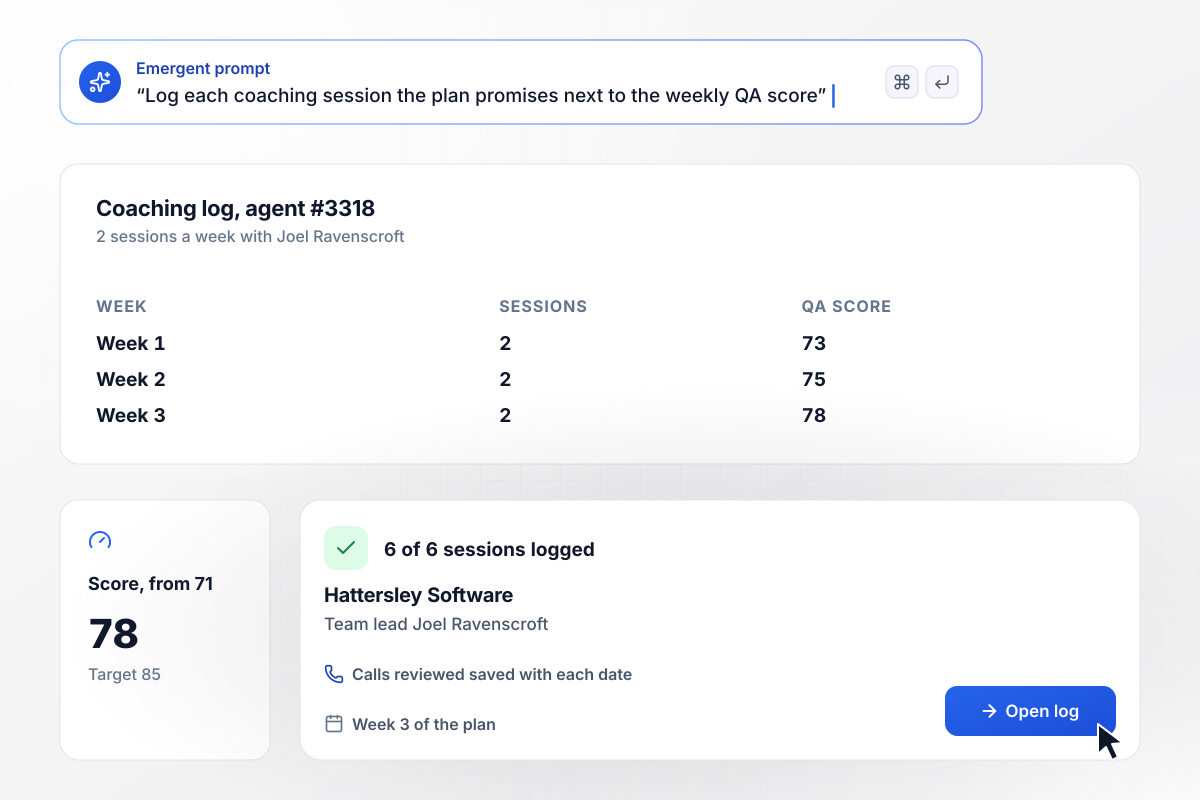
Two coaching sessions a week, each one logged
Agent #3318 started a plan at Hattersley Software with a QA score of 71 and a target of 85. The plan promises 2 coaching sessions a week with team lead Joel Ravenscroft. He logs each session with its date and the calls they reviewed. By week 3 the score is 78, and all 6 sessions are on the record.
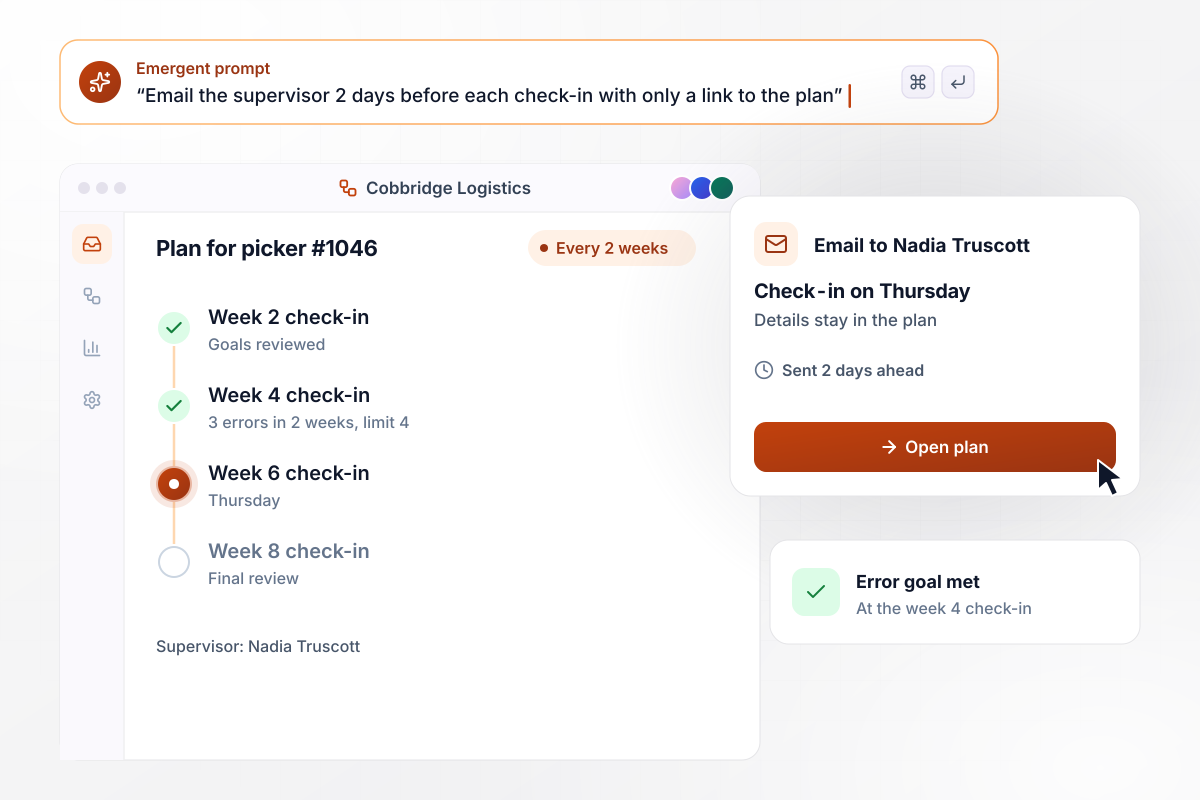
An email 2 days ahead of each check-in
Every other Thursday, supervisor Nadia Truscott meets picker #1046 at Cobbridge Logistics. Two days before each meeting she gets an email that links to the plan and shows no details from it. At the week 4 check-in she opens the link and marks the error goal met: 3 picking errors in 2 weeks against a limit of 4.
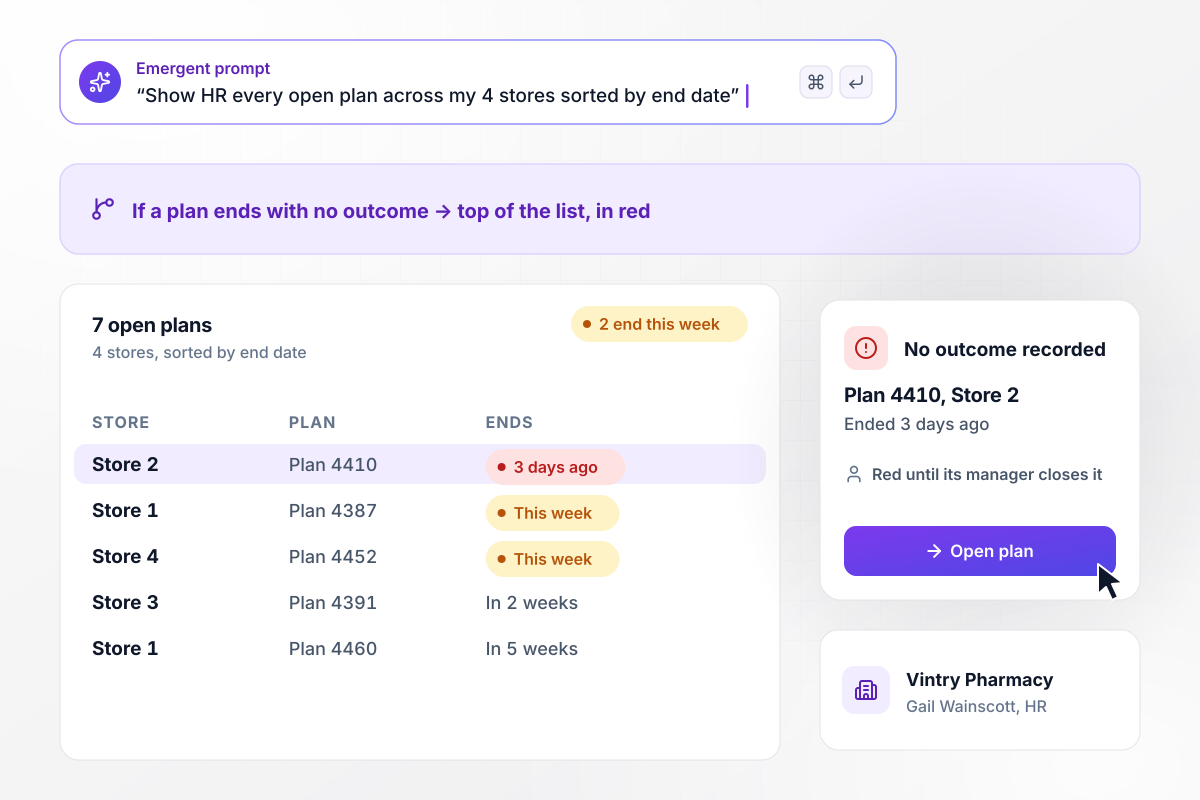
Of 7 open plans, the one past its end date
Gail Wainscott runs HR for the 4 stores of Vintry Pharmacy and sees all 7 open plans in one view, sorted by end date. Two of them end this week. One ended 3 days ago with no outcome recorded. It sits at the top in red until the store manager closes it.






How to Create a PIP Form Template
Seven steps to create a PIP form template whose goals can be counted, checked on a schedule, and closed with an outcome.
Start from the gap between the work you see and the work the role needs. Write down each concern with dates and examples, such as 4 shipping deadlines missed in March. Each concern becomes its own section of the form, with room for the evidence.
Write each goal so the employee can hit it and you can count it. Give it a unit, a target, and a deadline inside the plan window. A goal with any of those missing is not saved. Nobody signs a plan that cannot be judged.
Put the current result next to each goal, pulled from the same report you will measure with later. A rep booking 4 demos a month against a target of 8 is judged on that one report at every check-in, not on a fresh impression.
List the coaching the plan offers and how often it happens. Add a log so the manager records every session on the day it takes place. HR can then see whether the company kept its side of the plan.
Schedule the check-ins at a fixed interval, such as every 2 weeks, and choose who gets the reminder. Keep plan details out of email and chat. The reminder carries a link, and the goals stay behind the sign-in to the app.
Give the employee a comments field and a signature at the start and at the close of the plan. Ask HR to read the wording of the template before the first plan goes out, and again whenever your policy changes.
Record an outcome on every plan when it reaches its end date, such as goals met or plan extended. Note who made the decision and on what date. The record is then complete for anyone who reads it a year later.
Why Build a PIP Form on Emergent?
Emergent builds the goal rules and the HR view from one prompt, with no cap on how many responses the form takes.

|
Jotform | Google Forms | Typeform | |
|---|---|---|---|---|
| How you build | Describe it in plain English | Templates, editor, AI generator | Editor, with Gemini drafting on some Workspace plans | Templates, editor, AI assist |
| Where responses live | A database table you own, plus any integration | Jotform account | Google Sheets | Typeform account |
| Response limits | No response caps | Monthly submission caps by plan; the form stops at the cap | No limit | Monthly response caps by plan; the form closes at the cap |
| Code ownership | Full code export to GitHub on paid plans | None | None | None |



Pick the Pricing Plan That Works for You
Choose the plan that fits your building ambitions. From weekend projects to enterprise applications, we've got you covered.




Find the right form
for whatever you're collecting















Frequently Asked Questions
Your Questions, Answered
Don't change this element unless you know what you are doing
More things you can build
with Emergent









on Emergent today


