

Build a Real Estate Buyer Intake Form That Acts on the Answers
Build a real estate buyer intake form that sends each buyer to the right agent with budget, timeline, and preapproval status.
Build a real estate buyer intake form that asks new buyers for budget, preapproval status, move date, and target neighborhoods.
Trusted by Builders Worldwide
Active Builders Worldwide
Apps Successfully Created
Countries Globally Reached



What the Agent Knows Before the First Showing
A buyer answers once, on a phone. The agent starts the first call already knowing the budget and the deadline.
Questions that follow the buyer's situation
Ask whether the buyer owns a home now. A yes opens questions on whether it has to sell first and when it lists. A renter is asked when the lease ends instead, so nobody reads both.
The preapproval letter, read into fields
Let buyers upload a preapproval letter. The form reads the lender and the loan amount into the buyer's record, and any value it cannot read goes to the agent to confirm by hand.
Must-haves kept apart from wish lists
Ask for bedrooms and the longest commute the buyer will accept as must-haves, then for a separate list of nice-to-haves. Search on the first list and use the second to break ties.
Every buyer lands with one agent
Assign each buyer to the agent who covers the neighborhoods they picked, with the full answers in an email or a Slack message. Buyers on a tight move date reach that agent first.
The buyer agreement on the last screen
Place your written buyer agreement after the final question and collect a typed or drawn signature. The signed copy is saved to the buyer's record with the date it was signed.
Code your brokerage can keep
Export the full code of the form and its buyer database to your GitHub repository on paid plans. A developer can then connect it to the CRM or transaction software your office runs.
Four Kinds of Buyer, Four Next Steps
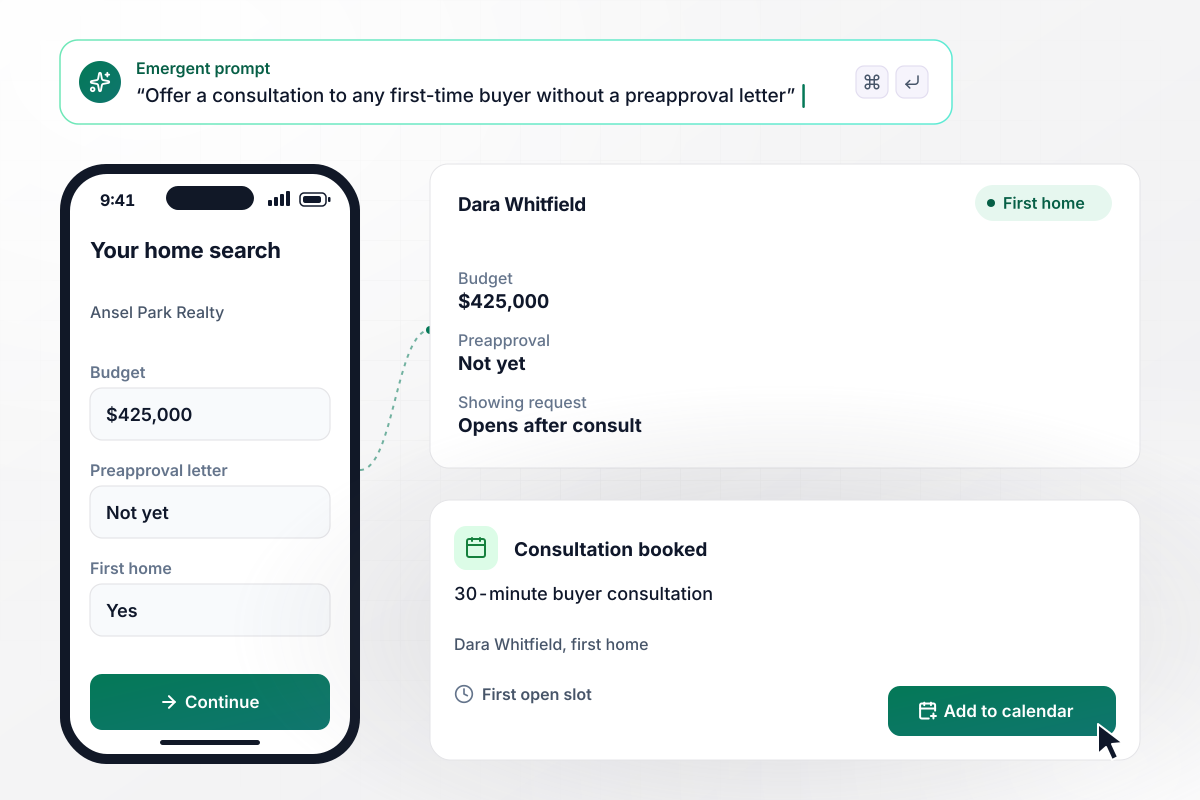
When a buyer has no preapproval, a consult comes first
Dara Whitfield is buying her first home through Ansel Park Realty. She sets a budget of $425,000 and answers "Not yet" when the form asks about a preapproval letter. Any buyer without one is offered a 30-minute buyer consultation, and the showing request opens after it. Dara books the first open slot.
window.awbMockup = { firstTimeBuyers: "My brokerage needs a buyer intake form for first-time buyers. Ask for their budget, whether this is their first home, and whether they have a preapproval letter. If the answer is not yet, offer a 30-minute buyer consultation with open times, and only let them send a showing request after that consultation. Save every answer to a buyer record I can search.", relocatingBuyers: "I work with buyers relocating for new jobs. My intake form should ask for the move date, the city they are moving to, and whether they can tour in person or only by live video. If the move date is 45 days away or less, send me a Slack message with all of their answers right away.", teamRouting: "My real estate team needs an intake form that assigns each new buyer to an agent. Buyers pick the neighborhoods they want and give a budget. Send each buyer to the agent who covers those neighborhoods, but send any budget of $800,000 or more to our luxury lead, Mei Lindqvist, whatever the area.", buyerAgreements: "I want my buyer intake form to end with our written buyer agreement. Show the agreement on the last screen with the term and the areas we will search, and collect a typed or drawn signature. Keep the showing request locked until the buyer has signed, and save the signed copy to their record." };
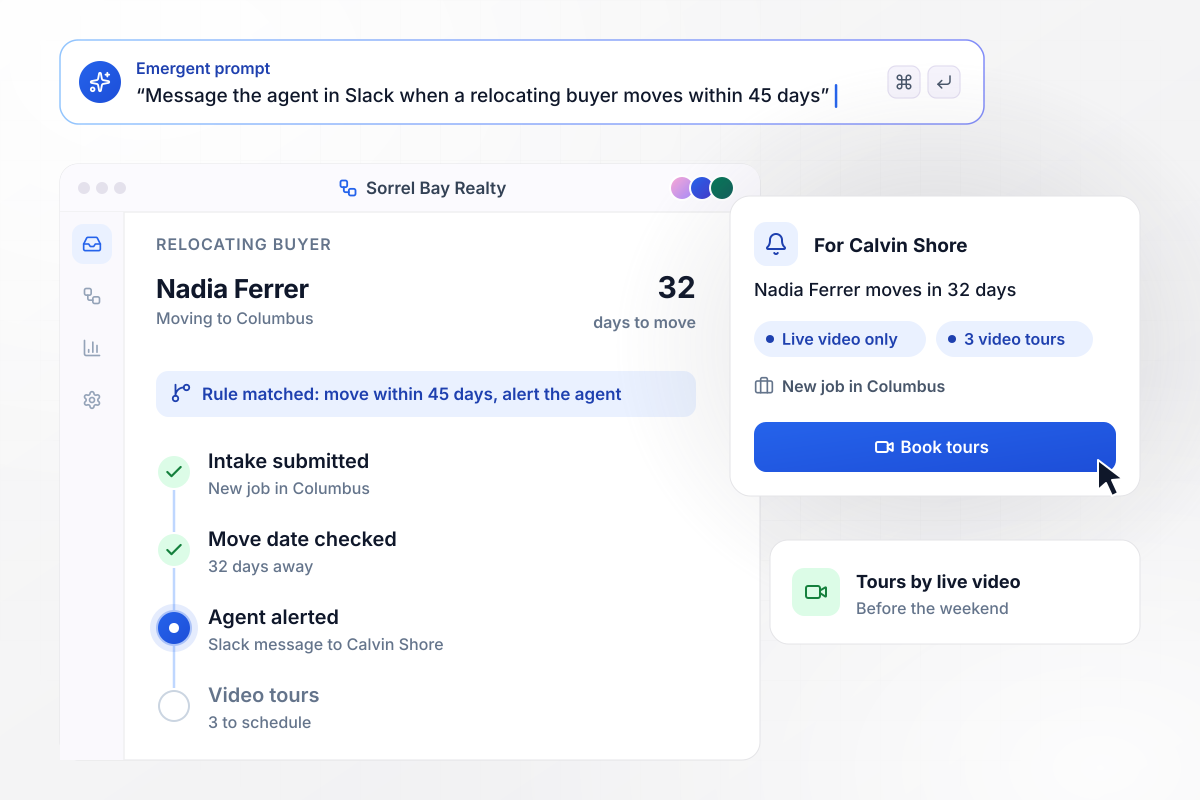
Relocating in 45 days or less puts the agent on alert
Nadia Ferrer starts a new job in Columbus and has to move in 32 days. She tells Sorrel Bay Realty she can only tour by live video for now. Any move date within 45 days sends her agent, Calvin Shore, a Slack message with her answers. He lines up three video tours before the weekend.
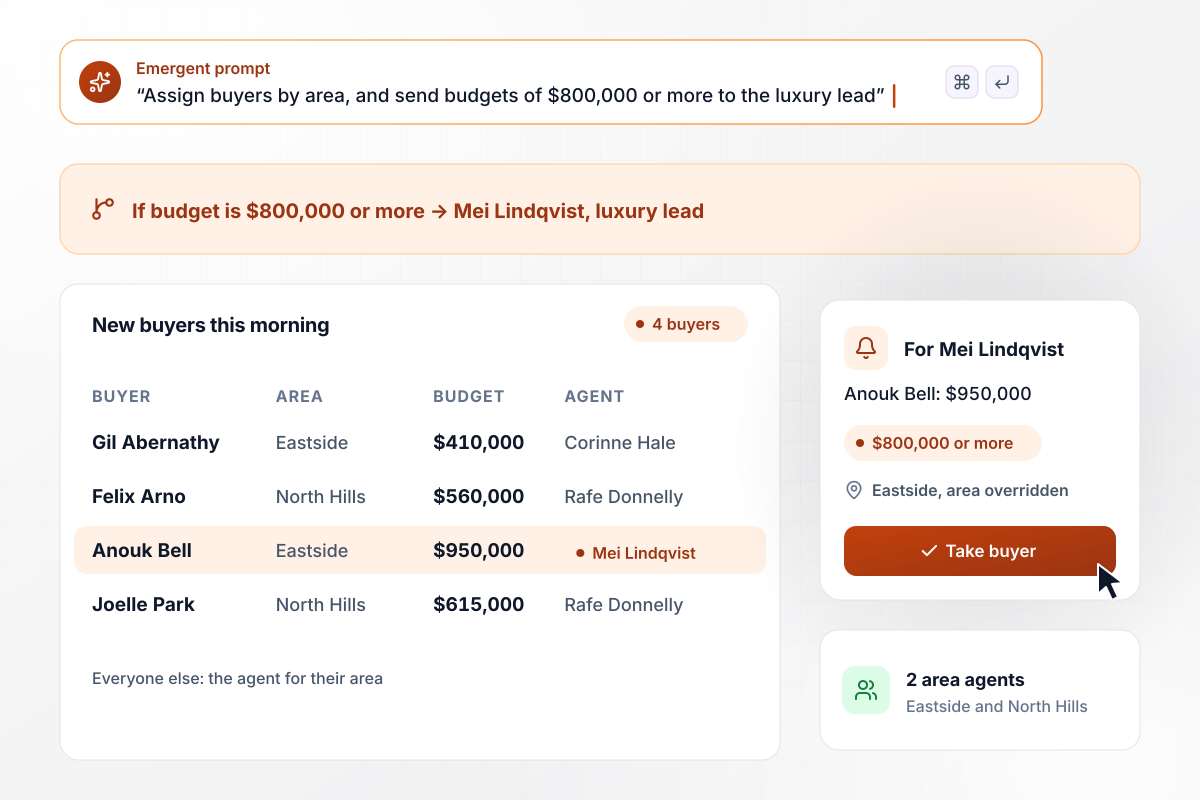
Any buyer with $800,000 or more goes to the luxury lead
Rookmere Realty splits the county between two area agents, and each buyer lands with the agent who covers them. A budget of $800,000 or more overrides the area and goes to Mei Lindqvist, the luxury lead. Of the four buyers who applied this morning, only Anouk Bell, at $950,000, is hers.
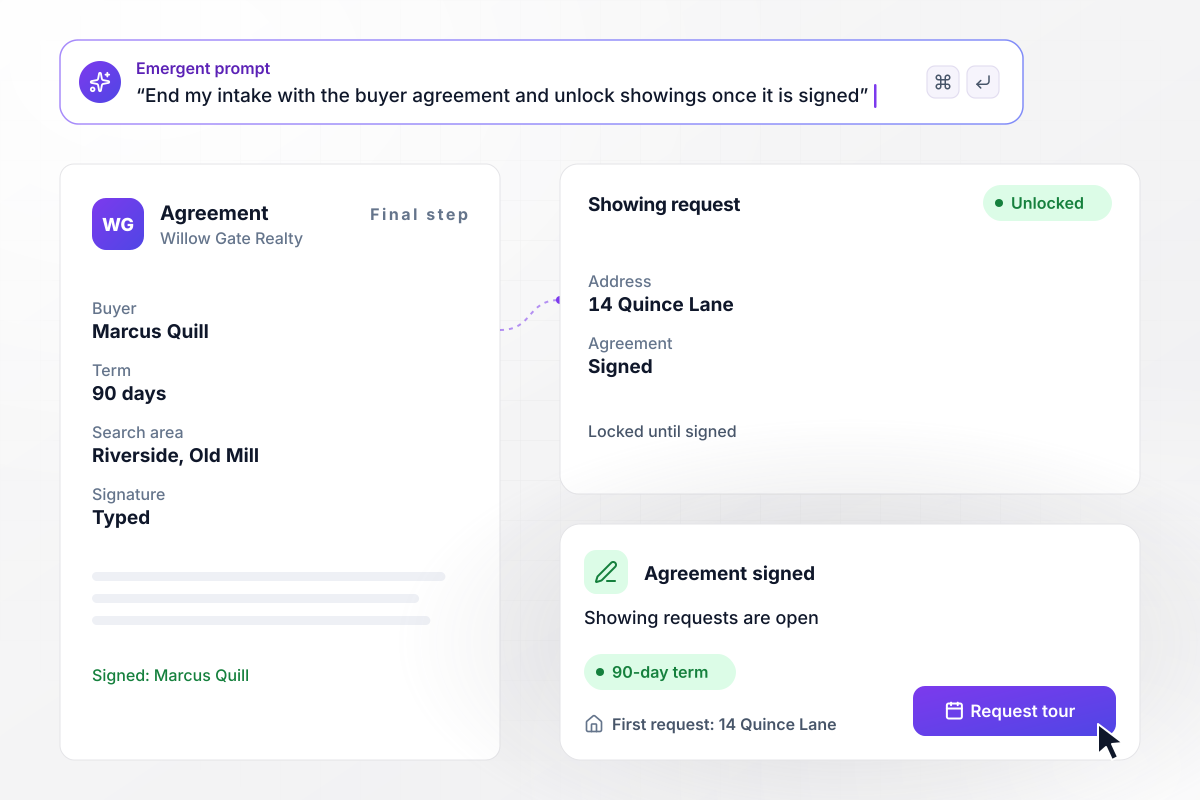
All showings wait on a signed buyer agreement
The last screen at Willow Gate Realty is its written buyer agreement. An MLS participant working with a buyer has to sign one with that buyer before the first tour, so the form keeps the showing request locked until the signature is in. Marcus Quill reads the 90-day term and signs, then asks to see 14 Quince Lane.






How to Create a Real Estate Buyer Intake Form
Seven steps to build a real estate buyer intake form that sorts each new buyer before the first showing.
Write down every question you ask a new buyer at the first meeting, such as budget and target areas. Mark the answers that change what you do next, such as a missing preapproval letter or a lease that ends soon.
Ask about bedrooms and commute limits, and leave the buyer's personal traits off the form. The Fair Housing Act prohibits discrimination on the basis of race, color, religion, national origin, sex, disability, and familial status.
Pair each answer that matters with what should happen next. A buyer without preapproval can book a consultation. A move inside your cutoff can message the agent. Budgets past a set amount can skip the area agents and go to a specialist.
Close the form with the written buyer agreement your brokerage uses, with the term and search area filled in from the answers. Have your broker or counsel approve the wording, and the fields it fills, before the form goes live.
Paste your questions and rules into one plain-English prompt. Emergent builds the form with its routing rules and the buyer database behind it. To add an agent later, describe the change in a new prompt. The live form updates.
Send alerts to the inbox or Slack channel each agent watches. If your office runs a CRM with an API, connect it so every new buyer arrives there as a contact, with the intake answers attached to the record.
Submit the form as a first-time buyer without a preapproval letter, then as a relocating buyer, then as a high-budget buyer. Check that each one triggers the right step and reaches the right agent. Then share the live link with new buyers.
Why Use Emergent for Buyer Intake?
A printable sheet stops at the answers. Emergent builds a form that books the consultation and files the signed buyer agreement.

|
Jotform | Google Forms | Typeform | |
|---|---|---|---|---|
| How you build | Describe it in plain English | Templates, editor, AI generator | Editor, with Gemini drafting on some Workspace plans | Templates, editor, AI assist |
| Where responses live | A database table you own, plus any integration | Jotform account | Google Sheets | Typeform account |
| Response limits | No response caps | Monthly submission caps by plan; the form stops at the cap | No limit | Monthly response caps by plan; the form closes at the cap |
| Code ownership | Full code export to GitHub on paid plans | None | None | None |



Pick the Pricing Plan That Works for You
Choose the plan that fits your building ambitions. From weekend projects to enterprise applications, we've got you covered.




Find the right form
for whatever you're collecting















Frequently Asked Questions
Your Questions, Answered
Don't change this element unless you know what you are doing
More things you can build
with Emergent









on Emergent today


