

Build a Medical Waiver Form for Trips, Classes and Clinics
Build a medical waiver form that collects health answers, emergency contacts, and a signature before anyone takes part.
Build a medical waiver form for my dive school that holds a student's first pool session if they answer yes to a health question.
Trusted by Builders Worldwide
Active Builders Worldwide
Apps Successfully Created
Countries Globally Reached



What Staff Have Before Anyone Takes Part
Each signed waiver arrives with the health answers, the consent, and the dates a paper copy in a binder leaves out.
Health questions asked one per screen
List the health questions your activity needs, and the form asks them one per screen on a phone. A yes opens a box for details and marks the waiver for a staff review.
Emergency treatment consent, initialed
Write the clause that lets staff seek emergency care for a participant. The signer initials it before signing, and the initials and the time are saved with the waiver.
Alerts that leave health answers out
An email or in-app alert says that a waiver is in and links to the record. The health answers stay in the database you own, and none of them is copied into the message.
Insurance cards read into fields
Participants photograph the front of their insurance card. The app reads the insurer and member number into fields, and any value it cannot read goes back to them to type.
One list of who has signed
Every participant sits on one list with a signed date, a review flag, and an expiry date. Filter by trip or class, and send an email reminder to each person still unsigned.
Your code, in your GitHub repository
On paid plans, export the full code to your GitHub repository, host the waiver app on your own servers, and keep it next to the registration system you already rely on.
Who Signs, and What Staff See Next
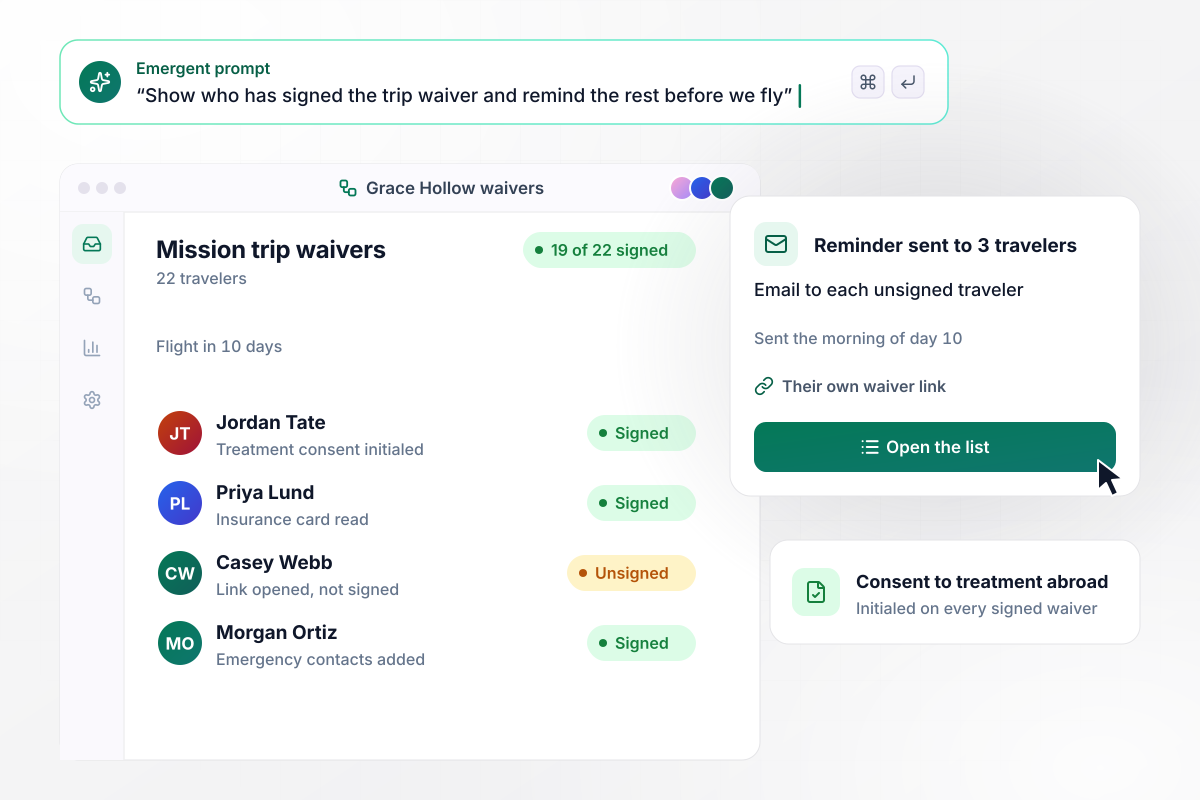
Who is unsigned 10 days before the flight
Grace Hollow Church is sending 22 travelers on a mission trip, each with their own waiver link. Travelers add emergency contacts, photograph their insurance card, and initial consent to treatment abroad. The trip leader's list, 10 days before the flight, shows 19 of 22 signed. The other 3 get an email reminder that morning.
window.awbMockup = { missionTrips: "Build a medical waiver form for my church's mission trip. Each of our 22 travelers gets their own link, adds emergency contacts, photographs their insurance card, and initials consent to treatment abroad. Show me a list of who has signed, and email a reminder to anyone still unsigned 10 days before the flight.", diveCourses: "My dive school needs a medical waiver with our health questions before a student's first pool session. If a student answers yes to any question, hold the booking until they upload a physician's clearance letter. Email the instructor that a waiver needs review, with a link to the record and no health answers in the email.", ivClinics: "Build a medical waiver for my IV hydration clinic. Clients read our 4 risk paragraphs and initial each one before signing. Send the link with the booking confirmation. On the front desk's daily schedule, mark each client Signed or Not signed, and flag any client who has not signed before their appointment.", ridingLessons: "My riding stable needs riders to re-sign our medical waiver every 12 months. Save the date each waiver was signed. Email the rider a link to the current form 14 days before a waiver turns one year old. Mark any rider with a lapsed waiver on the lesson list until they sign again." };
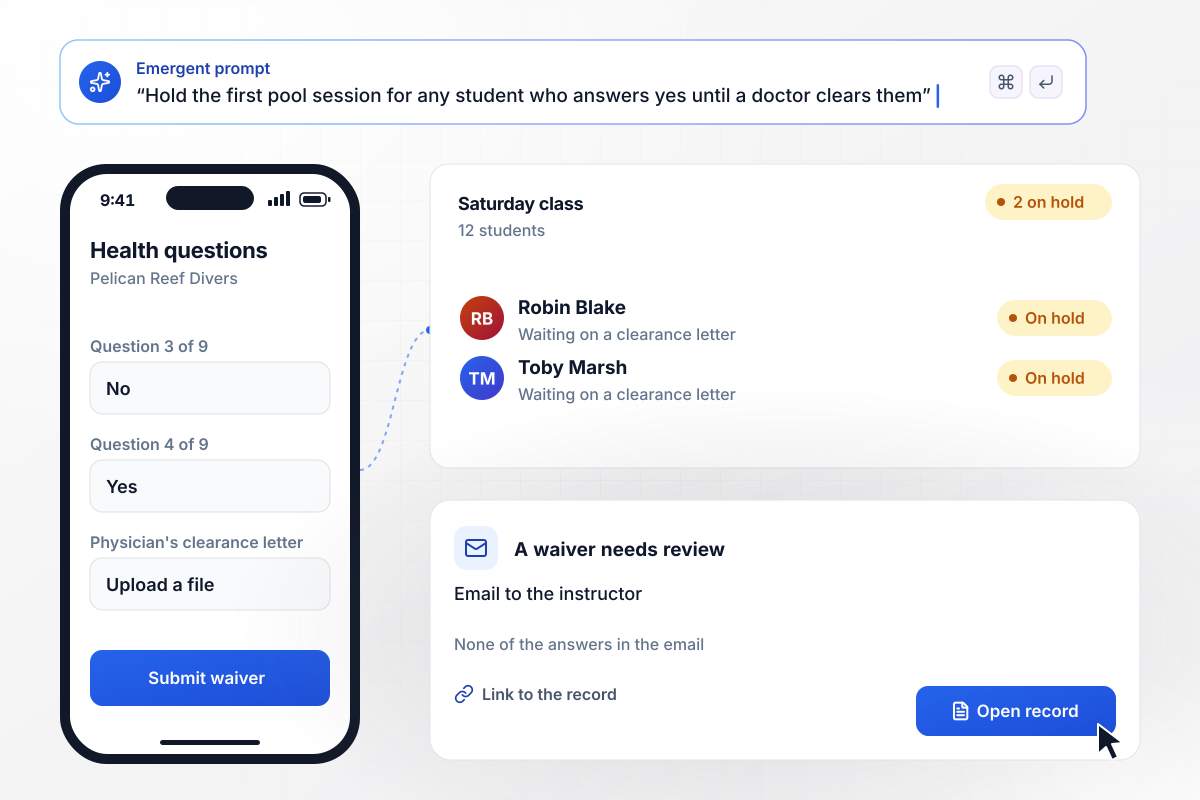
Into the pool only after a doctor clears a yes
Students at Pelican Reef Divers answer the school's health questions before their first pool session. A yes holds the booking until a physician's clearance letter is uploaded. The instructor's email says a waiver needs review and links to the record, with none of the answers. Of 12 students in Saturday's class, 2 are on hold.
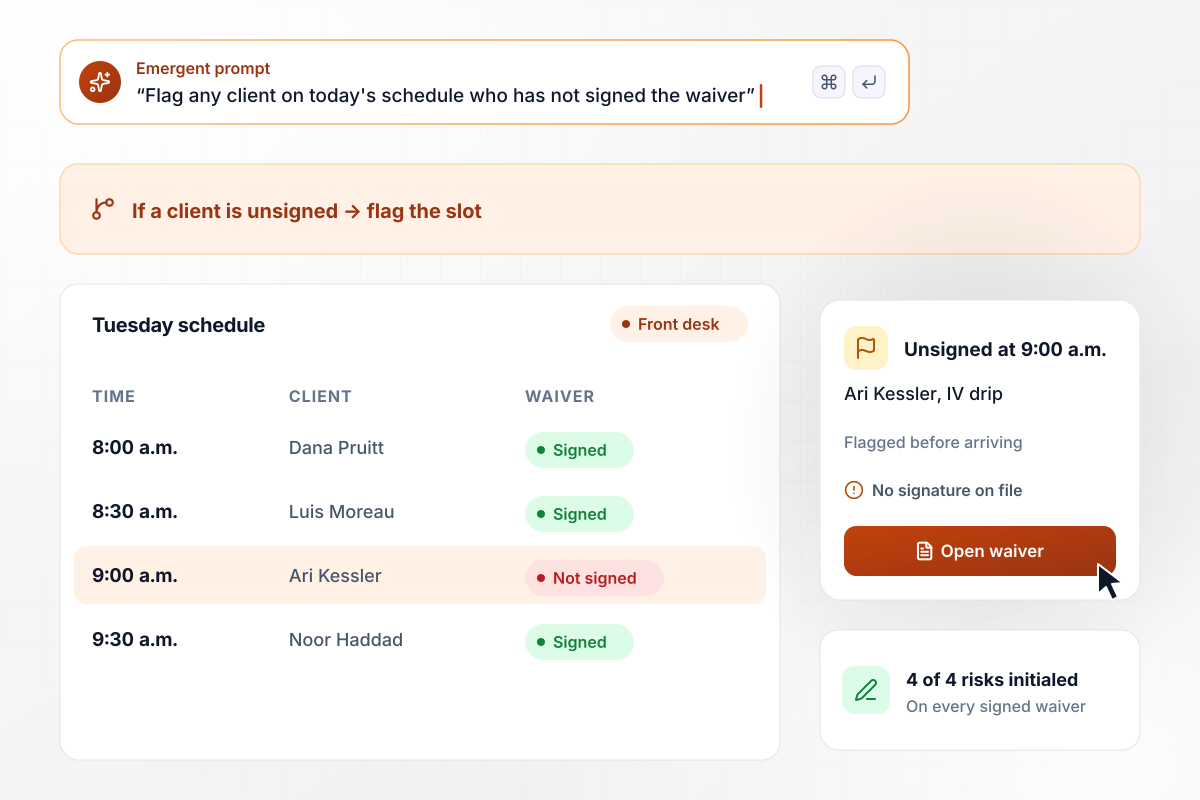
Four risk paragraphs, initialed one by one
Ospry Hydration wrote 4 paragraphs on the risks of an IV drip, and each client initials all 4 before signing. The waiver link goes out with the booking confirmation. On Tuesday's schedule at the front desk, each client reads Signed or Not signed, and the 9:00 a.m. client who has not signed is flagged before arriving.
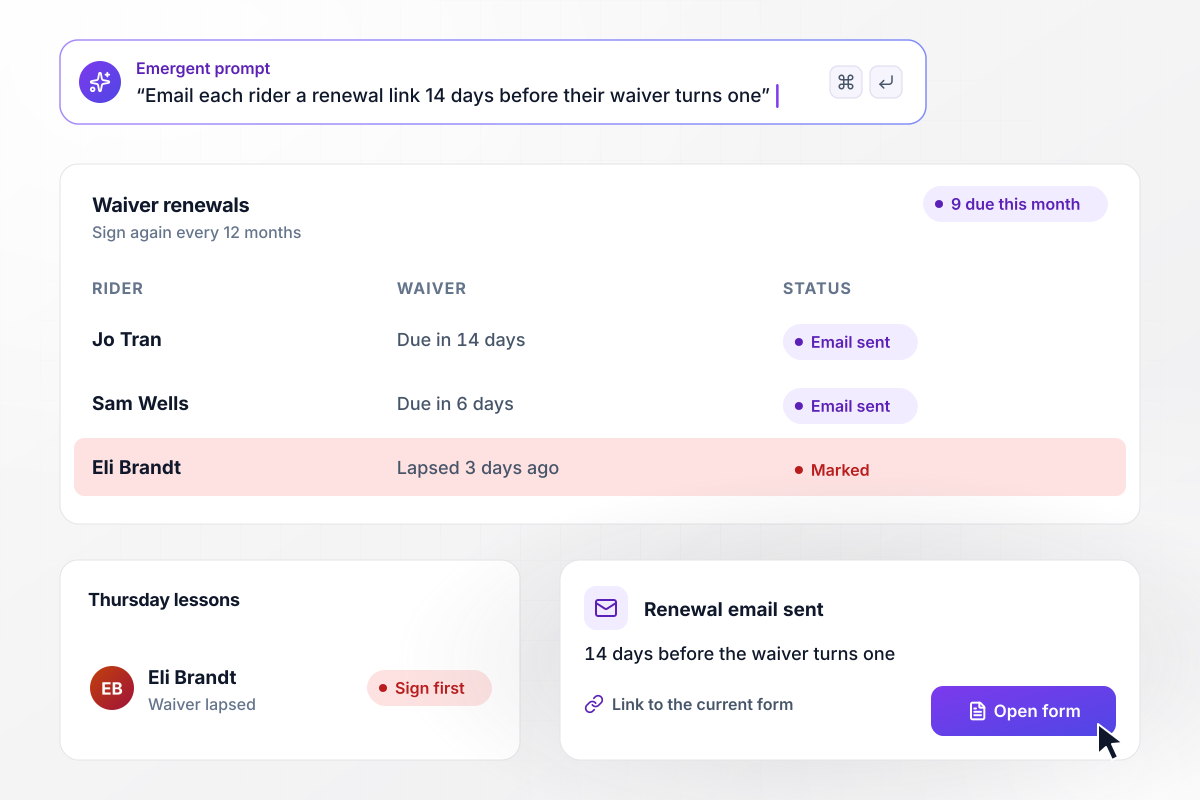
Renewal emails 14 days before each waiver turns one
Sorrel Gate Stables asks riders to sign again every 12 months. When a waiver is 14 days from turning one year old, the rider gets an email with a link to the current form. This month, 9 riders are due. A rider whose waiver lapses is marked on the lesson list until a new signature is in.






How to Create a Medical Waiver Form
Seven steps to a medical waiver form that gathers health answers and consent, holds activities when needed, and renews each year.
A medical waiver can collect health answers, give consent to emergency treatment, and record that the signer read your risks. Pick the parts your activity needs before you write a question. A clinic visit and a weekend trip need different mixes.
Ask only what staff will act on, one yes or no question at a time. Add a details box that opens on a yes. Then decide what a yes does: flag the waiver for review, or hold the booking until a doctor's letter is uploaded.
Describe each risk of the activity in a short paragraph of its own, with a line for initials under it. Have a lawyer licensed in your state review the wording before the form goes live, and keep the approved text unchanged.
Pick the people who read health answers, such as the trip leader or the dive instructor. Those people get an alert that a record is ready, with a link; the details stay in the app.
Choose when the waiver must be signed, such as 10 days before a flight or the night before a first lesson. Decide when reminders go out, and give staff one list that shows who is still missing a signature.
Decide whether a waiver covers one event or a full year. For yearly waivers, save the signed date and send the renewal link ahead of the anniversary. A lapsed waiver then shows on the class list before the lesson starts.
Paste your questions and risk paragraphs into the prompt, with the rule for a yes answer. Emergent writes the form, the staff list, and the database behind both. Sign it yourself from a phone with one yes answer, then check that the alert carries no health answers.
Why Build a Medical Waiver Form on Emergent?
A printed waiver records a signature. This app also holds the activity after a yes answer and leaves health details out of alerts.

|
Jotform | Google Forms | Typeform | |
|---|---|---|---|---|
| How you build | Describe it in plain English | Templates, editor, AI generator | Editor, with Gemini drafting on some Workspace plans | Templates, editor, AI assist |
| Where responses live | A database table you own, plus any integration | Jotform account | Google Sheets | Typeform account |
| Response limits | No response caps | Monthly submission caps by plan; the form stops at the cap | No limit | Monthly response caps by plan; the form closes at the cap |
| Code ownership | Full code export to GitHub on paid plans | None | None | None |



Pick the Pricing Plan That Works for You
Choose the plan that fits your building ambitions. From weekend projects to enterprise applications, we've got you covered.




Find the right form
for whatever you're collecting















Frequently Asked Questions
Your Questions, Answered
Don't change this element unless you know what you are doing
More things you can build
with Emergent









on Emergent today


