



Your practice needs a website, and a quick search turns up dozens of builders that all claim to be the best fit.
Whatever you pick also has to keep patient information safe if your site collects any of it directly, and most builders don't make that part obvious.
I researched the leading options so you don't have to, narrowing the field to seven, covering medical practices, clinics, therapists, and dental offices alike. The best website builder for medical practice work depends on one thing more than any other, and it isn't design.
Some sign a BAA and handle HIPAA compliance natively. Others need a separate compliance layer paired in.
You'll know whether your practice needs a HIPAA-native builder or a general-purpose one, and exactly which tool to pick either way.
How I Researched These Builders
I spent several days on these seven builders. One full day went to the hands-on builds and signup attempts, and the rest went to reading each company's compliance pages line by line.
Four of them build from a description, so each got the same input where the flow allowed it. Emergent and Wix took the prompt below verbatim. Squarespace's Blueprint only accepts a category and a set of goals, so I matched the prompt as closely as its picker allowed. WordPress hit a paywall before I could finish.
The other three work differently. PatientGain is a managed service with no self-serve builder.
SimplePractice and Showit needed hands-on testing of their own signup and editing flows, and SimplePractice's signup became a wall I never got past.
The exact prompt I used:
I run a family medical practice called Willowbrook Family Health with 3 physicians. I need a website with a homepage, an About page with our doctors' bios and credentials, a Services page listing what we offer, and a Contact page. Can you add a form on the Contact page where patients can share their name, reason for visit, and a short description of their symptoms? I'd also like patients to be able to book an appointment directly from the site. I'd like the site to feel calm and trustworthy, using blues and whites, since patients are choosing us based on how professional we look online.
A few other builders came up in early research, but they didn't make the final seven.
Shopify is purpose-built for online stores, designed to sell products with checkout, shipping, and inventory tools built in.
None of that maps onto a medical practice that isn't selling anything, so it got cut early.
Webflow is consistently positioned, including in its own marketing, as a tool for designers and developers. Business owners building a site themselves aren't the target audience.
It offers strong design power, but the learning curve works against anyone who wants a site live without picking up CSS-level skills.
GoDaddy's Website Builder sits in the same general-purpose category as Wix and Squarespace, but it's simpler and more limited than either. It didn't offer anything distinct enough to justify a seventh general-purpose builder on this list.
One thing to say upfront: Emergent is our own product, and it's one of the seven tools reviewed here. I ran it through the same brief and the same compliance checks as everything else on this list. Its biggest limit for this use case is covered in its own section below: it won't sign a BAA.
I built full sites on four of the seven tools and checked every compliance claim against each company's own pages. Two of the seven never let me in far enough to build anything, and I've said exactly where that happened in their sections. The numbering groups builders by what each is best at. It isn't a ranking from best to worst.
Read More: How to Create a Small Business Website in Simple Steps
Does Your Website Need to Be HIPAA-Compliant? Start Here
Your website needs to comply with the Health Insurance Portability and Accountability Act (HIPAA), the U.S. law protecting patient health information, only if it collects protected health information (PHI) directly.
PHI includes symptoms, diagnoses, and other personal health details collected through an intake form, a health questionnaire, or a patient portal login.
Redirect booking and intake to a separate system built for that, an EHR or a scheduler built into your management platform, and your website carries no such requirement.
Most patients search for a new provider online before they ever call, which makes the website the practical first point of contact for most new patients, whether the practice is a medical clinic, a therapy office, or a dental practice.
The PHI question applies to most practices here. This isn't a rare edge case.
General-purpose builders still fit here as long as PHI stays off your public site, with booking and intake routed to an already-compliant portal. The builder's own contact form never collects anything sensitive.
The same protection holds if you embed a compliant third-party form inside a general builder, one with its own Business Associate Agreement (BAA), a contract that holds a vendor to HIPAA's data-protection rules.
PHI is what decides it. Once it reaches a form the builder itself controls, a tool built to handle it natively becomes the right call.
Best Website Builder for Medical Practice: Quick Comparison
Compliance and price diverge sharply across the seven builders below:
Checked directly against each platform as of September 2026.
7 Best Website Builders for Medical Practice
The right builder depends on whether your site collects protected health information (PHI) directly. Emergent, Squarespace, WordPress, and Showit work if PHI stays off-site.
Wix can handle PHI directly too, but only on its Business tier and up. PatientGain and SimplePractice build compliance in from the start.
1. Emergent: Best for Practices That Want a Fast, Custom Build

Emergent's ai medical website builder that generates websites and apps from a plain-language description. It doesn't start from a template.
Emergent surfaces SOC 2 and ISO badges on its own site. Both cover general data security, and neither is a substitute for a BAA.
Pair Emergent with a HIPAA-focused tool once you're collecting PHI directly on your site, since Emergent doesn't currently sign a Business Associate Agreement.
I built Willowbrook Family Health's site in 18 minutes from my initial prompt. Along the way, I answered follow-up questions about booking format, notification handling, and an admin area.
The build shipped a working three-step booking flow, a password-protected staff portal, and email notifications, and I confirmed everything worked by submitting a test inquiry and a test booking myself.
The intake and booking forms collect a reason for visit and symptom description.

My build emailed that content to the patient's email as confirmation and added it to the office portal too. No BAA was involved in this process, though.

You need to close that gap before going live, either by routing intake through a compliant tool or dropping symptom details from the emails entirely.
Best for: Practices that want a fast, custom build with a working booking and admin system already in place, and are ready to pair it with a HIPAA-compliant intake tool separately.
Key Features
- Emmy: Ask her to help translate your idea into a build-ready prompt or walk you through deployment. She's free to use and won't draw from your credits, though she's web-only for now.
- GitHub sync: Export your code via GitHub on the Standard tier and up, so you're never locked into Emergent's platform if you want to take your site elsewhere.
- MCP Connector: Call Emergent directly from inside Claude or ChatGPT and start or check on a build without switching tools.
- Standard web technology under the hood: Your site is built on the same tools a web agency would use, so any developer you hire later can pick it up without a rebuild.
Pros
- Emmy is included on the free tier and doesn't draw from your credits.
- GitHub export gives you a way to keep or move the codebase later.
- Business adds role-based access and single sign-on, and Enterprise adds deployment into your own cloud. None of the other general-purpose builders here surface staff-level access controls on their published plans.
Cons
- Emergent doesn't publish Business and Enterprise pricing; you have to request a quote to know the cost at that tier.
- Emergent's ISO and SOC 2 certifications are general security standards. They aren't healthcare-specific, and they don't substitute for a BAA or HIPAA compliance, which the platform doesn't offer.
- Building the symptom-collection form didn't trigger any compliance warning on its own. The HIPAA gap only surfaced once Emmy was asked about it directly.
What Users Say
Emergent holds a 4.3 out of 5 rating on G2, across 6 reviews.
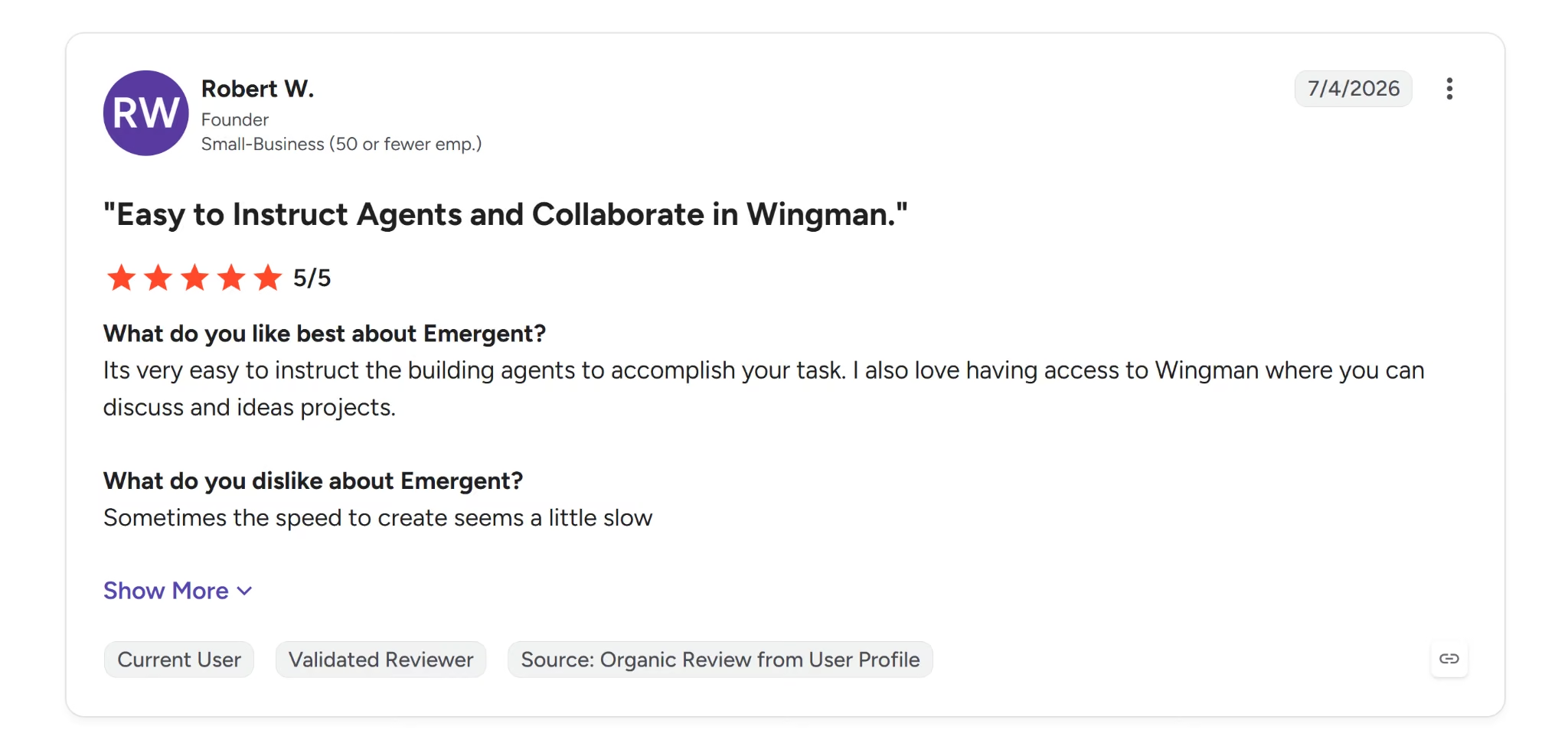
Robert W., a Founder, rated Emergent 5/5, saying it's "very easy to instruct the building agents to accomplish your task."
That matches what the build showed here. Willowbrook's site went from prompt to a working booking flow and admin portal in 18 minutes.

Max H., a Partnership Director, gave Emergent 4/5, but noted it "took a while to understand how best to use at first." That's the tradeoff against the speed above.
Pricing
Free costs $0/month with 10 credits/month. Standard runs $20/month ($17/month billed annually) for 100 credits/month.
Pro runs $200/month ($167/month billed annually) for 750 credits/month and a 1M context window. Business and Enterprise are both custom-priced.
Bottom Line
Emergent shipped a working booking flow, admin portal, and email notifications in 18 minutes, and I confirmed a test submission end to end myself.
That speed comes with a catch for this use case. Patient symptom text goes out in plain email to the office and back to the patient, with nothing here to make that HIPAA-safe.
I'd only recommend Emergent for anyone willing to close that gap first.
2. Wix: Best for Practices That Want HIPAA Compliance on a Mainstream Builder

Wix is an all-in-one website builder combining a large template library, a drag-and-drop editor, and an AI-assisted setup flow that can generate an initial site from a prompt.
Wix holds SOC 2 Type 2 and PCI DSS Level 1. Its billing and PCI-compliance page also lists ISO 27001, 27018, 27032, and 27035 certification, though Wix's trust center cites a different, overlapping set.
Wix offers native HIPAA compliance, so you can activate PHI protection and sign a BAA directly with Wix.
HIPAA compliance is available on Wix's Business, Plus, Elite, Business Elite, and Enterprise plans, across both the Premium and Studio families. The free tier this build landed on doesn't qualify, and neither do Light or Core.
I built Willowbrook Family Health's site in 12 minutes total. Onboarding questions (site type, name, and goals) took 7 minutes before Aria, Wix's AI, started generating anything, and the site itself took another 5 minutes to generate.
Aria pre-filled a starting prompt from my onboarding answers. It didn't open on a blank box the way the other tools did. I replaced it with the same prompt used for every tool in this test.
The build produced a homepage, an About page, a Services page, and a Contact page with a patient inquiry form.
It activated Wix Bookings and Wix Forms for appointments and the contact form specifically, without also turning on Wix Stores.
The contact form had no field for a phone number or email address. A patient can describe their symptoms in detail with no way for the practice to reach back out to them.
Appointment booking doesn't work on the free tier either. You need to upgrade to Core, at least $36/month or $29/month billed annually, before a patient can book anything.
Best for: A practice that wants a fast build with a genuine path to HIPAA compliance, among the general-purpose builders on this list.
That's provided it's willing to pay for at least the Business tier and fix the contact form's missing fields by hand.
Key Features
- Template library: Choose from 2,000+ templates to start your build.
- Drag-and-drop editor: Customize layouts, colors, fonts, and content directly, no code needed.
- Built-in SEO tools: Structure your page titles, meta descriptions, and alt text right from the editor.
- Free plan: Publish and share your site for free, with Wix branding and a Wix subdomain. Upgrade anytime for a custom domain, ad removal, and e-commerce.
- E-commerce marketing tools (higher tiers): Manage Google Search Console, AI-assisted email marketing, and paid ads across Google, Facebook, Instagram, and TikTok, all from one dashboard.
Pros
- Onboarding correctly skipped Wix Stores by default, unlike Squarespace, which added a Shop section without being asked.
- Wix signs a BAA directly and lets you activate PHI protection natively, a compliance path neither Emergent nor Squarespace's own platform offers.
- Paid tiers include a free custom domain for the first year.
- Paid-ad management runs from the Wix dashboard across Google, Facebook, Instagram, and TikTok, so you're not logging into four ad platforms every week to check spend.
Cons
- The contact form Wix generated collects a patient's symptoms with no way to capture a phone number or email, so the practice has no way to follow up.
- The free plan keeps Wix branding and a Wix subdomain and displays an "Upgrade your website to remove Wix ads" banner across every page; a custom domain and ad removal both require a paid tier.
- The cheapest paid tier (Light) excludes e-commerce, booking, and reservations entirely. You must reach the Core tier at least if you need online booking ($36/month, $29/month billed annually).
- HIPAA compliance and the BAA both require the Business tier or higher, a meaningful cost jump from the free plan this build used.
What Users Say
Wix holds a 4.2 out of 5 rating on G2, across 1,889 reviews.

Patrick L., a Co-Owner, rated Wix 4/5, saying it's "very user-friendly" and lets his business "save money by not having to hire a web developer." He also flagged that it's "very glitchy", citing elements that shift position on their own and features that freeze or need frequent reloading.

Hari B., a Designing Head, rated Wix 4/5, but noted you'll need to "watch more than 30 hours long YouTube video [sic] so that you can understand about all the customisation options."
That's a steep learning curve for a solo practice without dedicated design staff.
Pricing
Wix Pricing starts with Light runs $17/month billed annually, with no e-commerce, booking, or reservations.
Core runs $29/month billed annually, the cheapest tier that unlocks bookings, online payments, and store features.
Business runs $39/month billed annually. Business Elite runs $159/month billed annually. A free plan is also available, no time limit, with Wix branding and no custom domain.
Bottom Line
Wix produced a working site in 12 minutes with sensible defaults; unlike Squarespace, it didn't add a shop section I never asked for.
Wix's BAA is an advantage over most general website builders. The contact form still has no field for a phone number or email, so you'd need to fix that by hand before this could go live.
Booking also needs at least the Core tier; the free plan this build lands on by default can't take bookings at all.
3. SimplePractice: Best for Therapy Practices That Want Bundled Practice Management

SimplePractice is practice management software with a website builder included as part of the platform. It isn't sold separately. Scheduling, documentation, billing, and telehealth live in the same system as the site.
SimplePractice's platform is built on HIPAA security and privacy, HITRUST certification, and PCI DSS compliance.
HITRUST is a security framework specific to healthcare. PatientGain doesn't mention it anywhere on its own site.
I tried creating a free trial account, which requires accepting the BAA during signup before choosing a paid plan.
Account creation failed at the SMS verification step, even with a working phone number. SimplePractice's error message pointed to its support team. It didn't offer a way to retry.
I couldn't get past this step, so there's no finished site to show for Willowbrook Family Health here. Everything else in this section comes from reviewing SimplePractice's own pages directly.
Best for: Therapy and mental-health practices that want practice management and a website bundled into one system.
Key Features
- Bundled practice management: Run scheduling, billing, insurance, documentation, credentialing, and telehealth through the same system as your website.
- ePrescribe: Prescribe medications and manage refills directly from the platform, available as an add-on on any plan.
- Care Aide: A bundle built on top of Note Taker, adding live session outlines and recaps during telehealth, treatment plan drafting, and client-ready session summaries.
- Client Portal and EHR mobile app: Give clients a portal to book appointments and message you, and manage your practice from a dedicated mobile app.
- Included website builder: Choose from templates made specifically for therapists, personalize the look with your own logo and colors, and let clients request appointments or submit intake forms directly from the site.
- Note Taker: The base tier Care Aide builds on. Records and transcribes sessions in real time, then drafts a SOAP, DAP, or BIRP progress note for you to review and finalize.
Pros
- Pricing is fully published and self-serve, without needing a sales call to get a number.
- Consolidating scheduling, billing, and documentation into the same system as the website reduces the number of separate tools a solo practice needs to juggle.
- Credentialing support is bundled into the practice-management suite, an administrative task none of the general-purpose website builders on this list handle.
Cons
- Starting price ($49/month) is higher than every general-purpose builder on this list, none of which start above $27/month.
- Oriented specifically toward therapy and mental-health practices. General medical practice isn't the focus, so features built around session notes and treatment plans may not map cleanly onto a general physician's or dentist's workflow.
- The website builder isn't available as a standalone purchase. A practice that only wants a website and already has scheduling or an EHR elsewhere still pays for the full practice-management suite.
What Users Say
SimplePractice holds a 4.1 out of 5 rating on G2, across 129 reviews.
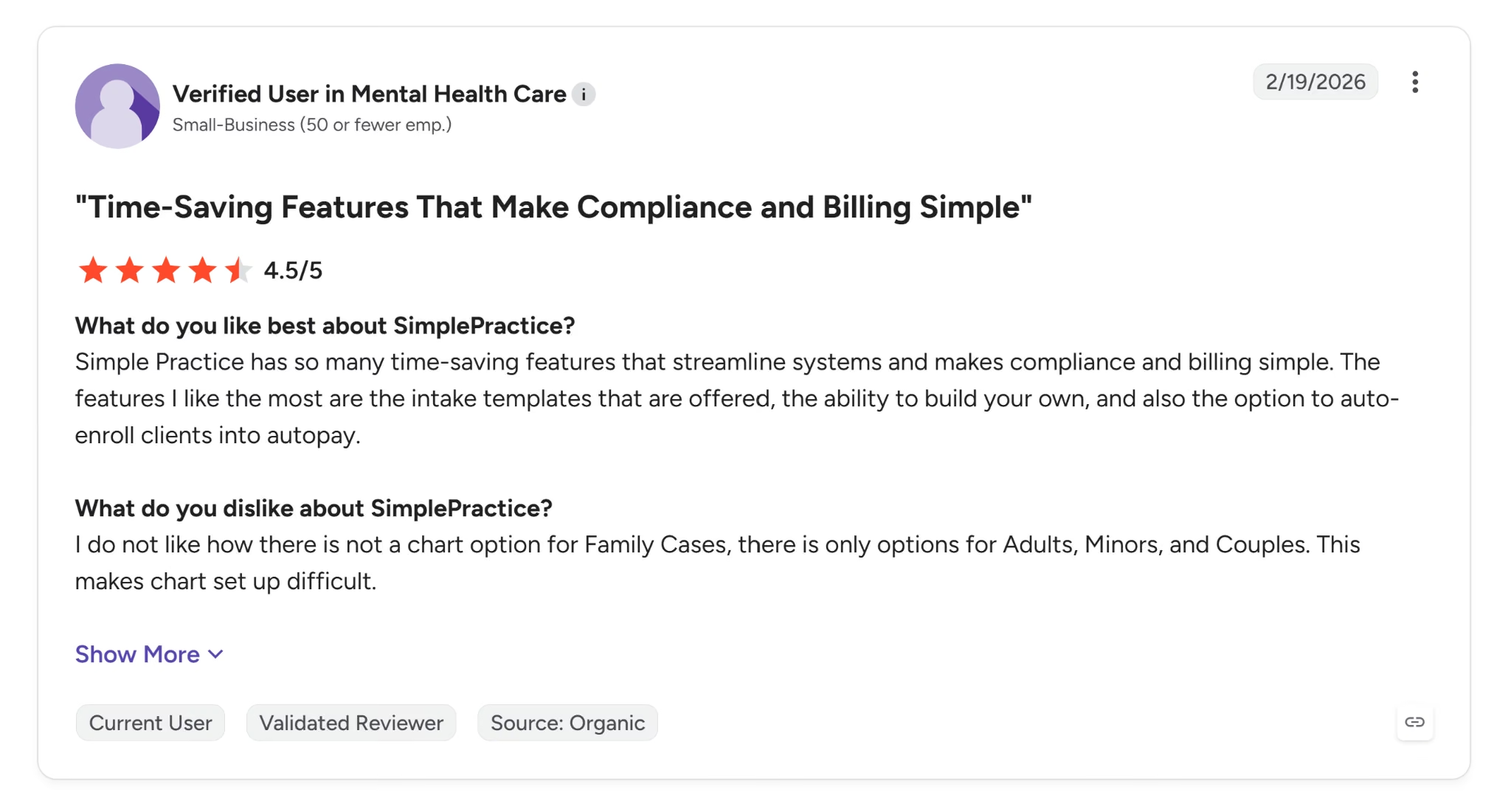
A verified user in Mental Health Care rated SimplePractice 4.5/5, praising "the intake templates that are offered, the ability to build your own."
This reviewer's specialty aligns with SimplePractice's core audience, consistent with what its therapy-focused feature set suggests.

Ashley A., a Practice Manager, rated SimplePractice 3.5/5, but said "reporting and customization features can feel limited" around insurance workflows like claim rejections and secondary billing. That's a direct concern for a medical practice handling more insurance complexity than a typical solo therapy practice.
Pricing
Starter runs $49/month, Essential runs $79/month, and Plus runs $99/month for a solo practice.
A 30-day free trial is available on the Plus plan with no credit card required, and converting to paid within the first 7 days gets 50% off for 3 months on any tier.
Group practices require the Plus plan. It runs $99/month for the first clinician, then $74/month per additional clinician for practices of 2 to 5, dropping to $72/month at 6 to 15 clinicians and $69/month at 16 or more.
Add-ons are priced separately. Care Aide runs $59/month for the account owner plus $49/month per additional clinician; Note Taker runs $35/month, and ePrescribe runs $49/month plus an $89 one-time setup fee.
Bottom Line
SimplePractice signs a BAA at trial signup, before you even pick a plan, and its HIPAA, HITRUST, and PCI DSS credentials are the strongest health-specific certifications of any tool tested here.
Everything else about the platform points toward therapy and mental-health practices specifically, from Care Aide's progress-note terminology to the reviewer specialty I found on G2.
I'd recommend it to a therapy or mental-health practice that wants compliance built in from the first click. A general medical practice with more complex insurance workflows should look elsewhere on this list.
4. PatientGain: Best for Practices That Want Hands-Off HIPAA Compliance

PatientGain is a fully managed website and marketing platform built specifically for medical and dental practices. It doesn't work as a self-serve builder.
It signs a Business Associate Agreement with customers, and HIPAA compliance is built in; the practice doesn't have to configure it separately.
PatientGain hosts on Google Cloud, which publishes HIPAA-eligible services under its own BAA. This covers only the hosting layer, since it says nothing about anything PatientGain builds on top of it. PatientGain's own pages document role-based staff access under HIPAA guidelines.
PatientGain's only SOC 2 mention is about AWS's security. It has no SOC 2 or ISO certification itself.
PatientGain is the only tool here with no self-serve path to attempt at all. Everything in this section comes from reviewing PatientGain's own pages directly.
The homepage reads as dated compared with the other tools tested, though that's PatientGain's own marketing site, not necessarily what it builds for clients.
The generic stock photo of a smiling doctor and the plain, boxy layout feel closer to an early-2010s marketing site than a 2026 SaaS product page.
Best for: Practices that want PHI collected directly on the site without managing the compliance work themselves.
Key Features
- Signed BAA: PatientGain signs a Business Associate Agreement directly with you.
- OpenEMR integrations included: Connect OpenEMR at no extra cost on the Platinum service.
- Patient Consent Management App: Capture and log patient consent for PHI collection. Included on Platinum+, or available standalone for $299/month on other tiers.
- Serves a wide range of healthcare specialties: From doctors and dentists to mental health, chiropractic, medical spas, and dozens of other specialty categories listed on PatientGain's homepage.
Pros
- Removes much of the compliance-assembly burden. You don't need to separately vet PHI-handling tools, since the BAA is part of every tier.
- Every tier includes the BAA. The compliance question is settled at the cheapest plan; no upgrade required to get it.
- Bundles EHR integration on its Platinum service, which none of the general-purpose builders here offer at all.
Cons
- The pricing/service pages mix plain feature description with sales-oriented content (A/B testing add-ons, CRO frameworks), making it harder to compare tiers at a glance than a self-serve builder's pricing table.
- PatientGain sells more than 20 individual apps separately, each with its own monthly fee from $100 to $1,000.
- Assembling a comparable feature set outside the bundled tiers can add up quickly, and that total isn't reflected in the headline package prices.
- PatientGain runs as a managed service. Day-to-day site changes go through PatientGain's team, since practice staff can't make them directly.
What Users Say
PatientGain has no published customer reviews on G2, Capterra, Trustpilot, or SourceForge. Each shows either zero reviews or no listing at all. Genuine discussion does surface in less formal places.

In r/MedSpa on Reddit, one commenter wrote that they'd "had a good experience with PatientGain" and started seeing more consistent inquiries after a while.

A separate comment in r/adwords was more critical, saying PatientGain "sells the same templates to hundreds of practices."
That commenter disclosed that they run a competing marketing agency for medical and dental practices. They weren't a PatientGain customer, so you should weigh the criticism against that bias.
Pricing
Gold starts at $899/month, Platinum at $1,699/month, and Platinum+ at $2,499/month, and every tier is quoted as a floor rather than a fixed rate.
Multi-Location runs $500 to $800/month per clinic depending on tier, and Enterprise starts at $5,000/month.
Individual apps are sold separately too, priced from $100/month up to $1,000/month depending on the app, and the standalone SPOC (Single Point of Conversion) inbox tool runs $499/month on its own.
Bottom Line
PatientGain signs a BAA and handles HIPAA compliance directly, with no separate subscription to buy. Squarespace only gets there through Acuity Scheduling, sold separately. Wix signs its own BAA, but only once you reach the Business tier.
SimplePractice does too, and does it even earlier in the process. It agrees to the BAA right at trial signup; PatientGain does it through a managed sales relationship.
That comes at the cost of self-serve control. There's no way to test-drive a build, and pricing spans a wide range of tiers and add-on apps that take work to compare.
I'd recommend it to you if you want compliance handled for you and are comfortable evaluating a managed service on its own terms, without a hands-on demo.
5. Squarespace: Best for Practices That Want Designer-Made Templates

Squarespace is a design-focused all-in-one website builder combining designer-made templates with a drag-and-drop editor (Fluid Engine). It also offers an AI-assisted Blueprint builder that generates an initial site from a description.
Squarespace publishes no SOC 2 or ISO certification I could find, and it won't sign a BAA on the website plan itself. Its payment integrations meet PCI DSS, which counts if you sell anything and does nothing for patient data.
Squarespace does have a path to a BAA through Acuity Scheduling, the appointment-booking company Squarespace acquired in 2019. Acuity's Premium plan includes signing a BAA for HIPAA compliance.
Acuity is sold separately from a Squarespace website plan and works with any Squarespace tier.
I built Willowbrook Family Health's site through Blueprint AI in 11 minutes. The category list included medical-related options, but I typed in "Doctors Offices" as custom text instead. Then I chose goals around contact, appointments, and expertise, deliberately leaving out anything about selling products.
The build generated a Shop page anyway, with three fabricated $25 products and working Add to Cart buttons on the homepage itself. Unchecking Shop in the page checklist left it sitting unlinked in the page manager. It never got removed.
One G2 reviewer, quoted later in this section, raised the same concern: Squarespace feels built for retailers first. You have to strip this out by hand, and you shouldn't have to trust the onboarding flow to skip it in the first place.
Best for: A practice that wants Squarespace's designer-made templates and is willing to manually remove the commerce content the build adds by default, and pay separately for Acuity Scheduling if it wants HIPAA-compliant booking.
Key Features
- Fluid Engine: Drag and drop content blocks anywhere on the page, and your layout adapts automatically across devices.
- Designer-made templates: Pick from a fully responsive, customizable template library built by professional designers.
- Built-in marketing tools: Run SEO and email campaigns natively, without adding a separate app.
- Business tools: Handle invoicing, memberships, and donations as built-in features, no separate subscription required. Squarespace markets scheduling the same way, but it runs through Acuity, which needs its own paid plan to work.
Pros
- Fluid Engine lets you break outside a template's default grid without writing custom code.
- Acuity Scheduling works with every Squarespace tier, including Basic, so adding booking never forces an upgrade to the website plan itself.
Cons
- Getting to the full total takes work. The website plan, Acuity Scheduling, and Acuity's Premium tier for the BAA are three separate line items, and the pricing page shows you one at a time.
- Appointment booking doesn't work out of the box. The Appointments page generated during setup requires a separate Acuity Scheduling subscription, and the BAA is only on Acuity's Premium tier ($61/month, or $49/month billed annually), on top of the website plan.
- Blueprint AI wrote credential claims into the About page on its own, including board certification and a coordinated care model, without being asked. Nothing in the flow flagged it. For a medical practice that's copy you have to delete or verify before launch, not a head start.
- Donation tools are built for general service businesses and nonprofits. They aren't designed for medical-specific workflows like patient intake or insurance verification.
What Users Say
Squarespace holds a 4.4 out of 5 rating on G2, across 1,137 reviews.
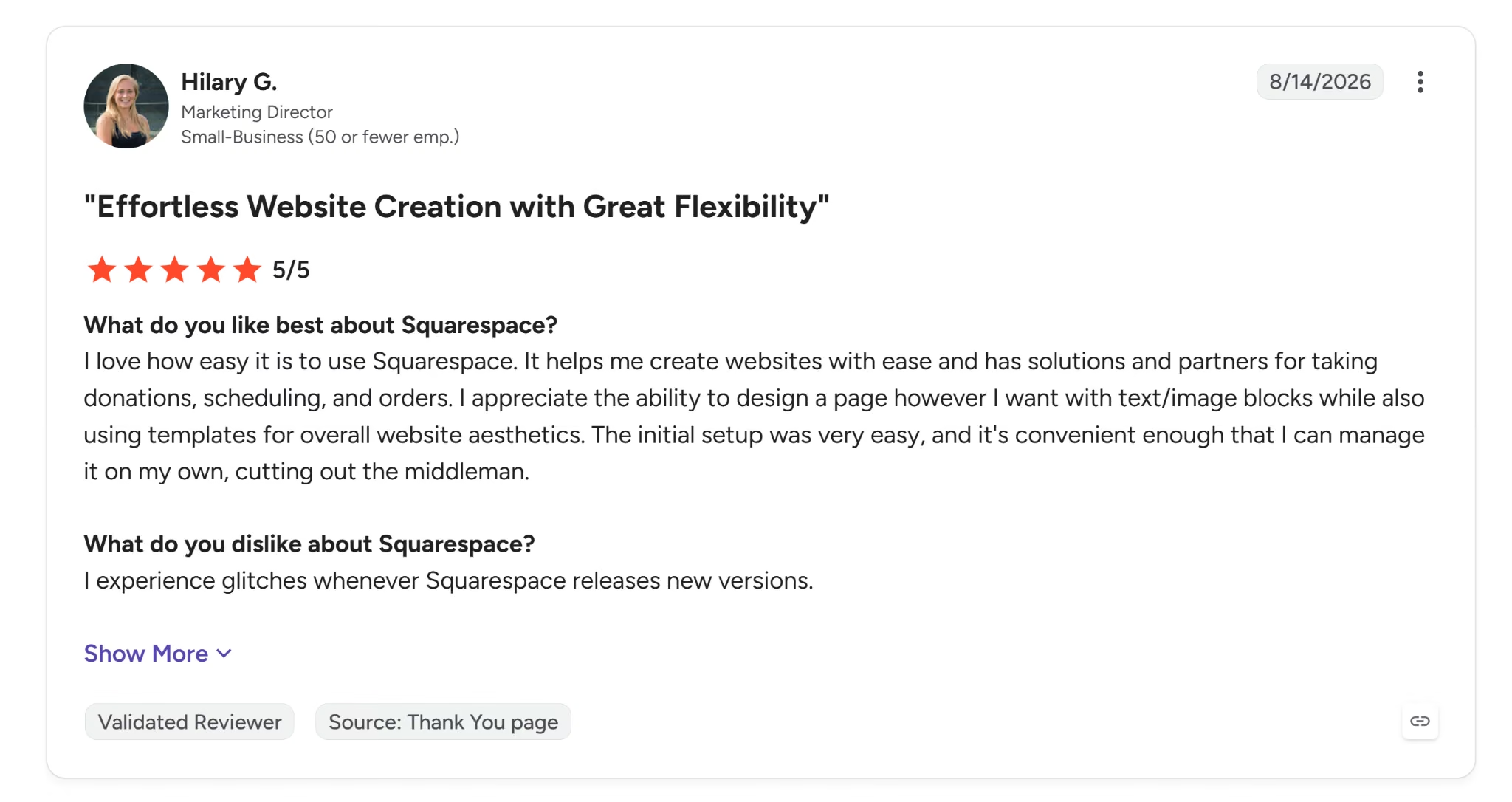
Hilary G., a Marketing Director, rated Squarespace 5/5, saying "the initial setup was very easy" and that it's "convenient enough that I can manage it on my own, cutting out the middleman."

Alphonse T., a Senior Manager of Global Communications, rated Squarespace 3.5/5, saying it "feels more geared toward web shops than toward broader organizational needs, especially if you're mainly trying to build a general informational website."
A medical practice site is an informational site first. It isn't a shop, which makes this a direct concern. They also noted some widgets feel "tricky to manage" and "wonky" when customizing.
Pricing
Sqaurespace pricing Basic runs $25/month billed monthly or $19/month billed annually, with up to two contributors and no free custom domain.
Core runs $39/month billed monthly or $29/month billed annually, adding a free custom domain, unlimited contributors, and professional email from Google Workspace.
Plus runs $65/month billed monthly or $49/month billed annually, lowering payment processing fees.
Advanced runs $139/month billed monthly or $99/month billed annually, with the lowest processing fees and most advanced commerce tools. Every tier includes a 14-day free trial.
Acuity Scheduling is priced separately. Starter runs $20/month billed monthly or $16/month billed annually, for one bookable calendar.
Standard runs $34/month billed monthly or $27/month billed annually, for up to 6 calendars.
Premium runs $61/month billed monthly or $49/month billed annually, for up to 36 calendars, and is the only tier that includes signing a BAA for HIPAA compliance.
Bottom Line
Squarespace built a polished, professional-looking site in 11 minutes, but it generated a full Shop section with fake products I never asked for, and I had to catch that myself.
Working appointment booking requires a second subscription to Acuity Scheduling, and the HIPAA-compliant version adds $61/month, or $49/month billed annually, on top of the website plan.
I'd recommend Squarespace to any medical practitioner or dentist who's ready to do that cleanup and pay for Acuity specifically. It's not the right fit for one expecting a finished site straight out of onboarding.
6. WordPress: Best for Practices That Want a Vast Plugin Library

WordPress.com is a hosted service, distinct from WordPress.org, the free, self-hosted, open-source software anyone can download and run on their own server.
WordPress.com, the one I tested, runs on that same underlying software. It's a separate commercial product with its own pricing tiers, hosting included, and Automattic running the infrastructure.
It combines a block-based drag-and-drop editor with WordPress's plugin library, and also offers an AI-assisted setup option that can generate an initial site from a description.
I found no SOC 2, ISO, BAA, or HIPAA compliance claim anywhere on WordPress.com's own consumer-facing pages.
WordPress.com's PCI DSS page follows the same pattern, stating plainly that hosting on WordPress.com doesn't make a site PCI compliant on its own.
WordPress VIP, however, holds a SOC 2 Type I attestation. It's a separate, higher-end managed WordPress product from Automattic, aimed at large enterprises and media organizations. Small practices aren't the target market.
It also has its own pricing and scale requirements, distinct from the WordPress.com plans tested in this article.
I tried WordPress.com's AI-assisted builder first. It offered no free option at any point, only paid plans, so I abandoned it and started over through the manual signup path instead.
The manual path did offer a free plan. I picked the free WordPress.com subdomain and searched the Themes library for "doctor's office."
All four medical-relevant themes that came up were locked to the Business tier. The dedicated Health & Wellness category showed the same pattern. Many themes exist there, but none are available for free.
I stopped testing at this point. Building a full site on a theme meant for something else wasn't a fair test.
Best for: A practice that wants WordPress's plugin library and broader customization, and is ready to pay for Business tier, since the free plan has no medical-relevant theme available on it.
Key Features
- Block editor: Drag, drop, and copy-paste pre-built block patterns directly onto your pages and posts.
- Plugin library: Choose from over 50,000 plugins and add-ons, plus native integrations with tools like Mailchimp, Google Analytics, Yoast, and ConvertKit.
- E-commerce via WooCommerce: Install the free WooCommerce plugin on any paid plan, or get it pre-installed on the Commerce plan.
- Free plan: Start with basic SEO, site statistics, and social sharing (Jetpack essentials) at no cost, with 1GB of storage.
- Real-time backups: Restore your site with one click on the Business plan and higher.
Pros
- Built on open-source WordPress software, which powers 40.7% of all websites as of September 2026, per W3Techs' independent, daily-updated tracking.
- That scale translates to a far larger developer community and plugin library than the proprietary builders on this list, with over 50,000 plugins covering nearly any specific need.
- A free plan exists with basic SEO and 1GB of storage, though none of the free-eligible themes I found are built for a medical practice.
Cons
- The tiered pricing (Personal/Premium/Business/Commerce) uses an introductory annual rate that renews at a higher rate after the first year, a detail easy to miss if you only glance at the flashy first-year number.
- With 50,000+ plugins available, anything you pick for something sensitive like an intake form is yours to vet. You have to check that plugin's own security and compliance yourself, because WordPress guarantees nothing about it.
- Real-time backups with one-click restore are limited to the Business plan and higher, so practices on lower tiers have less built-in protection against losing site changes.
What Users Say
WordPress.com holds a 4.4 out of 5 rating on G2, across 2,681 reviews.
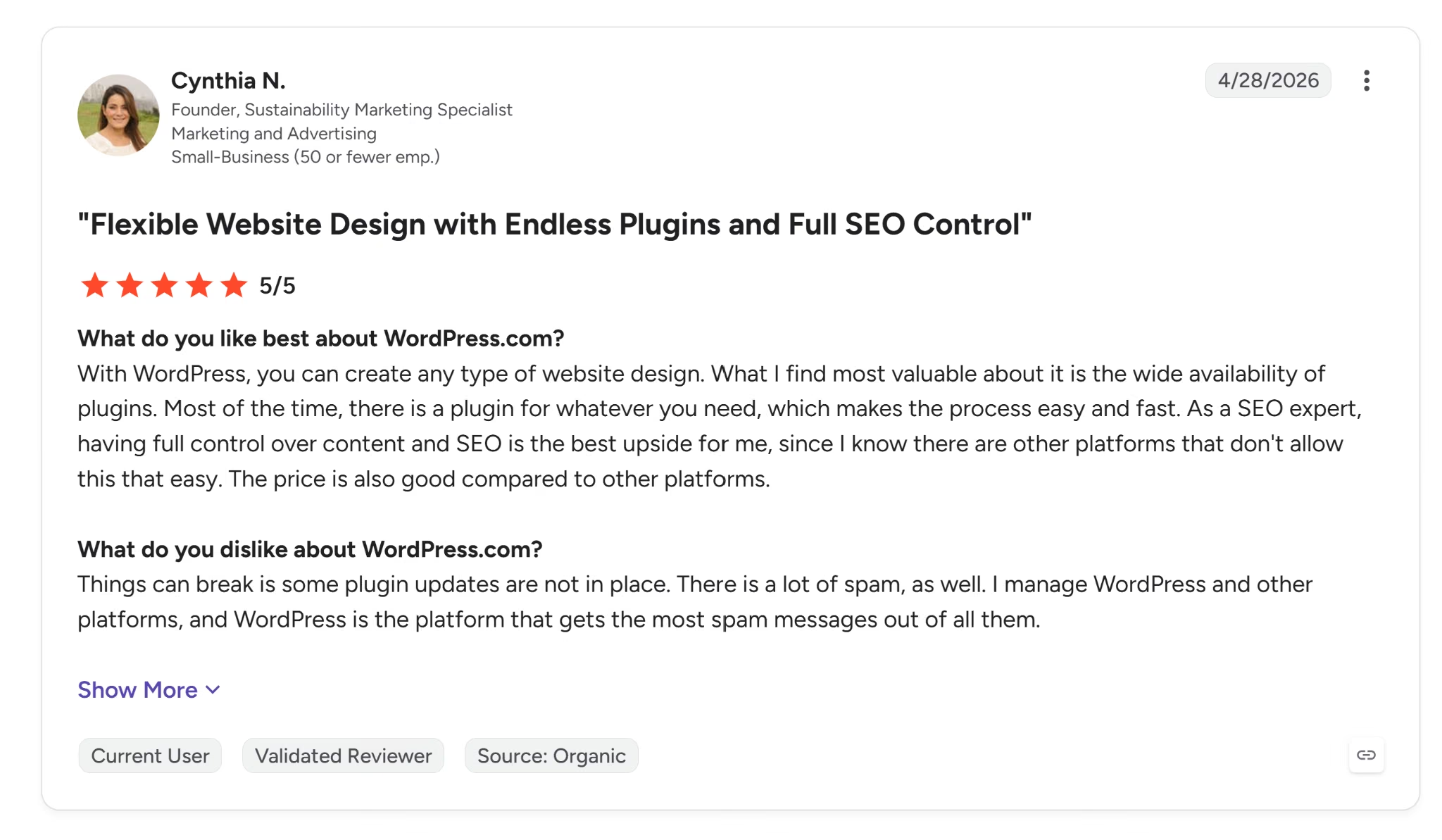
Cynthia N., a Founder, rated WordPress.com 5/5, saying "there is a plugin for whatever you need" and praising the full control it gives her over content and SEO.

Roger G., an Editor, rated WordPress.com 3.5/5, but noted "the features are very limited, which quickly becomes a bottleneck for growth."
Pricing
Personal runs $9/month billed monthly or $4/month for the first year billed annually, renewing at $6/month after that.
Premium runs $18/month billed monthly or $8/month for the first year billed annually, renewing at $10/month after that.
Business runs $40/month billed monthly or $25/month for the first year billed annually, renewing at $30/month after that.
Commerce is $70/month billed monthly or $45/month for the first year billed annually, renewing at $57/month after that. Enterprise is custom-priced.
Bottom Line
WordPress.com's AI builder wouldn't let me proceed without a paid plan. The manual path's free tier does exist, but it has no medical-relevant theme available on it, only Business tier and up.
I stopped short of a finished site for that reason.
WordPress's plugin depth holds up, provided you don't mind paying for Business or higher. But if you're hoping for a working free option the way Emergent and Wix both delivered, WordPress.com doesn't offer one for this use case.
Read More: 5 Must-Try Website Builders for Service Businesses in 2026
7. Showit: Best for Practices That Want Pixel-Level Design Freedom

Showit is a drag-and-drop website builder with pixel-level design control. Elements can be placed freely; there's no template grid locking them in place.
It has a separate mobile editor, so you lay out the phone version yourself rather than inheriting a shrunk-down desktop page. That's how a booking button or phone number ends up exactly where a thumb can tap it.
No SOC 2, ISO, BAA, or HIPAA-compliance claim appears anywhere on Showit's privacy policy or hosting security page, health-specific or otherwise.
Its privacy policy lists CCPA, CPRA, GDPR, UK GDPR, and a long roster of state privacy laws. It's general data-privacy coverage, and none of it is health-specific.
Showit's GDPR guidance goes further. It recommends not using the built-in contact form while Showit develops changes, and using a third-party embed such as Mailchimp instead.
I had to scroll through Showit's full built-in library to find a template, since the picker has no search or filter. Every option I saw leaned wellness, coaching, or personal-brand in tone.
None felt built for clinical practice. I picked Nutri, a nutrition-coaching theme built around a personal brand and healthy-eating messaging, the only health-adjacent option in the whole library.
Its contact form shipped with just a name and email field, nothing for a message or symptom description. I submitted a test entry, and the account dashboard logged it, along with an email notification to the site owner.
Contact form submissions also get delivered by SMS, with a link back to that same dashboard. Neither the privacy policy nor the hosting security page describes either delivery channel as encrypted.
I checked the paid Design Market too, since the free library came up short. It didn't turn up anything closer.
Karri, the nearest match by category, comes from a third-party designer and costs $450 as a one-time purchase on top of the Showit subscription.
You can also get a fully custom build through Showit's "Hire a Designer" option, though pricing varies by designer.
Scheduling and blogging both work the same way. Neither is native.
Scheduling runs through embedding a separate tool like Acuity or Calendly, and blogging runs through an integrated WordPress installation, with Showit handling the visual design while WordPress handles publishing.
Best for: A practice that wants Showit's pixel-level design freedom for a general marketing site, and has already decided PHI won't be collected there at all.
Key Features
- Pixel-level placement: Place elements exactly where you want them, free from a template grid.
- Independent mobile editor: Lay out the phone version of every page yourself.
- WordPress-integrated blogging: Design your blog visually in Showit while WordPress handles publishing behind the scenes.
- Free blog migration from WordPress or Squarespace if you're moving over to the Advanced Blog plan.
Pros
- The 14-day free trial doesn't require a credit card, so you don't need to enter billing information just to start testing.
- Free blog migration lowers the switching cost for any medical practice already blogging on WordPress or Squarespace.
Cons
- No dedicated HIPAA, patient-intake, or clinical-practice features or messaging appear anywhere in Showit's marketing.
- Blogging requires a separate WordPress installation and integration, since it isn't native to the platform, adding a setup step some competitors don't require.
- Scheduling isn't native either. You'd need to embed a separate tool like Acuity or Calendly through Showit's generic embed-code element.
What Users Say
Showit holds a 4.5 out of 5 rating on Capterra, across just four reviews.
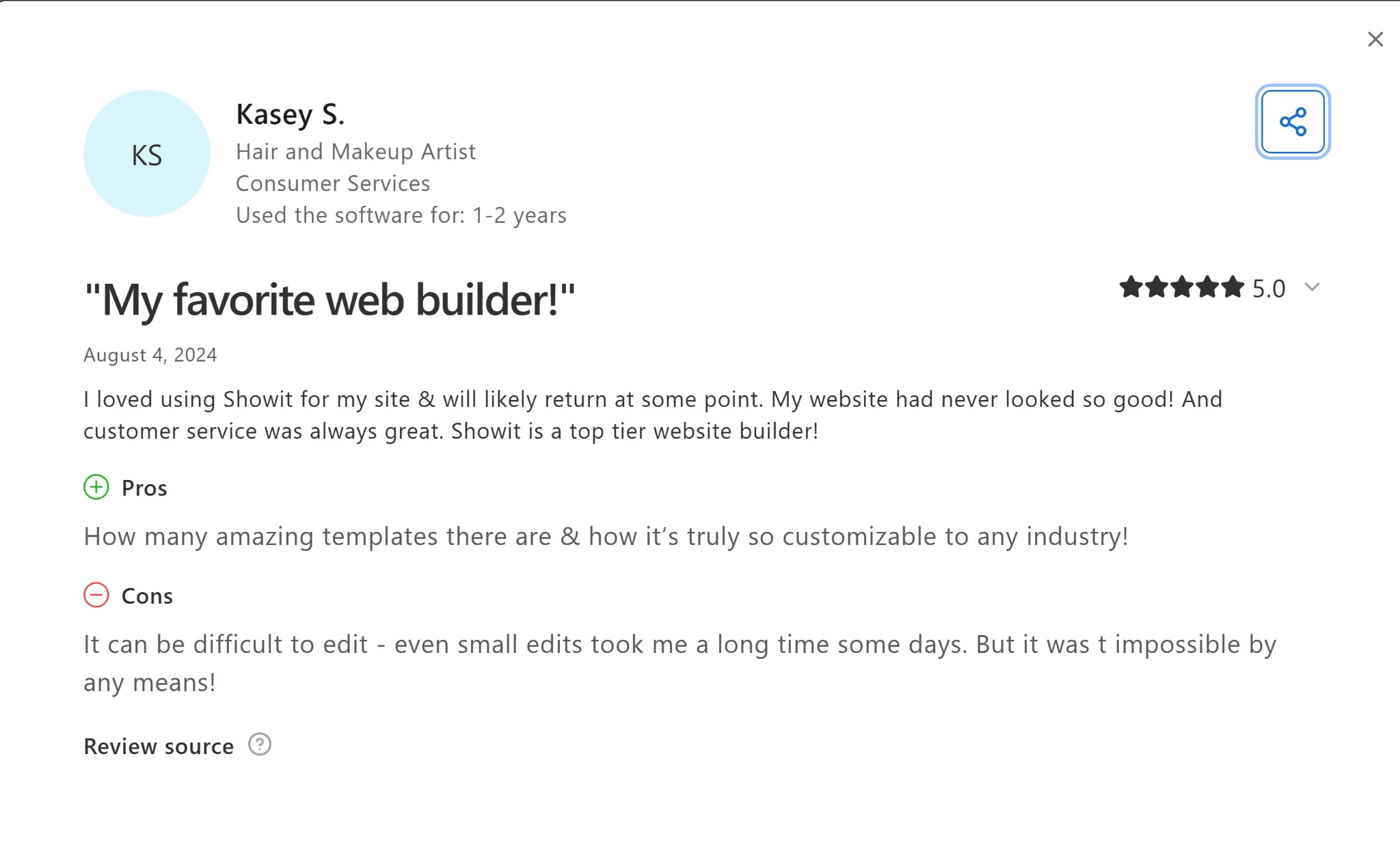
Kasey S., a Hair and Makeup Artist, rated Showit 5/5, praising how the platform is "truly so customizable to any industry."
Their role fits exactly the audience Showit is built for (a beauty and personal-brand professional).

Pete G., a Project Manager, rated Showit 3/5, calling the separate desktop and mobile workspaces "very stressful indeed" and questioning the value at its price point.
Showit has no G2 reviews. Its Trustpilot rating tells a very different story than Capterra's. It sits at 1.9 out of 5, rated "Poor," across 14 reviews, with 79% landing at one star.
The recurring complaint on Trustpilot is support response time, sites going down, and getting locked out during billing or DNS issues. Design and ease of use barely come up.
Pricing
Showit (no blog) runs $27/month billed monthly or $22/month billed annually ($259/year). Showit & Basic Starter Blog runs $34/month billed monthly or $27/month billed annually ($326/year).
Showit & Advanced Blog runs $49/month billed monthly or $39/month billed annually ($470/year).
Two higher-traffic Advanced Blog tiers exist for blogs that outgrow the standard 25K monthly-visit limit.
The 100K tier runs $79/month billed monthly or $63/month billed annually ($758/year), and the 200K tier runs $149/month billed monthly or $119/month billed annually ($1,430/year).
Blogs over 200K monthly visits need a custom quote directly from Showit's support team.
None of these high-traffic tiers appear on Showit's standard order form; you must subscribe to Advanced Blog first, then contact support to upgrade.
Bottom Line
Showit's design strength is genuine. Pixel-level placement and an independent mobile editor give control most builders don't offer.
None of it points toward medical practice, though. Scheduling and blogging both need a separate embedded tool, too.
I'd only recommend Showit if you've already decided to keep PHI off its site entirely and mainly want strong visual design control for a general marketing site.
How to Evaluate Medical Practice Website Builders
Evaluating a medical practice website builder means checking whether the tool handles PHI safely, whether it handles booking and intake natively, and whether the design reads as credible. Can it rank for local searches? Does it perform well on mobile? And what does it cost once you add compliance and per-clinician fees?
HIPAA Exposure
Start with one question: Will a patient ever type a symptom, a diagnosis, or a health history into a form your builder controls?
A general-purpose builder works fine when the booking and intake route to an already-compliant EHR or scheduling platform instead.
A form on your site that asks a patient to describe symptoms crosses that line the moment someone submits it. A callback-request form asking only for a name and phone number generally doesn't.
Booking and Intake
Check whether a tool handles scheduling natively and signs a BAA for it directly, as Wix does on its Business tier and up, or as PatientGain and SimplePractice do from the start.
Without native scheduling, you'll pair in a third-party tool like Acuity or Calendly. The setup step is minor as long as the third-party tool carries its own BAA.
Keep this native-versus-third-party split in mind as you re-read the tool sections above. A missing phone field on one builder's contact form, or a platform with no native scheduling option at all, both count.
Showit falls into that second category entirely.
Read More: 5 Best Website Builders to Book Appointments In 2026
Design and Credibility
Look for templates built around doctor bios, verifiable credentials, and board certifications, since that's what makes a practice feel credible before a patient ever calls.
Be wary of a template designed for yoga instructors, wedding photographers, or wellness coaches instead. The language and imagery target a different kind of trust.
Local and Specialty SEO
Check whether a builder can rank for a "[specialty] near me" search, since most of your prospective patients start there. rater8's 2026 Patient Choice Report found 55% of patients search that way first, and 72% were in the market for a new provider over the past year.
Look for a Google Business Profile connection, LocalBusiness and Physician schema you can add without a developer, and a separate page per location if you have more than one office. Generic SEO tools and clean page structure are table stakes; these specifics decide whether you rank locally.
WordPress's plugin library is the deepest option on this front, since dedicated SEO plugins exist for nearly every ranking factor your practice might need.
Mobile Experience and Load Speed
Test how a site performs on mobile specifically, since most local searches happen on a phone. A slow or broken mobile layout loses patients before they see what your practice offers.
Check for independent mobile design control, the ability to place a booking button or phone number exactly where it's easiest to tap. It carries more weight here than for a typical small-business site.
Speed matters as much as layout. Run any demo site through PageSpeed Insights on mobile before you commit, and watch what the builder loads by default. Template-heavy builders ship large image sliders and animation libraries a practice site never needs.
Cost of Ownership Over Time
Look past the entry price. Compliance add-ons, per-clinician fees, and any jump to a higher tier just to get BAA access can push your actual monthly cost well past the starting price.
Pricing varies widely across these seven builders. WordPress starts near $9/month, Wix jumps from $24 to $46 the moment BAA access becomes a requirement, and PatientGain's fully managed service starts at $899.
Read More: 5 Best Business Website Builders Companies Trust in 2026
Which Builder Should You Choose?
Picking a builder from here comes down to what you need beyond compliance.
Choose Emergent if you:
- Want the most finished build in a single pass, with booking and an admin portal working on day one
- Are comfortable pairing in a HIPAA-compliant intake tool separately
Choose Wix if you:
- Want a mainstream, well-known builder
- Need a genuine native HIPAA path and can pay for Business tier
Choose SimplePractice if you:
- Run a therapy or mental-health practice specifically
- Want a BAA in place from the moment you sign up
Choose PatientGain if you:
- Want compliance handled entirely for you
- Don't need to test-drive a build before committing
Choose Squarespace if you:
- Want the most polished templates out of the box
- Don't mind manually stripping out the commerce defaults it adds
Choose WordPress if you:
- Want the deepest plugin library in this list
- Are willing to pay for Business tier to get a usable medical theme
Choose Showit if you:
- Want pixel-level design control above everything else
- Can keep PHI off the site entirely
Skip this category entirely if:
- Your practice is already tied to a hospital system's mandated website platform
- You need deep, direct integration with an enterprise EHR like Epic or Cerner, beyond what any tool here, including PatientGain's managed service, currently supports
Final Verdict
PHI is the deciding factor. Your site collecting it directly points you toward Wix, PatientGain, or SimplePractice, all of which handle that compliance work in ways Emergent currently doesn't.
Plenty of practices can route booking and intake to an EHR and keep PHI off the site entirely. Do that, and Emergent covers the most ground in one pass: a complete custom site in 18 minutes during testing, with a working admin portal and booking flow.
Emergent also uses whatever tech stack fits your build, and won't lock you into a fixed template.
A working site in 18 minutes beats another week of comparing builders.
See what Emergent builds from your own description.

Emergent designs, writes, and publishes your whole site from one prompt. No templates, no drag-and-drop.
- Full site from one prompt
- Custom design, real pages
- Publish in minutes







