



TL;DR
- Pick one of four paths: A WordPress directory plugin, WordPress with custom fields, a spreadsheet tool, or an AI builder that starts from your data.
- Methods 1 and 2 are the WordPress trade-off to weigh most carefully:
- Method 1 (WordPress directory plugin): Much faster to stand up than hand-built fields.
- Method 2 (WordPress with custom fields): Lighter to live with afterward, since you own the field structure yourself.
- Method 3 (spreadsheet tool): Live in about 20 minutes, well ahead of both WordPress routes.
- Method 4 (AI builder): The one to reach for when your directory has a custom rule a plugin won't handle.
- Skip the spreadsheet route entirely if listings need approval before they appear. SpreadSimple publishes every row the moment it lands in the sheet, and its only route to a second directory is embedding a separate site as a widget.
A directory site looks like the easiest thing on the internet to build. It's a list, a search box, and a form.
Then you add one rule: a store owner can submit their own listing, but nobody sees it until you approve it. Now you're picking a platform, and the ways to handle that approval step don't look anything alike.
I spent two weeks running the same small build through four of them. The build was a bookstore directory for one city, with a name, neighborhood, photo, short description, category, and an owner-submission form.
Figuring out how to build a directory website is mostly a question of which path you start on. Each of the four below handles a different amount of the work for you, and each one stops somewhere different.
What Is a Directory Website (and What It Isn't)?
A directory website is a curated, searchable list of listings that someone maintains. Yelp's restaurant listings and TripAdvisor's hotel guides run on the exact same pattern: a searchable, curated list for one city or one niche. Both have since layered booking and payment on top for some listings, but that's an addition to the directory, not what makes it one.
A restaurant guide for one city, a member list for a trade association, and a resource page of local services all share the same shape underneath. Someone collects entries, structures them into fields, and lets visitors search and filter.
A directory points visitors to a business. A two-sided marketplace handles transactions between two groups, including booking, payment, and a cut of the sale for the site. A forum centers on an ongoing conversation. A directory's value comes from the list.
That distinction decides your build. If visitors only need to find a listing and contact whoever owns it, every method below will work. If they need to pay through your site, you're building something bigger, and the platform you pick on day one either supports that or doesn't.
A working directory earns its place two ways. Businesses get found by people already searching for exactly what they offer, and visitors get a shortcut past a general search engine to a list someone has already curated for their neighborhood or niche.
Ways to Build a Directory Website Without Coding
These four methods range from a lightweight spreadsheet tool to a credit-based build, with two WordPress paths in between. Pick based on what the directory needs to do a year from now, not just what you're picturing today.
Pick Your Niche Before You Pick a Platform
A directory only works at two sizes: narrow enough that a visitor's search has real intent behind it, and broad enough that the area actually has enough listings to fill a page.
That's why this piece tests against bookstores in one city. A search for a neighborhood bookstore carries real intent, and a real city has enough independent bookstores to make listing them worthwhile. A directory of "businesses near me" is too broad to ever feel curated, and one narrowed to "left-handed bookstores" runs out of listings before it starts.
Three questions settle it fast:
- Real search intent: A neighborhood plus a business type is something people actually type into a search bar. A hyper-specific cross of two niches usually isn't.
- Enough listings to fill a page: You need a few dozen real entries on day one, or the directory doesn't feel curated no matter how sharp the niche is.
- Enough knowledge to write real listings: You need to know the niche well enough to write an actual description for each entry, not copy-paste the same line across all of them.
Pick the platform once the niche is set. The niche decides how many fields a listing needs and how much submission and moderation matter, and that's what actually points you toward Method 1 through 4.
Method 1: WordPress + a Directory Plugin (Directorist or GeoDirectory)
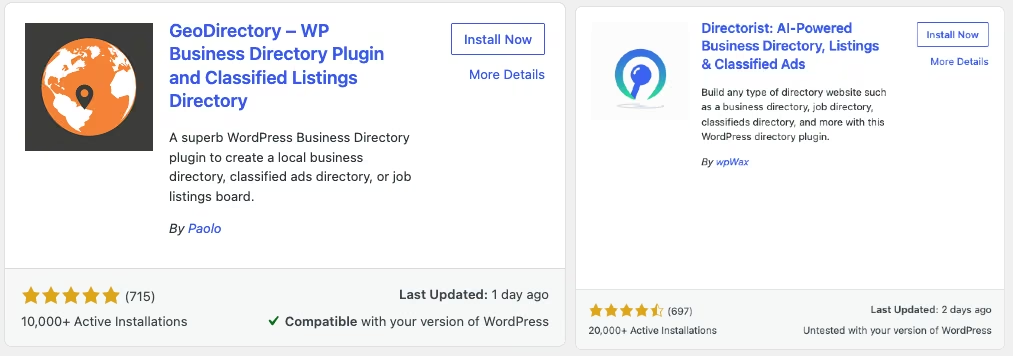
What it is: WordPress plus a purpose-built directory plugin. The plugin brings its own listing content type, search and filter widgets, category taxonomies, and a setup wizard that imports demo content.
How it works: You start with a domain and hosting, install WordPress, and pick a lightweight theme.
If those basics are new, it helps to understand how to build your own website from domain setup through testing before you start the directory-specific work. Something small like Astra keeps the plugin's own templates from fighting a heavy theme's opinions about layout.
From there, Directorist and GeoDirectory each run their own setup wizard, and both import demo listings during that first-run flow, so the site isn't a blank page while you're still deciding what a listing should hold.
Fields come next. You decide what each entry carries, then map that to the plugin's field editor.
For the bookstore build, that meant:
- A name
- A neighborhood
- A category, set up as a taxonomy so a listing can sit in more than one
- A short description
- One photo
Data storage is where GeoDirectory stakes out its own ground. It keeps listing data in its own database tables, separate from WordPress's general-purpose post metadata, which is a design choice aimed at keeping large directories quick to query.
It also documents support for WPML for multilingual directories. Polylang isn't supported. GeoDirectory's known-issues page says only WPML is fully compatible.
If you plan to take online payments through Stripe or PayPal, the payment gateway is a separate extension. Test that step before you commit to a plugin.
When to use it: Pick this when you want a working directory in front of people quickly, and you're comfortable managing WordPress. It's also the right call when you want a submission form, a moderation queue, and paid listings without building any of them yourself.
Real Example
I ran Directorist's setup wizard with the demo-content importer and had a working listing page about 35 minutes after the theme finished installing. That part is as easy as it looks. The bookstore fields took another pass, and the category and neighborhood filters ran against the demo data without any configuration beyond naming them.
Then I tested payments, because charging for featured placement is a common reason a directory outgrows a free plugin. Directorist offers several payment options, and I tried two of them:
- PayPal: Accepted a business email and set itself up without complaint, but it never processed a test transaction. Nothing errored, and nothing completed either.
- Stripe: Worked on the first attempt.
The other friction was the page builder. Directorist's own demo templates and setup wizard default to Elementor, and its theme collection is built to work with Elementor across the board.
The plugin's extension library now includes official integrations for Divi, Oxygen, and Bricks too, so it's no longer the Elementor-only lock-in it used to be. Stray from Elementor anyway, and you're doing more manual setup than the wizard's own demo ever shows you.
If you're going to charge for listings, plan on Stripe from the start. The wizard gets you to a working directory in under an hour, and that's why you start here if speed beats owning the structure yourself.
Budget the extra time for the payment extensions around it. If the plugin and update overhead is what gives you pause, compare the current WordPress alternatives before committing to this route.
Method 2: WordPress + ACF/Custom Post Types + a Page Builder
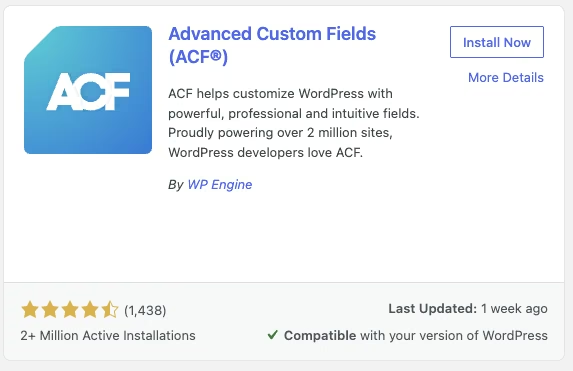
What it is: The same WordPress base, minus the packaged directory product. You register a custom post type (CPT) for listings and add the fields yourself with Advanced Custom Fields (ACF). Then you build the archive and filter templates in a page builder.
How it works: A custom post type is a content type you create yourself. WordPress ships with posts and pages; you register 'listing' as a third, and from then on a listing behaves like any other content in the admin.
ACF handles the fields. For the bookstore build, the post title carries the name, so I added four more fields covering neighborhood, category, description, and photo. Each becomes a field on the listing editor, so whoever fills them in never touches a template.
Most of the work happens in the archive template. You build it yourself, piece by piece:
- The listing grid
- The filters, wired to the fields you created
- The single listing page layout
There's no wizard and no demo content, so nothing appears until you've built it.
In exchange, you decide what a listing holds and when that structure changes.
When to use it: Choose this when you want to own the structure. It's the right call when you already have a page builder you like. It also fits when you expect the field list to keep changing, or when you don't want a plugin's assumptions baked into your data.
Real Example
I needed about three hours to reach the same working listing page, most of it spent defining fields and building the archive template from nothing. That's roughly five times the setup of the wizard path, and it's what this method costs you up front.
Setup went clean here. There was no packaged directory plugin, and I didn't hit any failures in ACF or the page builder. Of the four methods, this one produced the fewest surprises.
You give up everything the wizard would have handed you. Three separate builds land on you, each done the same manual way the fields were:
- The submission form
- The approval queue
- The paid-listing flow
Until you build them, those three workflows aren't ready to show a stakeholder.
For a directory that needs to still be standing in three years, this is the method I'd pick. It's also the one I'd steer a first-timer away from, because the setup screen never tells you what to do next.
Method 3: Spreadsheet-to-Website SaaS (SpreadSimple)
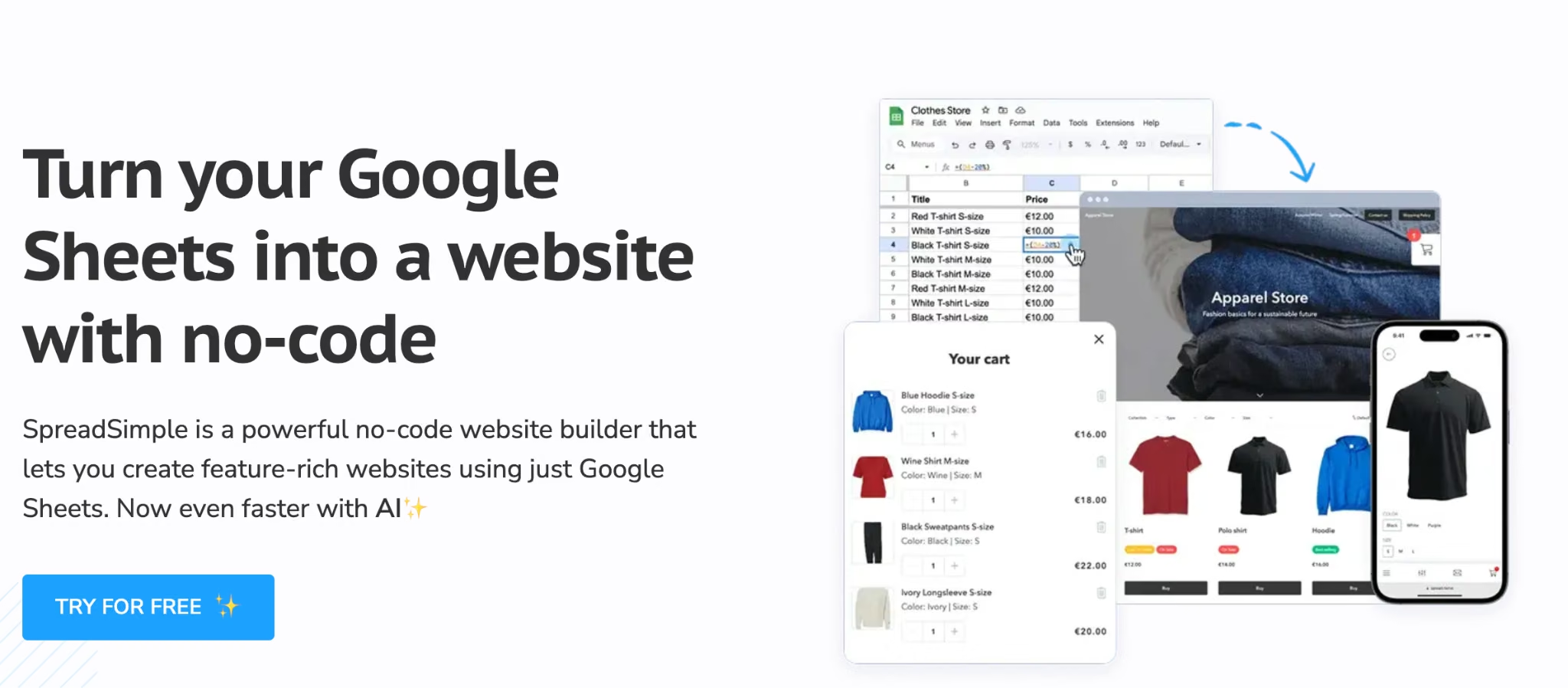
What it is: A tool that turns a Google Sheet into a filterable directory site. Your spreadsheet stays the database. SpreadSimple handles the layout, the search, the filters, and the hosting.
How it works:
The whole flow is four steps:
- Connect a sheet.
- Map columns to listing fields.
- Pick a layout.
- Publish.
Adding a listing later means adding a row.
Filtering comes straight from the columns. If a column holds the neighborhood, you get a neighborhood filter, and the same goes for category. Nobody needs a WordPress login to update anything, which is the point when the people maintaining the directory aren't technical.
SpreadSimple has no owner-submission or approval workflow at all. Every row in the sheet is live on the site immediately, so the brief's pending-until-approved requirement isn't something this platform supports.
When to use it:
This fits best when:
- The directory is one flat list, and you want it running today.
- The people maintaining listings already live in spreadsheets, and you'd rather not teach them a content management system (CMS).
Real Example
I built the bookstore directory from a three-row sheet and had a working, filterable listing page in about 20 minutes. That's faster than either WordPress path by a wide margin, and nothing about it felt fragile.
Then I tried to add a second directory to the same site, a separate list of local businesses. There's no way to add a second collection to one site: the route SpreadSimple documents is a second website embedded as a widget, which works but isn't a button.
The structure assumes one sheet and one site; a second collection isn't something you toggle on inside the interface.
Whether that widget workaround fits your setup is still worth testing before committing. This tool is shaped around a single flat list.
Before your data lives here, check whether the directory might ever grow into:
- A separate listing collection with different fields
- A second directory entirely
Your directory also sits on someone else's plan tiers, and hosted tools change those. For a volunteer project running on a few dollars a month, a pricing change is the difference between the site continuing and the site moving. If predictable cost is the hard constraint, compare affordable website builders before choosing a hosted directory tool on price alone.
Method 4: An AI Builder You Describe the Rules To (Emergent)
What it is: The newest of the four. You describe the directory in your own words, rules included, and get working software back. That puts this route closer to vibe coding than to a template-based page builder, because you define the data and the behavior that sit under the pages.
AI website builders sit in this category. Emergent is the one I ran the bookstore build through, and it builds from the description you give it, data and pages together.
How it works: You write a brief. The more specific the brief, the closer the first result can land. In my test, the detailed rules gave me a clear result to check against. A vague description produces a vague directory, the same way a thin brief would for a person.
Emergent also ships a free built-in assistant called Emmy. She turns a rough idea into a build-ready prompt through a short back-and-forth and costs no credits to use. Worth a look if the blank prompt box is what's stopping you.
Here's the exact one I used, so you can paste it and compare what comes back:

Build a public directory of local independent bookstores for a metro area. Store each listing with a business name, neighborhood, a short description under 300 characters, a primary category chosen from a fixed list of six (General, Used Books, Children's, Rare & Antiquarian, Comics, Multilingual), and one photo. Visitors need to search by keyword and filter by neighborhood and category at the same time, with results updating without a full page reload. Store owners should be able to submit their own listing through a public form, but a submitted listing must sit in a pending state and stay completely invisible in the public search and filter results until I personally approve it from a separate admin view; if the same business submits twice, the second submission should update the first pending entry instead of creating a duplicate. Build in a featured-listing flag that, when I turn it on for a listing, pins that listing to the top of its category regardless of when it was added, but only one featured listing per category can be active at a time; turning on a second one should automatically turn off the first. I need to be able to export the full approved-listing list as a CSV I can hand to someone else, and I need a way to tell, at a glance, how many listings are pending review right now.
The result was a working app with its own listing database. Once a directory needs stored data, an admin view, and custom rules, you're effectively choosing to build a web app rather than a static listing site.
It also had a public page with keyword search and both filters, a submission form, and an admin view holding submissions for approval. The category filter and the neighborhood filter both ran against the sample listings on the first attempt.
When to use it: This fits when you want search, filtering, and the data behind them handled in one system. It also fits when the directory has custom rules, such as limiting each category to one featured listing, that a packaged plugin may not support directly.
Real Example
The first pass, from that brief to a working app, took about nine minutes and cost 11 credits (one more than the free plan's whole monthly allowance, and free-plan apps can't deploy at all, so this run needed a paid plan).
Keeping the app deployed costs more: Emergent charges 50 credits a month per live app, half the Standard plan's monthly allowance before you iterate once. Redeploys are free.
It missed the requirement the brief leaned on hardest. Pending listings showed up in the public results with a "pending" label instead of staying hidden, which the brief had spelled out. One follow-up sentence fixed it.
It handled the parts I expected to fight without being asked twice:
- De-duplication: A second submission from the same business updated the first pending entry, and no duplicate appeared.
- The featured-listing cap: One per category, with turning on a second one automatically switching off the first.
- CSV export: The export button produced a clean list of approved listings only, pending entries excluded.
- The pending count: The admin view showed a live count that updated as new submissions came in.
This is the newest approach here, with the directory behavior defined in the brief. I'd try it first for custom directory rules. Method 1 gives you a finished-looking listing template with demo content already in place.
The Paths I Didn't Test: Other Directory Platforms and Tools
Before settling on the four above, I looked at nine other directory products and kept zero for the final list. None of the nine got a hands-on build here.
What follows is each vendor's own account of what it does, with published pricing where the vendor publishes it.
- WildApricot and MemberClicks run membership-management software first, built for associations, chambers of commerce, and nonprofits, while Glue Up runs association-management software for the same kind of groups. A directory rides along with dues collection, event registration, and renewal reminders.
- WildApricot's plans start at $66/month ($59.40/month, billed annually) for 100 contacts. MemberClicks doesn't publish a monthly rate: its plan for organizations with individual members starts at $4,500 a year, and MC Trade, for organizations whose members are other organizations, starts at $3,500 a year.
- Glue Up publishes an annual range only, starting from $3,000 to $6,500 a year, with the final number set by organization size and requirements. MemberClicks typically uses one-year contracts, while Glue Up bills its standard plans annually.
- Brilliant Directories is the most general-purpose of the nine. It charges $145/month on its Monthly Plan, with no annual tier published at all, or $1,450 once for a lifetime plan. Either figure is worth comparing against the hosting and software costs of the four methods above.
- DirectoryEngine and ListingProWP are both WordPress themes. Testing them would have added a separate WordPress theme path alongside the plugin-based methods already covered.
- Appy Pie offers directory-specific app and website builders alongside its broader app and website products.
- GoClixy sells a PHP script you install on your own server, and now a hosted cloud plan alongside it. The script edition is the closest thing here to a self-hosted build.
- Softr has shifted its positioning toward internal business tools like CRMs, portals, and dashboards. It still ships a Directories template category, but the templates behind it, employee and partner directories, are internal tools, so it no longer fits this comparison the way it might have.
That's not a quality judgment or a switching recommendation, since none of the nine got the hands-on test the rest of this piece runs on. The nine products use several models, including membership software, hosted directory services, WordPress themes, a self-hosted PHP script with a hosted option, and general-purpose visual app builders.
The four methods above start with the directory itself as the product.
Which Method Should You Choose?
The right method depends on who's building and why. Some readers have no budget at all. Others are building a directory as a business asset meant to earn money, or want structure and search handled without managing a stack of plugins.
Choose Method 1 if:
- You want something visitors can see today, and waiting about three hours to hand-build fields is time you don't have.
- Managing WordPress core updates and a plugin's release cycle doesn't put you off.
- You need submissions and moderation wired in from the start, and you're willing to test a payment extension yourself, since Stripe cleared a transaction immediately and PayPal never did.
Choose Method 2 if:
- Owning the structure is worth about three hours of setup to you, against under an hour for Method 1's wizard.
- The archive and filter templates get built in a page builder you already use.
- You expect to add and drop fields often, and you'd rather edit a field group directly than work around what a packaged plugin already decided about where listing data lives.
Choose Method 3 if:
- Running today outweighs what the directory might grow into, and setting this up takes about 20 minutes, against about 35 minutes for Method 1's wizard and about three hours for Method 2's hand-built path.
- Whoever updates the directory later adds a new listing by adding a row, the same skill they already use every day in a spreadsheet.
- You don't need owner submissions or an approval step, because SpreadSimple has neither.
Choose Method 4 if:
- The hard part of your directory is a custom rule, like limiting each category to one featured listing, that a packaged plugin doesn't handle out of the box.
- One system running the whole search-and-filter experience, with that custom rule built in, is worth more to you than working around a packaged plugin's defaults.
- You're comfortable being early on a newer approach.
If you want an ongoing conversation among your visitors, that's building a forum website, and it's a different project with different tools. A directory that fills up with comments is a forum wearing the wrong clothes.
Best Practices for Building a Directory Website
A few decisions apply no matter which method you pick, and all of them are cheaper to make now than to unwind later:
- Plan your data before you pick a platform: Decide what a listing carries, and what makes two listings different from each other, before you install anything. Every method here is cheap to change early and expensive to change once real listings start depending on the structure you picked.
- Budget for the full-year running cost: A free plugin plus paid extensions plus hosting plus a builder license is a different number from the one on the plugin's homepage. Add up what the finished directory costs over a full year before you commit to a path.
- Design search, filtering, and submissions together: These three are one system, and directory projects stall when the third gets bolted onto the first two. Decide early who submits a listing, who approves it, and what a visitor can filter on.
- Pick your money model before you need it: Directories earn through a handful of familiar revenue models, most commonly paid or featured listings, a subscription charged to the businesses on the list, or affiliate links out to what you recommend, with advertising a fourth once the directory is large enough to sell it.
- Give every listing page something worth indexing: A listing with a name, an address, and nothing else is a thin page, and a directory of thin pages is a thin site. Write a full description for each entry, keep category URLs clean and readable, and give every listing its own title and description. A stronger listing goes further, with a phone number, hours, a map embed, and a couple of reviews or social links beyond the name and category alone.
How to Monetize a Directory Website
Pick a money model early. It changes what a listing record has to store from day one.
- Paid or featured listings: A listing needs a status field (free or featured) and a way to sort featured entries above regular ones. Method 4's one-featured-listing-per-category rule is one way to keep this from turning into every listing bidding for the top spot.
- A subscription for listed businesses: A listing needs an expiration or renewal date tied to the business's account, not just a flat "active" flag, so an unpaid renewal can actually drop a listing from public view.
- Affiliate or referral links: A listing needs one extra field, an outbound URL, and nothing else. It's the simplest of the four to add after launch, since it doesn't touch approval, status, or payment logic at all.
- Banner ads: These don't touch the listing schema at all. They live in the page template as a placement decision, not tied to any listing field.
A plugin like Directorist has featured-listing monetization built in. SpreadSimple's native checkout is built for selling items from the sheet; charging for placement means repurposing it, covered in more detail later. Emergent needs the payment logic written into the brief from the start, since a build that starts from rules you wrote down won't invent fields you didn't ask for.
How Emergent Helps When a Directory Needs to Become More Than a List

Every method above helps a visitor find a listing and contact its owner. For most projects, that's enough.
A directory gets more complex when owners need to update their entries, or you want to charge for placement and track payments. If visitors and listed businesses transact through the site, you're building a marketplace website, a different build with different rules.
Charging for placement lands differently on each of the first three:
- Packaged WordPress plugin: Directorist includes featured-listing monetization, while Stripe and PayPal require separate gateway extensions. In this build, Stripe worked, and PayPal failed silently.
- Hand-built WordPress path: Nothing is bundled, so the paid-listing flow is something you build from scratch.
- Spreadsheet tool: SpreadSimple ships a native cart and checkout with Stripe, PayPal, and Razorpay, plus a cash-on-delivery option, designed for selling items out of the sheet. Owner submissions still need an added form, and charging for a listing means repurposing that same checkout for a different job.
On the first three, charging for placement means installing and testing a gateway extension, building the flow from scratch, or repurposing a product checkout for a job it wasn't built for.
Emergent is one option for going past that point. You describe what the directory needs to do in your own words, rules included. The directory website builder then scopes the build and writes the whole thing end-to-end.
You can test the result in Preview and run a pre-deployment health check before going live. You get back working software with its own data and logins, and you can add a payment flow through an integration such as Stripe, or sync the code to GitHub for version control.
Here's how Emergent helps when a directory needs custom rules beyond a packaged plugin's defaults:
- One brief handled most of the directory rules together: The bookstore build's submission form and featured-listing cap came straight from one written description, and the approval queue needed one correction before it behaved.
- No separate toggle needed for either rule: The same de-duplication and featured-listing-cap behavior from Method 4 carried over here, with nothing extra to configure.
- A database and admin view in the same system: The public search page, the submission form, and the approval queue all read from one database, so a listing's status doesn't have to sync across separate tools.
- A fast first pass: The same build finished in about nine minutes for 11 credits, close enough to check the result the same day you write the brief. Budget 50 credits a month on top to keep it live.
If you're trying to figure out how to build a directory website with rules a plugin won't cover, describe those rules to Emergent and see what comes back before you commit to a plugin stack.
It won't be the right answer for everyone. If a packaged plugin already covers what your directory does, Method 1 hands you a demo-populated template you don't have to describe from scratch.
If your directory is a few dozen entries a volunteer maintains, a simpler method than Emergent's credit system is probably enough. Emergent earns a look when you expect the directory to grow and want its custom rules built into the first version.
That's the shortest route to building a directory website that already knows its own rules: write the rules down once and hand them to Emergent.

Describe what you want and Emergent builds it. A real, production-ready app you can launch the same day.
- One prompt to build
- Zero code required
- Deploy in minutes







