



If Webflow's layered pricing or its learning curve is wearing you down, the seven strongest Webflow alternatives in 2026 are Lovable, Emergent, Framer, Squarespace, Wix Studio, Webstudio, and Canva. I compared all seven to map where each one beats Webflow and where it falls short, so you can match the tool to what you are building.
The 7 Best Webflow Alternatives at a Glance
Here is how the seven platforms compare at a glance:
Why Look for Webflow Alternatives?
People look for Webflow alternatives when it starts costing more than it returns in money, time, or features it was never built to handle. Webflow is still a strong visual builder for content-heavy marketing sites, so the question is which tool matches your project.
Pricing keeps getting harder to predict. What used to feel straightforward now includes a mix of Site plans, Workspace plans, seat-based fees, usage limits, and add-ons. After Webflow's 2026 pricing changes, the company says some customers will pay more, which makes budgeting harder for small teams.
The learning curve is steep. Webflow gives you control through classes, breakpoints, and a CSS-style model that takes weeks to feel natural. Some users on Reddit report editor bugs and publishing hiccups on top of that, which slows down people who just want a site live.
It builds sites rather than software. The moment your project needs logins, a customer dashboard, payments, or automations, you are bolting on third-party tools or hitting native CMS limits. That is why AI app builders now show up alongside site builders when people outgrow Webflow.
The 7 Best Webflow Alternatives and Competitors
Every tool below gets the same treatment: what it does well, where it falls short, who it fits, and what it costs. Lovable and Emergent are AI app builders that create working software, while Framer, Squarespace, Wix Studio, Webstudio, and Canva focus on visual website creation.
Knowing which camp you need is half the decision. For a wider look at the AI side, see our roundup of the best AI website builders.
1. Framer
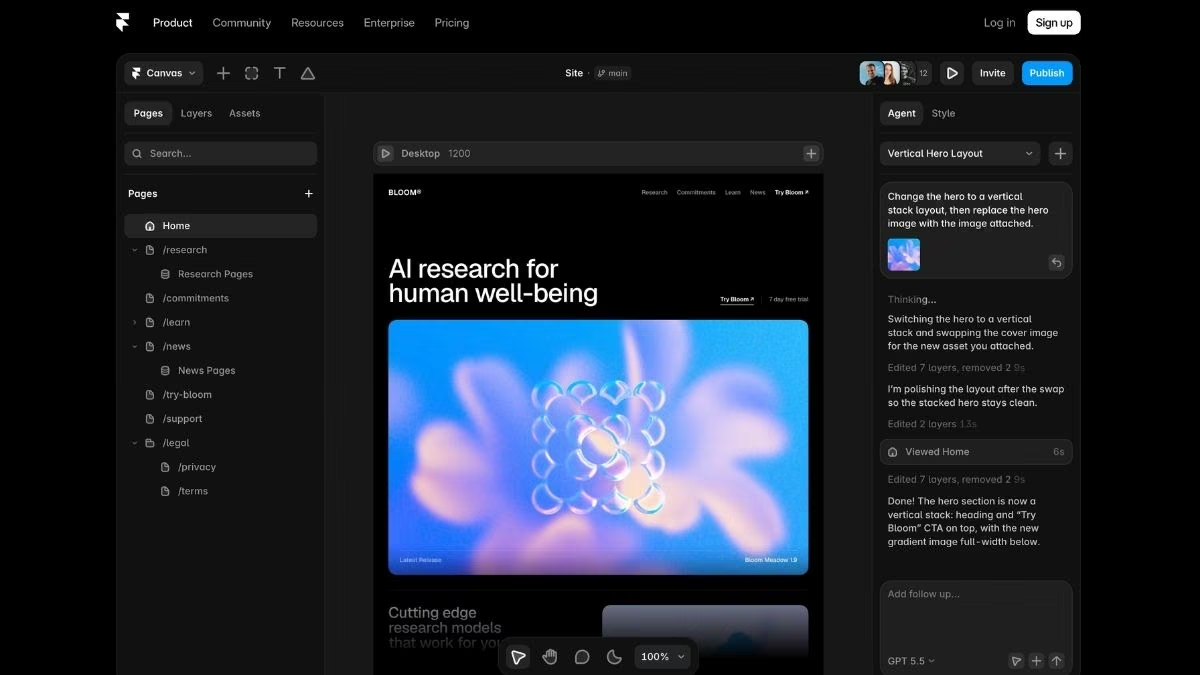
Framer is the design-first alternative for teams that want a refined, animated site live fast. It started as a prototyping tool and grew into a production website platform, and the editor feels familiar to anyone who has used Figma.
Where Webflow rewards deep control, Framer rewards speed. Hosting, security, and a content delivery network are handled for you, and a site can be published in minutes.
Key features
- Figma-style visual editor: You adjust layout, spacing, and components visually without classes or CSS, which is why designers move fast in it.
- Native animations and motion: Transitions and hover effects are built in, so a site feels lively without custom code.
- Managed hosting and AI design tools: Framer handles performance and offers AI layout generation, so you ship without infrastructure work.
Pros
- Fast design-to-publish workflow
- Strong native animation and motion tools
- Low learning curve for small sites and portfolios
Cons
- Limited CMS and content modeling compared with Webflow
- No real backend or app logic, and editor seats add up for teams
Best for
- Design-led startups and marketing teams
- Landing pages, portfolios, and campaign sites
- Brands where animation is central to the look
Pricing
Framer offers a free plan on a Framer subdomain. Paid plans are $15/month for Basic ($10/month billed annually) and $45/month for Pro ($30/month billed annually), with custom Enterprise pricing and extra editor seats from $20/month each (content-only editors $10/month). Check the Framer pricing page for current rates.
2. Squarespace

Squarespace pairs designer-made templates with hosting, blogging, and commerce in one place, so a non-technical user can launch a professional site without touching code.
It has been around since 2003, which shows in its template quality and its all-in-one toolkit. The trade-off is less design freedom than Webflow or Framer, since you build inside a template rather than on a blank canvas.
Key features
- Designer-made templates: You start from a professionally designed template and adjust it in a visual editor, so the result looks refined without hiring a designer.
- Built-in commerce and blogging: Selling products, running a blog, and managing pages all live in one platform, with no plugins to assemble.
- Managed hosting and domain: Hosting, security, and a free first-year custom domain on annual plans are handled for you, so there is nothing to configure.
Pros
- Large library of professionally designed templates
- Easy learning curve for non-technical users
- Commerce, blogging, and scheduling built into one platform
Cons
- Less design control than Webflow or Framer, since you work within templates
- No code export or app logic, so you stay on the platform
- No free plan (14-day trial only), and Basic charges a 2% commerce transaction fee
Best for
- Small businesses and creators who want a business-ready site fast
- Portfolios, blogs, and small online stores
- Non-technical users who prefer templates over a blank canvas
Pricing
Squarespace has no free plan, but every site starts with a 14-day free trial.
Paid plans are $25/month for Basic ($16/month billed annually), rising through Core and Plus to $139/month for Advanced ($99/month billed annually). Annual billing saves roughly 28-36% and includes a free domain for the first year. See the Squarespace pricing page for current rates.
Explore our guide to the Webflow vs Squarespace in detail
3. Wix Studio

Wix Studio is Wix's advanced builder for designers, agencies, and growing businesses, with more layout control than the classic Wix editor and a full business toolkit behind it.
It is the closest mainstream rival to Webflow's mix of design control and built-in business features. The trade-off is portability, since your site runs on Wix and there is no code export.
Key features
- Responsive design tools: Flexible grids, breakpoints, and AI-assisted responsive behavior give you more control than a template-only builder.
- Business tools built in: E-commerce, bookings, blogs, and marketing features come with the platform, plus a large app market for extras.
- Team and client workflows: Multiple collaborators, reusable assets, and client billing tools make it practical for agencies running several sites.
Pros
- More design freedom than classic Wix, with an easier learning curve than Webflow
- Commerce, bookings, and marketing in one subscription
- Large app market and mature platform
Cons
- No code export, so your site stays on Wix
- Costs climb once you add apps and move up tiers
Best for
- Agencies and freelancers building client sites
- Small businesses that want a site and store in one place
- Wix users who have outgrown the classic editor
Pricing
Wix Studio has a free plan for building and testing on a Wix subdomain. Paid plans start at $19/month for Light and range up to $159/month for Business Elite, with discounts for annual billing. See the Wix Studio plans page for current rates.
Explore our roundup of the best Wix alternatives and competitors.
4. Webstudio
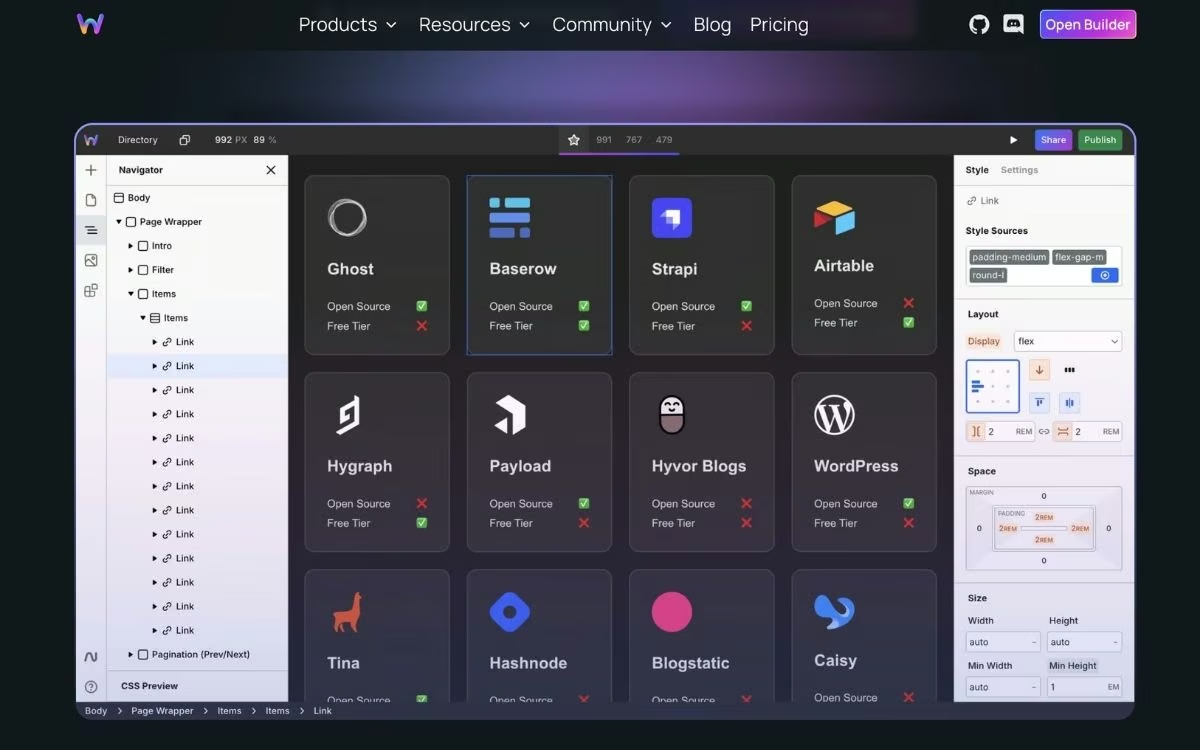
Webstudio is an open-source Webflow alternative built on web standards, with full CSS-level control and no platform lock-in.
It will feel familiar if you already know Webflow's class-based styling. The difference is ownership, since projects can be exported and self-hosted, and the builder itself is open source.
Key features
- Full CSS control: The visual builder exposes CSS properties directly, so designs are as precise as hand-written styles.
- Connects to your content: Bindings to headless CMS platforms and external data sources let one design pull live content.
- Open source and self-hostable: You can run the builder and your sites on your own infrastructure, or use Webstudio's hosted cloud.
Pros
- No lock-in, since sites export as code you can host anywhere
- Free open-source core plus a free Hobby plan
- Webflow-style styling model with an easier path to ownership
Cons
- Smaller template library and community than mainstream builders
- Custom domains and CMS integrations require the paid Pro plan
- More technical to run than Canva or Squarespace
Best for
- Webflow users who want out of subscription lock-in
- Designers and developers comfortable with CSS concepts
- Teams that need to own their code and hosting
Pricing
Webstudio has a free Hobby plan for small projects. The Pro plan runs $20/month and unlocks custom domains and CMS integrations, and because the platform is open source, you can also self-host at no license cost. See the Webstudio pricing page for current details.
5. Canva Website Builder

Canva turns its familiar design editor into a no-code website builder for simple, good-looking sites. You start from a template, drag elements anywhere on the page, and publish a responsive one-page or multipage site without touching code.
Because it lives inside the wider Canva platform, your graphics, logos, and site all stay in one place. That makes it a fast option for portfolios, landing pages, and event sites, though it is lighter on structure and commerce than a dedicated site builder.
Key features
- Drag-and-drop design editor: You place text and images freely on the page, the same way you build any other Canva design, so there is no layout system to learn.
- Large template library: Hundreds of mobile-responsive templates cover portfolios, landing pages, and link-in-bio sites, so you start from a finished look.
- Canva Code for interactivity: An AI generator adds small widgets like pricing calculators and countdown timers from a text prompt.
Pros
- Easiest option if you already create graphics in Canva
- Free plan publishes a live site on a Canva subdomain
- Live collaboration built into every design
Cons
- Website building is a feature of a design tool, so structure and SEO controls are basic
- A custom domain and removed branding require a paid Canva Pro plan
- No app logic and e-commerce is limited
Best for
- Designers and creators who already work in Canva
- Portfolios, landing pages, and event or campaign sites
- Anyone who wants design and publishing in one tool
Pricing
Canva has a free plan that publishes up to five sites on a Canva subdomain. A custom domain, removed branding, and site analytics require Canva Pro at $18/month (or $144/year), and Canva Business runs $25/month per user (or $250/year per user). See the Canva pricing page for current rates.
6. Emergent

Emergent fits best when your "website" is closer to a web app, because it builds the interface, core app logic, data storage, sign-in, and payments as one working system. You describe the product you need, and Emergent assembles those parts instead of leaving you to bolt tools onto a page.
That makes it a strong fit when a Webflow site would force you to bolt on third-party tools for accounts, booking, or a dashboard. As an AI app-building platform, it goes deeper on app logic and scaling than design-led builders do.
Key features
- Frontend and backend together: A team of specialized agents plans, designs, codes, tests, and prepares your app for launch, so what you ship is working software instead of a static page.
- Native integrations: Stripe and Razorpay for payments, Google sign-in, email, and many other services connect without plugins.
- User-owned code and hosting: You click Deploy and your app goes live on a .emergent.host address in roughly 10 to 15 minutes, with GitHub sync available from the Standard plan up so you can export and self-host anytime.
Pros
- Builds working software with logins, data, and payments instead of a brochure site
- No lock-in, since you own the code and can move it elsewhere
- Connect a custom domain you buy through the built-in IONOS integration, or one you already own
Cons
- Overkill if you only need a static marketing page
- Output quality depends on how clearly you describe the logic you want
Best for
- Service businesses that need booking, Customer Relationship Management (CRM), or client portals
- Founders launching an interactive product rather than a landing page
- Teams that expect a site to grow into an application
Pricing
Emergent has a free plan with 10 monthly credits. Paid plans run $20/month for Standard (100 credits, GitHub integration) and $200/month for Pro (750 credits, custom AI agents, a 1M-token context window), with custom Enterprise pricing. See Emergent pricing for the latest.
7. Lovable

Lovable is the fastest way to turn a plain-English prompt into a working web app. You describe what you want, and Lovable generates a React app, sign-in, data storage, and a live URL in minutes.
It crossed a reported $400 million in annual recurring revenue in early 2026, less than two years after launch, which shows how quickly this style of building caught on.
Key features
- Prompt-to-app generation: Lovable writes the user interface, basic logic, and data connections from a single description, so a first version exists before you touch a line of code.
- Supabase backend included: Authentication, data storage, and file storage come connected, which covers most early-stage apps without extra setup.
- You own the code: Every project syncs to GitHub and exports cleanly, so a developer can pick it up later.
Pros
- Fast for demo apps, dashboards, and software as a service (SaaS) prototypes
- Clean React output that developers can read and extend
- Generous free tier for testing before you pay
Cons
- Frontend-first, so deep backend logic still leans on Supabase paid tiers
- Credit costs climb fast once you iterate on complex features
Best for
- Founders validating a product idea quickly
- Internal dashboards and simple SaaS tools
- Anyone who wants to start in AI and finish in code
Pricing
Lovable has a free plan with five daily build credits. Paid plans start at $25/month for Pro ($21/month billed annually; 100 credits, custom domains, code editor) and $50/month for Business ($42/month billed annually; single sign-on, team workspaces). See the Lovable pricing page for current details.
Explore our Lovable pricing guide for a detailed comparison of every plan.
How to Evaluate Webflow Alternatives
Once you have a shortlist, a few focused questions will tell you which tool fits your project rather than which one markets itself best. Run your top two or three picks through these five checks:
- Are you building a website or a web app? A marketing site, portfolio, or store points you toward Framer, Canva, or Squarespace. A product with logins, payments, or a dashboard points you toward Lovable or Emergent. This single question removes most of the wrong options.
- What is the real cost as you scale? Look past the sticker price at credits, editor seats, bandwidth add-ons, and transaction fees. The cheapest entry plan is rarely the cheapest plan once your site grows.
- Who owns the code, and can you export? Lovable, Emergent, and Webstudio give you code you can export and self-host, while Framer, Wix Studio, Canva, and Squarespace keep your site on their platform. Decide how much portability matters before you commit.
- Does the tool match how your team works? Designers move fastest in Framer, non-technical operators in Canva or an AI builder, and agencies often want repeatable templates. Pick for your actual workflow rather than a feature list.
- Did you test the free plan first? Every tool here has a free tier or trial. Spend 30 minutes building something real in your top two picks before you pay for either.
Answer those five honestly, and the field usually narrows to one or two tools. From there, the free tiers settle it, since a short hands-on test tells you more than any feature comparison.
Final Thoughts: Websites vs. Web Apps
The best Webflow alternative depends almost entirely on whether you are building a website or software that happens to live on the web. That is the line that should drive your choice, and it is the line most comparison lists blur.
If you need a marketing site, a portfolio, or a small store, Framer, Canva, and Squarespace get you there faster than Webflow, with less to learn.
If your project needs to take payments, manage accounts, or run a live workflow, the AI app builders like Emergent and Lovable pull ahead, since they generate working software instead of a static page.
Webflow is not going anywhere, and for a content-heavy marketing site with a serious CMS, it is still excellent. The smartest move in 2026 is to stop forcing a site builder to act like an app and start with a tool built for the job you actually have.
Ready to Build a Site That Works Like an App?
If your project sits on the app side of that line, here is what you get when your site needs to work like an app:
- Ship more than a landing page: Emergent builds the user interface, core app logic, data storage, sign-in, and payments together, so your site can take bookings or run a dashboard.
- Keep full ownership of your code: From the Standard plan up, every build syncs to your own GitHub account, and you can export and host it anywhere.
- Skip the third-party app pile-up: Emergent connects Stripe, Google sign-in, email, and many other services natively instead of stitching plugins together.
- Put it on your own domain fast: Buy a domain through the built-in IONOS integration, or connect one you already own.
- Start free and scale when ready: The free plan includes 10 monthly credits, and paid plans begin at $20/month.
You can start on the free plan, describe what you want, and watch Emergent build a working version you can click through. When it looks right, putting it live takes a single click.


Every alternative has trade-offs. Emergent just builds production-ready apps from one prompt.
- Production-ready apps
- Web & mobile apps
- Deploy in minutes







