

Build a Yoga Waiver Form Students Sign Before Class
Build a yoga waiver form students sign on a phone before class, with every signature saved to a database you own.
Build a yoga waiver form for my studio that new students e-sign before their first class, with a question about injuries.
Trusted by Builders Worldwide
Active Builders Worldwide
Apps Successfully Created
Countries Globally Reached



What a Waiver Signed at the Door Holds
Six parts that get a signature from every student, including the one who walks in two minutes before class.
Made for a phone at the front desk
Students open the waiver from a link or a QR code and finish it standing in the lobby. The app can show one question per screen, so long clauses stay readable on a small display.
Injury notes the teacher sees first
Ask each student to describe any injury or recent surgery in their own words. The teacher of their next class gets an in-app alert and opens the note before the first pose.
One plain question about touch
Ask whether the teacher may give hands-on assists, answered yes or no. The answer stays on the student's record, and a student who changes their mind updates it next visit.
A signature saved with its wording
Each student signs with a finger at the end of the waiver. The app captures the signature with the date, the time, and the waiver version that the student read and agreed to.
Rosters that show who still owes one
Every class list carries a Signed or Not signed tag beside each name. Teachers check it on a phone as people unroll their mats, without paging through a binder of paper.
Waivers in a database you own
Signed waivers land in a database you own, searchable by student name. On paid plans, export the full code to your GitHub repository and host it where the studio books classes.
How Four Studios Get Every Student Signed
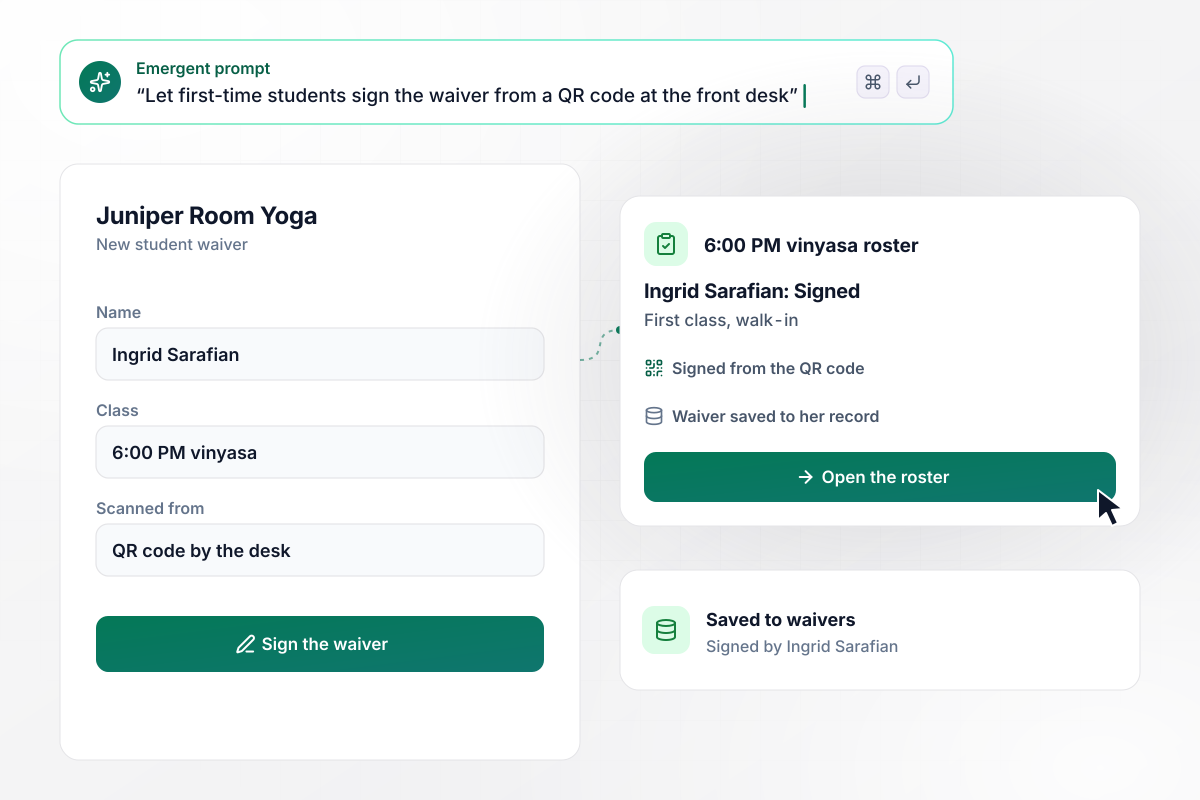
From the door code to Signed on the roster
Juniper Room Yoga gets a few walk-ins before every evening class. A QR code taped by the front desk opens the waiver. Ingrid Sarafian is there for her first class. She scans it and signs on her phone while she pulls off her shoes. On the 6:00 PM vinyasa roster, her name now reads Signed.
window.awbMockup = { dropInStudents: "Build a yoga waiver form that first-time students open from a QR code at the front desk and sign on their phone. Save each signed waiver with the student's name and the class they came for, and mark them Signed on that class roster.", handsOnAssists: "Create a yoga studio waiver that asks every student whether the teacher may give hands-on assists, as a yes or no. When a student answers no, show a No assists tag beside their name on each class roster the teacher opens.", livestreamClasses: "I run livestream yoga classes. Make a waiver form for registrants. Email the class link only to people who have signed. If someone registers without signing, email them the waiver link first, then send the class link as soon as they sign.", waiverUpdates: "Set up versioned waivers for a yoga studio that teaches mat and aerial classes. Save the version number with every signature. When I publish a new aerial version, ask each aerial student on the older version to sign it the next time they book an aerial class." };
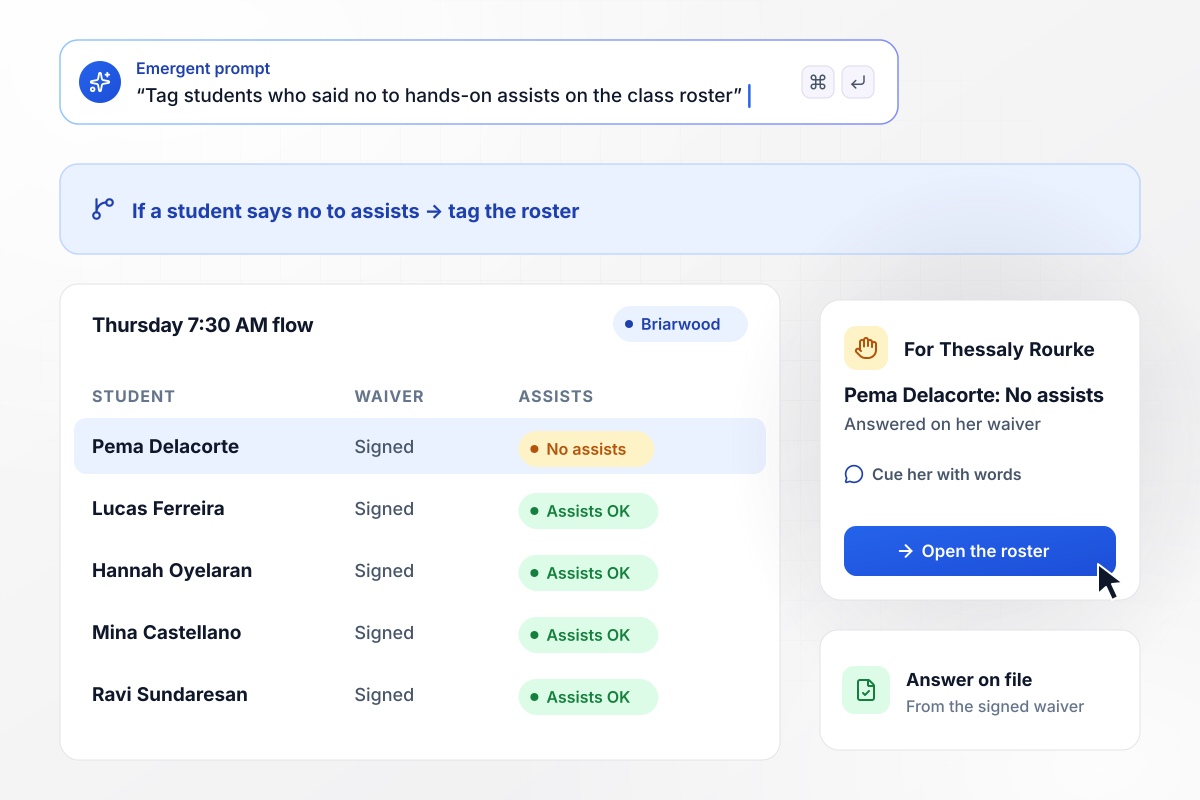
A no to assists, printed beside her name
Briarwood Yoga asks every student one question before their first class: may the teacher give hands-on assists? Pema Delacorte answered no. Thessaly Rourke, who teaches the Thursday 7:30 AM flow, sees a No assists tag beside Pema's name on the roster and cues her with words instead.
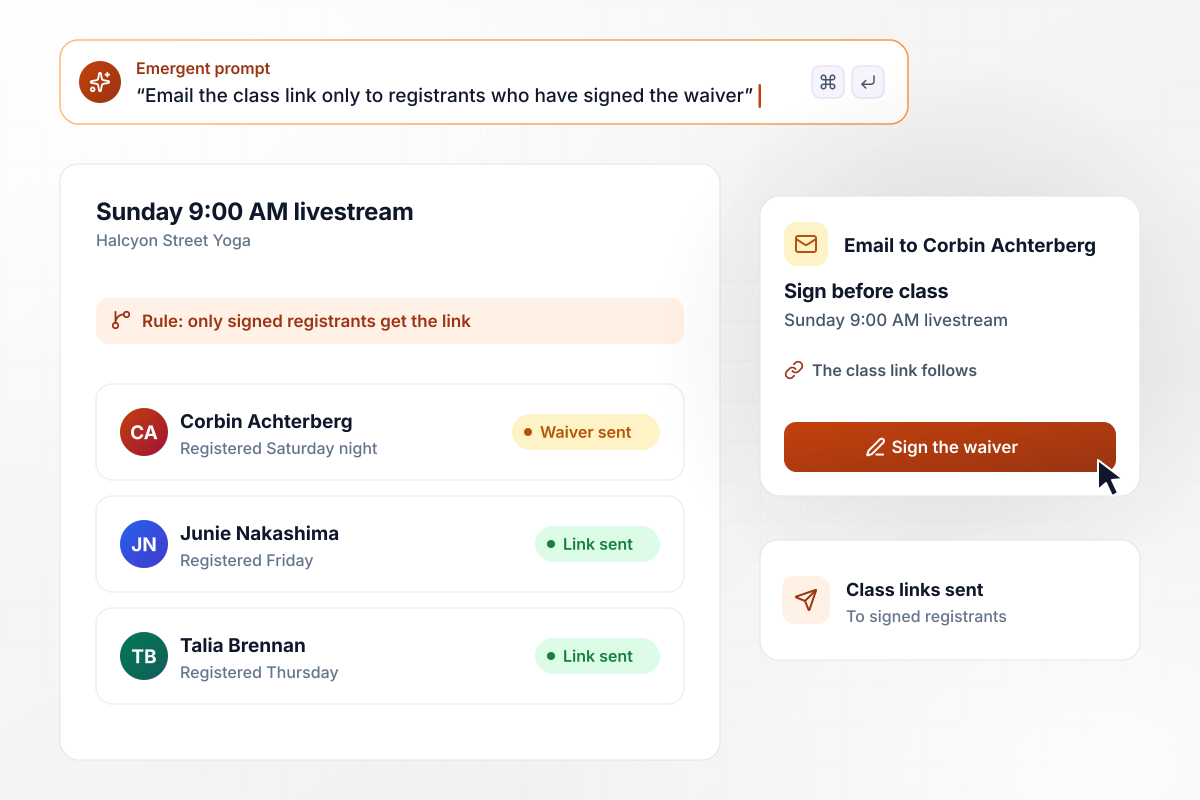
With no signature, the waiver arrives before the link
Halcyon Street Yoga streams a Sunday 9:00 AM class for students at home. The livestream link goes out by email only to registrants who have signed. Corbin Achterberg registered on Saturday night and skipped the waiver, so his first email holds the waiver link. He signs from it, and the class link follows right after.
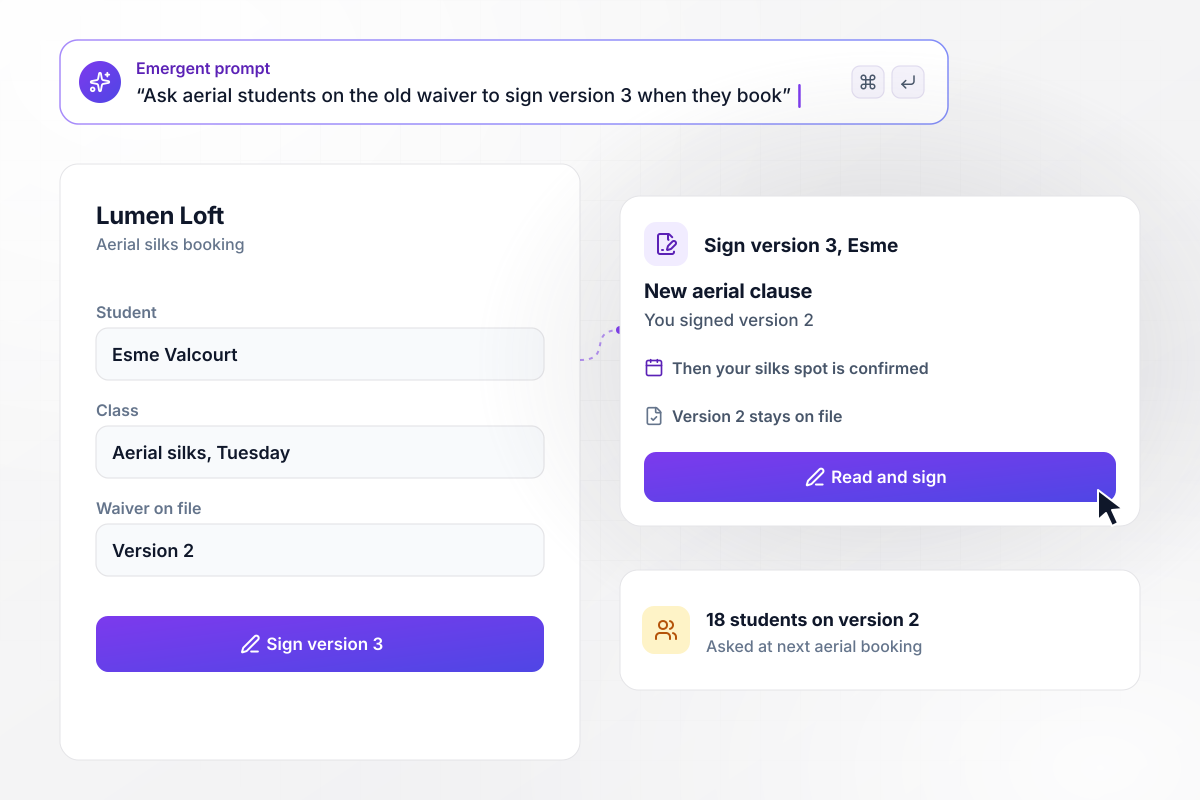
18 aerial students, one new version to sign
Lumen Loft added silks classes this fall, and its attorney wrote an aerial clause that became waiver version 3. The 18 aerial students who signed version 2 are asked to sign version 3 the next time they book an aerial class. Esme Valcourt signs it before her Tuesday silks spot is confirmed.






How to Create a Yoga Waiver Form
Seven steps to create a yoga waiver form that every student signs before class, with the release wording checked by an attorney.
List the classes the studio teaches, such as heated flow or aerial silks. A class with its own risks gets its own clause, and students sign only the sections for the classes they book.
Add a free-text question for injuries or recent surgery, and a yes or no on hands-on assists. Keep that section short, because a teacher reads it minutes before class starts.
Have a local attorney read the release wording before any student signs it. Yoga Journal's advice is that anyone interested in consent forms and waivers should consult an attorney.
Print a QR code for the front desk and put the waiver link in every booking confirmation. Livestream registrants get it in an email that arrives before the class link.
Put the clauses, the questions, and the signing rules into one prompt. Emergent builds the yoga waiver form, the database behind it, and a roster view for teachers. Change any of it later in plain English.
Give the waiver a version number and save it with every signature. When the wording changes, students on the older version sign the new one at their next booking.
Scan the QR code, sign as a test student, and open the roster. Check that the test name reads Signed and that a no to assists shows up beside it.
Why Build Yoga Waiver Forms With Emergent?
A binder of paper waivers tells a teacher nothing. Here each answer reaches the class roster, with no response cap on a packed Saturday.

|
Jotform | Google Forms | Typeform | |
|---|---|---|---|---|
| How you build | Describe it in plain English | Templates, editor, AI generator | Editor, with Gemini drafting on some Workspace plans | Templates, editor, AI assist |
| Where responses live | A database table you own, plus any integration | Jotform account | Google Sheets | Typeform account |
| Response limits | No response caps | Monthly submission caps by plan; the form stops at the cap | No limit | Monthly response caps by plan; the form closes at the cap |
| Code ownership | Full code export to GitHub on paid plans | None | None | None |




Pick the Pricing Plan That Works for You
Choose the plan that fits your building ambitions. From weekend projects to enterprise applications, we've got you covered.




Find the right form
for whatever you're collecting















Frequently Asked Questions
Your Questions, Answered
Don't change this element unless you know what you are doing
More things you can build
with Emergent









on Emergent today


