

Build a Salon Waiver Form Clients Sign Before Their Appointment
Build a salon waiver form with allergy questions and an e-signature, saved to a database you own.
Build a salon waiver form for my hair color studio that new clients e-sign before their first appointment, with the service booked.
Trusted by Builders Worldwide
Active Builders Worldwide
Apps Successfully Created
Countries Globally Reached



What Emergent Builds Into Your Salon Waiver
Six parts that turn a signed waiver into answers a stylist can act on before the service starts.
Questions that match the service booked
Color and relaxer clients answer chemical history questions, and nail clients answer questions about their hands and feet. A client booked for a trim skips both sections.
Allergy questions up front
The form asks about past reactions to hair dye and a sensitive scalp or skin, each as a yes or no. A yes opens a short field where the client describes what happened.
An e-signature with the date beside it
Clients sign on their phone or the front desk tablet. The signature is saved with the date and the service, plus the full name of the stylist booked for the appointment.
Every waiver in a database you own
Each signed waiver becomes a row in a database you own, linked to the client. Open one client's waiver history, or list every waiver signed this week, grouped by stylist.
Alerts to the stylist on the booking
An answer can email or message the stylist on the booking that a waiver needs review, with no answer in it. Unsigned clients get a reminder email before they arrive.
A link to the booking tool you already use
If your booking software has an API, the waiver app can pull each new appointment and send the waiver link with it. Signed status flows back to the front desk screen.
How Four Salons Put Their Waivers to Work
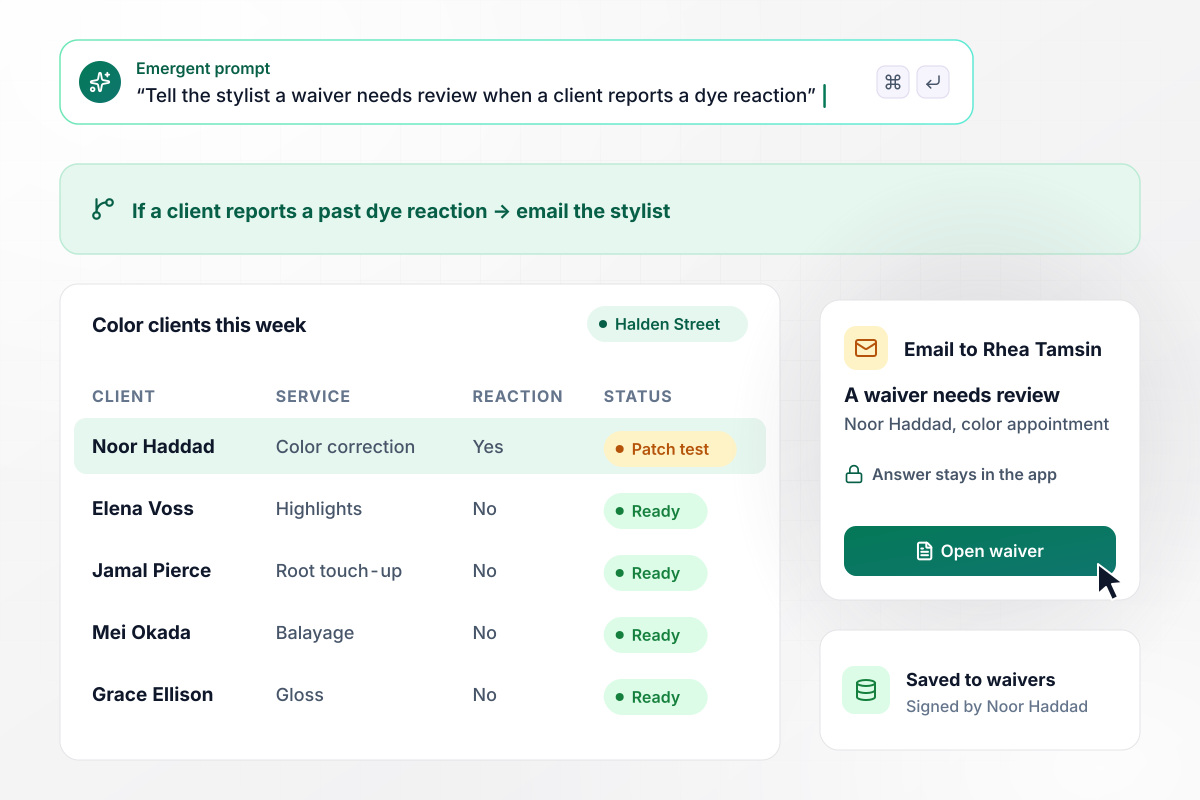
One yes to a dye reaction puts a patch test first
Halden Street Salon asks every color client, in the chemical service section, whether they have ever reacted to hair dye. When Noor Haddad answered yes, stylist Rhea Tamsin got an email that a waiver needs review. The answer stays in the app, where Rhea booked a patch test before the color appointment.
window.awbMockup = { colorServices: "Build a salon waiver form for color and chemical services. Ask each client whether they have ever reacted to hair dye, about scalp sensitivity, and about recent chemical treatments elsewhere. If a client answers yes to a past dye reaction, email the stylist on the booking that a waiver needs review, with no answers in the email, and show the answer with a patch test prompt in the app before the color appointment.", frontDeskTablets: "Make a salon waiver that clients sign on a tablet at our front desk. Look up the client by name and phone. New clients sign and the waiver saves to their client record. If a returning client's waiver is more than 12 months old, show the waiver again and ask them to sign before their service.", nailBookings: "I run a nail salon that books gel and acrylic sets online. Create a waiver form for it. Send the waiver link with each booking confirmation. If a client has not signed 24 hours before the appointment, email them a reminder with the same link, and show signed or not signed next to each appointment.", clientRecords: "Set up a client waiver database for a hair salon. Save each signed waiver with the client's name, the service, the service date, the stylist, and every allergy answer. Let the owner search by client name and open any signed waiver from the results." };
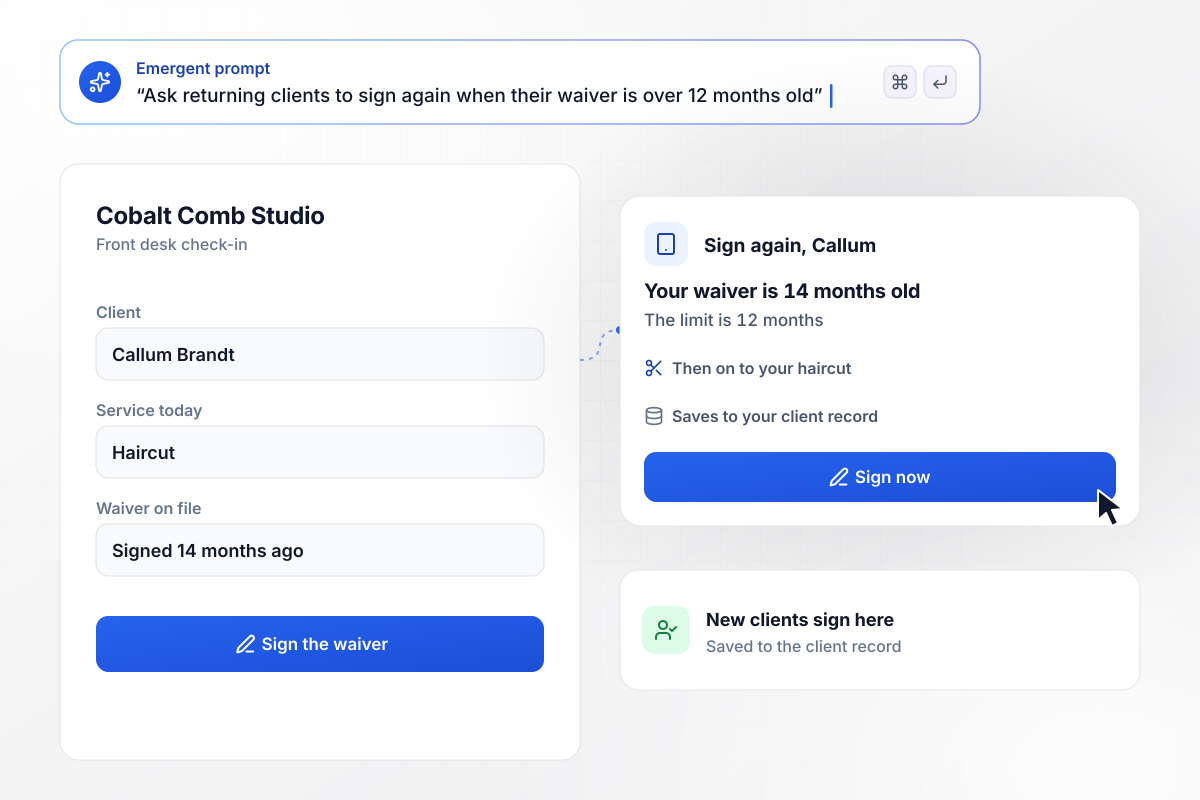
Waivers over 12 months old send the client back to the tablet
Check-in at Cobalt Comb Studio starts on a tablet at the front desk. New clients sign the waiver there, and it is saved to their client record. Callum Brandt's waiver was 14 months old, past the 12-month limit. The tablet showed it again and asked him to sign.
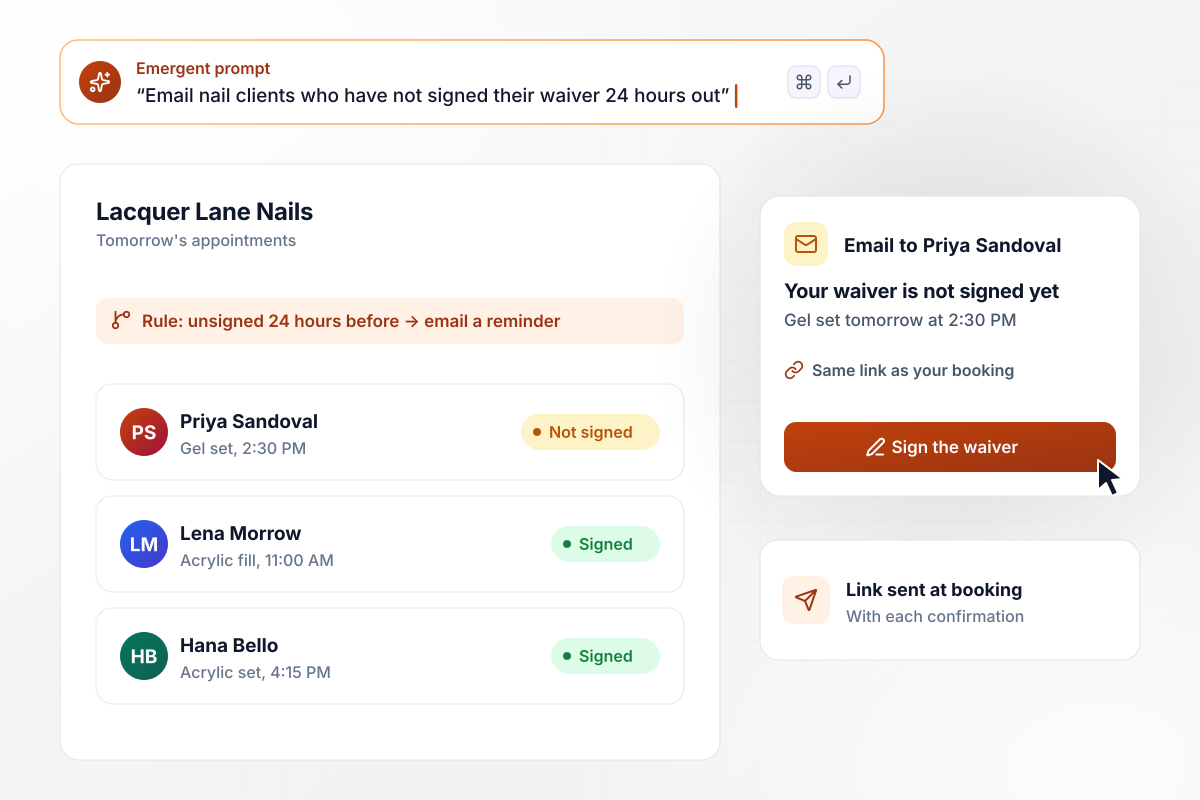
No signature 24 hours out sends a reminder
Lacquer Lane Nails books gel and acrylic sets online, and the waiver link goes out with each booking confirmation. Priya Sandoval had not signed 24 hours before her gel set. She got a reminder email with the same link.
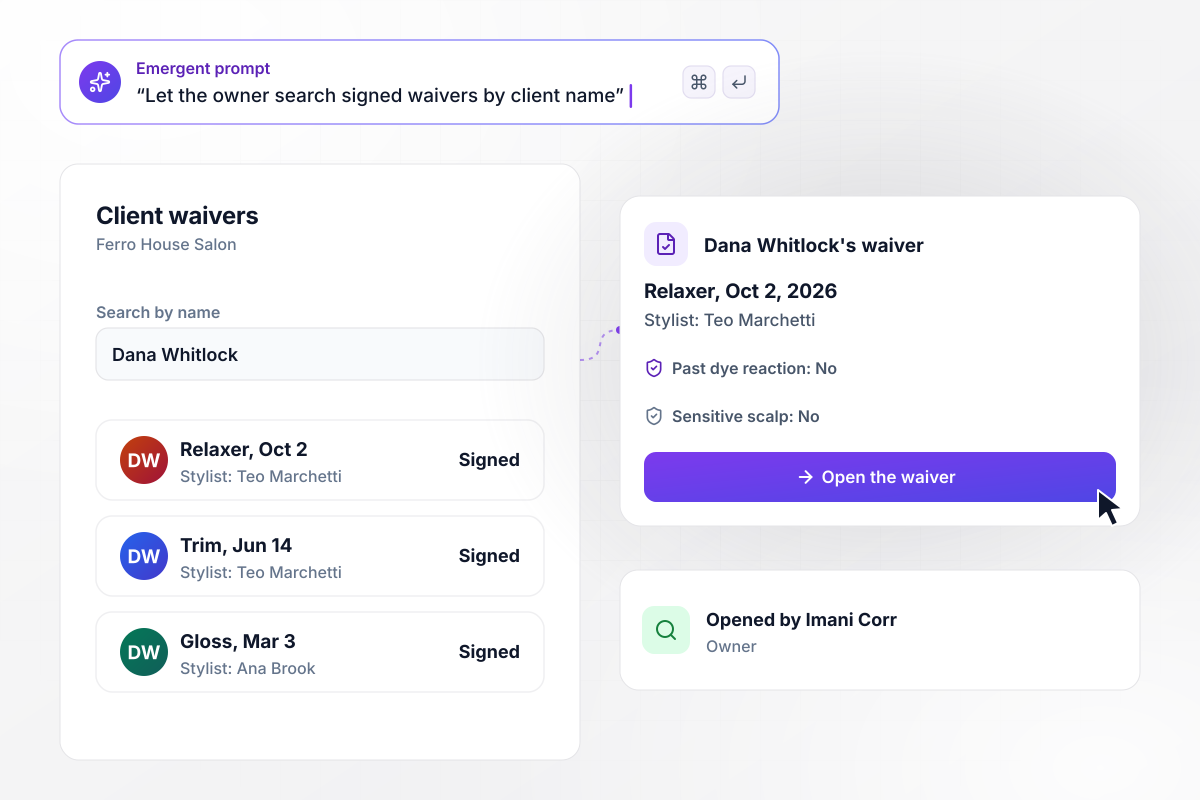
Find any signed waiver by the client's name
Dana Whitlock called Ferro House Salon about an itchy scalp after a relaxer. Owner Imani Corr typed her name and opened the signed waiver, which shows the service date, the stylist, and each allergy answer Dana gave.






How to Create a Salon Waiver Form
Seven steps to create a salon waiver form that asks each client the right questions for the service booked, then build it with Emergent.
Start with your service menu. Mark each service that puts chemicals or heat on the client, such as color or waxing, and each one that uses sharp tools, such as nail work. A trim can use the basic section alone.
Ask only what changes the service, such as a past dye reaction or a relaxer at another salon last month. Every question should lead the stylist to act, such as booking a patch test or switching products.
Put each statement on its own line in plain words. Name the service, the risks the stylist explains at the consultation, and the health changes the client agrees to report at each visit.
The wording on the form stays yours to write. Send the draft to a lawyer licensed in your state before any client signs it, and use the version that comes back.
Pick the moment: with the booking confirmation, on a tablet at check-in, or both. Then decide how long a signed waiver stays current for a returning client before the form asks again.
Write one prompt with the services, the questions, who gets an alert, and when reminders go out. Emergent builds the form and the database behind it, and you change either one by prompting.
Sign the waiver yourself as a color client who reports a past reaction, then as a returning client. Confirm the stylist's email arrives and each test waiver lands in the client record before launch.
Why Use Emergent for Salon Waiver Forms?
Emergent turns each client's answers into the next step for the salon, and a busy Saturday never runs into a response cap.

|
Jotform | WaiverSign | Google Forms | |
|---|---|---|---|---|
| How you build | Describe it in plain English | Templates, editor, AI generator | Industry templates, or the team converts yours | Editor, with Gemini drafting on some Workspace plans |
| Where responses live | A database table you own, plus any integration | Jotform account | WaiverSign account, exportable as data and PDFs | Google Sheets |
| Response limits | No response caps | Monthly submission caps by plan; the form stops at the cap | Waivers included per month, then billed per waiver | No limit |
| Code ownership | Full code export to GitHub on paid plans | None | None | None |




Pick the Pricing Plan That Works for You
Choose the plan that fits your building ambitions. From weekend projects to enterprise applications, we've got you covered.




Find the right form
for whatever you're collecting















Frequently Asked Questions
Your Questions, Answered
Don't change this element unless you know what you are doing
More things you can build
with Emergent









on Emergent today


