

Build a Model Release Form Tied to the Frames It Covers
Create a model release form that models sign on their phone, with each release filed beside its frames in a database you own.
Build a model release form for my photo and video shoots.
Trusted by Builders Worldwide
Active Builders Worldwide
Apps Successfully Created
Countries Globally Reached



What a Model Release Has to Pin Down
A release earns its keep a year later, when a client asks whether one frame can run in a new campaign.
Usage rights granted line by line
List each use you may need, such as packaging or paid social, with a term and a territory. The model grants them one at a time, and every answer is saved as a field you can query.
Fee and term on the record
Record what the model receives, whether a cash fee or a set of edited images, plus the date the license ends. Anyone checking an old frame sees the terms without hunting for a PDF.
Guardian signatures for minors
Ask for the model's date of birth before anything else. A model under 18 is routed to a page the parent or guardian completes, and both names are saved on the same release.
Releases matched to frames
Give every release a shoot number, then tag frames with it as they come off the memory card. Any frame that shows a person with no matching release is flagged before export.
Extended releases on request
Send a model a new release when a client wants a use the first one left out. Their answer updates the record, and the photographer gets an email the moment it comes back signed.
Your code, on your GitHub
Export the full source of the release app and its database to GitHub on paid plans. A developer can host it on your own servers or connect it to the studio software you already run.
Model Releases on Real Shoots
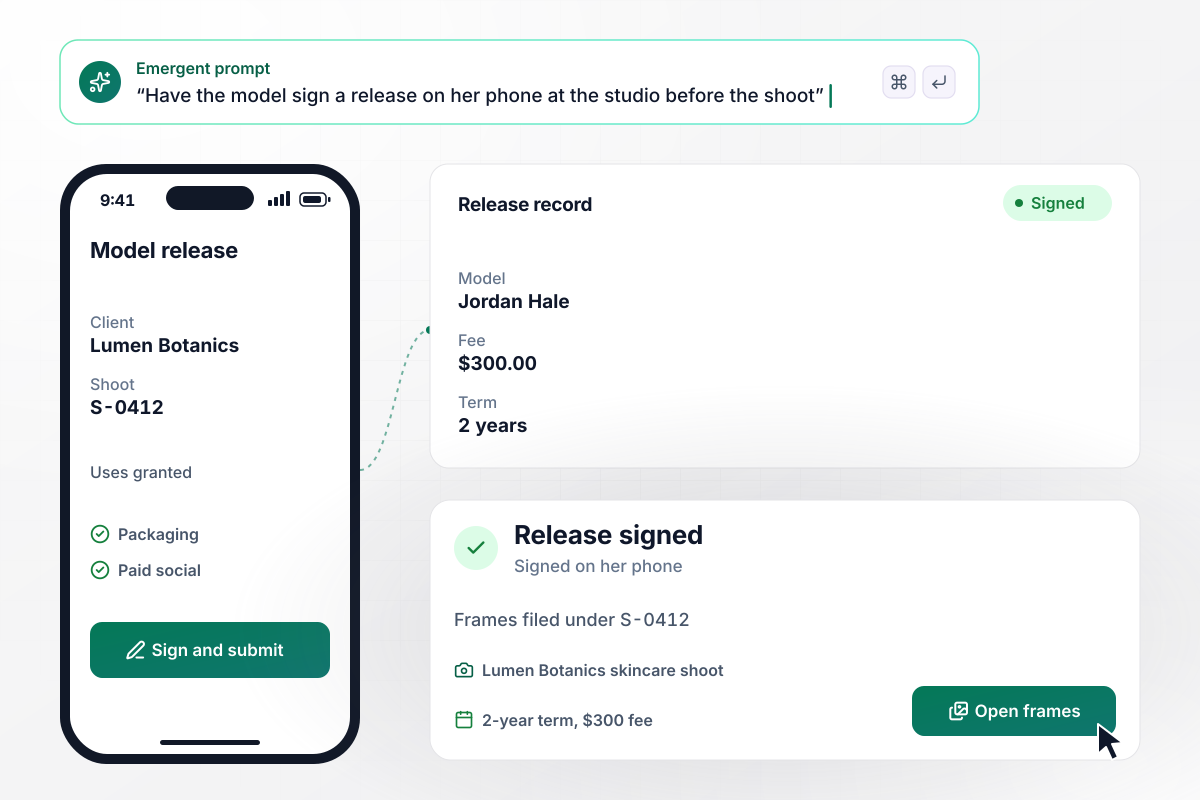
A signed release before any shutter clicks
Dana Reyes books a model for a skincare shoot for Lumen Botanics. Jordan Hale signs on her phone at the studio while the lights are set up. The release records a $300 fee and a 2-year term. It also carries shoot number S-0412, and every frame from the session is filed under that number.
window.awbMockup = { commercialShoots: "I shoot product campaigns for skincare brands. Build a model release form the model signs on her phone at the studio before we start. Record the fee, the term in years, and the uses she grants. Give each release a shoot number and file every frame from the session under it, so I can pull up the release for any image later.", stockSubmissions: "I sell my street market photos as stock. Before each upload, check every frame in a set against my signed model releases. Hold back any frame that shows a recognizable person with no release on file, show me how many frames that is, and send the rest to an upload queue I can export.", videoProductions: "My crew shoots product videos with up to a dozen cast members. Build a talent release each person signs on my tablet at check-in, with a guardian page for anyone under 18. Thirty minutes before call time, post a Slack message to me with how many have signed and who is still missing.", portfolioShoots: "Some of my shoots are trade shoots with portfolio use only. When a client asks to use one of those frames in a paid ad, show me the limit on the image record and lock the frame. Let me send the model an extended release with a fee, and unlock the frame once she signs." };
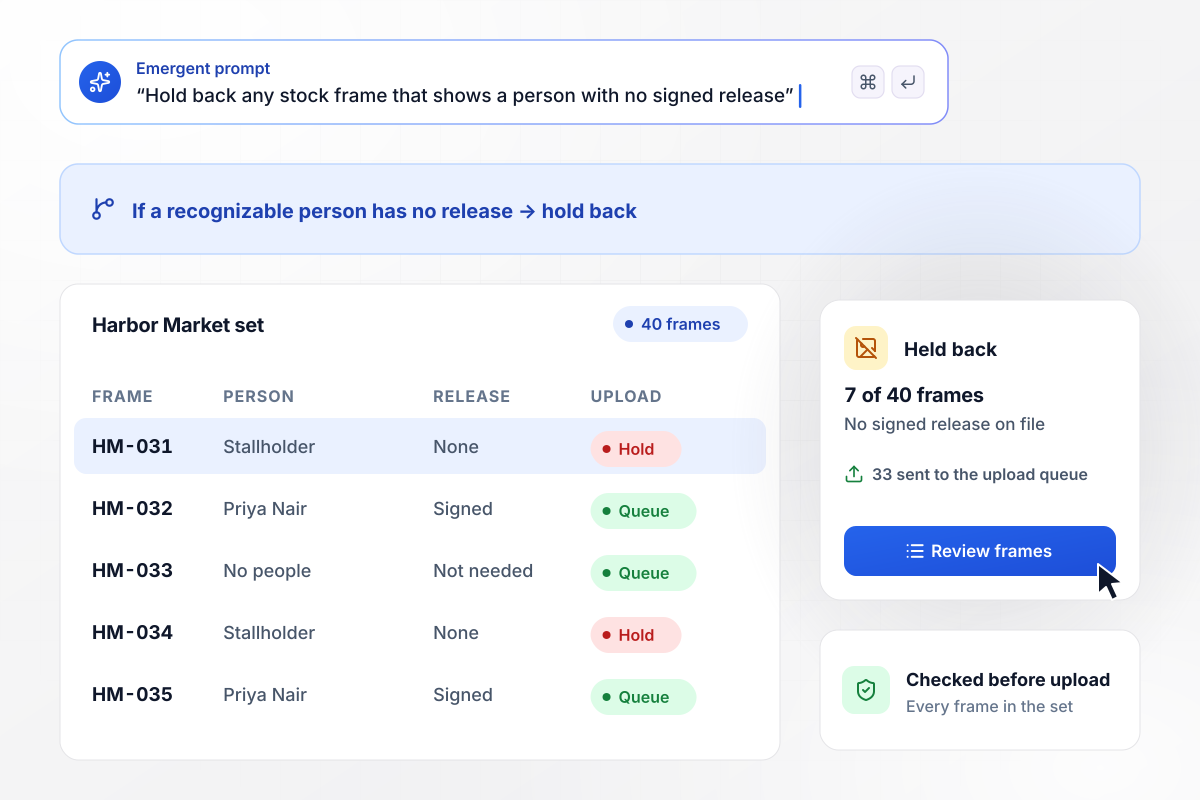
7 frames with no release stay off the upload
Adobe Stock turns away commercial images of a recognizable person without a signed release. Before Dana uploads her Harbor Market set there, her submission list checks it against her releases: 7 of the 40 frames show a stallholder who never signed. Those are held back, and the other 33 go to the upload queue.
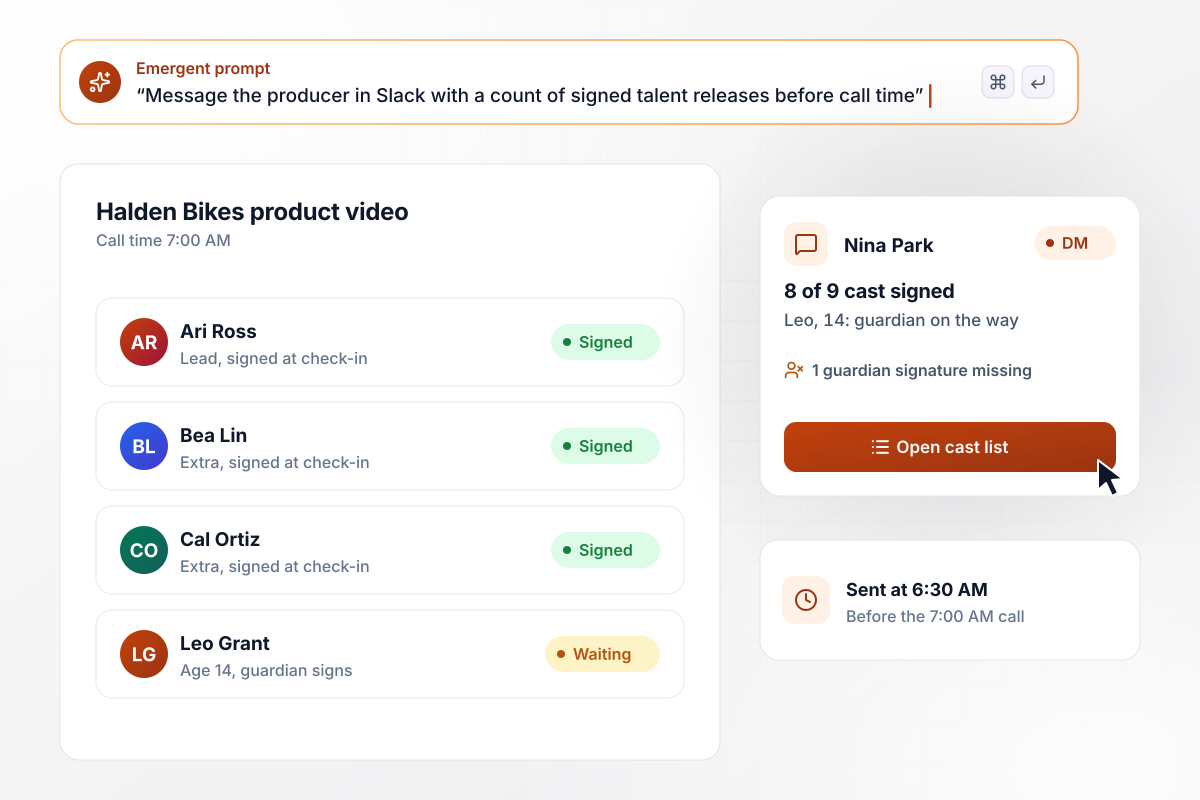
8 of 9 cast signed by call time
Call time is 7:00 AM for a Halden Bikes product video with 9 cast members. Each one signs a talent release on the producer's tablet at check-in. At 6:30 AM the producer, Nina Park, gets a direct message in Slack: 8 of 9 signed. The one missing is Leo, 14, whose guardian is still on the way.
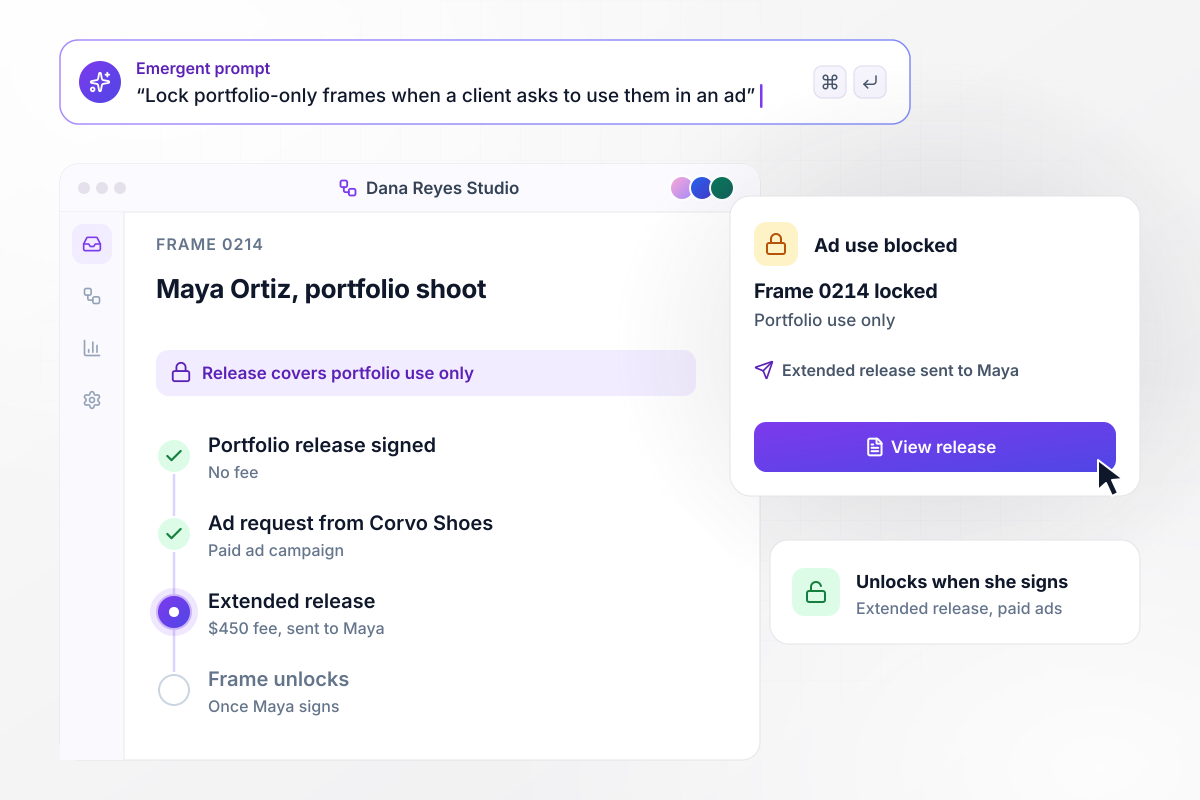
A portfolio release meets an ad request
Trade shoots carry narrow releases. Maya Ortiz modeled for Dana's portfolio with no fee and portfolio use only. When Corvo Shoes asks to run frame 0214 in a paid ad, the image record shows that limit. Dana sends Maya an extended release with a $450 fee, and the frame stays locked until she signs.






How to Write a Model Release Form
Seven steps to draft a model release form around the uses and the fee, then build it in Emergent and test the path for minors.
Decide which uses the release grants before drafting anything. Client work usually needs advertising and packaging rights, while a portfolio shoot may need only your site and print book. Set a term in years and say whether the rights hold worldwide.
Name the parties in full: the photographer or studio, the model and the paying client if there is one. Add the shoot date and location so the release can be matched to its frames years later.
Write down what the model receives in exchange for the rights. A cash fee is the common case. Trade shoots pay in edited images instead, and the release should say so plainly, along with the date the model gets them.
Ask for date of birth before the signature. Adobe Stock wants a parent or legal guardian to sign for anyone under 18 when the image was made. Collect the guardian's name and relationship on the same release as the child's details.
Paste your release wording into the prompt with the uses, the fee field, and the age rule. Emergent builds the form and the database behind it. Ask it to tag frames with the shoot number, and change any part later by prompting.
Ask Emergent to flag frames whose people have no release on file. Have the producer's Slack get a count of signed releases before call time. Email the photographer whenever an extended release comes back signed.
Run a test release as a 16-year-old model with a guardian. Decline paid social, sign, then open the record, and confirm the frame shows that limit. Have a lawyer read the wording before the first real model signs.
Why Build Model Release Forms With Emergent?
A template hands you the clauses. Emergent turns them into an app that knows which frames each release covers and which uses it allows.

|
Typeform | Jotform | Google Forms | |
|---|---|---|---|---|
| How you build | Describe it in plain English | Templates, editor, AI assist | Templates, editor, AI generator | Editor, with Gemini drafting on some Workspace plans |
| Where responses live | A database table you own, plus any integration | Typeform account | Jotform account | Google Sheets |
| File uploads | Files saved to storage you own, no sign-in | Paid plans only | Included; files count toward plan storage | Respondents must sign in to Google; files fill your Drive |
| Code ownership | Full code export to GitHub on paid plans | None | None | None |




Pick the Pricing Plan That Works for You
Choose the plan that fits your building ambitions. From weekend projects to enterprise applications, we've got you covered.




Find the right form
for whatever you're collecting
Frequently Asked Questions
Your Questions, Answered
Don't change this element unless you know what you are doing
More things you can build
with Emergent









on Emergent today


