

Build a Meal Train Sign-Up Sheet With Every Dinner Covered
Build a meal train sign up sheet where friends claim dinner dates, read the allergy notes, and get a reminder the day before.
Build a meal train sign up sheet for a friend with new twins where each cook picks a date and reads the family's food notes.
Trusted by Builders Worldwide
Active Builders Worldwide
Apps Successfully Created
Countries Globally Reached



What a Meal Train Settles Before Night One
A meal train sign up sheet shows who cooks each night. This one also keeps the address private and puts the food notes first.
One meal per date, then the date closes
Each date takes one dinner. When a cook claims Tuesday it leaves the list, and the next friend sees only the nights still open, with the drop-off window printed beside each one.
The address goes only to signed-up cooks
The family's street address stays off the shared sheet. A cook sees it in the confirmation email after claiming a date, with notes such as the gate code or the cooler on the porch.
An email reminder the afternoon before
Every cook gets an email the afternoon before their date with the address, the drop-off window, and a link to the sheet's food notes. No one digs back through a group text.
The week's dishes, shown before cooks pick
Cooks see what the others are bringing that week before they choose. Someone planning baked ziti for Thursday spots Monday's lasagna on the list and switches to chicken soup.
Food notes every cook confirms
Allergies, dislikes, and the number of people eating sit above the dates. Each cook ticks a box saying they read the notes, then lists the main ingredients in their dish.
The whole sheet in your GitHub repository
On paid plans, export the full code to your GitHub repository and host the sheet yourself. A church or school can keep it running for the next family that needs dinners.
How Four Meal Trains Kept Dinner Coming
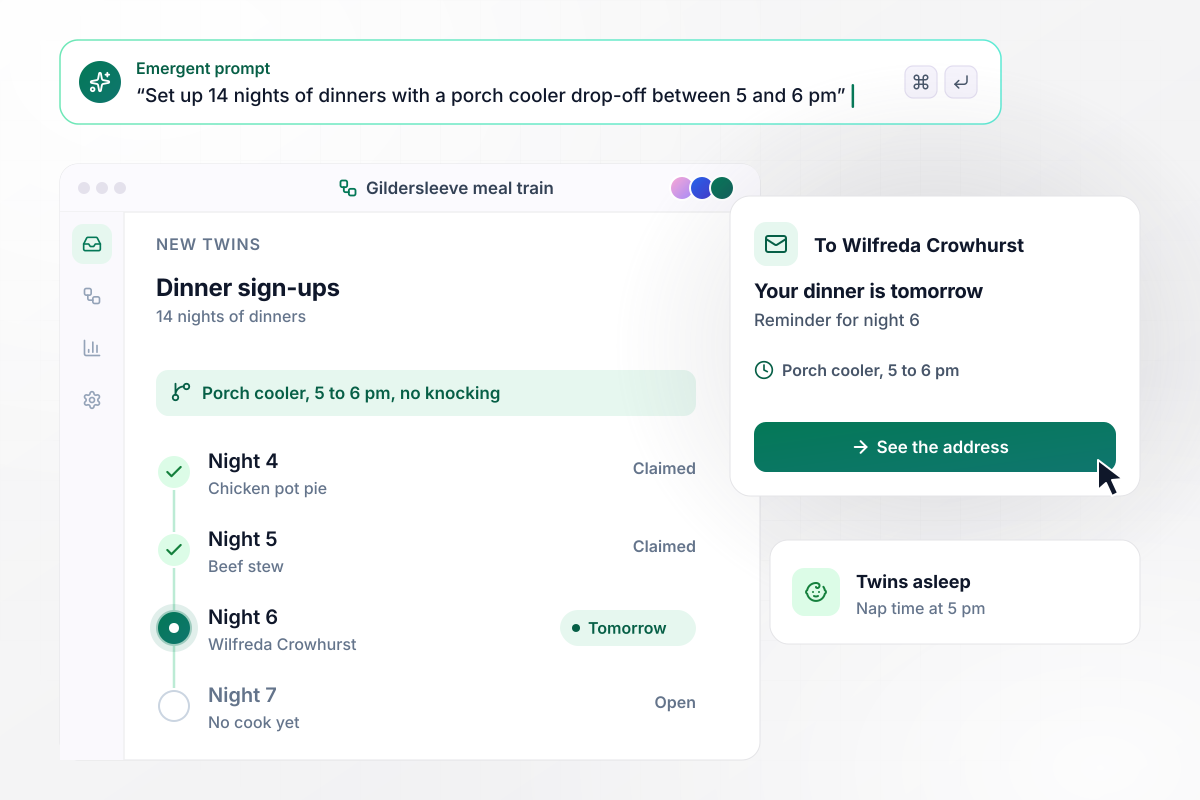
Into the porch cooler by 6 pm, no knocking
Twins came home to the Gildersleeve house, and a neighbor set up 14 nights of dinners. Every date asks cooks to leave the meal in the porch cooler between 5 and 6 pm, while the twins nap, and not to knock. Wilfreda Crowhurst claims night 6 and gets her reminder email the afternoon before.
window.awbMockup = { newBabies: "Build a meal train sign up sheet for my neighbors, who just brought twins home. Set up 14 nights of dinners. Each date should tell cooks to leave the meal in the porch cooler between 5 and 6 pm and not to knock, because the twins nap then. Email each cook the address when they sign up and a reminder the afternoon before their night.", surgeryRecovery: "Build a meal train sign up sheet for a friend recovering from knee surgery. Our book club will bring dinner every Monday, Wednesday, and Friday for 4 weeks, 12 dinners in all. Before a cook picks a dish, show them what the other cooks are bringing that week so the family does not get the same meal twice.", bereavementCare: "Build a meal train sign up sheet for our church care team. We cover 10 days of dinners for a family after a funeral. Let members claim one date each and name what they will bring. If any date is still open 2 days out, email me, the care-team lead, with the date and a link to the sheet.", foodAllergies: "Build a meal train sign up sheet for a family whose son is allergic to peanuts and tree nuts. Show the allergy note above every date. A cook can claim a night only after ticking a box that says they read the note, and they list the main ingredients of their dish for the family to check." };
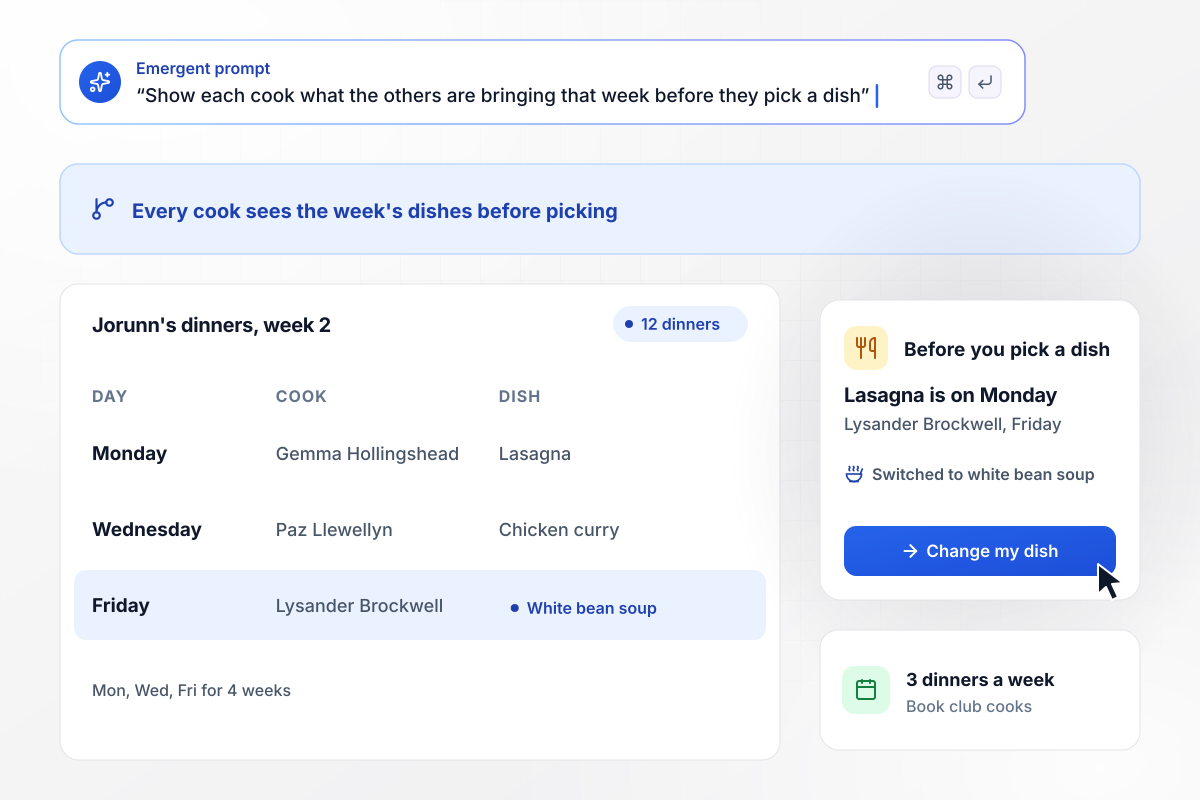
Twelve dinners after knee surgery, no two alike
Jorunn Mirabeau had her knee replaced, and her book club brings dinner every Monday, Wednesday, and Friday for 4 weeks, 12 dinners in all. Each cook sees what is already coming that week before picking a dish. Lysander Brockwell planned lasagna for Friday, saw it on Monday, and switched to white bean soup.
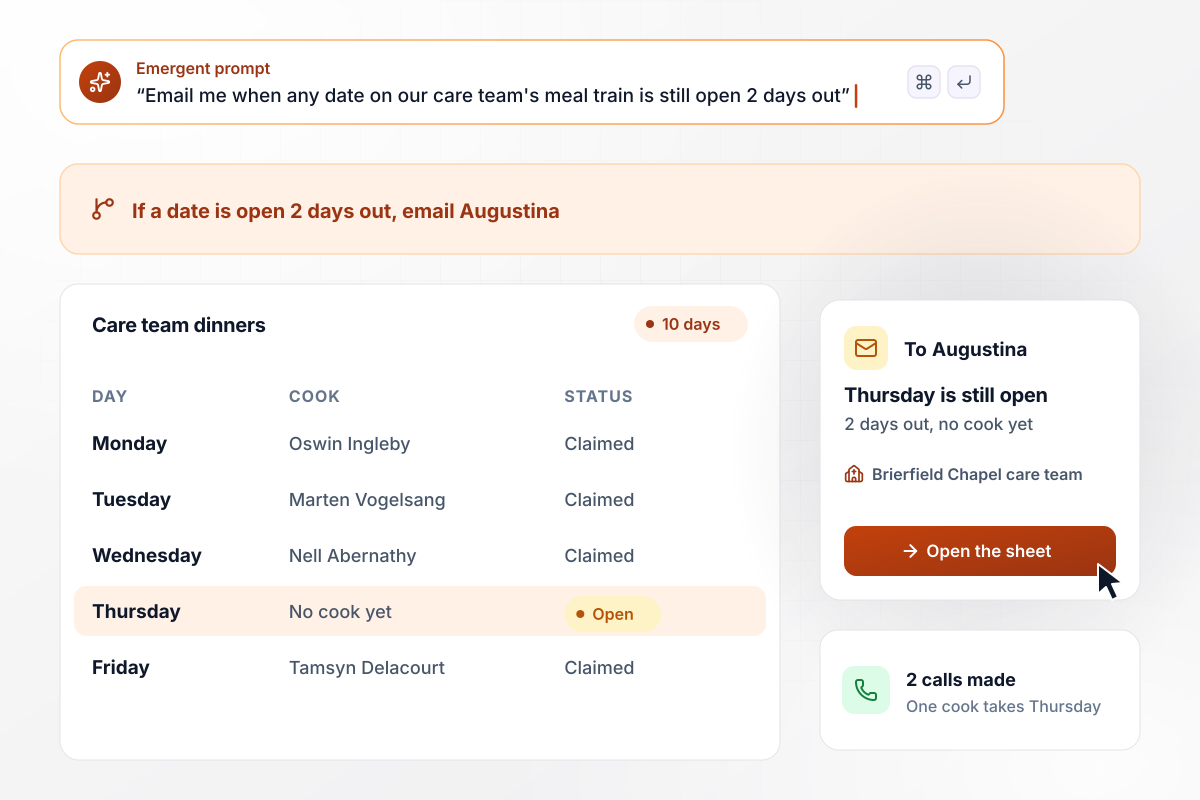
Ten days of meals, every gap caught 2 days out
Brierfield Chapel's care team covers 10 days of dinners for a family after a funeral. Any date still open 2 days out sends an email to care-team lead Augustina Hartsfeld. Thursday has no cook on Tuesday morning. She calls two members who cook in big batches, and one of them takes the night.
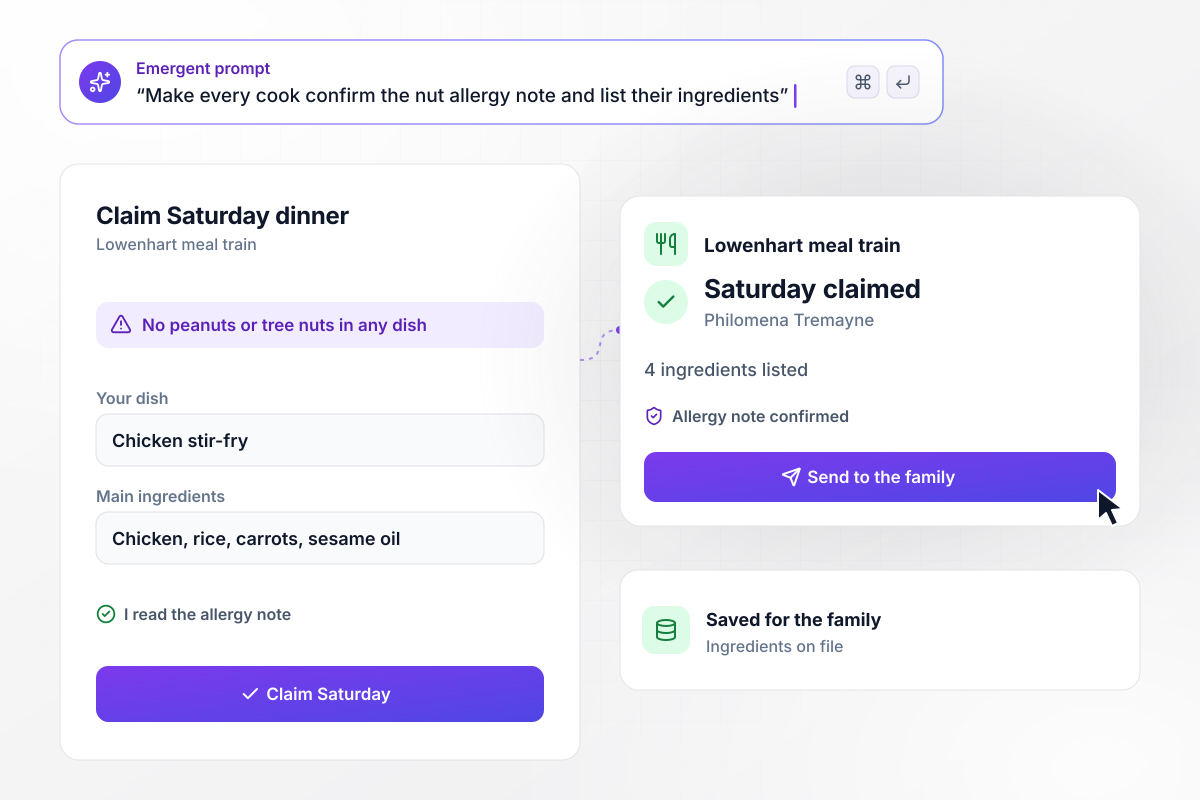
Allergy box ticked by every cook who signs up
Peanuts and tree nuts stay out of the Lowenhart house because their son is allergic to both. The note sits above every date, and a cook claims a night only after ticking a box that says they read it. Philomena Tremayne takes Saturday and lists chicken, rice, carrots, and sesame oil for her stir-fry.






How to Make a Meal Train Sign-Up Sheet
Seven steps to set up a meal train sign up sheet that covers every night the family needs, then build it with Emergent.
Ask one person close to the family how many people eat at home and what foods they avoid. Then ask when a drop-off will not wake a baby or a patient. Their answers go above the dates, where every cook reads them before claiming a night.
Decide how long the meal train runs before you open it. Start with two weeks for a new baby or a short recovery, because adding dates later is easier than canceling cooks. Choose between every night and three nights a week.
Give every date the same drop-off window, such as 5 to 6 pm, and one place to leave food. A cooler on the porch lets a tired family skip the door. Say on the sheet whether they want a knock or a text.
Leave the street address off the shared sheet. Have the app email it to each cook after they claim a date, with any gate code or parking note. Anyone who only browses the open dates never sees where the family lives.
Have each cook name their dish when they claim a night, and show that list to the next cook. Add a short ingredients field for any household with an allergy. The family can check it before the meal reaches the door.
Schedule each cook's reminder for the day before their night. Then pick a point, such as 2 days out, when an unclaimed date emails you. Two days leaves time to call a friend or order takeout for the family.
Claim a date with your own email before you share the link. Check that the confirmation shows the address and that your date closes on the sheet. Then post the link in the group chat or the church bulletin.
Why Build Meal Train Sign-Ups With Emergent?
Emergent builds the sheet from a plain-English prompt, and every claimed date lands in a database you own. It is free to start.

|
Jotform | Google Forms | Typeform | |
|---|---|---|---|---|
| How you build | Describe it in plain English | Templates, editor, AI generator | Editor, with Gemini drafting on some Workspace plans | Templates, editor, AI assist |
| Where responses live | A database table you own, plus any integration | Jotform account | Google Sheets | Typeform account |
| Response limits | No response caps | Monthly submission caps by plan; the form stops at the cap | No limit | Monthly response caps by plan; the form closes at the cap |
| Code ownership | Full code export to GitHub on paid plans | None | None | None |



Pick the Pricing Plan That Works for You
Choose the plan that fits your building ambitions. From weekend projects to enterprise applications, we've got you covered.




Find the right form
for whatever you're collecting















Frequently Asked Questions
Your Questions, Answered
Don't change this element unless you know what you are doing
More things you can build
with Emergent









on Emergent today


