

Build a Medical History Form That Stays Current
Build a medical history form patients finish on a phone and confirm each year, with every answer kept in a database you own.
Build a medical history form that saves every response to a database I own.
Trusted by Builders Worldwide
Active Builders Worldwide
Apps Successfully Created
Countries Globally Reached



What a Live History Form Does Differently
Six ways the history works once it is a live form, not a printed PDF.
Conditions asked as yes or no
Asks about each condition as a yes or no and opens the follow-up only on a yes: the year it was diagnosed and whether it is still treated. A no moves on to the next condition.
One question per screen on a phone
Shows the history one question at a time, in type large enough to read without zooming. A yes or no takes one tap, and the medication table adds a row per prescription.
Paper histories read into fields
Reads a scanned paper history into the same fields the online form fills. Older charts sit beside new answers, and a value read with low confidence goes to staff to check first.
A summary page for the clinician
Builds the page a clinician opens before the visit: current conditions, medications, and allergies at the top, family history below, and the full set of answers one click away.
Answers that reach a named person
Sends a Slack or email alert to the staff member who owns an answer, such as a latex allergy to whoever preps the exam room, with reminders until someone marks it seen.
Histories in a database you own
Keeps every history in a database you own, with no cap on the number of responses. The form connects to any tool with an API, such as the scheduling software your front desk uses.
Who Reads the History, and When
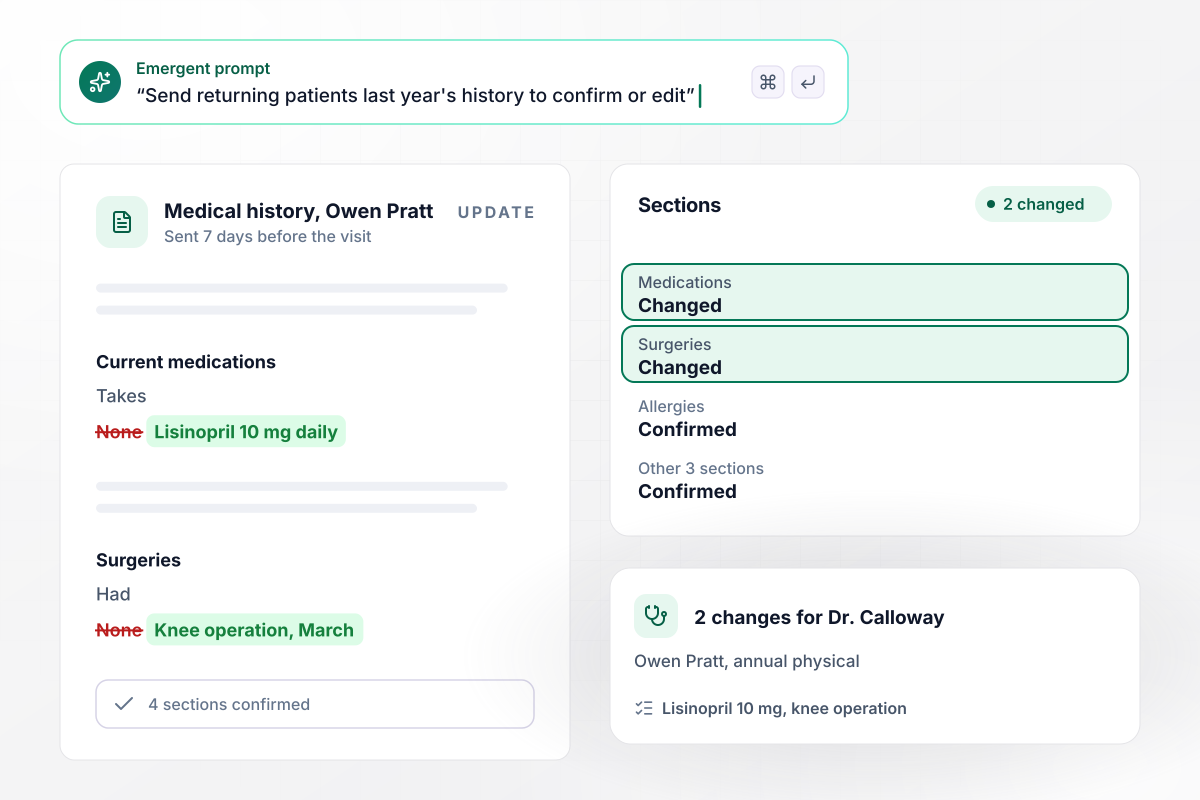
Patients confirm or edit each section
Birchline Internal Medicine sends returning patients last year's history 7 days before the annual physical. Owen Pratt confirms four sections and edits two: a new prescription, lisinopril 10 mg daily, and a knee operation in March. Dr. Ruth Calloway opens his chart to those 2 changes first.
window.awbMockup = { annualUpdates: "My internal medicine practice needs a yearly medical history update. Send returning patients last year's answers 7 days before each annual physical, and let them confirm each section or edit it. Mark every changed answer, such as a new prescription or a recent operation, and show those changes first when the doctor opens the chart.", familyHistory: "Build a family history section for my family practice's new patient form. Give each relative a row with the relationship, the condition, and the age at diagnosis. When a parent, brother, or sister has a condition, list it at the top of the summary our doctor reads before the first visit, with other relatives below.", preSurgeryChecks: "My surgery center needs a pre-op medical history form that patients finish 5 days before their procedure. If the medication list includes a blood thinner, or the patient reports a past problem with anesthesia, email Hana Okafor, our pre-op nurse, with the patient's name and procedure date so she can call them.", campScreenings: "Build a health screening form for my day camp that parents fill in for each camper before the first day. Ask about allergies, medicines taken during camp hours, and whether the camper carries an epinephrine auto-injector. Add any camper with a yes to the list our camp nurse keeps at the first-aid station, and collect a parent's signature." };
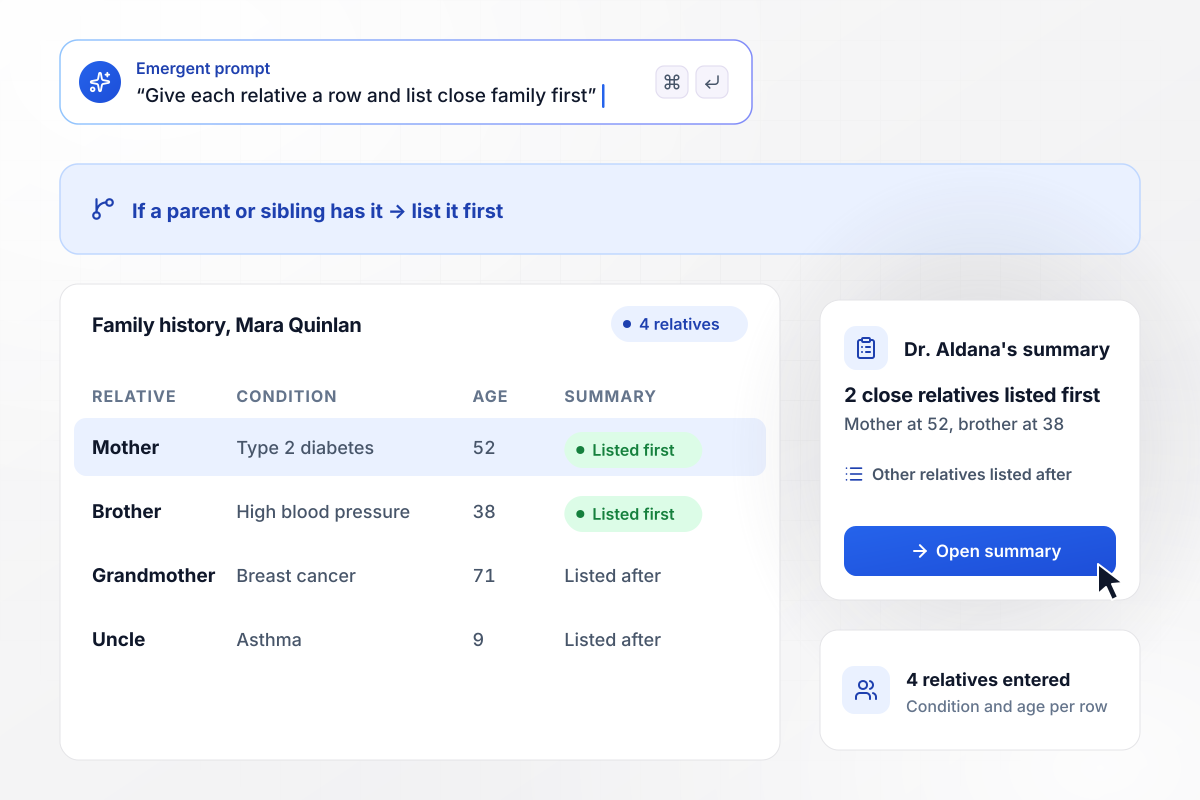
A parent or sibling's diagnosis heads the summary
New patients at Harbor Point Family Practice add a row per relative, with the condition and the age at diagnosis. Mara Quinlan enters four relatives. Her mother's type 2 diabetes at 52 and her brother's high blood pressure at 38 open the summary Dr. Theo Aldana reads.
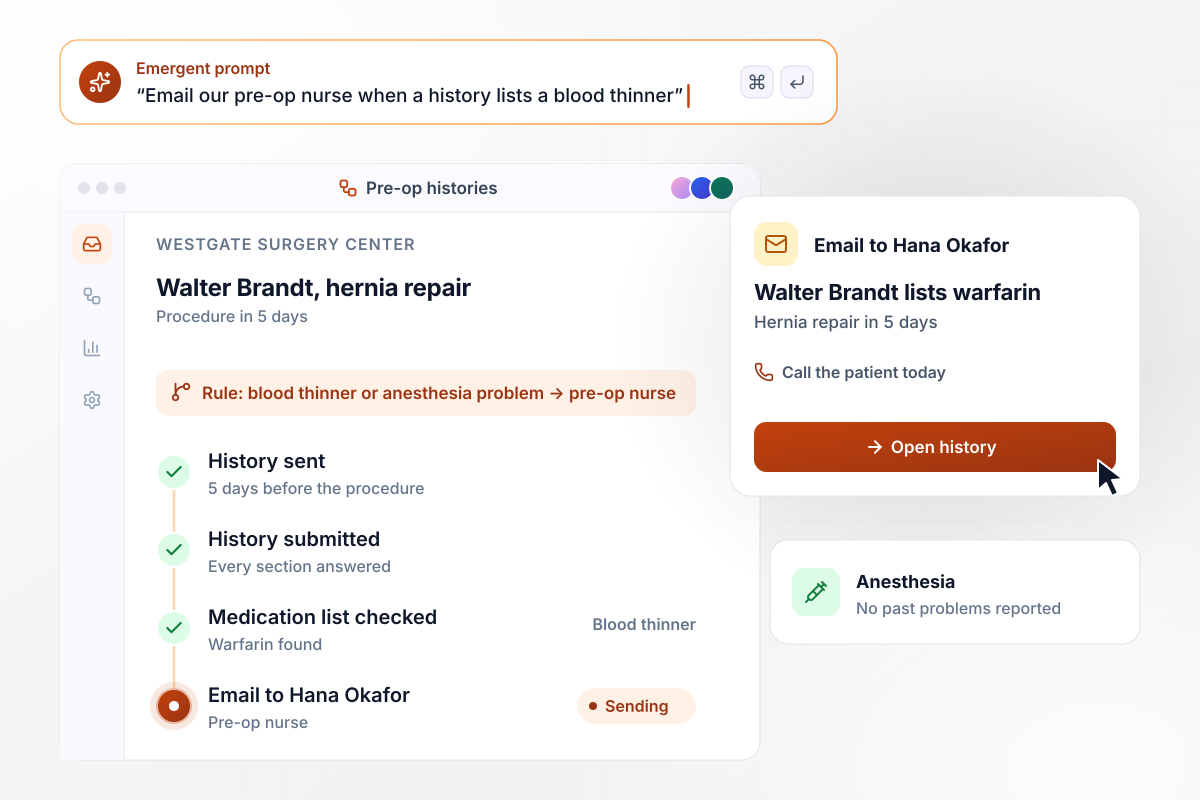
A blood thinner or an anesthesia problem alerts the nurse
Westgate Surgery Center asks patients to finish the history 5 days before the procedure. Hana Okafor, the pre-op nurse, hears about a blood thinner on the medication list or a past problem with anesthesia. Walter Brandt lists warfarin before his hernia repair. She gets an email and calls him that afternoon.
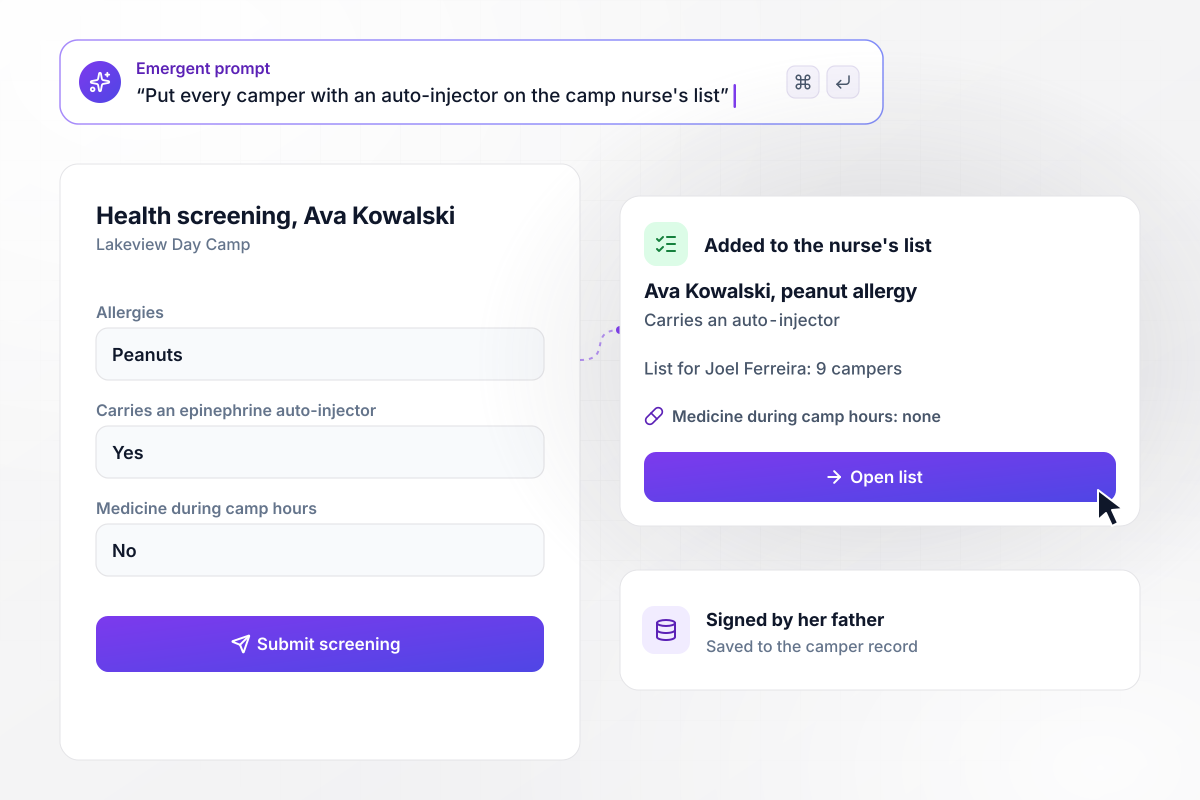
Every camper who carries an auto-injector lands on one list
Parents fill in the Lakeview Day Camp health screening for each camper before day one. A yes to an epinephrine auto-injector or a medicine during camp hours puts the camper on the list for Joel Ferreira, the camp nurse. Ava Kowalski's father marks her peanut allergy and auto-injector, and the list reaches 9 campers.






How to Create a Medical History Form
Seven steps to create a medical history form patients can finish on a phone and update each year, then build it with Emergent.
Lay out every history page patients fill in today, front and back. Next to each question, write who reads the answer and when: the doctor in the exam room, the nurse at check-in, or the surgeon before a procedure. A question with no reader comes out.
Start with the patient's details, then current conditions, past surgeries and hospital stays, medications, allergies, family history, and tobacco and alcohol use. Keep that order every year. A returning patient and the doctor then know where to find each answer.
Ask your doctors which conditions they want named on the form, such as asthma or diabetes, and list those as checkboxes. End the list with one open box for anything it misses, and ask for the year that condition began.
Give each relative a row: mother, father, each sibling, and each grandparent. CDC's family health history guidance names major medical conditions, causes of death, and age at disease diagnosis as the details to include. Give each of the three its own column.
Paste your sections, condition list, and alert rules into the prompt in plain English. Emergent builds the form, the database its answers are saved to, and the summary page the clinician opens. To change a question later, describe the change in a new prompt.
Pick the answers that cannot wait for the visit, and assign each to one named person instead of a shared inbox. Choose email or Slack for each, and name a second person to hear about it when the first is out.
Fill in the form on a phone twice: once as a new patient, once as a returning patient with last year's answers loaded. Change one medication on the second pass, then check that the summary marks it as a change and every alert arrives.
Why Build Medical History Forms With Emergent?
A paper history comes back handwritten. Emergent builds the form patients fill in on a phone, and each answer lands in its own field.

|
Jotform | Google Forms | Typeform | |
|---|---|---|---|---|
| How you build | Describe it in plain English | Templates, editor, AI generator | Editor, with Gemini drafting on some Workspace plans | Templates, editor, AI assist |
| Where responses live | A database table you own, plus any integration | Jotform account | Google Sheets | Typeform account |
| Response limits | No response caps | Monthly submission caps by plan; the form stops at the cap | No limit | Monthly response caps by plan; the form closes at the cap |
| Code ownership | Full code export to GitHub on paid plans | None | None | None |




Pick the Pricing Plan That Works for You
Choose the plan that fits your building ambitions. From weekend projects to enterprise applications, we've got you covered.




Find the right form
for whatever you're collecting















Frequently Asked Questions
Your Questions, Answered
Don't change this element unless you know what you are doing
More things you can build
with Emergent









on Emergent today


