

Build an Intake Form That Sorts Every New Client
Build an intake form that hides the questions a client does not need and saves each answer and file to a database you own.
Build a client intake form for my accounting firm.
Trusted by Builders Worldwide
Active Builders Worldwide
Apps Successfully Created
Countries Globally Reached



What a Good Intake Form Does
Each one removes a follow-up email you would otherwise send before the first meeting.
Questions that follow the answers
Hide each section until an earlier answer calls for it. A client with no dependents never sees that page, and a renter skips the questions written only for homeowners.
Uploads beside the questions
Ask for each document on the screen where its question sits, such as a photo ID or pictures of the job. Every file is saved to that client's record with the date it arrived.
One row per client
Save every submitted intake as a row in a database you own, with the answers and files attached. Search past clients by name, or export the whole table when the year closes out.
Routing by answer
Send each new client to the person who handles that kind of work. A service type or a budget decides who gets the email or Slack alert, and who books the first meeting.
Signatures before the first meeting
Put the engagement letter or the cancellation policy at the end of the intake and collect a typed or drawn signature. Each signed copy is stored next to its answers.
The source code is yours
Export the full code of the intake form and its database to GitHub on paid plans. A developer can host it on your own servers or connect it to the client portal you already run.
Intake Forms for Firms and In-House Teams
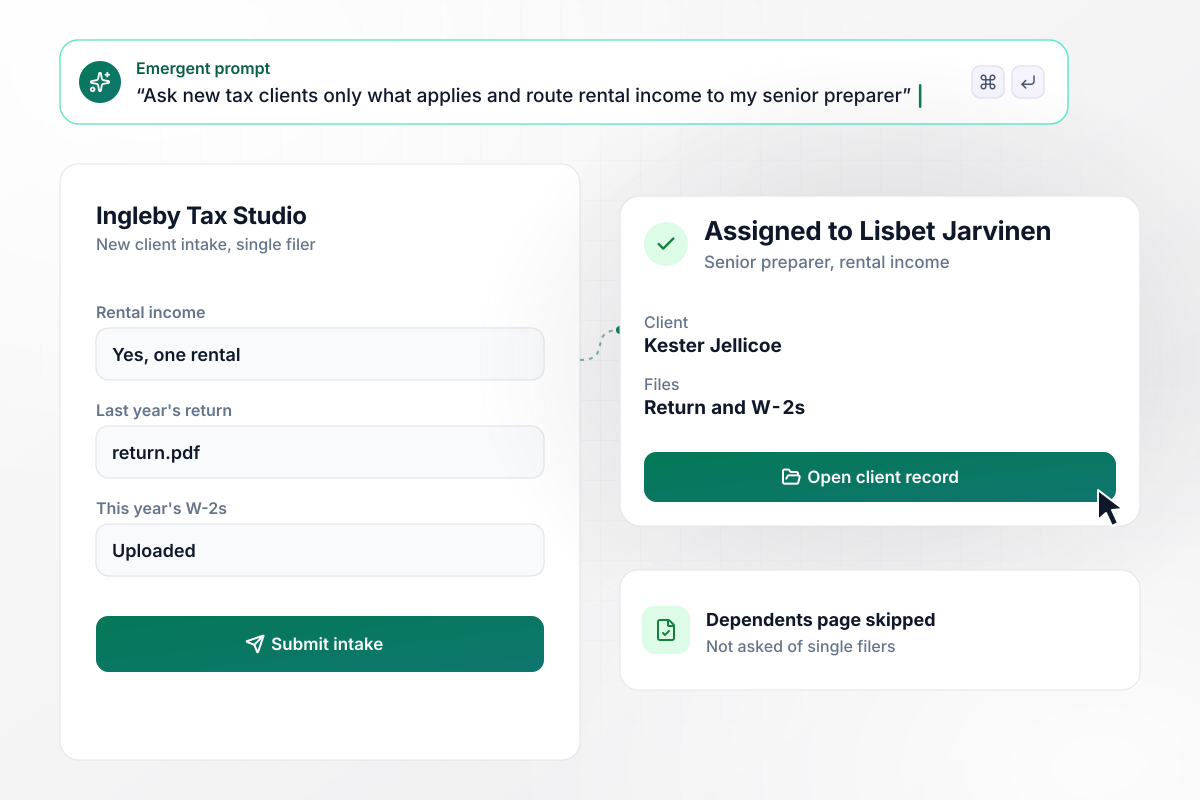
Last year's return arrives with the new client's answers
Ingleby Tax Studio sends one link to every new client. Single filers never see the dependents page, and the rental income section opens only for clients who own a rental. Last year's return and this year's W-2s upload on the same screen. Anyone reporting rental income goes to Lisbet Jarvinen, the senior preparer.
window.awbMockup = { accountingFirms: "I run a small tax practice and need a new client intake form. Skip the dependents page for single filers and show the rental income section only to clients who own a rental. Let clients upload last year's return and this year's W-2s on the same screen. Assign anyone with rental income to Lisbet Jarvinen, our senior preparer.", lawFirms: "My family law firm needs an intake form for prospective clients. Ask for their name and their spouse's name, including any former names. Check every name against our past clients and opposing parties. If anything matches, hold the intake for Greer Lunt, our conflicts partner, and keep the consultation calendar closed until she clears it.", teamRequests: "Build one request form for everyone at my company who needs work from the marketing team. Ask for the goal and the due date. Mark anything due in under 10 business days as a rush and send it to Kasia Joubert, our marketing lead, in Slack. Send every other request to our Asana queue with the brief attached.", homeServices: "My remodeling company needs a phone-friendly intake form for homeowners. Ask them to pick the room, describe the job, add up to six photos, and enter a budget. Send any job over $25,000 to Linus Hebden, the owner, to arrange a site visit. Give smaller jobs a link to book an estimator and save every request with its photos." };
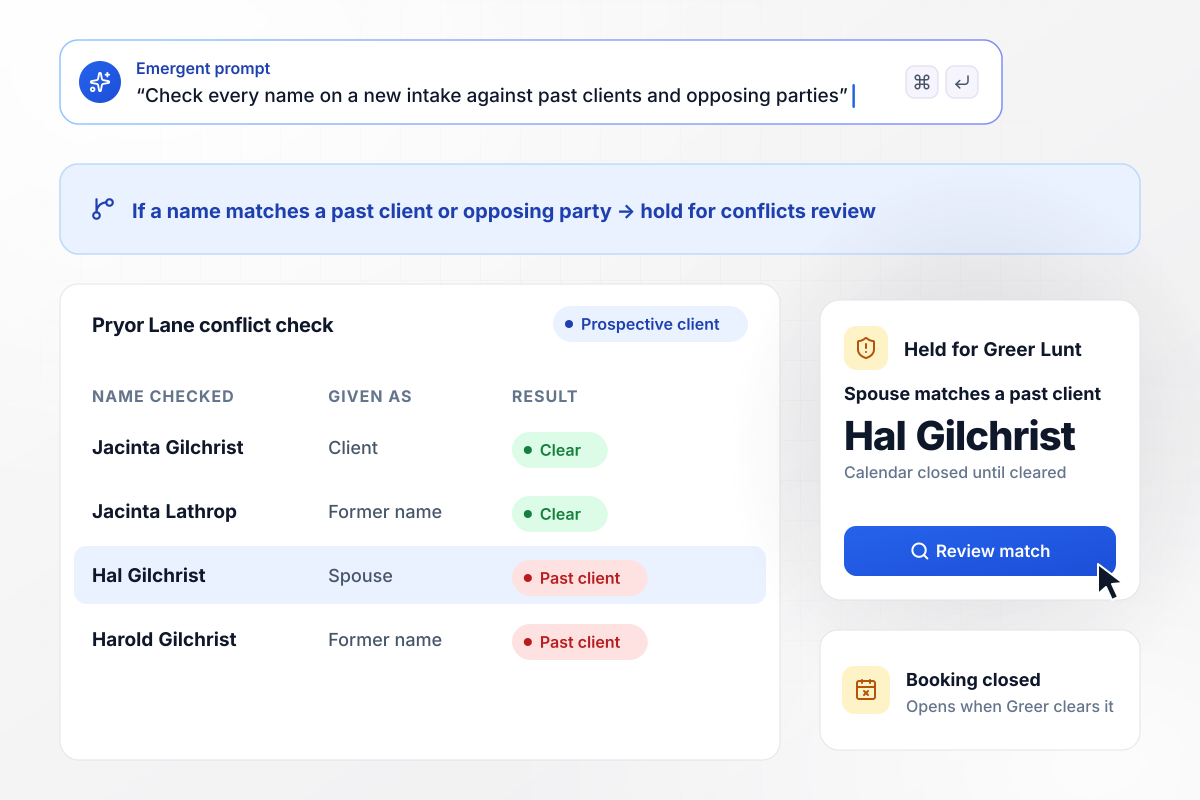
A conflict check runs before anyone books a consultation
Pryor Lane Family Law asks each prospective client for their own name and their spouse's, including former names. The intake checks every name against past clients and opposing parties. A match holds the intake for Greer Lunt, the conflicts partner. The booking calendar stays closed until she clears it.
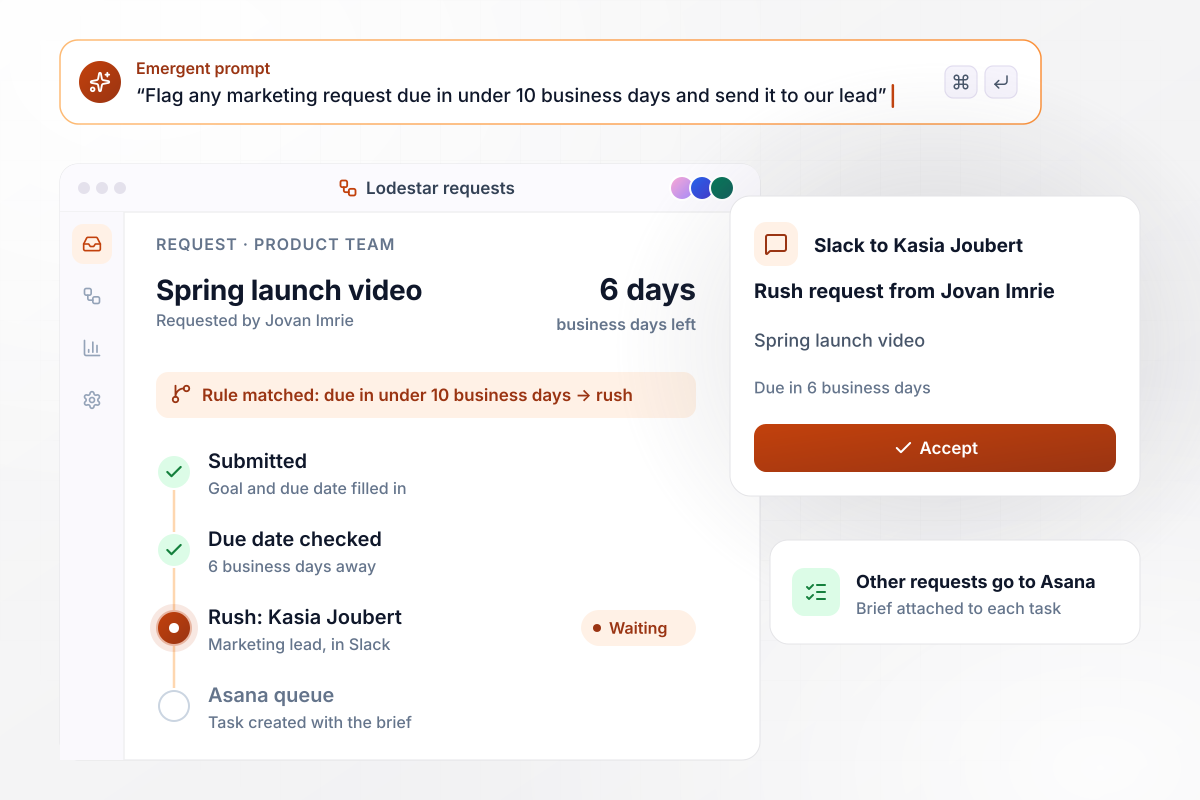
Rush requests go to the marketing lead first
Anyone at Lodestar who needs a launch video or an event booth fills in one request form with the goal and the due date. Anything due in under 10 business days is marked as a rush and goes to Kasia Joubert, the marketing lead, in Slack. Every other request joins the Asana queue with its brief attached.
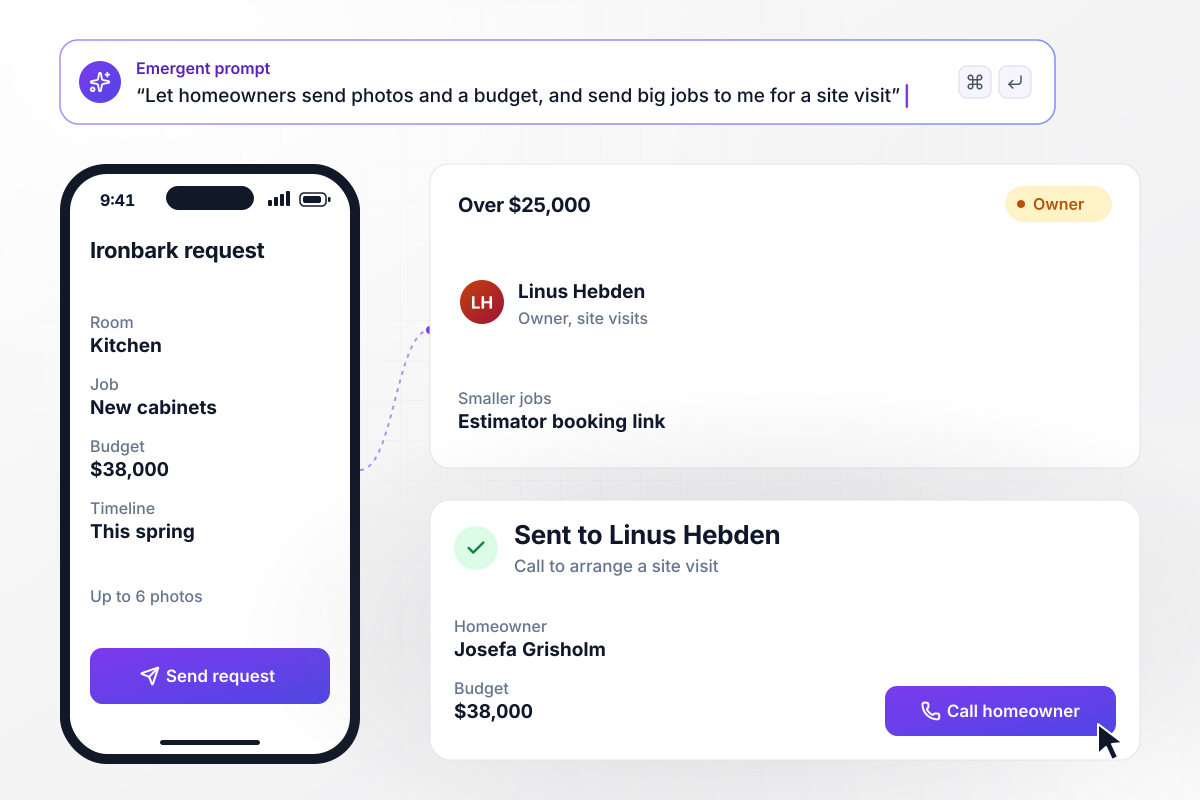
Photos of the room come in with the budget
Homeowners start on a phone: pick the room, describe the job and add up to six photos. Jobs budgeted over $25,000 go to Linus Hebden, the owner of Ironbark Remodeling, who calls to arrange a site visit. Smaller jobs get a link to book an estimator, and each request is saved with its photos.






How to Create an Intake Form
Work through these seven steps to decide what your intake form asks and who receives each answer, then build it in Emergent.
Write down the facts and documents you need before you meet a new client: the service they want and anything you would otherwise ask on the call. Cut every question whose answer nobody reads before that first meeting.
Put contact details first and leave signatures for the last screen. Keep each section to one screen on a phone. Read every question aloud once and rewrite any that a new client would have to ask you about.
Note which answers change the form. Rental income opens a rental section, and a client under 18 opens a section for a parent or guardian. Everyone else moves straight past both, and the form stays as short as their situation allows.
Name the person for each kind of client, plus a fallback for anything that matches no rule. Decide whether that person hears about it by email or in Slack, and write down what counts as urgent enough to flag on arrival.
Paste your sections and rules into the prompt in plain English. Emergent builds the intake form and the database table behind it. Change any question or rule later by prompting again, and the live form updates.
Place any policy the client must accept, such as a cancellation fee or an engagement letter, after the last question. Add a signature field below it. Have a lawyer read any term you expect to enforce before real clients sign it.
Fill the form on a phone as a made-up client who triggers every rule. Check that the alert arrives and the uploaded files open. Then send the real link at the moment a client books, while there is still time to read the answers.
Why Build Your Intake Form With Emergent?
A template lists the questions. Emergent builds the working form around them and keeps every answer in a database you own.

|
Jotform | Google Forms | Typeform | |
|---|---|---|---|---|
| How you build | Describe it in plain English | Templates, editor, AI generator | Editor, with Gemini drafting on some Workspace plans | Templates, editor, AI assist |
| Response limits | No response caps | Monthly submission caps by plan; the form stops at the cap | No limit | Monthly response caps by plan; the form closes at the cap |
| Where responses live | A database table you own, plus any integration | Jotform account | Google Sheets | Typeform account |
| File uploads | Files saved to storage you own, no sign-in | Included; files count toward plan storage | Respondents must sign in to Google; files fill your Drive | Paid plans only |
| Code ownership | Full code export to GitHub on paid plans | None | None | None |




Pick the Pricing Plan That Works for You
Choose the plan that fits your building ambitions. From weekend projects to enterprise applications, we've got you covered.




Find the right form
for whatever you're collecting















Frequently Asked Questions
Your Questions, Answered
Don't change this element unless you know what you are doing
More things you can build
with Emergent









on Emergent today


