

Build a Permanent Makeup Consent Form for Brows, Lips and Liner
Create a permanent makeup consent form with risks per procedure, and keep pigment lots and healing photos with each signature.
Build a permanent makeup consent form for my brow and lip studio that each client signs online before her session.
Trusted by Builders Worldwide
Active Builders Worldwide
Apps Successfully Created
Countries Globally Reached



What a PMU Consent Record Keeps
What the artist needs signed before the first stroke, and what the studio looks up when the client comes back.
One form for every procedure
Let the client pick the procedure first. Microblading, lip blush and eyeliner each load their own risk statements, and a brow client never initials a line written about the eyes.
Pigment and lot number per color
Record each pigment the artist mixes with the lot number printed on its bottle. FDA recall notices for contaminated inks name the affected lots, and one search finds who got them.
Before and healed photos in order
Attach the before photo at booking and ask for healing photos on the days your artist picks. Every photo is dated and filed under its session, next to the consent it follows.
Each risk initialed, MRI included
Write allergic reactions and MRI complications as separate statements with initials boxes. The FDA lists both as permanent makeup risks. Signing stays locked until each is initialed.
One client history across visits
Keep a color refresh years later on the same record as the first session. The artist opens that history and sees earlier brow shapes and pigments before the next appointment.
Code your studio keeps
Export the full source code to GitHub on paid plans. A developer can place the consent form inside your booking site and keep editing it there long after the first version ships.
How Four Studios Run PMU Consent
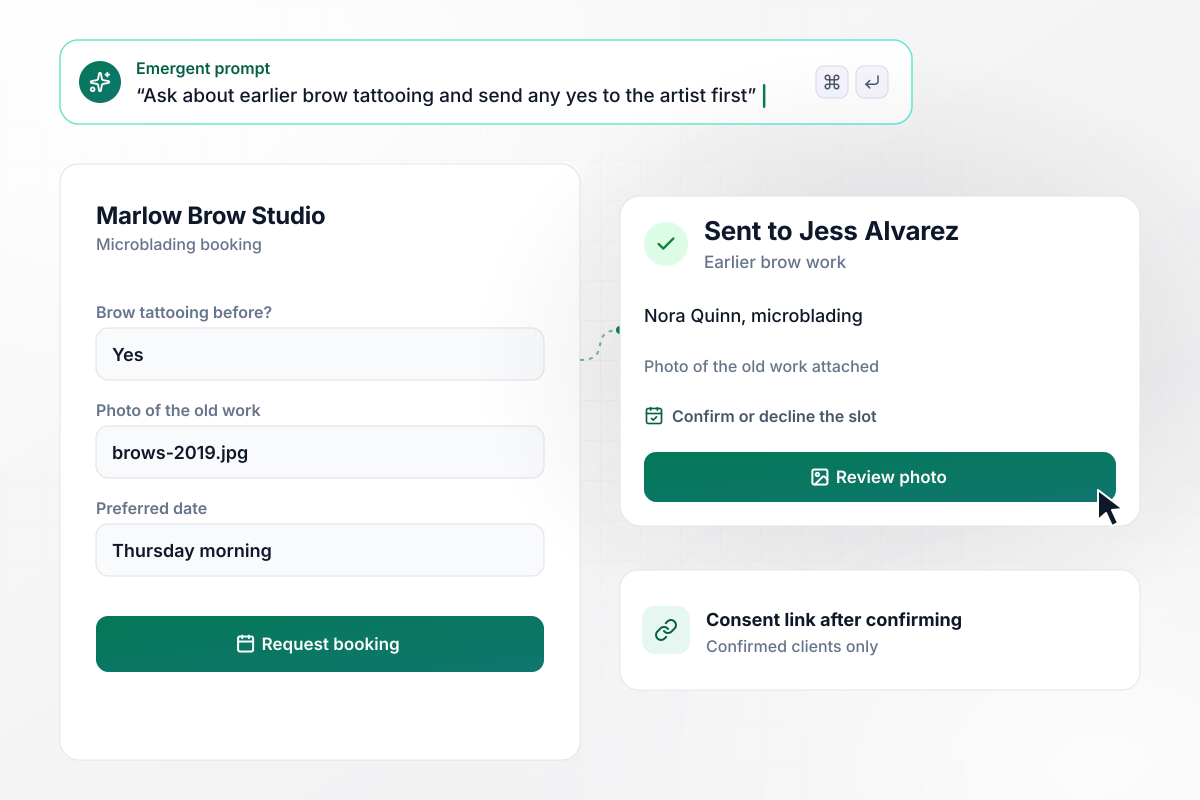
Before booking, the artist sees the old brow work
Marlow Brow Studio books microblading through a form that asks one question first: has the client had brow tattooing before? A yes asks for a photo of the old work and sends the form to artist Jess Alvarez. She confirms or declines the slot, and only a confirmed client gets the consent link.
window.awbMockup = { microblading: "I run Marlow Brow Studio. Build a microblading booking form that asks first whether the client has had brow tattooing before. If she says yes, ask for a photo of the old work and send the form to our artist Jess Alvarez, who confirms or declines the slot. Only send the consent link to clients Jess confirms.", lipBlush: "Build a lip blush consent form for Rosewell PMU. After each session, let our artist Kira Patel add the names of the two pigments she blended and the lot number of each to the signed record. Give us a search by lot number that lists every client who received that lot, with their phone numbers.", eyeliner: "My studio, Linden Beauty, does permanent eyeliner. Build a consent form, then email each client an upload link on day 3 and day 10 after the session. File every healing photo with its date under that session, next to the before photo and the signed consent, so our artist Dana Reyes sees them in order.", touchUps: "Build a touch-up form for Marlow Brow Studio that goes out six weeks after a client's first session. Show her brow shape, the pigment and the healed photo from session one, ask only what has changed since then, and have her sign a one-page touch-up consent that is saved on the same record as the original." };
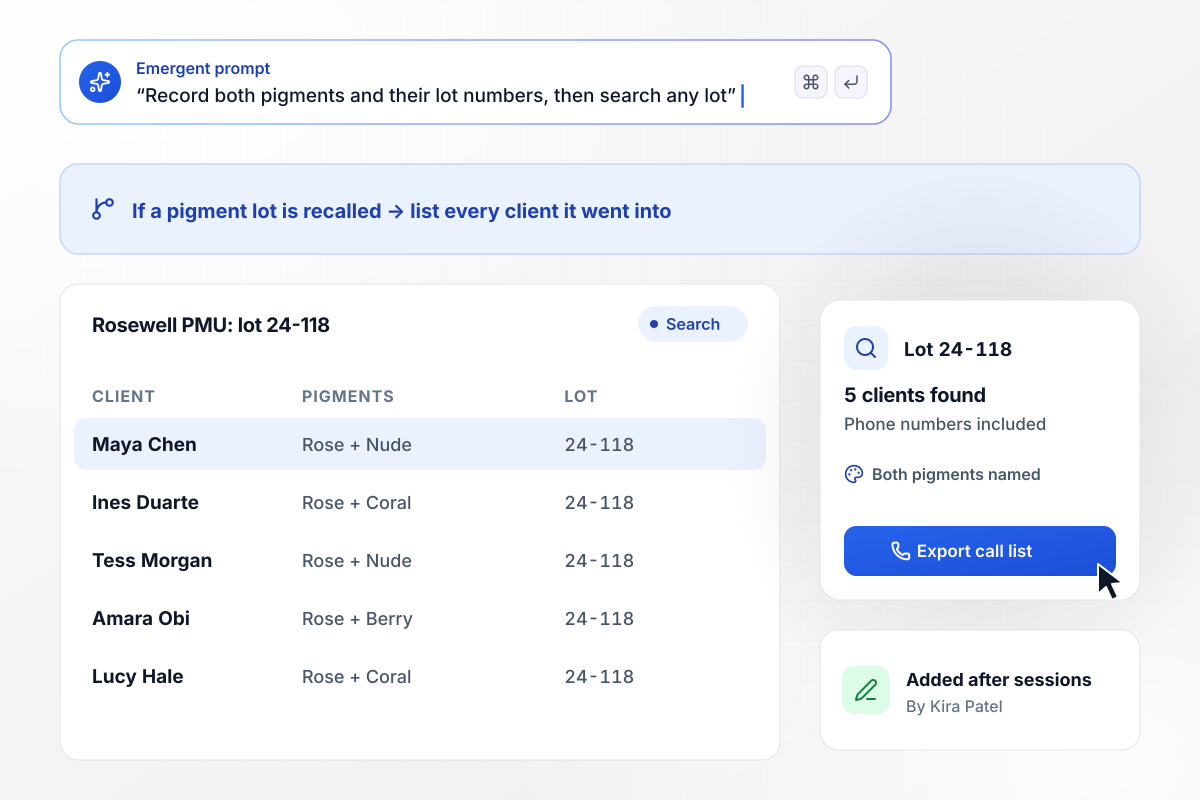
Lot numbers for both pigments, one search away
Kira Patel blends two pigments for most lip blush clients at Rosewell PMU. After each session she adds both pigment names and their lot numbers to the signed record. If a manufacturer recalls a lot, a search for that number lists every client it went into, with phone numbers for the calls.
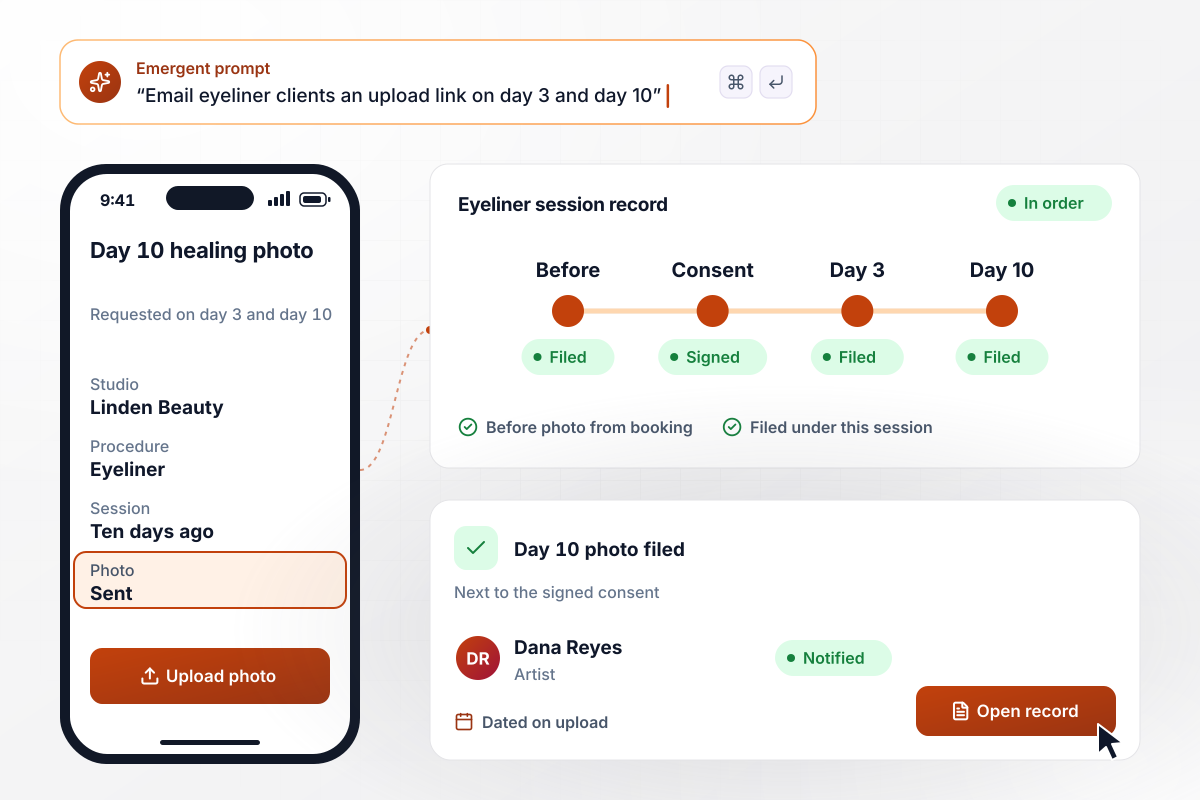
Healing photos, day by day, next to the consent
Eyeliner clients at Linden Beauty get an upload link by email on day 3 and day 10 after their session. Each photo they send is dated and filed under that session, beside the before photo and the signed consent. Artist Dana Reyes opens one record and sees the whole heal in order.
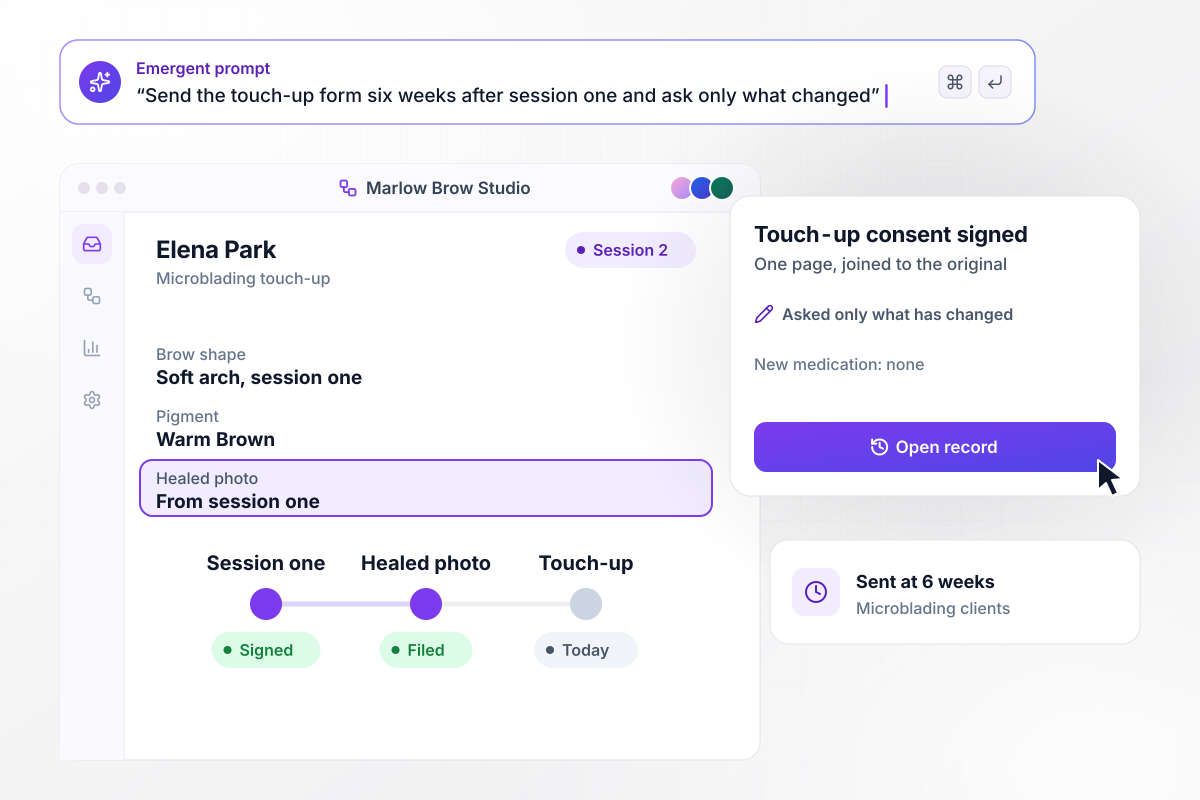
For the touch-up, session one's record opens first
Six weeks after a first session, Marlow Brow Studio sends the touch-up form. It shows the brow shape and pigment from session one next to the healed photo, then asks the client only what has changed since. She signs a one-page touch-up consent, and it joins the original on her record.






How to Create a PMU Consent Form
Seven steps that turn your artist's consultation into a permanent makeup consent form that also records every session after it.
Sit with your artist and note what they tell every client before the first stroke: what the procedure does, how the color settles, what can go wrong, and what a touch-up covers. The consent form has to capture that conversation.
List each service on your menu, such as powder brows or lip blush. Give each one its own risk statements and screening questions, and let the client's first answer decide which set appears on screen.
Decide which answers send a form to the artist before the appointment holds, like earlier brow tattooing or recent lip filler. Name the person who gets the alert, and choose whether it arrives by email or in a Slack channel.
Choose what the artist adds once the client leaves, starting with each pigment used and its lot number from the bottle. Then set the days your studio asks for healing photos and who reviews them.
Paste your consent wording and the review rules. Emergent builds the form and the client table, with photo uploads, from that prompt. Ask for changes in plain English, such as a Spanish version or a new service.
Send the consent link with each booking confirmation, and let clients download a PDF of what they signed. Emergent connects to any tool with an API, including the booking software your front desk already works in every day.
Book yourself as a microblading client with old brow work, then as a lip blush client, and open both records. Ask a lawyer who knows your area's body art rules to read the wording, because tattooing is regulated locally.
Why Build PMU Consent Forms With Emergent?
A downloaded template collects a signature once. Emergent keeps that signature with the pigments and photos that come after it.

|
Jotform | Google Forms | Typeform | |
|---|---|---|---|---|
| How you build | Describe it in plain English | Templates, editor, AI generator | Editor, with Gemini drafting on some Workspace plans | Templates, editor, AI assist |
| Where responses live | A database table you own, plus any integration | Jotform account | Google Sheets | Typeform account |
| Response limits | No response caps | Monthly submission caps by plan; the form stops at the cap | No limit | Monthly response caps by plan; the form closes at the cap |
| Code ownership | Full code export to GitHub on paid plans | None | None | None |




Pick the Pricing Plan That Works for You
Choose the plan that fits your building ambitions. From weekend projects to enterprise applications, we've got you covered.




Find the right form
for whatever you're collecting















Frequently Asked Questions
Your Questions, Answered
Don't change this element unless you know what you are doing
More things you can build
with Emergent









on Emergent today


