

Build a Tattoo Consent Form Clients Sign on Their Phones
Build a tattoo consent form that checks each client's age and photo ID and saves every signed record to a database you own.
Build a tattoo consent form for my studio.
Trusted by Builders Worldwide
Active Builders Worldwide
Apps Successfully Created
Countries Globally Reached



What a Tattoo Consent Form Should Record
The client and the design on one signed record, which your front desk can find by name.
Photo ID and date of birth up front
Ask for date of birth before any other question and have the client photograph a government ID. With both on the record, the artist can match the person in the chair to the form.
The design and placement in writing
Describe the piece and where it goes, or attach the final stencil. Your client confirms the size and the spot on the body, and that wording is saved on the record by the signature.
Questions the artist reads first
Ask about latex or pigment allergies and anything else the artist should hear before the stencil goes on. Any yes answer moves that record to the top of the artist's queue.
Aftercare sent with the signed copy
Email each client a PDF of the form they signed, with your studio's aftercare sheet attached. Both pages stay with the client, and the record notes the minute each copy was sent.
One searchable record per session
Save every signed form as a row holding the client, the artist, and the date of the session. Type a name at the front desk to see each tattoo that client has had at your studio.
Source code your developer can own
Export the full source to your GitHub on paid plans when consent belongs inside the studio's booking site. A developer can host it on any server and keep building from there.
Where Tattoo Studios Collect Consent
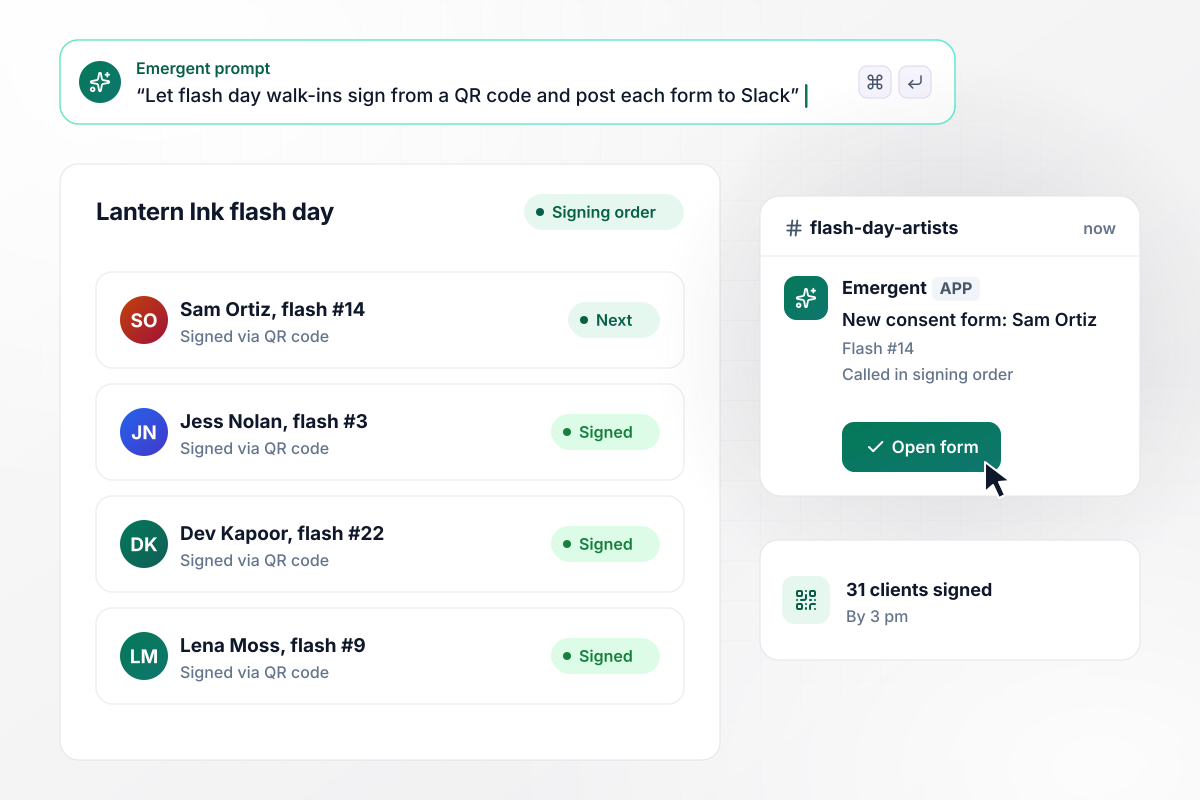
The flash day line fills from a QR code at the door
Lantern Ink runs a flash day every October. Walk-ins scan a QR code on the door, pick a flash number from the wall, and sign while they wait in line. Each signed form posts to the artists' Slack channel with that flash number, and clients are called in signing order. By 3 pm, 31 clients have signed.
window.awbMockup = { flashDayWalkIns: "I run Lantern Ink and we hold a flash day every October. Build a tattoo consent form walk-ins open from a QR code on the door. They pick a flash number from the wall, upload a photo ID, and sign on their phones. Post each signed form to our artists' Slack channel with the flash number, and keep a queue in signing order.", customPieces: "Build a consent form for custom tattoo sessions at my studio. Two days before the appointment, email the client a link with their final design attached. They confirm the size and the placement, tick that they approve the design, and only then can they sign. Save the design file and the signature on the same record.", clientsUnder18: "My studio is in Tampa, Florida. Build a tattoo consent form that asks for date of birth first. If the client is 16 or 17, show a parent section with photo ID for both, proof of guardianship, and an upload for the notarized state consent form, and note that the parent must attend. Block anyone under 16 from booking.", guestArtists: "We host guest artists at North Pier Tattoo for two-week spots. Build a consent form that records which artist did each tattoo. Keep every signed form in one table I can filter by artist, and let me export all of one guest artist's signed forms as a single PDF on their last day." };
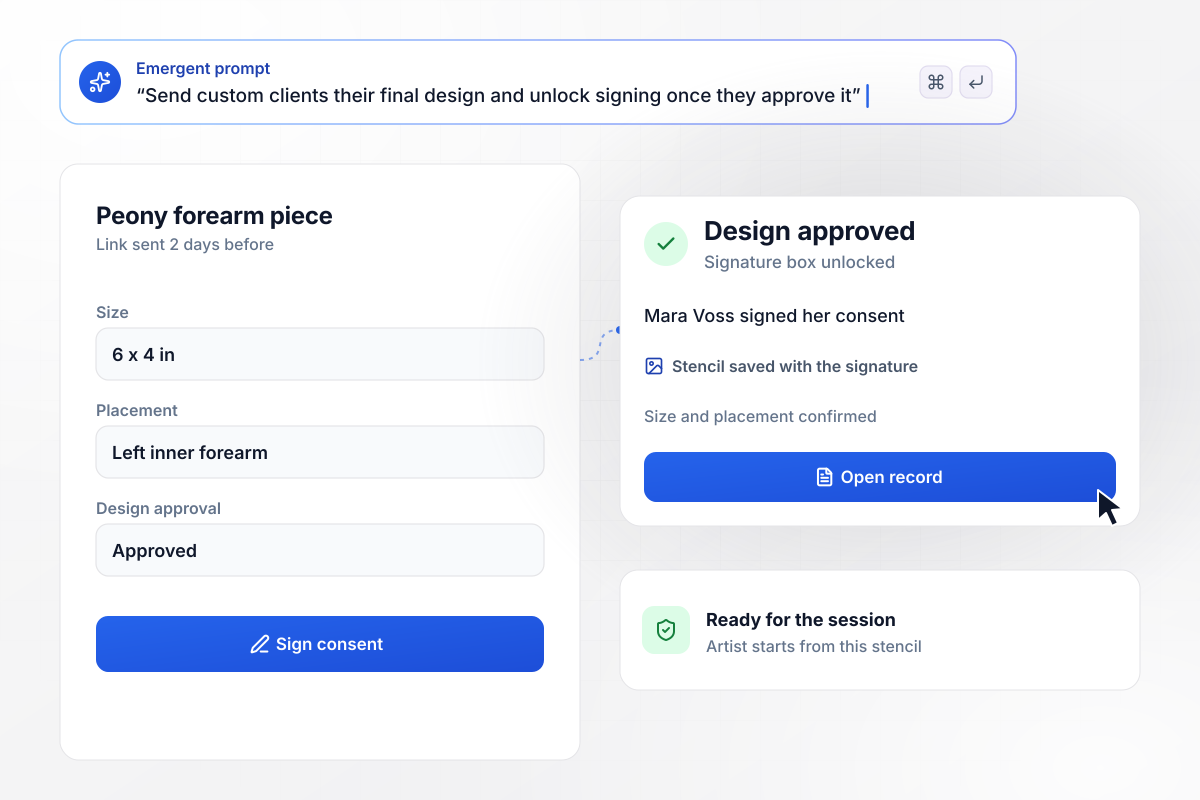
Sign only after approving the final stencil
Two days before her custom session, Mara Voss gets a link with her final peony design attached. She confirms the size, 6 by 4 inches, and the placement on her left inner forearm. The signature box stays locked until she ticks the design approval. Her artist never starts on a stencil she has not seen.
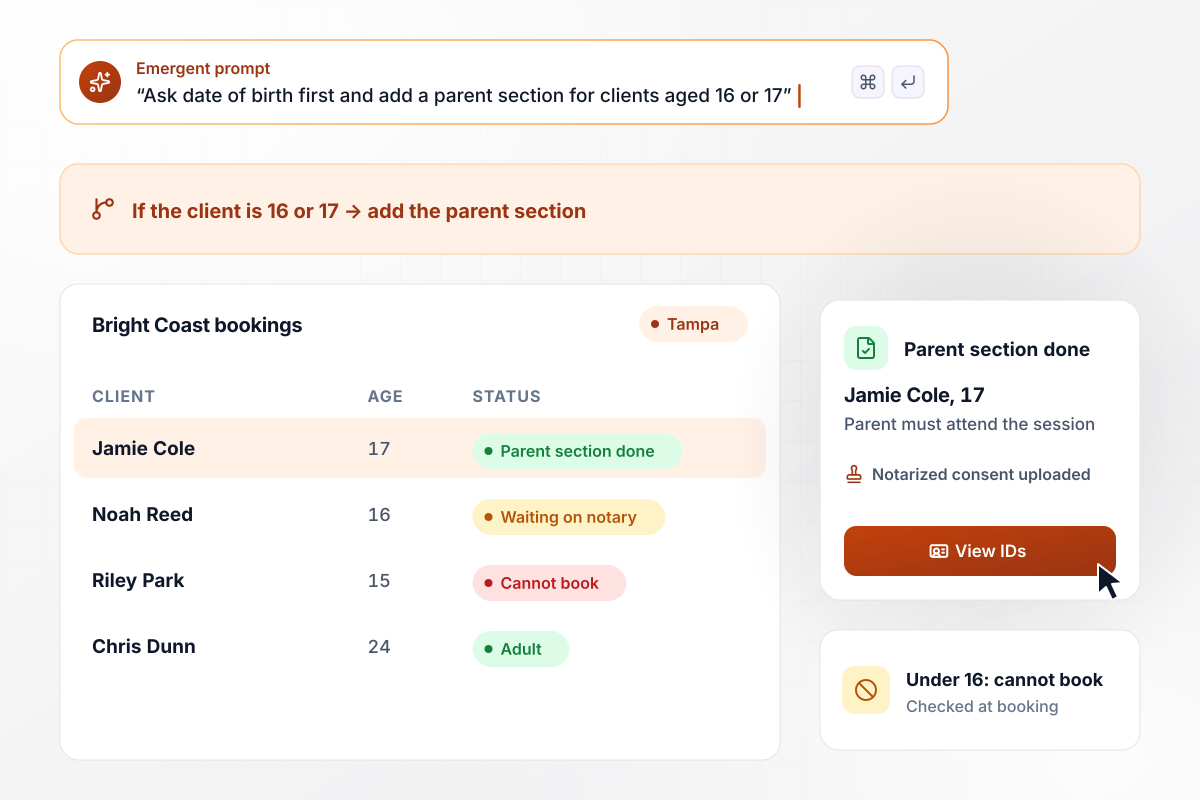
Florida's rule for 16 and 17, checked at booking
Bright Coast Tattoo in Tampa asks for date of birth before anything else. A client who is 16 or 17 gets a parent section with photo ID for both, proof of guardianship, and an upload of the notarized state consent form. The booking also notes that the parent must attend. Anyone under 16 cannot book at all.
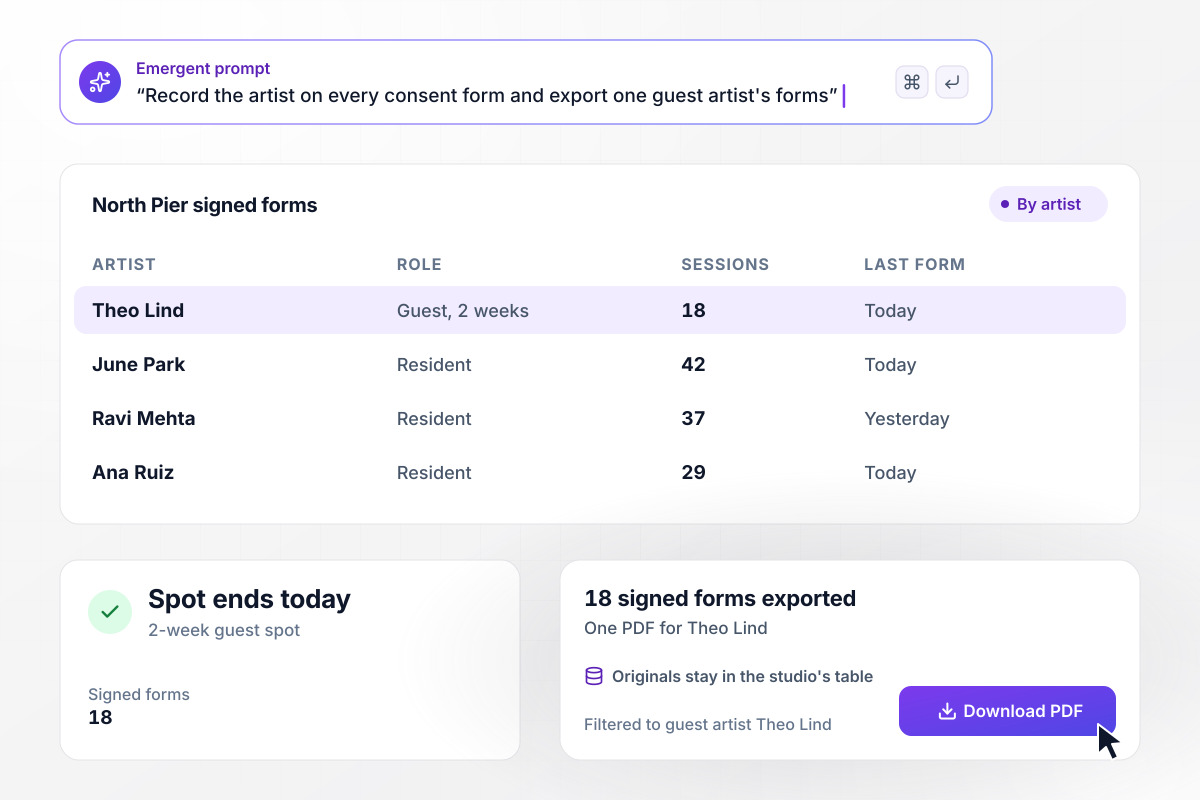
Every guest artist's records, together when the spot ends
Guest artist Theo Lind works a two-week spot at North Pier Tattoo. Each consent form names the artist who did the work, which keeps his 18 sessions apart from the resident artists' records. On his last day, the shop manager exports those 18 signed forms as one PDF, and the originals stay in the studio's table.






How to Create a Tattoo Consent Form
Seven steps that turn your state's rules and your artists' questions into a working tattoo consent form, built with Emergent.
Look up your state's tattoo rules and your county's before you write a single question. Note the minimum age, what a parent has to bring, and which client details the health department expects on file. Florida, for one, wants the client's birthdate and the tattoo's location on every record.
List what an artist asks before starting: pigment or latex allergies, medication that thins the blood, skin conditions near the placement, whether the client has eaten. Each question becomes its own field on the form.
Write the consent in plain sentences. Clients confirm the tattoo is permanent, that the design and placement are final once work starts, and that they will follow the aftercare sheet. Give each statement its own initials box so nobody can say they skimmed it.
Put a link in the booking confirmation for custom work and a printed code by the front window for walk-ins. Keep a tablet at the counter for anyone without a phone. Every entry point opens the same form and saves to the same table of signed records.
Paste your consent wording and list the fields around it. Emergent builds the form with its age check, plus a table of signed records. Ask for changes in plain English, such as a Spanish version or a new question your guest artist wants on every form.
Post a Slack message when a form is signed, email the client a copy with your aftercare sheet, and link each record to its booking. Emergent connects to any tool with an API, including the booking software you already use.
Fill the form yourself twice, once as a 17-year-old and once as an adult, then open both records. Have a local attorney read your consent wording before the first real client signs.
Why Build Tattoo Consent Forms With Emergent?
A clipboard form ends up in a binder. With Emergent, each signature becomes a record tied to the client and the design.

|
Square | Jotform | Google Forms | |
|---|---|---|---|---|
| How you build | Describe it in plain English | Printable template, then Card on File in Square | Templates, editor, AI generator | Editor, with Gemini drafting on some Workspace plans |
| Where responses live | A database table you own, plus any integration | Square Customer Directory | Jotform account | Google Sheets |
| Response limits | No response caps | Paper form, fees charged per payment | Monthly submission caps by plan; the form stops at the cap | No limit |
| Code ownership | Full code export to GitHub on paid plans | None | None | None |




Pick the Pricing Plan That Works for You
Choose the plan that fits your building ambitions. From weekend projects to enterprise applications, we've got you covered.




Find the right form
for whatever you're collecting
Frequently Asked Questions
Your Questions, Answered
Don't change this element unless you know what you are doing
More things you can build
with Emergent









on Emergent today


