

Build a Field Trip Permission Slip Parents Sign on Their Phone
Create a field trip permission slip that parents sign on any phone, with a count of who has signed and reminders for the rest.
Build a field trip permission slip for my class.
Trusted by Builders Worldwide
Active Builders Worldwide
Apps Successfully Created
Countries Globally Reached



What Every Permission Slip Has to Cover
Trip days go wrong over one missing signature or an allergy nobody wrote down. Each part below closes that gap.
Trip details above the signature
Put the destination and the return time at the top of the slip, with the cost and what to pack underneath. Parents read the whole day before they reach the line they sign.
Signatures on a parent's phone
Take a drawn signature from a parent or guardian on whatever phone they carry. Each signed slip saves the signer's name and relationship to the student with a timestamp.
Medical notes for the chaperones
Ask about allergies and medicines in separate fields, next to an emergency contact who can be reached during the trip. The trip nurse gets those answers grouped by bus.
Reminders for missing slips
Email the families who have not signed yet, on the schedule you pick, with a link that opens their child's slip. Reminders stop for a family as soon as a parent signs it.
A headcount drawn from the slips
Open a roster for each bus or group, made from the signed slips alone. A child without a signature shows in red, and the chaperone knows before anyone climbs aboard.
The code goes with you
On paid plans, export the full source of the slip and its database to your GitHub. A district developer can host it on school servers or link it to the student system in use.
Trips That Need a Signed Slip
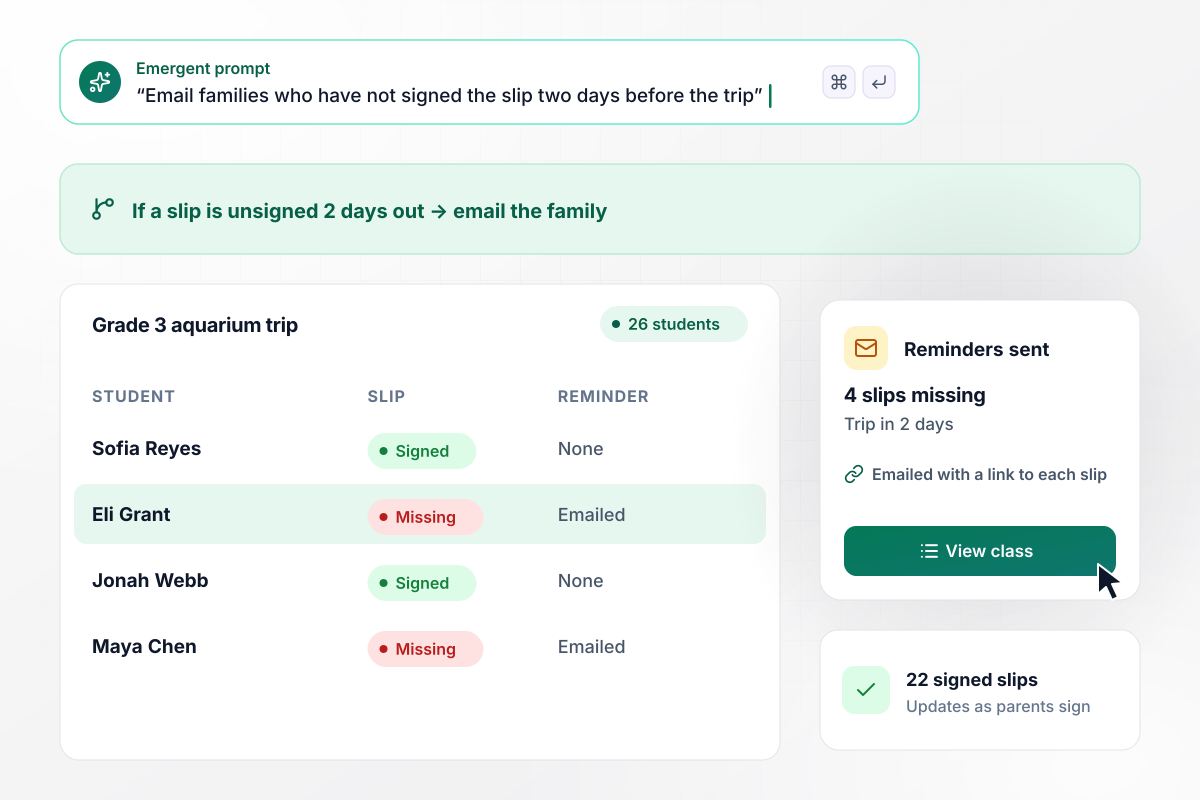
Two days out and four slips missing
Ms. Ortiz booked the aquarium for her Grade 3 class of 26 students. Two days before the trip, her dashboard shows 22 signed slips and 4 still out. Those families get an email with a link to their child's slip. Each new signature updates the count on her screen.
window.awbMockup = { elementaryClasses: "I teach Grade 3 and need a field trip permission slip for our aquarium trip. Parents should sign on their phones. Show me a dashboard with signed and missing slips for my 26 students, and two days before the trip, email every family that has not signed with a link to their child's slip.", highSchoolTrips: "My high school band is taking 2 buses to an overnight festival. Build a permission slip that asks for an emergency contact and every medicine each student will carry, with a line the student signs under the parent. The night before we leave, alert our trip nurse in the app that the list of students with medication is ready, sorted by bus, with no names or medicines in the alert.", spanishSpeakingFamilies: "Nine of the 24 families in my class read Spanish first. Build a field trip slip that opens in English or Spanish, with the same questions and signature line in both. Save both versions to the same columns and give me a single list of every family with a column showing which language they used.", childCareCenters: "My child care center takes the van to the public library every Thursday. Build a trip permission slip parents sign once for the season. Before the van leaves, show the director a roster built from the signed slips, and flag any child without a signature so a staff member stays back with them." };
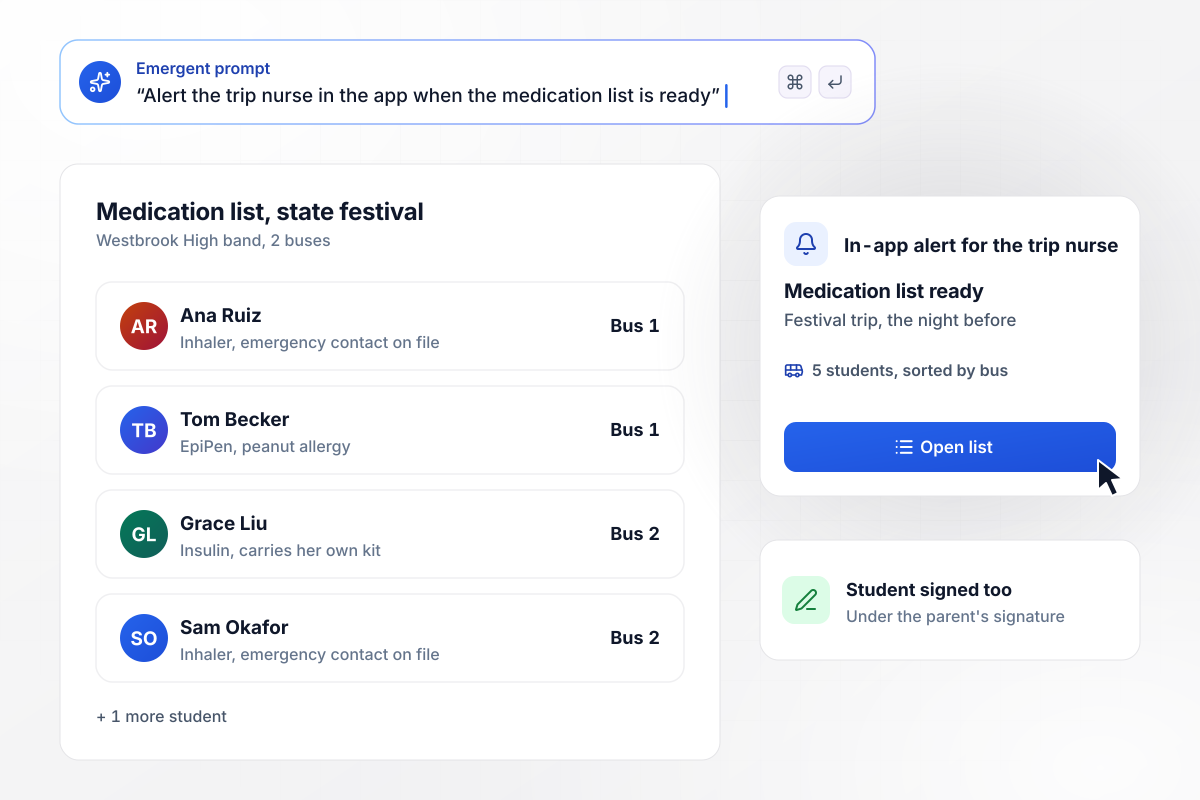
The nurse sees every inhaler before the bus leaves
Westbrook High's band takes 2 buses to the state festival and stays overnight. The slip asks for an emergency contact and every medicine a student will carry. Each student signs a line under the parent's signature. The night before, the trip nurse opens the app to the 5 students with medication, sorted by bus.
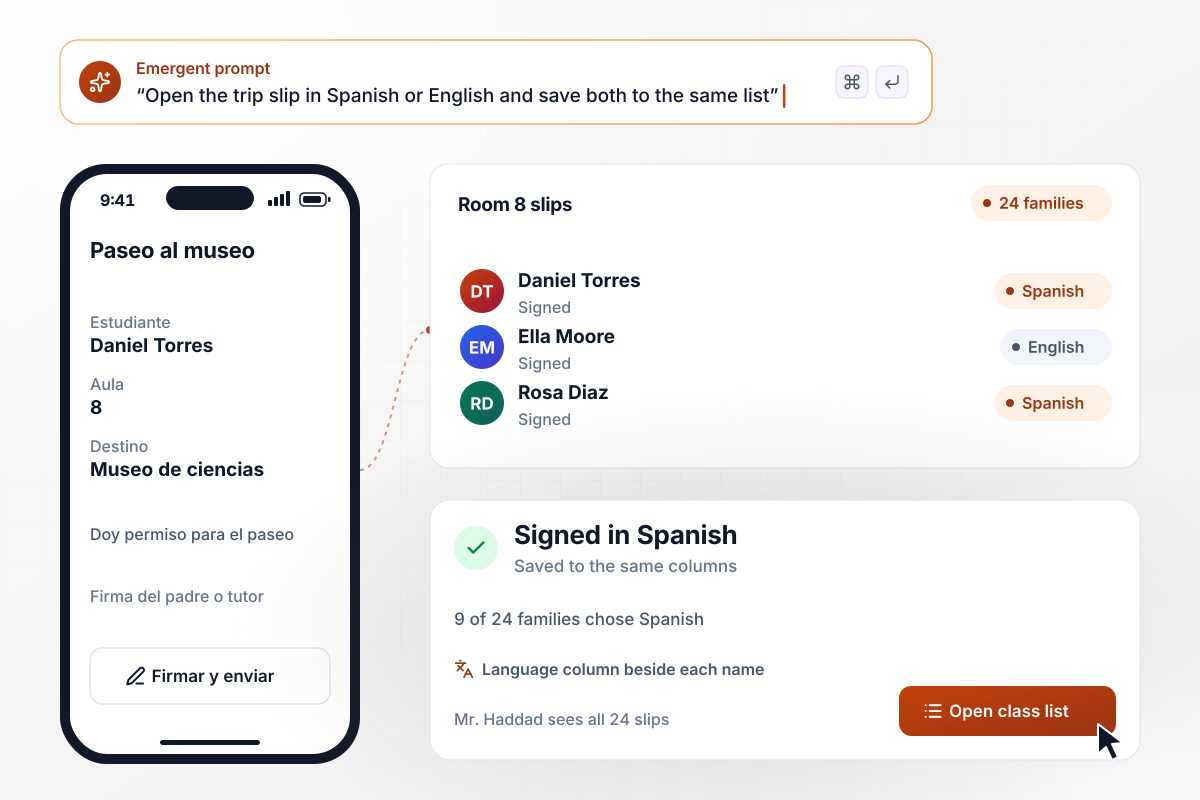
Nine families read it in Spanish
Room 8 has 24 families, and 9 of them read Spanish first. Their slip opens in Spanish with the same questions and the same signature line. Both versions save to the same columns. Mr. Haddad sees all 24 slips in a single list, with a language column beside each name.
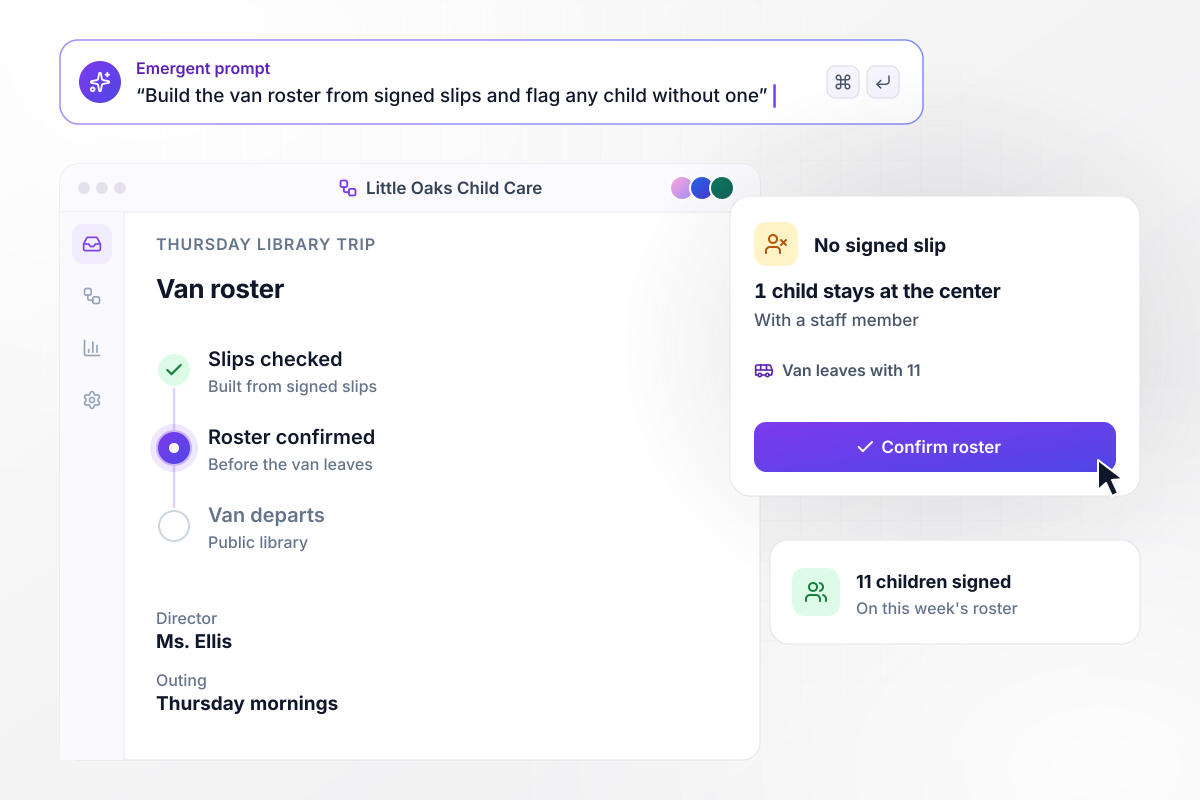
The van roster comes from signed slips
Little Oaks Child Care takes the van to the public library on Thursday mornings. Before it leaves, the director opens a roster built from the signed slips: 11 children signed, 1 without a signature. That child stays at the center with a staff member, and the van leaves with 11.






How to Make a Field Trip Permission Slip
Seven steps to write a field trip permission slip that covers the whole day, then build it with Emergent for signing online.
Write down the destination, the date, and the times the bus leaves and returns. Add the cost, what students should pack and whether lunch is provided. Parents decide from these lines, and they answer most of the questions teachers otherwise get by email.
Ask for a phone number that will work on the day of the trip, then for allergies and any medicine the student will carry. Give each answer a field of its own. A chaperone on a bus needs a single answer fast, not a paragraph to read.
Write the sentence a parent signs: their child may attend this trip, on this date, traveling this way. Name the school or center. For older students, add a declaration they sign themselves, as New York City's day trip form does for middle and high schoolers.
Pick a return date a few days before the trip. Decide when reminders go to families who have not signed and who watches the count. A deadline with no follow-up is how teachers end up phoning parents the night before a trip.
Paste your trip details and the permission sentence into the prompt, and say who needs which answers. Emergent builds the slip and the database behind it. Change a question or move the deadline later by prompting again.
Email the link to families or post it wherever they already get school notices. Every signature becomes a row in the database. The teacher's dashboard shows signed and missing slips for the class, and the nurse sees only the medical answers.
Open the slip on a phone as the parent of a made-up student, list a peanut allergy and sign. Check that the allergy reaches the chaperone's roster and that the count goes up. Have your principal or director read the wording before families see it.
Why Build Permission Slips With Emergent?
A paper slip comes back crumpled, or never. Emergent builds a slip parents sign on a phone and a count the teacher can trust.

|
Google Forms | Jotform | Typeform | |
|---|---|---|---|---|
| How you build | Describe it in plain English | Editor, with Gemini drafting on some Workspace plans | Templates, editor, AI generator | Templates, editor, AI assist |
| Response limits | No response caps | No limit | Monthly submission caps by plan; the form stops at the cap | Monthly response caps by plan; the form closes at the cap |
| Where responses live | A database table you own, plus any integration | Google Sheets | Jotform account | Typeform account |
| Code ownership | Full code export to GitHub on paid plans | None | None | None |




Pick the Pricing Plan That Works for You
Choose the plan that fits your building ambitions. From weekend projects to enterprise applications, we've got you covered.




Find the right form
for whatever you're collecting















Frequently Asked Questions
Your Questions, Answered
Don't change this element unless you know what you are doing
More things you can build
with Emergent









on Emergent today


