

Build a Surgery Consent Form That Arrives Signed on Surgery Day
Build a surgery consent form where staff fill in the case, patients e-sign at home, and each signed form saves to your database.
Build a surgery consent form for my surgery center that lists each procedure and its risks for patients to e-sign.
Trusted by Builders Worldwide
Active Builders Worldwide
Apps Successfully Created
Countries Globally Reached



What the Surgical Team Gets With Each Consent
Your hospital's legal and clinical teams write the wording. Emergent builds the surgery consent form and the record that holds it.
Case details that staff fill in
Staff enter the procedure, the side, the surgeon, and the date before the link goes out. The patient reads those lines but cannot change them, so the record holds what staff typed.
Approved wording, one section per screen
Paste the consent text exactly as your teams approved it. The form shows one section per screen, and the patient ticks a box under each section before the next one opens.
Signatures from the patient and a witness
The app captures the patient's e-signature and, where your policy calls for one, a witness's e-signature too. Each one is stored with a printed name, the date, and the time.
A list of who has not signed yet
Pick the hour, and the app emails your pre-op nurse a count of next-day cases that have no signature yet. The list itself, with each patient's phone number, opens in the app.
Patient or representative, on record
The first screen asks who is signing. When a parent, guardian, or other representative signs, the form also collects their full name, phone number, and relationship to the patient.
Code a developer can take in-house
Export the full code to your GitHub repository on paid plans. A developer can then host the form next to your patient portal, and every signed form stays in a database you own.
How Surgical Teams Put Consent Online
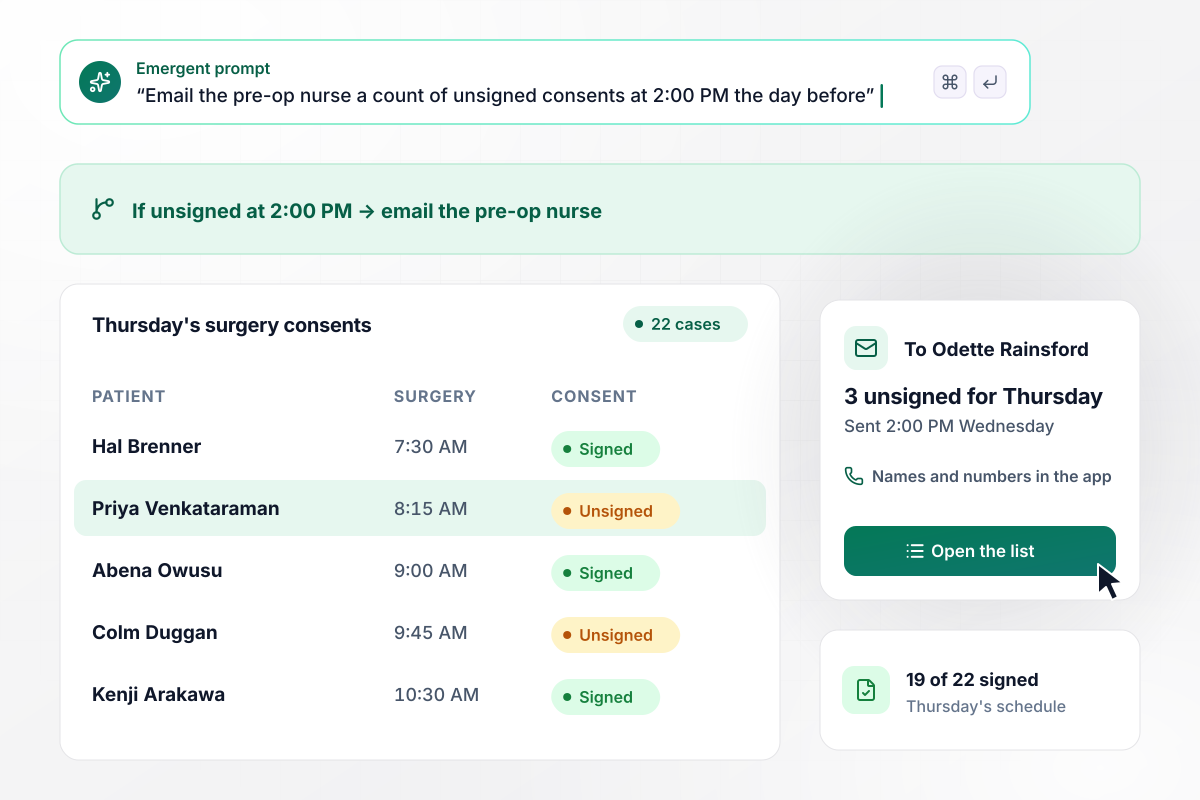
No signature yet from 3 of Thursday's 22 patients
Marrowfield Surgery Center emails the consent link to every patient booked for surgery. Thursday has 22 cases on the schedule. At 2:00 PM on Wednesday, 19 of 22 are signed, and pre-op nurse Odette Rainsford gets an email that 3 consents are still unsigned. The names and phone numbers to call stay in the app.
window.awbMockup = { surgeryCenters: "I run a surgery center. Build a surgery consent form we email to every patient booked for surgery. At 2:00 PM the day before each surgery day, email our pre-op nurse how many patients on the next day's schedule have not signed yet, with a link to the list in the app. Show each unsigned patient's phone number on that list, not in the email, so she can call them that afternoon.", surgeonOffices: "My orthopedic practice sends consent forms after each surgical consult. Let our surgical coordinator fill in the procedure, the side, the surgeon, and the surgery date first. The patient should see those lines as read-only, tick a box under each of our 4 consent sections, and e-sign. Save the signed form with the procedure exactly as the coordinator entered it.", veterinarySurgery: "We are an animal hospital. Build a surgery consent form that pet owners e-sign before a scheduled surgery. Ask for the pet's name and the owner's phone number, and let the owner choose what we do if something unplanned comes up: Call me first, or Proceed, then call. Show each owner's choice next to the pet's name on our daily surgery board.", interpretedConsent: "Our hospital has consent wording approved in English and Spanish. Let the patient pick a language on the first screen. When an interpreter helps, let the nurse enter the interpreter's name, ID number, and whether they joined in person or by phone before the signature screen, and save those details on the same record as the patient's signature and the time." };
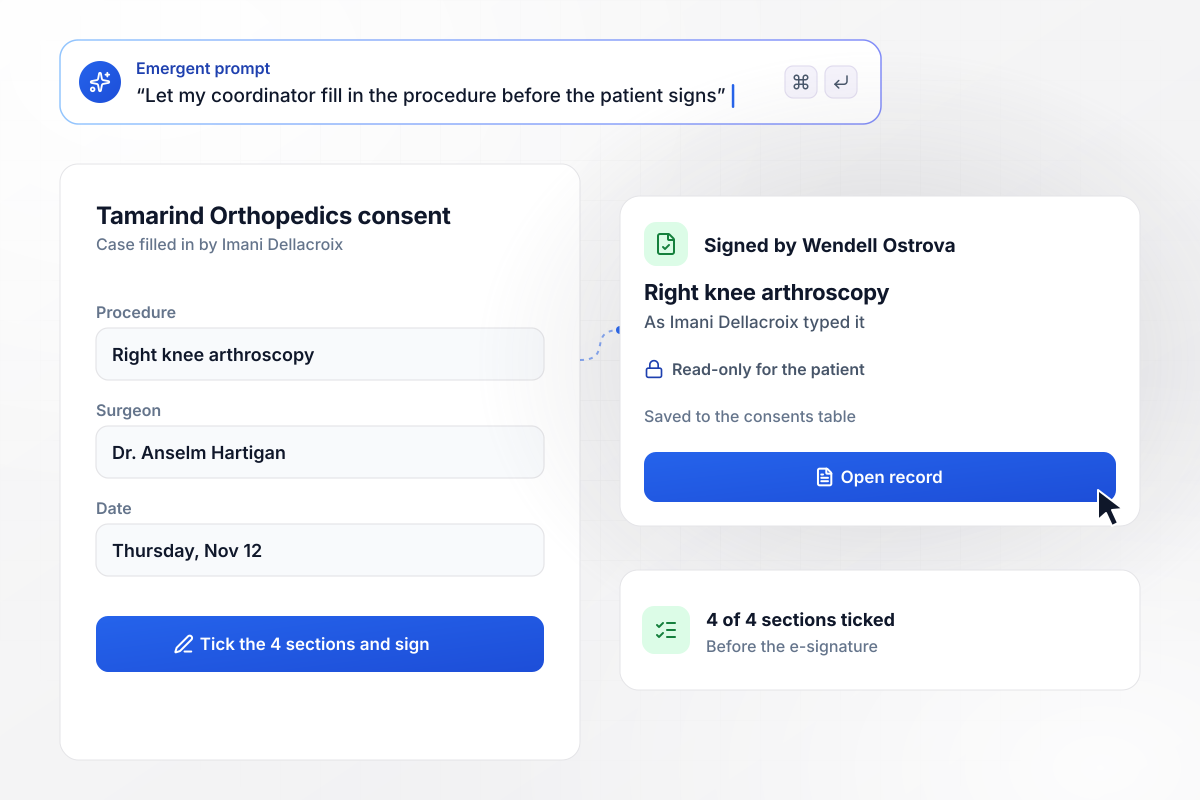
After staff fill it in, the procedure stays put
Imani Dellacroix, surgical coordinator at Tamarind Orthopedics, fills in the case first: right knee arthroscopy with Dr. Anselm Hartigan on Thursday, Nov 12. Wendell Ostrova sees those lines as read-only text, ticks each of the 4 sections, and e-signs. His record shows the procedure exactly as Imani typed it.
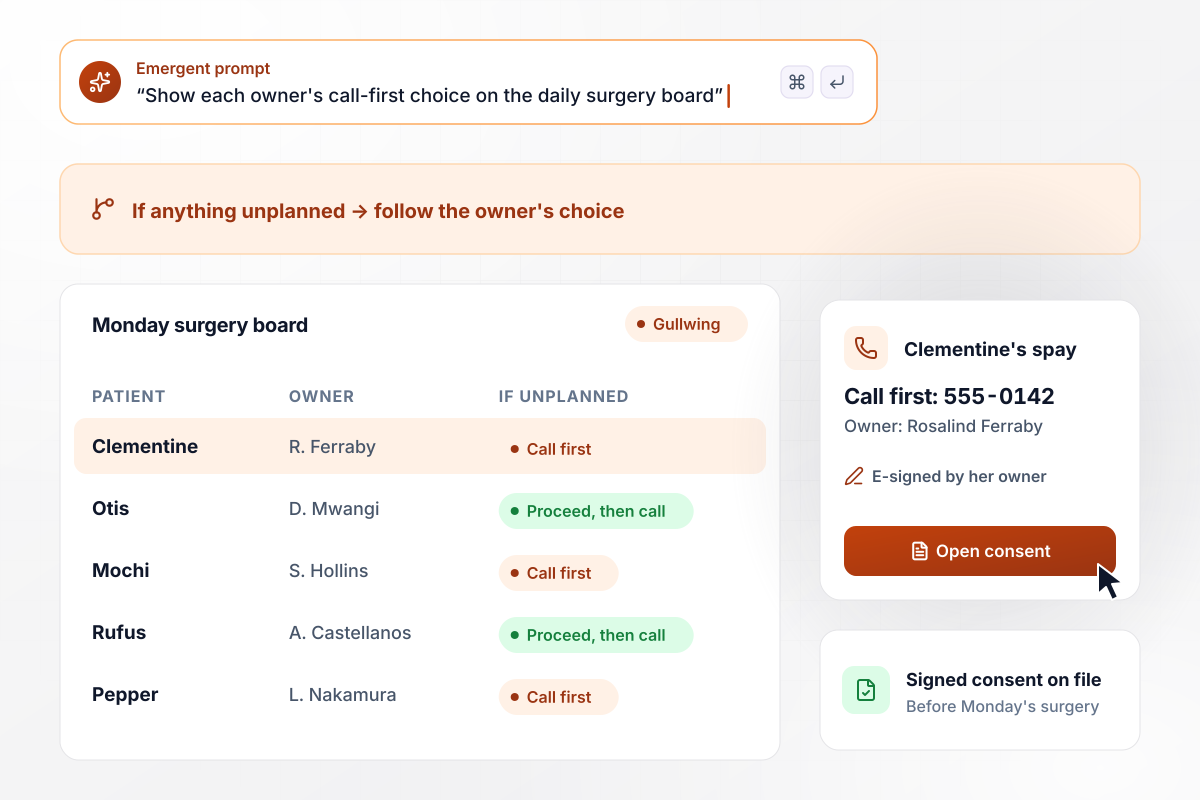
Any unplanned step on Clementine waits for a call
Gullwing Animal Hospital asks every owner what the surgical team should do if something unplanned comes up. Rosalind Ferraby e-signs for her dog Clementine's spay and picks "Call me first" over "Proceed, then call." The Monday surgery board shows Call first and her number, 555-0142, next to Clementine.
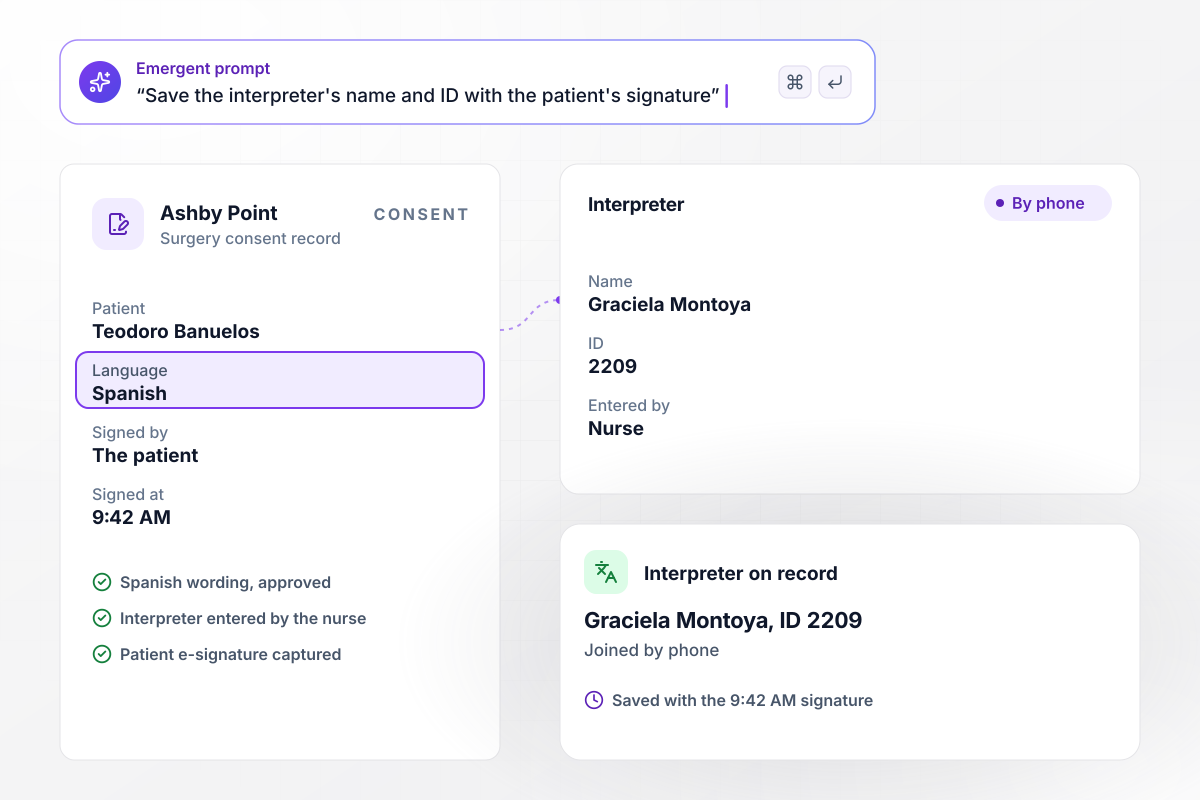
Who interpreted is part of Teodoro's consent
Teodoro Banuelos reads the Spanish wording that Ashby Point Medical Center approved for his surgery. Interpreter Graciela Montoya joins by phone, and the nurse enters her name and ID 2209 before the signature screen. Teodoro signs at 9:42 AM, and the interpreter's details save to the same consent record.






How to Create a Surgery Consent Form
Seven steps to turn approved wording into a surgery consent form patients e-sign before the day of surgery.
Start from the consent text your hospital already uses, as signed off by its legal and clinical reviewers. If the only copy is a scan, retype it exactly and proofread it against the original. Do not rewrite clinical or legal statements yourself; send any change back to those teams.
Go through the form and tag each line as staff or patient. Anything about the case itself belongs to staff and is entered before the link goes out. The patient's lines are the acknowledgments, the signer details, and the signature itself.
Ask your policy owner who may sign for a patient and whether a witness signature is part of your process. Each answer becomes a screen: a signer question, a representative's name and relationship, and a witness name with its own signature.
Choose when your pre-op nurse should see the cases that are still unsigned, such as 2:00 PM the day before surgery. Late afternoon leaves time to call each patient and resend the link before the schedule is final.
Put the approved wording and every field into one plain-English prompt, along with the signer rules and the alert time. Emergent builds the form and the table that stores each signed case. A later change is another prompt.
Link the app to the scheduling or practice software you already run, since the app can connect to any tool with an API. New cases can then arrive with the procedure and date filled in, ready for staff to check.
Enter a test case as staff, then sign it on your phone as the patient. Sign a second test as a representative. Confirm that the staff lines stay locked, the representative and witness fields save, and the 2:00 PM list shows any case left unsigned.
Why Build Your Surgery Consent With Emergent?
A surgery consent form is only as useful as the record behind it. Emergent builds both from one plain-English description.

|
Jotform | Google Forms | Typeform | |
|---|---|---|---|---|
| How you build | Describe it in plain English | Templates, editor, AI generator | Editor, with Gemini drafting on some Workspace plans | Templates, editor, AI assist |
| Where responses live | A database table you own, plus any integration | Jotform account | Google Sheets | Typeform account |
| Response limits | No response caps | Monthly submission caps by plan; the form stops at the cap | No limit | Monthly response caps by plan; the form closes at the cap |
| Code ownership | Full code export to GitHub on paid plans | None | None | None |



Pick the Pricing Plan That Works for You
Choose the plan that fits your building ambitions. From weekend projects to enterprise applications, we've got you covered.




Find the right form
for whatever you're collecting















Frequently Asked Questions
Your Questions, Answered
Don't change this element unless you know what you are doing
More things you can build
with Emergent









on Emergent today


