

Build a Referral Form That Routes and Tracks Every Referral
Build a referral form that puts urgent cases first, requires the right files, and tells each sender what happened next.
Build a referral form for my business.
Trusted by Builders Worldwide
Active Builders Worldwide
Apps Successfully Created
Countries Globally Reached



What a Referral Form Should Do After Submit
A faxed referral PDF waits in a tray until someone finds it. These six pieces put each referral in front of the person who acts on it.
Sorting by urgency or service
Ask the sender to mark each referral routine or urgent, or to choose a service. Urgent ones move ahead of the line with a booking deadline, and the rest wait in order of arrival.
Notes and files required at submit
Require the documents the receiving side needs before the form submits: visit notes and labs for a specialist, a resume for a hiring manager. Nobody calls back for a missing page.
Duplicate checks against past entries
Check each new name against earlier referrals and applicants. A candidate who applied four months ago gets flagged before two employees claim one bonus or a recruiter calls twice.
Updates back to whoever referred
Email the referring office or employee when the status changes. They learn that the visit is booked or that the new hire has started, without phoning your front desk to ask.
Referral codes with credits tracked
Give each customer a personal code to share. When a friend books and pays, the form records who sent them and adds a credit to both accounts. Nobody keeps a tally by hand.
Your code in your GitHub repo
Export the full codebase to your GitHub repository on paid plans once the referral form grows into a patient portal. Host it on your own servers and keep extending it there.
Four Referrals, Four Different Desks
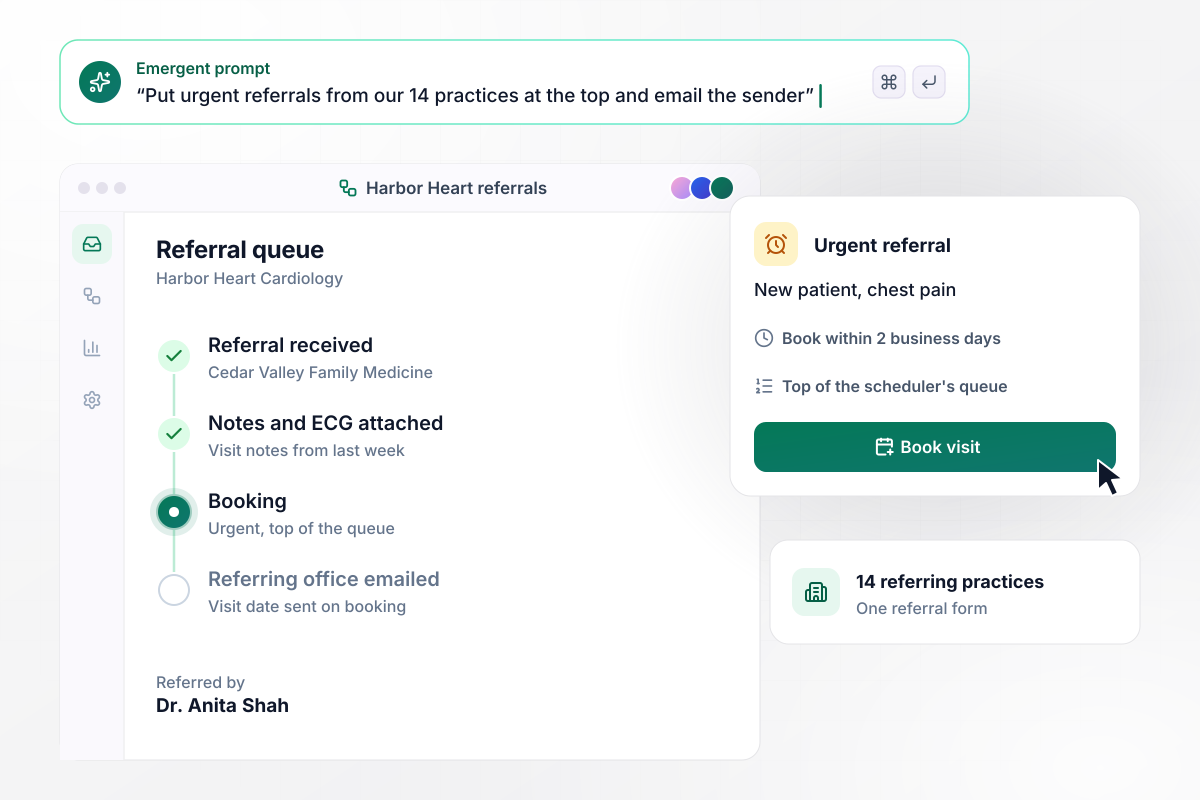
Urgent referrals land at the top of the list
Harbor Heart Cardiology takes referrals from 14 primary care practices through one form. The referring office attaches visit notes and an ECG and marks the referral urgent or routine. Urgent ones go to the top of the scheduler's queue, to be booked within 2 business days, and the referring office is emailed the date.
window.awbMockup = { specialistReferrals: "I run scheduling for a cardiology group that gets referrals from 14 primary care practices. Build a referral form where the referring office enters the patient, attaches recent visit notes and an ECG, and marks it routine or urgent. Put urgent referrals at the top of our queue with a 2 business day booking deadline, and email the referring office the date once the visit is booked.", studentSupport: "I lead the student support team at a middle school that meets every Thursday. Build a form where teachers refer a student, name the concern and list the supports they already tried in class. Send any referral with no supports listed back to the teacher with our strategy list, and add the rest to Thursday's agenda for the counselor and the assistant principal.", employeeReferrals: "We are a trucking company that hires drivers through employee referrals. Build a form where an employee refers a friend with a resume and CDL class, and flag anyone who applied in the last 6 months. Our bonus is $1,000 once the new driver reaches 90 days. On day 90, send HR a Slack message with a button to approve the payout.", customerReferrals: "I own a home cleaning company. Give every customer a personal referral code. When a referred friend books and pays, take $50 off the next visit for both of them. Build me a dashboard of this quarter's referrals with how many booked, the credits issued and our top referrers, so I can thank them." };
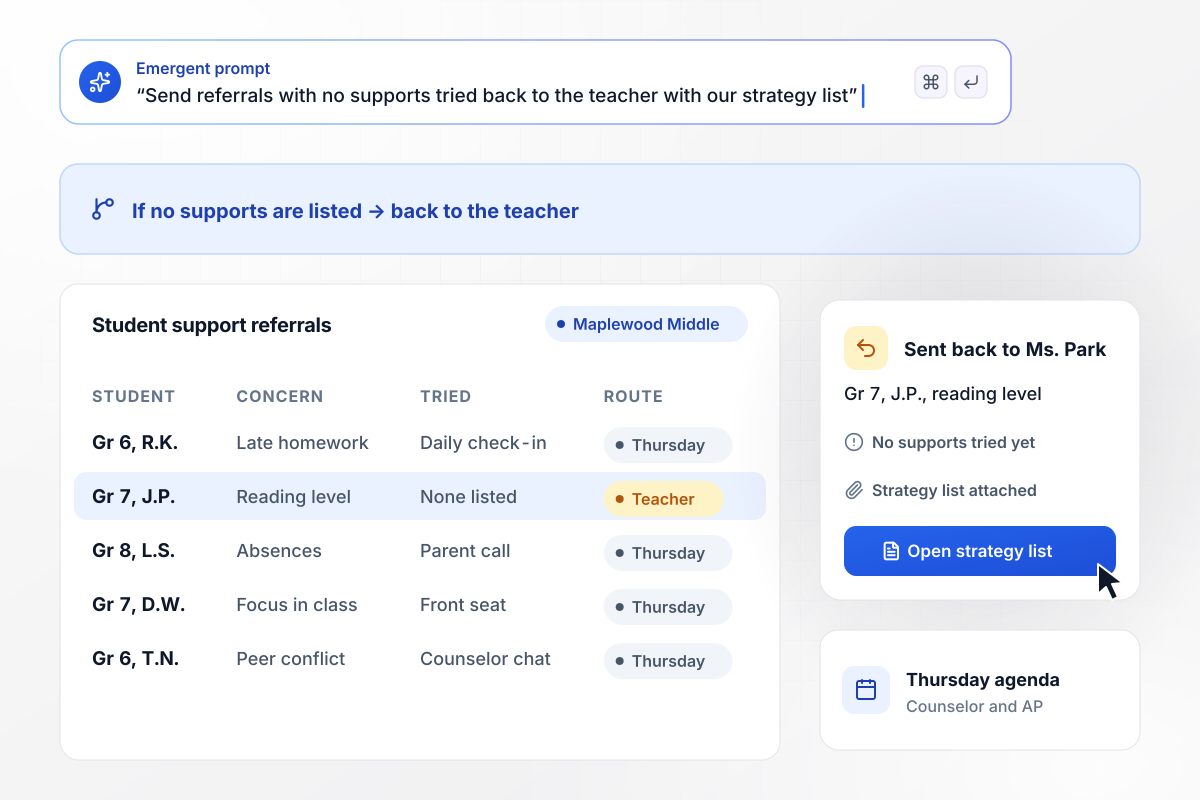
A referral with nothing tried goes back
Maplewood Middle School's support team meets every Thursday. Teachers refer a student by naming the concern and the supports tried so far, like a front-row seat or a daily check-in. A referral with none listed goes back to the teacher with the strategy list attached. The rest go on Thursday's agenda.
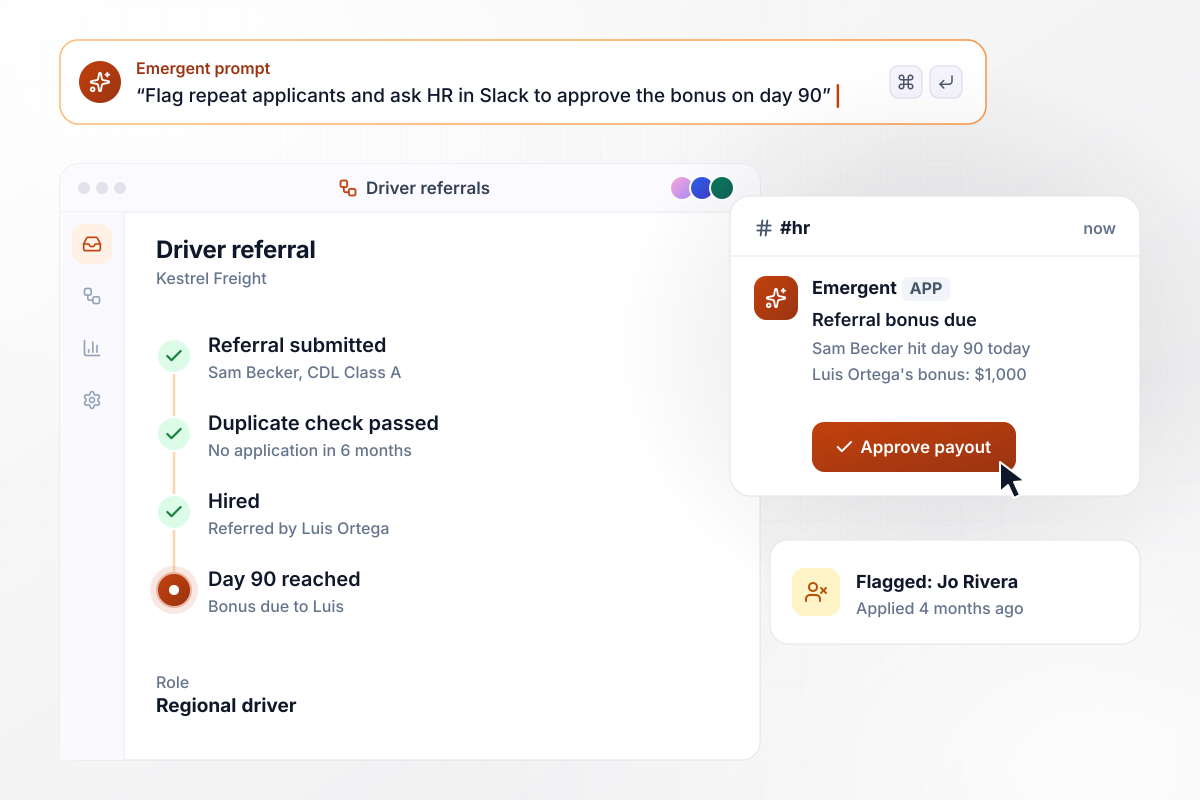
Kestrel pays its $1,000 bonus at day 90
Kestrel Freight hires most drivers through people already on the road. An employee refers a friend with a resume and CDL class, and the form flags anyone who applied in the last 6 months. Once the new driver reaches 90 days, HR gets a Slack message to approve the $1,000 bonus for the referrer.
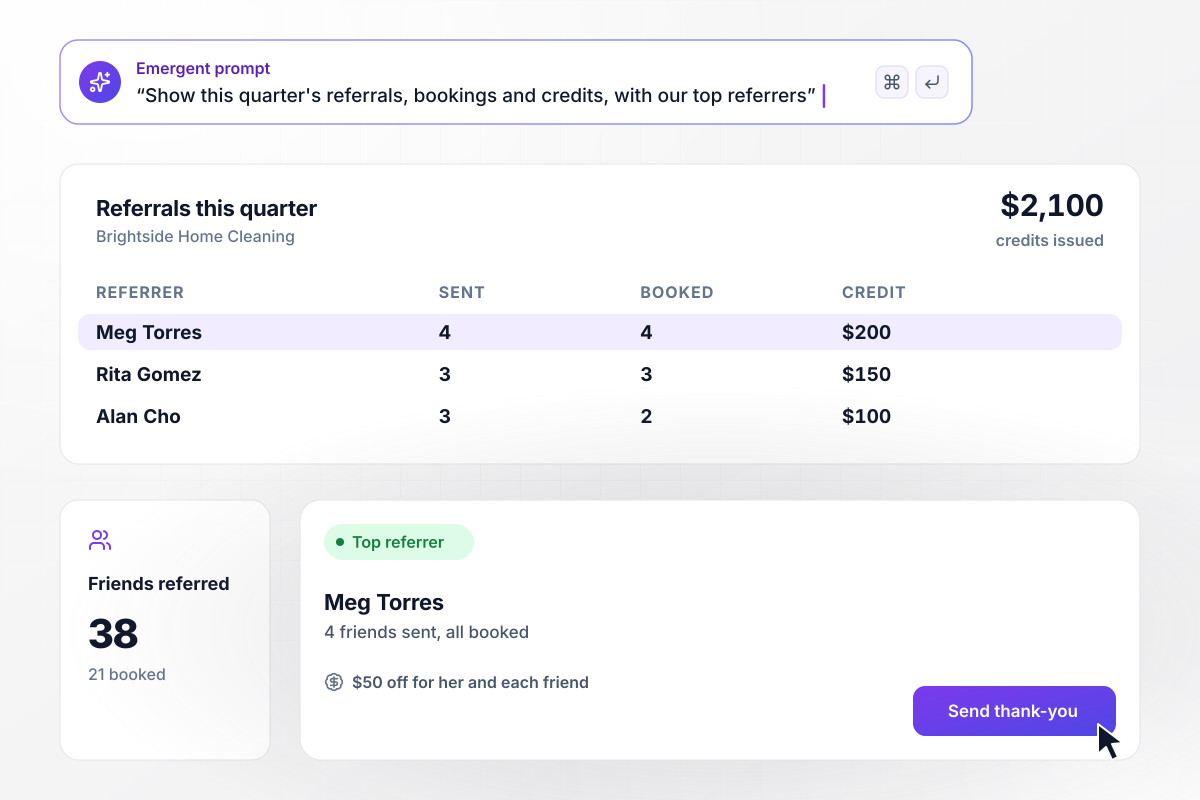
21 of 38 referred friends have booked
Brightside Home Cleaning grows by word of mouth. Each customer gets a personal code, and when a referred friend books and pays, both get $50 off their next visit. This quarter the owner's dashboard shows 38 referrals, 21 booked and $2,100 in credits issued. The top referrer, Meg Torres, has sent 4 friends.






How to Create a Referral Form
Seven steps to plan a referral form that reaches the right reviewer and reports back, then build it with Emergent.
A clinic receives patients from other doctors. A school receives concerns from its teachers, and a business receives names from employees or customers. Each flow needs its own fields and its own reviewer. Build one form per flow instead of one form that asks everything.
List the fields the receiving side needs to act without a phone call. A specialist wants the reason for referral, the insurance plan and recent notes. A hiring manager wants the role and a resume. Mark each field required or optional before you write the questions.
Write down who works each queue and how quickly. An urgent patient might need a visit within one business day, while routine ones wait in order. Name a backup for every queue, since a referral sitting in one inbox during a vacation goes cold.
Plan what the person who referred hears, and when. A doctor's office wants the visit date. An employee wants to know the candidate was hired and when the bonus pays out. Write those messages now, and they go out as soon as a status changes.
Paste your fields, routing rules and messages into one prompt. Emergent builds the referral form with a database table behind it and a dashboard for whoever works the queue. Change a field or a rule later by asking for it in plain English.
Connect email for updates to referrers and Slack for internal alerts. Hiring teams can connect their applicant tracking system through its API. Clinics can send each booked visit to their scheduling software the same way, without anyone copying it over.
Submit a test referral marked urgent, with a file attached, before sharing the link. Check that it reached the right queue and that the file opens. Confirm the sender's update arrived, then submit a routine one and watch it wait its turn.
Why Build Referral Forms With Emergent?
Whoever sends you a referral wants to know it landed. A form that routes it on arrival and reports back earns you the next one.

|
Jotform | Google Forms | Typeform | |
|---|---|---|---|---|
| How you build | Describe it in plain English | Templates, editor, AI generator | Editor, with Gemini drafting on some Workspace plans | Templates, editor, AI assist |
| Where responses live | A database table you own, plus any integration | Jotform account | Google Sheets | Typeform account |
| File uploads | Files saved to storage you own, no sign-in | Included; files count toward plan storage | Respondents must sign in to Google; files fill your Drive | Paid plans only |
| Response limits | No response caps | Monthly submission caps by plan; the form stops at the cap | No limit | Monthly response caps by plan; the form closes at the cap |
| Code ownership | Full code export to GitHub on paid plans | None | None | None |




Pick the Pricing Plan That Works for You
Choose the plan that fits your building ambitions. From weekend projects to enterprise applications, we've got you covered.




Find the right form
for whatever you're collecting














Frequently Asked Questions
Your Questions, Answered
Don't change this element unless you know what you are doing
More things you can build
with Emergent









on Emergent today


