

Build a Patient Intake Form Patients Finish Before They Arrive
Create a patient intake form that opens on any phone, takes insurance card photos, and flags answers staff should see early.
Build a new patient intake form for my family practice.
Trusted by Builders Worldwide
Active Builders Worldwide
Apps Successfully Created
Countries Globally Reached



What the Online Version Adds to the Paper Packet
Each one replaces a step your front desk does by hand once the clipboard comes back.
Card photos with the plan details
Ask for a picture of the card's front and back on the screen where the plan is entered. Both images are saved to the patient's record beside the member ID and group number.
Medications asked for by type
Split the medication question into prescriptions, over-the-counter medicines, vitamins, and herbal supplements. Patients add a row per item with the dose and how often they take it.
History as a checklist
Turn the medical history page into conditions to tick, with a details box that opens only on a yes. Patients who have never had surgery skip every question about past operations.
Alerts for answers that need a person
Alert the staff member who owns an answer by email or in Slack once it arrives. A plan outside the accepted list goes to billing; a referral sent without labs goes to scheduling.
Signed office policies
Place the financial policy and the consent to treat after the last question and collect a typed or drawn signature. Each signed copy is stored with the answers from that visit.
Your code, on your servers
Export the form and its database as code to your GitHub repository on paid plans. A developer can host it on the practice's servers or connect it to the scheduling software in use.
Patient Intake for Four Kinds of Practice
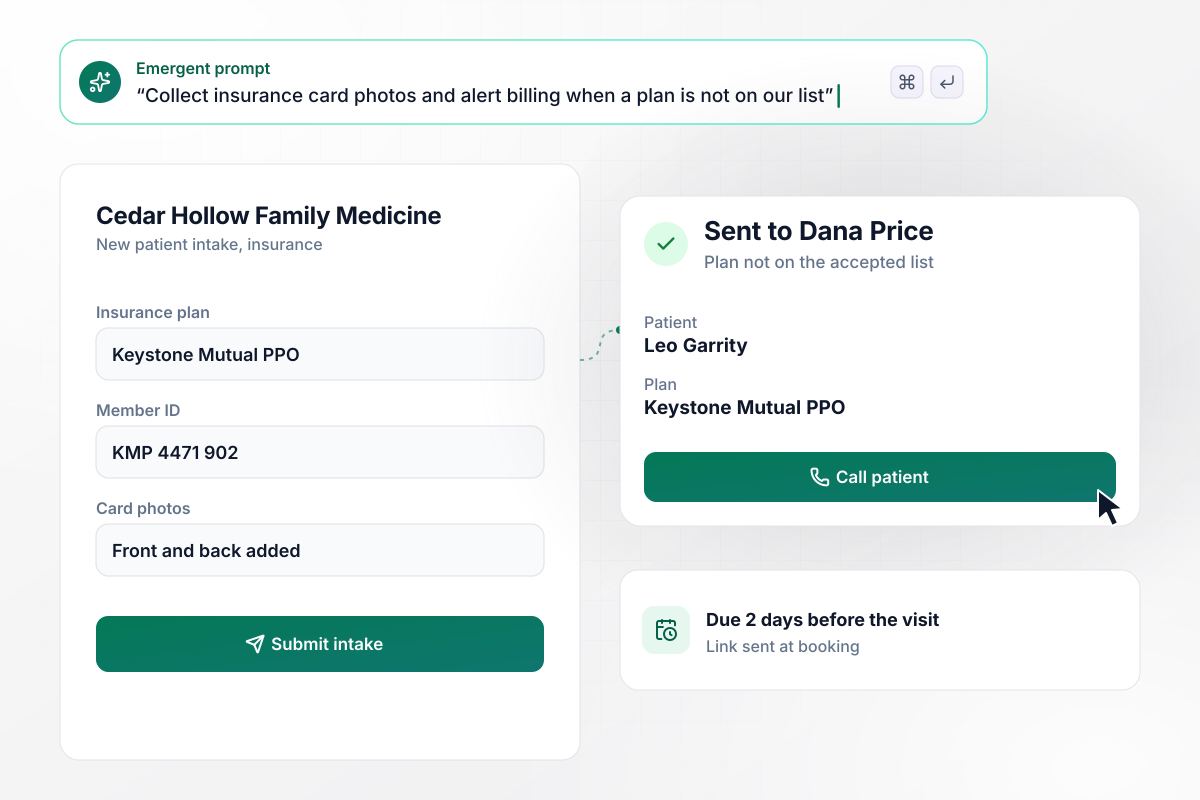
The billing lead sees an unaccepted plan two days early
Cedar Hollow Family Medicine asks each new patient to photograph both sides of the insurance card. The link goes out at booking and is due two days before the visit. A plan missing from the accepted list goes to Dana Price, the billing lead, the moment the form arrives. She calls in time to rebook or switch to self-pay.
window.awbMockup = { familyMedicine: "I run a family practice and need a new patient intake form. Ask for photos of both sides of the insurance card and the member ID. Send the link at booking and make it due two days before the visit. If the plan is not on our accepted list, alert Dana Price, our billing lead, as soon as the form comes in.", specialistReferrals: "My endocrinology clinic needs an intake form for referred patients. Ask who referred them and have them upload the referral letter and recent lab results. If no labs are attached, keep the referral off the booking calendar and put it in the queue for Grace Obi, our referral coordinator, so she can request the results.", pediatrics: "Build a pediatric intake form a parent fills in once for the whole household. Ask for contact details and insurance one time, then give each child a page for allergies and an immunization record upload. When the form is submitted, create a separate patient record for each child with the parent listed as guardian.", urgentCare: "My urgent care clinic needs a walk-in intake form that opens from a QR code at the front desk. Ask for the reason for the visit and a short symptom checklist. Anyone who checks chest pain or trouble breathing should jump to the top of the triage queue, and Kim Alvarez, the nurse on shift, should get an alert." };
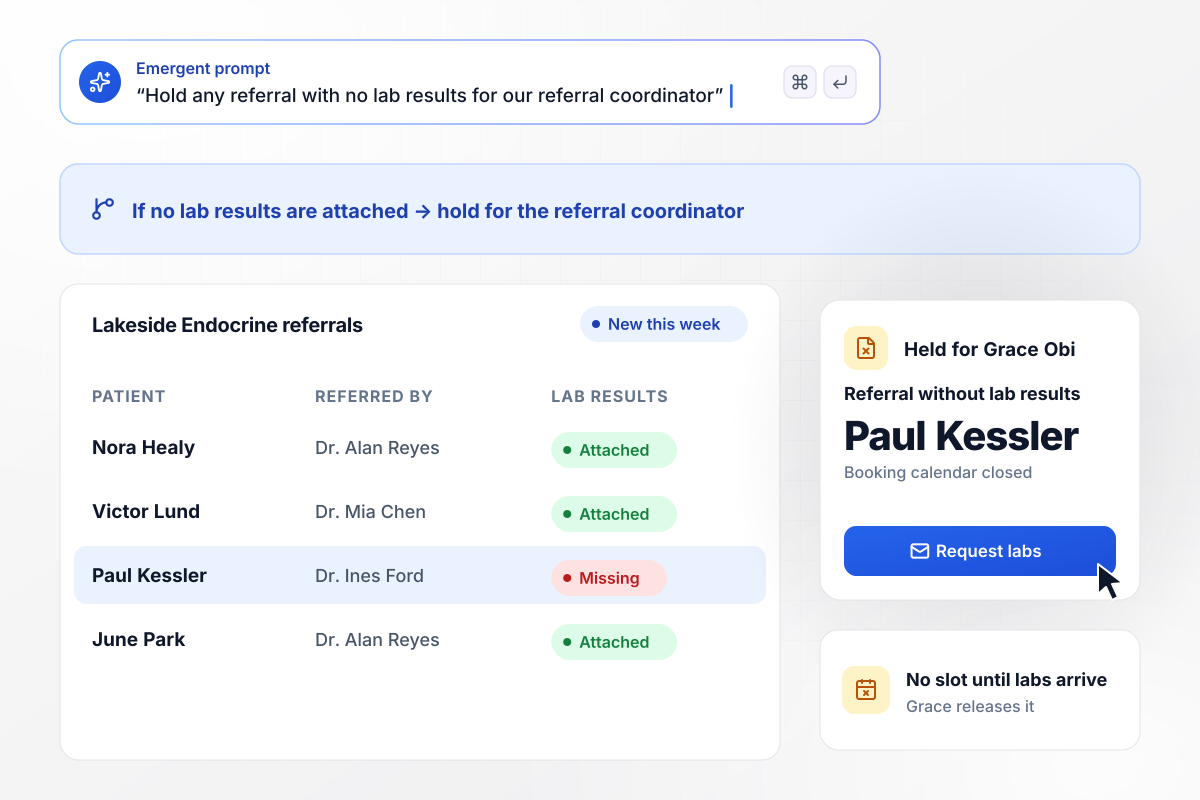
Referrals missing lab results wait in the coordinator's queue
Referred patients upload the referral letter and recent lab results to the Lakeside Endocrine intake, and name the doctor who sent them. A referral with no labs attached never reaches the booking calendar. Grace Obi, the referral coordinator, gets it instead, requests the results, and releases a slot once they arrive.
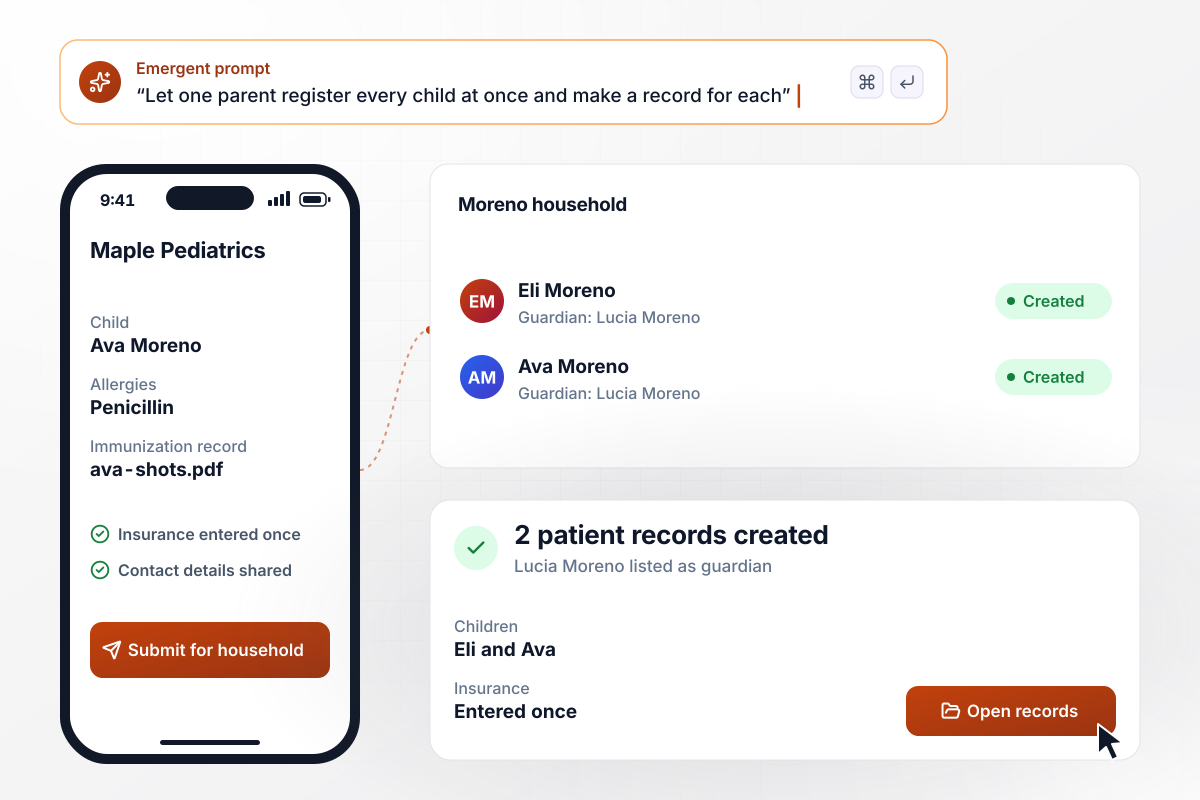
One parent, two children, two patient records
Parents with more than one child fill in the Maple Pediatrics form once for the household, entering contact details and insurance a single time. Each child gets a page for allergies and the immunization record. Submitting creates a separate patient record per child, with the parent listed as guardian on each.
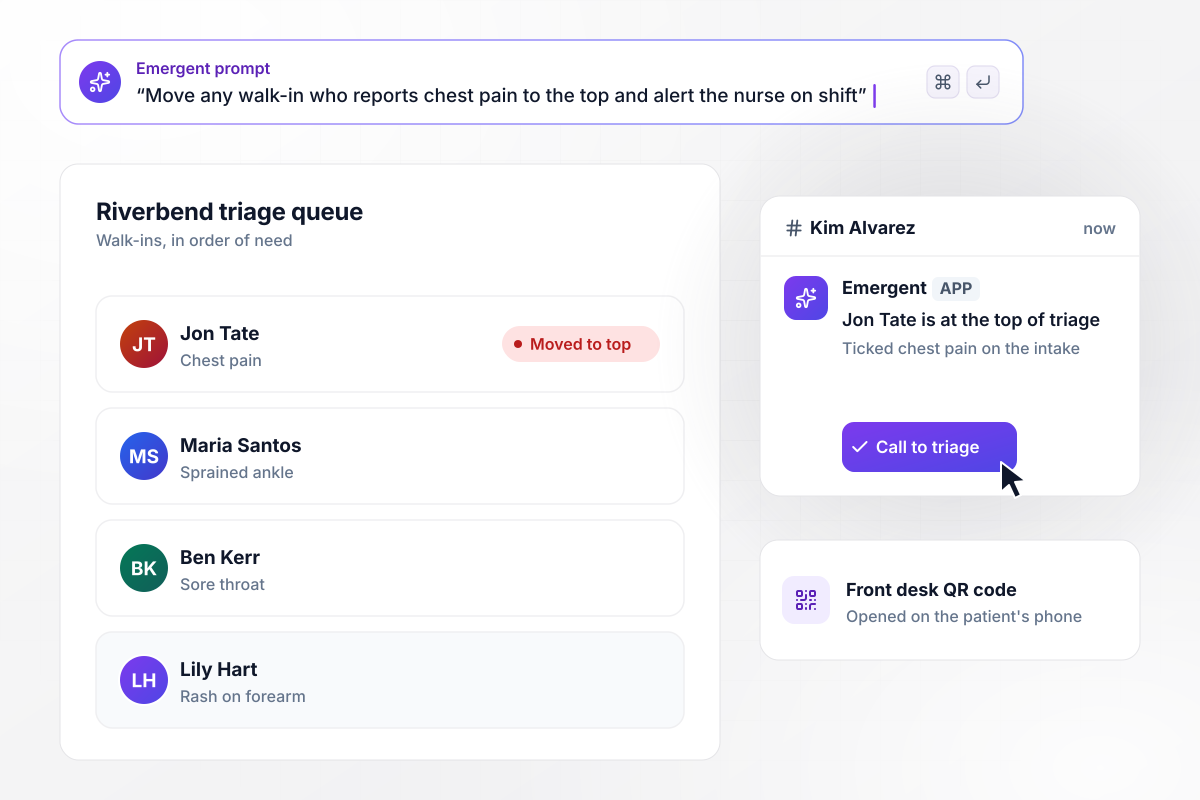
Chest pain moves a walk-in to the top of the nurse's list
The QR code at the Riverbend Urgent Care front desk opens the intake on the patient's own phone. Patients give a reason for the visit and tick symptoms from a short list. Ticking chest pain or trouble breathing moves a patient to the top of the triage queue and alerts Kim Alvarez, the nurse on shift.






How to Create a Patient Intake Form
Seven steps to plan a patient intake form around what staff must see before the visit, then build it with Emergent.
Collect every page a new patient fills in today, including the ones handed over at the desk. Mark each question by who reads the answer: billing, the nurse, the clinician. Strike any question whose answer nobody on staff has looked at in a year.
Open with who the patient is and how to reach them. Insurance comes next, then health history. Leave the office policies for the end. Give each section its own screen, sized to read on a phone without zooming or scrolling sideways.
Patients leave out what they do not think of as medicine, such as a daily vitamin or an allergy spray. Give each category its own prompt and ask for the dose beside every entry. Put allergies on the same screen, each with the reaction it causes.
Decide which answers need a person before the visit: an insurance plan you do not accept, a missing referral, a symptom the nurse wants flagged. Name one staff member for each, and choose whether they hear about it by email or in Slack.
Paste your sections and rules into the prompt in plain English. Emergent builds the intake form and the database table its answers are saved to. Change a question or a rule later by prompting again, and the live form updates.
Add the financial policy, the consent to treat and any notice your practice gives patients after the final question, each with a signature field. Have your practice manager or counsel confirm the wording before real patients sign it.
Run one patient whose plan you accept, one whose plan you do not, and one who triggers a symptom alert. Fill each in on a phone. Check that every alert reaches the right person and that the insurance photos open.
Why Build Patient Intake Forms With Emergent?
A PDF hands patients a pen and staff a typing job. Emergent builds the form and saves every answer to a database you own.

|
Jotform | Google Forms | Typeform | |
|---|---|---|---|---|
| How you build | Describe it in plain English | Templates, editor, AI generator | Editor, with Gemini drafting on some Workspace plans | Templates, editor, AI assist |
| File uploads | Files saved to storage you own, no sign-in | Included; files count toward plan storage | Respondents must sign in to Google; files fill your Drive | Paid plans only |
| Where responses live | A database table you own, plus any integration | Jotform account | Google Sheets | Typeform account |
| Code ownership | Full code export to GitHub on paid plans | None | None | None |
| Response limits | No response caps | Monthly submission caps by plan; the form stops at the cap | No limit | Monthly response caps by plan; the form closes at the cap |




Pick the Pricing Plan That Works for You
Choose the plan that fits your building ambitions. From weekend projects to enterprise applications, we've got you covered.




Find the right form
for whatever you're collecting
Frequently Asked Questions
Your Questions, Answered
Don't change this element unless you know what you are doing
More things you can build
with Emergent









on Emergent today


