

Build a Waxing Consent Form Clients Sign Before They Arrive
Build a waxing consent form with skin questions for each area booked, and keep every signed record in a database you own.
Build a waxing consent form that saves every response to a database I own.
Trusted by Builders Worldwide
Active Builders Worldwide
Apps Successfully Created
Countries Globally Reached



What Goes Into a Waxing Consent Form
Each section covers something your esthetician would otherwise ask at the table, and each signed form stays on file by client.
Skin questions asked before the first strip
Ask about retinoid creams, acne medication, recent sunburn, and any peel or laser work since the last visit. Each answer is its own field, and the esthetician reads every yes first.
Consent statements the client initials
Write what the client agrees to in plain sentences: they answered honestly, results vary from person to person, and they will follow your aftercare sheet. Each line gets initials.
A signature from any phone or tablet
Clients sign with a finger on their own phone or on the tablet at the front desk. The app captures the e-signature and saves it on the record beside the answers it confirms.
Aftercare sent with the signed copy
Email each client a copy of the form they signed, with your aftercare sheet attached, the moment they tap submit. The client keeps both in their inbox for the days after the wax.
Every visit in one client history
Each signed form is a row in a database you own, holding the client, the areas waxed, and the visit date. Type a name at the front desk to see every wax and every answer on file.
Code your developer can take over
Export the full source to your GitHub repository on paid plans when the form belongs inside your booking site. A developer can host it anywhere and keep building on it from there.
How Salons Use a Waxing Consent Form
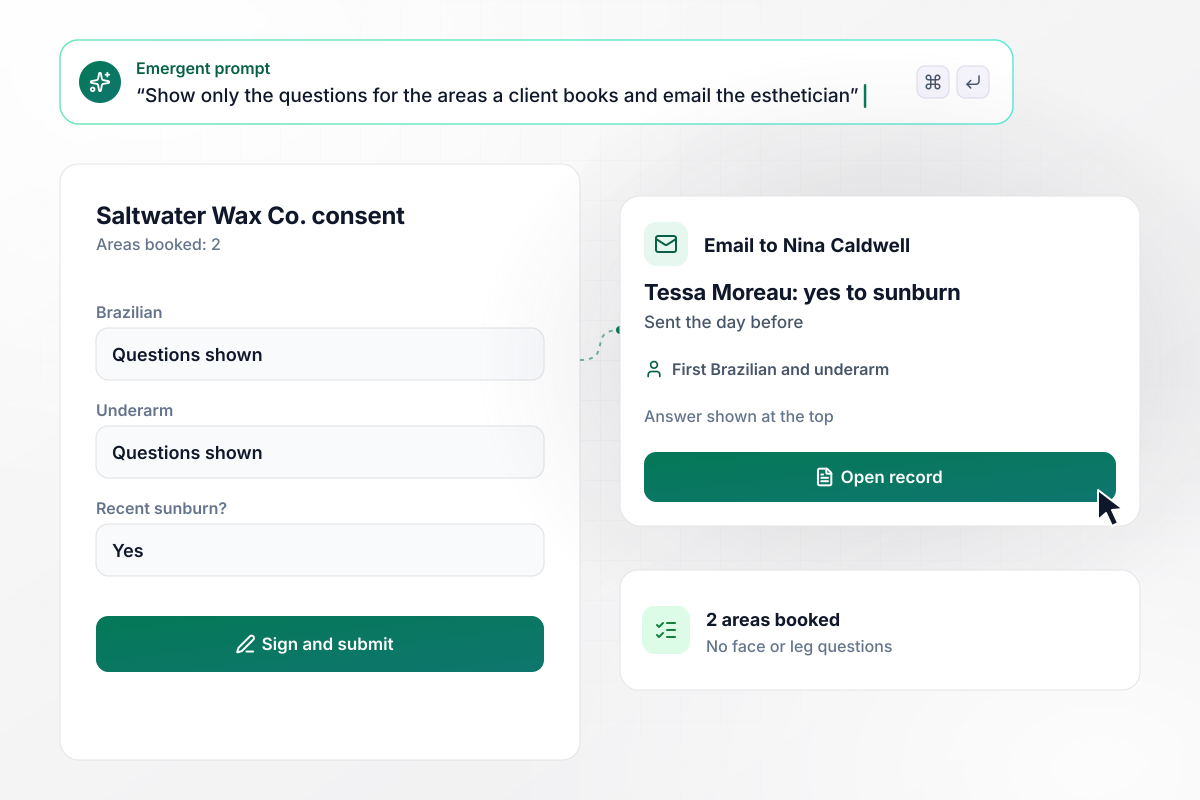
Only the areas Tessa booked, each with its questions
Tessa Moreau books her first Brazilian and an underarm wax at Saltwater Wax Co. Her form asks the questions for those 2 areas and nothing about her face or legs. She answers yes to a recent sunburn, and esthetician Nina Caldwell gets an email the day before with that answer at the top.
window.awbMockup = { bodyAndBrazilian: "I run Saltwater Wax Co. Build a waxing consent form where the client picks the areas booked, such as Brazilian, underarm, face, or legs, and only sees the questions for those areas. Ask about recent sunburn, retinoid creams, and acne medication. If a client answers yes to any of them, email the esthetician on the booking the day before the appointment.", browWaxAndTint: "My brow bar only tints after a patch test taken at least 48 hours before the appointment. Build a brow wax and tint consent form that checks the client's record for a patch test date. If there is one, open the tint section. If not, show the wax section only and add a link to book a patch test.", teenBrowWaxing: "Build a consent form for my salon that asks for date of birth first. Our policy is that any client under 18 needs a parent signature, so for those clients open a parent section with the parent's name and signature. Save both signatures on the same record, and show me a table of under-18 clients and who is still waiting on a parent.", waxClubMembers: "We run a wax club with 212 members, and every member re-signs our consent once a year. Build the consent form and a member table with each member's last signature date. When a signature has 30 days left, email that member a renewal link, and put the new signature on their record next to the old one." };
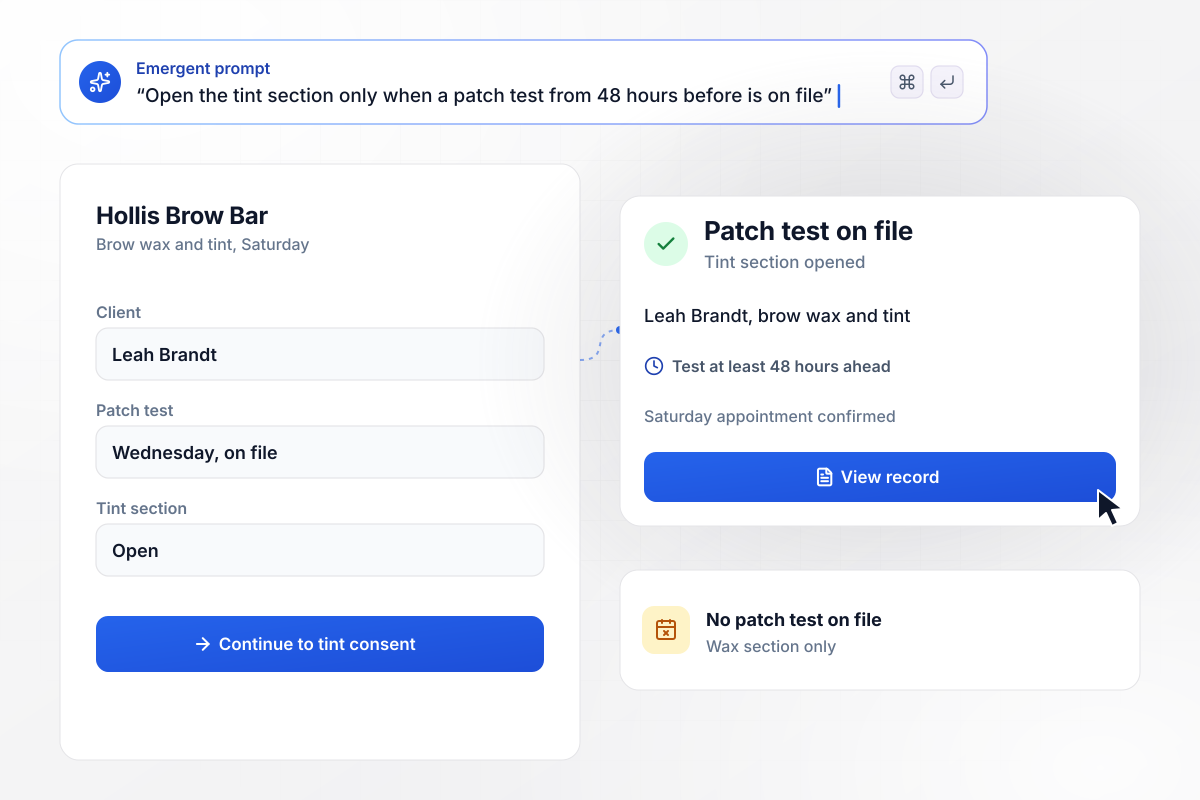
With a patch test on file, the tint section opens
Hollis Brow Bar tints only after a patch test taken at least 48 hours ahead. Leah Brandt books a brow wax and tint for Saturday, and her Wednesday patch test is already on her record. Her form opens the tint section. A client with no patch test on file sees the wax section only, plus a link to book a test.
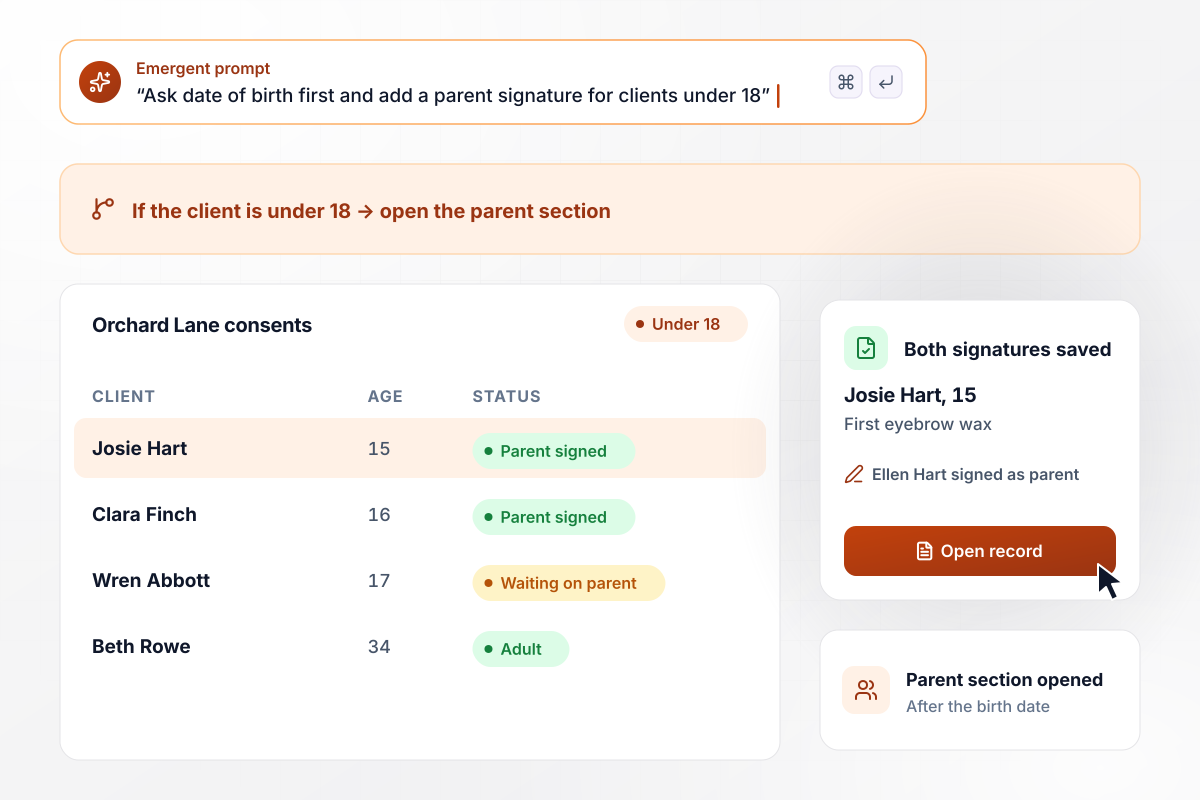
For a client of 15, a parent signs as well
Orchard Lane Salon asks for date of birth first, and its policy is a parent signature for any client under 18. Josie Hart is 15, and her eyebrow waxing consent form opens a parent section after the birth date. Ellen Hart signs as her mother on the same record as Josie.
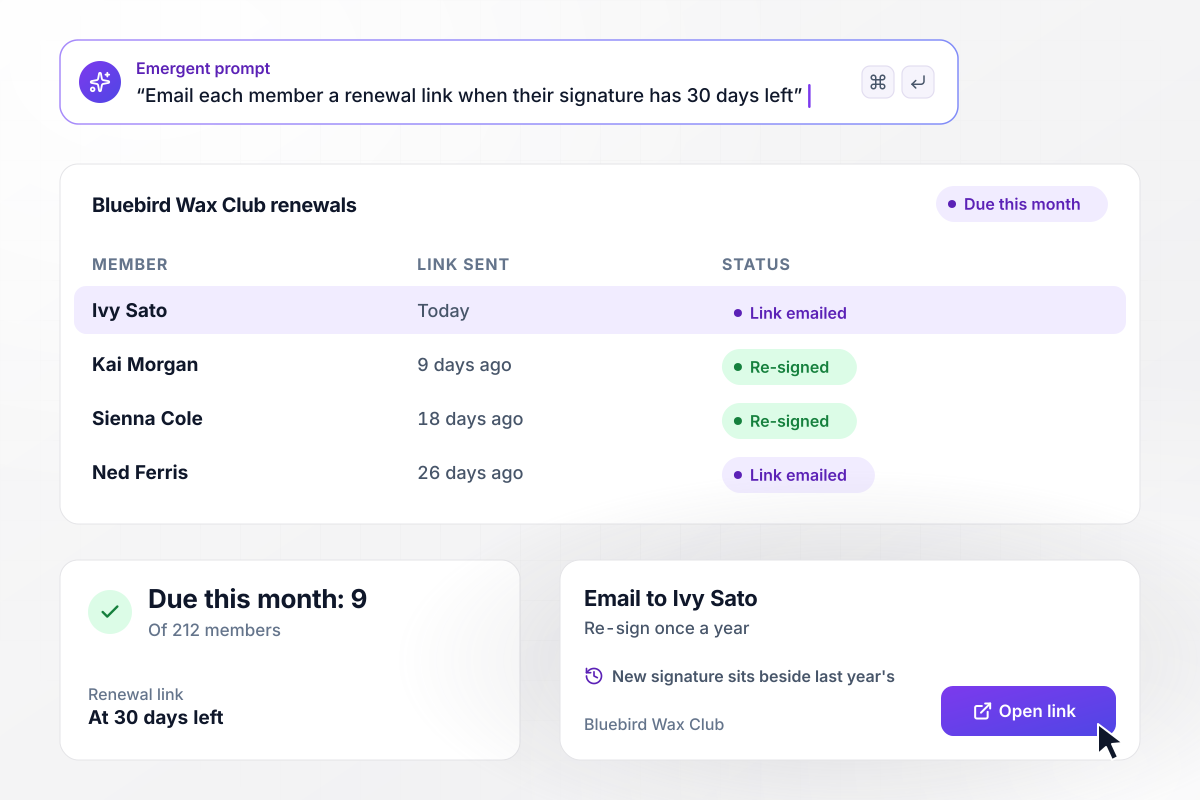
Members re-sign once a year from an emailed link
Bluebird Wax Club has 212 members, and each one re-signs the consent once a year. When a signature has 30 days left, the app emails that member a renewal link. Nine members are due this month, Ivy Sato among them, and her new signature lands on her record beside last year's.






How to Create a Waxing Consent Form
Seven steps from a list of the areas you wax to a tested waxing consent form your clients sign before the appointment.
List every area you wax, such as brows, lip, underarm, legs, and Brazilian, and mark the ones you also tint. Each area becomes a choice at the top of the form, and the questions a client sees depend on the areas picked.
Copy the questions from your current paper form, then ask each esthetician what they still end up asking at the table. Add those too, and give every question a yes or no answer plus a box for details.
Have a local attorney read your consent and any release wording before the form goes live. Keep that wording in one place, and note the date whenever it changes, so you know which version each client signed.
Send the link with the booking confirmation for first visits, and keep a tablet at the front desk for walk-ins. Decide how often regulars re-sign, at every visit or once a year, and set the reminder email to match.
Paste your questions and consent wording into a prompt and name the areas you wax. Emergent builds the form and the database behind it from that prompt. Ask for changes in plain English, such as a Spanish version or a new tint section.
Link each signed record to its appointment in the booking software you already use, since Emergent connects to any tool with an API. Have the app email the esthetician on the booking about any yes answer before the client arrives.
Fill the form twice yourself, once as a 16-year-old booking a brow wax and once as an adult booking a Brazilian. Check that the parent section and the right area questions appear, then open both records as your front desk would.
Why Build Waxing Consent Forms With Emergent?
Describe the services you wax, and Emergent builds the consent form and its table of signed records. Change either by prompting again.

|
PlatoForms | AidaForm | Jotform | |
|---|---|---|---|---|
| How you build | Describe it in plain English | Upload a PDF or start from a template | Templates and a drag-and-drop builder | Templates, editor, AI generator |
| Where responses live | A database table you own, plus any integration | PlatoForms account, export as CSV or PDF | AidaForm account, plus Google Sheets and export | Jotform account |
| Response limits | No response caps | Monthly submission cap, forms stop at the cap | Monthly response cap, paused until reset | Monthly submission caps by plan; the form stops at the cap |
| Code ownership | Full code export to GitHub on paid plans | None | None | None |




Pick the Pricing Plan That Works for You
Choose the plan that fits your building ambitions. From weekend projects to enterprise applications, we've got you covered.




Find the right form
for whatever you're collecting
Frequently Asked Questions
Your Questions, Answered
Don't change this element unless you know what you are doing
More things you can build
with Emergent









on Emergent today


