

Build an Event Waiver Form Signed Before Anyone Joins In
Build an event waiver form that gets a signature from every attendee and guardian before they pass the gate.
Build an event waiver form for my county fair that each attendee e-signs on a phone before getting a wristband at the gate.
Trusted by Builders Worldwide
Active Builders Worldwide
Apps Successfully Created
Countries Globally Reached



Signed Waivers for Everyone Who Takes Part
Emergent builds the waiver into registration and group invites, plus a check-in screen for the staff at the gate.
Clauses that follow the activities
Attendees pick their activities first, and the waiver adds a clause to initial for each risky one. Someone who came only for the food trucks reads the general release and signs.
A guardian section for anyone under 18
A date of birth under 18 opens a section for the guardian's name, phone number, and signature. The guardian's signature is saved on the minor's own record, not on a separate sheet.
One link for a whole group
Organizers share a single link with a sports team or an office. Each person signs for themselves, and the organizer sees a roster with Signed or Waiting beside every name.
Reminders the day before
At noon the day before the event, anyone on a roster without a signature gets an email reminder. The organizer gets the signed count at the same time, by email or in Slack.
A check-in screen for the gate
Gate staff type a last name on a tablet and see Signed with the date and time. A walk-up without a signature scans a QR code at the gate and signs on a phone while in line.
Signed records you can take with you
Every signed waiver is a row in a database you own, searchable by name and event. On paid plans, export the full code to your GitHub repository and keep building it there.
Who Signs, and When, at Four Events
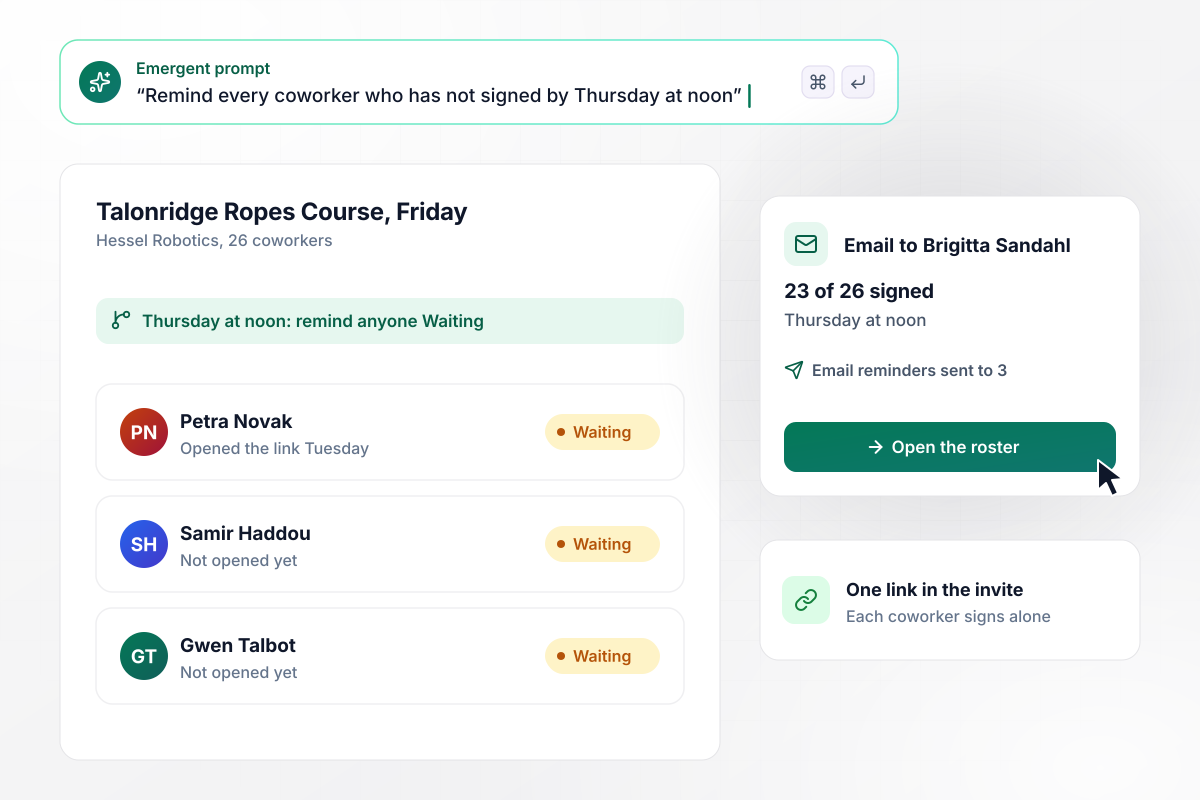
One link in the invite, 23 of 26 signed by Thursday
Hessel Robotics is taking 26 employees to Talonridge Ropes Course on Friday. Office manager Brigitta Sandahl puts one waiver link in the calendar invite, and each coworker signs for themselves. By Thursday at noon, 23 have signed. The other 3 get an email reminder, and Brigitta gets the count by email.
window.awbMockup = { teamOutings: "Build an event waiver form for my company's ropes course outing. Give me one link I can put in the calendar invite so each coworker signs for themselves. Show me a roster with Signed or Waiting beside every name. On Thursday at noon, email a reminder to anyone still Waiting and email me the count.", youthTournaments: "Make an event waiver form for my youth soccer tournament. Let a guardian register more than one child in a single submission and sign once for all of them. Ask for each child's date of birth and team, then save a separate record per child so each one reads Signed on its team roster.", festivalActivities: "Create an event waiver form for my harvest festival. Everyone signs the general release. When someone picks the zip line or the climbing wall at registration, add that activity's clause for them to initial before they sign. The hayride adds no clause. Save each record with the activities picked and the initials beside each one.", gateCheckIn: "I run an obstacle day with walk-ups. Build an event waiver form that opens from a QR code on a sign at the gate, so people sign on their own phones while in line. Give my volunteers a check-in tablet where they type a last name and see Signed with the time before handing over a wristband." };
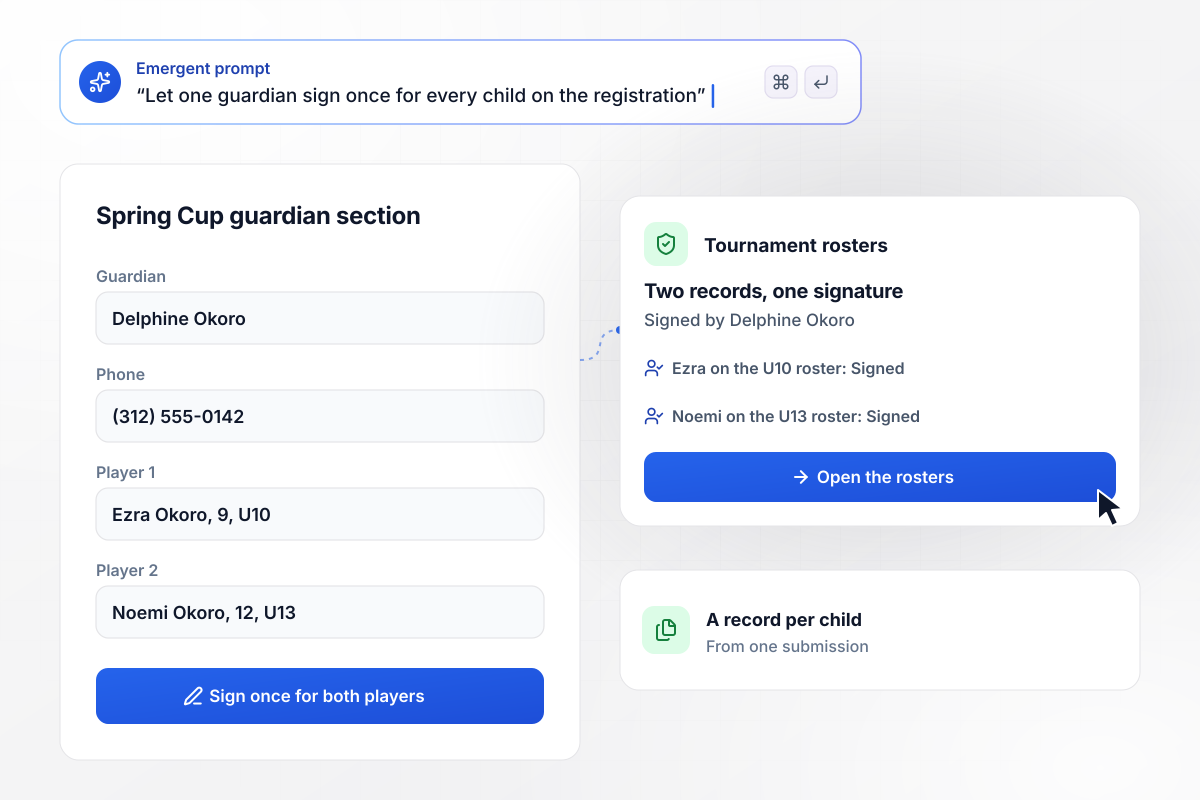
Two players signed for in a single submission
Every player at the Marrowind Spring Cup, a youth soccer tournament, needs a guardian's signature. Delphine Okoro registers her son Ezra, 9, and her daughter Noemi, 12, in one submission and signs once. Each child gets a separate record, so Ezra reads Signed on the U10 roster and Noemi on the U13 roster.
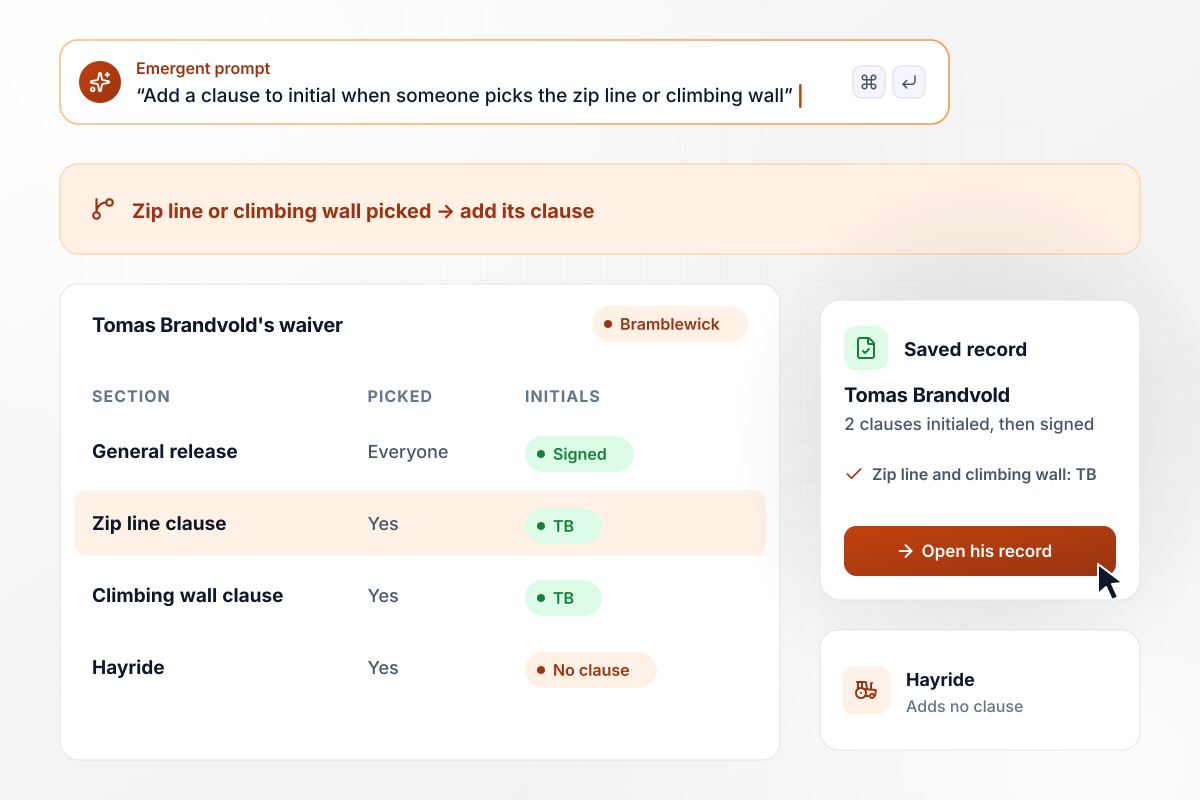
Two clauses to initial for the zip line and the climbing wall
Everyone at the Bramblewick Harvest Festival signs the general release. Tomas Brandvold picks the zip line, the climbing wall, and the hayride. The zip line and the climbing wall each add a clause, and he initials both before he signs. The hayride adds no clause. His record keeps both sets of initials.
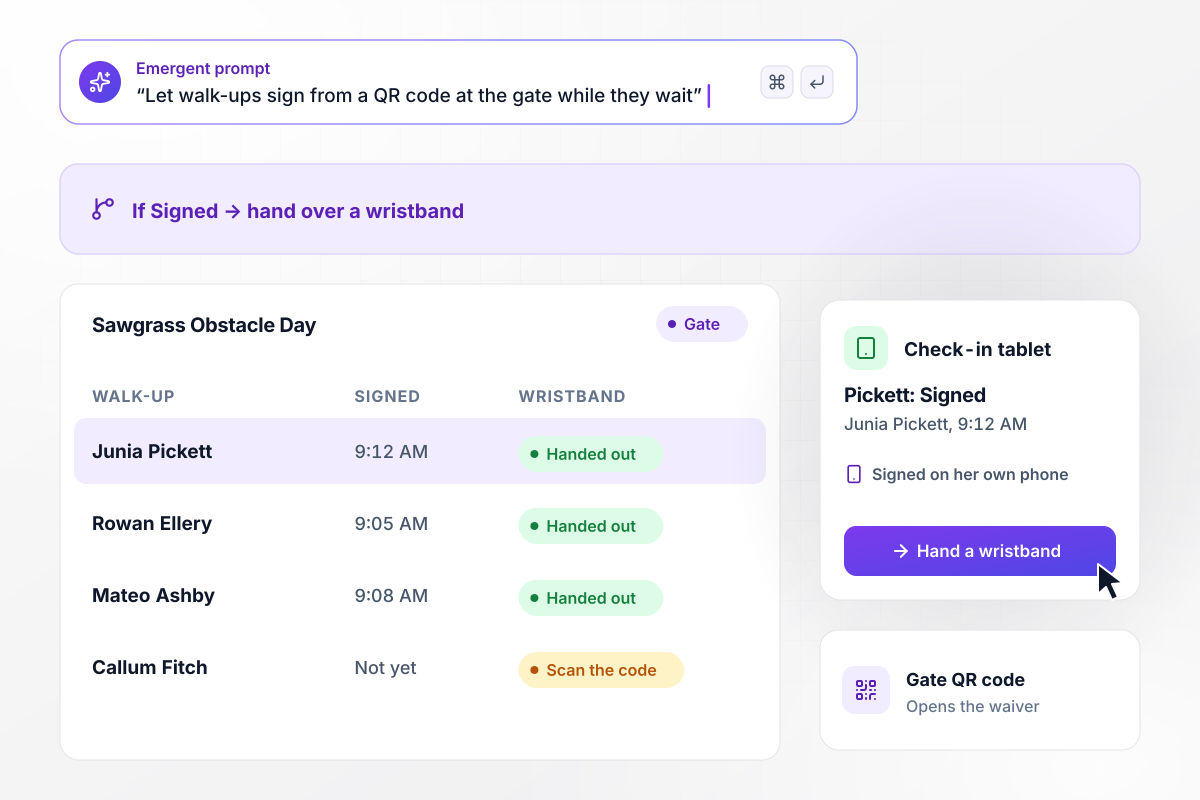
Any walk-up who scans the gate code signs in line
Walk-ups at Sawgrass Obstacle Day arrive without a signed waiver. A sign at the gate carries a QR code that opens the waiver on their own phone. Junia Pickett scans it and signs in line at 9:12 AM. The volunteer on the check-in tablet types Pickett, sees Signed, and hands her a wristband.






How to Create an Event Waiver Form
Follow these seven steps to plan an event waiver form, put it into registration, and test check-in before the gates open.
Write down every activity at the event, from the zip line to the food tent. Mark the ones with a risk that deserves its own clause. The general release covers everyone, and each risky activity adds one short clause to initial.
Have a local attorney write or review the general release and each activity clause before anyone signs. Enforceability depends on how the waiver is written and the laws of your state. Settle the wording before the form goes out.
Ask for the date of birth near the top. Anyone under 18 then sees the guardian section right away. Decide whether one guardian may sign for several children in one submission, with a separate record saved for each child.
Make the waiver the last step of registration, put one shared link in group invites, and print a QR code for a sign at the gate. Name the person who follows up with anyone still unsigned.
Write one prompt with the clauses, the guardian rule, and every place attendees sign. Emergent builds the event waiver form and a tablet screen for checking people in. Ask in plain English when the event plan changes.
Pick a reminder time that leaves a full day to chase anyone who still has not signed. Decide who gets the signed count, and whether it arrives by email or in Slack.
Scan the gate QR code with a phone, sign under a made-up name, and pick two activities. Then search that name on the check-in tablet and confirm it reads Signed, with both activity clauses initialed.
Why Build Your Event Waiver Form With Emergent?
Collect signatures at registration or from a code at the gate, and check-in becomes a name search on a tablet.

|
Jotform | Google Forms | Typeform | |
|---|---|---|---|---|
| How you build | Describe it in plain English | Templates, editor, AI generator | Editor, with Gemini drafting on some Workspace plans | Templates, editor, AI assist |
| Where responses live | A database table you own, plus any integration | Jotform account | Google Sheets | Typeform account |
| Response limits | No response caps | Monthly submission caps by plan; the form stops at the cap | No limit | Monthly response caps by plan; the form closes at the cap |
| Code ownership | Full code export to GitHub on paid plans | None | None | None |




Pick the Pricing Plan That Works for You
Choose the plan that fits your building ambitions. From weekend projects to enterprise applications, we've got you covered.




Find the right form
for whatever you're collecting















Frequently Asked Questions
Your Questions, Answered
Don't change this element unless you know what you are doing
More things you can build
with Emergent









on Emergent today


