

Build a Gym Waiver Form Members Sign Before They Lift
Build a gym waiver form visitors sign on a phone, with every signature and its date saved to a database you own.
Build a gym waiver form that saves every response to a database I own.
Trusted by Builders Worldwide
Active Builders Worldwide
Apps Successfully Created
Countries Globally Reached



Built for the Front Desk and the Weight Room
Each visitor signs only the sections that match how they came in, whether that is a day pass or a block of training sessions.
Clauses that match how they joined
Day pass visitors sign the general release, and personal training clients sign it plus a trainer addendum. A member who wants the lifting platforms also sees the orientation clause.
Signed on a phone in the lobby
Visitors open the waiver from a link in their confirmation email or a QR code at the desk. The app can show one question per screen, so a long release stays readable on a phone.
Each signature kept with its date
The app captures each e-signature with the date and time, plus the waiver version the visitor agreed to. Whether an e-signed waiver holds up is a question for the gym's attorney.
A desk screen that answers one question
Staff type a name at check-in and see Signed or Not signed beside it, with the date of the last signature. A visitor without one is handed the waiver link at the counter.
Reminders before the first session
Clients who booked a trainer but skipped the addendum get an email reminder before their first session. Trainers get an email or a Slack message once the addendum is signed.
Records you can take with you
Signed waivers stay in your own database, searchable by name and date. On paid plans, export the full code to your GitHub repository and run it beside your membership software.
How Four Gyms Get Every Visitor Signed
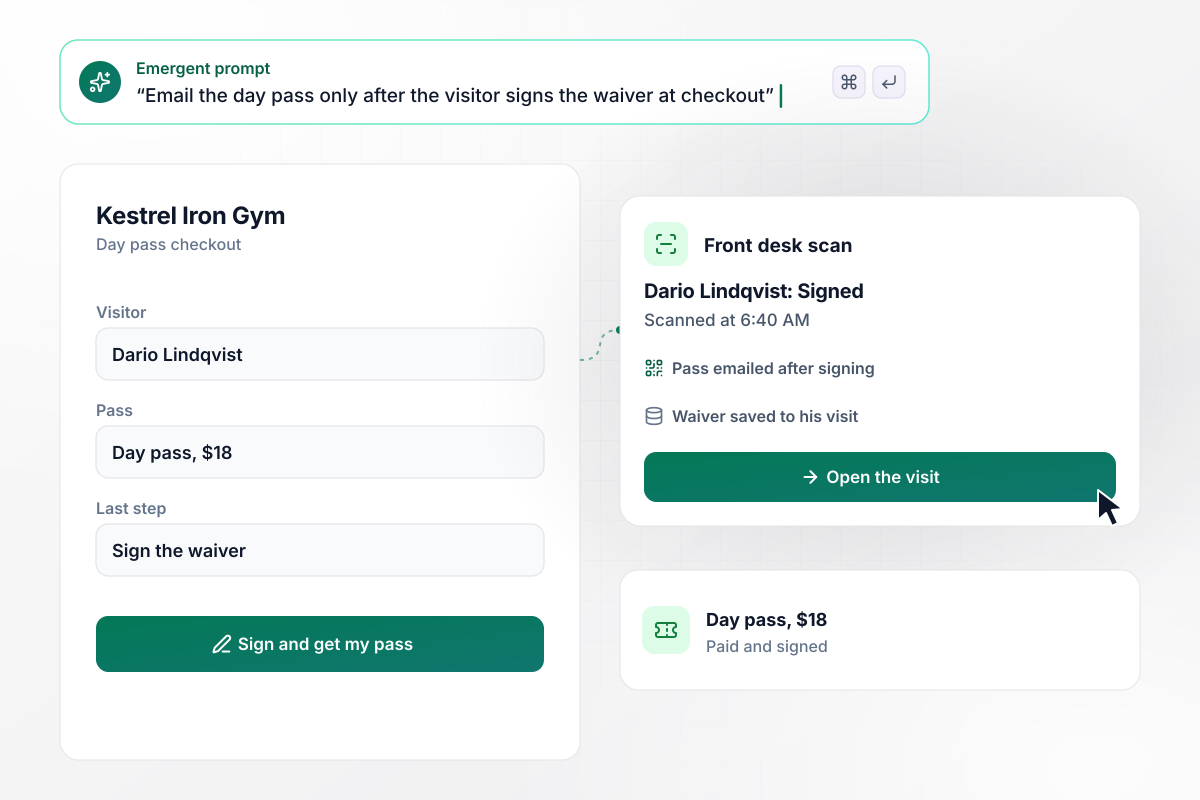
From checkout to the front desk with one signature
Kestrel Iron Gym sells $18 day passes on its website, and the waiver is the last step of checkout. Dario Lindqvist buys one on his way into town. The QR code for his pass is emailed only after he signs. At 6:40 AM the front desk scans it, and his visit shows Signed.
window.awbMockup = { dayPasses: "Build a gym waiver form that is the last step of buying a day pass on my website. Email the pass QR code only after the visitor signs. When the front desk scans the code, show the visit as Signed with the time of the scan.", personalTraining: "Make a personal training addendum for my gym. When a client books sessions with a trainer, hold every session until the client signs the addendum. Once they sign, email the trainer and mark each booked session Confirmed.", orientations: "Create a gym waiver for new members that starts each record at Orientation due for the lifting platforms. Give coaches a tablet screen to sign off after the walkthrough, and change the record to Platforms cleared with the coach's name and the date.", teenMemberships: "I run a gym that takes members aged 14 to 17 with a parent's signature. Have the teen sign at the front desk and enter a parent's email. Email the parent a link to co-sign, keep the membership Pending until they do, and save both signatures on the record." };
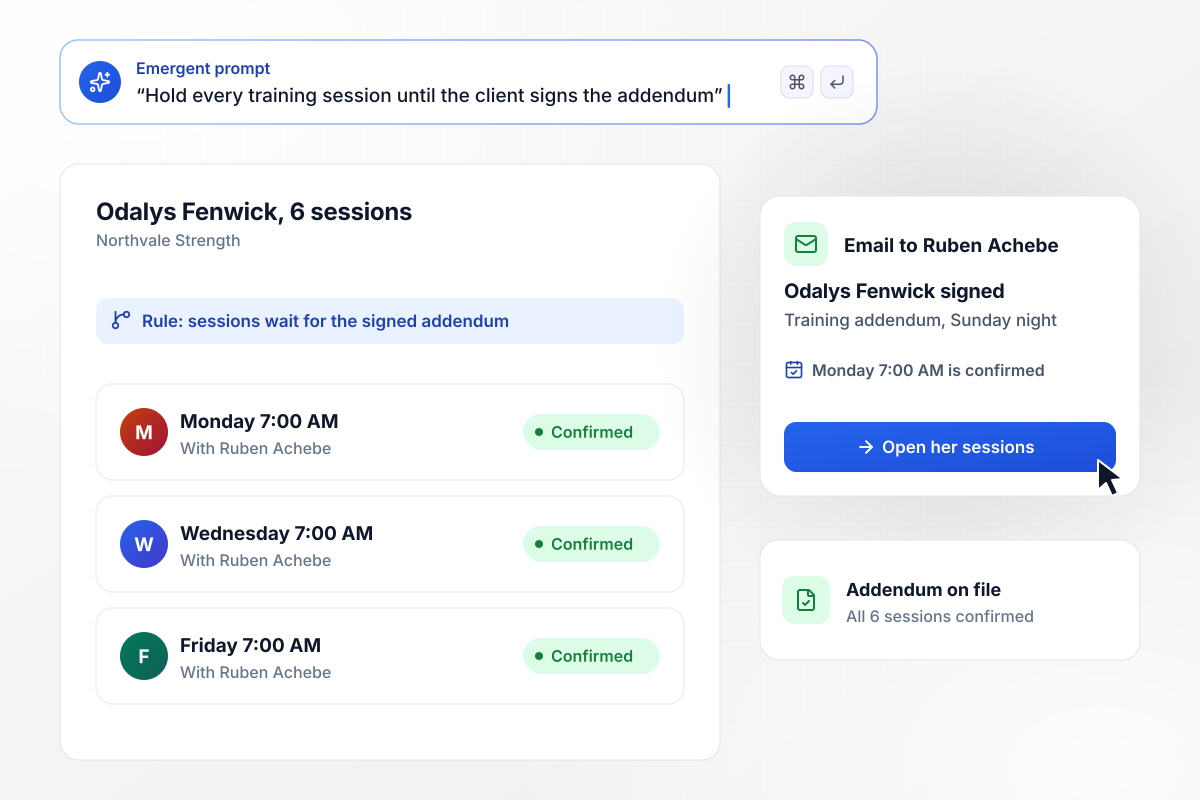
Each of 6 sessions waits on the training addendum
Odalys Fenwick booked 6 sessions with trainer Ruben Achebe at Northvale Strength. Each one stays on hold until she signs the personal training addendum, which covers one-on-one coaching. She signs it on Sunday night. Ruben gets an email, and her Monday 7:00 AM session moves to Confirmed.
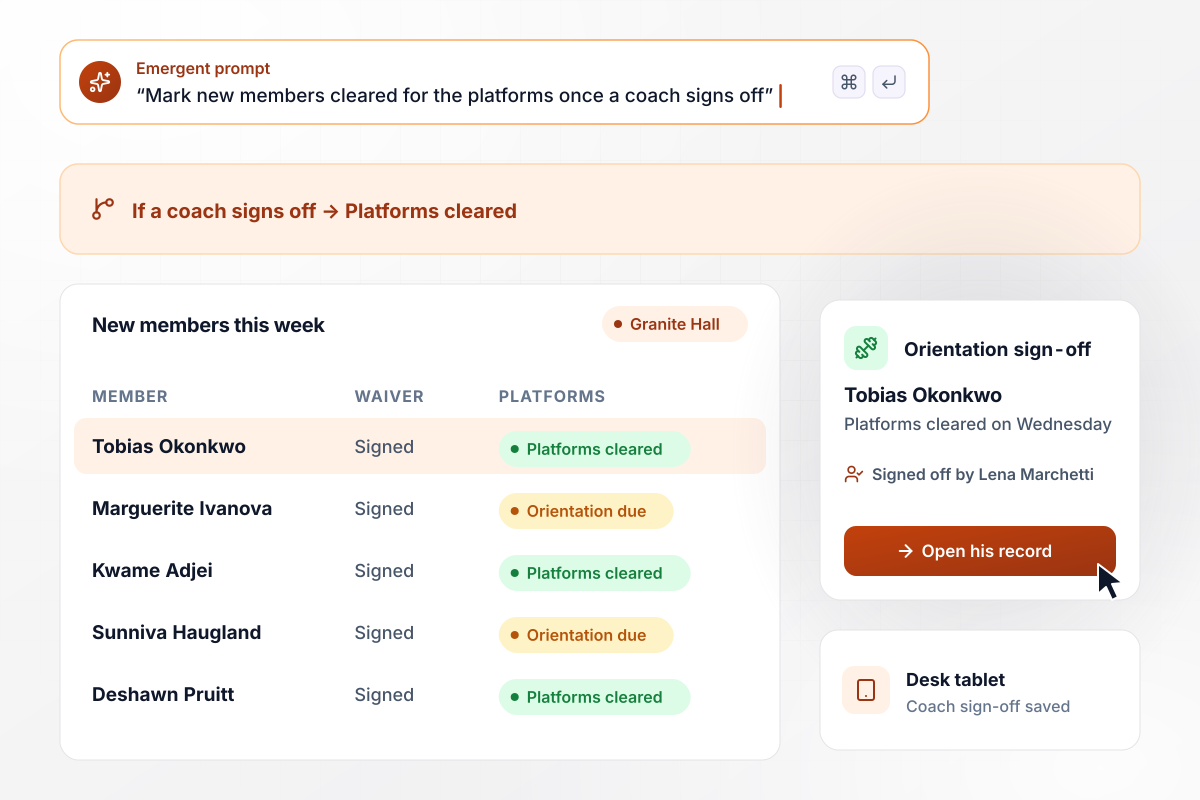
After a coach signs off, the platforms open
New members at Granite Hall Gym sign the waiver online, and each record starts at Orientation due. Tobias Okonkwo joined on Monday. On Wednesday, coach Lena Marchetti shows him the safety bars on the squat racks and the platform rules. She signs off on the desk tablet, and his record reads Platforms cleared.
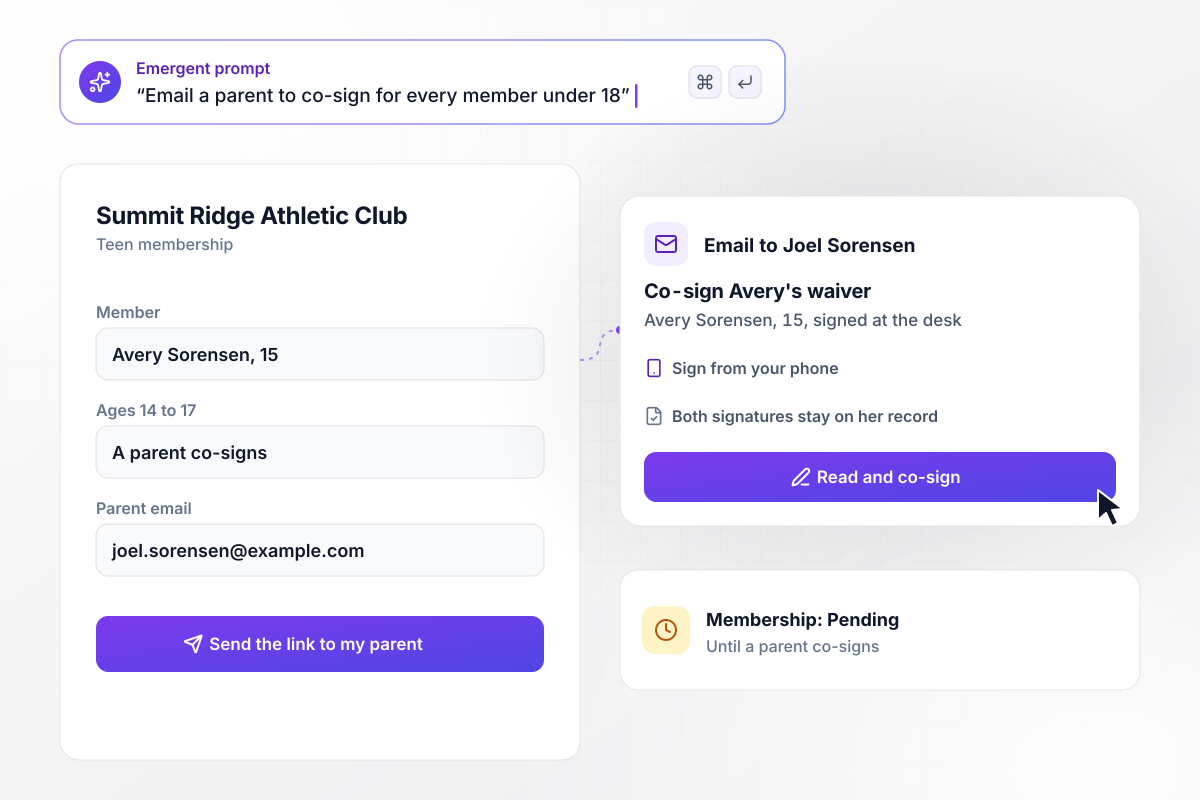
Every teen joins with two signatures on file
Summit Ridge Athletic Club lets teens aged 14 to 17 join with a parent's signature. Avery Sorensen is 15. She signs at the front desk and enters her father's email. Joel Sorensen gets a link and co-signs from his phone that evening. Her membership stays Pending until then, and both signatures stay on her record.






How to Create a Gym Waiver Form
Seven steps to create a gym waiver form that each visitor signs before training, then build it with Emergent.
Write down each entry point: day passes, monthly memberships, personal training, and teen memberships. Each one decides which clauses a visitor signs. A day pass buyer never has to read the trainer addendum or the parent section.
Write a separate clause for the lifting platforms, the sled lane, and group classes where the risks differ. Keep each one short enough to read on a phone, and put the general release in front of everyone.
Have a local attorney review the release before anyone signs it, including the section a parent signs for a teen. Ask how often the wording should be reviewed, and put that date on the calendar.
Put the waiver at the end of day pass checkout, in the booking email for trainer sessions, and on a QR code at the front desk for walk-ins. Name the staff member who follows up on a missing signature.
Write one prompt that lists the clauses, where each visitor signs, and what waits for a signature. Emergent builds the form, the database that stores signed waivers, and a check-in screen for the desk. Ask for changes in plain English.
Give coaches their own screen for orientations. A member's record stays at Orientation due until a coach confirms the walkthrough. Each sign-off is saved with the coach's name and the date, and the desk sees who cleared each member.
Go through day pass checkout on a phone under a made-up name and sign the waiver. Scan the pass at the desk, then check that the visit reads Signed and the waiver sits under the test name.
Why Build Your Gym Waiver Form With Emergent?
A clipboard misses the visitor who walks straight to the racks. Here each pass and session waits for a signature, with no response caps.

|
Jotform | Google Forms | Typeform | |
|---|---|---|---|---|
| How you build | Describe it in plain English | Templates, editor, AI generator | Editor, with Gemini drafting on some Workspace plans | Templates, editor, AI assist |
| Where responses live | A database table you own, plus any integration | Jotform account | Google Sheets | Typeform account |
| Response limits | No response caps | Monthly submission caps by plan; the form stops at the cap | No limit | Monthly response caps by plan; the form closes at the cap |
| Code ownership | Full code export to GitHub on paid plans | None | None | None |




Pick the Pricing Plan That Works for You
Choose the plan that fits your building ambitions. From weekend projects to enterprise applications, we've got you covered.




Find the right form
for whatever you're collecting
Frequently Asked Questions
Your Questions, Answered
Don't change this element unless you know what you are doing
More things you can build
with Emergent









on Emergent today


