

Build a DJ Booking Form for Every Gig on Your Calendar
Build a DJ booking form that offers only your open dates and saves each gig's timeline to a database you own.
Build a DJ booking form for my wedding and party gigs that asks for the event date, venue, and start and end times.
Trusted by Builders Worldwide
Active Builders Worldwide
Apps Successfully Created
Countries Globally Reached



What the DJ Knows Before Load-In
The first dance time should never be news at the venue. The form gathers the timeline and load-in notes as the client books.
Booked dates drop off the calendar
The date picker checks your gig calendar and offers only dates with no booking yet. A Saturday you already hold stays off the list until that gig is canceled or moved.
A timeline from setup to last song
Ask for the setup time, the start, and the end, then the moments in between, like the grand entrance, toasts, and the first dance. The DJ reads them in order on one sheet.
Music notes the client writes once
Give the client room for must-play songs, a do-not-play list, and genres to avoid. A school booking can require clean edits, and that rule sits at the top of the DJ's sheet.
Venue details for load-in
Collect the venue address, the load-in time, where to park, and how far the DJ table sits from power. Add the venue coordinator's phone number for the day of the event.
New inquiries reach the right DJ
Email each new inquiry to the DJ who is free that night, or post it to a Slack channel for the office. A company with several DJs can split inquiries by date or event type.
Your booking app's code, on GitHub
On paid plans, export the full codebase to your GitHub repository and keep building. Every booking stays in a database you own, with no cap on how many inquiries come in.
Who Books the DJ, and What the DJ Gets
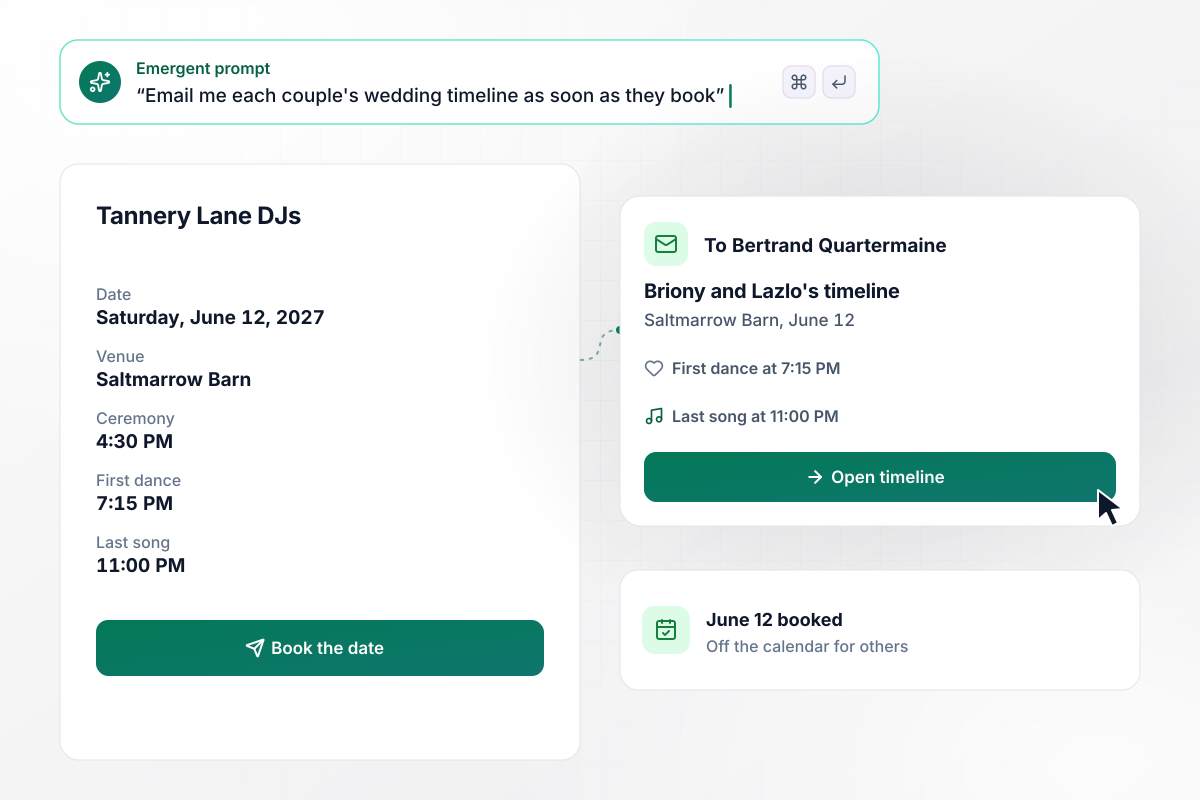
From ceremony to last song, Bertrand has the timeline
Tannery Lane DJs asks every couple for the times that shape the night. Briony Quennevaux and Lazlo Mikkelsen book Saturday, June 12, 2027, at Saltmarrow Barn and fill in a 4:30 PM ceremony and a 7:15 PM first dance. DJ Bertrand Quartermaine gets the timeline by email, ending with the last song at 11:00 PM.
window.awbMockup = { weddingReceptions: "Build a DJ booking form for my wedding gigs. Ask the couple for the date, the venue, the ceremony time, the first dance time, and when the last song plays. Email me the timeline in order as soon as they book, and save every booking to my gig calendar.", corporateParties: "Build a DJ booking form for my corporate party bookings. Ask the client for the event date, the venue, the load-in time, which loading dock to use, and how many wireless mics they need for speeches. Email the DJ a load-in sheet with all of it.", schoolDances: "Build a DJ booking form for school dances. Ask for the school name, the grades attending, the date, and the end time. Mark every school booking clean edits only and say so on the form. Let the school list songs for a do-not-play list, and show the rule above that list on the DJ's sheet.", multiDjCompanies: "Build a DJ booking form for my company with 4 DJs. When a client picks a date, check each DJ's calendar. Send the inquiry by email to a DJ who is still open that night, and remove any date from the picker once all 4 DJs are booked." };
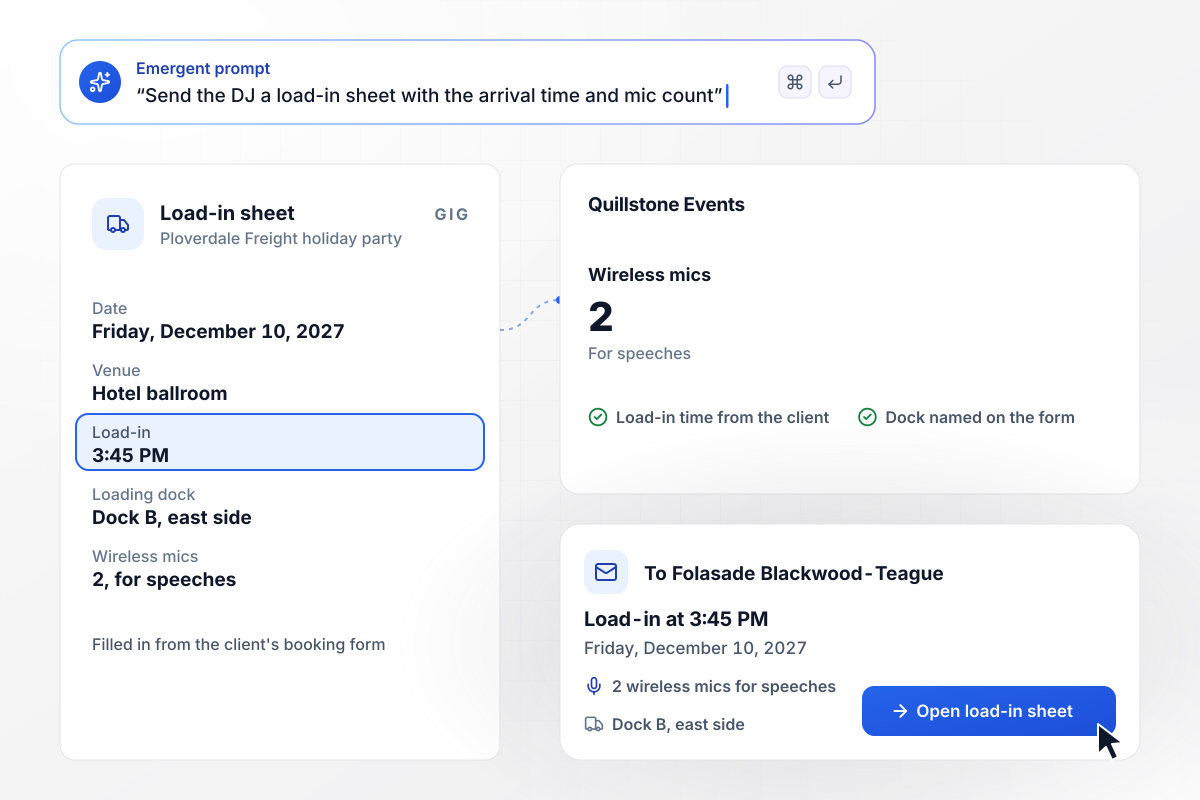
A 3:45 PM load-in and 2 mics on Folasade's sheet
Corporate parties at Quillstone Events start with a load-in time and a mic count. Ploverdale Freight books a hotel ballroom party for Friday, December 10, 2027, and asks for 2 wireless mics for speeches. DJ Folasade Blackwood-Teague gets a load-in sheet with the 3:45 PM arrival and the dock to use.
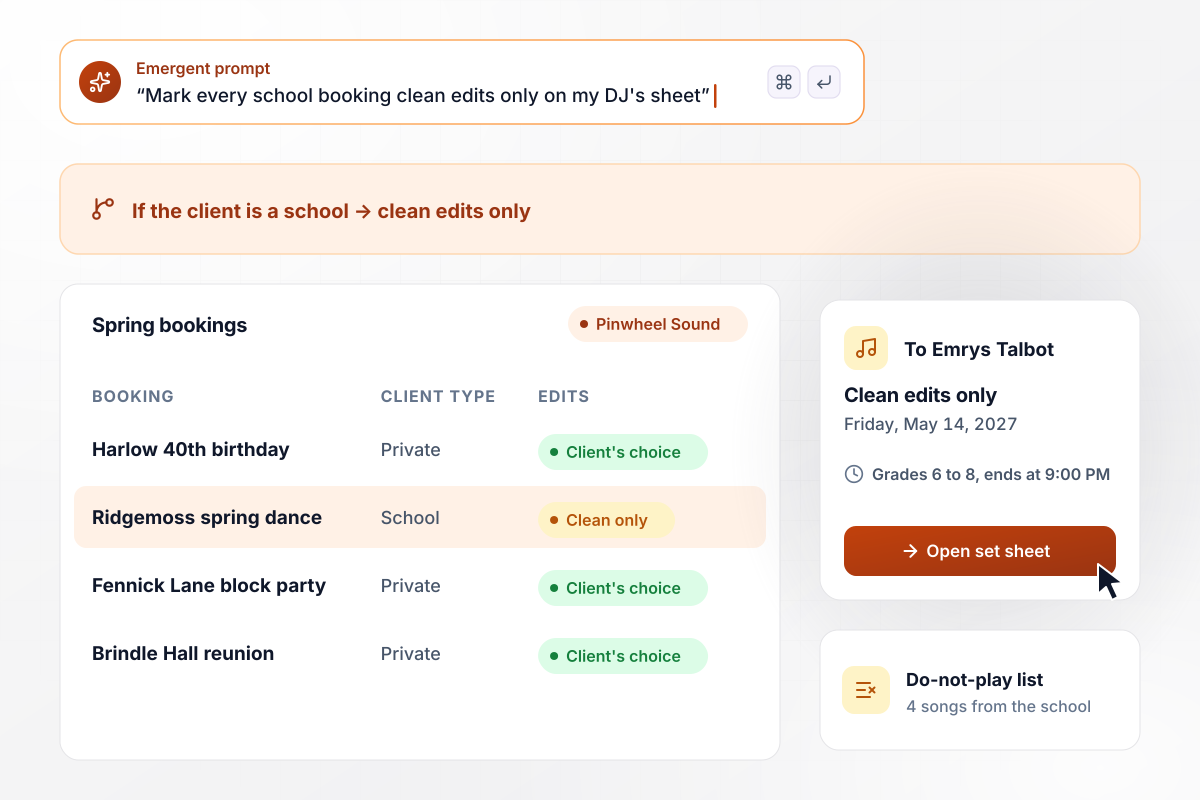
School dances come in flagged for clean edits
Pinwheel Sound treats any school booking as clean edits only, and the form says so. Ridgemoss Middle School books its spring dance on Friday, May 14, 2027, for grades 6 to 8, ending at 9:00 PM. The school adds 4 songs to the do-not-play list, and DJ Emrys Talbot sees the clean edits rule above them.
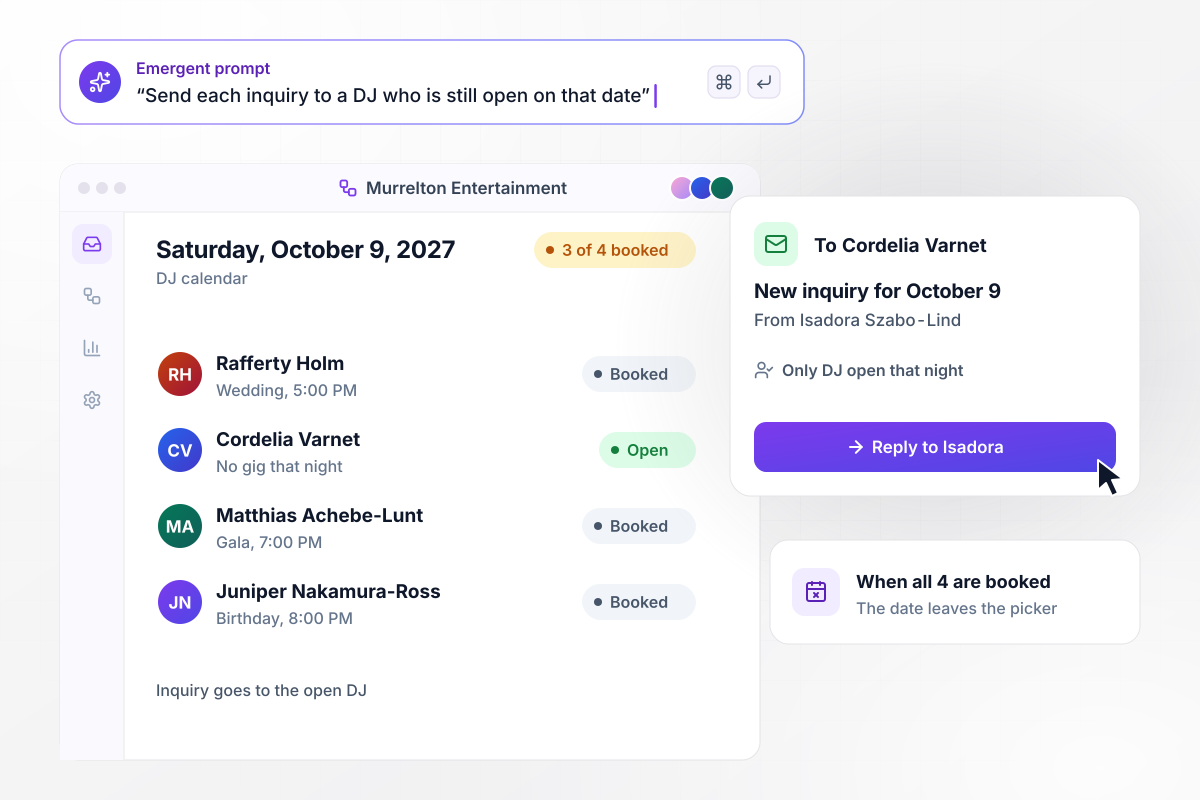
Only Cordelia is free when 3 of 4 DJs are booked
Four DJs work for Murrelton Entertainment, and the form checks each calendar against the date a client asks for. Isadora Szabo-Lind asks for Saturday, October 9, 2027, when 3 of the 4 are booked. Her inquiry goes by email to Cordelia Varnet, the one DJ still open. Once all 4 are booked, the date leaves the picker.






How to Create a DJ Booking Form
Seven steps to create a DJ booking form that hides dates you already hold and gives the DJ what each gig needs.
List the questions you ask every client on an inquiry call: the date, the venue, the start and end times, and the event type. Add the guest count if it changes your setup. Each answer you need before you quote becomes a field.
Open the form with the event date, since a date you already hold ends the conversation. Connect the date picker to your gig calendar so it offers only open dates. Ask for the venue name and address right after it.
Show a couple the ceremony, dinner, and first dance times to fill in. Show a corporate client the speech times and a mic count instead. Keep each branch short enough that a client can finish it on a phone.
Choose where a new inquiry goes before you share the form. A solo DJ can take an email for every one. With a team, route by date or event type, such as weddings to one DJ and school dances to another.
Tell the client what happens next, both on the screen after they submit and in the email that follows. Say when you will reply, what the quote depends on, and when the date counts as booked on your side.
Submit two test bookings for the same Saturday: a wedding first, then a school dance. Check that each shows the right questions, that the second sees the date as taken, and that each email lands with the right DJ.
Put the form link on your website's booking page and in the signature on your email replies. Print it as a QR code on a card at the DJ table for guests who ask how to book you.
How Emergent Compares for DJ Bookings
Emergent builds the form and its gig calendar from a description of how you book. Each inquiry is a row you own, never capped.

|
Jotform | Google Forms | Typeform | |
|---|---|---|---|---|
| How you build | Describe it in plain English | Templates, editor, AI generator | Editor, with Gemini drafting on some Workspace plans | Templates, editor, AI assist |
| Where responses live | A database table you own, plus any integration | Jotform account | Google Sheets | Typeform account |
| Response limits | No response caps | Monthly submission caps by plan; the form stops at the cap | No limit | Monthly response caps by plan; the form closes at the cap |
| Code ownership | Full code export to GitHub on paid plans | None | None | None |



Pick the Pricing Plan That Works for You
Choose the plan that fits your building ambitions. From weekend projects to enterprise applications, we've got you covered.




Find the right form
for whatever you're collecting
Frequently Asked Questions
Your Questions, Answered
Don't change this element unless you know what you are doing
More things you can build
with Emergent









on Emergent today


