

Build a Benefits Enrollment Form for Every Enrollment Window
Build a benefits enrollment form where employees compare plans and add dependents, with every election stored in tables you own.
Build a benefits enrollment form where my new hires compare 3 medical plans and pick dental and vision before their 30-day window closes.
Trusted by Builders Worldwide
Active Builders Worldwide
Apps Successfully Created
Countries Globally Reached



What the Form Handles Before HR Has To
Describe your plans and enrollment rules. Emergent builds the form employees fill in, the deadlines behind it, and the tables HR reads.
Plans side by side, priced per paycheck
Show each medical plan with its deductible and the employee's cost per paycheck. Switching the tier from employee only to family reprices every plan on the same screen.
A row for each person covered
Add a spouse or child with name, relationship, and date of birth. Each dependent is tied to the plans they join. Dental can cover the kids while medical covers one adult.
Deadlines counted from the right date
The app counts each window from the employee's start date or event date and closes it when the days run out. Anyone not done gets a reminder email 3 days before the end.
Waivers with the reason on file
An employee who declines coverage picks a reason, names the other plan if there is one, and signs. The waiver lands in the same table as an election, under the same employee.
Every election in a table you own
Elections save to a database you own, one row per employee and plan. The HR dashboard shows who has finished and who has waived, plus how many days each open form has left.
The whole form, exported to GitHub
On paid plans, export the full codebase to your GitHub repository and run it next to your HR systems. Keep changing the form by prompt after export, or edit the code by hand.
One Form for Every Time Someone Enrolls
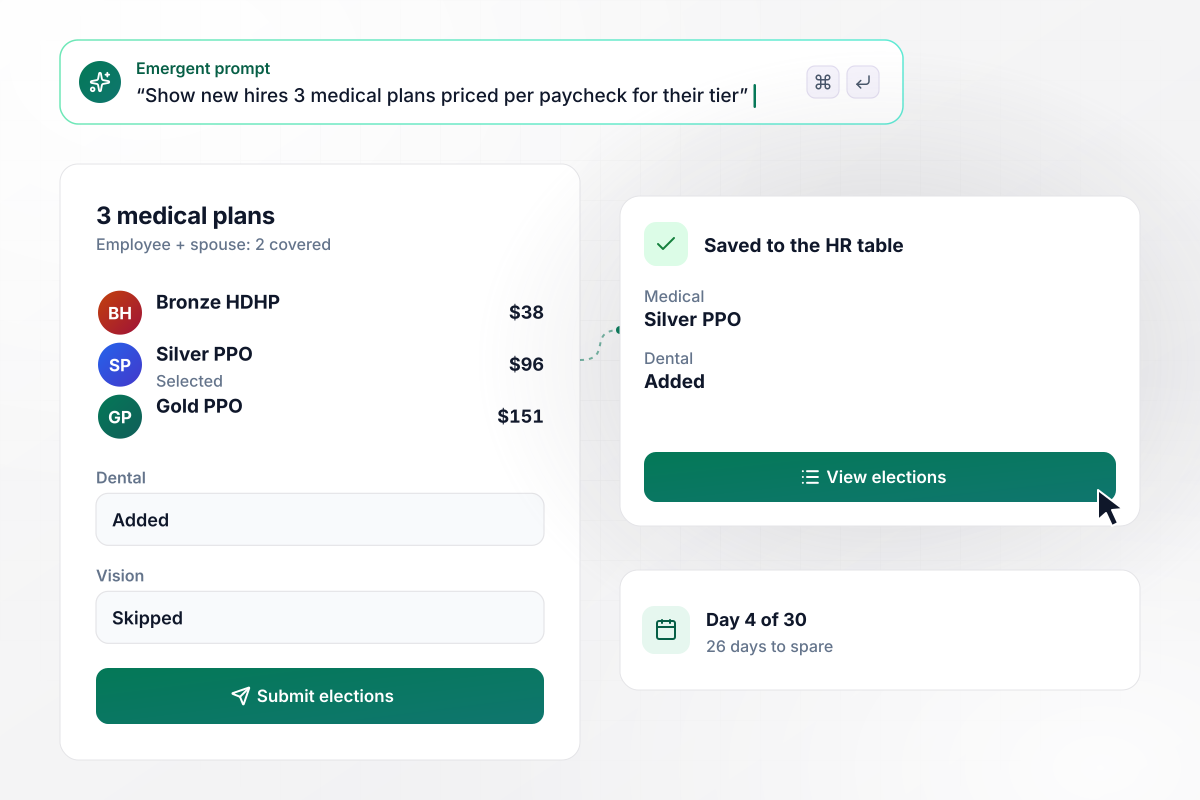
Gareth picks Silver PPO for two on day 4 of 30
Dorrance Millwork gives each new hire 30 days to enroll. On day 4, Gareth Linwood compares 3 medical plans for employee and spouse: Bronze HDHP at $38, Silver PPO at $96, and Gold PPO at $151 a paycheck. He takes Silver PPO and dental, not vision. The elections save to the HR table with 26 days to spare.
window.awbMockup = { newHires: "Build a benefits enrollment form for my new hires. Each person gets 30 days from their start date. Show 3 medical plans side by side with the cost per paycheck for the coverage tier they pick, then dental and vision as add or skip choices. Save the elections to my HR table and show how many days each person has left.", openEnrollment: "Run my open enrollment for 14 days. Start each employee's form with last year's elections filled in so keeping a plan takes one click. Three days before it closes, email everyone who has not submitted a reminder with their own link, and show me on a dashboard how many of my 140 staff have finished.", lifeEvents: "Add a life event path to my benefits enrollment form. An employee picks birth, adoption, or marriage, enters the date, and adds the new dependent with name, relationship, and date of birth. Show how many of the 30 days to notify the plan are left, and email my HR inbox the request on submit.", coverageWaivers: "Let my employees waive a benefit they do not need. The waiver asks for a reason and the carrier of the other plan they are on, then takes their signature. Save each waiver under the employee's record next to their other elections, and show me how many staff have a signed waiver on file." };
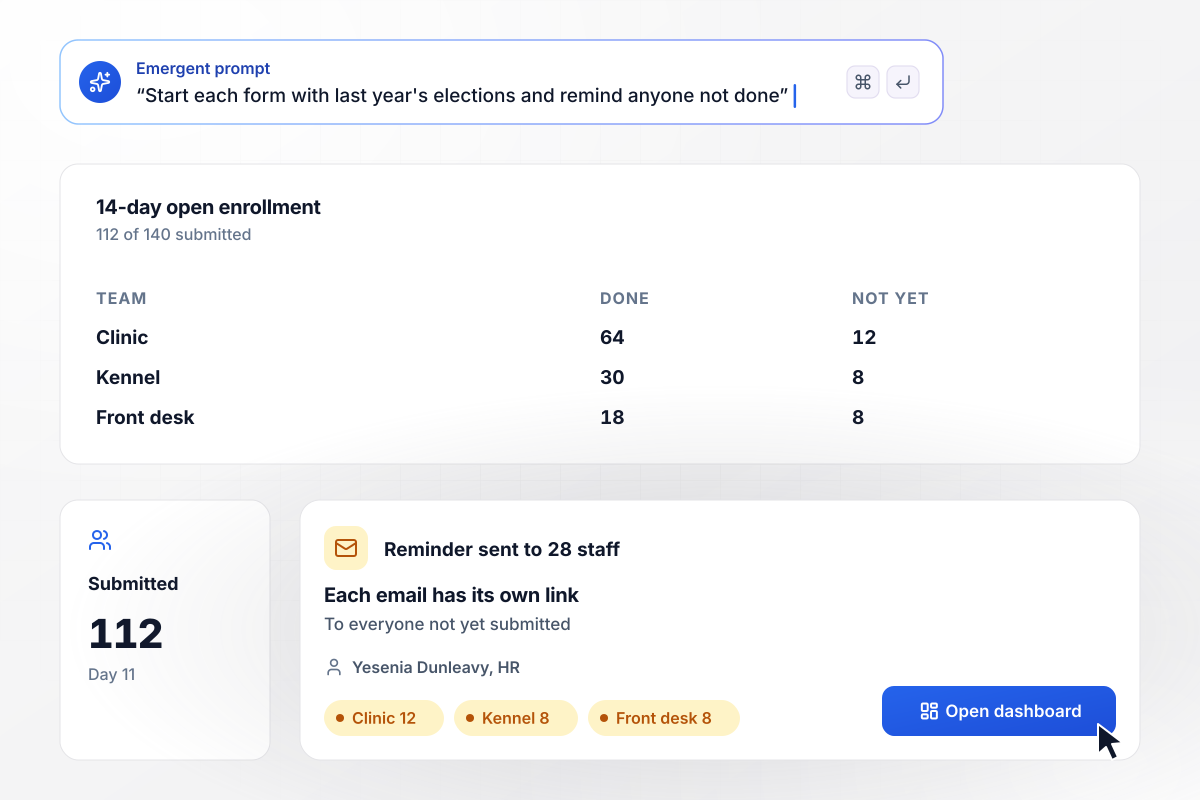
All but 28 of 140 staff enroll by day 11
Aldergrove Animal Hospital opens enrollment for 14 days each fall, and every form starts with last year's elections filled in. By day 11, 112 of the 140 staff have submitted. The other 28 get an email reminder with their own link, and Yesenia Dunleavy in HR watches the count on her dashboard.
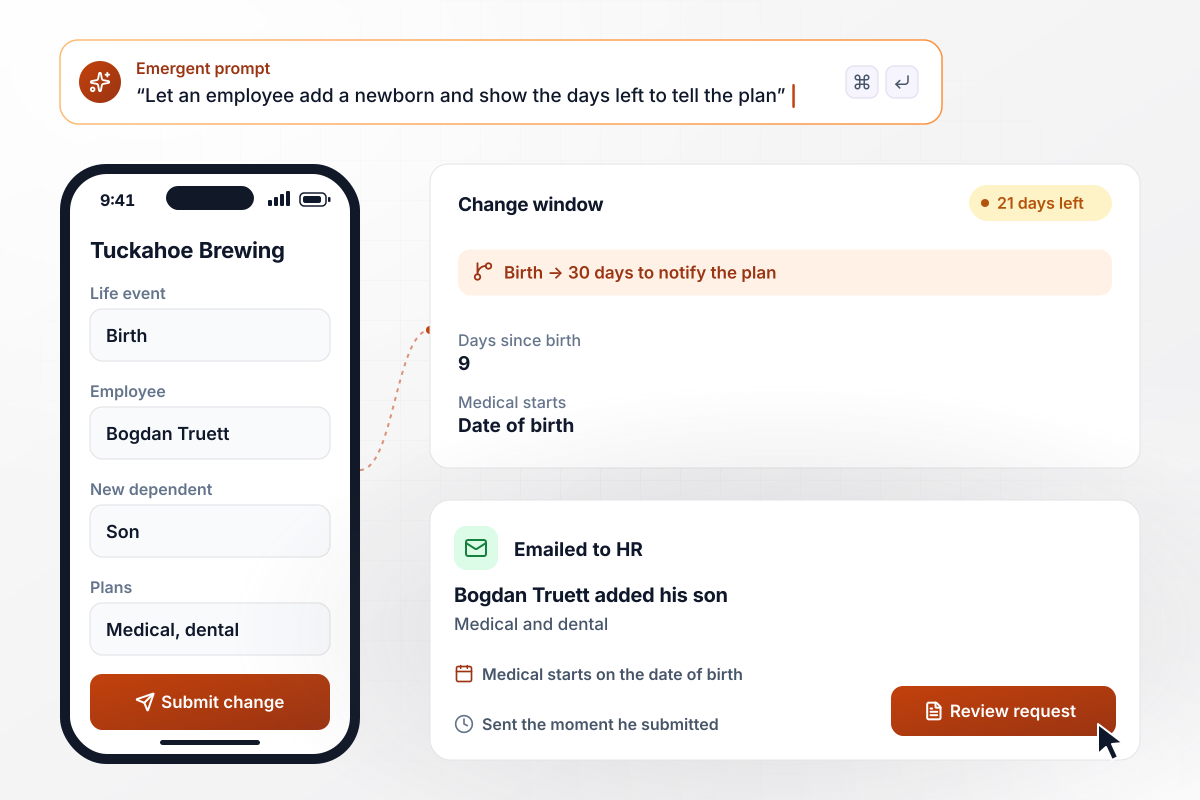
Bogdan's son is on medical from the day he was born
Bogdan Truett opens the form at Tuckahoe Brewing 9 days after his son is born. He picks Birth as the event and adds his son to medical and dental. The form shows 21 days left of his 30 days to notify the plan, and HR gets the request by email when he submits. His son's medical coverage starts on the date of birth.
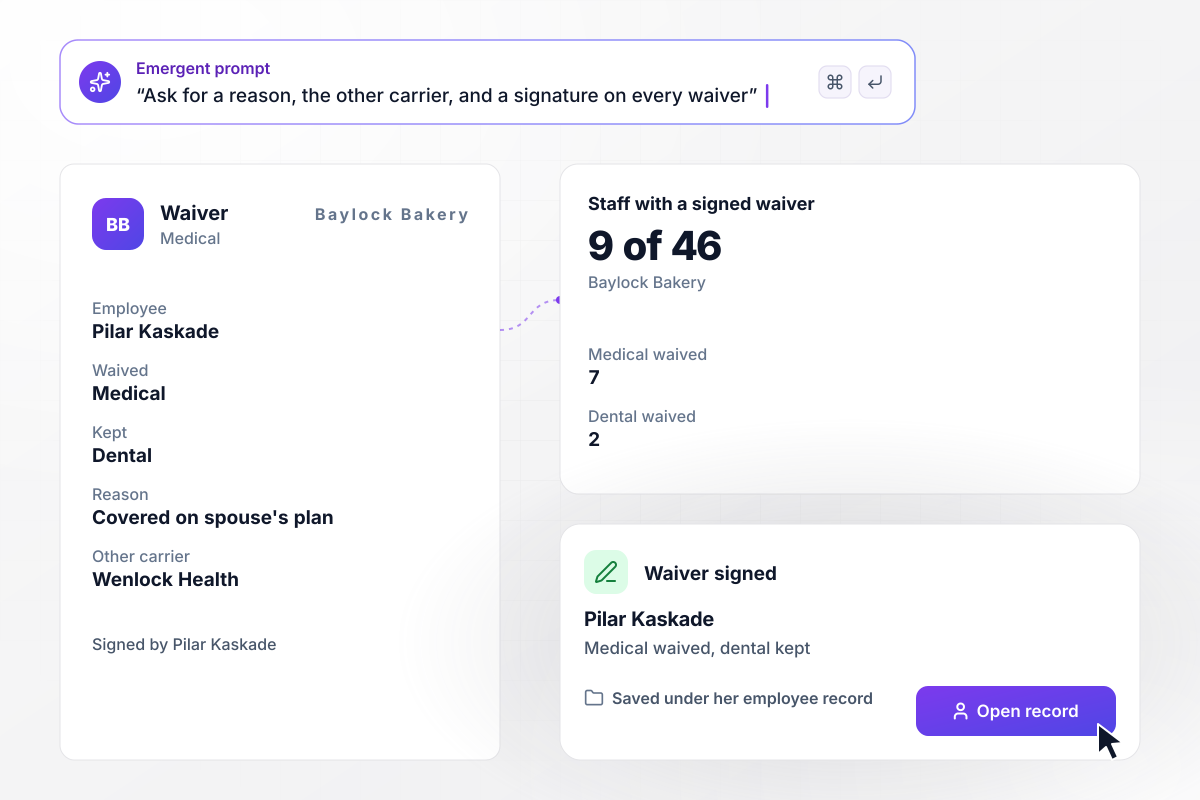
Pilar's medical waiver is signed and on file
Pilar Kaskade is covered on her spouse's plan, so she waives medical at Baylock Bakery and keeps dental. The waiver asks for her reason and the other plan's carrier, Wenlock Health, then her signature. It saves under her employee record, and the HR table now shows 9 of Baylock's 46 staff with a signed waiver.






How to Create a Benefits Enrollment Form
Seven steps to create a benefits enrollment form that prices each plan by tier and tracks every deadline, then build it with Emergent.
Put every plan you offer in one sheet with the employee cost per paycheck for every coverage tier, from employee only up to family. The form reads its prices from this sheet. A new rate next year is then one edit.
Write down the windows your plans use: the new hire period, the open enrollment dates, and the life events that reopen enrollment. Confirm each window and its start date with your plan administrator before you build, because the form will close on those days.
Start with who the employee is, then ask for the coverage tier. Show the plans only after the tier is set. Every price on screen is then the one the employee will pay. Keep each benefit as its own choice, with its own plans and its own waive option.
Ask once for each spouse or child, with the details your carriers need. Then let the employee tick which plans each person joins. A child can sit on dental without joining medical, and nobody types the same person twice on one form.
Offer a waiver for each benefit an employee declines. Ask for the reason and, when they are covered elsewhere, the other plan's carrier. Capture a signature at the end and keep the waiver with the rest of that employee's record.
Send each new election and life event to HR by email, and send the employee a copy of what they chose. The morning after a window ends, give HR a list of anyone whose form is still open, with their manager's name beside it.
Describe the form to Emergent and fill it in as a new hire with a spouse, a parent adding a newborn, and someone who waives medical. Check that the HR table shows each election at the right price before you publish the form.
Why Build Benefits Enrollment on Emergent?
Emergent builds tier pricing and a deadline for each employee from your prompt, and the elections stay in tables you own.

|
Jotform | Google Forms | Typeform | |
|---|---|---|---|---|
| How you build | Describe it in plain English | Templates, editor, AI generator | Editor, with Gemini drafting on some Workspace plans | Templates, editor, AI assist |
| Where responses live | A database table you own, plus any integration | Jotform account | Google Sheets | Typeform account |
| Response limits | No response caps | Monthly submission caps by plan; the form stops at the cap | No limit | Monthly response caps by plan; the form closes at the cap |
| Code ownership | Full code export to GitHub on paid plans | None | None | None |

Pick the Pricing Plan That Works for You
Choose the plan that fits your building ambitions. From weekend projects to enterprise applications, we've got you covered.




Find the right form
for whatever you're collecting
Frequently Asked Questions
Your Questions, Answered
Don't change this element unless you know what you are doing
More things you can build
with Emergent









on Emergent today


