

Build a Payroll Change Form That Gets Each Change Approved
Build a payroll change form that shows old and new pay side by side and sends each change to the right approvers.
Build a payroll change form where restaurant managers enter the old and new hourly rate and the reason.
Trusted by Builders Worldwide
Active Builders Worldwide
Apps Successfully Created
Countries Globally Reached



What the Form Does With Each Pay Change
A payroll change form records what changes in an employee's pay, the date it starts, and who approved it.
Fields that follow the change type
Pick the kind of change at the top, and the form shows only the fields it needs. A transfer asks for the new department and manager; a stipend asks for the amount and the end date.
Current and new values side by side
The app fills in the employee's current rate and department from your records. Approvers see the old value next to the new one, plus the difference, before they sign off.
Approvers picked by change type
A rate change goes to the department head, then HR. A funding change goes to each account owner. Every approver gets an email or Slack alert, and the record logs who approved it.
One queue for each pay period
Approved changes land in a list grouped by the pay period they start in. Payroll marks each one entered after keying it into the payroll system, and the date is saved on it.
Approved changes sent by API
If your payroll provider offers an API, the app can send each change to it once the last approver signs off. If not, payroll works from the queue and keys each change in.
Every change on file, code included
Every change and its approval history stay in a database you own, filed by employee. Export the app's full code to your GitHub repository on paid plans whenever you want it.
Pay Changes Across Four Kinds of Employer
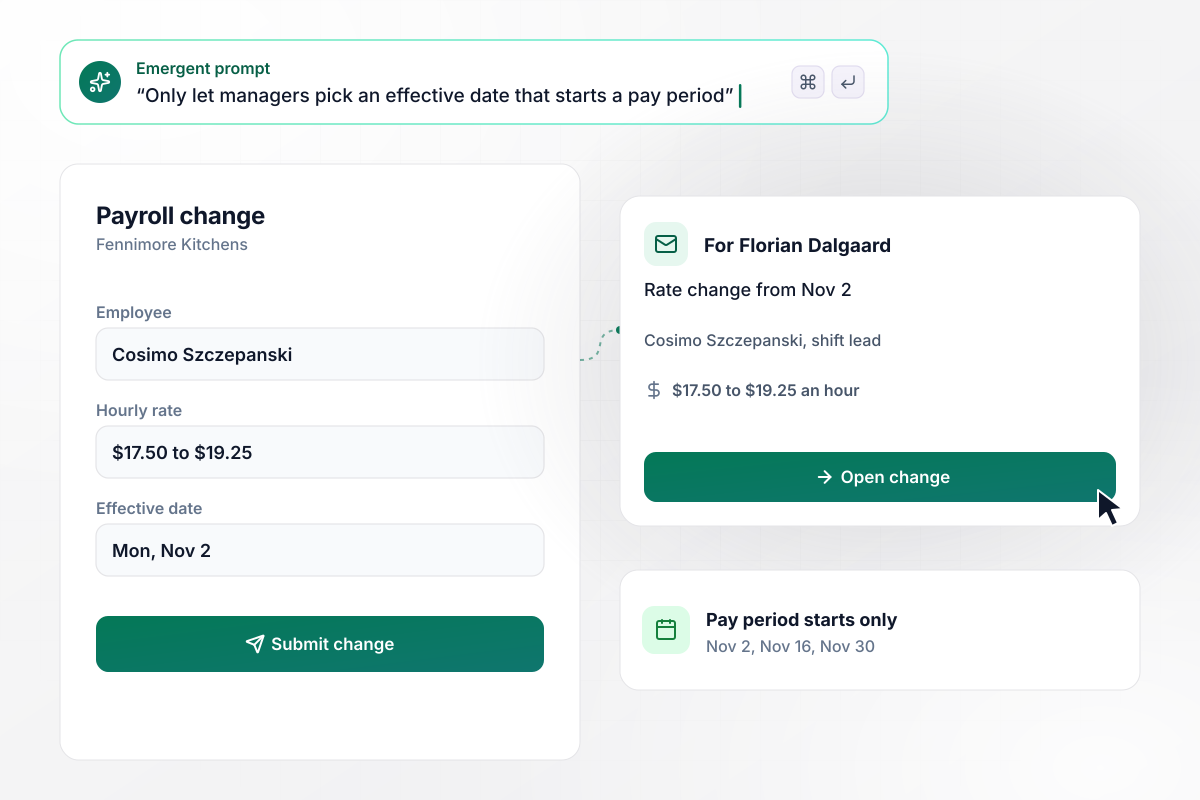
A pay period's first Monday or no start date
Seraphina Quarshie promotes line cook Cosimo Szczepanski to shift lead at Fennimore Kitchens, from $17.50 to $19.25 an hour. The date picker offers only the Mondays that start a pay period: Nov 2, Nov 16, and Nov 30. She picks Nov 2, and payroll coordinator Florian Dalgaard gets an email with the change.
window.awbMockup = { restaurantGroups: "I run payroll for a restaurant group that pays every two weeks, with each pay period starting on a Monday. Build a payroll change form where a manager picks the employee, sees their current hourly rate, enters the new rate and the reason, and can only choose an effective date that starts a pay period. Email each submitted change to our payroll coordinator.", schoolDistricts: "My school district pays coaching stipends for each sports season. Build a payroll change form for stipends that asks for the amount, the number of pay periods, and the last day of the season. Send it to the principal for approval, then email our payroll clerk on the last day of the season so the stipend gets ended.", universityResearch: "Our research office pays some staff from more than one grant. Build a payroll change form where a department administrator splits an employee's weekly hours across grant accounts. Block the submit until every scheduled hour is assigned to a grant, then send each grant's hours to the investigator who runs that grant to approve.", medicalClinics: "My clinic offers benefits at 32 hours a week or more. Build a payroll change form for hours changes that records the current and new weekly hours and the start date. Send any change that leaves someone under 32 hours to our HR lead for a benefits review, and mark the rest ready for payroll." };
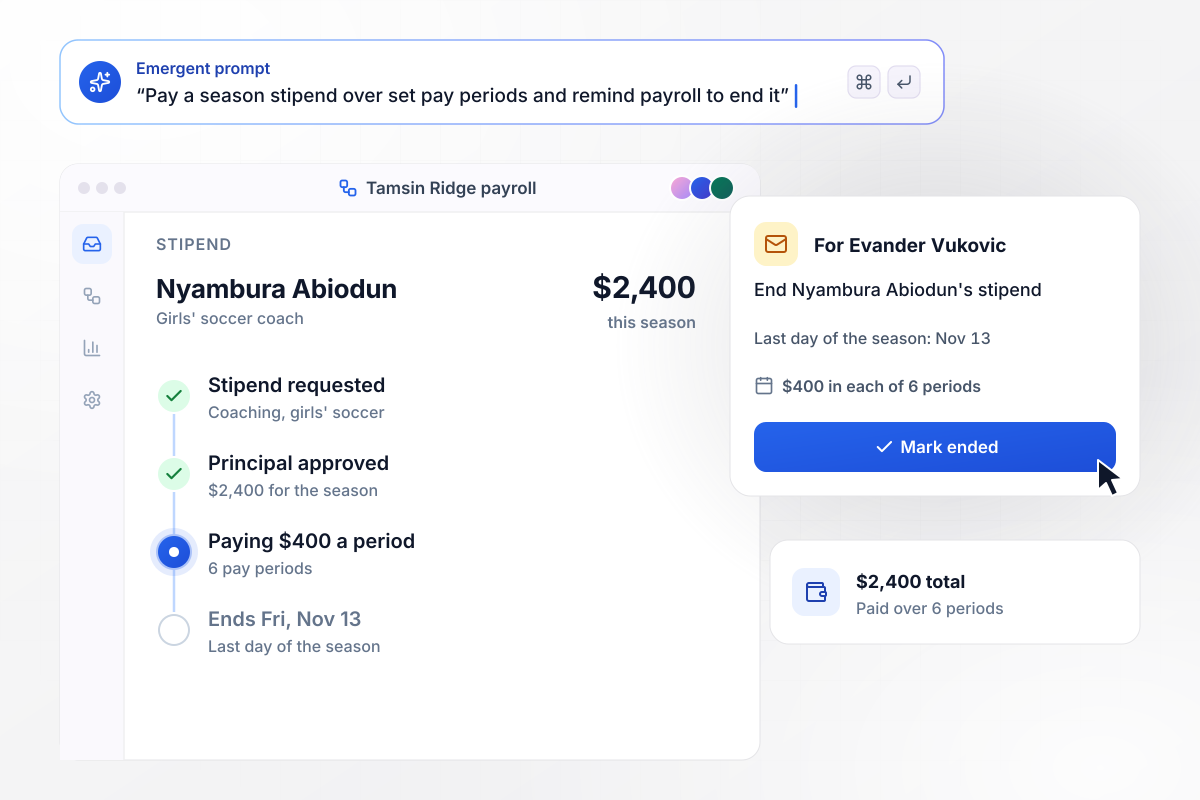
$400 for each of 6 pay periods, then a reminder
Tamsin Ridge School District pays teacher Nyambura Abiodun a $2,400 stipend to coach girls' soccer. Once the principal approves it, she gets $400 in each of 6 pay periods. On Friday, Nov 13, the last day of the season, the app emails payroll clerk Evander Vukovic to end the stipend.
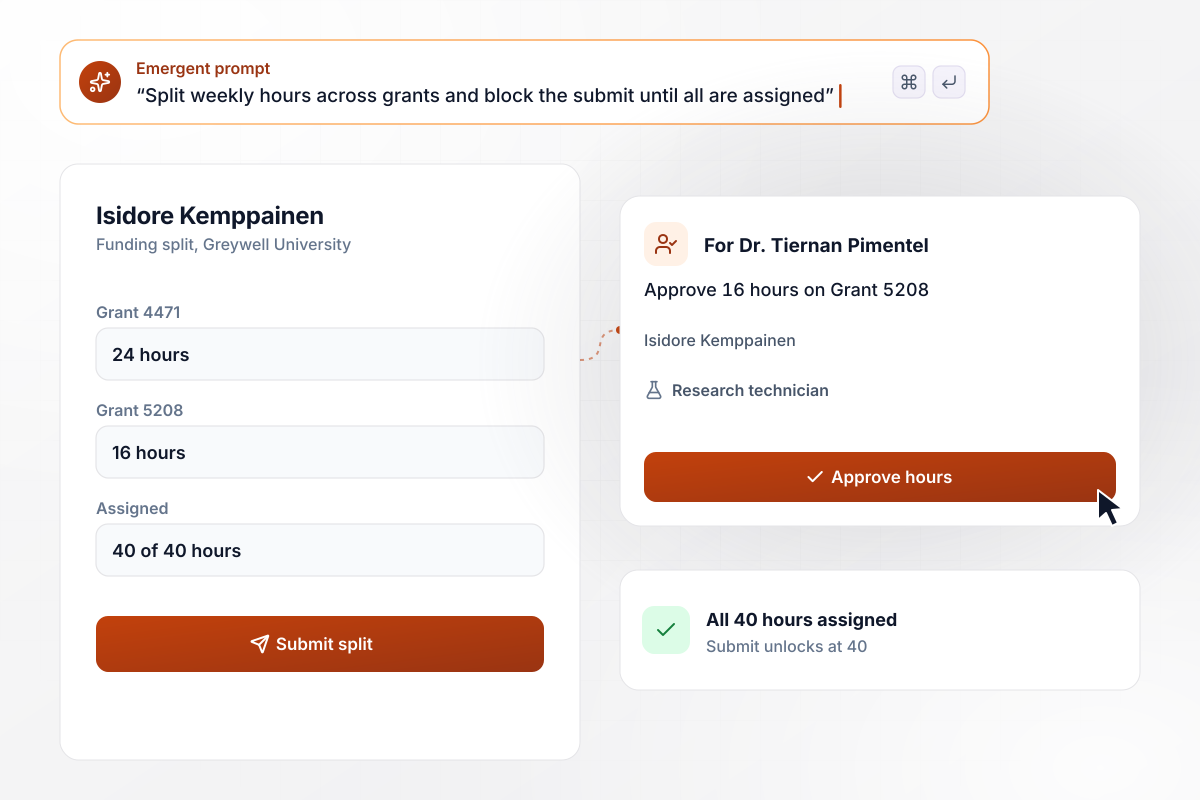
Splits that reach 40 hours or stay in the form
Greywell University funds research technician Isidore Kemppainen from two grants. His department administrator puts 24 hours on Grant 4471 and 16 on Grant 5208, and the form will not submit until all 40 of his weekly hours are assigned. Dr. Tiernan Pimentel, who runs Grant 5208, then approves its 16 hours.
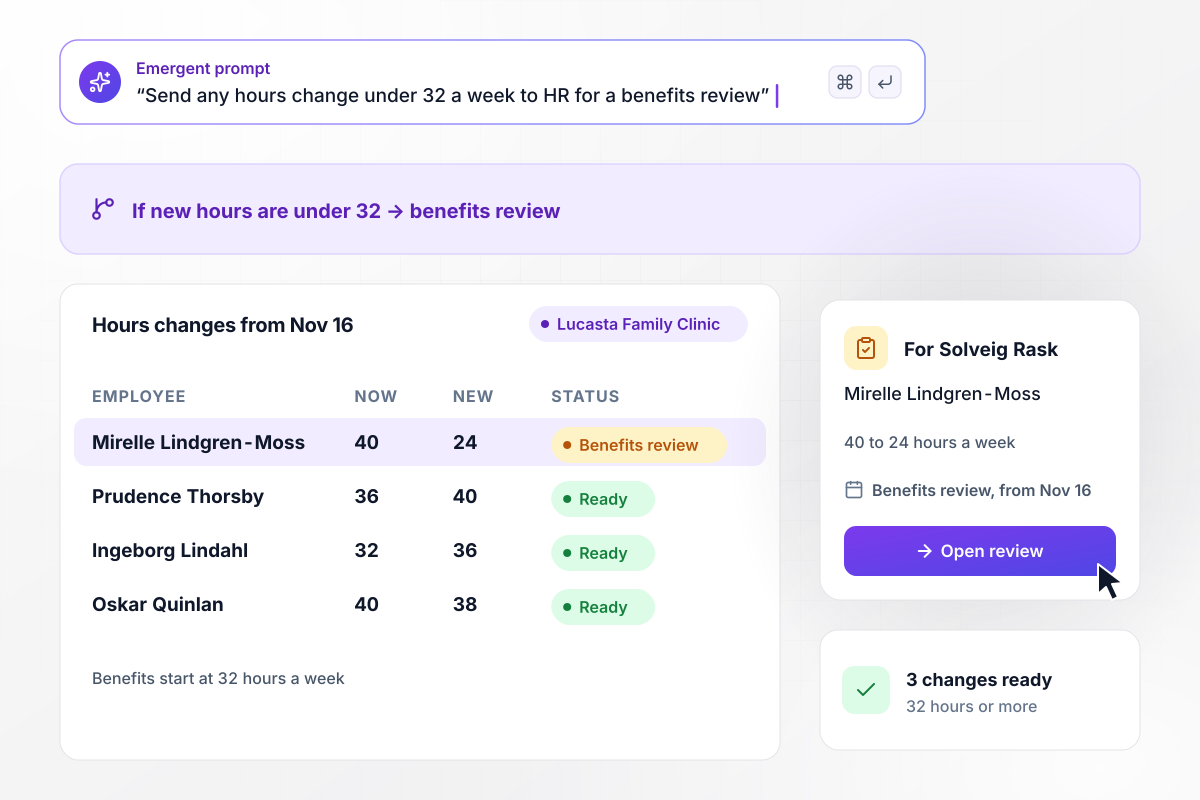
Hours cut under 32 wait for a benefits check
Lucasta Family Clinic moves medical assistant Mirelle Lindgren-Moss from 40 to 24 hours a week from Monday, Nov 16. Benefits at the clinic start at 32 hours, so any change under 32 goes to HR lead Solveig Rask for a benefits review. The 3 other changes that period are marked ready for payroll.






How to Create a Payroll Change Form
Seven steps turn the payroll change form you use today into one that routes each change for approval, built with Emergent.
Pull the last six months of pay changes and group them by type, such as rate changes and transfers. Each type becomes one choice at the top of the form, with its own set of questions underneath.
For every change type, list the approvers in order and what each one checks. A rate change might need the department head and then HR, while a transfer needs the manager on both sides. Note a backup for anyone who travels.
Write down how often you pay and the date each pay period starts for the rest of the year. Give the form that calendar. Managers can then pick only an effective date that opens a period, never one that lands midway through.
Write one prompt that names the change types, their fields, the approvers for each type, and your pay calendar. Emergent builds the form and its approval steps, with a database that stores every change. Adjust any of it by prompting again.
Check whether your payroll system accepts changes through an API. If it does, have the app send each change after the last approval. If it does not, ask for a queue grouped by pay period that payroll works through and marks entered.
Submit a raise for one test employee and a transfer for another. Check that each one shows the right fields, reaches its approvers in order, and lands in the right pay period. Fix anything that misroutes before real data goes in.
Publish the form and share the link with every manager who requests pay changes. Put it on your own domain (built into Emergent, uses credits) if managers already know your HR site, and retire the old PDF so every request comes through one place.
Why Build a Payroll Change Form With Emergent?
One prompt gets you the form and the approval routes behind it. Prompt Emergent again whenever a rule or an approver changes.

|
Jotform | Google Forms | Typeform | |
|---|---|---|---|---|
| How you build | Describe it in plain English | Templates, editor, AI generator | Editor, with Gemini drafting on some Workspace plans | Templates, editor, AI assist |
| Where responses live | A database table you own, plus any integration | Jotform account | Google Sheets | Typeform account |
| Response limits | No response caps | Monthly submission caps by plan; the form stops at the cap | No limit | Monthly response caps by plan; the form closes at the cap |
| Code ownership | Full code export to GitHub on paid plans | None | None | None |


Pick the Pricing Plan That Works for You
Choose the plan that fits your building ambitions. From weekend projects to enterprise applications, we've got you covered.




Find the right form
for whatever you're collecting















Frequently Asked Questions
Your Questions, Answered
Don't change this element unless you know what you are doing
More things you can build
with Emergent









on Emergent today


