




Over a few weeks, I built the same inventory-and-orders tracker in 10 internal tool builders and grouped them by the job each one handles best.
You'll see where each one fits, and where pricing, permissions, or maintenance become harder to manage.
10 Best Internal Tool Builders: TL;DR
The best internal tool builder is the one that matches who builds it and what you run it on, so pick for the day-100 reality before you compare features.
- Zite: Best for non-technical teams that want AI speed but still need to edit the logic later.
- Retool: Best for engineering-led teams that live in SQL and JavaScript.
- Superblocks: Best for regulated teams that need roles and governance from day one.
- Softr: Best for business users building client-facing portals on Airtable or a database.
- Glide: Best for turning a spreadsheet into a polished, mobile-first app.
- Appsmith: Best for developer teams that want open-source, self-hosted control.
- ToolJet: Best for open-source teams that want Python alongside JavaScript.
- Budibase: Best for quick CRUD tools built straight from a database schema.
- Quickbase: Best for operations-heavy teams replacing spreadsheets and approval chains.
- Emergent: Best for going from a plain-English prompt to a deployable app you own.
10 Best Internal Tool Builders: Quick Comparison
Every tool here handled a basic dashboard and form quickly. The differences showed up later in permissions, data flexibility, pricing, and who had to maintain the app. Start with the shortlist before the deep dives.
How they differ at a glance:
| Tool | Category | Best for | Starting price |
|---|---|---|---|
| Zite | No-code + AI | Non-technical teams that want AI speed with visibility and control | Free, or from $19/month ($15/month, billed annually) |
| Retool | Low-code | Engineering-led admin panels | Free, or from $12/builder/mo + $7/internal user/mo |
| Emergent | AI-first | Prompt-to-app internal tool builds | Free, or from $20/month ($17/month billed annually) |
| Superblocks | Low-code | Governed enterprise apps with AI | From $125/AI builder/mo ($100/month billed annually) |
| Softr | No-code | Business-user portals | Free, or from $59/month ($49/month billed annually) |
| Glide | No-code | Mobile-first, spreadsheet-to-app | Free, or from $25/month ($19/month billed annually) |
| Appsmith | Open-source | Developer-first self-hosted apps | Free self-hosted, or $15/user/month cloud |
| ToolJet | Open-source | Open-source with Python and AI | Free self-hosted, or $99/builder/month cloud ($79/month billed annually) |
| Budibase | Open-source | Quick CRUD tools from existing data | Free self-hosted, or from $23/month ($19/month billed annually) |
| Quickbase | Low-code | Operations-heavy teams replacing spreadsheets | From $35/user/month |
How I Tested These Internal Tool Builders
I gave every tool the same brief: an inventory-and-orders tracker for a small ops team.
It needed a dashboard of stock items and incoming orders, plus a form to add or update a record. It also needed role-based access, so a manager can edit and a warehouse teammate can view only. One workflow had to flag low-stock items from live data.
I also ran the same brief through Power Apps, AppSheet, and Zoho Creator, but left them out of the final ranking. Each works best when a team is already committed to Microsoft 365, Google Workspace, or Zoho, while this comparison focuses on tools that are easier to adopt as standalone internal app builders.
The first build was easy in most of them.
I saw the differences once I added roles, connected live data, and asked who would still maintain the app when it reached day 100. I judged each tool on the criteria below:
- Who can build it. Whether a non-technical teammate could ship something, or you needed someone who writes SQL and JavaScript.
- Data and integrations. How cleanly it connected to a real data source and live data rather than relying on a demo dataset.
- Security and access. Whether the plan included single sign-on (SSO), role-based access control (RBAC), and audit logs, or put them behind a higher tier.
- Cost at scale. What the bill looked like at 10 users, then 100, once everyone needed a seat.
- Maintenance after launch. Who keeps it running in six months, and what breaks as the app grows.
The first time I built each app, I used create, read, update, and delete (CRUD) operations on the records. Building that by hand is where a spec sheet stops being useful, and the tradeoffs show up.
No-Code and Low-Code: What the Labels Actually Mean
The label tells you who can build the first version. The harder question is who keeps it running afterward.
No-code tools like Softr and Glide let a non-technical teammate ship a working app alone. My ops colleague built a Softr portal without help, and he could still change it later.
Low-code and open-source tools go further before they ask for code. Retool, Superblocks, Quickbase, Appsmith, ToolJet, and Budibase all get you a long way with visual building, then hand the hard parts to SQL or JavaScript. So a business user can start the app, and a developer usually inherits the next round of changes.
AI-first tools like Zite and Emergent add a newer wrinkle. You describe the app in plain English, and it gets generated; then the important thing is what you can do afterward. Some leave you inside a black box you can barely touch. Others let you open the app up and edit the logic yourself, which is what lets a non-technical owner keep it alive.
Choose based on who maintains the tool at day 100, and the right label usually picks itself.
Check out our guide on low code vs no code.
1. Zite: Best for Non-Technical Teams That Want AI Speed With Visibility and Control
What it does: Zite is an AI no-code builder that generates internal business software from a plain-English description, then lets you inspect and edit the app logic, data, and access instead of leaving you stuck inside a generated result.
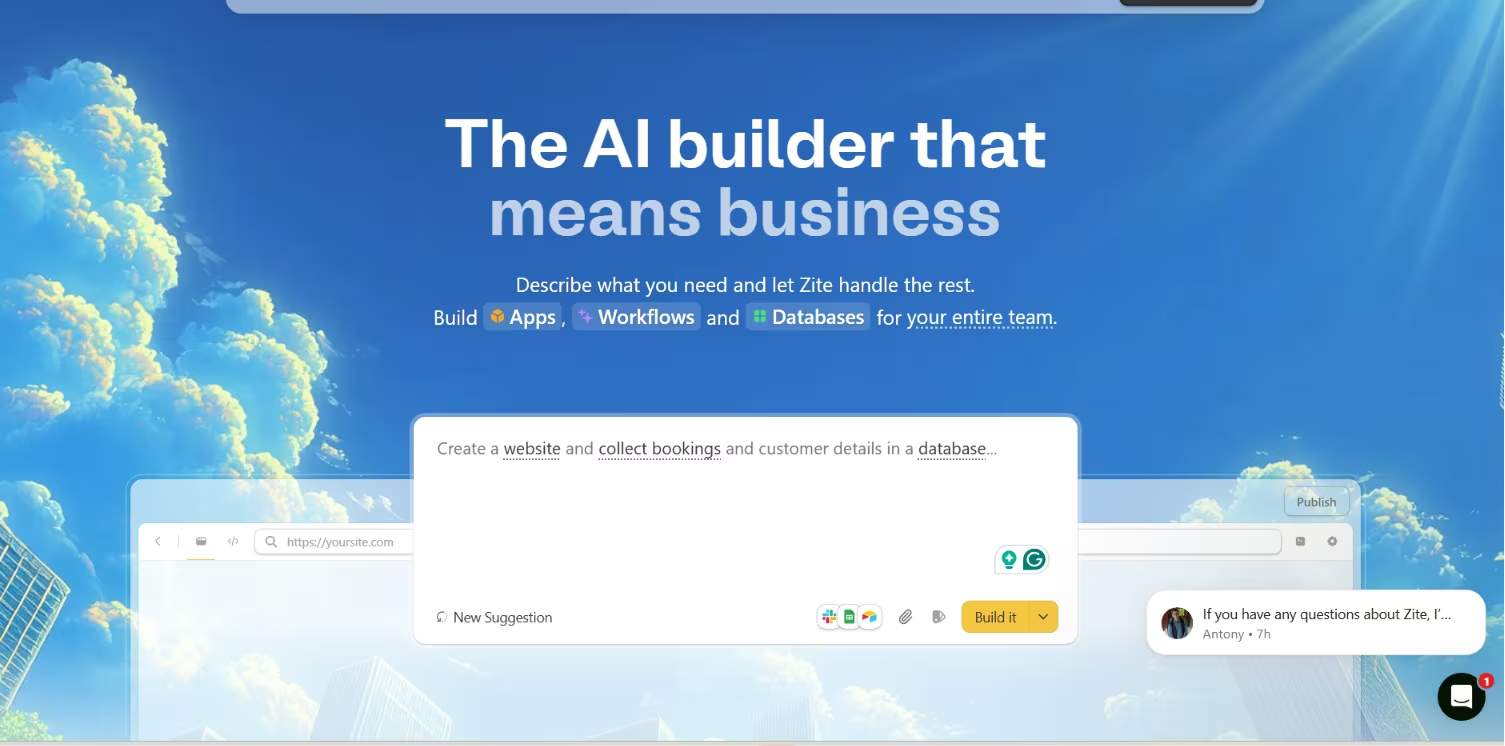
Best for: Non-technical teams building internal tools, dashboards, CRMs, portals, and workflow apps who want to change things later without waiting on engineering.
I described the inventory-and-orders tracker in plain English, and Zite generated the dashboard, the add-update form, and a working database.
The part that mattered came next. When I needed to change the low-stock logic, I opened the workflow as a flowchart and edited the step directly, no re-prompting, no code.
Most AI builders can generate an app fast, but few let a non-technical person open it up and understand how it runs afterward. Zite does.
Zite treats the app as something you can open up. You can edit the interface by clicking a component, adjust the database like a spreadsheet, and see the workflow logic laid out instead of buried. For an internal tool that has to survive past launch week, being able to see how it works is what keeps it maintainable later.
Key Features
- AI generation with three modes: Chat mode for questions, plan mode to structure the app before building, and selective edits so you can change one piece without a full rebuild.
- Visible, editable logic: Workflows appear as a flowchart you can inspect and adjust, so you are not guessing how the app runs.
- Built-in database and connections: Edit records like a spreadsheet, or connect existing Airtable and Google Sheets data on every plan, including free.
Pros and Cons
Pros:
- Unlimited users and apps on every plan, including free, so there is no per-seat math.
- You can see and change the app logic, data, and access instead of trusting a black box.
- SOC 2 Type II compliant, with granular permissions for team access control.
Cons:
- No code export, so your apps stay on Zite.
- Less granular design control than a traditional drag-and-drop builder.
What Users Say
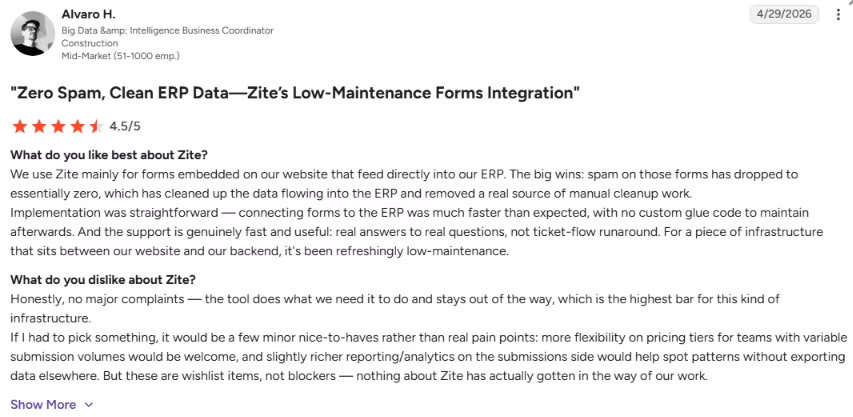
“The support is genuinely fast and useful: real answers to real questions, not ticket-flow runaround.” - Alvaro H., G2
Pricing
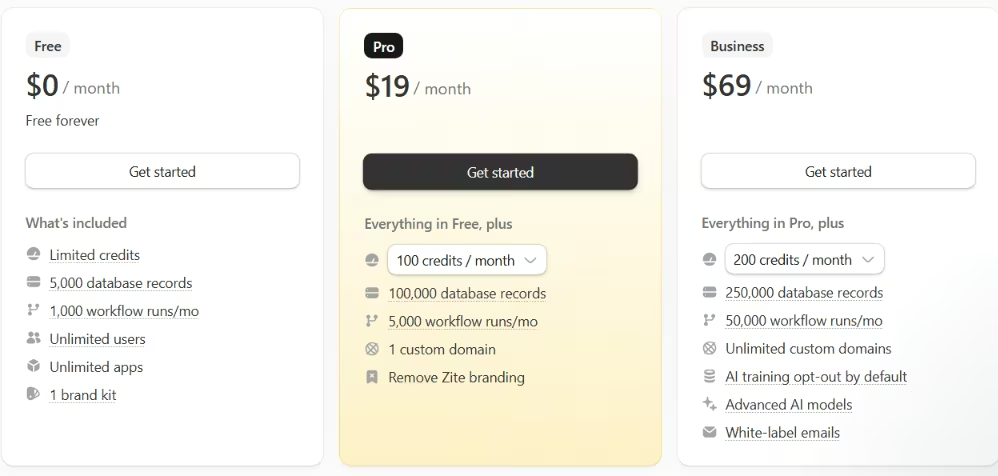
Zite is free forever on its starter tier, with 50 monthly credits, 5,000 database records, and unlimited users and apps. Paid plans start at Pro for $19/month (100,000 records, custom domain, branding removed), and Business for $69/month (250,000 records, advanced AI models, AI training opt-out). Team and Enterprise move to custom pricing.
Bottom Line
Best where a non-technical team wants AI speed without losing sight of the logic underneath. The tradeoff is staying on Zite and giving up some design control.
2. Retool: Best for Engineering-Led Admin Panels and Internal Workflows
What it does: Retool lets engineering-led teams assemble internal apps and dashboards from a component library wired to your databases and application programming interfaces (APIs).
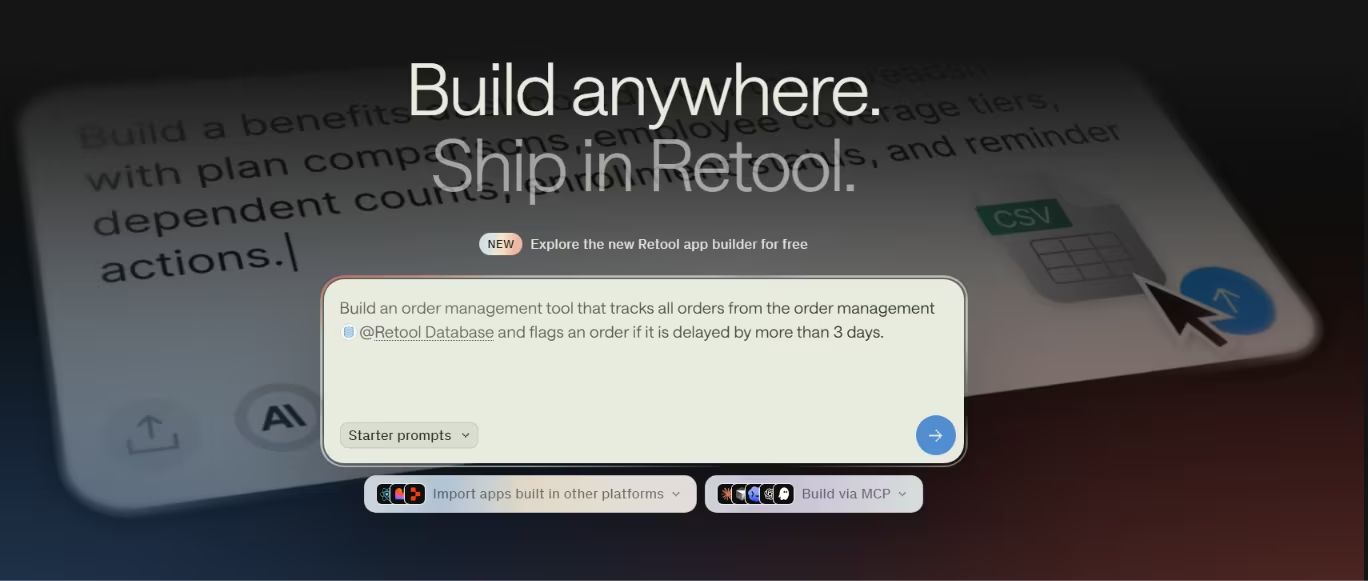
Best for: Teams with at least one person who writes SQL and a little JavaScript.
I wired up the inventory dashboard and the add-update form fast once I leaned on SQL and a bit of JavaScript.
Then I went to set up role-based access and found the stronger controls parked above the entry tiers.
The separate web and mobile builds also made me ask who would maintain both in six months.
Retool gives power users the most control in this list, but the cost and maintenance load rise with that control. Teams that already work in SQL and JavaScript will move faster here than non-technical teams.
Key Features
- Component library: Drag tables, forms, and charts onto a canvas, then bind them to live data in minutes.
- Deep integrations: Connect Postgres, REST APIs, and dozens of services so your dashboard reads and writes real records.
- SQL and JavaScript extensibility: Drop into code when drag-and-drop stops, which is how I built the low-stock workflow.
Pros and Cons
Pros:
- Fast to stand up admin panels and operational dashboards once you know SQL.
- Broad integrations and strong controls for connecting real databases.
- Battle-tested by large teams running mission-critical internal apps.
Cons:
- Cost climbs quickly as builders and users grow.
- SSO sits on Enterprise, and audit logs and RBAC start on Business.
- Web and mobile need two separate codebases to maintain.
- Non-technical teammates stall without SQL or JavaScript.
What Users Say
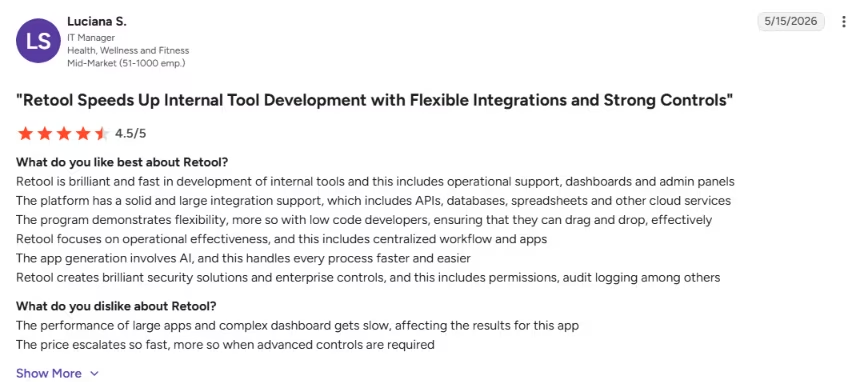
“Retool is brilliant and fast in development of internal tools and this includes operational support, dashboards and admin panels.” - Luciana S., G2
“Sometimes, it can be challenging to create fully customized processes, but the ability to write JavaScript and CSS everywhere makes this manageable.” - Hugo L., G2

Pricing
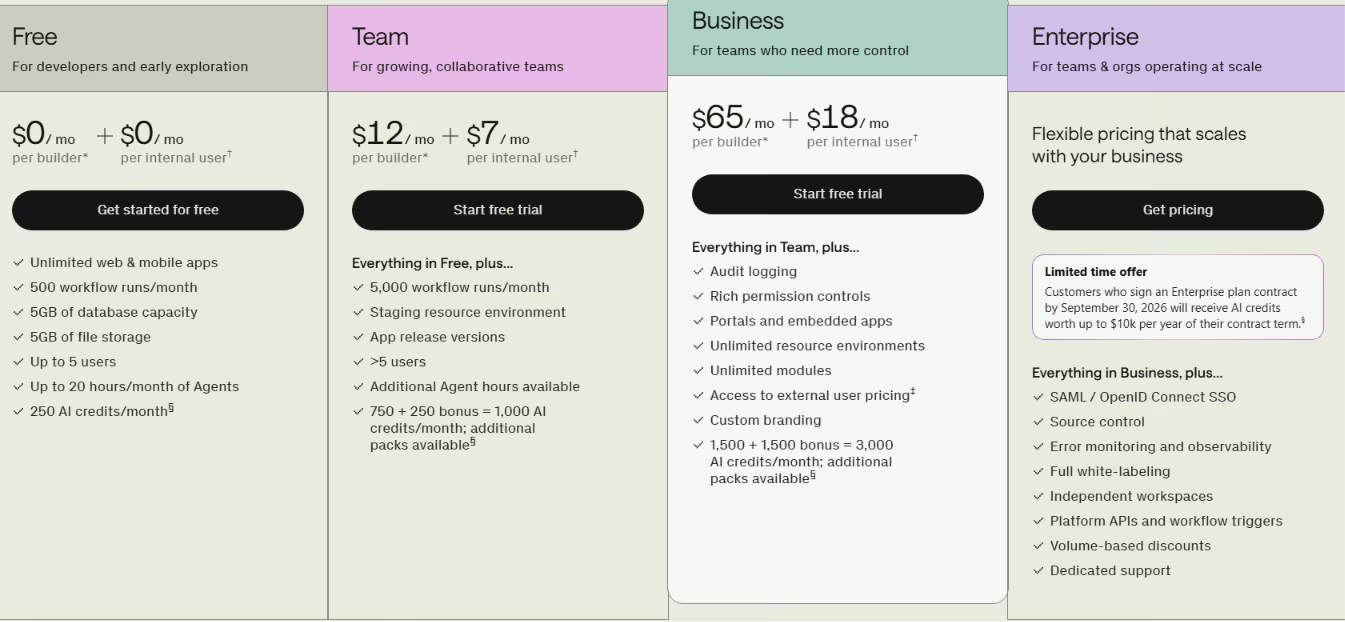
Retool's free plan covers up to five users, unlimited apps, 500 workflow runs a month, and 250 pooled AI credits. Paid plans price per builder and per internal user: Team is $12/builder/month plus $7/internal user/month with staging and app release versions.
Business is $65/builder/month plus $18/internal user/month, where audit logging and rich permission controls arrive.
Bottom Line
Bring Retool in when engineers already work comfortably in SQL and JavaScript. Without that base, the maintenance burden and seat pricing add up fast.
If the per-seat cost or SQL requirement is not a good fit for you, our best Retool alternatives guide covers the options that handle it without the same maintenance load.
3. Emergent: Best for Prompt-to-App Builds With AI Agents

What it does: Emergent is an AI-first builder that turns a plain-English prompt into a working web or mobile app, using agents that design, code, test, and deploy the build.
Best for: Teams that want to move from an internal-tool idea to a working app quickly, especially for dashboards, workflows, and SaaS-style tools.
I described the ops tool to Emergent and watched its agents break the prompt into steps, build the app, and run a health check before deploying.
What you're paying for is speed from prompt to a build you can actually run. Retool and Appsmith give you a durable internal-tool platform to live in. Emergent is built for a different job: validating an idea fast, then turning it into something you can actually deploy.
Where it stands apart is that you can connect GitHub and take the code with you, which most no-code tools won't let you do.
The tradeoff is credits. Complex builds burn through them fast, especially on the more advanced models.
Key Features
- Agent-based generation: Agents handle architecture, coding, testing, and deployment together, not one screen at a time.
- You own the code: Connect GitHub to access and export your work, so you're not locked in.
- Web and mobile: Build both from prompts, with private project hosting on paid plans.
Pros and Cons
Pros:
- Very fast from prompt to a working, deployable app.
- GitHub sync means you keep the code, unlike most no-code tools.
- Handles logic-heavy builds well, even for non-developers.
Cons:
- Credit-intensive, so complex builds get expensive quickly.
- Design and rapid UI iteration are weaker than design-first tools.
- Thin governance compared to enterprise internal-tool platforms.
What Users Say
“[It's] very easy to instruct the building agents to accomplish your task.” - Robert W., G2

“Credits get consumed too fast to be useful.” - HIRO, Trustpilot

Pricing
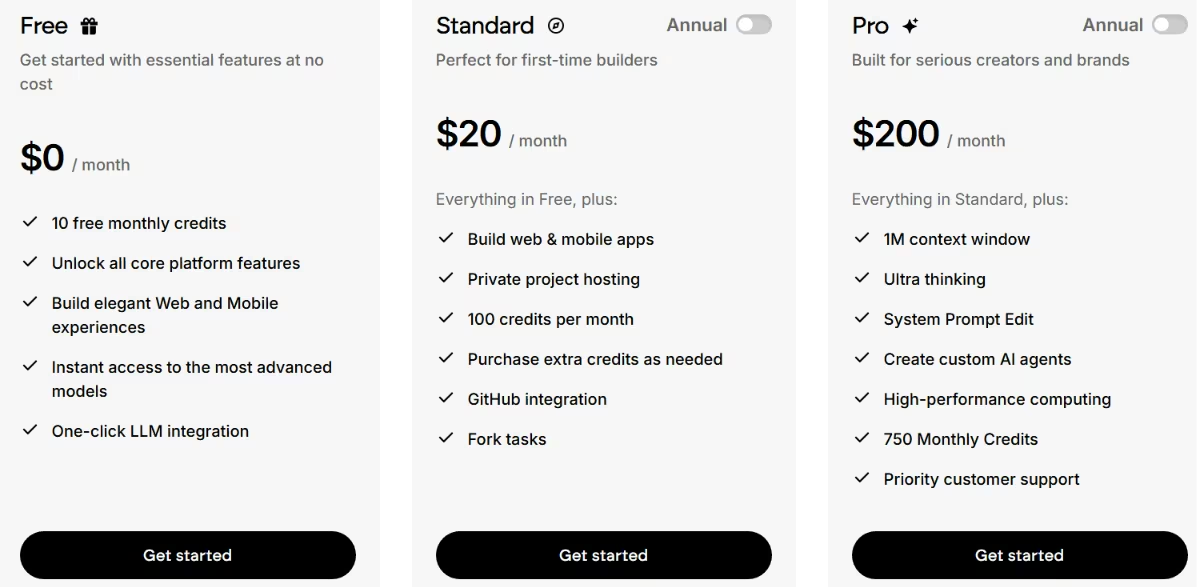
Emergent's free tier gives you 10 monthly credits and the core platform, enough to try a landing page but not to build and deploy a full internal tool. Standard is $20/month for 100 credits a month, web and mobile builds, GitHub integration, and private hosting.
Pro is $200/month for 750 credits, a 1M context window, and custom AI agents. Enterprise is custom. Emergent bills you on credits rather than seats, so work out your likely credit burn on the plan you'd actually use before you commit.
Bottom Line
Emergent cuts the path from idea to working app down to a prompt and gives the team the code through GitHub. It’s quite useful for testing internal products quickly or shipping an early version without wiring every layer by hand.
4. Superblocks: Best Enterprise Internal Apps With Governance and AI Assist
What it does: Superblocks builds internal apps with governance baked in, and pairs it with an AI agent that generates views inside your access rules.

Best for: Larger or regulated teams that need roles and controls from the start.
I built the same ops app in Superblocks and turned on role-based access on the standard plan, no upsell required. When I used its AI to generate a view, it followed the access rules I had already set instead of exposing every record. That’s important for regulated teams that cannot bolt governance on later.
Key Features
- Roles on every plan: RBAC ships on the standard Teams tier, so access control starts before Enterprise.
- AI generation with guardrails: Its Clark agent builds views within the permissions you set.
- Keep data in your environment: Hybrid deployment lets data stay in your own infrastructure for compliance.
Pros and Cons
Pros:
- RBAC starts on the standard plan before the Enterprise tier.
- AI generation respects access boundaries you've already defined.
- Hybrid deployment keeps sensitive data inside your environment.
Cons:
- SSO and automated user provisioning (SCIM) are still Enterprise-only.
- Per-builder pricing starts above what a tiny team wants to pay.
- Newer platform with a smaller community than Retool.
What Users Say
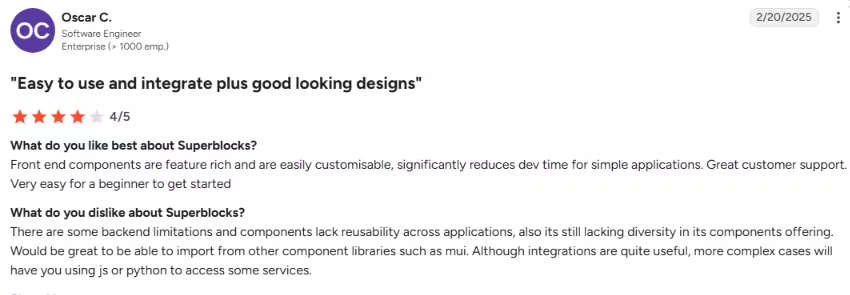
“Front end components are feature rich and are easily [customizable], significantly reduces dev time for simple applications. Great customer support. Very easy for a beginner to get started.” - Oscar C., G2
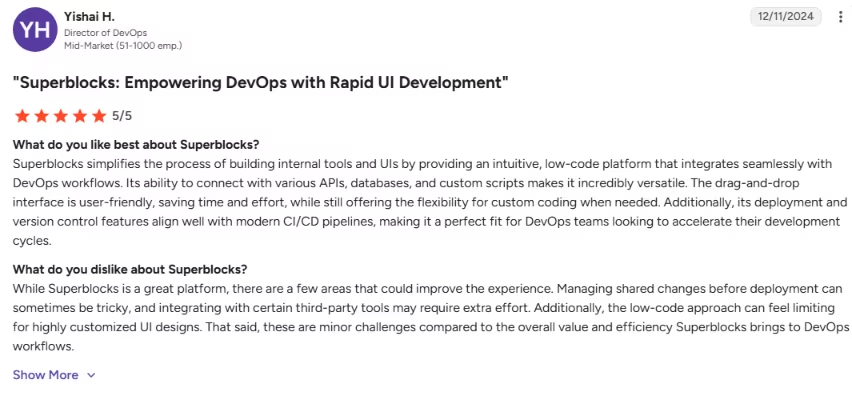
“Managing shared changes before deployment can sometimes be tricky, and integrating with certain third-party tools may require extra effort.” -Yishai H., G2
Pricing
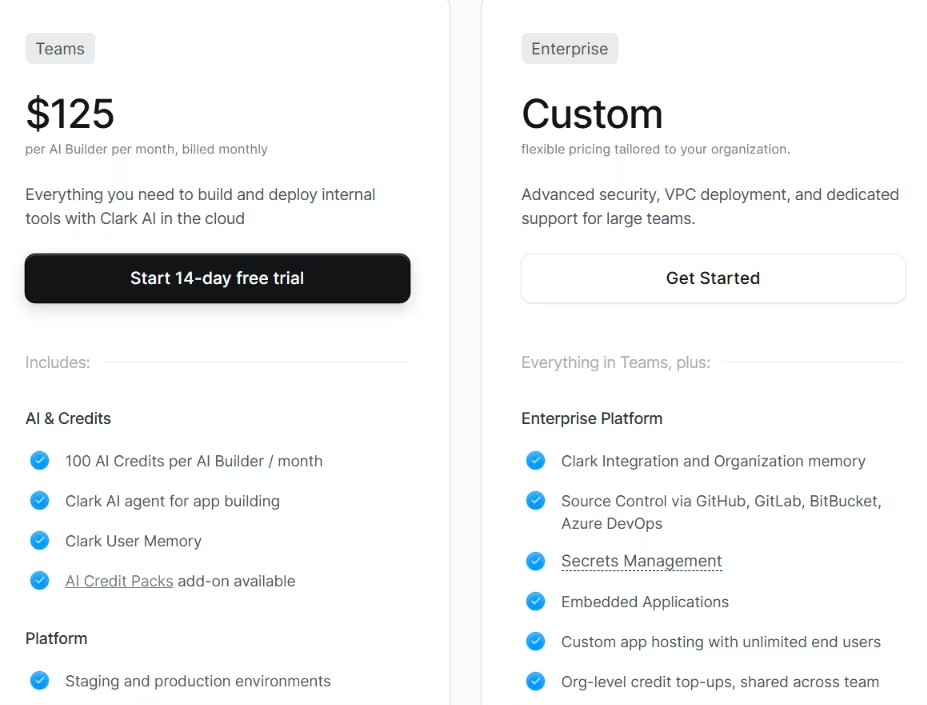
Superblocks charges per AI builder. The standard Teams plan is $125/month per AI builder ($100/month, billed annually), and includes RBAC, the Clark AI agent, and 50-plus integrations. Enterprise moves to custom pricing for SSO, SCIM, and advanced governance.
Bottom Line
Governance is the reason to choose Superblocks. It makes more sense for teams that need roles and access rules early than for a small shop watching costs.
5. Softr: Best for Business-User Portals and Client-Facing Tools
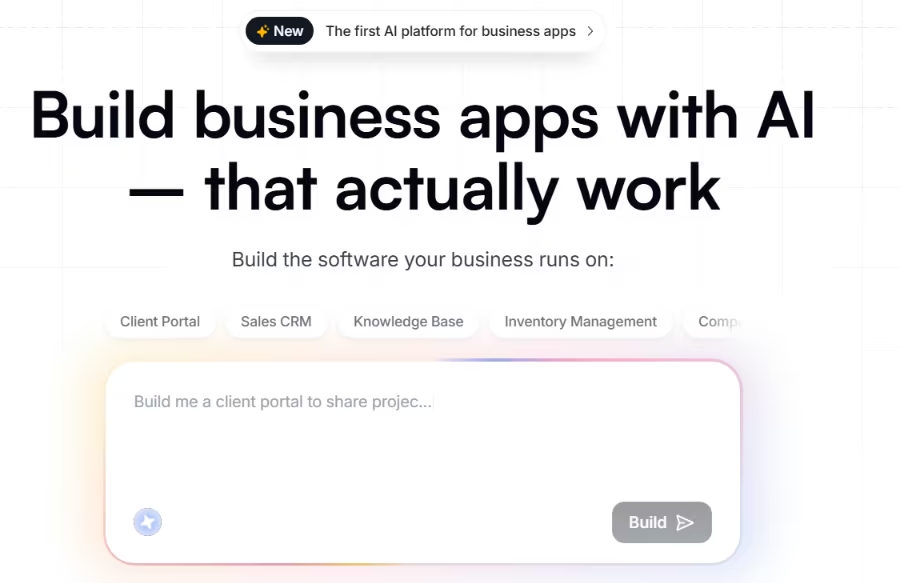
What it does: Softr turns an existing database into a portal or internal app, no code required, with templates and prebuilt blocks.
Best for: Business users building portals and client-facing tools without engineering help.
I built the portal version of the tracker in Softr in an afternoon, and the underlying data source determined how well it ran.
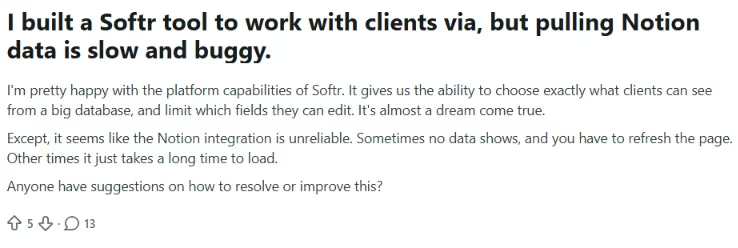
Airtable stayed smooth in testing. A Notion-style data source was noticeably slower and sometimes failed to load records.
Softr got me to a working portal faster than anything else I tested, but that speed depends heavily on the underlying data source.
Key Features
- App from existing data: Point it at Airtable or a database and get a working app on top of your records.
- Portal templates: Prebuilt blocks for logins, member areas, and client views you'd otherwise wire by hand.
- Desktop and mobile web: One build that shapes well across both, which matters for mixed internal audiences.
Pros and Cons
Pros:
- Fastest portal build of any tool here, no code required.
- Strong for client-facing and member portals on your own data.
- Works well across desktop and mobile web from one build.
Cons:
- Performance depends heavily on the database you choose.
- Per-user pricing climbs as your portal audience grows.
What Users Say
"I'm pretty happy with the platform capabilities of Softr. It gives us the ability to choose exactly what clients can see from a big database, and limit which fields they can edit.” - Hooblah2u2, Reddit
“There are a few advanced customizations that still require workarounds or custom code if you want very specific functionality.” - Kathy, G2

Pricing
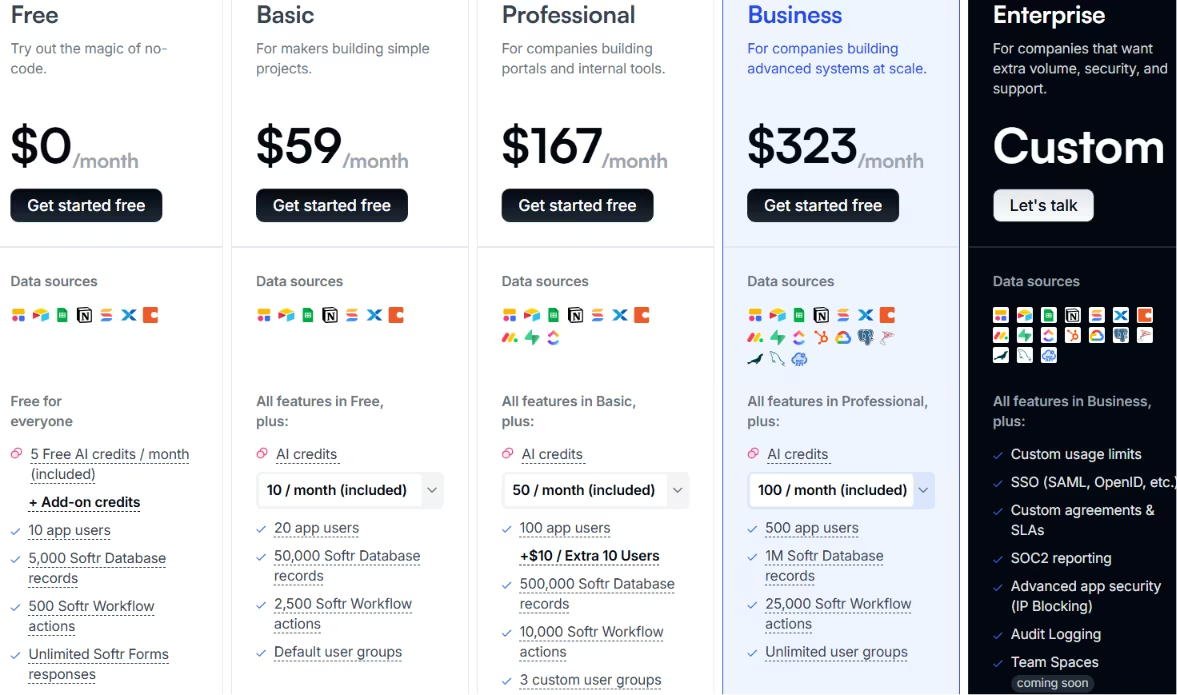
Softr's free plan covers 10 app users, 5,000 database records, and 500 workflow actions. Paid plans climb with your audience: Basic is $59/month (20 app users, 50,000 records), Professional is $167/month (100 app users, 500,000 records, three custom user groups), and Business is $323/month (500 app users, a million records).
Enterprise is custom and adds SSO, audit logging, and SOC2 reporting.
Bottom Line
Softr is the fastest route to a portal for a business user with no engineering help. The data store makes or breaks it; if your core data lives in Notion and gets heavy use, move it to Airtable or a real database first.
Also read our best Softr alternatives guide for what else is worth trying when per-user pricing or data source limits become a problem.
6. Glide: Best for Fast, Mobile-First, Spreadsheet-to-App Tools
What it does: Glide turns a spreadsheet into a polished, mobile-first app in minutes, fully no-code.

Best for: Teams that want a simple internal tool that feels like a phone app.
I turned my stock spreadsheet into a working mobile app in Glide in minutes, and it looked great on a phone.
Then I deliberately tested publishing and editing a record. Before deploying, I needed to know what publishing would cost and what recovery options I had if something broke.
Nothing turned a spreadsheet into a polished mobile app as fast as Glide, but sort out publishing and change control before you roll it out. Costs can surface at publish time, and rollback is limited.
Key Features
- Instant from spreadsheets: Connect a sheet, and Glide generates a working app without a setup ritual.
- Mobile-first defaults: The output feels like an app-store app without design work.
- No-code throughout: A non-technical teammate can build and ship without touching code.
Pros and Cons
Pros:
- Fastest spreadsheet-to-app build, with a polished mobile feel.
- Fully no-code, so anyone on the team can build.
Cons:
- No automated version history or rollback.
- Publishing can trigger a payment prompt mid-flow.
- Tied to spreadsheet data models, with weaker enterprise security.
What Users Say
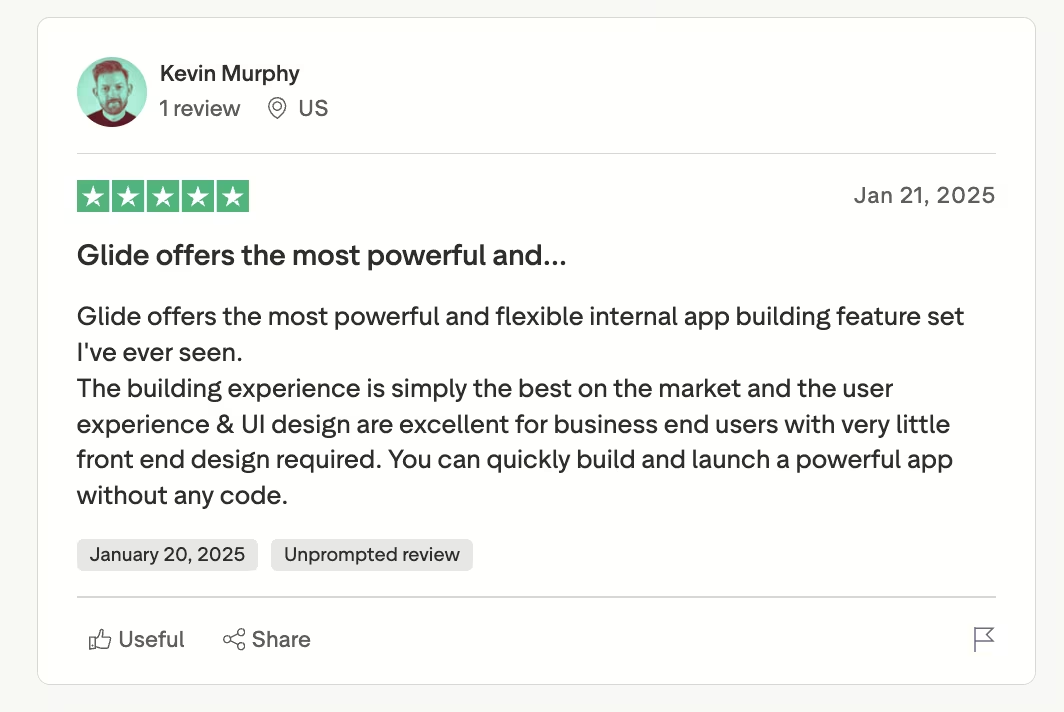
“Glide offers the most powerful and flexible internal app building feature set I've ever seen.” - Kevin Murphy, Trustpilot
“Glide completely lacks a basic, automated version history or rollback feature.” - Kieran O Connor, Trustpilot

Pricing
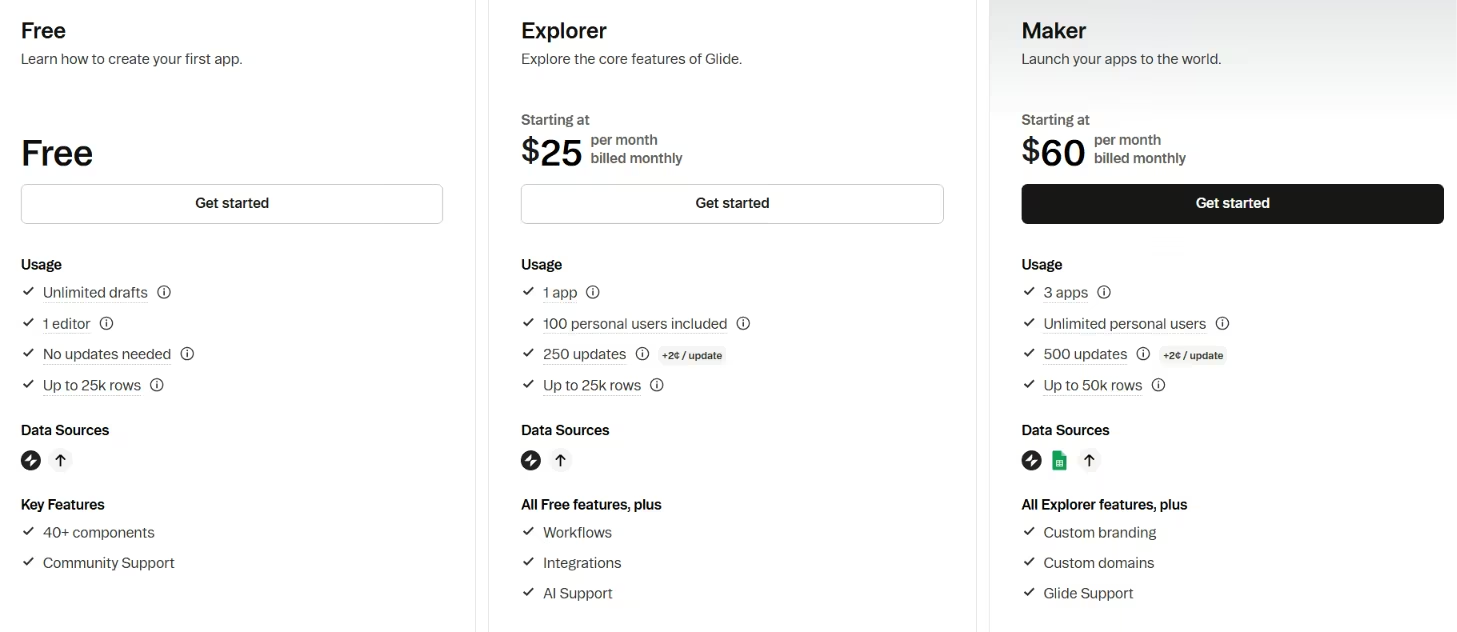
Glide is free for a single editor and up to 25,000 rows. Paid tiers start at $25/month on Explorer for workflows, Glide AI, and integrations. Maker is $60/month for unlimited personal users, and Business is $249/month with 30 included users. Enterprise is custom for advanced security and scale.
Bottom Line
Use Glide if you want to turn a spreadsheet into a polished internal tool that feels good on a phone. It is fast, fully no-code, and easy for a non-technical teammate to use. The problems appear once publishing controls, rollback, or more complex workflows become important. Those are the places where Glide feels thinner than the stronger internal tool platforms.
Also read our best Glide alternatives guide for what else is worth trying when rollback, publishing controls, or complex workflows become a priority.
7. Appsmith: Best Open-Source, Developer-First Internal App Builder
What it does: Appsmith is an open-source platform for building internal apps, self-hostable and Git-native, with connectors to your data.
Best for: Developer teams that want control and self-hosting over convenience.
I self-hosted Appsmith, synced it to Git, and built the dashboard with a JavaScript query.
Then I handed it to a non-technical teammate, who got stuck the moment the logic needed code.
Appsmith gives technical teams deep control, but teammates without JavaScript stall the moment the logic needs custom code.
Appsmith gives you the most ownership of any tool here, and ownership means your team writes JavaScript and runs the server. It's a developer tool that happens to look low-code.
Key Features
- Apache 2.0 open source: Self-host freely, with unlimited self-hosted users on the community edition.
- Git-native workflows: Version your apps in Git, which is how serious teams keep changes reviewable.
- 20+ data connectors: Hook up databases and APIs so the dashboard reads and writes live records.
Pros and Cons
Pros:
- True open source with full self-hosting control.
- Git-native, so changes are versioned and reviewable.
- Active open-source community contributing fixes and connectors.
Cons:
- Logic leans on JavaScript, which locks out non-coders.
- Some users report stability and QA concerns on releases.
- UI customization and AI features are more limited.
What Users Say
“I appreciate how Appsmith caters well to business users, making it a valuable tool in a professional setting.” - Obed N., G2

Pricing
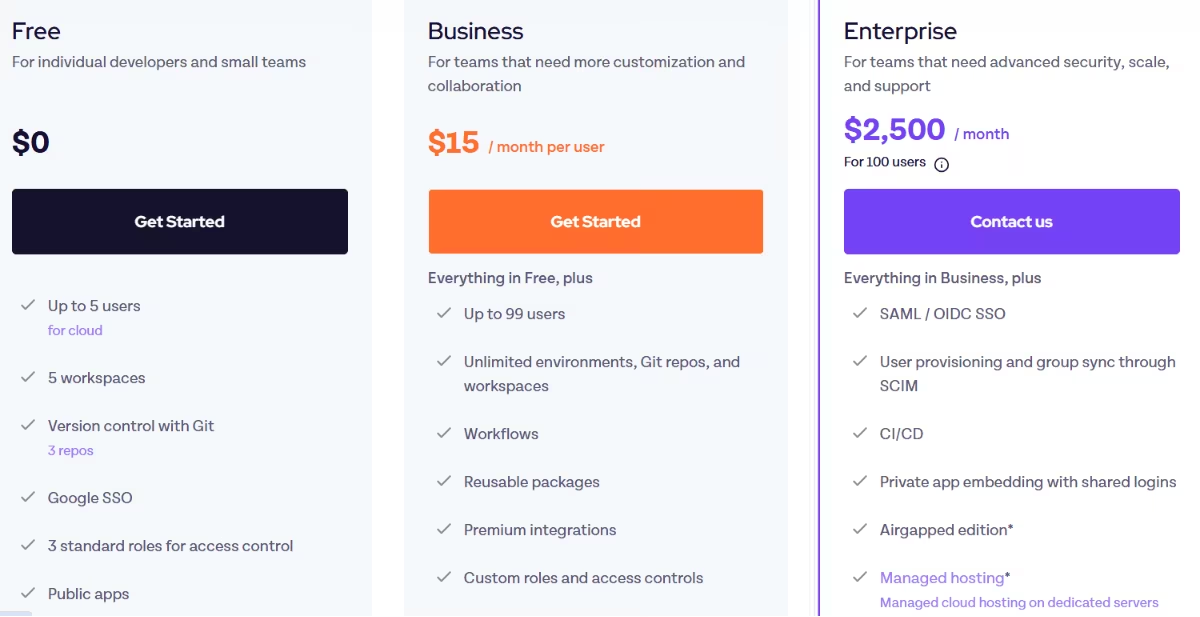
Appsmith's self-hosted community edition is free with unlimited users, which is the whole draw for developer teams. On the cloud side, a free tier covers up to five users; Business is $15/month per user for up to 99 users; and Enterprise starts at $2,500/month for 100 users, with advanced security and support.
Bottom Line
Appsmith is for teams that want self-hosting, Git-based workflows, and direct control over the app. That is a good match for developers who are ready to own the technical side themselves. It becomes a poor handoff once the next person touching the product does not understand JavaScript.
Also read our best self-hosted no-code app builders guide for what else is worth trying when full infrastructure control is the priority.
8. ToolJet: Best Open-Source Option With AI and Python
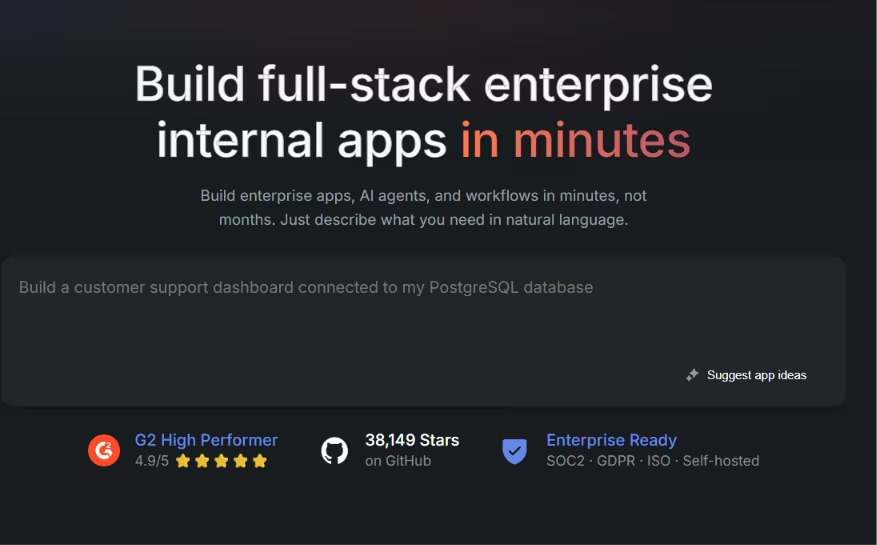
What it does: ToolJet is an open-source builder for internal tools and dashboards, with JavaScript, Python, and a growing set of AI features.
Best for: Open-source teams that want Python alongside JavaScript in their workflows.
I connected the orders data in ToolJet and used a Python step in the workflow, and it built much like Retool.
Then the editor lagged once I loaded a bigger dataset, and the docs slowed my onboarding.
Python support is the reason to choose ToolJet. The tradeoff is slower onboarding, weaker docs, and more setup friction.
ToolJet sits between Appsmith's bare control and Retool's polish. You get open source plus Python, and you trade some performance and documentation smoothness for it.
Key Features
- JavaScript and Python: Run Python steps in workflows, which is rare among internal tool builders.
- 60+ components and integrations: Build dashboards from a wide component set wired to your data.
- Built-in cron jobs: Schedule recurring tasks like a nightly low-stock check without extra tooling.
Pros and Cons
Pros:
- Open source with both JavaScript and Python support.
- Broad components and integrations for real dashboards.
- Scheduled jobs built in, no separate scheduler needed.
Cons:
- Learning curve for non-technical builders.
- Editor performance degrades on large datasets.
- Docs and customization create onboarding friction, and self-hosting needs DevOps.
What Users Say
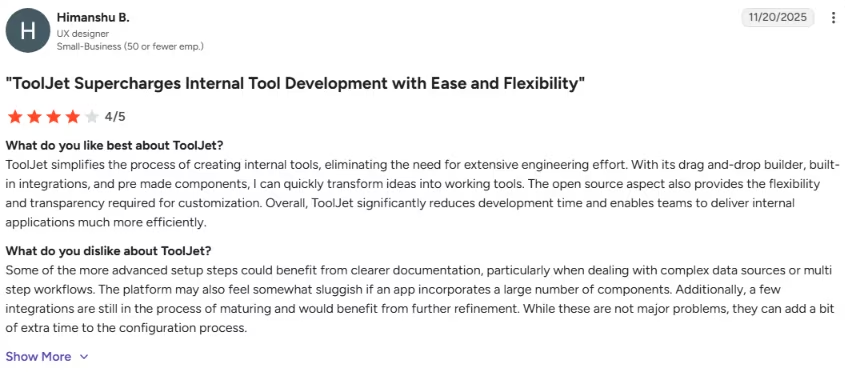
“ToolJet simplifies the process of creating internal tools, eliminating the need for extensive engineering effort.” - Himanshu B., G2
Pricing
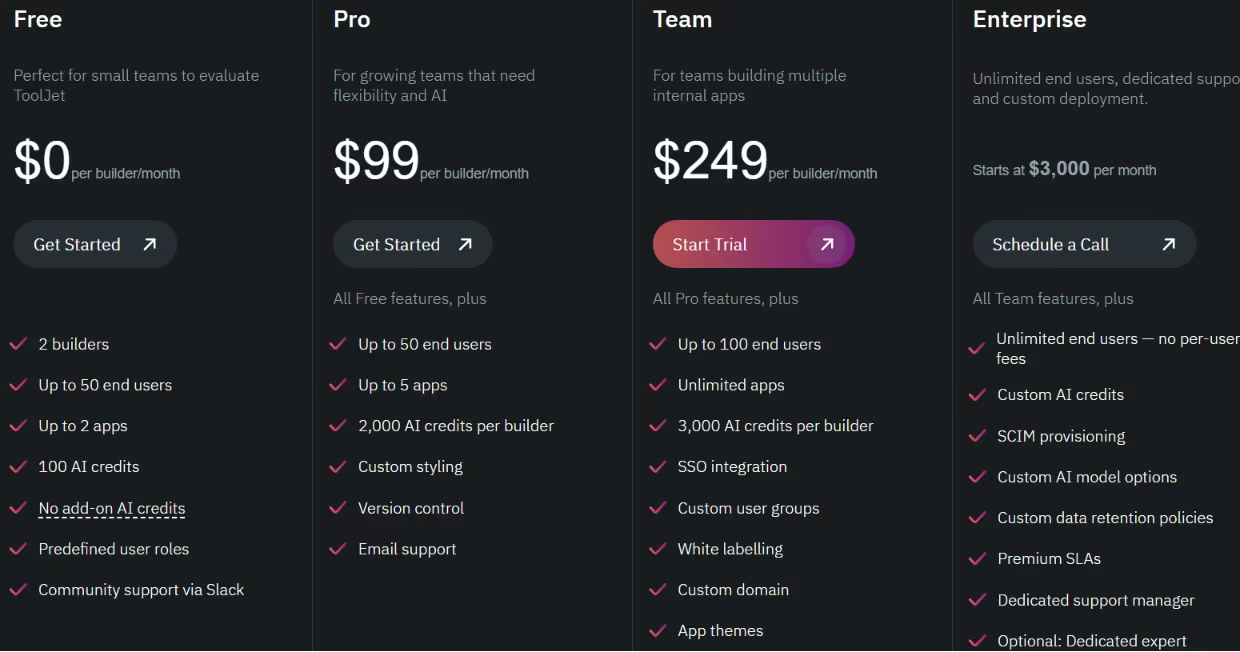
ToolJet's open-source edition is free to self-host if you have DevOps. The cloud-free tier covers two builders, up to 50 end users, two apps, and 100 AI credits.
Paid cloud plans price per builder: Pro is $99/month per builder (up to five apps, 2,000 AI credits, version control), and Team is $249/month per builder (unlimited apps, SSO, audit logs, Git sync). Enterprise starts at $3,000/month. Annual billing saves 20%.
Bottom Line
ToolJet is the open-source option when you want Python alongside JavaScript in your workflows. The price of that flexibility is slower onboarding, thinner docs, and editor lag on big datasets.
9. Budibase: Best for Quick CRUD Apps and Self-Hosted Simple Tools
What it does: Budibase generates internal apps from a database schema, with a built-in database and visual automation, open source under GPL v3.
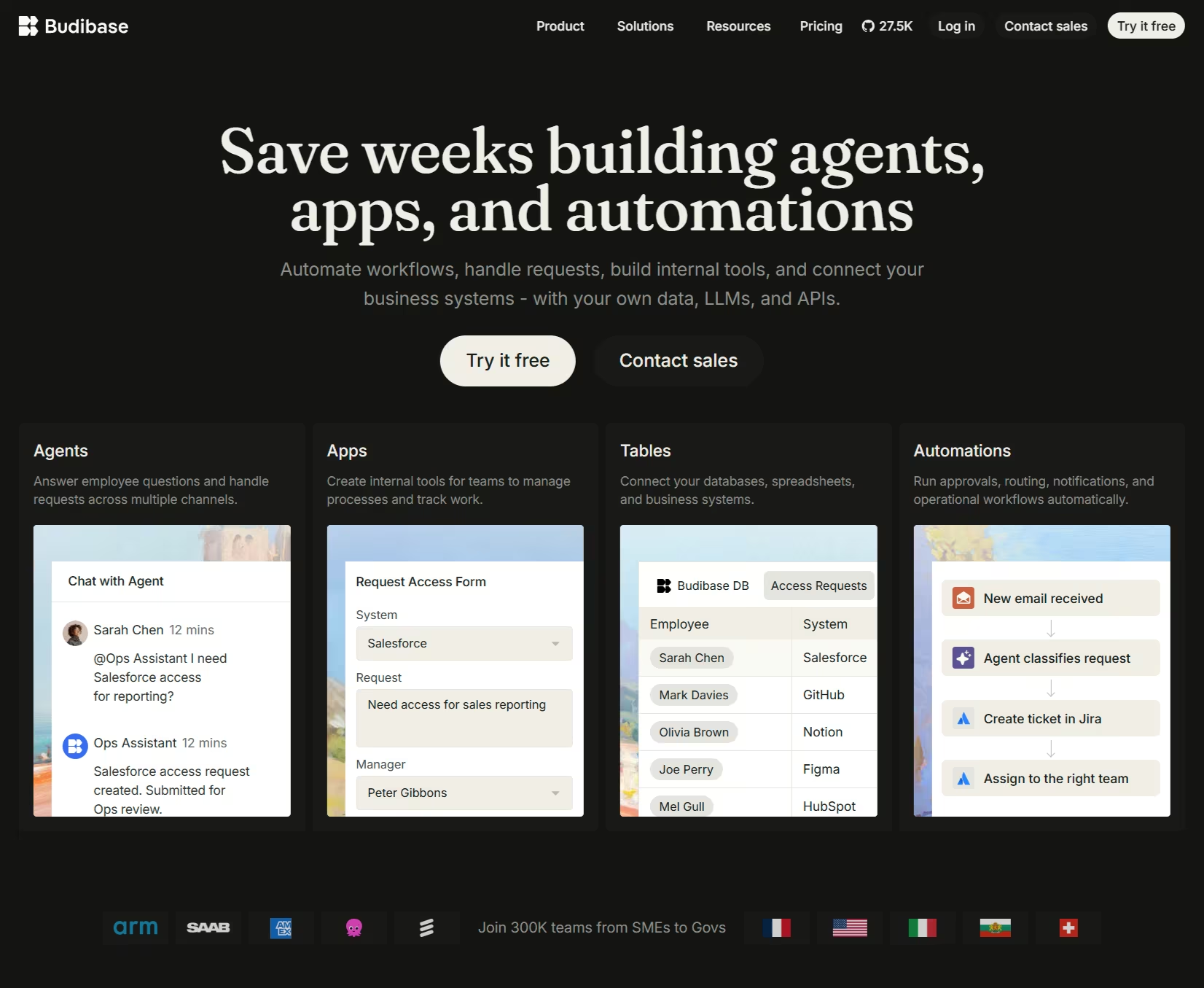
Best for: Teams that want quick CRUD tools from existing data, self-hosted or cloud.
I pointed Budibase at a Postgres schema and got tables, forms, and views for the tracker in minutes. Then the low-stock workflow got complicated, and the visual builder ran out of room. For simple tools, it's the fastest of the open-source group.
Budibase wins on speed-to-CRUD and loses on complex logic. If your tool is mostly reading and writing records, it's hard to beat. If the workflow gets clever, the simple tooling starts to show.
Key Features
- Auto-generate from a schema: Connect a database and get working tables and forms in minutes.
- Built-in BudibaseDB: Use its internal database when you don't want to wire an external one.
- Visual automation: Build workflows like low-stock alerts without code, up to a point.
Pros and Cons
Pros:
- Instant CRUD apps generated straight from a database schema.
- Free, open-source self-hosted core for full ownership.
Cons:
- Advanced controls and enterprise support sit above the free self-hosted core.
- Hits a ceiling on complex logic and workflows.
- Fewer integrations and basic AI compared to bigger tools.
What Users Say
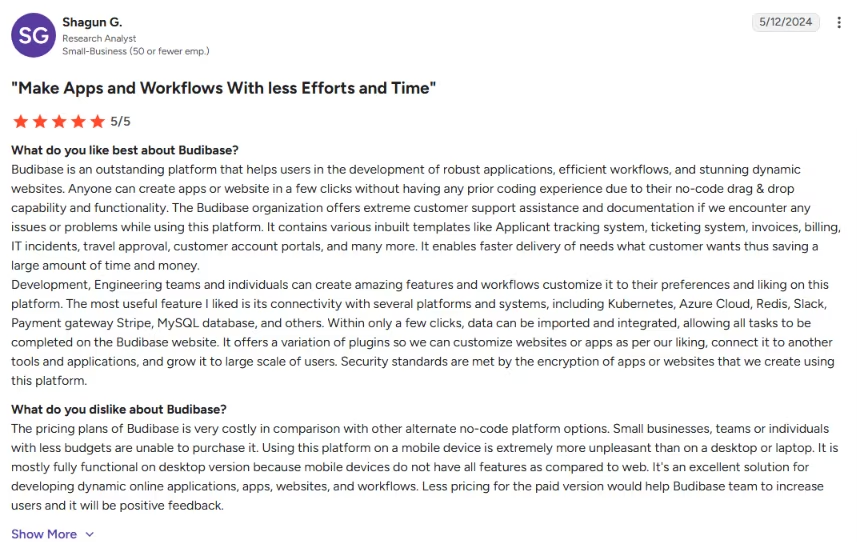
“Budibase is an outstanding platform that helps users in the development of robust applications, efficient workflows, and stunning dynamic websites.” - Shagun G., G2
Pricing
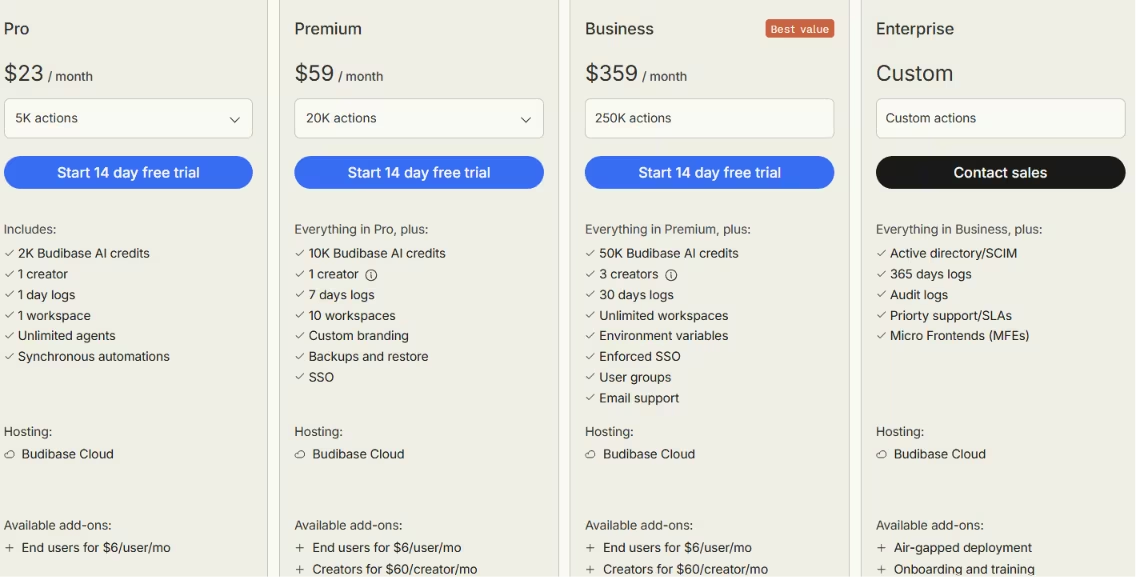
Budibase's open-source self-hosted plan is free with unlimited apps and users. On Budibase Cloud, Pro is $23/month (one creator, 5,000 actions, 2,000 AI credits), with end users a $6/user/month add-on.
Premium is $59/month (20,000 actions, custom branding, SSO) and Business is $359/month (250,000 actions, three creators, enforced SSO, user groups). Enterprise is custom for SCIM, audit logs, and priority support.
Bottom Line
Budibase is the quickest way to spin up CRUD tools from a schema, self-hosted or cloud. Once the workflow gets clever, or you need the paid governance and support layers, the simplicity that made it fast starts to work against you.
Also read our best Budibase alternatives guide for what else is worth trying when the workflow outgrows simple CRUD tools.
10. Quickbase: Best for Operations-Heavy Teams Replacing Spreadsheets
What it does: Quickbase is a low-code platform for operations-heavy teams, built around process, approvals, and workflow at scale.
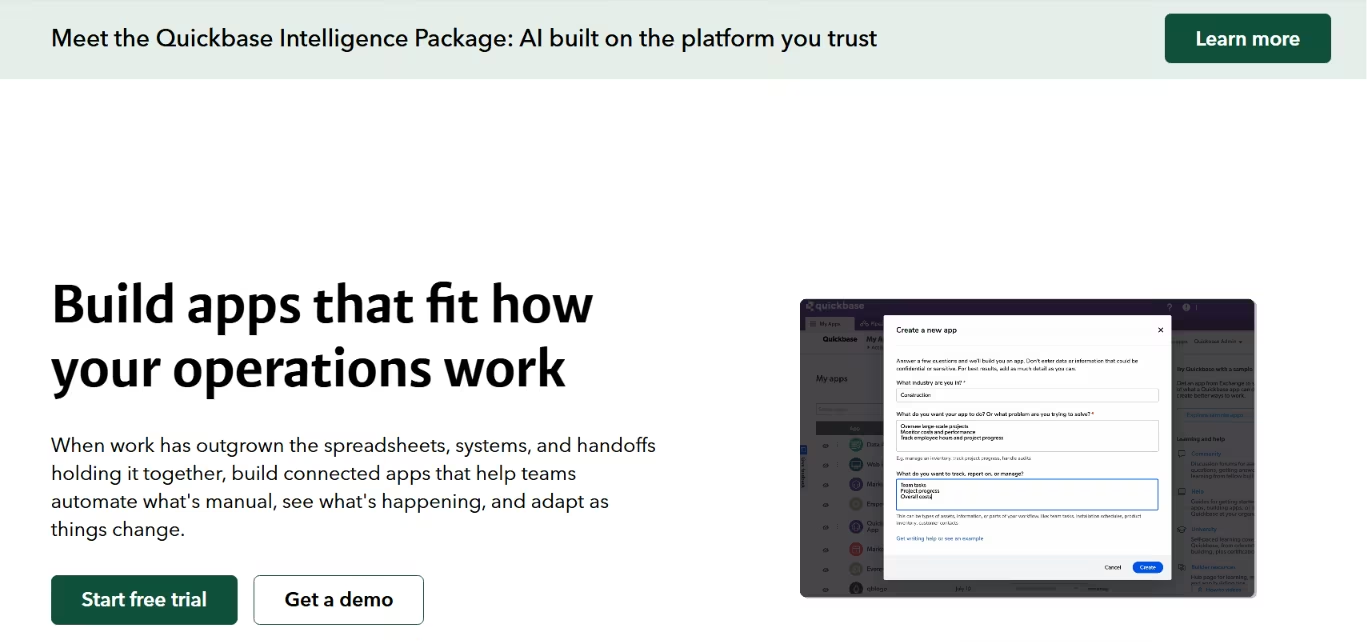
Best for: Ops teams replacing tangled spreadsheets and approval chains.
I rebuilt the ops process in Quickbase, the spreadsheet-plus-approvals workflow it's built for, and it handled records and approvals cleanly. The interface felt dated next to the others, but Quickbase handled the job well. Its strength is operational workflow, especially when approvals and process control matter more than design polish.
Quickbase is the least fashionable option on this list and the most serious about process. If approvals and operational workflow are the bottleneck, the dated interface is easier to accept.
Key Features
- Process and approvals: Model multi-step approval chains that spreadsheets can't handle cleanly.
- Workflow at scale: Move operational processes across teams and roles.
- Integrations for ops: Connect the systems an operations team already runs on.
Pros and Cons
Pros:
- Serious platform for operations and process replacement.
- Handles approvals and workflow at full operational scale.
- Huge, established user base with deep operational track record.
Cons:
- Interface feels dated next to newer tools.
- Per-user pricing with a higher entry point than no-code tools.
What Users Say
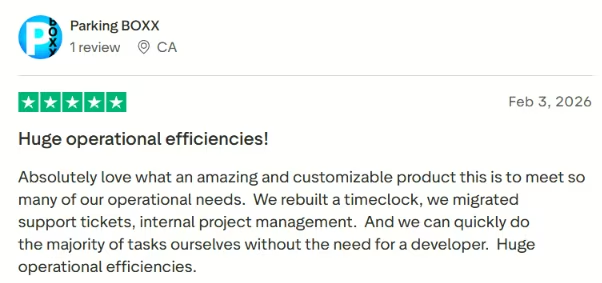
“Absolutely love what an amazing and customizable product this is to meet so many of our operational needs.” - Parking BOXX, Trustpilot
Pricing
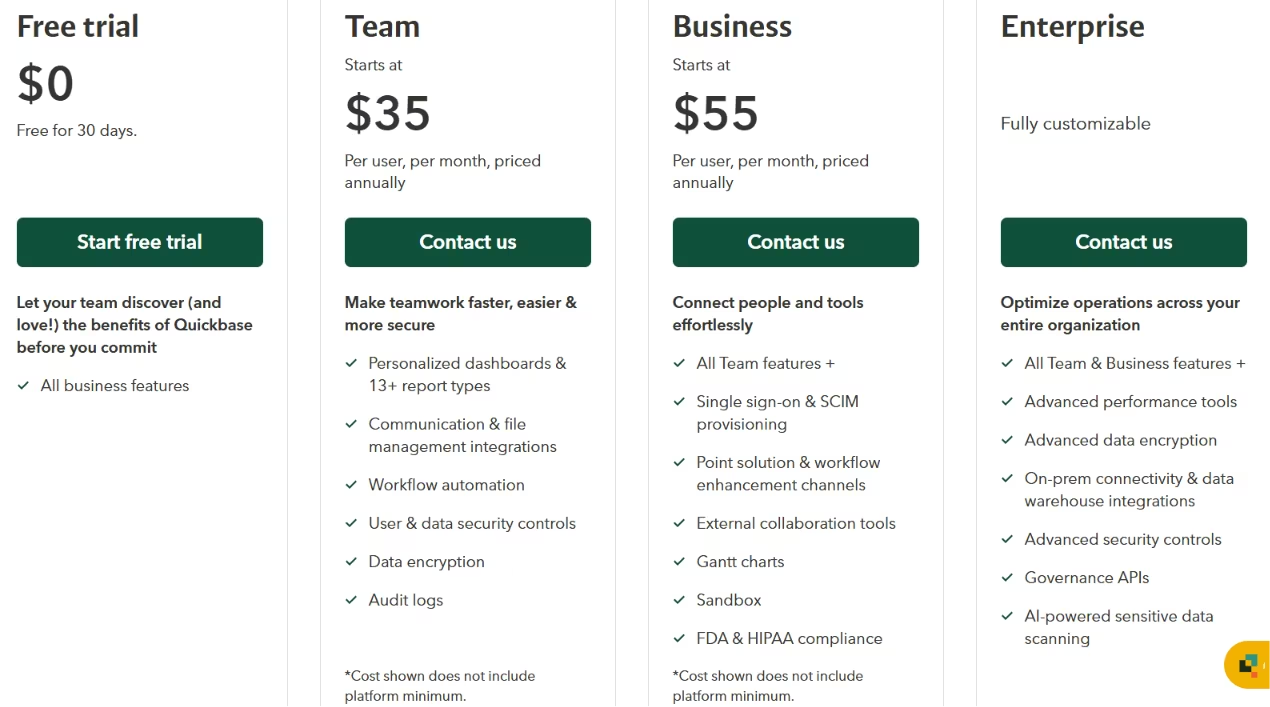
Quickbase prices per user. Team is $35/user/month, and Business is $55/user/month, both billed annually, with Business adding advanced workflow, integrations, and governance. Enterprise is custom.
Bottom Line
Quickbase is built for operations teams living in approvals, handoffs, and process control. The interface looks older, and the per-user pricing is high, but those drawbacks stop mattering when the job is replacing spreadsheet-driven operations.
How Your Existing Stack Changes the Best Pick
Stack fit changes the shortlist fast.
Airtable or another database, plus a portal points to Softr, while a spreadsheet-first team that works on phones will usually move faster in Glide. A non-technical team that wants AI speed but still needs to change the app later points to Zite.
Engineering-owned apps with real logic in control still point to Retool, Appsmith, or ToolJet. When the goal is speed from a prompt to a deployable build, Emergent is the one to test.
Teams already built around Microsoft 365, Google Sheets, or Zoho should compare Power Apps, AppSheet, and Zoho Creator before defaulting to a general-purpose builder. For stricter compliance or deployment control, Superblocks deserves a closer look.
Which Internal Tool Builder Should You Choose?
I sorted these by job rather than forcing a single overall score. Match the tool to who builds it, where your data sits, and the maintenance, permissions, and workflow demands you expect 100 days in.
Choose Zite if you:
- Are non-technical and want AI to build internal software you can still inspect and change.
- Want unlimited users without per-seat pricing.
Choose Retool if you:
- Have engineers who write SQL and JavaScript.
- Need powerful admin panels and can absorb per-seat cost.
Choose Emergent if you:
- Want a working app from a prompt fast, and want to own the code.
- Can budget around a credit-based model.
Choose Superblocks if you:
- Need governance and roles on by default.
- Want AI generation that respects your access rules.
Choose Softr if you:
- Are non-technical and building a portal or client tool.
- Have your data in Airtable or a real database, not Notion.
Choose Glide if you:
- Want a fast, mobile-first tool from a spreadsheet.
- Can live without rollback and plan for the publish paywall.
Choose Appsmith, ToolJet, or Budibase if you:
- Want open-source control and can self-host.
- Have developers for Appsmith or ToolJet, or want quick CRUD from Budibase.
Choose Quickbase if you:
- Run operations-heavy processes and approvals.
- Care more about workflow outcomes than interface polish.
Skip an internal tool builder entirely if:
- You need a consumer-facing or public product.
Final Verdict: The Best Internal Tool Builders Come Down to Your Use Case
The best internal tool builders reward you for matching the tool to the job instead of chasing one winner.
Zite suits non-technical teams that want AI speed with control, Retool suits engineering-led panels, and Superblocks suits governance. Softr suits portals, Glide handles mobile, the open-source trio covers self-hosting, and Quickbase runs ops.
And when a prototype isn't enough, and you want a launchable product from one prompt, with the logins, data, and hosting handled and the code still yours, start with Emergent.
Each one works best in a different use case, so choose based on the maintenance, permissions, and workflow demands you expect after launch.
For a broader view across the whole category, see our application development tools guide.
How Emergent Helps Teams Ship Internal Tools That Actually Work
Most AI builders hand you a demo. It looks great until someone asks who can log in, where the data lives, and whether the warehouse team can see the manager's view. Emergent handles those questions in the first build.
You describe the tool, and specialized agents build the app around that brief. Different agents handle the interface, data, access, testing, and deployment, so the first version comes back closer to a working product than a mockup. When I fed it my inventory-and-orders brief, the logins and data were already connected instead of left as a to-do list for later.
Two things make Emergent work for internal tools: you keep the code, and the connections come pre-wired. Every change syncs to your own GitHub repo, so the build is yours to take rather than locked inside someone else's platform.
The pieces teams usually wire up by hand come ready, including logins, a database, Stripe payments, and hosting. A checkout flow or mobile version is a prompt away. If your team wants to go from idea to a launchable internal app without assembling every screen and connection first, that's what Emergent is built for.

Most AI app builders stop at prototypes. Emergent creates production-ready apps you can actually launch.
- Production-ready apps
- Web & mobile apps
- Deploy in minutes







