



I've built internal tools with low-code platforms, no-code tools, and AI app builders, and the line between them is blurrier than the names suggest. What changes is how much code you touch and who's doing the building.
Low-Code vs No-Code: TL;DR
Key difference: Low-code still asks you to write some code, while no-code never does. The fastest-growing kind of no-code is vibe coding, where you describe the app and an AI builds it for you.
Low-Code vs No-Code: At a Glance
Here's how the two approaches line up on the things that affect your build:
What Is Low-Code?
Low-code is a way to build software mostly through visual tools, with the option to write custom code when those tools fall short. You assemble the bulk of the app by dragging components, connecting data, and setting rules in a point-and-click interface, then write code by hand only for the parts that need it.
Being able to write code when you need it is the whole point. A marketing manager can build the first 80% of an internal approval tool alone, and a developer can step in to build a tricky integration or a custom calculation for the last 20%.
Platforms like OutSystems, Mendix, and Microsoft Power Apps are built around this split, which is why low-code shows up most often inside IT teams that have developers on staff but too long a backlog to build everything themselves.
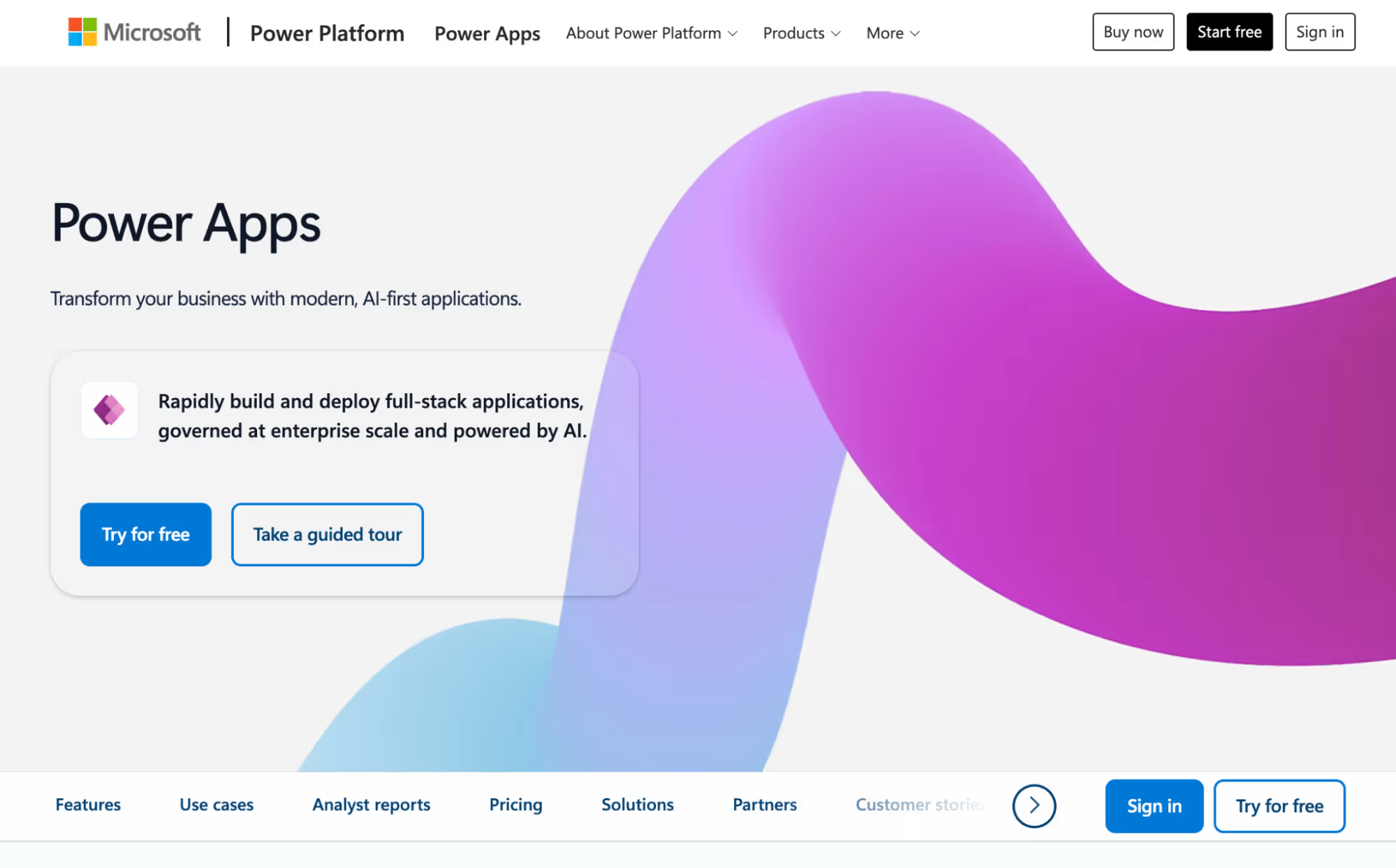
The tradeoff is the learning curve. These platforms expect you to understand a few basics, like how data tables relate to each other or what an API is (the way two pieces of software pass information back and forth). You don't need a computer science degree, but a complete beginner will move more slowly here than with a no-code tool.
In exchange, you get a much higher ceiling, since the apps can handle heavy business logic, connect to other systems, and grow into something an entire company depends on.
If you're willing to climb the learning curve for an app that can scale into something your whole company leans on, our 6 best low-code app builders roundup puts the top options through real builds so you can see which one takes you furthest.
What Is No-Code?
No-code is any way of building software that takes zero coding from you. You either put the app together visually, by clicking and dragging pieces into place, or you describe what you want in plain language and let an AI build it. Either way, you never open a code editor.
The visual route is the older one. A founder lays out a landing page in Webflow, an operations lead builds a client tracker in Airtable, and an office manager links two apps in Zapier so a new form entry creates a task.
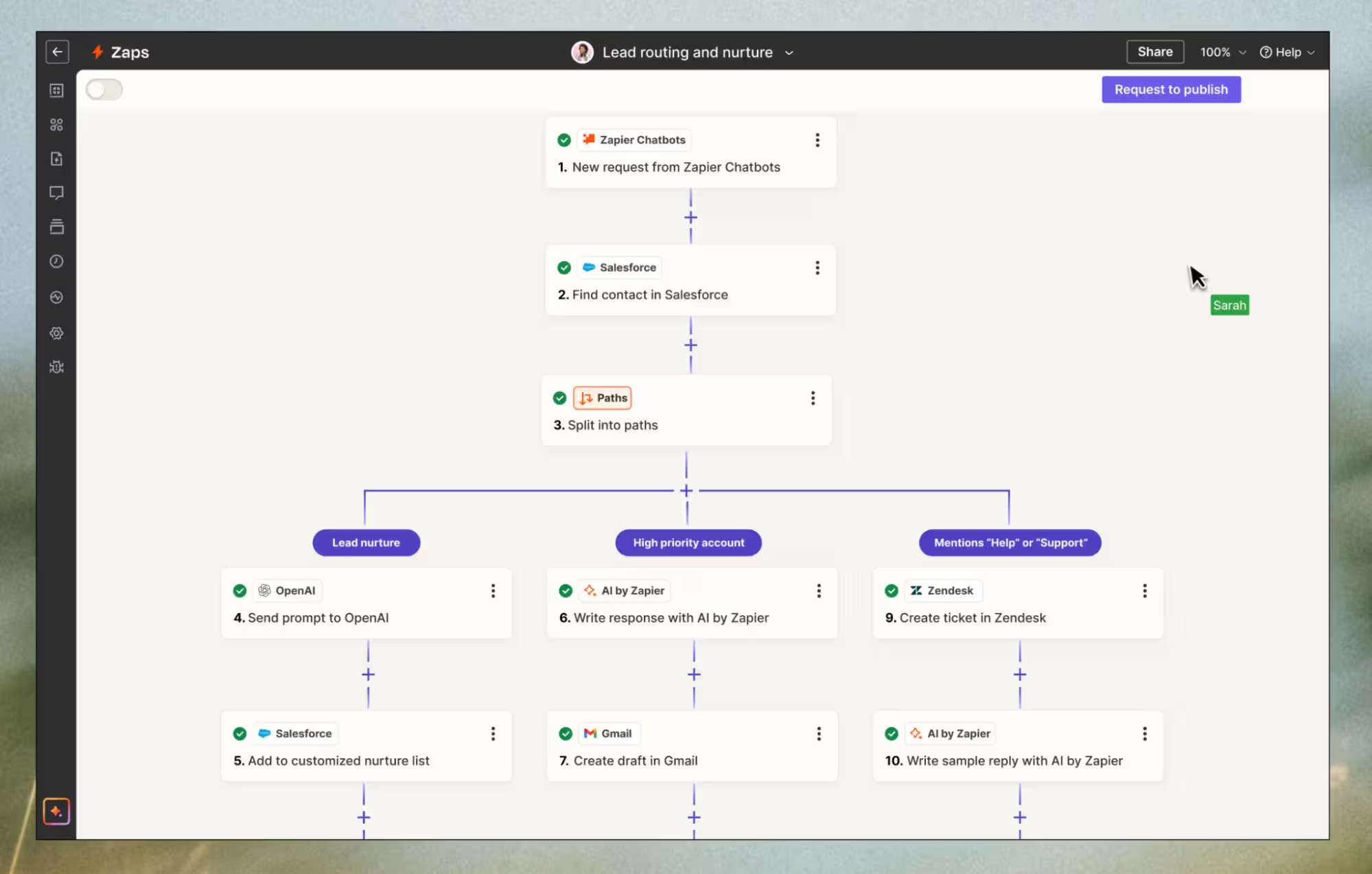
These tools are great for well-defined apps, but you're limited to what the vendor built in. If your form tool can't handle the if-this-then-that rules you need, your options are a workaround, a different tool, or living without the feature.
The newer route is vibe coding. You write a plain description of the app you want, and an AI app builder turns it into a working app. It feels like the visual route because you still don't touch code, but it removes the main limitation, since there's actual code underneath that you can change later.
Why Low-Code and No-Code Took Off
Both approaches grew out of the same problem. More software was needed than there were developers to build it, and companies were sitting on long lists of internal tools and customer apps, all waiting on a handful of busy engineers.
They took the pressure off by letting people outside the engineering team build the simpler things themselves. A finance lead could put together the reporting tool she needed instead of filing a ticket and waiting two months for it.
That convenience is why the category grew so fast. Forrester's most recent survey data shows 87% of enterprise developers already use low-code platforms for at least part of their work.
Vibe coding is the newest answer to that shortage, and it's different enough to be worth its own look.
What Is Vibe Coding?
Vibe coding is the newest no-code route, where you describe the app you want in plain language, and an AI app builder writes it for you. What makes it different is that it falls between the other two. You build without touching code, like any no-code tool, but you also walk away with standard code you can read, edit, and move elsewhere, the way low-code does.
That combination is the appeal. You get the easy start of no-code without the ceiling that visual tools run into, plus the code ownership that used to mean hiring a developer. You type something like "build me a client portal where customers can log in, upload documents, and pay an invoice," and you get a working app you own. Because the code is standard, anything the AI can't do through prompts, a developer can pick up later.
You'll also hear it called AI app building or agentic coding. Lovable, Bolt, Replit, v0, and Emergent all work this way, with different strengths. Some focus on quick front-end prototypes, while others, like Emergent, build more complete apps with sign-in, payments, and a database set up from the start.
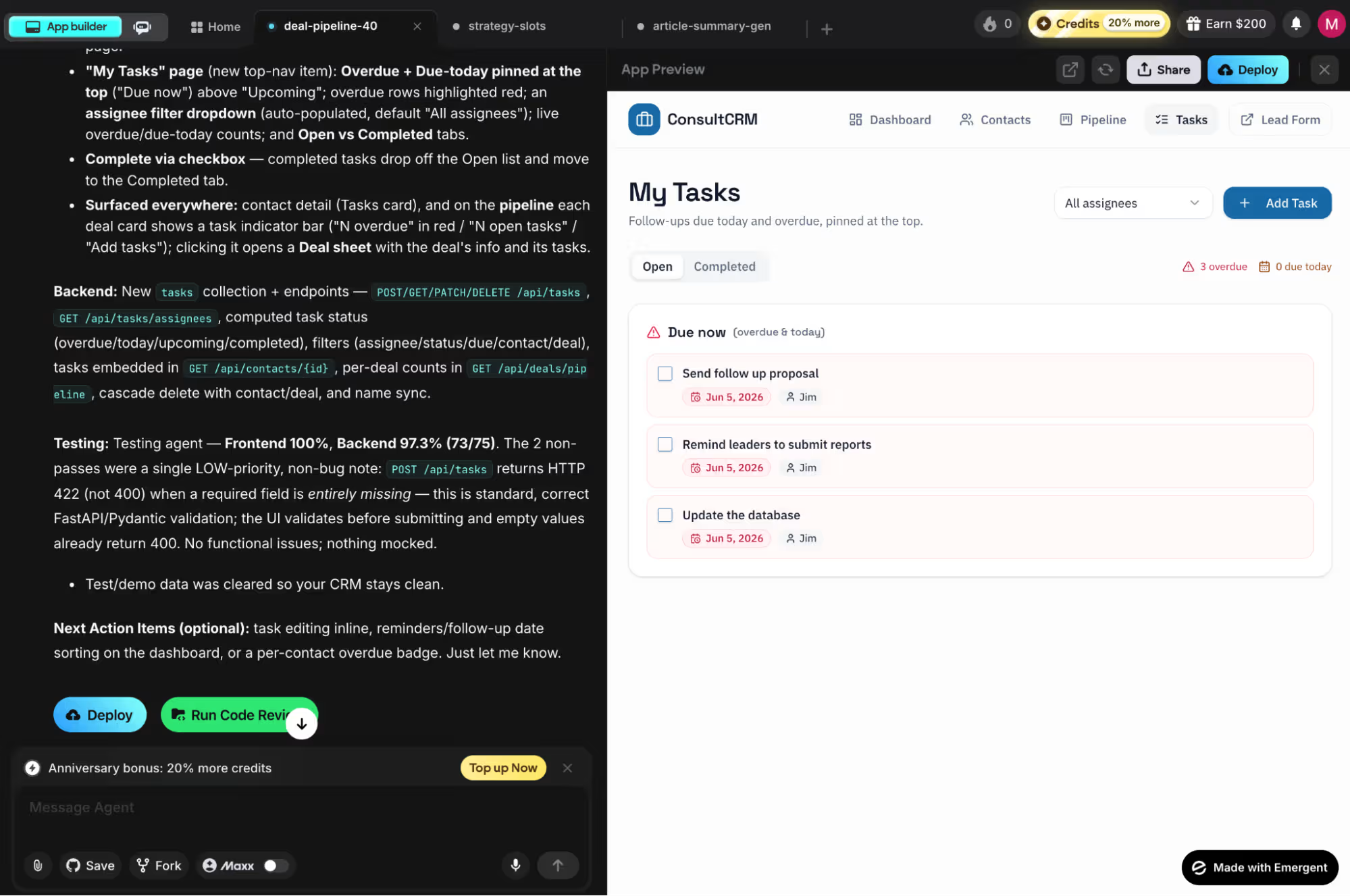
If that "type a sentence, get a working app you own" idea has you wanting to try it yourself, our how to get started with vibe coding? guide walks you through your first build step by step.
Low-Code vs No-Code vs Vibe Coding
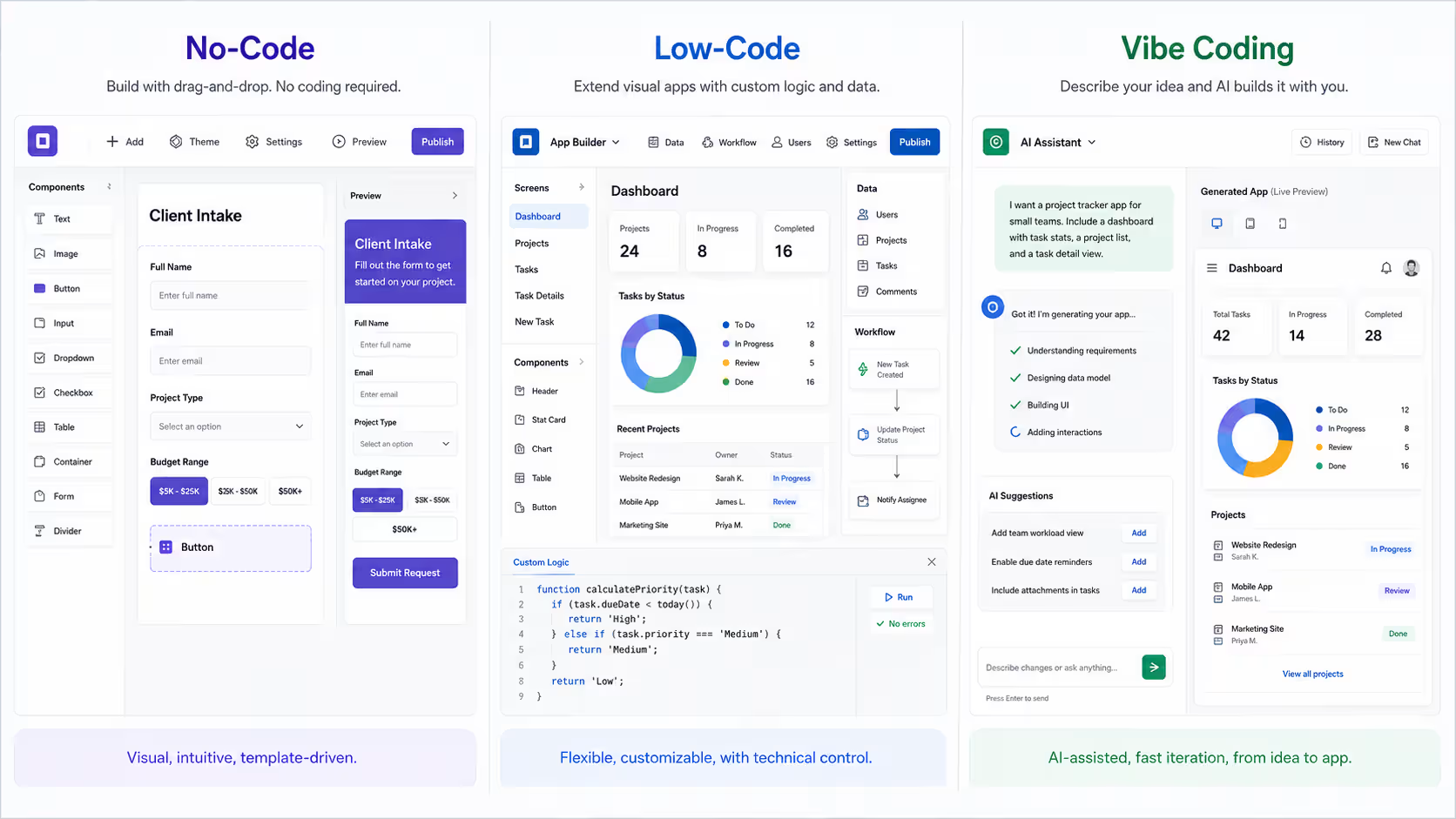
Low-code, no-code, and vibe coding all promise faster app development, but they solve the problem in different ways. The practical differences come down to who builds the app, how far you can customize it, what it costs, how much control you keep, and how easily the app can grow beyond its original platform.
Here’s a visualization of how they compare:
Who Each One Is Built For
Low-code targets people with some technical comfort, and no-code targets people with none. That's the cleanest line between them. The first assumes a developer or technical business user is leading the build, someone who can read how data is organized and isn't thrown by the occasional bit of code.
The second assumes the opposite: a domain expert in HR, finance, sales, or operations who knows exactly what the app should do but has never written code. Picking the wrong side stalls a lot of projects. A developer stuck with a purely visual tool quickly feels limited, while a non-technical owner facing a platform that expects code usually stalls before the app takes shape.
How Far You Can Customize
Low-code lets you customize further, because you can write code whenever the visual tools fall short. A developer adds exactly what's missing and keeps going.
Visual tools can't do that. You get plenty of flexibility inside the platform's guardrails, and modern ones are surprisingly capable, but you can't go past what the vendor built in. Think of low-code as a house you can renovate and a visual no-code app as an apartment you can decorate. Both can look great, but only one lets you knock down a wall.
Vibe coding is the exception. Because the AI writes standard code, you can extend the app the way low-code does, so you never reach that wall in the first place.
Learning Curve and Speed to Start
No-code gets you moving faster on day one, while low-code pays off later on complex builds. A non-technical user can publish a working app in an afternoon, or spend that same afternoon learning a low-code platform's basics instead.
The reason is that low-code asks you to understand a little about how software fits together before you're productive, and no-code hides all of that. For a quick internal tool, the head start usually wins.
For an app that will grow new requirements every quarter, the slower start is often worth it, because you won't have to rebuild somewhere else the first time you need something custom.
Cost
No-code is usually the cheapest way to start, since you build with the staff you already have and pay only for the platform. Low-code can cost more when the app needs a developer's time for the custom parts, though it still comes in well under building from scratch. Custom software built the traditional way can run into five or six figures before it's even finished.
The cost that catches people off guard shows up later. If you outgrow a visual tool, you often pay to rebuild the whole thing somewhere else, which can wipe out the savings that drew you to it in the first place.
Vibe coding has an edge here because you keep the code, so growing the app doesn't mean paying to start over.
Security and Control
With no-code, the vendor controls the code, the updates, and the security. That's fine for low-risk internal tools, but a problem on the platform's end can quickly become your problem, and you can't audit code you can't see. Low-code gives you more control, and enterprise platforms add governance features for teams that need them.
Vibe coding sits in the middle again. You get the code, so you or a developer can review it, lock it down, and host it wherever your security rules require. In return, that review is up to you. The AI writes clean, complete code from a clear prompt, but a vague one can produce something that needs a closer look before it goes live.
What Happens When You Outgrow the Platform
An app built in a visual tool lives inside that platform, so if the vendor raises prices, drops a feature, or shuts down, your app goes with it, because there's rarely any code you can take with you. Low-code sits in a better spot, since some platforms let you export the code or extend it yourself.
Vibe coding handles this best of all. The code you get is yours, so outgrowing the tool doesn't force a restart. You keep building on what you already have, which is a big reason the approach has caught on.
When to Use Low-Code vs No-Code
The right choice depends on who's building, how complex the app is, and how long it needs to last.
Use low-code when:
- You have a developer or technical user who can take the build past the visual tools.
- The app involves heavy business logic, custom integrations, or sensitive data that needs proper security controls.
- You're building something the whole company will rely on and expect to grow for years.
Use no-code when:
- You're building the app yourself and have no coding experience.
- You want a working version fast, whether you click it together or describe it to an AI.
- You're testing an idea, running a simple internal process, or automating a repetitive task.
Common Mistakes to Avoid
A few missteps come up again and again when people pick between these approaches:
- Choosing on price instead of the ceiling: No-code looks cheapest on day one, but if you'll outgrow it, the rebuild costs more than starting on something that can scale.
- Underestimating maintenance: Someone has to keep the app working after launch, and a non-technical builder can get stuck when an update breaks something, and there's no developer around.
- Ignoring who owns the code: If the app matters to your business, find out whether you can export it before you commit, because visual tools rarely let you.
- Building for today only: Pick the approach that fits where the app is going, not just where it starts, since an idea you're testing has a way of becoming the tool your team relies on.
Picking Between Low-Code, No-Code, and Vibe Coding
Choosing between low-code and no-code depends on the app's complexity and the technical experience of the people building it.
If the app is complex and you have a technical team, low-code is the better choice, because they can push it past the visual tools and build something that holds up as it grows. Building it yourself with no coding background? Go with no-code.
And if you want that same speed but expect the app to grow, a vibe-coding platform like Emergent is the best fit, since you describe what you want in plain language and still get code you can build on later.
Ready to Build Without Choosing Between Low-Code and No-Code?
If no-code's ceiling has been the thing holding you back, here's why Emergent is worth a look for your next build:
- Describe the app in plain English and get working code: Tell Emergent what you want ("a booking app with Google sign-in and Stripe payments") and Emergent's agents handle everything from planning and design through to testing and deployment.
- Own what you build, with no platform to outgrow: Emergent writes standard, exportable code and supports more than 20 programming languages. On the Standard plan and up, every build syncs to a GitHub repository you control, so any developer can read it, edit it, and take it elsewhere.
- Launch it on your own terms: deploy on Emergent's managed hosting or move the app to your own, and point it at a domain you already own or a new custom domain.
- Skip rebuilding the same login and payment screens: ask for Google sign-in or Stripe checkout, and Emergent scaffolds that flow for you instead of you setting it up manually.
- Start from a working app instead of a blank screen: Skip the blank-screen problem by describing the closest thing to what you want and refining from there, so the first version comes together in hours rather than days.

Describe what you want and Emergent builds it. A real, production-ready app you can launch the same day.
- One prompt to build
- Zero code required
- Deploy in minutes







