



TL;DR
- Retool: Best for engineering teams building internal tools fast, with the skill to debug what the AI assist generates.
- Microsoft Power Apps: Best for Microsoft 365 teams, if IT confirms Copilot and data-creation access first.
- Kissflow: Best for structured approval workflows where business users build and IT keeps governance.
- Mendix: Best for enterprise teams with a developer on hand to supervise AI-generated scope and fix errors.
- Appsmith: Best for developer teams connecting to a real database, not spreadsheet data with human-readable headers.
- OutSystems: Best for a fast, scope-honest AI-generated starting point that still needs real developer work on permissions and validation.
- Appian: Best for regulated case management where compliance depth matters more than trying it hands-on first.
Your team's IT backlog never shrinks. Every department wants its own approval flow or tracker, and there aren't enough developers to build them all while still shipping the work that pays the bills.
A low-code app builder closes that gap. A developer can turn a request like that into a working tool in days, not weeks, connected to the same database and APIs a hand-built app would use, without writing all of it by hand.
I reviewed and tested seven low-code app builders where I could, against the same task, a vendor-onboarding approval flow, over 2 days.
You'll know which of these seven earns your team's time and which to skip by the end. You'll also know when the honest answer is to skip low-code entirely.
One note before the list: Emergent is our product. It isn't one of the seven and it doesn't get a ranking. It appears at the end because the same build ran through it too, and you should read that section knowing who wrote this.
Low-Code vs No-Code: What's the Difference
Vendors use "low-code" and "no-code" almost interchangeably, which is exactly why the seven tools ahead need a clear line drawn before the rankings start.
No-code is built for someone with no coding background, like a person in HR or finance. They build the whole app by dragging and dropping pieces onto a screen. When the drag-and-drop options can't do something, there's no code to fix it with.
Low-code keeps a developer in the loop, with a direct database connection, a custom API call when drag-and-drop can't do it, and a git-based workflow that fits into how a dev team already works.
Low-code is an open system developers can extend with custom code and plugins. No-code stays closed, extendable only through pre-built templates, so it hits a ceiling low-code doesn't
The ceiling is the whole point of this list. A no-code tool caps out once a workflow needs a custom API call or a database structure a visual builder can't model. Low-code is built to keep going past that point, without handing the entire build back to a developer from scratch.
Every tool ahead is built for the team on the low-code side of that line, developers who want speed without giving up code.
Read More: Low-Code vs No-Code: What's the Difference in 2026?
Why Look for a Low-Code App Builder
Teams look for a low-code app builder when there's more internal software to build than there are developers to build it. That shortage shows up in four common ways:
- There aren't enough developers to keep up with requests. A finance team logs an approval-chain request this month. By the time a developer can look at it, two more requests, from ops and from HR, are already ahead of it in line.
- Requests sit in spreadsheets and email and never reach a developer. A request that should take a week starts as a spreadsheet, stalls in an email thread, and resurfaces in sprint planning 3 weeks later with different requirements than it started with.
- Buying a tool takes longer than building one would. A department requests an off-the-shelf tool, sits through a vendor evaluation and a security review, and finally gets access to something a developer could have built in a day if anyone had the time.
- Pulling a developer off other work isn't free. Every hour spent on a basic approval form is an hour not spent on work that moves the business forward, and it adds up fast once a team tracks it.
A low-code app builder fixes this. A developer can ship the tool directly, in days, not weeks, while IT still keeps oversight through governance and access controls.
It's faster than building from scratch, and cheaper than sitting through a procurement cycle.
How I Reviewed Each Tool
For Appsmith, the only tool built entirely by hand, I tried to create a vendor onboarding approval app. The workflow included:
- A form for vendor name, contact email, requested amount, and a category dropdown.
- A table storing every submission.
- An approval view where a manager could approve or reject each request.
- An email that fires once a decision is made.
Retool, OutSystems, and Mendix each allow a prompt-based way in. For those three, I used the same prompt as the starting input:
"Build a vendor onboarding approval app. It needs a form where someone submits a vendor name, a contact email, a requested amount, and a category chosen from a dropdown (Software, Services, Hardware, Other). Store every submission in a table. Add an approval view where a manager sees all pending requests and can approve or reject each one. When a request is approved or rejected, send an email to the requester letting them know the decision."
Kissflow and Appian were gated, with no self-serve way to build anything, so I gathered information from each vendor's documentation and product pages instead.
Power Apps allowed signup, but every AI-generation path was disabled on the tenant I could access, so that profile is built from what I could reach hands-on plus Microsoft's own documentation.
I came across a few other tools during this research, but they didn't quite make the cut.
Here's why:
- Reflect is a no-code test automation tool. It's built to test web apps that already exist, checking that buttons work and forms submit correctly, not to build new apps from scratch. It shows up on other low-code lists anyway, likely because "no-code" and "low-code" get used loosely enough that a testing tool and an app builder end up side by side.
- SAP Build only makes sense if you're already running on SAP Business Technology Platform and extending an existing SAP S/4HANA system. Without that existing investment, it's not something a business could realistically pick up and use on its own.
- Webflow is built for marketing sites, landing pages, and content-managed websites, not business applications with a real data model and workflow logic behind them. It's visual and no-code-adjacent, which is probably why it keeps turning up next to actual app builders, but it's solving a different problem entirely.
Across all seven tools, this review took two days.
7 Best Low-Code App Builders: At a Glance
The table below compares all seven low-code app builders side by side, showing what each one costs and its core strength.
Here's how they stack up:
| Tool | Starting Price | Core Strength |
|---|---|---|
| Retool | Free, paid from $12/builder/month | Direct database and API connections with exposed backend functions |
| Microsoft Power Apps | Free, Premium from $20/user/month | Dataverse depth, Power Fx logic and custom connectors for your own APIs |
| Kissflow | Sales-gated, no published price | Role-based access, audit logs and SSO, with JavaScript limited to single workflow actions |
| Mendix | Free, paid from $1,090/month | One IDE covering visual logic, domain model and Java extensions |
| Appsmith | Free, paid from $15/user/month | Git-native branches with a shared JavaScript editor across widgets |
| OutSystems | Free, paid tiers quote-only | End-to-end visual modeling from data model to deployed screen |
| Appian | Sales-gated, no published price | Data Fabric reads legacy systems in place, with no migration project |
The 7 Best Low-Code App Builders
The seven best low-code app builders are Retool, Microsoft Power Apps, Kissflow, Mendix, Appsmith, OutSystems, and Appian. They range from developer-first tools built for internal apps to enterprise platforms built for regulated, mission-critical systems.
1. Retool: Best for Fast, Developer-Built Internal Tools
Retool has been a developer-first low-code platform since 2017, used by large companies including Amazon and NBC to build internal applications.
Retool is built for engineers who want a faster way to wire up an internal tool, not a no-code layer for people who'd rather not touch code.
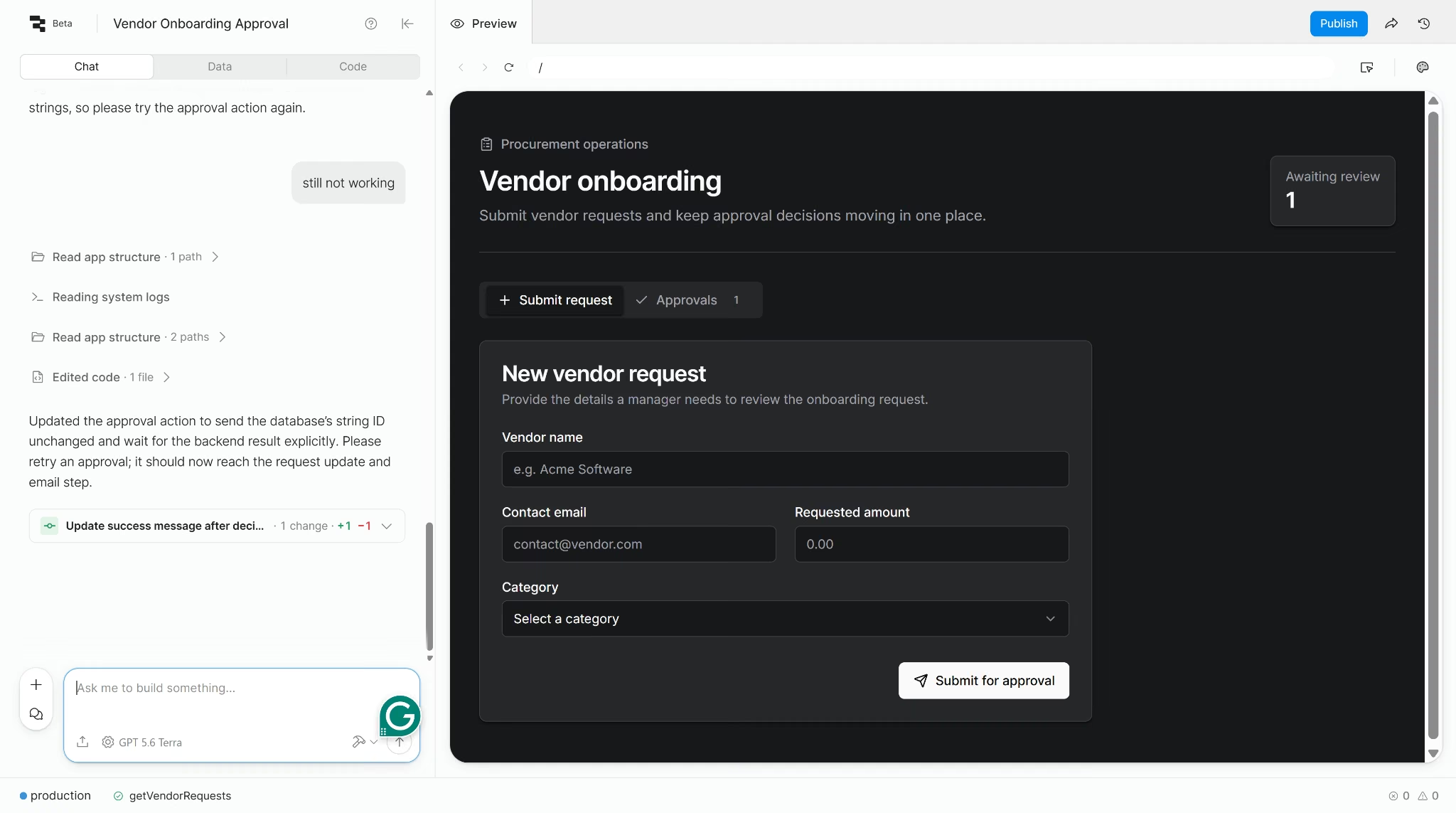
I reviewed the vendor-onboarding approval flow through Retool's AI-assist feature, the newer, prompt-based entry point for anyone who doesn't want to start from a blank canvas.
I typed one prompt describing the form, the table, the approval view, and the email trigger, and got a fully structured four-part app back in 6 minutes. It included a live pending-requests counter and a full audit trail table, a UI touch I never asked for.
The form-to-approval-queue half of the build worked cleanly on the first try. The approve/reject action didn't.
The backend function the AI generated for that step failed five separate times across three different fix attempts. Republishing, asking Retool's chat to fix it, and using its built-in automated fix tool all failed to resolve it.
The approve/reject failure is specific to Retool's AI-assist path, not a verdict on Retool as a whole. Maybe it was a glitch. I didn't test a manual fix for that logic failure though, and ended my Retool run there.
Best for: Engineering teams that want to wire up an internal tool quickly, connect it directly to a database or API they already control, and are comfortable debugging whatever the AI assist generates.
Key Features
- Database editor: A UI with direct connection strings.
- Workflow automation: Scheduled and webhook triggers.
- Deployment options: Self-hosted or cloud deployment, deployment model varies by plan.
- Compliance: SOC 2 Type II certified on every plan.
Pros
- The AI-assist path produced a fully structured four-part app in 6 minutes, including two UI additions I never asked for.
- Developer-first since 2017, with production deployments at companies like NBC.
- SOC 2 Type II certified on every plan, including Free, not gated behind a paid tier.
Cons
- The AI-generated backend function for the approve/reject action failed five separate times across three fix attempts, and none resolved it.
- G2 reviewers consistently flag cost and rigidity at the edges once an app needs external users, plus an editor that can lag and third-party components that aren't fully customizable.
- Self-hosting works on every tier, but unlimited users, SSO, and air-gapped deployment are Enterprise-only.
What Users Say
Retool holds a 4.6 out of 5 rating from 350+ reviewers on G2. The praise matches this review's build time closely.
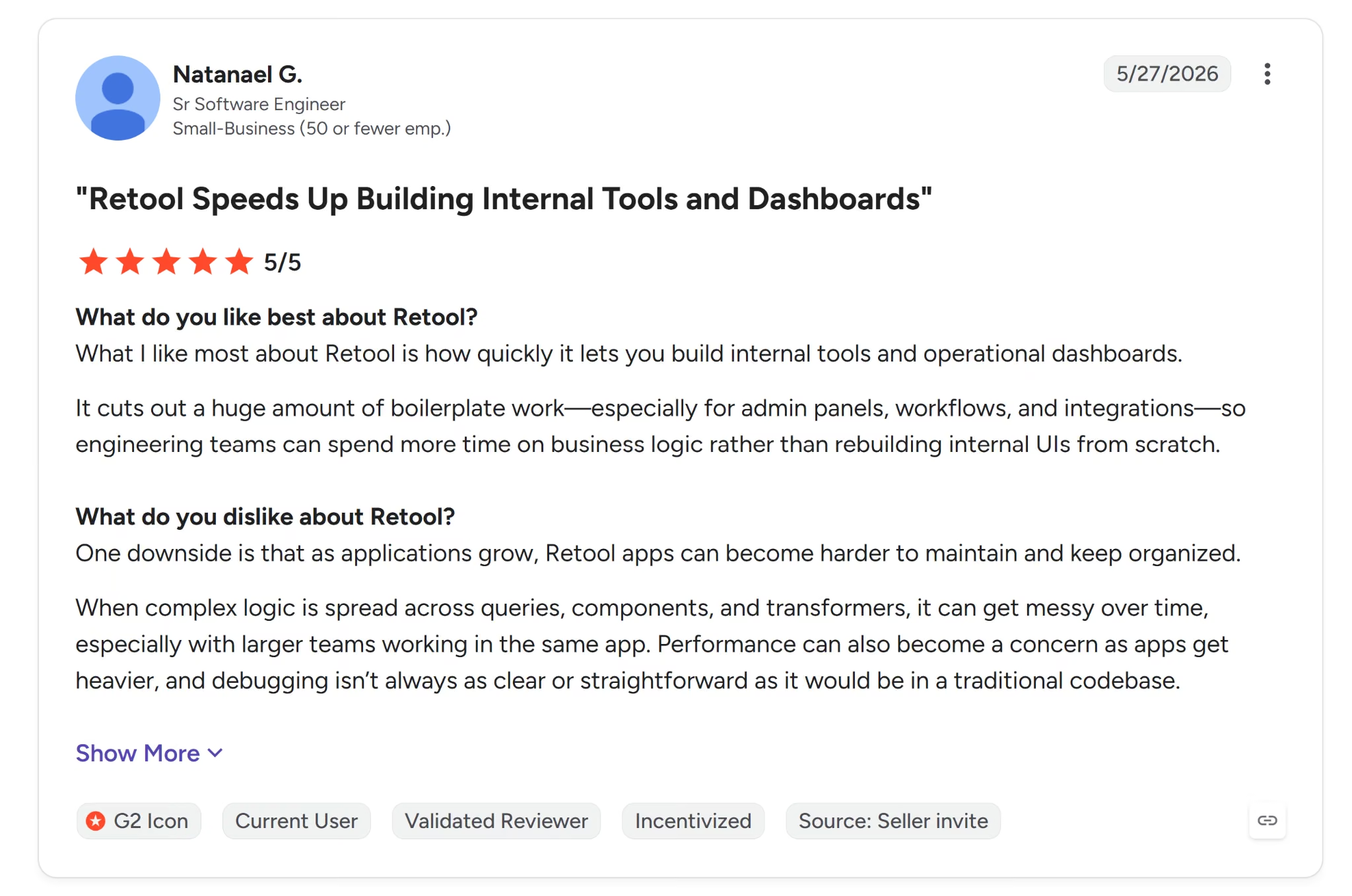
Natanael G., a senior software engineer at a small business, said Retool stands out for "how quickly it lets you build internal tools and operational dashboards."
Reviewers' complaints are almost entirely about cost and polish, not reliability.
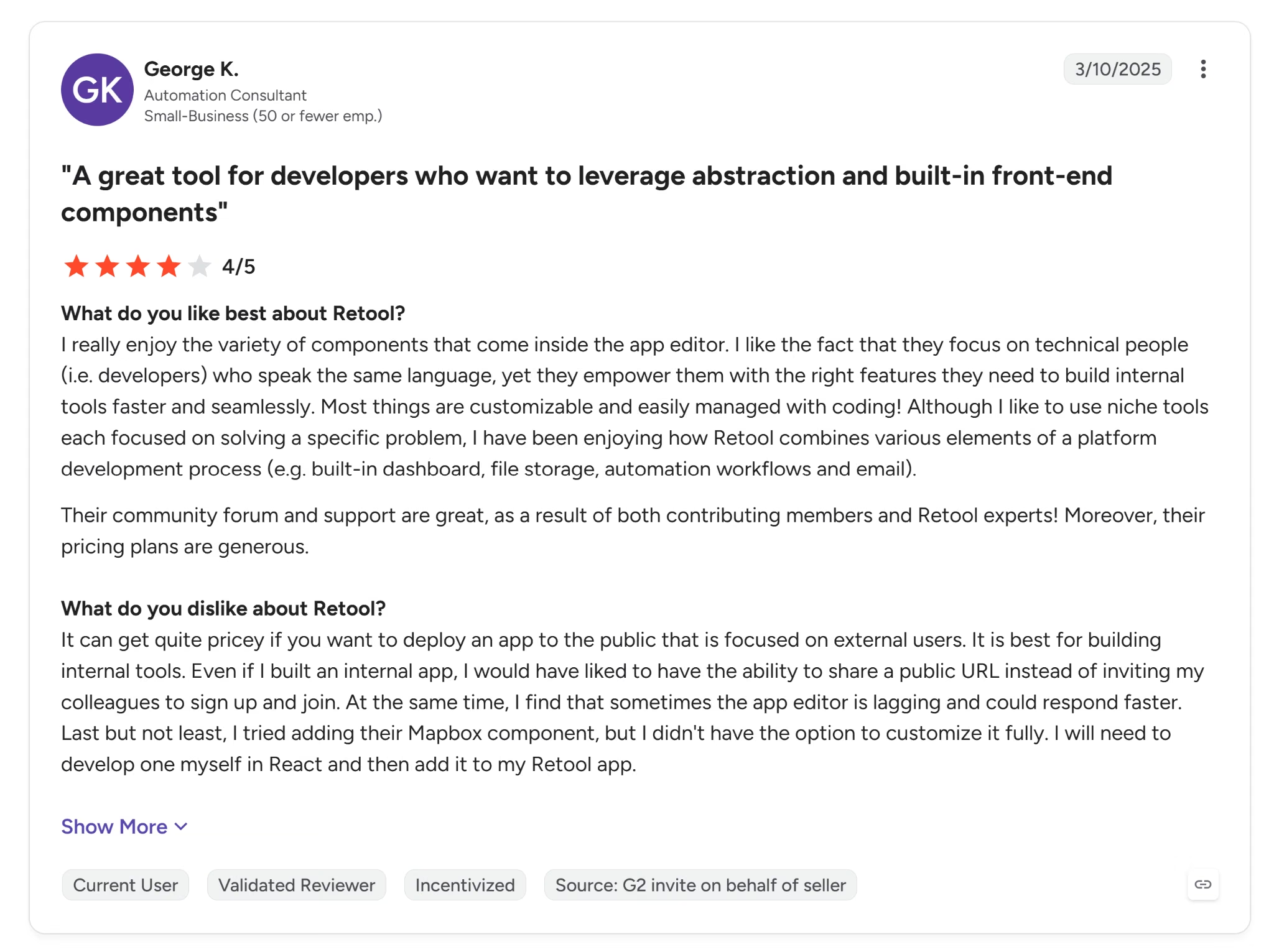
George K., an automation consultant, fflagged that it gets "quite pricey if you want to deploy an app to the public." plus an editor that can lag and third-party components that aren't fully customizable.
Pricing
Free covers unlimited web and mobile apps, 500 workflow runs a month, 5GB of data storage, up to 5 users, and 250 AI credits a month.
Team costs $12/builder/month plus $7/internal user/month, or $10 and $5 billed annually (Cloud only), and adds 5,000 workflow runs a month, a staging environment, app release versions, and 1,000 AI credits a month.
Business costs $65/builder/month plus $18/internal user/month, or $50 and $15 billed annually (Cloud only), and adds audit logging, rich permission controls, portals and embedded apps, unlimited environments and modules, and 3,000 AI credits a month.
Enterprise is custom-priced and adds SAML/OIDC SSO, source control, custom branding, independent workspaces, and volume-based discounts. Self-hosting is available on every tier; Enterprise is what adds unlimited users and advanced self-host options like custom and air-gapped deployment.
Bottom Line
Retool's AI-assist path is fast and mostly reliable, and the one broken piece, the actual approval action, is exactly the kind of thing worth testing yourself before trusting it.
It's a strong fit for developer teams building the traditional way, but might be difficult for anyone leaning entirely on its AI generation without checking the result.
Read More: 10 Best Retool Alternatives in 2026: Tested + Ranked
2. Microsoft Power Apps: Best for Deep Microsoft 365 and Dataverse Integration
Microsoft Power Apps has been part of Microsoft's low-code push since 2016.
It was renamed from PowerApps in 2019 and now sits inside the broader Power Platform alongside Power Automate, Power BI, and Copilot Studio.
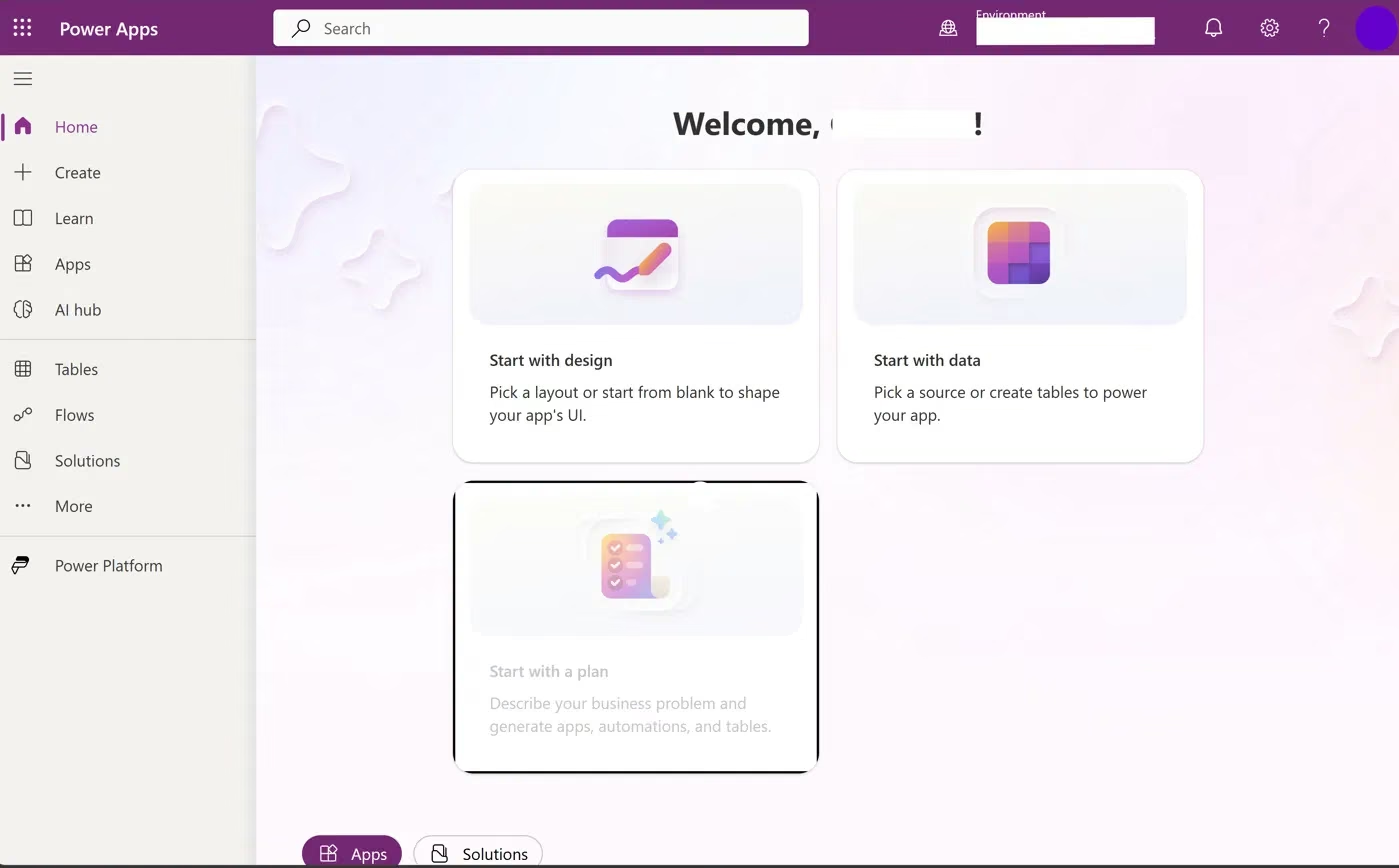
I couldn't reach a working build on the account available for this review. I tried a regular Google work email at sign-up, but Microsoft didn't recognize it. I asked a friend to try signing up with their own Microsoft work email, and that worked.
Once there, I found the chat-based app-generation flow switched off at the organization level, along with the option to create a new data source from scratch.
The one AI path I could still reach, a feature that generates a page using a built-in AI agent, never finished generating after more than 10 minutes.
Power Apps' AI-generation features aren't guaranteed to be on by default. Get your admin to confirm Copilot and data-creation access before you count on either.
Best for: Teams already living inside Microsoft 365 and Dataverse, with an admin who can confirm Copilot and AI-generation features are turned on before counting on them.
Key Features
- Dataverse integration: Native support for structured business data, with the same tables reachable from custom code through the Dataverse Web API.
- Power Fx and custom connectors: Write formula logic in the app, and wrap any internal REST endpoint as a reusable custom connector when the prebuilt list runs out.
- Solutions and pipelines: Package an app as a solution and move it between dev, test and production, with Azure DevOps or GitHub Actions driving the deploy.
- Power Automate: Orchestrates multi-step workflows.
- Agentic features: Microsoft 365 Copilot chat inside apps on Premium, which also requires a Microsoft Copilot licence per user.
- Compliance: Inherits Microsoft's enterprise stack through the Power Platform, including ISO 27001, SOC 1/2/3, HIPAA, and FedRAMP.
Pros
- Deep integration with Microsoft 365, Teams, and Dataverse for organizations already on that stack.
- Free Developer Plan with no credit card required, plus a large library of pre-built connectors for enterprise systems like SAP, Salesforce, and ServiceNow.
- Premium pricing drops sharply at scale, to $12/user/month at a 2,000-seat minimum, making it comparatively cheap for large deployments.
Cons
- The free Developer Plan isn't intended for production use, per Microsoft's licensing documentation, so any deployment requires a paid Premium seat from day one.
- Copilot and AI-generation access depend on admin-level tenant settings, and can block every AI-assisted path without warning.
- The account used for this review hit that exact wall. Copilot, data creation, and file upload were all disabled, and the one remaining AI path never finished generating after 10 minutes.
What Users Say
Microsoft Power Apps holds a 4.3 out of 5 rating from 550+ reviewers on G2. The praise clusters around speed.
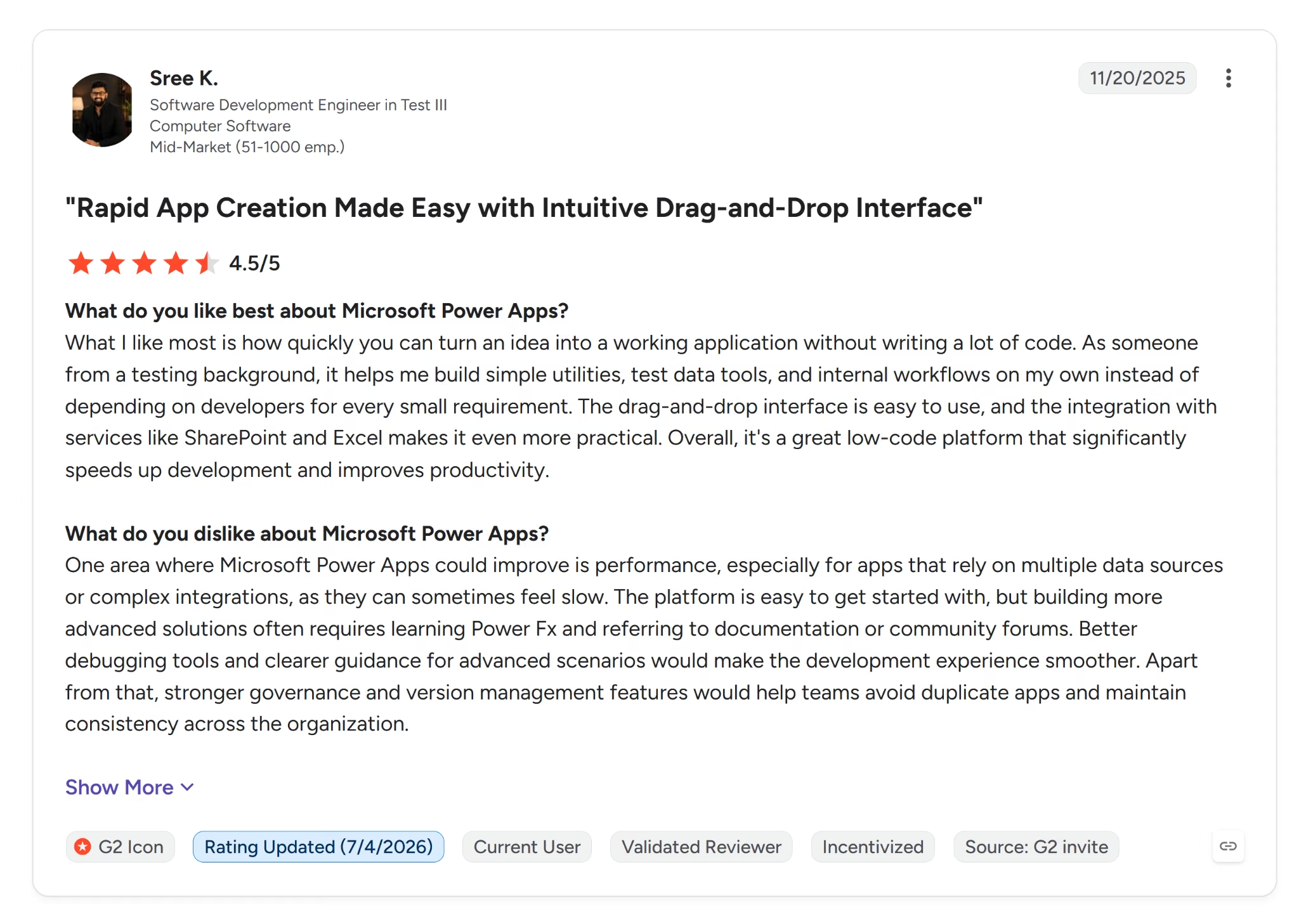
Sree K., a software development engineer in test, said it lets you "turn an idea into a working application without writing a lot of code."
The complaints point to how much the experience depends on what's connected around it.
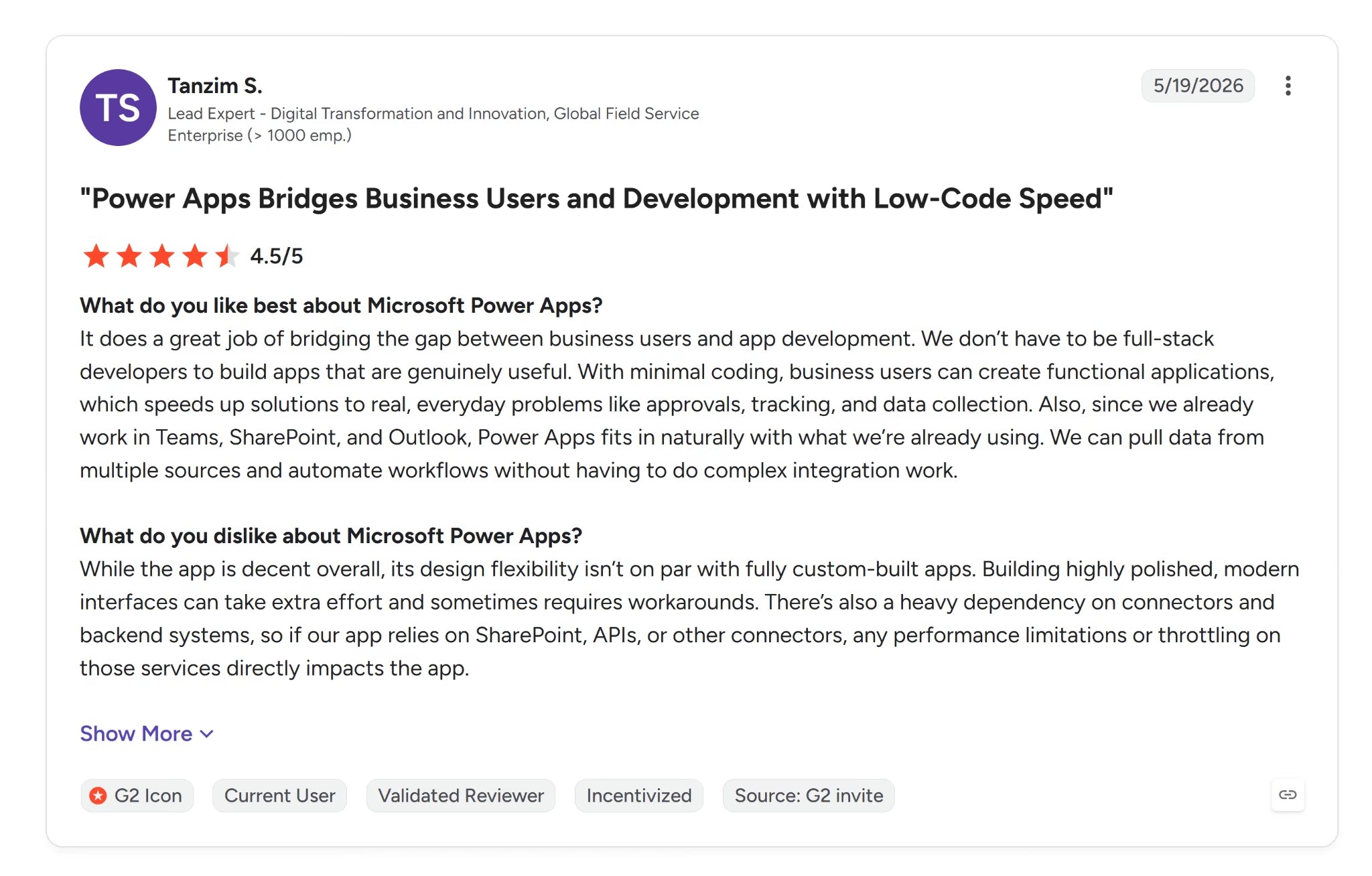
Tanzim S. said its "design flexibility isn't on par with fully custom-built apps," and flagged a heavy dependency on connectors, since throttling on a connected service directly affects the app.
Pricing
The Developer Plan is free and includes three developer environments, prebuilt and custom connectors, a 2GB Dataverse database, and up to 750 automation flows a month.
Microsoft's licensing documentation states it isn't intended for production use.
Premium costs $20/user/month paid yearly and adds unlimited Power Apps and Power Pages per user, agentic features in apps, and Microsoft 365 Copilot chat inside the app.
Premium (2,000-seat minimum) drops the per-user cost to $12/month paid yearly, with the same feature set as Premium.
Bottom Line
A team already standardized on Microsoft 365 and wanting Dataverse-level depth gets the most out of Power Apps, provided IT can confirm AI features are enabled first.
Anyone hoping to self-serve into a working app on a locked-down or newly created tenant will hit the same wall this review did.
3. Kissflow: Best for Structured Approval Workflows With IT Governance
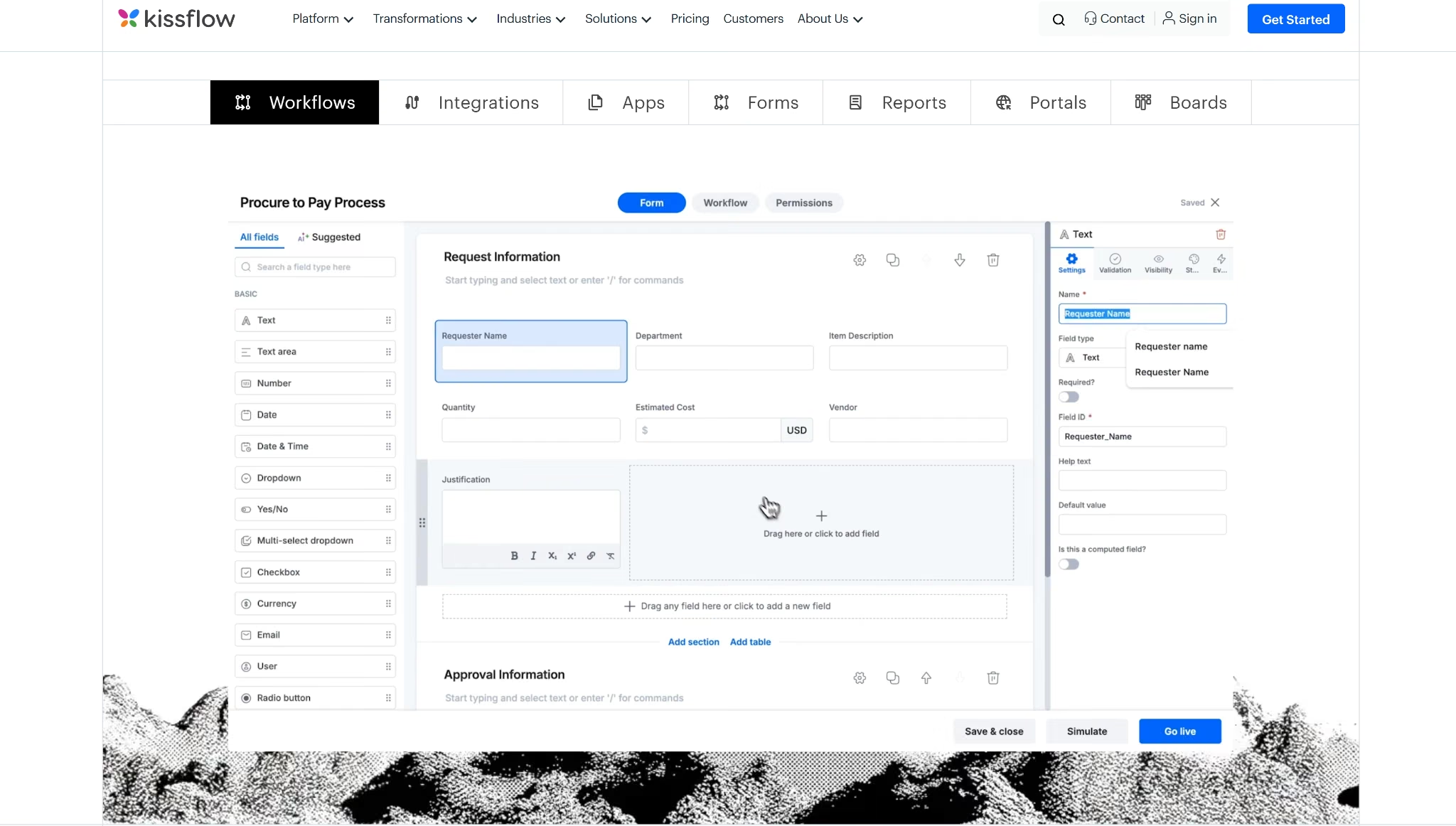
Kissflow has no self-serve trial or free plan. Expect a sales conversation first if you want to try it yourself, and its team decides afterward whether to grant trial access. Because of that gate, I built this profile from its documentation and product pages.
Kissflow started in 2012 as a no-code layer for business users. IT extends it when a workflow needs more than the drag-and-drop builder offers.
Common triggers include branching approval paths or multiple approvers signing off at once. Extensions happen through a REST API and prebuilt connectors to other business software, like ERP and CRM systems.
Kissflow lets you write JavaScript, but only inside individual workflow actions like Run Script. It's sandboxed away from the rest of the app's data unless it's explicitly passed in.
Retool and Appsmith work differently. Both hand a developer a full IDE or exposed backend functions across the whole app, not a scripting box inside one action. Kissflow ends up fitting IT teams extending a business user's workflow piece by piece, more than developers building an app's full logic from scratch.
Best for: Teams automating structured approval chains, like procurement, HR requests, or vendor onboarding, who need IT governance and business-user self-service at the same time.
Key Features
- Visual workflow designer: Model multi-step approval logic, including conditional routing and parallel approvals, then extend it with JavaScript inside individual workflow actions when the visual layer runs out.
- Governance controls: Role-based access, audit logs, and SSO so IT keeps oversight without doing the building.
- Integrations: Native ERP and CRM connectors, plus a REST API for custom builds.
- Built-in document management: Every form submission and attachment stays traceable from one place.
- Compliance: SOC 1 Type II, SOC 2 Type II, and ISO 27001 certified.
Pros
- Comes with 200+ pre-built templates for common workflows like purchase requests, employee onboarding, and incident management, ready to configure instead of build from scratch.
- Strong governance-to-ease-of-use balance: Business teams build, IT still gets audit trails and access control.
- Supports custom UI components built in plain HTML or React, reusable across apps through Kissflow's SDK.
Cons
- Debugging complex workflows is hard. There's no granular built-in logging, so tracing a stuck task means manually walking through each step.
- Performance can slow down at high data volumes or with heavy multi-step workflows.
- API documentation has real gaps, thin on practical examples for advanced integration scenarios.
What Users Say
Kissflow holds a 4.3 out of 5 rating from 560+ reviewers on G2. The praise centers on how well it handles a defined process end to end.
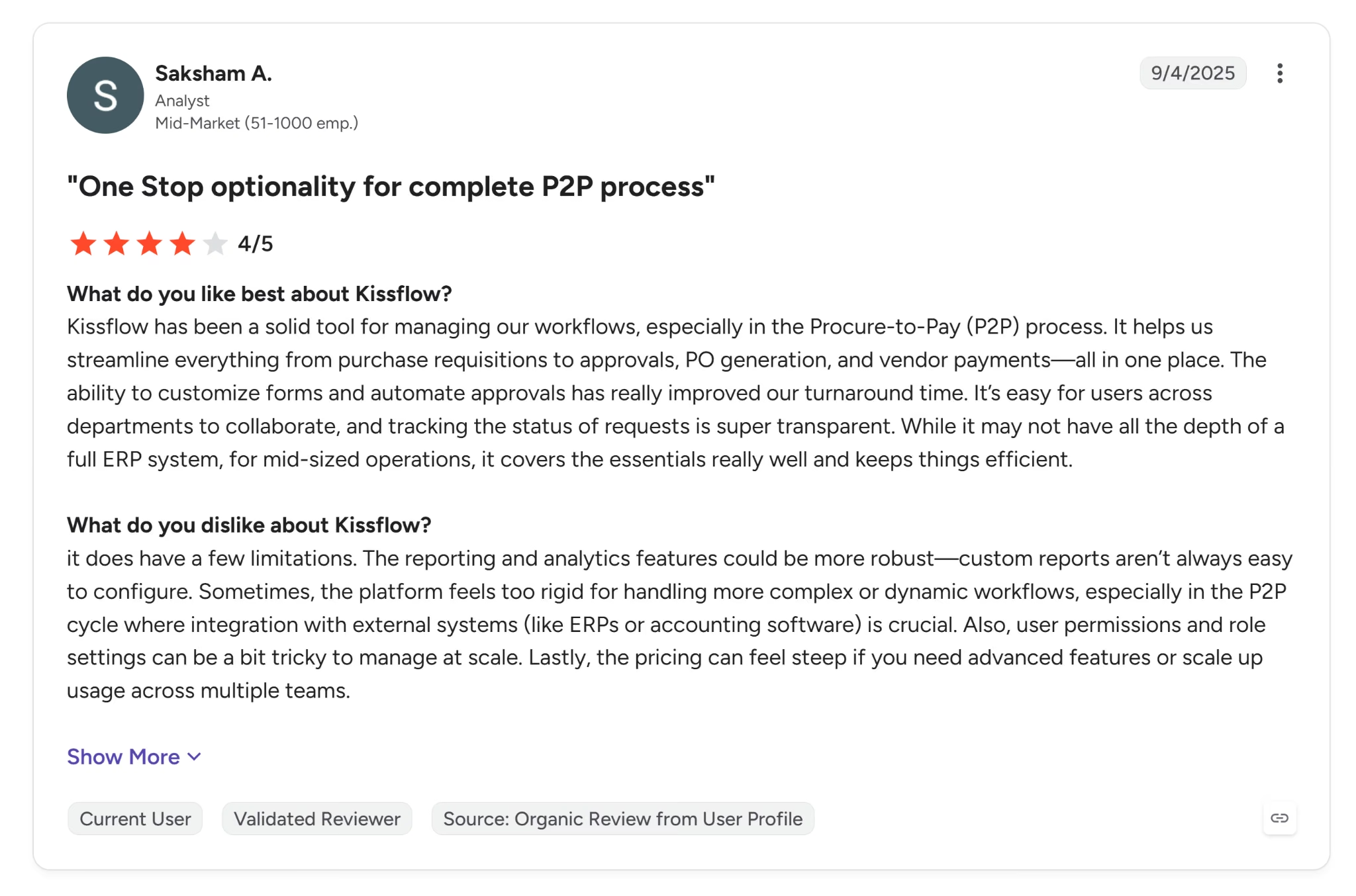
Saksham A., an analyst at a mid-market company, said it "helps us streamline everything from purchase requisitions to approvals, PO generation" across the full procure-to-pay cycle.
The complaints point the other way, toward what happens once a process stops being simple.

Carlos C., a head of projects and sales at a small business, said Kissflow "can feel limiting once processes become complex and highly customised."
Pricing
Kissflow is sales-gated. Its pricing page shows no plan names or numbers anywhere, only a "Set Up A Consultation" button.
Bottom Line
Kissflow is a strong fit when the build is a structured approval workflow and business users need to build it themselves while IT keeps governance.
It's a weaker fit the moment a workflow gets complex enough to need real debugging tools or heavy API work. Kissflow users flag both as limitations.
4. Mendix: Best for Enterprise Governance With AI-Assisted Planning
Mendix has been building toward this AI-assisted approach since 2005, and it's been part of Siemens since a 2018 acquisition folded it into Siemens Digital Industries.
Unlike every other tool in this review, Mendix's actual builder, Studio Pro, is a desktop application.
I had to download and install the Mendix software first to reach a working editor, a step that took noticeably longer than any browser-based sign-up in this review.
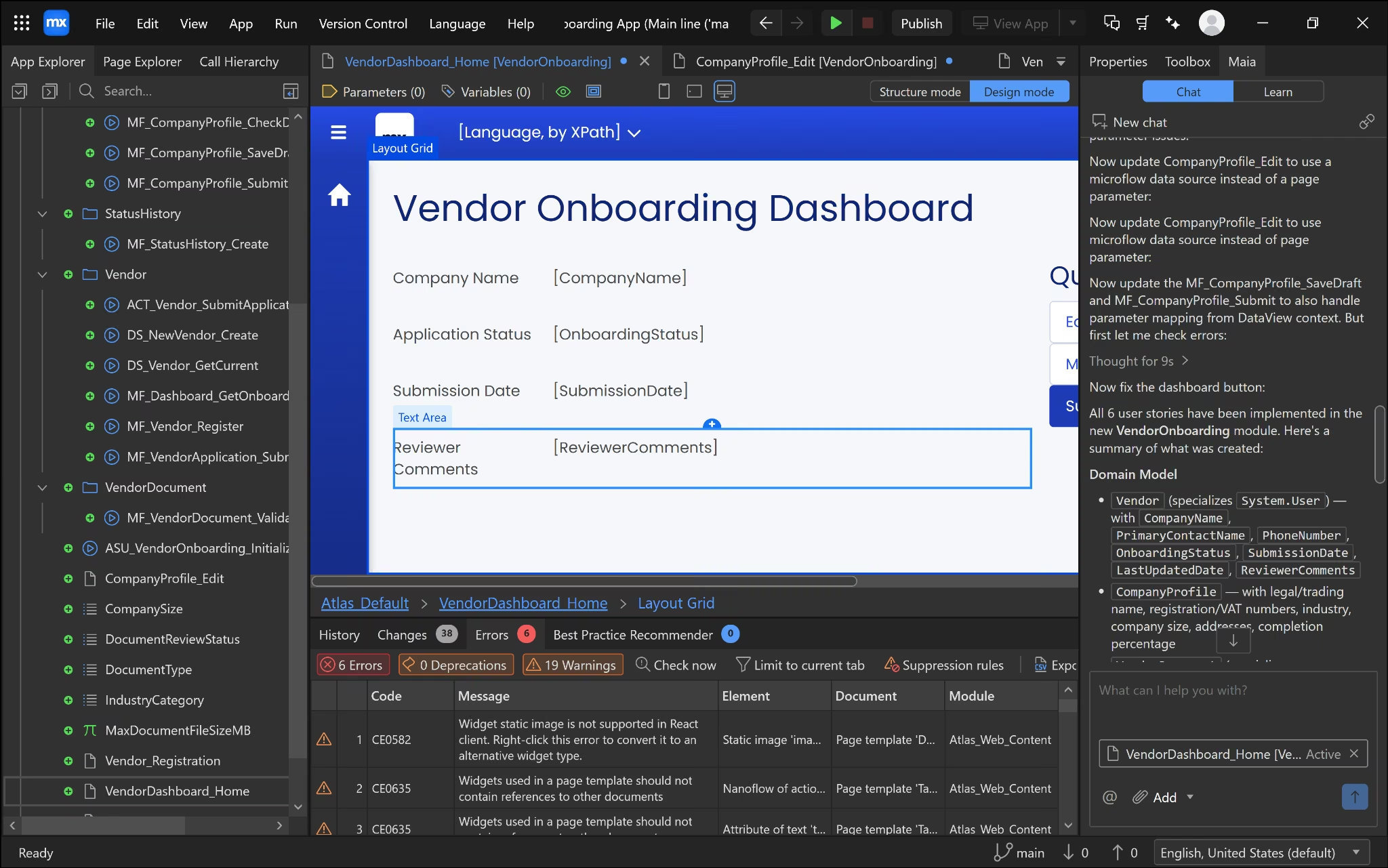
Once Studio Pro was open, an AI assistant called Maia walked me through building the app using my prompt. It defined the scope, generated a plan, and waited for me to approve its development.
The plan included a self-registration and account system, document upload and review workflows, an in-app comment thread, and a full reporting dashboard with exports.
None of it was in my original prompt. Some of it I would have asked for eventually, but I didn't ask for it now, and on an enterprise platform a plan that quietly triples the build is one somebody has to review line by line.
It took me about 12 minutes to build from that expanded plan once Studio Pro was open, and it produced a working dashboard page with a domain model behind it.
It also left 6 errors and 19 warnings unresolved in Studio Pro's error panel. Reaching that point at all meant navigating an IDE built for professional developers, complete with named microflows, data sources, and nanoflows visible in a full project tree.
Fixing those errors, or even understanding what they mean, isn't something a fully nontechnical builder could reasonably do without help.
Best for: Enterprise teams that need Mendix's governance and compliance certifications, with a developer on hand to review AI-generated scope and clean up errors inside Studio Pro.
Key Features
- Studio Pro IDE: A unified development environment with Maia, a built-in AI assistant that recommends logic and flags anti-patterns.
- Visual logic workflows: Microflows and Nanoflows, with cloud-native microservices architecture.
- Flexible deployment: Mendix Cloud, private cloud, Azure, Kubernetes, SAP BTP, or on-prem.
- Private Marketplace: Internally shared apps and components (Premium tier).
- A broad compliance stack for regulated industries, including ISO 27001, SOC 1/2/3 Type II, PCI DSS Level 1, and NEN 7510 for healthcare. .
Pros
- Named a Leader for nine consecutive years in the 2025 Gartner Magic Quadrant for enterprise low-code, a track record built for teams that need to justify the investment to leadership.
- Maia Make's guided planning step produces a project scope and domain model before a developer writes any logic, which is useful for review and useless as a shortcut past one.
- The generated build did produce a real, working page connected to a real domain model in about 12 minutes once Studio Pro was open.
Cons
- Requires downloading and installing a full desktop application, Studio Pro, before building anything, the only tool in this review with that requirement.
- Maia Make's planning step invented scope well beyond the original request, including a full account system, document workflows, and a reporting dashboard nobody asked for.
- Standard support only runs 9am-5pm. Round-the-clock coverage requires Premium, which has no published price at all.
What Users Say
Mendix holds a 4.4 out of 5 rating from 410+ reviewers on G2. The praise and the complaints both point at the same tradeoff this review ran into directly.
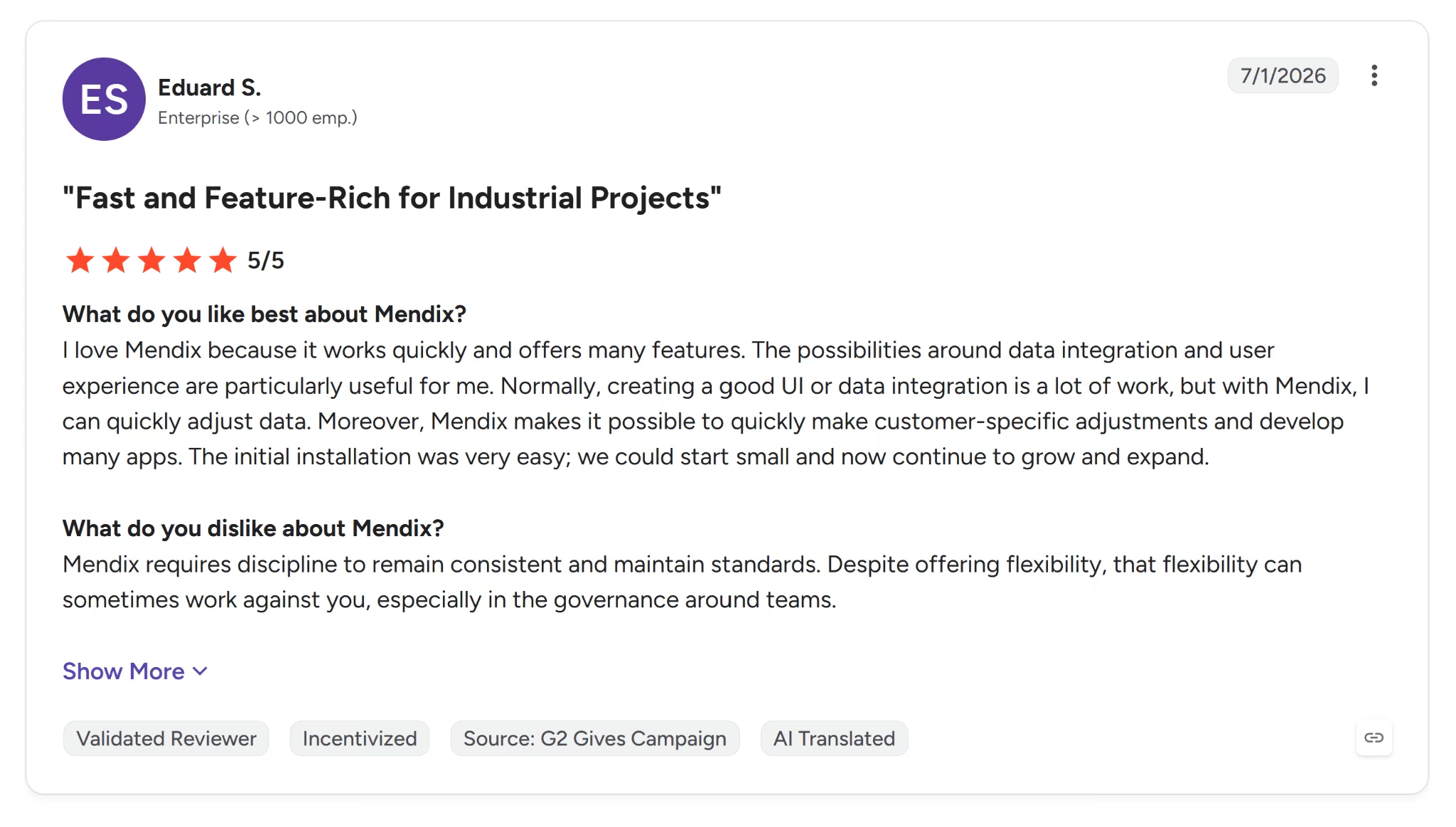
Eduard S., at an enterprise company, said Mendix "makes it possible to quickly make customer-specific adjustments" once the initial data integration is set up.
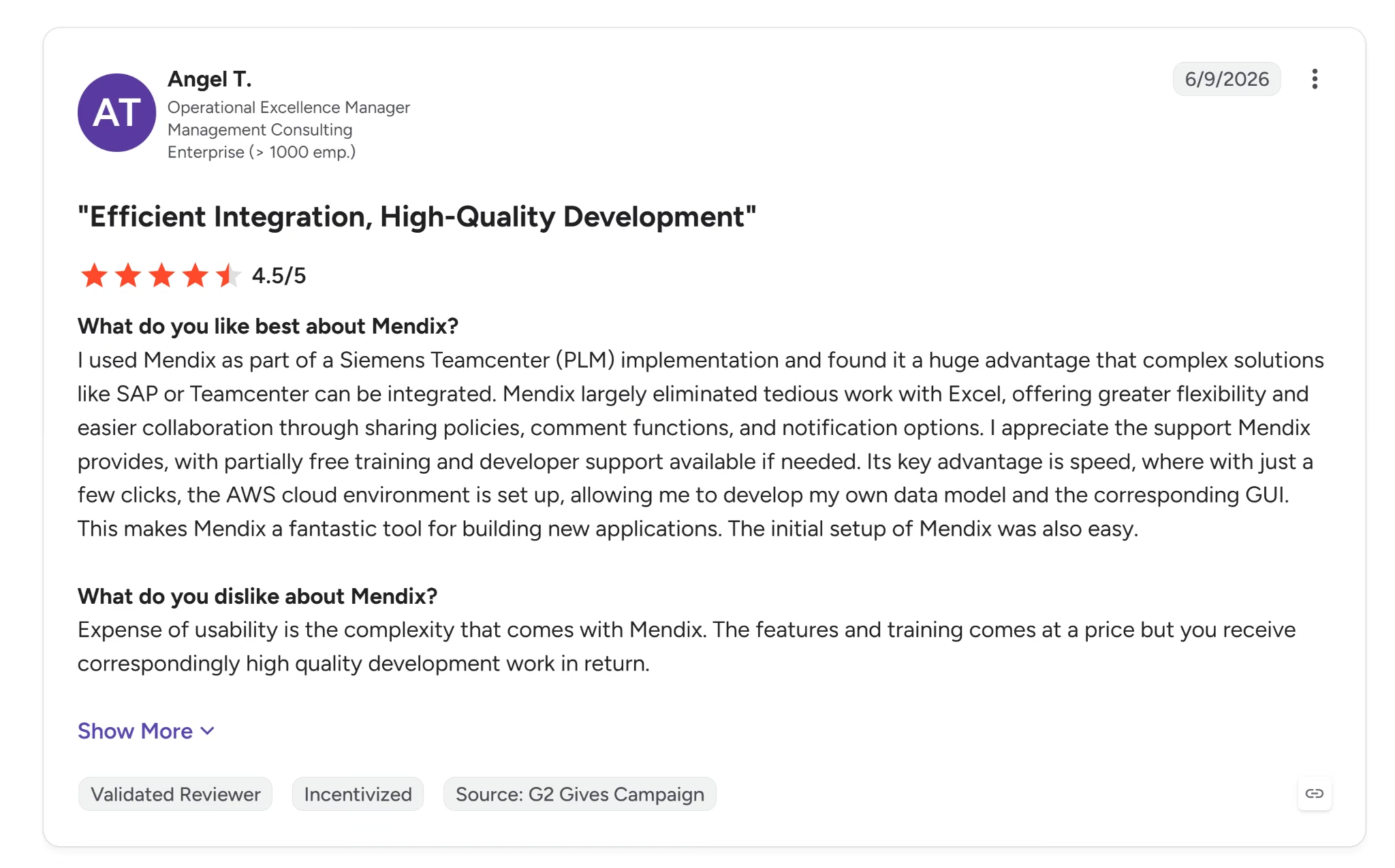
Angel T., an operational excellence manager, said the "expense of usability is the complexity that comes with Mendix," though they felt the quality of the resulting development justified it.
Pricing
Free is a no-cost way to try the platform.
Standard starts at $1,090/month for one app or $2,725/month for unlimited apps, built for department-wide business applications, with up to three environments per app.
Premium is a custom quote for mission-critical core systems and adds a private marketplace, horizontal scalability, high availability and fallback, multi-region failover, 24/7 premium support, and a 99.95% uptime guarantee.
Bottom Line
Mendix earns its keep at enterprise teams that already have a developer on staff, need Gartner-level governance credentials, and can supervise what its AI planning step invents.
Anyone hoping to skip technical involvement entirely won't get far here, since both scope planning and error fixing assume real developer skill.
5. Appsmith: Best for Developer Teams Wanting Open-Source Control
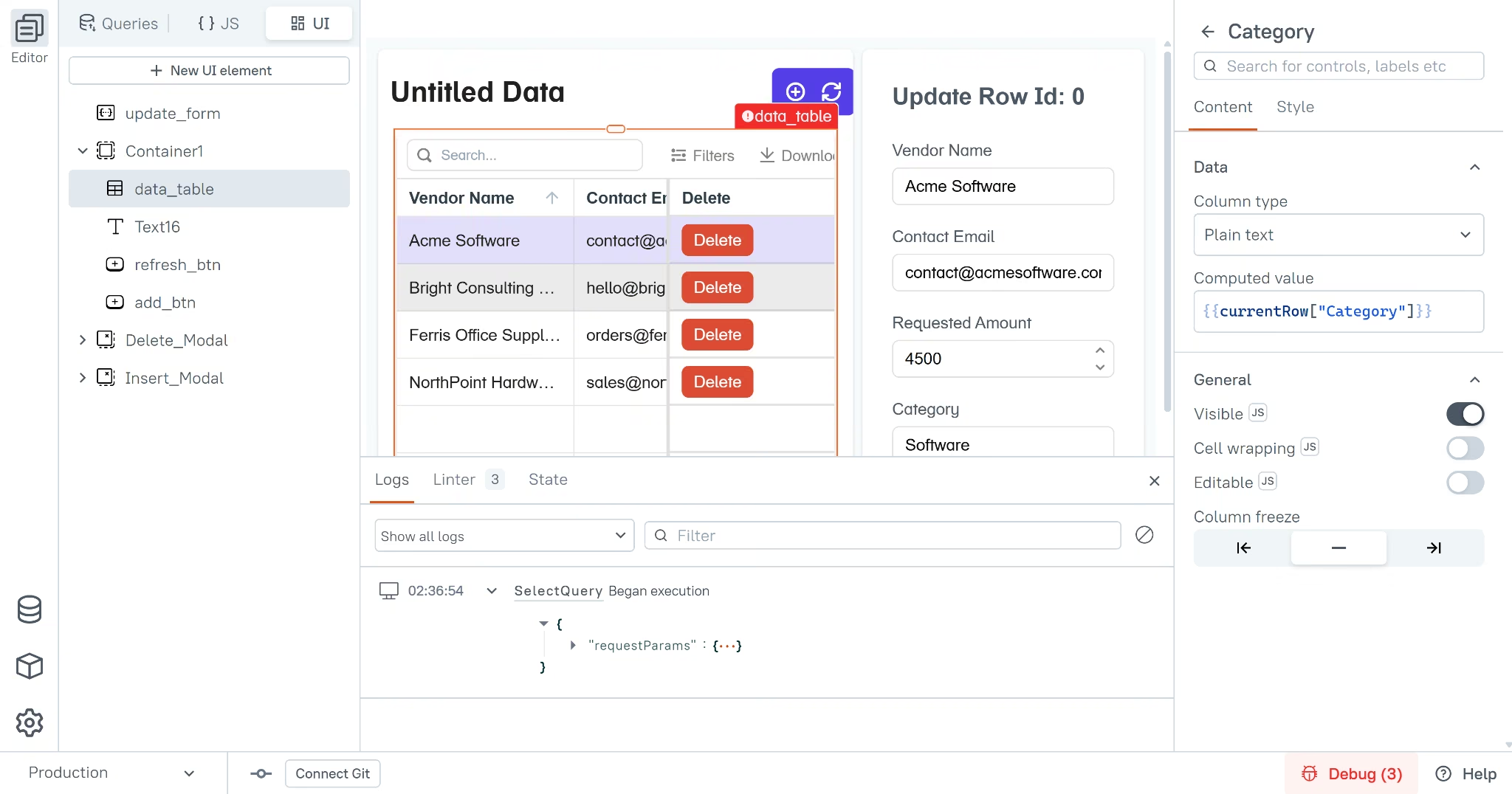
Appsmith has positioned itself as the open-source alternative to Retool since 2019. Its Community Edition has crossed 40,000+ stars on GitHub.
It took me about 10 minutes to set up an account end-to-end, mostly spent on signup and picking a data source.
After signup, Appsmith asks you to pick a data source from a long list. I connected a Google Sheet, which took seconds, and clicked "Generate new page."
The generated form broke almost immediately once I tried to use it. Three of the five fields threw syntax errors the moment the edit form tried to read them, because the auto-generated code was written in a way the browser couldn't parse.
The cause was column names with spaces in them, which JavaScript, the scripting language running behind Appsmith's bindings, can't reference in the normal way. That's not something unique to Appsmith, but its auto-generation walked straight into it anyway. There was no auto-fix button waiting on the other side.
Best for: Developer teams connecting to a real database with clean, code-friendly column names, who want full open-source control and don't mind touching JavaScript if something breaks.
Key Features
- Git-native deployment: Dev, staging, and production branches built in.
- Centralized IDE: Reusable JavaScript logic across widgets.
- Self-hosted deployment: Includes air-gapped environments.
- AI copilot: Widget and logic generation from natural-language prompts.
- Compliance: SOC 2 Type II on the paid tiers. Confirm which tier carries it before you commit, because the Free plan's security list stops at Google SSO and three standard access roles.
Pros
- Unlimited free tier for small teams, up to 5 users and unlimited apps, with no per-developer charge.
- Open-source with a real self-hosting option, including air-gapped environments, so there's no vendor lock-in.
- Connecting a data source and generating a starting table and form took seconds once the data source itself was in place.
Cons
- Any column name with a space in it hits this same wall. Check your own spreadsheet's headers before expecting a clean generated form.
- Don't assume a stuck signup screen means it's broken. The same permissions step that looked frozen here worked fine on a second attempt.
- Requires coding comfort the moment something breaks. Not a realistic fit for a fully nontechnical builder.
What Users Say
Appsmith holds a 4.6 out of 5 rating from 60+ reviewers on G2. The praise leans on exactly the promise this review put to the test.
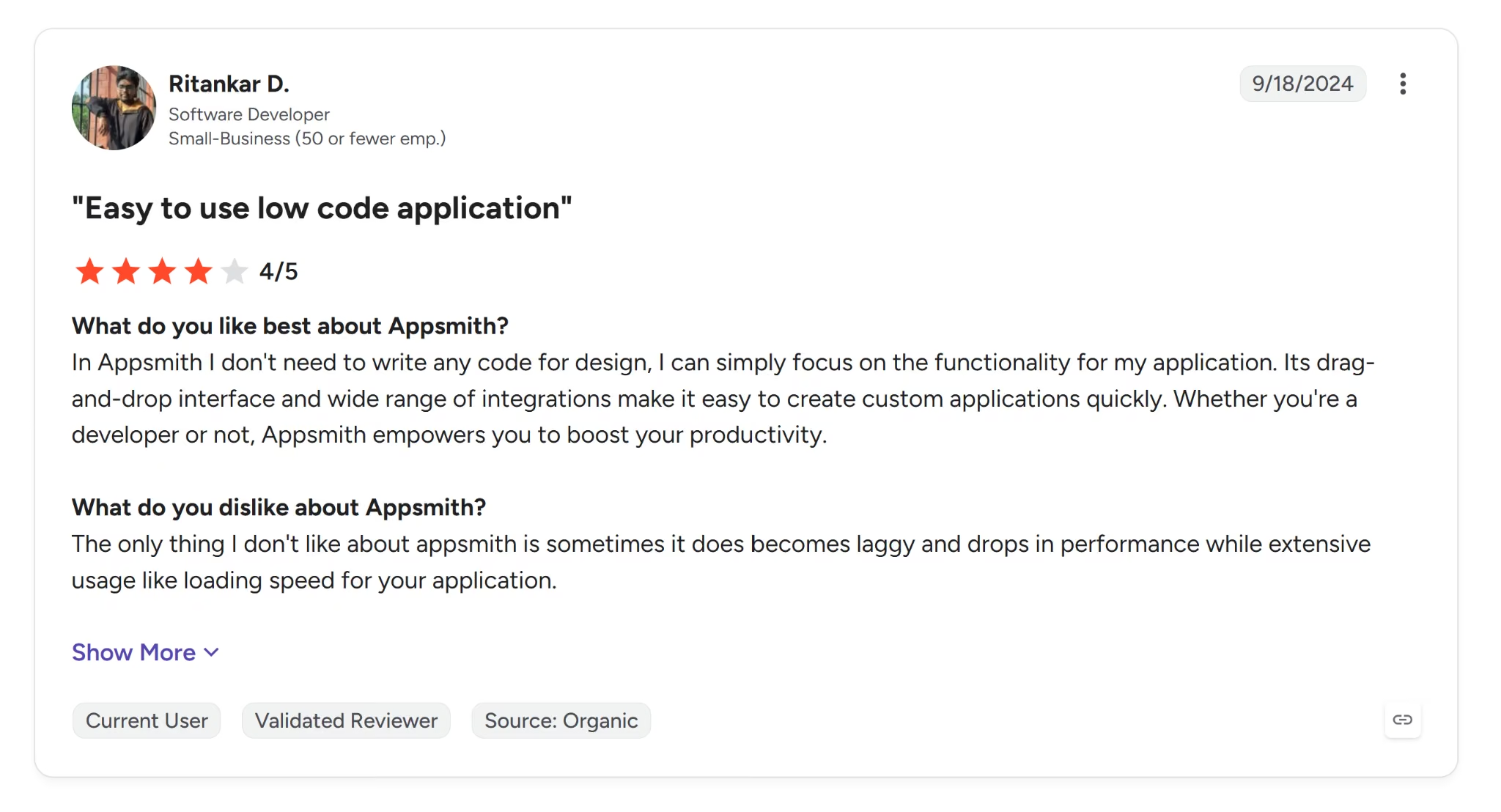
Ritankar D., a software developer, said Appsmith means you "don't need to write any code for design."
That's a harder claim to square with what happened here, where getting past a broken auto-generated binding required writing JavaScript by hand.
The complaints reviewers raise are mostly about performance.
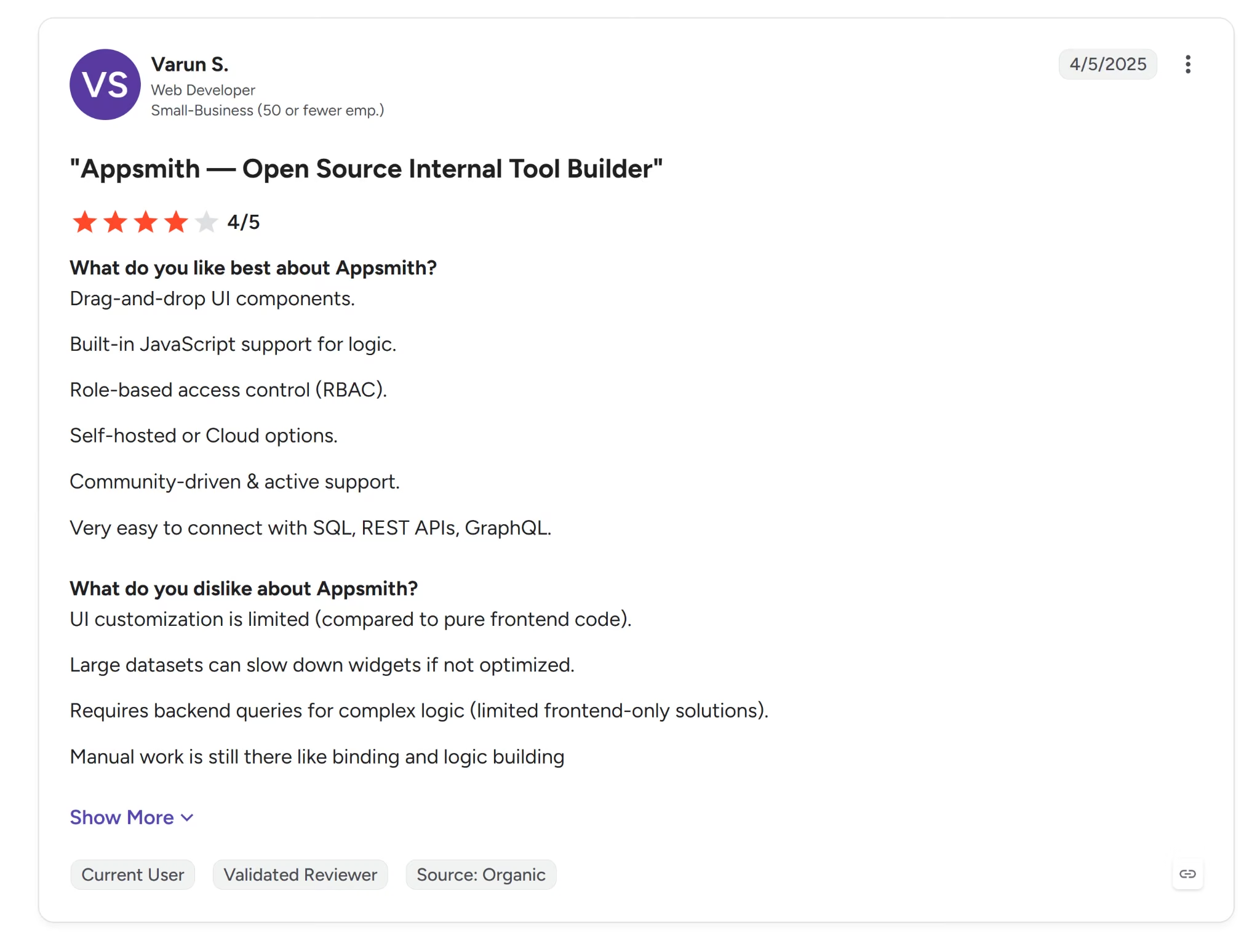
Varun S., a web developer, said "UI customization is limited compared to pure frontend code," and noted that large datasets can slow widgets down if they aren't optimized.
Pricing
Free covers up to five cloud users, unlimited applications, five workspaces, and self-hosting or cloud.
Business costs $15/user/month for up to 99 users and adds unlimited Git repos, removable branding, granular role- and attribute-based permissions, and priority email and chat support.
Enterprise costs $2,500/month for 100 users and adds SSO through Okta, Auth0, Active Directory, or any SAML/OIDC/OAuth provider, plus SCIM provisioning.
Bottom Line
Appsmith is a strong pick for developer teams that want open-source control and are already working with clean, code-friendly data.
Connecting a spreadsheet with normal, human-readable column headers and expecting something to run without touching code is where this review broke down, and where Appsmith is weakest.
6. OutSystems: Best for Fast, Spec-Accurate AI-Generated Starting Points
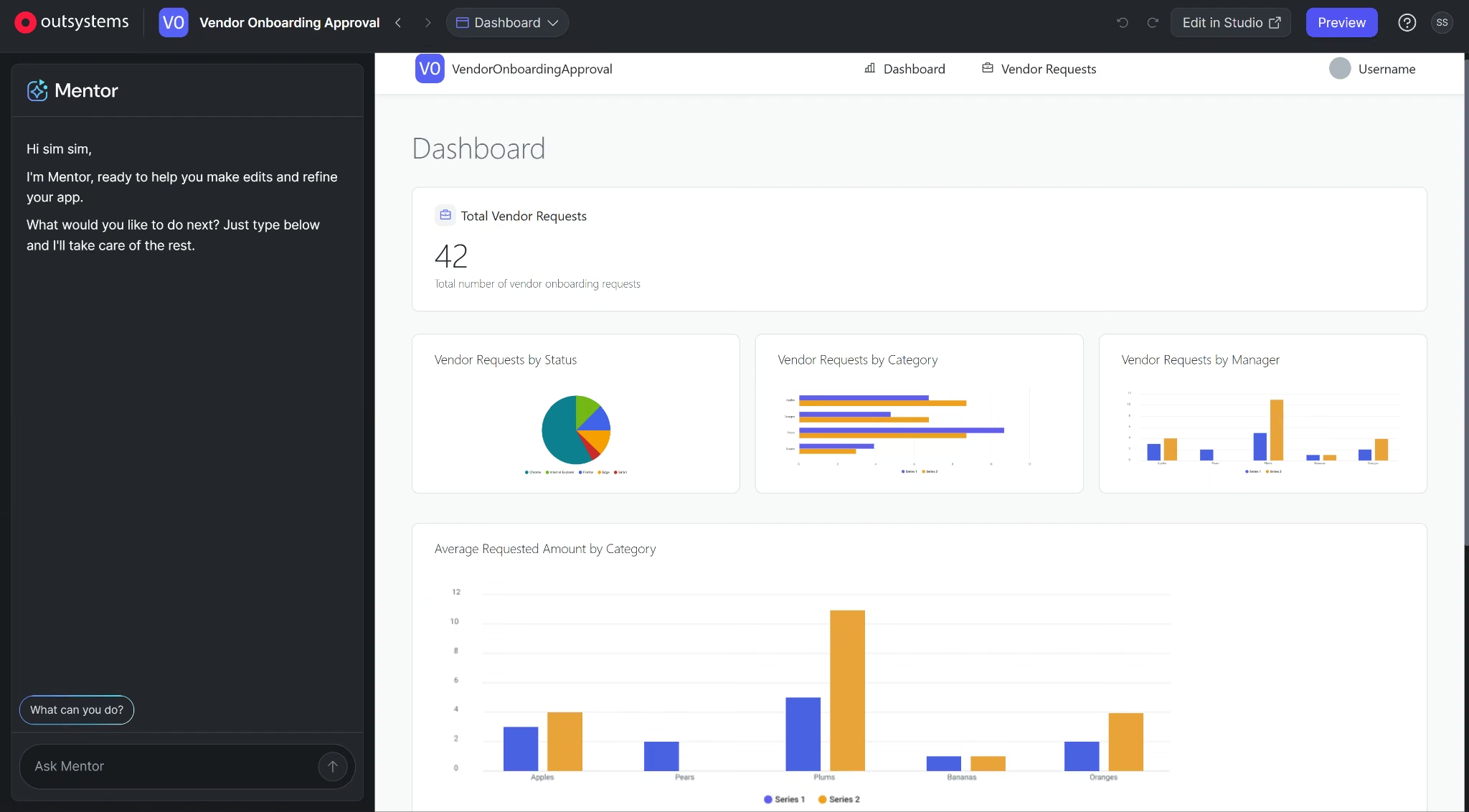
OutSystems' AI-generation feature , Mentor, worked from my prompt. It returned a full blueprint including a data model, a set of screens, and role definitions for me to review.
OutSystems' blueprint stayed close to the actual spec. Mentor added a dashboard and basic Admin, Manager, and Requester roles, both reasonable interpretations of the prompt.
Approving it and generating the app took about 5 minutes, and it came with three sample login accounts already mapped to each role.
The charts and colors were appealing; however, when I tested it, I discovered that there was no dedicated Approve or Reject action at all. OutSystems gave me a generic edit form for the requests instead.
Then I logged back in as the vendor and edited the approval status on my own submitted request. The permission model never restricted who could change what.
I also tested the generated model's validation and found it missing. A decision date I entered before the request's submission date was accepted without any warning.
I never reached the point of testing email notifications, since there was no distinct approve or reject action to attach a trigger to in the first place, and no email went out.
Best for: Teams that want a fast, close-to-spec AI-generated starting point, with a developer ready to add the approval logic, permission checks, and data validation it didn't generate.
Key Features
- Visual modeling: Web and mobile from one codebase.
- Dependency checking: Automated, across an app portfolio.
- CI/CD deployment: One-click.
- Runtime environments: Separate dev, non-production and production runtimes on Developer Cloud.
- Compliance: Tier-gated. Only "limited" ISO 27001 comes with the base Developer Cloud tier; SOC 2 Type II and PCI DSS require the paid Advanced add-ons.
Pros
- Mentor's blueprint stayed close to the actual request. No invented account systems, no reporting dashboard nobody asked for, none of the scope inflation Mendix's planning step produced.
- Generated a full app, complete with sample login accounts for each role, in about 5 minutes.
- In the low-code market since 2001, which makes it one of the two oldest platforms here, with enterprise deployments across 80 countries.
Cons
- Anyone who opens the generated app in this test could also change a request's status, since no dedicated approval step ever gates that action.
- Bad data can slip in without warning, and no one gets notified when a decision happens, since neither validation nor an approval trigger got built.
- Enterprise compliance is sold separately. Budget for the Advanced add-ons if SOC 2 or PCI DSS is a hard requirement, not just a nice-to-have.
What Users Say
OutSystems holds a 4.5 out of 5 rating from 1,800+ reviewers on G2.
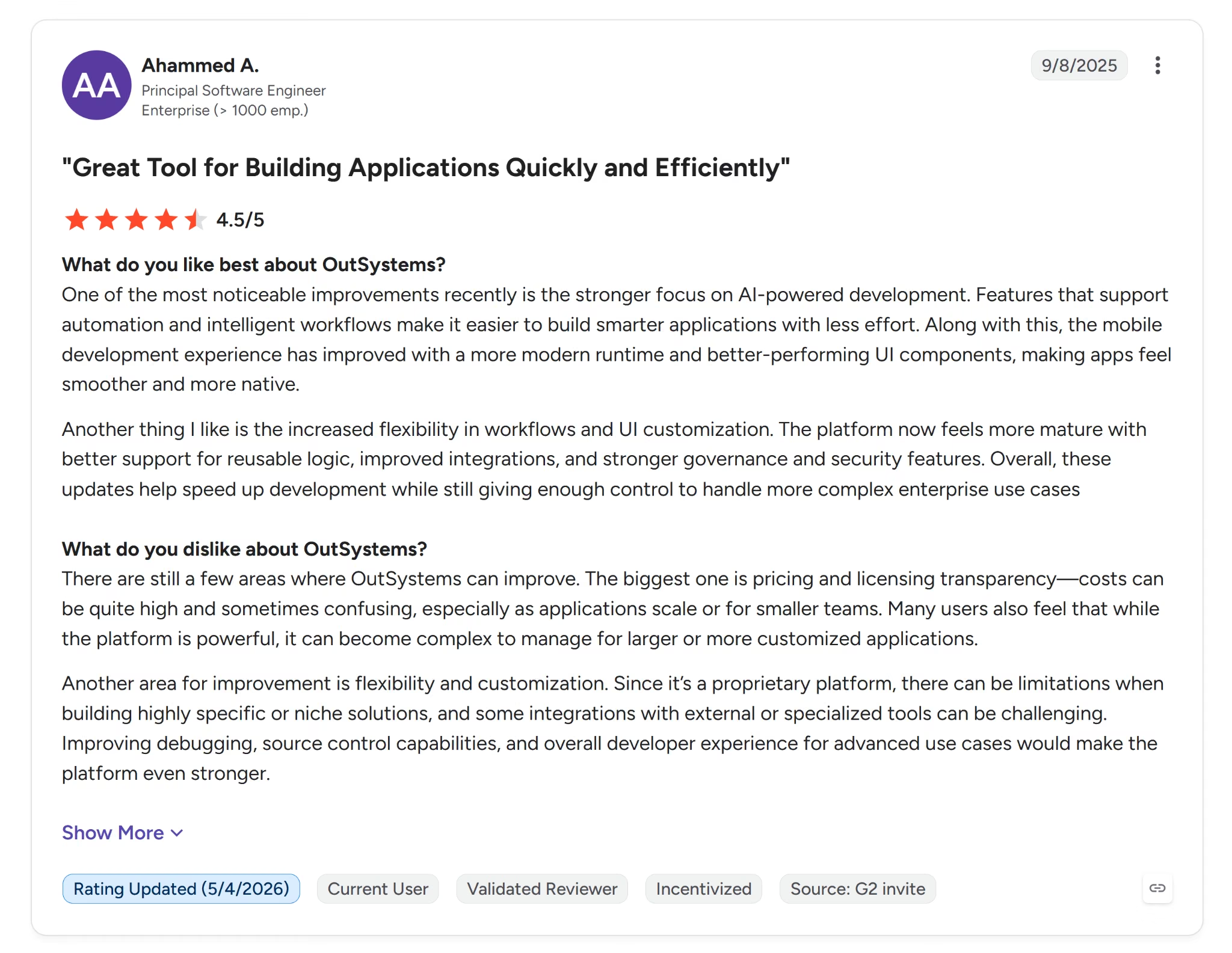
Ahammed A., a principal software engineer, said the platform "now feels more mature with better support for reusable logic."
The complaints match the same theme this profile's Cons already flag. It comes down to what's included by default versus what costs extra.
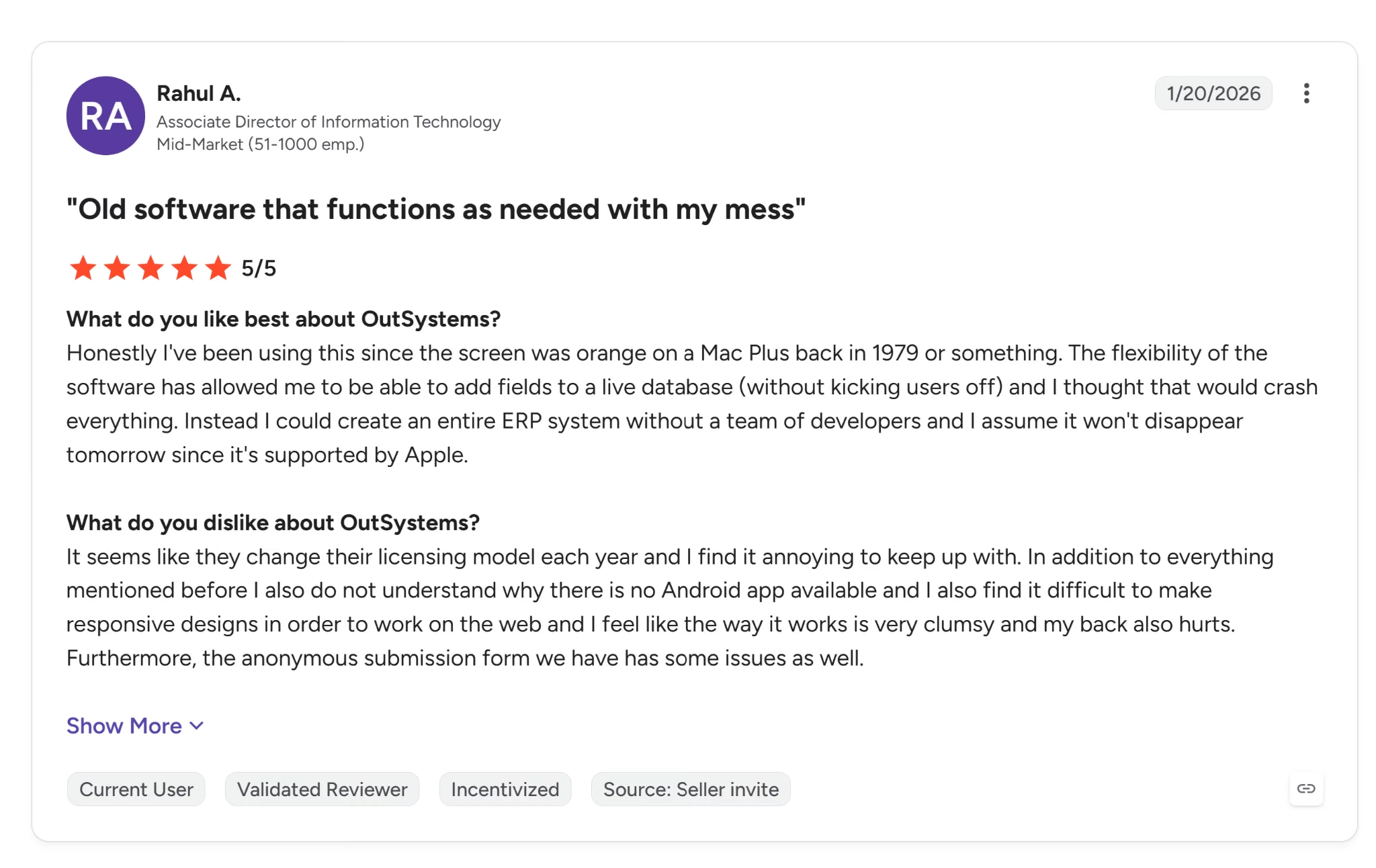
Rahul A., an associate director of IT, said the company "change their licensing model each year" and finds it hard to keep up with, echoing the tier-gated compliance this review ran into directly.
Pricing
OutSystems Personal Edition is free and includes professional support during business hours, a development-only runtime, OutSystems Cloud hosting, and up to 100 internal users, but it's limited to test applications, not production use.
OutSystems Developer Cloud (ODC) is quote-only ("Get an estimate") and covers development, non-production, and production runtimes, 99.5% uptime, limited ISO 27001 compliance, and one medium-sized production application to start.
Advanced add-ons is also quote-only, includes 24x7 support, a self-hosted option, and adds compliance certs like SOC 2 Type II and PCI DSS.
Bottom Line
OutSystems' AI generation is fast and stays honest to what's asked for, a strength over Mendix's scope inflation.
What it built here was a form with a status field anyone could edit. That's a starting point for an approval workflow, and a developer has to finish it. Closing that gap would take real developer work before this could be trusted with something as basic as who's allowed to approve a request.
7. Appian: Best for Government-Grade Compliance Depth
Appian has been building process automation software for more than 25 years, longer than anything else in this review.
I couldn't reach a working build here either, though for a different reason than Kissflow or Power Apps. Appian's main site routes every plan straight to a sales demo.
I signed up separately for the free Community Edition at community.appian.com, which promises "free access to a dedicated Appian platform instance." Clicking through to claim mine landed me in a course catalog.
Clicking through to access the environment led me to Appian Academy instead, a structured certification curriculum for Associate, Senior, and Lead Developer paths.
Reaching a working build wasn't possible, so here's what building in Appian involves, based on its own documentation.
A developer writes logic in Appian's own expression language, drops into custom Java plug-ins once that runs out, and connects to outside systems through Web APIs and connected systems. Everything built that way stays inside Appian's own runtime, which matters if you ever want to move it elsewhere.
Best for: Teams in regulated, government-grade case management, where the compliance stack and Data Fabric integration outweigh the ability to try it hands-on before signing a contract.
Key Features
- Data Fabric: Integrates data across legacy systems without migration or custom ETL.
- Process mining: Surfaces real process bottlenecks natively.
- RPA: Built into the same platform as app building.
- Auditability: End-to-end, for regulated workflows.
- Compliance: The deepest government-facing stack in this review, and the only one carrying FedRAMP Moderate and High plus DoD Impact Levels 2, 4, and 5, alongside HITRUST and SOC 2 Type II.
Pros
- Appian includes RPA, software robots that click buttons and copy data the way a person would inside an old system with no other way to connect to it. Most tools would need a separate product bought just for that.
- Every approval, rejection, and change gets a timestamped record automatically. A developer doesn't have to build that tracking in by hand.
- Appian can pull data straight out of an old system without a separate project to move that data somewhere new first, the kind of project that often takes months on its own.
Cons
- You can't try Appian yourself. Every step, seeing a demo, getting real access, requires talking to a salesperson first.
- Appian publishes tier names and a per-user, per-app model, but no dollar figures. Cost only comes up once you're already on a call with sales.
- Everything you build stays inside Appian's runtime. Export tools move packages between Appian environments, not out to a standard, runnable format if you ever want to leave.
What Users Say
Appian holds a 4.5 out of 5 rating from 500+ reviewers on G2.

Alemu J., in accounting and finance at an enterprise company, said Appian lets teams "quickly turn business requirements into working applications."
The complaints are about cost, and how opaque that cost is until you're already talking to sales.
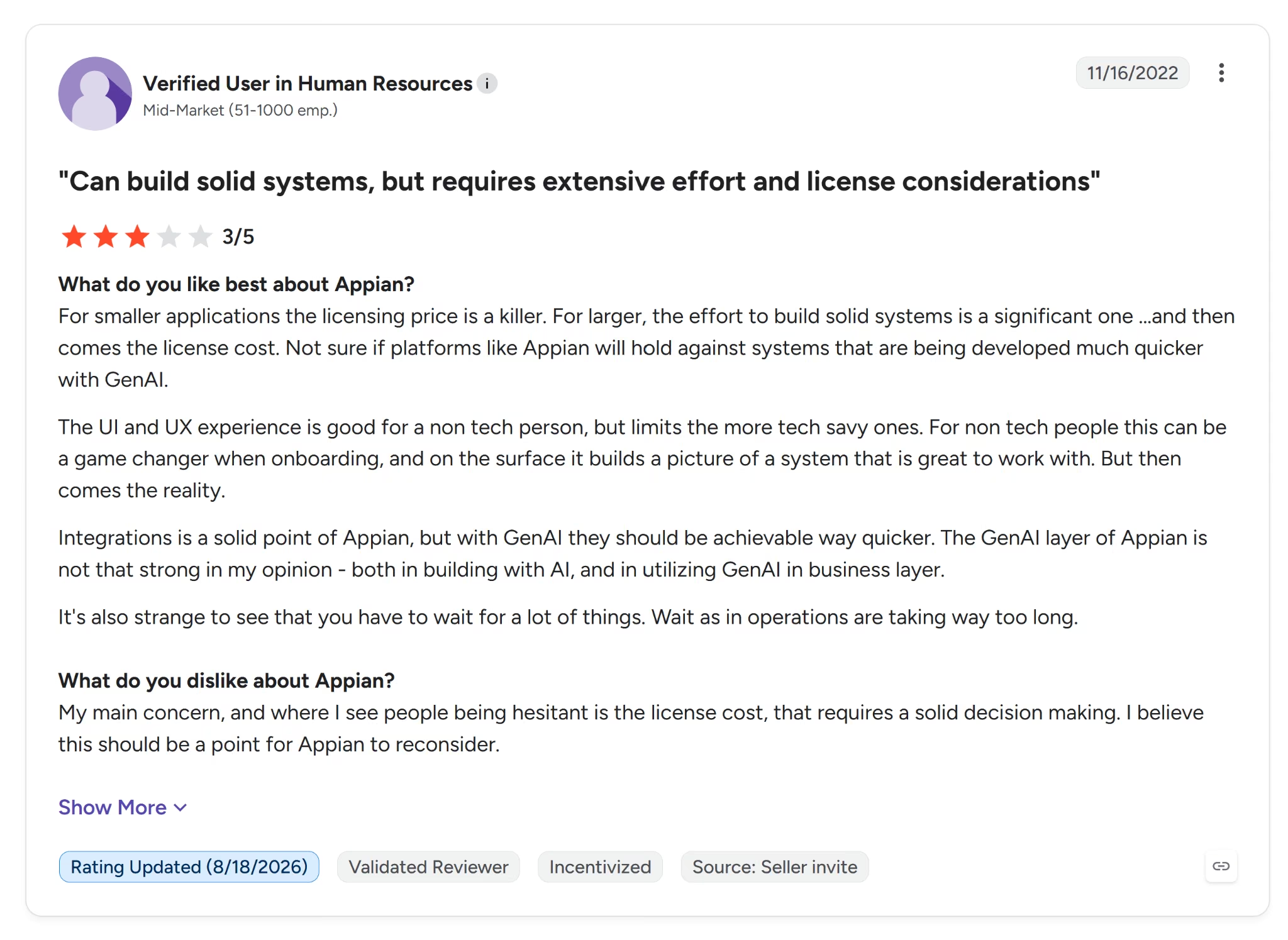
A verified reviewer in HR at a mid-market company said "for smaller applications the licensing price is a killer."
Pricing
Appian publishes tier names, Standard, Advanced, and Premium, priced per user, per app, per month, but no dollar figures anywhere on its site.
Bottom Line
Appian is a strong fit if the job is regulated case management and the compliance stack is the deciding factor, since nothing else in this review comes close on that front.
It's a poor fit for anyone hoping to try before they buy. Even the free tier didn't deliver the hands-on access it promised, and that gap between what a page says and what it does is the defining finding of this profile.
How to Evaluate Low-Code App Builders
Evaluate a low-code app builder on six things. Who's doing the building? How deep does the governance go? Can you leave without losing your data? How far does real code take you past the visual layer? Does it fit a developer's existing workflow? And what does it cost once you're past the free tier?
Here's what each one means in practice:
- Intended builder: Ask who the tool assumes is doing the building, a developer or someone with no coding background. Try breaking something on purpose during a trial. If fixing it takes real coding comfort, the way it did with Retool and Appsmith in this review, you're looking at a developer-first tool, not a business-user one.
- Governance depth: Check for role-based access, audit trails, and separate environments for testing and production. Test the permission model yourself by logging in as your lowest-privilege user and trying to do something you shouldn't be able to. OutSystems failed this test, letting a requester edit their own request's status.
- Data and logic portability: Ask what happens if you ever want to leave. Look for an open-source core or a self-hosting option, like Appsmith's, as a real way out. Ask directly whether a tool locks your build inside a runtime you can't export, the way Appian and OutSystems do.
- Code depth past the visual layer: Find out where the visual layer stops, then ask what's underneath it. Look for a real code editor or exposed backend functions, like Appsmith's and Retool's, so a developer has somewhere to go once drag-and-drop runs out.
- Developer workflow fit: Ask whether the tool fits into a deployment pipeline your team already uses, git-based branches, staging and production environments, one-click CI/CD. Appsmith and OutSystems both expect that pipeline to already exist. Some tools, like Kissflow, offer none of this because they were never built around a developer's workflow.
- Real cost at scale: Don't trust the advertised price. Ask what a full deployment actually costs once you add seats, hosting, and compliance certifications, the kind of add-ons that pushed OutSystems' real price well past its free tier. And if a vendor won't publish pricing, like Kissflow and Appian, budget time for a sales call before you'll even get a number.
The six questions above assume low-code is the right category to begin with. It might not be, especially if none of the seven tools above fit what you need, and general-purpose app-building software picked for scale, not a dev workflow, could be the better starting point.
When Low-Code Isn't What You Need
Low-code isn't the right call in every situation, even though every platform in this review is built to make it feel that way.
Skip it if you don't have a developer on hand. Appsmith, Mendix, and OutSystems all required coding skills the moment their AI-generated builds hit a problem, whether that was a syntax error, a professional IDE, or a permission model that needed fixing by hand.
A visual builder just moves when you find out you need a developer. Usually it's the afternoon something breaks.
You can also skip low-code tools if governance isn't the reason you need a platform. Kissflow, Mendix, and Appian's value is compliance depth and audit trails at scale. You're paying for capability you won't use if that's not what the job requires.
Low-code tools are also the wrong call if the job is one contained tool with no complex workflow or organizational rollout behind it. Learning any of the seven interfaces above can cost more time than the tool ends up saving, especially if nobody on the team has used one before.
The third case is the one worth naming a fix for. If it's one contained tool and nobody is rolling it out across departments, describing what you want to an AI app builder and getting working software back skips the platform you would otherwise have to learn.
The first two cases point elsewhere: with no developer at all, an off-the-shelf tool is usually the safer buy, and if governance is not the driver, scoping down beats shopping platforms.
Emergent: Best for a Custom Internal Tool Your Team Still Owns the Code For
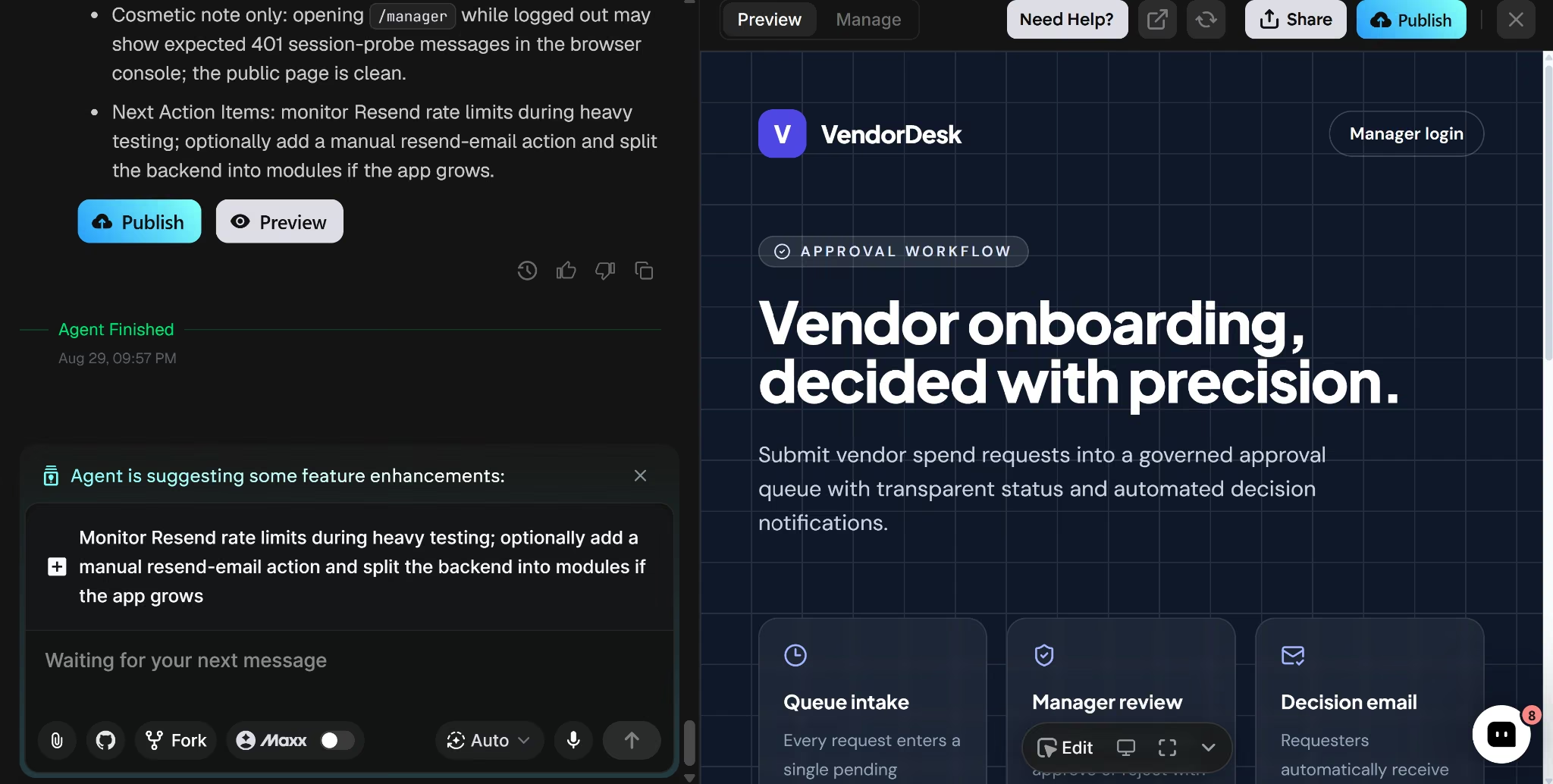
Emergent turns a written description into a working app. I described what I wanted and got real backend logic and a database back, not just a frontend.
I never touched a visual canvas or a widget library. I described the workflow, and what came back was code I could open, read, and push to a repo, not the visual layer a no-code app builder is built entirely around.
Before generating anything, it asked me whether the approval view needed a real manager login, which email service should send decisions, what visual style to use, and whether rejections needed a reason.
I had to think through my answers; probably why the result held up better than tools that skipped straight to a build.
I had a working app, VendorDesk, 25 minutes after my first message. It included a real login gate on the manager dashboard, not a decorative one. I tried reaching the approval queue without logging in, and it failed every time.
OutSystems failed this same test. Its generated app let a Requester edit their own request's status, since it never checked permissions. VendorDesk's held.
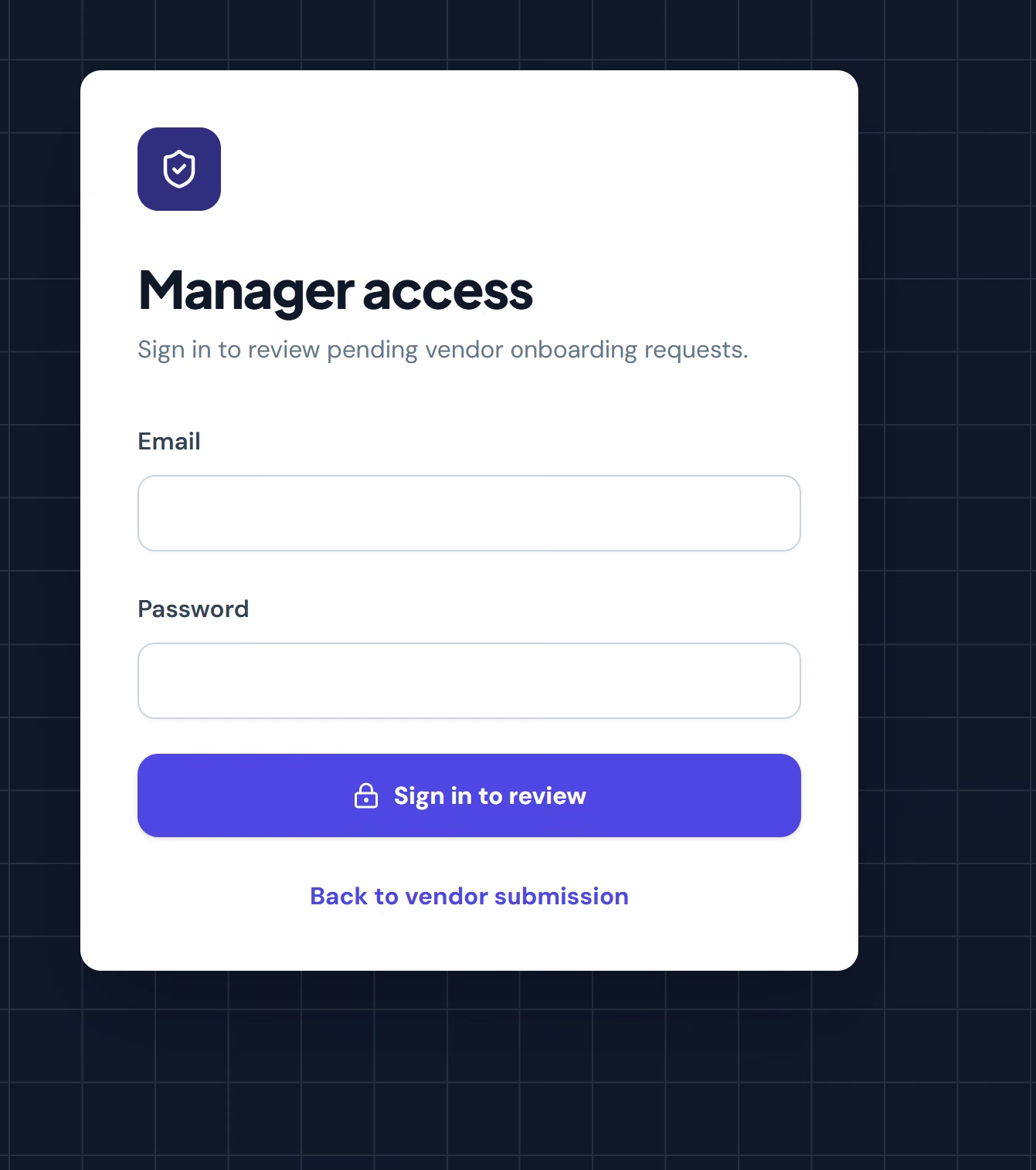
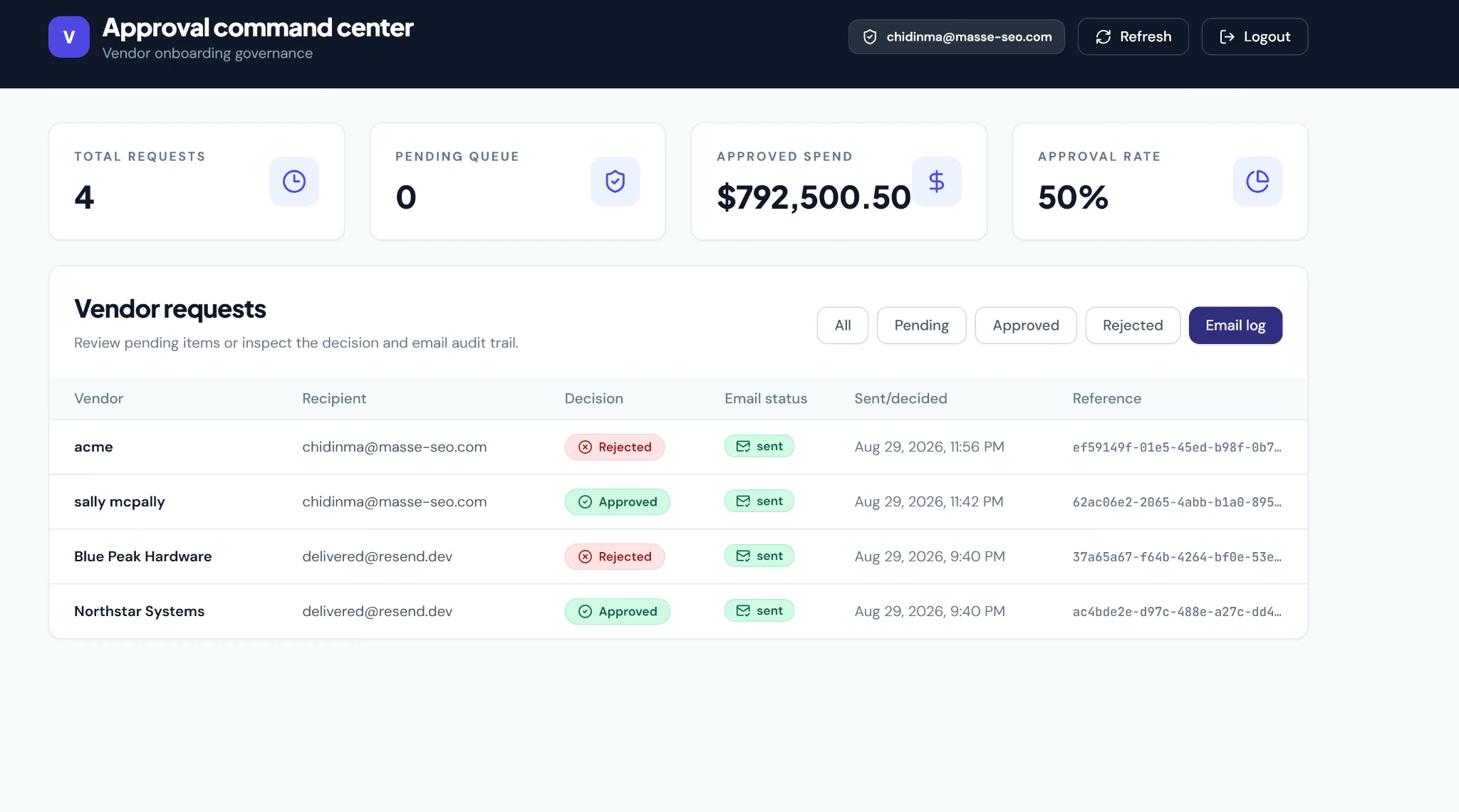
I approved one request and rejected another, and both worked. The decision emails arrived in my inbox, and the dashboard's numbers stayed internally consistent.
Emergent can also restyle the generated app to match specific brand colors and fonts on request. In the tools I got far enough to style, brand colors and fonts meant working through each platform's own theming layer first.
Best for: Teams that want a single custom tool with branding control and are comfortable answering a few setup questions before anything gets built.
Key Features
- GitHub integration: Connect a real GitHub repo, push code, and manage branches without leaving Emergent.
- Fork tasks: Fork a task into a fresh thread to try a different approach without losing the original.
- Custom AI agents (Pro tier): Build an agent tailored to a specific, repeatable workflow, like reviewing pull requests or triaging support tickets.
- Code ownership: Every app runs on standard, well-known frameworks like React and Next.js instead of a proprietary language, so the code stays useful even if you stop paying for Emergent.
- MCP Connector: Control Emergent directly from Claude or ChatGPT.
- Emmy: A free, always-on in-product assistant that already knows your project context, no re-explaining, no separate credits to ration.
Pros
- Scoping questions about login needs, email service, and visual style caught real requirements upfront.
- Generated a login gate that blocked unauthorized access. Of the two AI-generated builds I got far enough to test this way, OutSystems let a requester edit their own approval status and this one didn't.
- Real, verifiable email delivery with reference IDs and a working audit log.
Cons
- Emergent can change how many credits come with each plan. Check the current number yourself before signing up, instead of trusting the figures in this review.
- Results depend on how the AI reads your prompt each time. Two people describing the same app slightly differently could get different results, since nothing here is a fixed set of drag-and-drop steps.
- No governance layer at the tier a small team would buy. Role-based access, single sign-on and audit logs start at Business and Enterprise, so Kissflow, Mendix and Appian all beat it on day-one oversight.
What Users Say
Emergent holds a 4.3 out of 5 rating from 6 reviewers on G2, a far smaller base than any of the seven ranked tools.
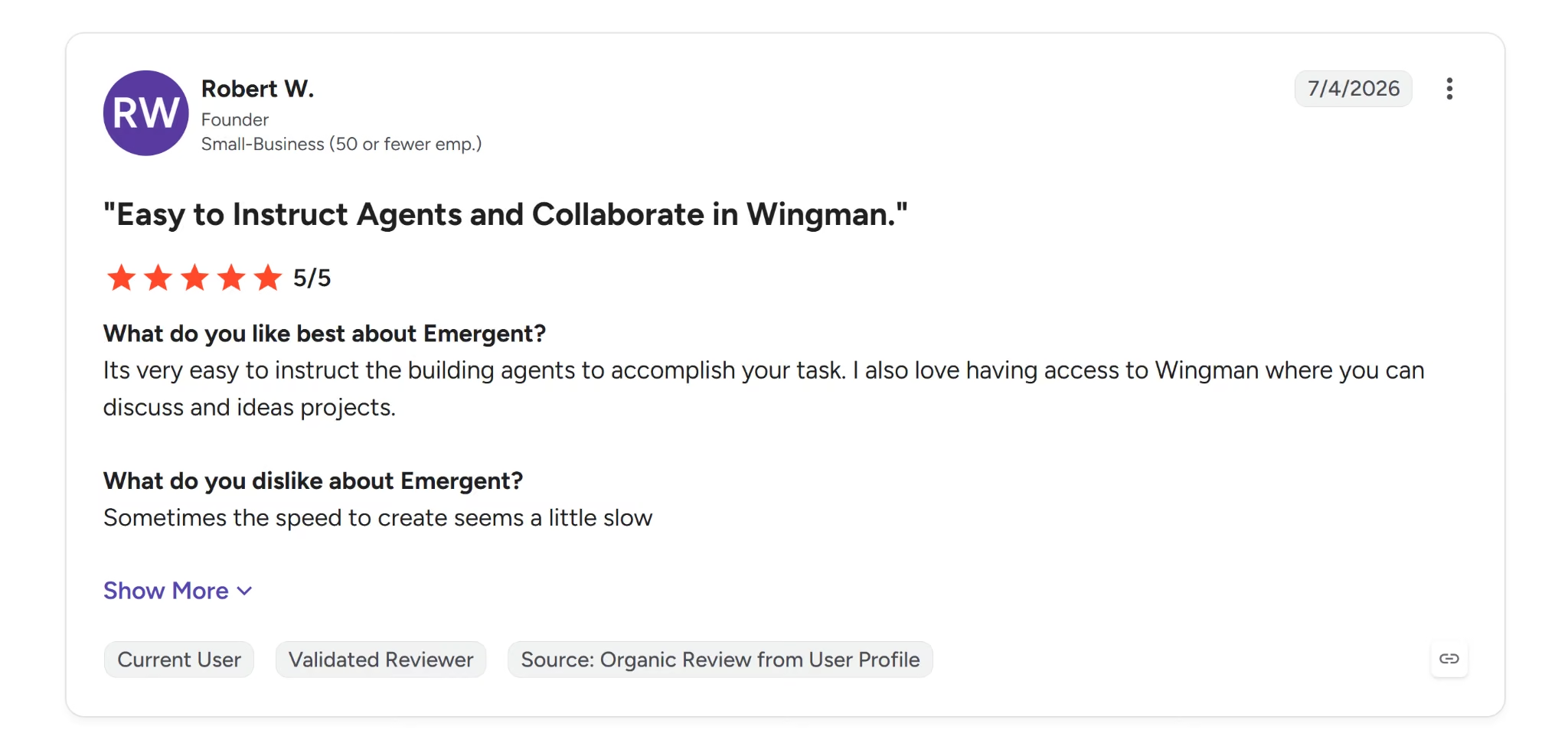
Robert W., a founder at a small business, said it's "very easy to instruct the building agents to accomplish your task."
The one complaint that shows up is ramp-up time, unsurprising for a tool with a review history this new.

Max H., a partnership director, said "it took a while to understand how best to use at first."
Pricing
Free costs $0/month, includes 10 monthly credits, and provides instant access to the most advanced models.
Standard costs $20/month, or $17/month billed annually, and adds 100 monthly credits, the ability to purchase extra credits as needed, and private project hosting.
Pro costs $200/month, or $167/month billed annually, and adds 750 monthly credits, a 1M-token context window, and Ultra thinking.
Business and Enterprise are both custom-priced. Business adds role-based access control, single sign-on, shared team workspaces, and real-time co-editing. Enterprise builds on that with user-level credit limits, audit logs, self-hosted database support, and priority SLA and support.
Emergent's pricing is credit-based, and allocations shift as plans get updated, so confirm the current credit counts on Emergent's pricing page before you commit to a plan.
Which Low-Code Platform Should You Choose
The right pick comes down to who's building it and what you're already tied to.
- A developer owns the build and you control the database: Retool or Appsmith. Retool if you want it wired up today, Appsmith if you want the repo and self-hosting.
- Already on Microsoft 365: Power Apps, once your admin confirms Copilot and data creation are on.
- Business users build, IT signs off: Kissflow, and budget for the sales call.
- Compliance decides it: Appian for FedRAMP and DoD levels, Mendix for everything short of that.
- You want an AI-generated starting point and a developer to finish it: OutSystems.
- Skip low-code entirely if it's one contained internal tool with no complex workflow or organizational rollout behind it. Describing what you want directly and letting an AI generate real code may get you a working result without a platform's interface standing between you and it.
Read More: 5 Best App Building Platforms for Fast, Scalable Apps in 2026
Final Verdict
All seven tools in this review can get you to a finished build. Getting there cleanly is a different story. Power Apps, for example, works best inside an existing Microsoft 365 setup, where an unrecognized tenant can block signup entirely, and every tool in this review has some version of that fine print.
Even once you're past setup, using any of them well still requires technical skill. It means reading a JavaScript error and fixing it by hand, navigating a professional developer IDE, or understanding a permission model well enough to test whether it works.
Not everyone has the time or the team for that kind of troubleshooting.
Skip the setup walls, the tenant permissions, and the AI-generated logic you have to test by hand. Describe what you need to Emergent, and it builds it that way from the start.
Most builders stop at a prototype. Emergent ships real web and mobile apps, with accounts, databases, and payments included.
- Production-ready apps
- Web & mobile apps
- Deploy in minutes







