




Every no-code backend looks great in its first 10 minutes. You describe an app, and the tool creates tables and a working login screen. The real test comes when a role or trigger needs changing. Can a non-developer still open the backend, or are you locked out of your own app?
My main question was which no-code backend a non-developer could still edit six months later. I rebuilt the same SEO and content tracker (three linked tables, three roles, and a status-change email) across nine tools using a single brief. I judged each on six things, from how it handled the build to whether I could export my data and walk away.
These tools serve different jobs, so I ranked them by use case. Here's which no-code backend tools held up and who should use them.
9 Best No-Code Backend Tools: TL;DR
- Xano: Best for serious builders who need scalable custom APIs and real backend logic.
- Supabase: Best for technical builders who want to own and control a Postgres database.
- Emergent: Best for teams outgrowing no-code that need a real, deployable app whose code they keep.
- Zite: Best for business and ops teams that want a backend they can see and change without a developer.
- Firebase: Best for mobile and real-time apps that need live sync and quick authentication.
- Airtable: Best for non-technical teams that need a fast, spreadsheet-style database layer.
- Backendless: Best for developers who need an enterprise-grade backend proven at scale.
- Directus: Best for teams that already have SQL data and want an instant API and admin layer over it.
- Bubble: Best for building a full app and its backend together in one visual platform.
What Is a No-Code Backend?
Before you can pick from that list, it helps to know what you're buying. A backend is the part of an app you don't see. It's the database that stores your data, the logic that runs on it, the authentication that logs people in, and the integrations that connect it to other tools. It's the engine underneath the dashboard.
A no-code backend lets you build most of that engine visually, though some tools in this roundup still require SQL, security rules, or technical configuration. You define tables, set up logins, and wire up workflows through a point-and-click interface instead of a text editor.
Backend-as-a-service (BaaS) is a hosted backend that connects to your app. The category overlaps with no-code backends, and the category map below explains the distinction.
Every ranked backend had to hold the tracker's data, log three types of users in, run the status-change logic, and connect to email. That's a backend, whether you built it by clicking or by coding.
The No-Code Backend Category Map: Which Type You Need
These tools often get grouped together even though they solve different problems. Rebuilding the same tracker across each category exposed those differences quickly.
The tools fall into five categories.
- Database layer: Airtable stores and relates data through a spreadsheet-style interface, but it needs a front-end paired on top to become a full app.
- Full no-code backend: Xano, Backendless, and Directus give you APIs, logic, and auth as a complete backend you build visually.
- BaaS: Firebase and Supabase are hosted developer backends you connect to your app, with support for mobile and real-time use cases.
- Prompt-to-app with a built-in backend: Zite generates the whole backend from plain English, database, logins, and workflows included.
- Custom app from a prompt: Emergent builds a deployable app from a prompt and gives you code you can keep and export.
Database-layer tools handled the tables but needed a separate layer for application permissions. BaaS tools required more configuration, while prompt-to-app tools generated an editable backend. Use the map to match the tool to your data, permissions, and workflow needs.
Also read our Vibe Coding vs No Code guide to understand which approach fits your backend needs before you commit to a tool.
How I Researched and Tested These No-Code Backend Tools
To compare those five types fairly, I gave every tool the same brief: build an SEO and content tracker with three user roles and a status-change email. Then I judged whether the build worked, who could change it later, and whether I could move my data or code elsewhere.
The tracker uses linked tables for clients, campaigns, and content pieces. It includes admin, team-member, and read-only logins, plus an email that fires when a content piece moves to 'Needs Review' or 'Published.' Those requirements tested the database, authentication, permissions, and workflow logic.
Here's what I weighed each tool on:
- Features: How well it handled the tracker's database, auth, roles, and the status-change workflow.
- Usability: Whether it felt fast and buildable for someone who isn't a developer.
- Integrations: How cleanly it connected to email and the other tools around it.
- Pricing: The real value of free versus paid, and the pricing model (per-seat, usage, flat, or add-ons).
- Long-term editability: Whether a non-dev could return six months later and change a role or trigger.
- Escape hatch: Whether I could export the code or own the data and walk away.
Rebuilding the same app on each one exposed the differences a feature list hides. I saw where each tool stalled, how much cleanup it needed, and who could safely edit it later.
I used each tool's free tier or trial when available and rebuilt the tracker across the nine ranked tools from the same brief. Each score came from a hands-on build.
I also tested Softr and Glide. They did not earn ranked spots because they provide the client-facing UI and login layer over a database. They appear later as tools to pair with Airtable when the data and logic are already in place.
9 Best No-Code Backend Tools: Quick Comparison
The table compares each tool by strength, use case, and starting price. The Best For column uses categories because a flat ranking would hide the differences. Prices match the rates listed by each company at the time of review.
| Tool | Strengths | Best For |
|---|---|---|
| Xano | Scalable APIs, real backend logic | Serious builders |
| Supabase | Postgres ownership, open-source | Technical builders |
| Emergent | Full custom app from a prompt, code you keep | Teams outgrowing no-code |
| Zite | Visible backend, AI-generated, flat pricing | Business teams, non-devs |
| Firebase | Real-time sync, mobile-ready | Mobile, real-time apps |
| Airtable | Spreadsheet-style, fast setup | Non-technical teams |
| Backendless | Codeless logic, 18 auth providers | Developers, enterprise |
| Directus | Instant API over SQL, own your data | Teams with SQL data |
| Bubble | Built-in database, app builder | Full app + backend in one |
1. Xano: Best for Serious Builders Who Need Scalable APIs

What it does: Xano is a dedicated no-code platform for building APIs and complex logic visually, with a marketplace of pre-made backends.
Best for: Serious builders and teams that need custom APIs and complex logic and can absorb a learning curve.
Xano centers on manual visual backend building, though it also offers AI-assisted generation for APIs, databases, and logic. I built the three tables and their relationships manually, then assembled the status-change email as a function stack.
A trigger sat on the content-piece record, a condition checked whether the status had moved to 'Needs Review' or 'Published,' and an action sent the email.
Xano gave me direct control over the API structure, functions, and database logic. But the expression editor and the work of organizing functions and tables slowed me down, and the setup required many of the same decisions as backend engineering.
You get a backend that can support a growing app, but you pay for it in ramp-up time.
I could have started from a pre-made backend in Xano's marketplace instead of a blank canvas, which would have trimmed the ramp, but I built from scratch on purpose to see the real floor.
The maintenance question is where Xano splits from the friendlier tools. A non-developer could read the three tables, but the function stack running the email was mine to keep running, the kind of thing a team member would hesitate to touch.
On the free tier, the API rate limit of 10 requests every 20 seconds meant I had to plan even the test traffic. I used Xano to prove the build and left continuous use for later.
Key Features
- Scalable APIs: You build custom, production-grade APIs visually, without hitting an early ceiling.
- Real backend logic: It's Turing-complete, so the logic you can build isn't boxed in by templates.
- Pre-made backends: A marketplace of ready-made backends gives you a head start instead of a blank canvas.
- Front-end friendly: It connects cleanly to front-ends like WeWeb, Adalo, and Bravo when you need a UI on top.
- 24/7 support: Help is available around the clock, which you'll want when a backend build stalls.
Pros and Cons
Pros:
- Real API power that scales past what lighter tools can handle.
- The pre-made backend marketplace saves setup time.
- Backend logic isn't limited to templates, so you're not boxed in.
Cons:
- A real learning curve, closer to visual backend engineering than a beginner tool.
- The expression editor and function organization add friction as the build grows.
- Cost climbs faster than the database-layer tools.
What Users Say
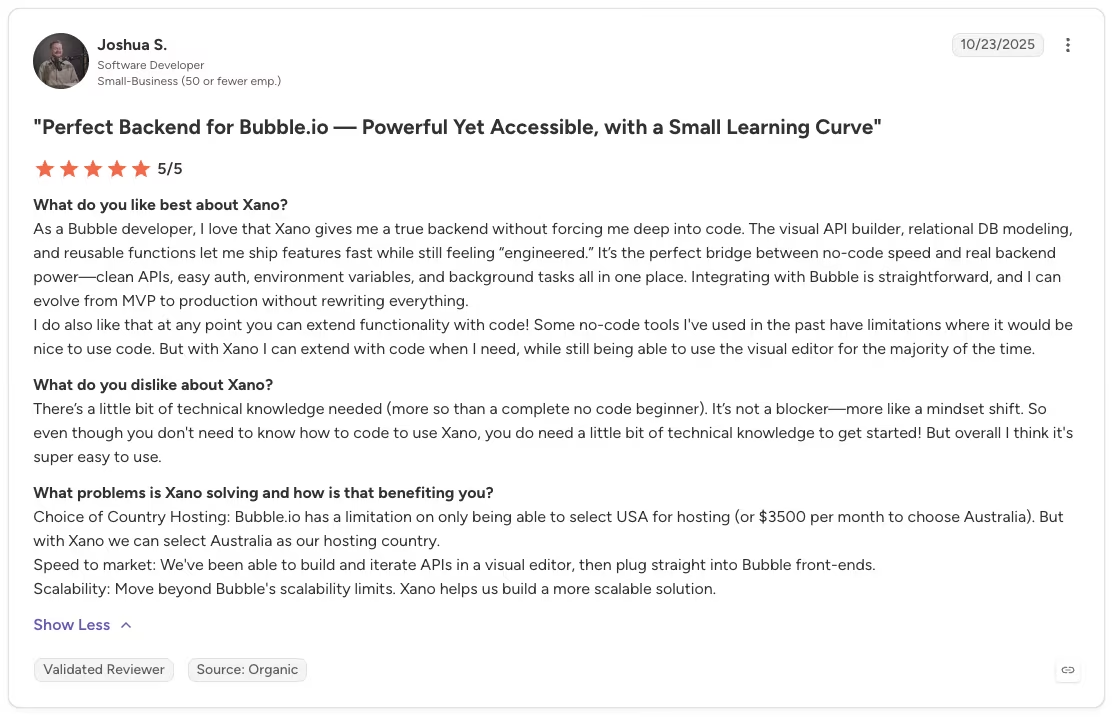
“As a Bubble developer, I love that Xano gives me a true backend without forcing me deep into code. The visual API builder, relational DB modeling, and reusable functions let me ship features fast while still feeling ‘engineered.’” - Joshua S., G2
“I don't love that it's hosted on Google, I would much rather use Amazon and their vast collection of other web services.” - Anonymous, G2

Pricing

Xano has a free tier and an Essential plan at $99 per month. The Pro tier runs $249 per month and adds more capacity, team seats, and a HIPAA add-on. The free tier carries an API rate limit (10 requests per 20 seconds), so plan around it for anything real.
Bottom Line
Come to Xano as a beginner hoping to click a backend together fast, and it'll feel heavy. Give it the time it asks for, though, and you get API power that holds up as the app grows, plus a marketplace that speeds you up. It's built for the serious builder or team that needs a custom backend that can support growth and can absorb the learning curve.
2. Supabase: Best for Technical Builders Who Want Postgres Control

What it does: Supabase is an open-source Firebase alternative built on Postgres, giving you a database, auth, storage, and APIs with full data ownership.
Best for: Technical no-code builders who want to own and control their Postgres database, and a poor fit for beginners with no SQL background.
Supabase is where the word "no-code" starts to strain, and rebuilding the tracker on it showed me exactly where.
I stood up the tracker's three tables in Supabase on Postgres, then wired row-level rules for the three roles. I could control the Postgres tables and row-level permissions directly. But without SQL comfort, the auth and policy setup got heavy fast.
Each of the three roles became a row-level security policy I had to reason about in SQL-shaped terms, spelling out who could select, who could update, and on which rows. Get a policy slightly wrong, and a role sees nothing, or sees everything.
I got there, but I was writing and debugging policies, a long way from clicking a permission toggle. The status-change email meant reaching for a database function or an edge function, so the automation that took one node elsewhere took real setup here. The maintenance test showed who would need to manage those policies later.
I wouldn't hand this backend to a non-developer and expect them to safely change a role six months later. The upside that keeps it high on the list is that I owned a standard Postgres database the whole time and could build and test the entire tracker on the free tier before paying anything.
Key Features
- Postgres foundation: Your data lives in a standard Postgres database you own outright and can take with you.
- Open-source core: As an open-source Firebase alternative, you're not locked into a closed platform.
- Built-in auth: Authentication and row-level security let you control who sees what, down to the row.
- Instant APIs: It generates APIs over your tables, so your front-end has something to talk to right away.
- More control for less: For technical builders, it's a cheaper alternative that provides more control than closed BaaS options.
Pros and Cons
Pros:
- You own the Postgres database and can move it if you outgrow the platform.
- Row-level security gives precise control over roles and permissions.
- Open-source, so you're not tied to one vendor's roadmap.
Cons:
- The SQL-based policies and functions create a steep learning curve for builders without SQL experience.
- A technical team member needs to maintain the auth policies and functions over time.
What Users Say
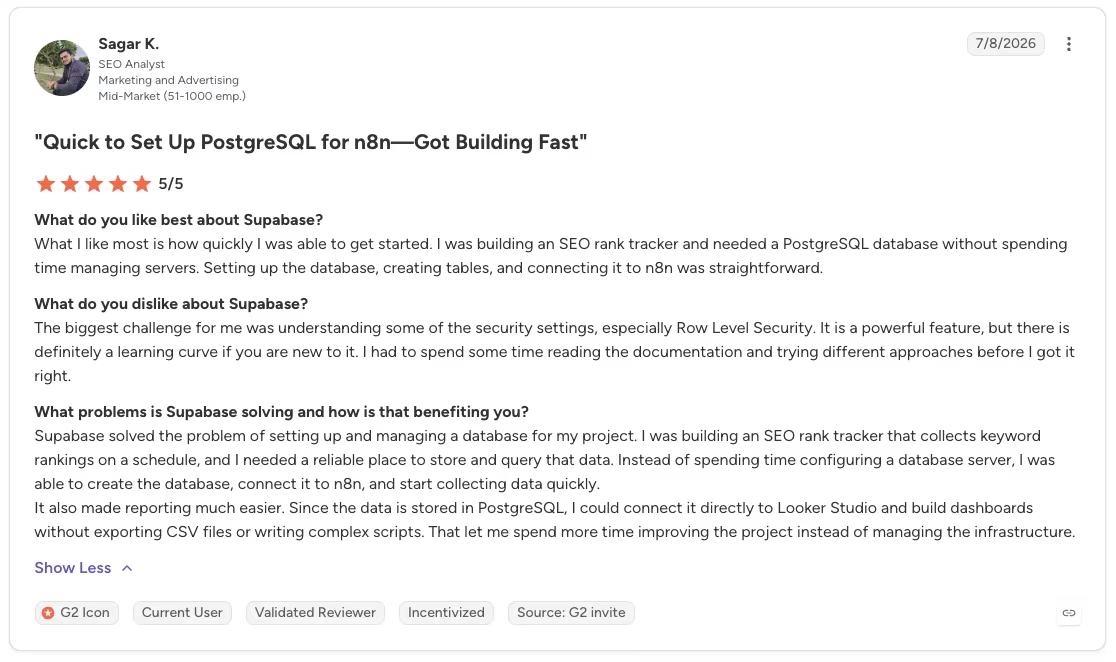
“What I like most is how quickly I was able to get started. I was building an SEO rank tracker and needed a PostgreSQL database without spending time managing servers. Setting up the database, creating tables, and connecting it to n8n was straightforward.” - Sagar K., G2
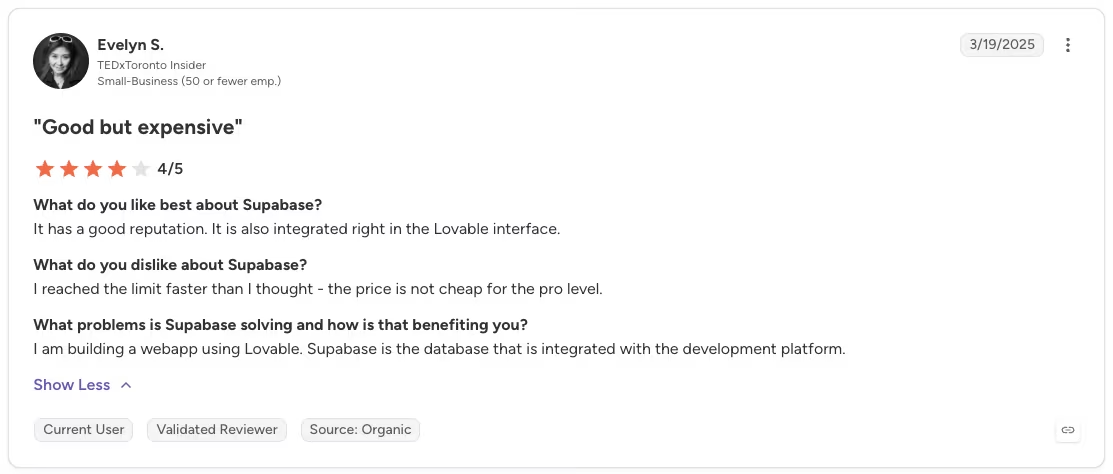
“I reached the limit faster than I thought - the price is not cheap for the pro level.” - Evelyn S., G2
Pricing

Supabase has a free tier, and the Pro plan starts from $25 per month, with a Team plan from $599 per month and custom Enterprise pricing. The free tier is generous enough to build and test the tracker on.
Bottom Line
Postgres ownership is Supabase's strongest case. Technical builders get direct row-level control at a lower cost than closed BaaS options, while builders who want visual permission controls should start somewhere friendlier.
3. Emergent: Best for Teams That Outgrow No-Code and Need a Custom App They Own

What it does: Emergent is an AI app builder that turns a plain-English prompt into a working app with logins, a database, and integrations.
Best for: Teams that have outgrown no-code and need a real, deployable web or mobile app whose code they can open, keep, and export.
Emergent got the identical brief, typed in as plain English:
Build an internal content-marketing tracker with three linked tables, clients, campaigns, and content pieces, where each content piece rolls up to a campaign and each campaign to a client. Give it logins for three roles: an admin who can edit everything, a team member who can edit content but not settings, and a read-only viewer. Email a notification whenever a content piece's status changes to "Needs Review" or "Published."
Emergent scoped the brief, generated the interface and database, wired the notification flow, and tested the app before returning it. It came back as a working build with logins and the status-change email, plus code I could open and keep.

What I did with it after that first build is what sold me on the category difference. I opened the exported code, changed how the read-only role was scoped, and reconnected the email step without re-prompting the entire app.
The three tables and their relationships came through intact, and the status logic was real code I could read. I could connect GitHub, edit the app in the built-in editor, and continue working on the code outside Emergent.
After a couple of rebuilds, the data drifted and needed a manual check each time. The result worked as a testable prototype, but I’d verify the data, permissions, and notification flow before treating it as production-ready.
Key Features
- Outcome from a prompt: You describe the app you want and get a working build with logins and stored data that you can preview and test.
- Code you own: You keep and can export the code, connect GitHub, and edit in a built-in editor, so you're not locked in.
- Web and mobile output: It builds for the web and mobile, so the same brief can reach an app store.
- Managed hosting: You can host the app on a live URL and use custom domains, analytics, and logs.
- Enterprise-grade security: It carries SOC 2 Type I and ISO 27001, with SSO and audit logs on higher tiers.
Pros and Cons
Pros:
- You keep and can export the code, which is the escape hatch no-code usually lacks.
- It generates a working build and handles much of the initial setup.
- Emergent handles the interface, backend logic, and initial testing from the same brief.
Cons:
- Credit-based pricing means a heavy or frequently rebuilt app can get expensive.
- After repeated rebuilds, data can drift and needs a manual check.
- It's built for real apps, so it's not the tool for polished document output or games.
What Users Say
“Emergent is very easy to use, even for someone without a programming background. I can simply describe what I want to build and the platform helps generate the structure and code needed.” - Luis F., G2

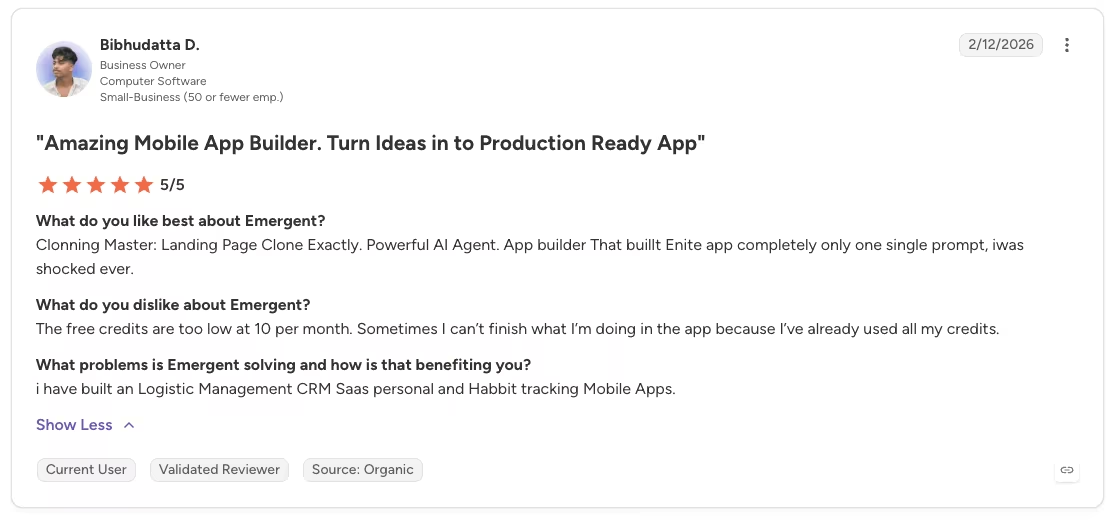
“The free credits are too low at 10 per month. Sometimes I can’t finish what I’m doing in the app because I’ve already used all my credits.” - Bibhudatta D., G2
Pricing

Emergent has a free plan with 10 credits, and the Standard plan runs $20 per month with 100 credits. The Pro tier is $200 per month with 750 credits, and Enterprise is custom. Because billing is credit-based, cost scales with how big and how often you build.
Bottom Line
Emergent sits between no-code and low-code. You can generate the first version, export its code, and continue working inside or outside the platform. If all you need is a lightweight internal tool a non-dev will manage by clicking, a visible no-code backend may fit better.
4. Zite: Best for Business Teams That Want a Backend They Can See

What it does: Zite generates a full app backend from plain English, including a spreadsheet-like database, editable workflows, built-in auth, and roles.
Best for: Business and ops teams that want the database, workflows, forms, permissions, and app UI in one visible system they can run without a developer.
Zite is the tool I keep coming back to when I want to see how a non-developer would live with a backend, so it got the same brief as everything else, pasted in as one prompt:
“Build an internal content-marketing tracker. It needs three linked tables, clients, campaigns, and content pieces, where each content piece belongs to a campaign and each campaign belongs to a client. Add logins for three roles: an admin who can edit everything, a team member who can edit content but not settings, and a read-only viewer. Send an email whenever a content piece's status changes to ‘Needs Review’ or ‘Published.’”
From that one prompt, Zite stood up all three tables, the three roles, and the status-change email in a single pass. When the email first fired on the wrong trigger, I opened the workflow as a flowchart and fixed the offending step instead of re-prompting the whole thing. The only real cleanup was renaming a couple of auto-generated fields that returned generic labels.
I kept testing what happens after the initial build. Could someone who didn't build this open it up and change a role or a trigger without help? In Zite, yes.
The three roles sat in a permissions panel I could read, and the status logic showed up as a labeled flowchart, with none of it buried in configuration. I demoted the team-member role to read-only and set it back again just to see how fragile the wiring was, and nothing broke.
Getting from prompt to a working build took a single sitting, and the built-in auth handled permissions from the start. That long-term editability is why Zite is my top pick for a business team that wants a backend it can run without a developer.
Key Features
- AI-first generation: You describe the app in plain English, and it builds the database, auth, and workflows in one go.
- Spreadsheet-like database and AI Fields: Zite gives non-technical teams a familiar grid over a real database, while AI Fields let them use AI within individual fields.
- Editable workflow logic: Backend logic shows up as inspectable flowcharts you can change without touching code.
- Built-in auth and roles: Logins, roles, and single sign-on (SSO) come standard and cover the tracker's permissions from the first build.
- Flat pricing: Every plan, including Free, gives you unlimited users and apps, with no per-seat fee.
Pros and Cons
Pros:
- A non-dev can see and change the backend, which is the whole point.
- The database, roles, and email workflow came together in a single pass.
- Flat pricing with unlimited users means team size doesn't inflate the bill.
- It carries SOC 2 Type II certification, which can help teams with business-data security reviews.
Cons:
- No code export, so your apps stay on Zite and the platform lock-in is worth weighing.
- No true background automations yet, so there are no scheduled runs or outside webhooks to lean on.
- Specialized or complex logic is limited to the capabilities Zite provides.
What Users Say
“Unbelievably impressed by Zite. I made a whole website last night in about an hour, and the result is as good as anything I’ve ever had a web designer build for any of my companies that cost thousands of dollars.” - AdPsychological4432, Reddit

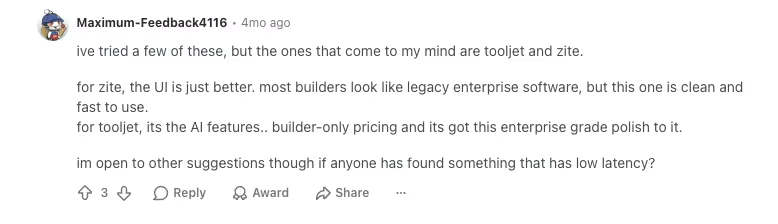
“For Zite, the UI is just better. Most builders look like legacy enterprise software, but this one is clean and fast to use.” - Maximum-Feedback4116, Reddit
Pricing
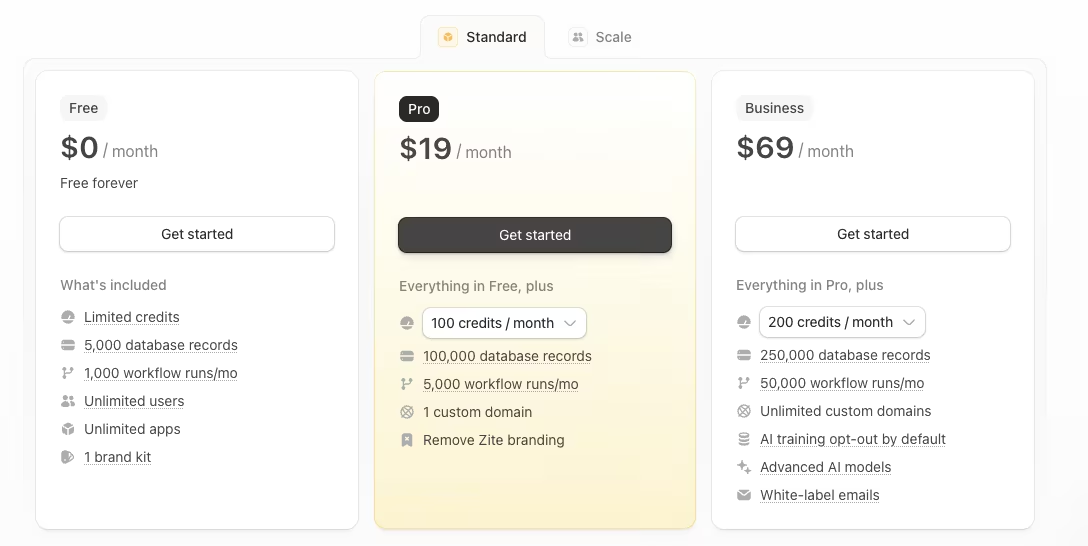
Zite is free with unlimited users and apps plus 50 AI credits, and the Pro plan runs $19 per month with 100 AI credits. Pricing is flat, so adding teammates doesn't change the price. The Business plan is $69 per month, and Team and Enterprise are contact-sales.
Bottom Line
A business or ops team can reopen a Zite project months later and still read or change the spreadsheet-style database and visual workflow without a developer. Teams that need code export or pixel-level design control should weigh the lock-in first.
5. Firebase: Best for Mobile and Real-Time Apps

What it does: Firebase is a mature Google-backed BaaS built around Firestore, offering real-time data, authentication, and hosting for mobile and web apps.
Best for: Mobile and real-time apps, and builders pairing a backend with a front-end like FlutterFlow.
Firebase tested how the tracker would work on a developer-focused BaaS. Firestore is a NoSQL document store, so the tracker's client, campaign, and content-piece relationships did not map one-to-one. I modeled them as collections and references, which required designing the data structure.
I wired the tracker's data and logins to Firebase using Firestore as the backend, and real-time sync and Google sign-in came easily. But I was writing configuration and security rules, hand-coding the setup where a no-code tool would let me click it together.
I created and tested the three roles through security rules, which gave me precise control and required manual configuration. Firebase performed best on real-time updates. Real-time sync was effortless, and a status change propagated live without my wiring a manual refresh.
The cost model is the part a non-developer has to watch closely. The free Spark tier carried the whole test, but the paid Blaze plan is pay-as-you-go, so a busy app's bill tracks its traffic instead of holding a flat line.
I'd reach for Firebase on a mobile or live-updating app without hesitation and steer a non-developer who wanted a clickable backend somewhere else entirely.
Key Features
- Real-time database: Firestore syncs data live across devices, which is the core reason to reach for it.
- Built-in auth: Authentication, including Google sign-in, is quick to wire up.
- Mobile-ready: It's a common backend for FlutterFlow builds and mobile apps generally.
- Google-backed maturity: It's a stable, well-documented platform with years behind it.
Pros and Cons
Pros:
- Real-time sync and mobile support are strong out of the box.
- Authentication is fast to set up, including social logins.
- A mature, Google-backed platform with deep documentation.
Cons:
- Not truly no-code, since you wire it up with configuration and security rules.
- Usage-based Blaze billing can scale unpredictably as traffic grows.
What Users Say
“Firebase is very easy to use and helps speed up application development, especially for mobile and web apps. It provides a wide range of services like authentication, real-time databases, hosting, and cloud functions, all integrated into a single platform.” - Alan R., G2

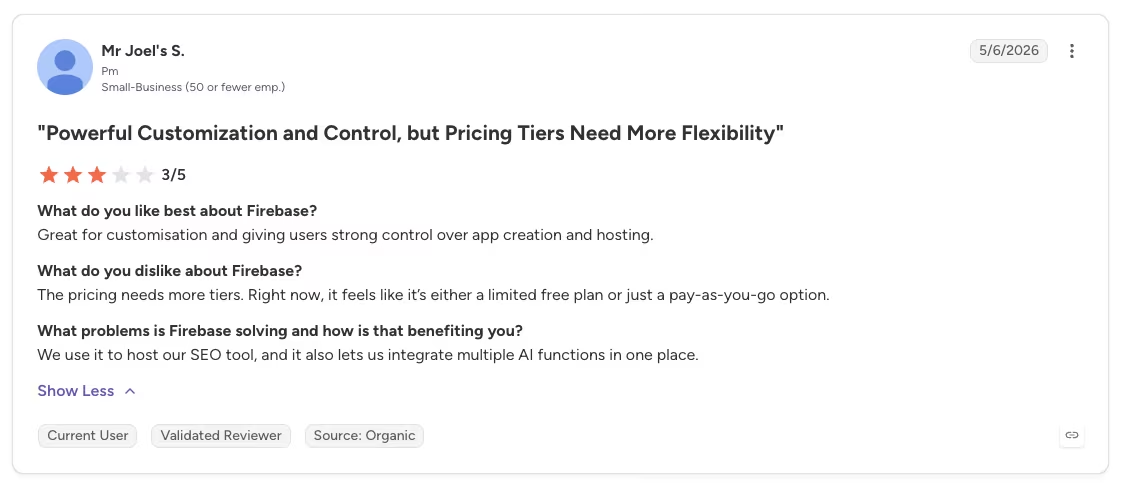
“The pricing needs more tiers. Right now, it feels like it’s either a limited free plan or just a pay-as-you-go option.” - Mr Joel's S., G2
Pricing

Firebase has a free Spark tier to start, and the paid Blaze plan is pay-as-you-go, so cost tracks how much your app consumes. Small apps may remain inexpensive, while higher traffic can produce a larger and less predictable bill.
Bottom Line
Real-time sync is where Firebase earned its place in this list, especially for mobile or live-updating apps paired with FlutterFlow and managed by someone comfortable with configuration. If your app is mobile or lives on real-time updates, Firebase is the one I'd reach for.
6. Airtable: Best Spreadsheet-Style Database Layer for Non-Technical Teams

What it does: Airtable is a spreadsheet-style database with automations and a large add-on marketplace, used as a lightweight data layer under no-code apps.
Best for: Non-technical teams that need a fast, familiar database layer, paired with a front-end for a full app.
Airtable was the fastest build of the entire set, and that speed is exactly why it's easy to over-trust. The three linked tables felt like a real relational database because Airtable genuinely is one.
I rebuilt the tracker's database in Airtable in minutes, because the spreadsheet grid and the relationships between tables felt instant. Automations even sent the status-change email, but the moment I needed three real roles, Airtable's collaborator permissions couldn't handle it alone.
The main limitation appeared when I configured the three roles. Airtable's collaborator permissions did not provide the three application roles the tracker needed: an admin, a content-editing team member, and a read-only viewer.
To enforce those roles, I had to pair Airtable with a no-code software builder such as Softr or Glide to handle the logins and app view.
Also read our best Softr alternatives guide for what else pairs well with a database layer when you need proper roles and logins.
Two other limits shape the decision. Pricing is per seat, so the bill climbs with every teammate, and each tier caps records (50,000 on the Team plan). Those limits surface when a database layer is used as a complete backend.
Key Features
- Familiar spreadsheet UI: Anyone who's used a spreadsheet can build a real relational database here.
- Low learning curve: You'll have tables and relationships set up in minutes.
- Automations: Built-in automations handle things like sending an email when a record changes.
- Front-end integrations: Softr, Glide, Stacker, and Adalo can build directly on top of Airtable.
Pros and Cons
Pros:
- Fastest path to a working relational database for a non-technical team.
- Automations cover simple workflows without extra tools.
- A big library of front-end tools turns it into full apps.
Cons:
- It's a database layer, so complex logic and real permissions need a paired tool it can't provide alone.
- Per-seat pricing climbs as the team grows.
- Each tier caps how many records you can store.
What Users Say
“With minimal computer background, I've been able to build robust low-code tools that our teams have been able to use to track student info, visualize student information in one place, and keep track of mountains of interactions and supports for students.” - Michael K., G2

“I wish there was an option for email alerts when automation run limits are reached, ideally with the ability to notify specific stakeholders, rather than relying solely on the dashboard.” - Nyland S., G2

Pricing

Airtable's Team plan starts at $24 per seat per month for up to 50,000 records per base. The Business plan runs $54 per seat per month for up to 125,000 records.
Because it's priced per seat, the bill grows with every teammate you add.
Bottom Line
Of all the tools I tested, Airtable was the quickest way for a spreadsheet user to build a relational database with linked tables and simple automations. It works best as the data layer beneath a front-end such as Softr or Glide, which can add application logins and role-based views.
Complex logic, application-level permissions, record caps, and per-seat pricing are the limits to weigh as the app and team grow.
7. Backendless: Best for Developers Who Need Enterprise-Grade Backends

What it does: Backendless is a full backend and app builder with codeless logic, a core database, 18 authentication providers, and strong security.
Best for: Developers and teams that need enterprise-grade, battle-tested backends.
Backendless targets technical teams and larger production deployments. Its interface and configuration options reflect that focus from the first screen.
I built the tracker's backend in Backendless with codeless logic and its core database, and the 18+ auth providers made wiring the three roles straightforward, though it clearly assumes a technical hand, and the per-feature add-ons kept stacking up as I turned things on.
First, the 18 authentication providers made roles and single sign-on a configuration task. That setup fits enterprise teams already using services such as Okta or Auth0.
Backendless charges per feature through Function Pack add-ons that run roughly $5 to $399 per month each. I needed a few add-ons for the tracker, but a larger build could cost much more than the base plan.
For the tracker, I barely scratched that, but a serious build would climb quickly. And the maintenance reality is plain. This is a developer's platform, the kind I'd hesitate to hand a non-technical teammate and expect them to safely reshape.
Key Features
- Full backend and app builder: You get the database, logic, and app layer in one platform.
- Codeless logic: Backend logic is built visually, without writing code.
- 18 auth providers: Support for providers like Auth0 and Okta makes roles and single sign-on straightforward.
- Battle-tested at scale: It's run backends for large organizations, so it holds up under real load.
Pros and Cons
Pros:
- A complete backend used by large organizations.
- 18 auth providers make roles and enterprise sign-on easy.
- Strong security suited to serious business data.
Cons:
- It assumes a technical background and isn't a beginner's tool.
- Per-feature add-ons make the cost climb as you enable more.
What Users Say
“Backendless's combination of no-code capabilities and training modules empowers beginners to develop a capability in weeks or months that I had thought would take years.” - Dustin S., G2

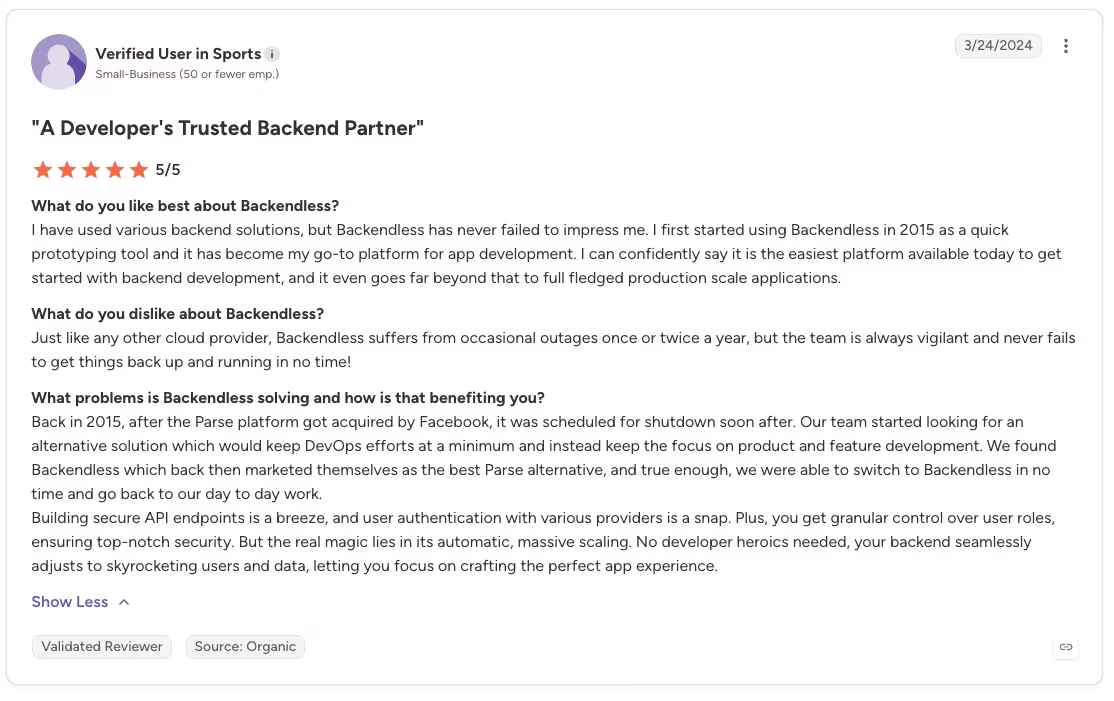
“Just like any other cloud provider, Backendless suffers from occasional outages once or twice a year, but the team is always vigilant and never fails to get things back up and running in no time!” - Anonymous, G2
Pricing
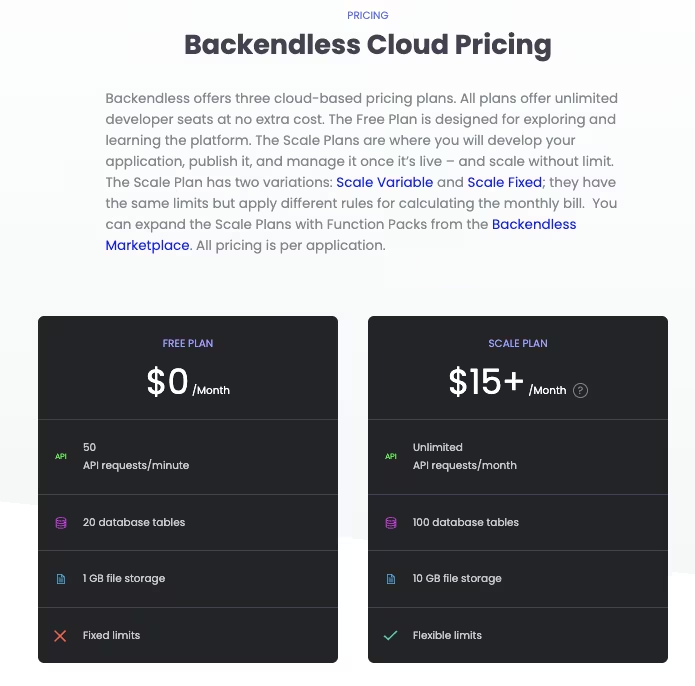
Backendless has a free Cloud plan, and its Scale plan starts from $15 per month. Function Pack add-ons, priced per feature (roughly $5 to $399 per month each), raise the total as you enable them. The base price looks low, so map out the add-ons you'll need before you commit.
Bottom Line
Bring Backendless a production app and a technical team, and its codeless logic, broad sign-in support, and deployment controls fit the job. Beginners and teams that need predictable flat pricing will feel the technical load and add-on costs quickly
8. Directus: Best Open-Source Backend When You Already Have SQL Data

What it does: Directus is an open-source data platform that puts an instant REST and GraphQL API and an editable admin app over your existing SQL database.
Best for: Teams that already have (or want) a SQL database and want to own it, with a headless backend and content layer on top.
Directus flips the usual order of these tools. Instead of generating a database, it assumes you already have one and wraps it. I set up the tracker's three tables as plain SQL first, then let Directus layer a backend over the top.
I pointed Directus at a SQL database for the tracker, and it handed me an instant REST and GraphQL API plus an editable admin app over the data. That was ideal, because I owned the database the whole time. The catch is that you need SQL data to point it at in the first place.
Directus generated an editable interface over the three tables where a team member could work with records directly, and I mapped the tracker's three roles onto its permissions so admin, editor, and read-only each saw the right slice of the data. The status-change email meant reaching for a Directus Flow, its automation layer, which handled the trigger cleanly.
Self-hosting means the database, updates, and patches are all mine to manage. I owned every row and the server.
Key Features
- Instant API: It generates REST and GraphQL APIs over your database automatically.
- Editable admin app: A ready-made admin interface lets your team work with the data directly.
- Own your data: It sits on your SQL database, so the data stays yours.
- Open-source and self-hostable: You can run it yourself and avoid vendor lock-in.
Pros and Cons
Pros:
- Instant REST and GraphQL APIs over a database you already own.
- A polished admin app comes included, no extra front-end needed to manage data.
- Open-source and self-hostable, so you keep control.
Cons:
- It assumes you have (or want) SQL data and some technical comfort.
- Self-hosting means you run the infrastructure, updates, and patches yourself.
What Users Say
“Directus has significantly sped up our team's development, particularly thanks to its built-in CRUD endpoints, authentication, storage, and a robust row-level and field-level permission system.” - Anonymous, G2

“While Directus is powerful, the documentation could be more thorough, especially for advanced use cases and self-hosting with Docker. Some features like workflows or relational filters need further refinement. The system can occasionally feel too technical for non-developers despite its clean UI.” - Ismail A., G2

Pricing

Directus is free to self-host, with a free Core Cloud tier and a Team plan at $599 per month if you want it managed. Small organizations can also self-host for free under its Open Innovation Grant. The free path is real, as long as you're ready to run the infrastructure.
Bottom Line
Directus adds an instant API and editable admin layer to a SQL database you already own. It's the right pick when your data already lives in SQL and you want to own both the rows and the server.
9. Bubble: Best for Building a Full App and Its Backend in One Visual Tool
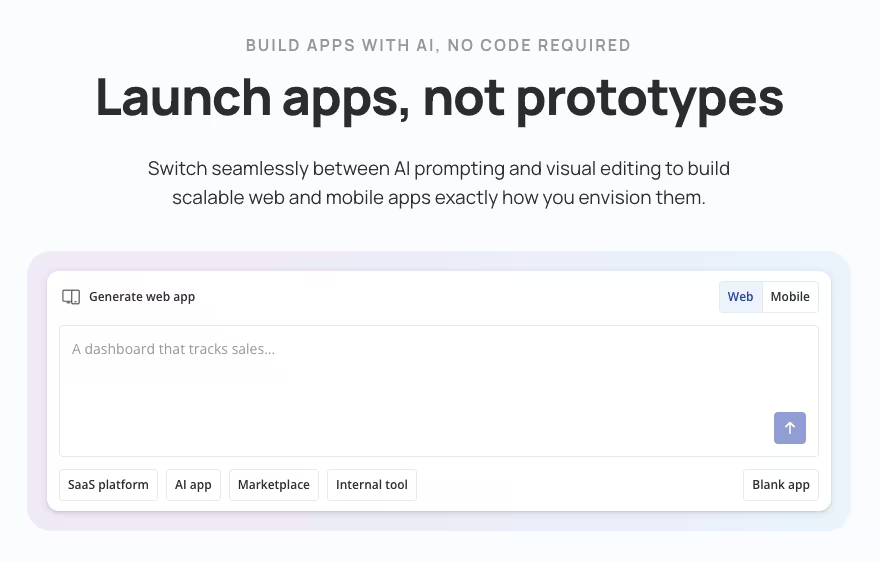
What it does: Bubble is a full visual app builder with a built-in database, a workflow engine, and hosting, so you build the front-end and the backend together in one platform.
Best for: Solo builders and small teams who want a single tool to design the app and run its backend, and who'll invest the time to learn it.
Bubble lets you build the interface, database, and logic together in one visual editor. So rebuilding the tracker here meant working visually instead of from a prompt. I created the three tables as data types in Bubble's Data tab, then drew the relationships between them with linked fields.
The status-change email was a workflow I assembled step by step in Bubble's editor. It fired when a content piece's status flipped to "Needs Review" or "Published," and the final step sent the email.
Building each workflow by hand gives you more control and creates a longer setup process than a generator or spreadsheet-style database.
The three roles took the most thought. Bubble doesn't hand you admin, editor, and viewer out of the box the way a business-app tool does. I built the distinction with a user-type field and conditional logic that showed or hid parts of the app per role.
The role system is flexible, but you have to build and test the conditional logic yourself. A non-developer gains full control of the app and is also responsible for configuring its backend.
Key Features
- Full-stack in one tool: You build the interface, the database, and the workflows together, so the app and its backend never live in two separate places.
- Built-in database: Data types and linked fields give you a real relational structure without adding a separate database tool.
- Visual workflow engine: Backend logic, like sending an email on a status change, is built step by step as visual workflows.
- Large marketplace: A big plugin library and an active community fill gaps and speed up common features.
Pros and Cons
Pros:
- One platform builds the full app and its backend, with no separate front-end to pair on top.
- A real built-in database with relationships, well beyond a plain spreadsheet grid.
- A deep plugin library and large community for support and shortcuts.
Cons:
- A genuine learning curve, since building the backend is your job from the ground up.
- Roles and permissions are something you build with conditional logic, without a ready-made toggle to lean on.
- Usage-based workload-unit pricing can climb unpredictably as traffic grows.
What Users Say
“The speed that you can create fully functional and scalable web applications is unbelievable.” - Andre F., G2

“Cost money to add team members to project.” - Anonymous, G2

Pricing

Bubble has a free plan to build and learn on, and its Web+Mobile Starter plan runs $69 per month (a web-only Starter is $32). Paid plans are metered in workload units, so cost tracks how much your app does instead of a flat seat count, staying cheap for a light app and climbing for a busy one.
Bottom Line
Start with Bubble when you want the interface, database, and workflows in one visual editor and have time to build the roles and logic yourself. Just keep an eye on the workload-unit pricing, which climbs as the app gets busier.
Also read our best Bubble alternatives guide for what else builds the full app and backend in one tool without the workload-unit pricing surprises.
Which No-Code Backend Tool Should You Choose?
Rebuilding the same tracker across every tool showed that the best choice depends on the use case and who will maintain it over time. Here's how to match your situation.
Choose Emergent if you:
- Have outgrown no-code and need a real, deployable app whose code you keep.
- Want web or mobile output you can export and take with you.
Choose Xano or Backendless if you:
- Need scalable custom APIs or an enterprise-grade backend and can absorb a learning curve.
- Are building something that has to hold up under real production load.
Choose Zite if you:
- Want a business or internal app a non-developer can build and change without a developer.
- Need a visible, editable backend and can work with Zite's available design controls.
Choose Firebase or Supabase if you:
- Are building a mobile or real-time app, or want to own a Postgres database directly.
- Are comfortable writing some configuration, rules, or SQL.
Choose Airtable if you:
- Need a fast database layer for a non-technical team and will pair a front-end on top.
- Want a familiar spreadsheet-style grid and can live within a database layer's ceiling on logic and permissions.
Choose Directus if you:
- Already have (or want) a SQL database and need an instant API and an editable admin layer over it.
- Want to own your data outright and are ready to run your own infrastructure.
Choose Bubble if you:
- Want to build the full app and its backend together in one visual tool, with no separate front-end to pair on top.
- Are willing to invest the time to learn it and assemble the backend yourself.
Skip a full no-code backend entirely if:
- You only need a simple data store and a form, where a spreadsheet plus a front-end will do.
- You're set on writing traditional code, in which case a backend framework fits better.
Zite and Airtable required no coding for the tested build, while Supabase, Xano, and Firebase required SQL, rules, configuration, or visual backend logic. For a mobile app specifically, Firebase and Supabase are the common BaaS choices, and Firebase pairs naturally with FlutterFlow.
Final Verdict
After rebuilding the same tracker across nine ranked tools, I ranked long-term editability and the ability to leave with the data or code above the size of the feature list.
For a business team that wants a visible backend it can run, Zite is where I'd start, with the caveat that you can't export the code. For scalable APIs, Xano and Backendless lead, and Supabase or Firebase carry the mobile and real-time work.
When you outgrow no-code and need an app you own, Emergent gives you code you can export and continue developing. If you want direct control over your data, Directus and Supabase provide open-source options. Pick the tool that fits the project, then confirm how you can export its data or code before committing.
How Emergent Helps Teams Move From No-Code to Code Ownership
Several tools on this list become restrictive as an app's requirements grow. A visible no-code backend can lock you in when it offers no code export, a database layer stalls on real permissions, and a usage or per-seat bill balloons as the app grows. Teams also need a path from a generated app to code they can own and continue developing.
Emergent supports that transition by making the generated code exportable. You describe the app, including its logins, database, and notification flow. Emergent then builds the working version, wires in the tools it needs, and tests it before handing it back.
Hosting is available, and you can continue developing the code inside or outside the platform. This path fits teams that want to start with prompt-based generation and move into code-level development without rebuilding the project from scratch.
Emergent fits teams that need a deployable app with exportable code. Lightweight internal tools, document output, and games fall outside its main use case.
You can try building your first app on Emergent and check whether its deployment and code export fit your team's needs.

Describe what you want and Emergent builds it. A real, production-ready app you can launch the same day.
- One prompt to build
- Zero code required
- Deploy in minutes







