

Build an Approval Form That Records Every Sign-Off
Build an approval form from a plain list of who signs and when. Emergent keeps each decision on file.
Build an approval form that routes each request to its approvers in order and records every decision.
Trusted by Builders Worldwide
Active Builders Worldwide
Apps Successfully Created
Countries Globally Reached



Every Approver, in the Order You Set
A printed form ends at a signature line. Emergent's version knows who signs next and which version they signed.
Sequential or parallel chains
Sends each request to approvers one after another, or to several at once when their reviews do not depend on each other. Each step names a specific person or a role you define.
Approval tied to one version
Stores the exact version each approver saw. If the requester edits the document after sign-off, that approval resets and the request returns to the same approver for a fresh look.
Changes requested, with a comment
Gives approvers a third answer besides yes and no. A request for changes goes back to the submitter with the comment attached, then picks up again at the same step once fixed.
Delegates for approvers who are away
Lets each approver name a delegate. A request left unanswered for two business days moves to that person, and the record shows who signed and on whose behalf they signed.
Decisions in Slack or email
Posts each request to the approver as a Slack message or an email with approve and decline buttons, then sends reminders until someone answers or the request escalates.
Your code, your repository
Pushes the full codebase to your GitHub on paid plans. Engineers can add another approval step or a sync to a second system, or ask Emergent to make the change in plain English.
Approval Chains for Four Kinds of Request
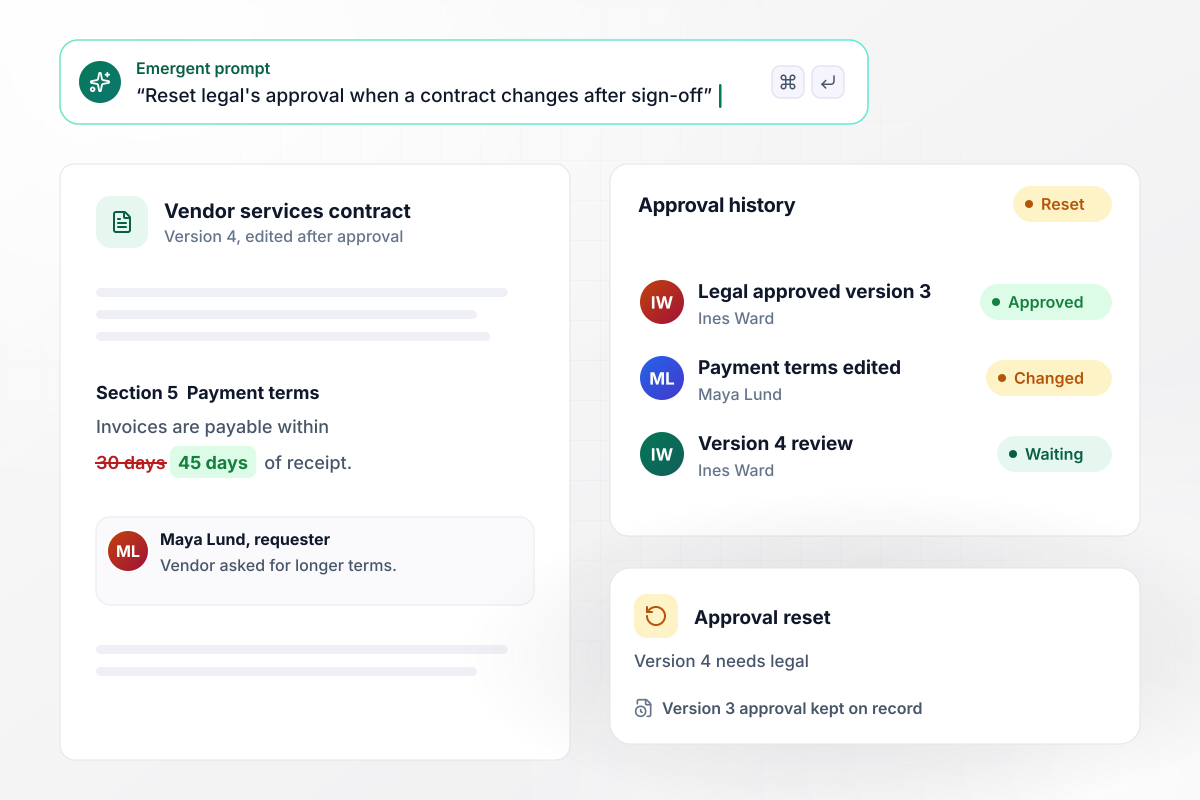
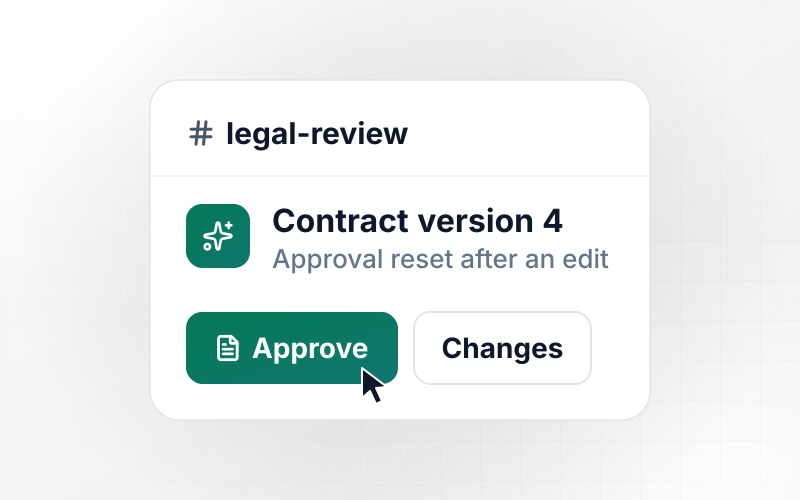
An edit after sign-off sends the contract back to legal
Contracts change after legal has read them. Legal approves version 3 of a vendor contract, then the requester changes the payment terms to 45 days. The form sees a new version and resets legal's approval. Legal reviews version 4, and the record keeps both decisions with their dates.
window.awbMockup = { documentSignOff: "Build an approval form for vendor contracts at my company. The requester uploads the contract and legal approves it. Save the version legal approved. If anyone edits the contract after approval, reset legal's approval and send the new version back to legal, so a change to the payment terms after version 3 means legal reviews version 4. Keep every decision with its date.", parallelReview: "Make a review form for my marketing team's launch emails. Send each draft to brand, legal and product at the same time. Each reviewer can approve, decline or request changes with a comment. If anyone requests changes, send the draft back to the marketer with the comment and keep the other approvals for the next round.", approverDelegation: "Add delegates to our purchase approval form. Each approver names a delegate before going on vacation. If a request waits two business days without an answer, move it to the delegate. Record the decision as approved by the delegate on behalf of the original approver, for example a $4,800 laptop order approved by Sam Patel for Rachel Kim.", studentPlacements: "Build a service learning approval form for my school. A student proposes a placement, the site and the hours they plan to serve, such as 40 hours at a food bank. The coordinator approves the placement before the first shift. Students log hours afterward, and only hours at an approved site count toward their total." };
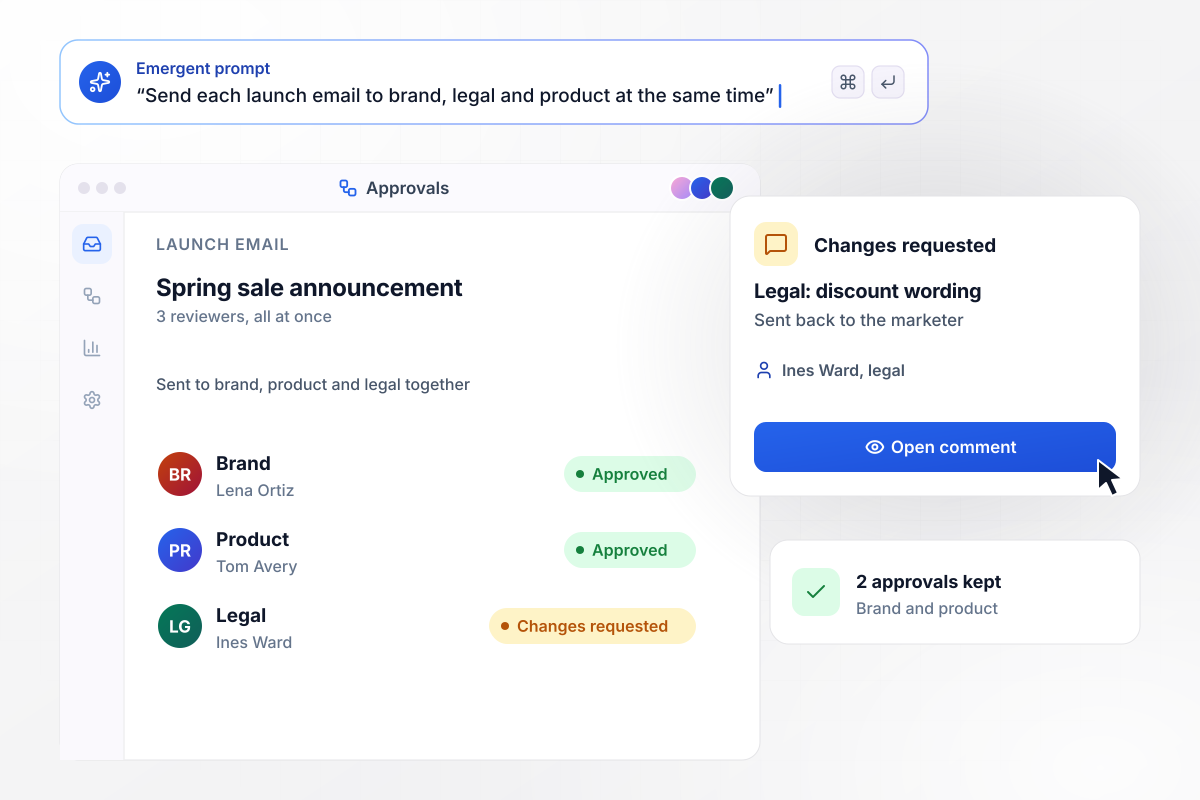
Brand, legal, and product review it together
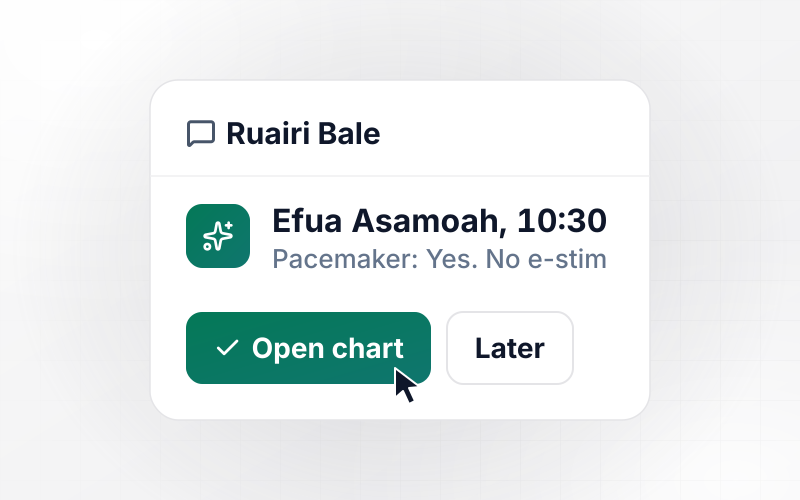
Three teams read a launch email, and none of them waits for another. The form sends it to all three at once. Brand and product approve before lunch. Legal asks for a change to the discount wording, and the email goes back to the marketer with that comment. The two approvals stay for the next round.
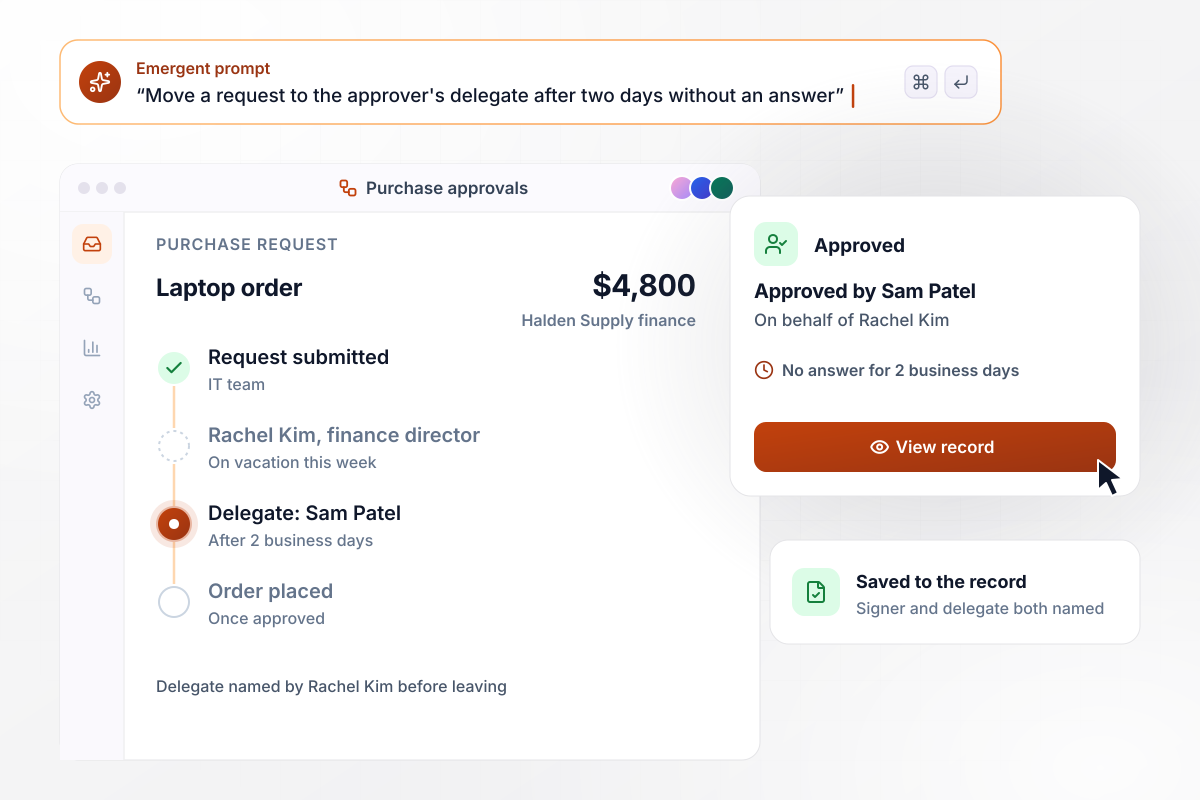
Director on vacation, delegate on record
Vacations stall approvals. A $4,800 laptop order sits with a finance director who is out for the week. After two business days without an answer, the form moves it to the delegate she named before leaving. He approves it, and the record reads: approved by Sam Patel on behalf of Rachel Kim.
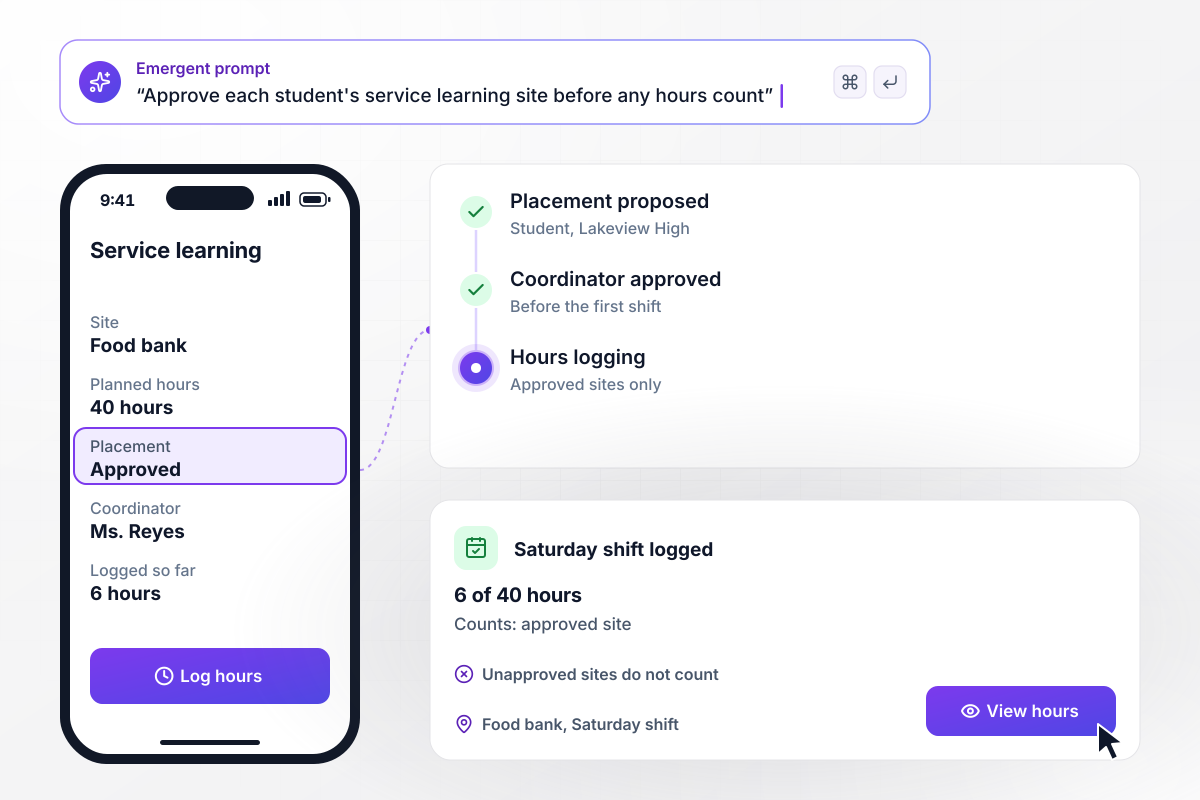
Student placements approved ahead of any hours
Schools want the placement cleared first. A student proposes 40 hours of service learning at a food bank, and the coordinator approves the site before the first shift. Only hours logged at an approved placement count. Saturday's 6 hours show as 6 of 40, while a shift at a site nobody approved would not count.






How to Create an Approval Form
These seven steps take an approval form from a list of approvers to a decision record an auditor can read.
Ask who signs before you design fields. Write down every approver for each type of request. Use roles instead of names where you can, because a role survives a promotion or a resignation. Note which approvals are required and which are advisory.
Decide whether approvers sign in sequence or in parallel. Sequence suits a chain where each step depends on the last, such as a manager before finance. Parallel suits independent reviews, such as legal and brand reading the same draft.
Collect what the approver will judge: the amount or scope and the reason. Add the date it is needed and any attachment worth reading. Every extra field slows the person submitting and gives an approver one more thing to question.
Let approvers request changes as well as approve or decline, and require a comment whenever the answer is not yes. A decline without a reason tends to come back a week later as a second request with the same problem.
Send a reminder when a request has waited two business days, and let each approver name a delegate for absences. Decide in advance what happens when nobody answers. No request should sit in a single inbox for weeks.
Store the file or the field values each approver saw. If anything changes after sign-off, reset that approval. An approval that quietly carries over to an edited document does not cover what the approver read.
Record each decision as data, with the approver's name and a timestamp. Store the version they saw beside it, and export the log when audit or finance asks. A scanned signature on paper shows who signed, but not which draft was in front of them.
Why Build Approval Forms With Emergent?
Each request, each approver's answer and each version they saw sit in one database you own.

|
Jotform | Google Forms | Typeform | |
|---|---|---|---|---|
| How you build | Describe it in plain English | Templates, editor, AI generator | Editor, with Gemini drafting on some Workspace plans | Templates, editor, AI assist |
| Where responses live | A database table you own, plus any integration | Jotform account | Google Sheets | Typeform account |
| Response limits | No response caps | Monthly submission caps by plan; the form stops at the cap | No limit | Monthly response caps by plan; the form closes at the cap |
| Code ownership | Full code export to GitHub on paid plans | None | None | None |


Pick the Pricing Plan That Works for You
Choose the plan that fits your building ambitions. From weekend projects to enterprise applications, we've got you covered.




Find the right form
for whatever you're collecting
Frequently Asked Questions
Your Questions, Answered
Don't change this element unless you know what you are doing
More things you can build
with Emergent









on Emergent today


