

Build a Time Off Request Form That Checks PTO Balances
Create a time off request form that shows PTO balances before submit and sends each request to Slack for approval.
Build a time off request form that checks PTO balances and sends approvals to managers in Slack.
Trusted by Builders Worldwide
Active Builders Worldwide
Apps Successfully Created
Countries Globally Reached



Your Leave Policy, Applied on Every Request
A printable time off request form collects dates and a signature. Emergent's version checks the balance and the schedule first.
Balance shown before submit
Shows the employee's remaining PTO hours next to the dates they pick, along with the hours the request would use. Anyone asking for more than they have sees the gap first.
Minimum staffing per shift
Counts who is already off on each requested day against the minimum you set per role or location. A request that would leave a shift short reaches the manager as a conflict.
Approvals in Slack or email
Sends each request to the employee's manager as a Slack message with approve and decline buttons. Anything left unanswered for two business days gets a reminder, then escalates.
Leave types routed by policy
Routes vacation and personal days to the manager, and medical or family leave straight to HR. Managers see the dates someone is away, never the reason behind a medical request.
Accrual tracked per pay period
Adds hours to each balance on the schedule your policy sets and caps carryover where you set a limit. Every change is stored in a database you own, ready for payroll to export.
The code is yours to extend
Pushes the full codebase to your GitHub on paid plans. Any developer can wire approved hours into a payroll provider's API, or Emergent can add that sync with one more prompt.
Time Off Request Forms by Type of Leave
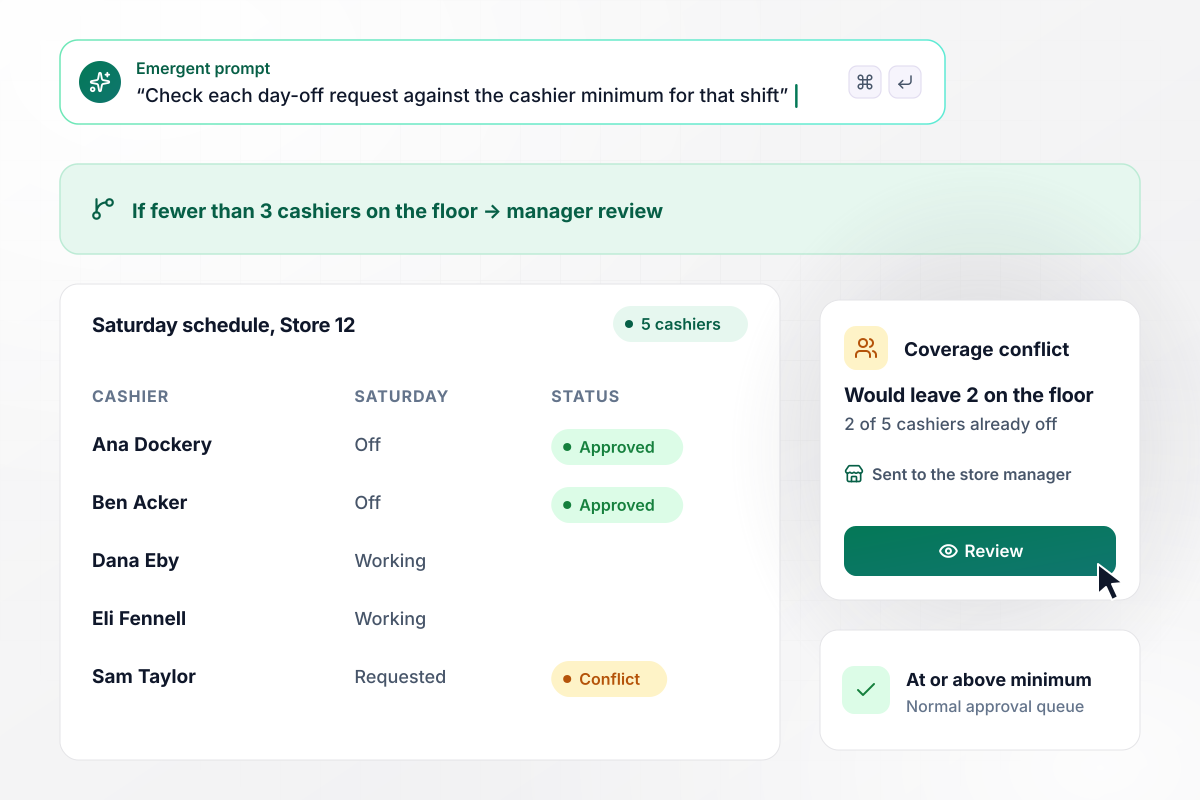
Saturday cover counted before anyone says yes
Retail schedules break on Saturdays. A cashier asks for one off, and the form checks who already has that day. Two of the five cashiers are out, and the store needs three on the floor. One more absence would leave two. The request reaches the store manager marked as a coverage conflict.
window.awbMockup = { shiftCoverage: "Build a time off form for my retail store's cashiers. When someone asks for a day off, count how many cashiers are already off that day. We need at least three of our five on the floor. If approving would leave fewer than three, send the request to the store manager marked as a coverage conflict and list who is already off. Otherwise queue it for normal approval.", vacationRequests: "Make a vacation request form for my office team. Employees pick their dates and the form shows their PTO balance and how many hours the request uses. Send each request to the employee's manager as a Slack message with Approve and Decline buttons. On approval, add the days to our team calendar and subtract the hours, so an 80-hour balance becomes 56 after three days.", fmlaLeave: "Add a family medical leave option to our time off form. When an employee chooses it, skip the manager and send the request to HR with a countdown for the FMLA eligibility notice, due within five business days. Show the manager only that the employee is away on those dates, never the reason. Keep any medical documents in a separate HR-only table.", unpaidTimeOff: "Let employees request more time than their PTO balance covers. If someone with 4 hours left asks for 16 hours off, show before they submit that 12 hours would be unpaid. The manager approves the dates first, then HR approves the unpaid hours. Send approved hours to payroll with paid and unpaid hours marked separately." };
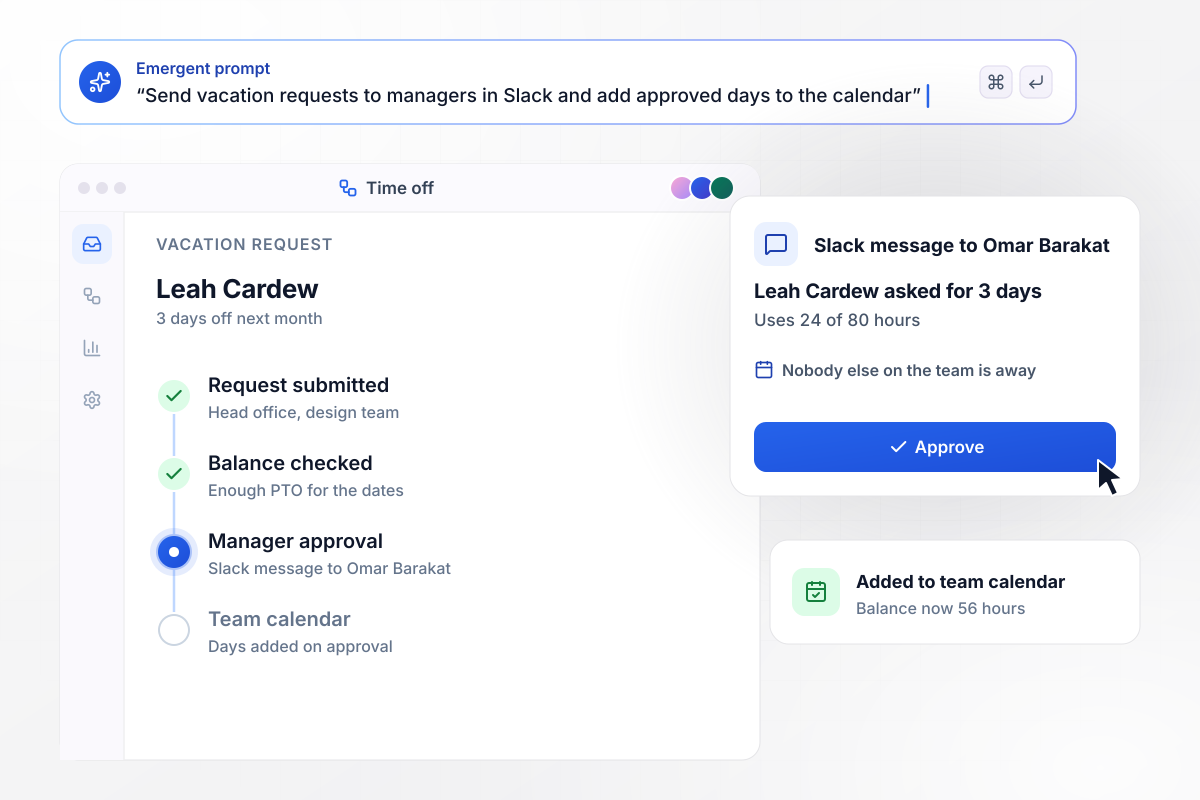
Approve in Slack, see it on the team calendar
Most office requests are routine: three days off next month, plenty of notice, nobody else away. The manager gets a Slack message with the dates and the balance, then approves it in place. The days land on the team calendar, and the employee's balance drops to 56 hours, down 24 from 80.
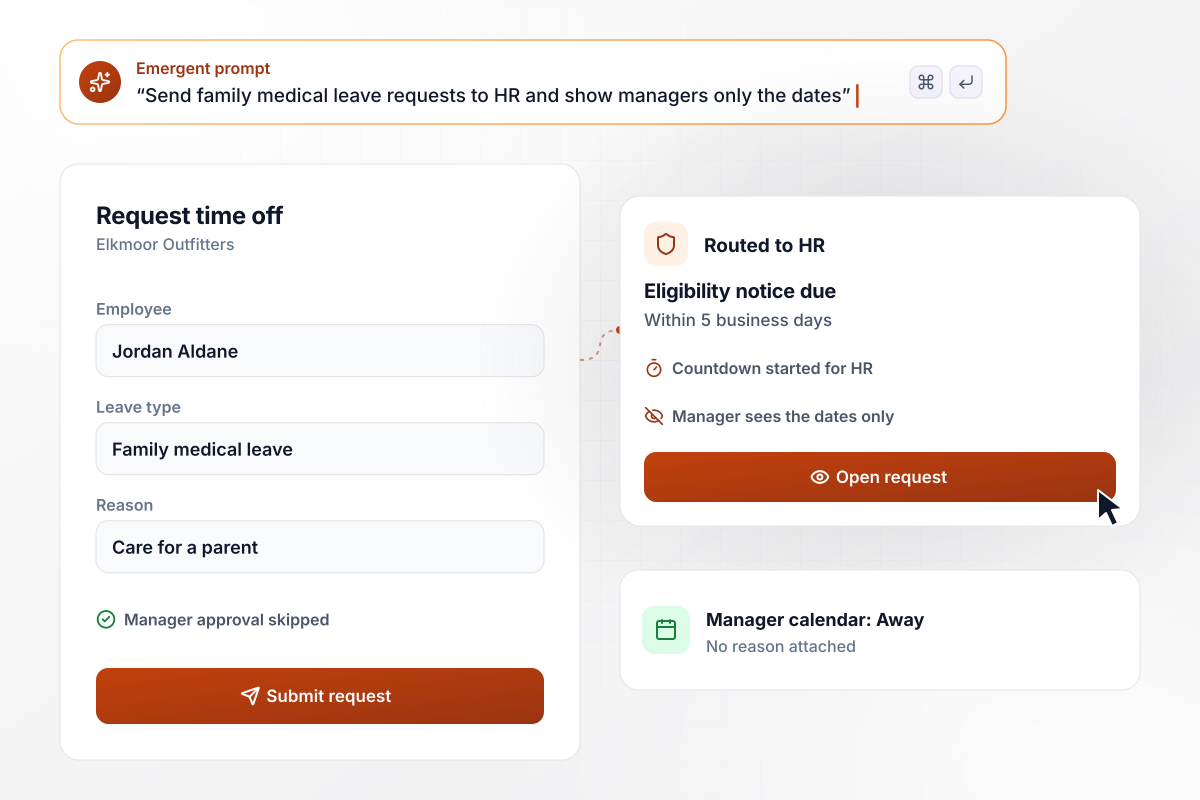
Medical leave goes to HR, not the manager
Medical leave is different. An employee who needs time to care for a parent picks family medical leave, and the request skips the manager. HR receives it with a countdown, because the FMLA eligibility notice is due within five business days. The manager's calendar shows the dates as away, with no reason attached.
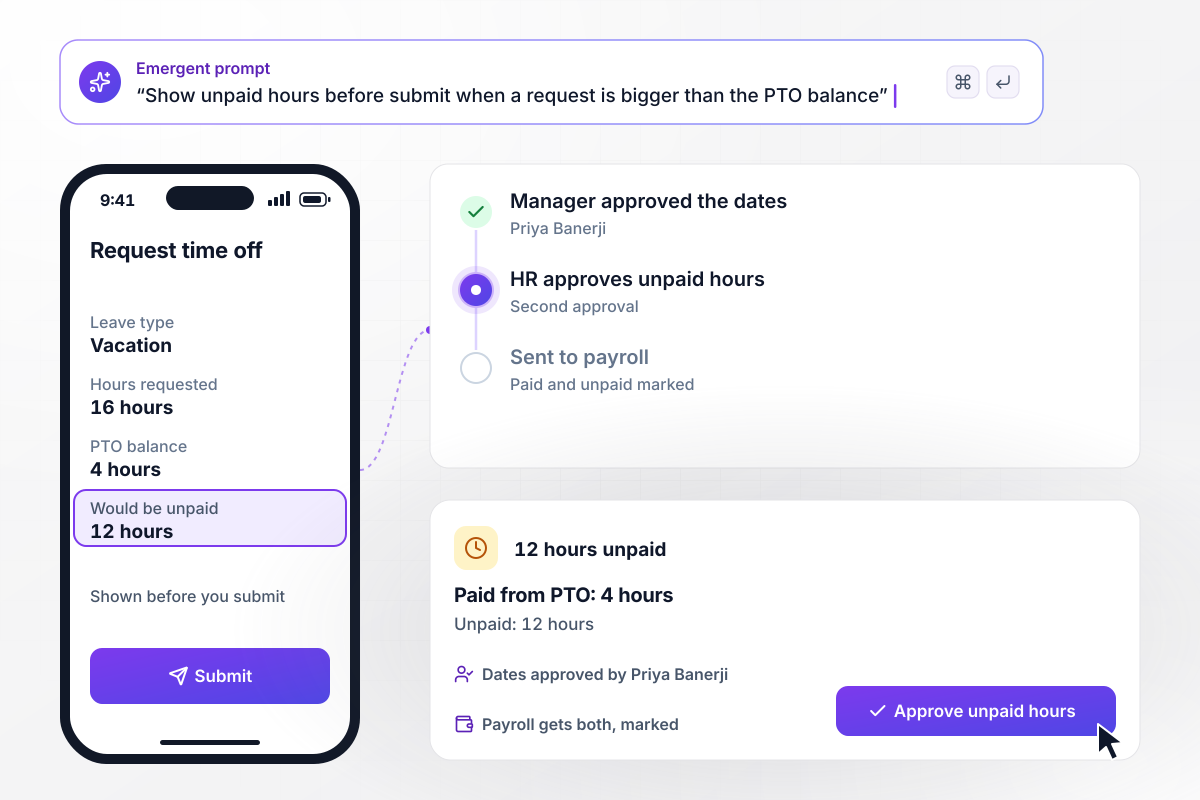
When a request runs past the balance
Balances run out before the year does. An employee with 4 hours of PTO left asks for 16 hours off, and the form shows that 12 of them would be unpaid before anything is sent. The manager approves the dates, HR signs off on the unpaid hours, and payroll receives them marked unpaid.






How to Create a Time Off Request Form
Seven steps to turn a written leave policy into a time off request form that checks balances and coverage before approval.
Start with the policy: which leave types you offer, how hours accrue, how much notice each type needs, and who approves it. A form can only enforce rules that exist somewhere outside a manager's memory.
Ask for the first and last day off, any partial days, and the total hours charged. Hourly teams need shift times as well, because half a shift and half a day are rarely the same number of hours.
List vacation, sick, personal, bereavement, unpaid, and family medical leave as options instead of a free-text box. The type decides who approves the request and which balance it draws on. Leave the reason optional for vacation days.
Display the remaining balance beside the request and the hours it would use. When a request is bigger than the balance, say how many hours would go unpaid before the employee submits, not in a rejection a week later.
Set a minimum headcount for each shift or team and count approved absences against it. Requests that would drop a day below it go to the manager as conflicts. First-come approvals stop deciding who gets the holidays.
Send any request that may qualify under the FMLA to HR instead of the manager. Federal rules give employers five business days to send the eligibility notice, and medical certifications belong in confidential files kept apart from personnel records.
Record who approved each request, when, and the balance before and after. Export approved hours to payroll each pay period. Keep denied requests too, with the reason the manager gave for each one.
Why Build Time Off Forms With Emergent?
Every request and every balance change runs through one app, backed by a database you own.

|
Jotform | Typeform | Google Forms | |
|---|---|---|---|---|
| How you build | Describe it in plain English | Templates, editor, AI generator | Templates, editor, AI assist | Editor, with Gemini drafting on some Workspace plans |
| Where responses live | A database table you own, plus any integration | Jotform account | Typeform account | Google Sheets |
| Code ownership | Full code export to GitHub on paid plans | None | None | None |
| Response limits | No response caps | Monthly submission caps by plan; the form stops at the cap | Monthly response caps by plan; the form closes at the cap | No limit |




Pick the Pricing Plan That Works for You
Choose the plan that fits your building ambitions. From weekend projects to enterprise applications, we've got you covered.




Find the right form
for whatever you're collecting















Frequently Asked Questions
Your Questions, Answered
Don't change this element unless you know what you are doing
More things you can build
with Emergent









on Emergent today


