

Build a Chiropractic Intake Form That Maps Pain Before the Exam
Build a chiropractic intake form where new patients mark the pain on a body chart, saved to a database you own.
Build a chiropractic intake form for my clinic that asks new patients where it hurts, how it started, and what makes it worse before the first exam.
Trusted by Builders Worldwide
Active Builders Worldwide
Apps Successfully Created
Countries Globally Reached



Where It Hurts, How It Started, Who Sees It
A chiropractic intake form that records pain the way the exam uses it: where it is, how bad it gets, and what sets it off.
A body chart patients tap, front and back
New patients tap each spot that hurts on a front and back body chart, then rate each one from 0 to 10. The chiropractor opens the intake to a marked map instead of a blank line.
When it started, and what makes it worse
Ask when the pain began and what the patient was doing at the time. A second question asks what makes it worse, with sitting and bending as choices and a box for anything else.
Car accident questions that open on a yes
Patients hurt in a car accident get their own branch: when it happened, who insures the car, the claim on file, and any attorney. Those cases go to whoever handles them.
Insurance card photos read into fields
Patients photograph the front of their insurance card, and the app reads the member ID and group number into the intake. A field it cannot read clearly goes to the front desk.
Consent to care signed on the phone
The last screen holds the consent to care. The app captures the patient's signature with the time it was signed, and the front desk sees any first visit still waiting on one.
A codebase the clinic can take with it
On paid plans, export the full code to your GitHub repository and host the intake beside the clinic's own website. A developer can keep building on it from that repository.
Who Reads the Intake, and When
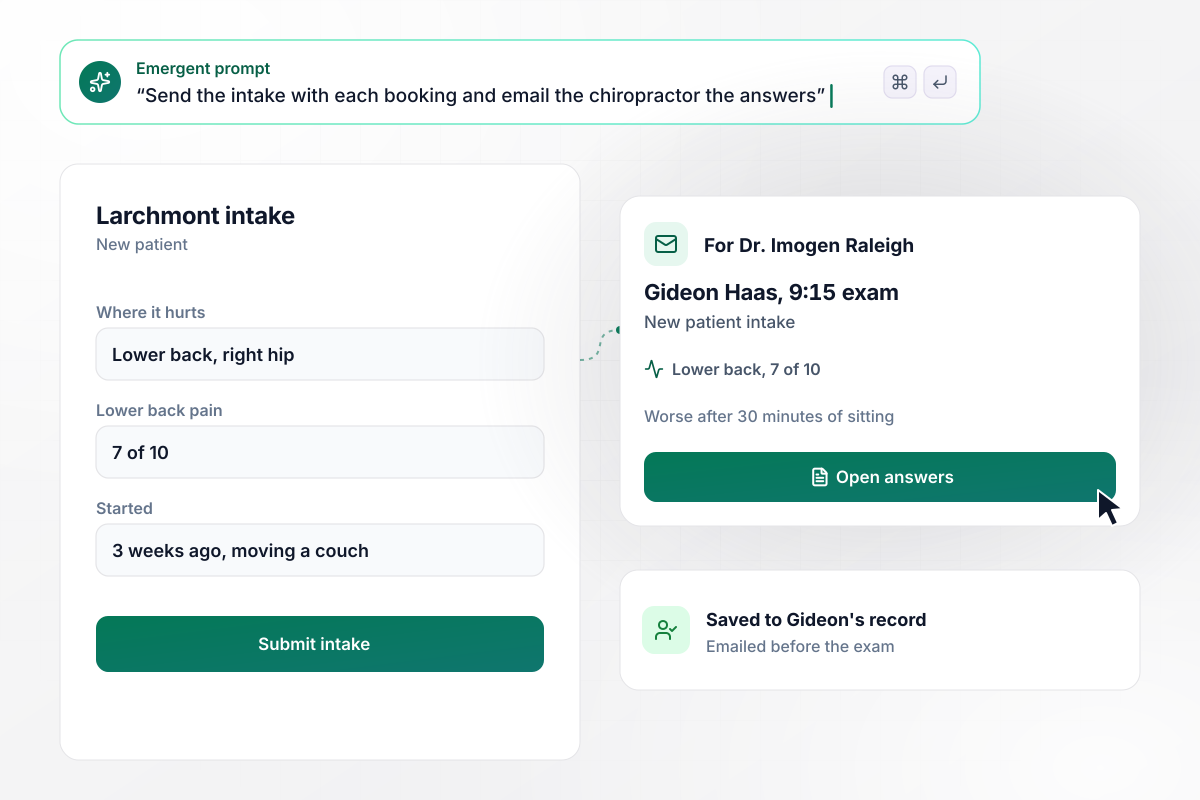
The pain map Dr. Raleigh reads before 9:15
Larchmont Chiropractic sends the intake with each booking. Gideon Haas taps his lower back and right hip on the body chart and rates the back at 7 of 10. It started 3 weeks ago while moving a couch and gets worse after 30 minutes of sitting. Dr. Imogen Raleigh gets the answers on an email card before his 9:15 exam.
window.awbMockup = { newPatients: "I run Larchmont Chiropractic. Build a chiropractic intake form that goes out with every new booking. Ask patients to tap each spot that hurts on a front and back body chart, rate it from 0 to 10, say when it started and what they were doing, and pick what makes it worse. Email the chiropractor a card with the answers before the exam.", carAccidentCases: "Build an intake for Sorrel Ridge Chiropractic that asks whether a car accident caused the pain. On a yes, ask for the accident date, the auto insurer, the claim number, and the attorney, if there is one. Send those intakes by email to my case coordinator, Wendell Kim, instead of the health plan queue.", treatmentConsent: "My clinic is Bellmoor Chiropractic. Put our consent to care on the last screen of the intake and have patients sign it on their phone with a finger. Save the signature with the time it was signed, and show the front desk a list of today's first adjustments with whether each consent is signed.", reExams: "Build a re-exam form for Quarry Hill Chiropractic that sends the pain questions from the intake again at visit 12: the neck pain rating from 0 to 10 and how many minutes the patient can sit at a desk before it hurts. Show the chiropractor the intake answers and the visit 12 answers side by side." };
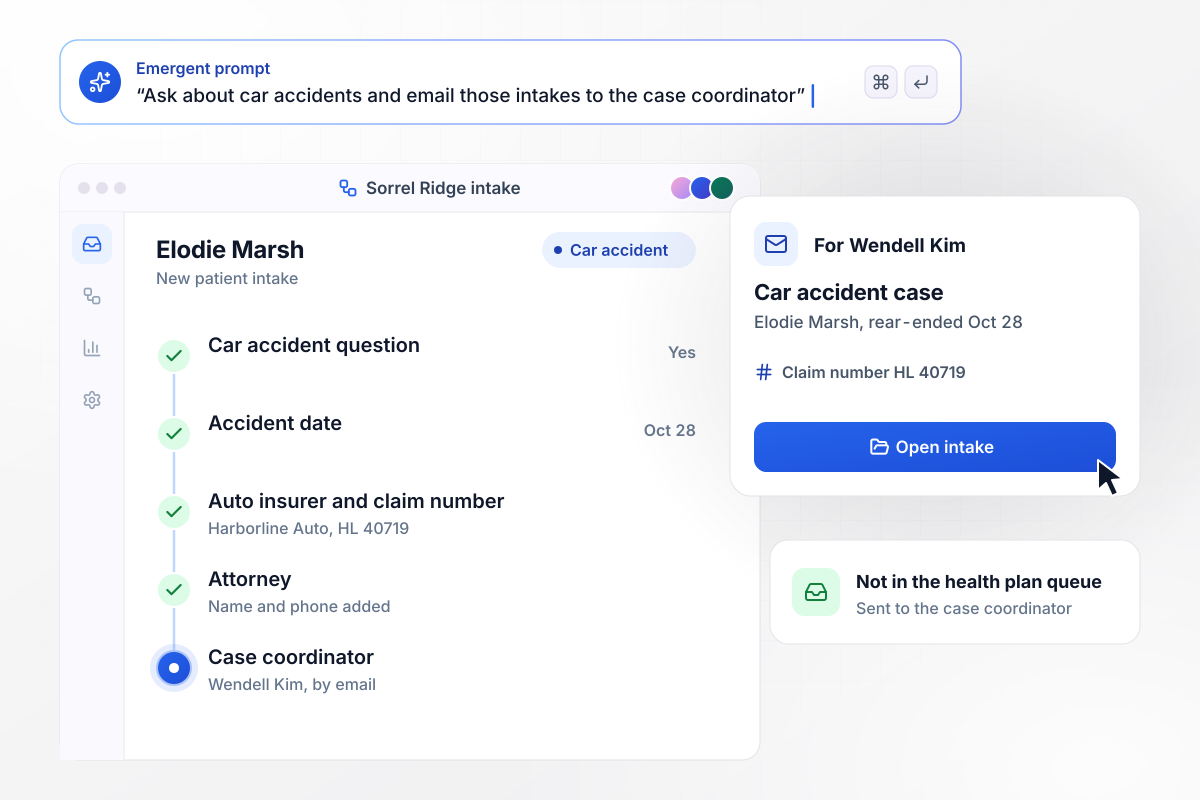
Every car accident case reaches Wendell by email
Elodie Marsh was rear-ended on Oct 28 and booked a first visit at Sorrel Ridge Chiropractic. Her yes to the car accident question opens four more: the accident date, her auto insurer, the claim number, and her attorney. The intake goes by email to case coordinator Wendell Kim instead of the health plan queue.
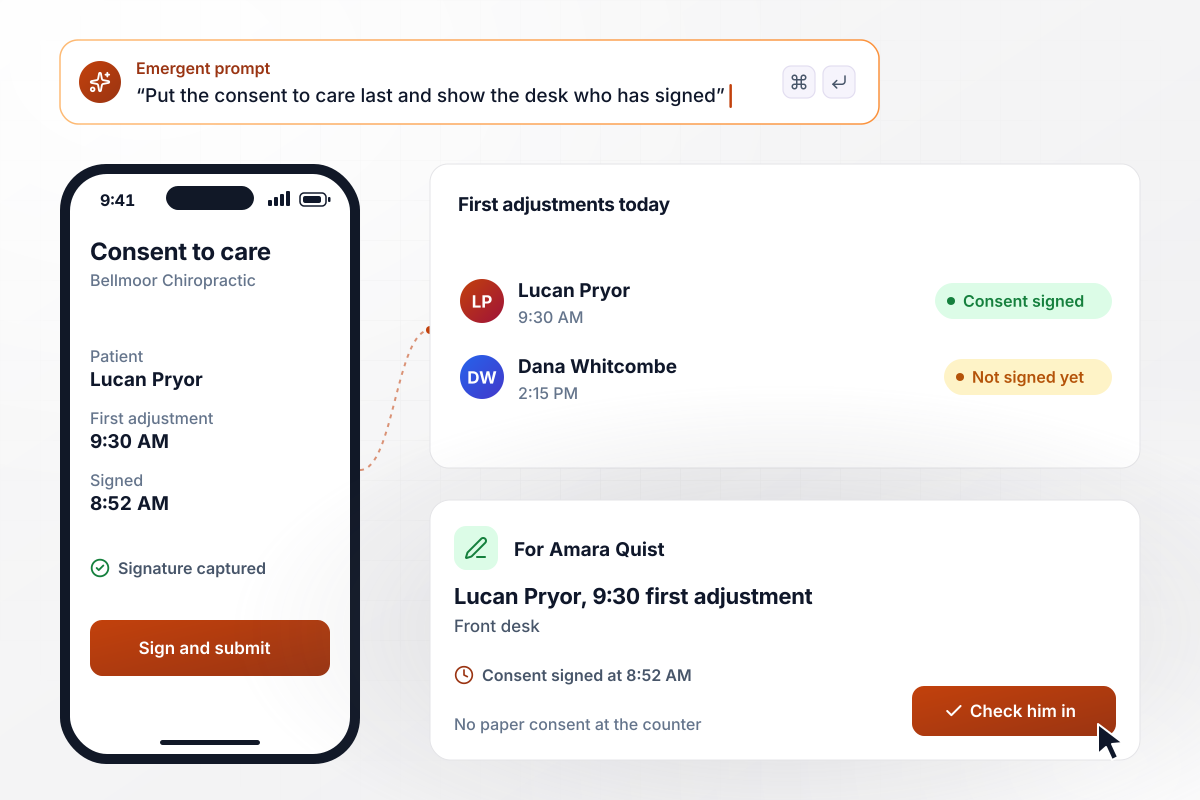
From a phone signature to the 9:30 adjustment
The last screen of the Bellmoor Chiropractic intake is its consent to care. Lucan Pryor reads it on his phone and signs with a finger at 8:52, and the app saves the signature with the time. Front desk lead Amara Quist sees Consent signed beside his 9:30 first adjustment. Nobody hands him a clipboard at the counter.
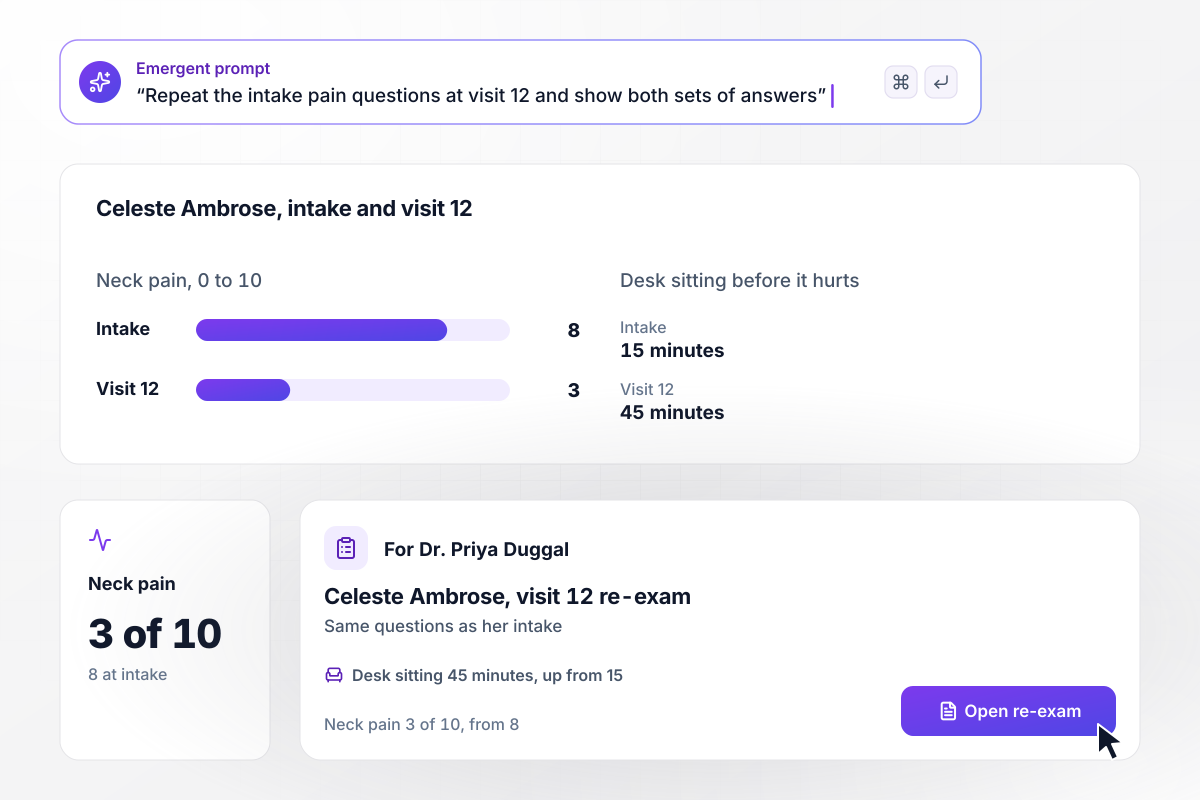
By visit 12, neck pain is a 3, down from 8 at intake
Twelve visits in, Quarry Hill Chiropractic sends Celeste Ambrose the pain questions from her intake again. She rates her neck at 3 of 10, against 8 at intake. Sitting at her desk now lasts 45 minutes before it hurts, up from 15. Dr. Priya Duggal sees both sets of answers side by side at the re-exam.






How to Create a Chiropractic Intake Form
Seven steps to plan a chiropractic intake form around the first exam, then build it with Emergent and test it with a fake patient.
Ask each chiropractor in the clinic what they want to know before a new patient walks in. Every question on the form should trace back to a line on that list. A question that traces to nothing comes out, however standard it looks.
Use the same 0 to 10 rating on the intake, at every re-exam, and in the exam room. One scale lets a later visit compare cleanly with the first. Leave one free text box for the patient's own words about the pain.
Name the person who takes car accident cases, plus a backup for their days off. Then list what that person needs on the first day, such as the claim number, and make those questions required only after a yes.
Paste the clinic's own consent to care, in its current wording, into the final screen. Patients sign with a finger before they submit. When the wording changes, keep the old version with the consents signed under it.
Put the questions and the consent wording into one prompt. Emergent builds the chiropractic intake form, the database behind it, and a screen for the front desk. Change a question later by asking for it in plain English.
Add the intake link to the booking confirmation email, so patients answer at home instead of in the waiting room. Ask for a photo of the insurance card in the same pass, and send one email reminder the day before the first visit.
Book a made-up new patient, fill in the intake on a phone, and report a car accident as the cause. Check that the case coordinator gets the email, the consent shows as signed, and the pain answers land in the patient record.
Why Build Chiropractic Intakes With Emergent?
A clipboard sheet says back pain. The online form says where it hurts and since when, and the chiropractor reads it before the exam.

|
Jotform | Google Forms | Typeform | |
|---|---|---|---|---|
| How you build | Describe it in plain English | Templates, editor, AI generator | Editor, with Gemini drafting on some Workspace plans | Templates, editor, AI assist |
| Where responses live | A database table you own, plus any integration | Jotform account | Google Sheets | Typeform account |
| Response limits | No response caps | Monthly submission caps by plan; the form stops at the cap | No limit | Monthly response caps by plan; the form closes at the cap |
| Code ownership | Full code export to GitHub on paid plans | None | None | None |




Pick the Pricing Plan That Works for You
Choose the plan that fits your building ambitions. From weekend projects to enterprise applications, we've got you covered.




Find the right form
for whatever you're collecting
Frequently Asked Questions
Your Questions, Answered
Don't change this element unless you know what you are doing
More things you can build
with Emergent









on Emergent today


