

Build a Home Care Intake Form From First Call to First Shift
Create a home care intake form that scores daily activities, checks the home for hazards, and saves one client record you own.
Build a home care intake form for my non-medical home care agency.
Trusted by Builders Worldwide
Active Builders Worldwide
Apps Successfully Created
Countries Globally Reached



What a Home Care Client Record Holds
The answers a care manager needs before the first visit, and the ones a scheduler needs before the first shift.
Family contacts in calling order
List the client and every relative who should hear from the agency, numbered in the order to call. Mark who can approve a change to care and who only wants updates after visits.
Daily activities scored one by one
Score each self-care task, such as bathing or transfers, on one scale from independent to full help. Household tasks like meals and laundry sit in a second group right below them.
Home safety walk-through by room
Give the assessor a checklist for each room of the house. Every hazard marked yes needs a photo and a short note, and it becomes a line in the care plan the family signs.
A schedule request, not a paragraph
Ask for the days and hours of each visit as separate fields. Add caregiver preferences like language or pets at home, then compare them with every caregiver on the current roster.
Payer type on the first screen
Ask whether care is private pay, long-term care insurance or a VA benefit. Each answer then loads the follow-up questions billing needs for that payer, like a policy number.
Source code in your own repo
Export the full code to your GitHub repository on paid plans. A developer can connect the intake to the office's scheduling system and keep changing it there for years after launch.
Intake at Four Home Care Agencies
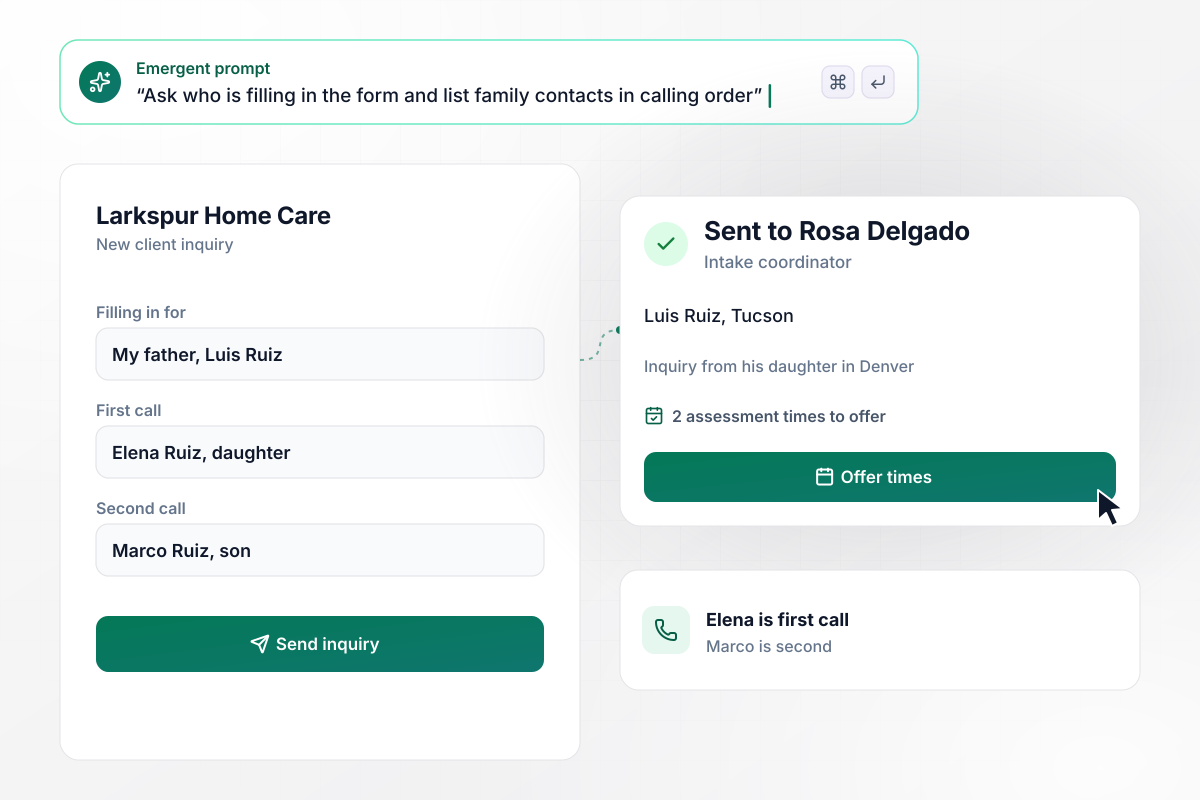
Called from Denver about a father in Tucson
Most first calls at Larkspur Home Care come from adult children, and the inquiry form starts with whoever is filling it in. Elena Ruiz lists herself as first call and her brother Marco as second, then describes her father's week. Intake coordinator Rosa Delgado gets the request with two assessment times to offer.
window.awbMockup = { familyInquiry: "I run Larkspur Home Care. Build an inquiry form for family members calling about a parent. Ask who is filling it in and how they are related, then collect each family contact in the order we should call them. Send every new inquiry to our intake coordinator Rosa Delgado with two assessment times she can offer the family.", adlAssessment: "Build an in-home assessment for Juniper Home Care that our care managers fill in on a tablet. Score each daily activity as independent, needs help or full help. When three activities need help, set the starting plan at four hours a day, and let the care manager adjust it before the family signs.", homeSafetyCheck: "My agency, Fernhill Senior Care, does a home safety walk-through at every assessment. Build a phone checklist with one section per room. Each hazard marked yes needs a photo and a note, goes into the client's care plan and is emailed to the family contact that evening.", scheduleAndMatch: "Build a scheduling section for Cobalt Bay Home Care. Ask new clients for the days, start times and hours they want, plus caregiver preferences like language and pets at home. Show our scheduler which caregivers on staff match every preference, best match first." };
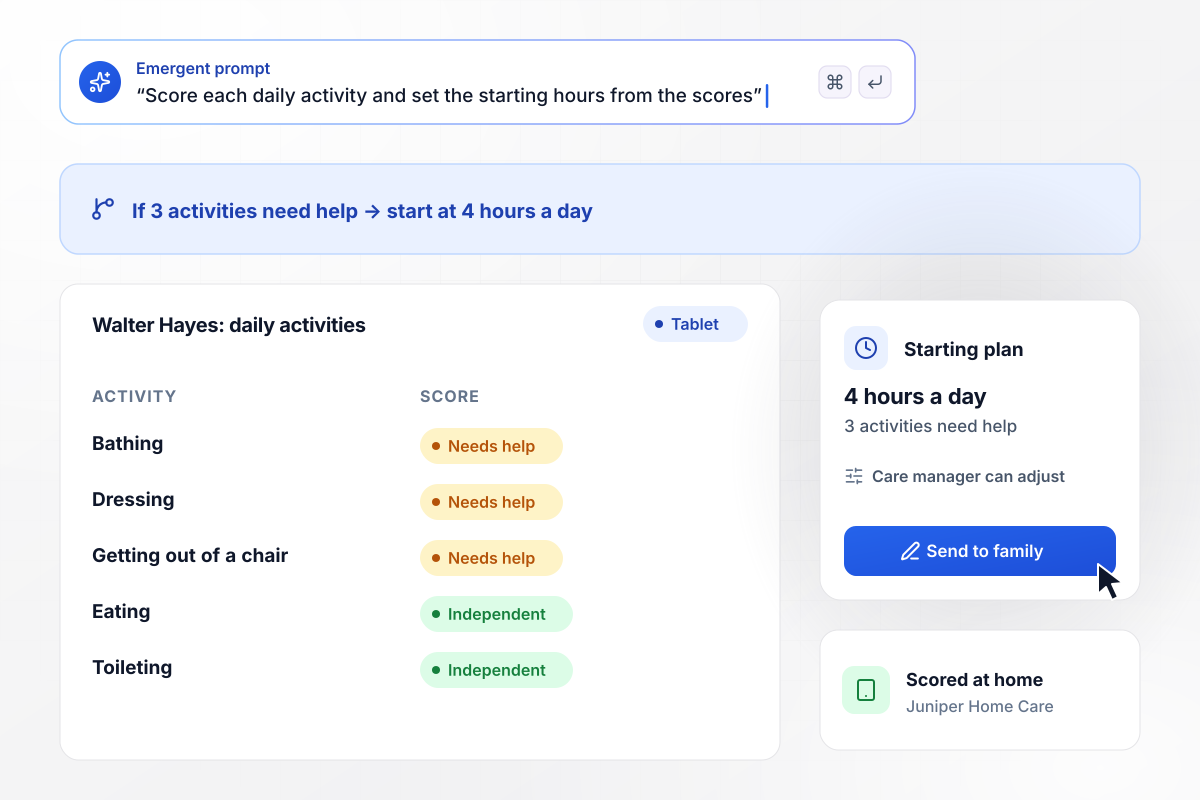
Four hours a day, set by three needs-help answers
Care managers at Juniper Home Care score each daily activity on a tablet during the home visit. Walter Hayes needs help with bathing, dressing and getting out of a chair. Three needs-help answers set his starting plan at four hours a day, which the care manager can adjust before the family signs.
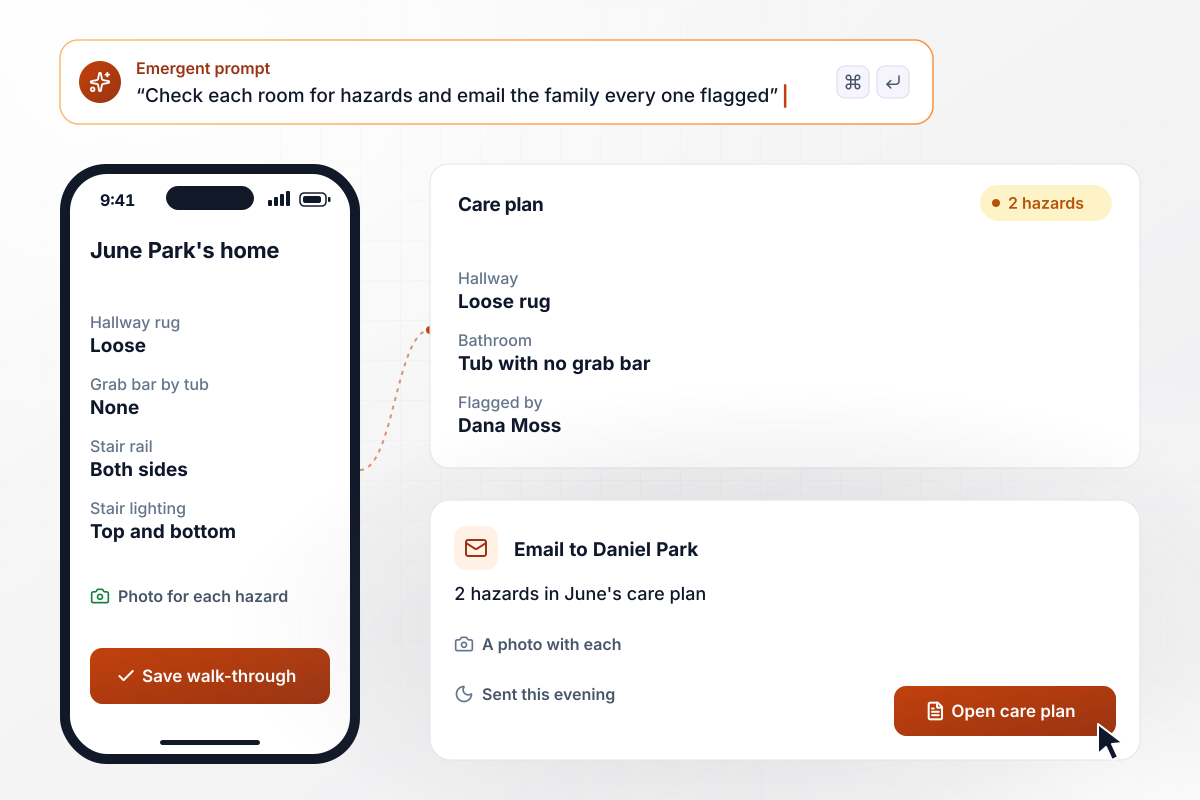
By the tub, no grab bar; in the hall, a loose rug
Fernhill Senior Care's assessors walk each house room by room with a checklist on their phone. At June Park's home, Dana Moss flags two hazards: a loose rug in the hallway and a tub with no grab bar. Both go into June's care plan with a photo each, and her son Daniel gets the list by email that evening.
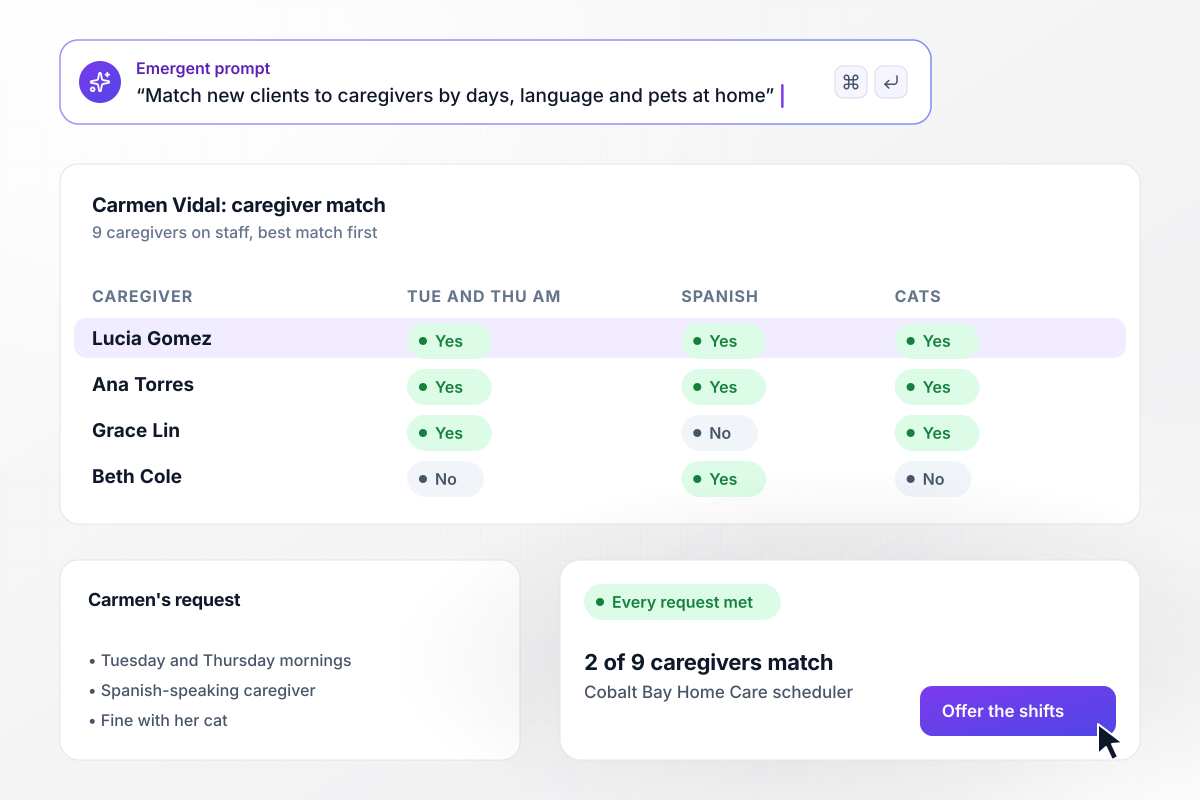
Who speaks Spanish, works mornings, and likes cats
Cobalt Bay Home Care asks new clients for visit times and caregiver preferences as separate fields. Carmen Vidal wants Tuesday and Thursday mornings with a Spanish-speaking caregiver who is fine with her cat. Her record shows the scheduler the two caregivers, out of nine on staff, who match every request.






How to Create a Home Care Intake Form
Seven steps to plan a home care intake form around the phone inquiry and the home visit, then build it with Emergent.
Map intake the way it already runs: a first call that decides whether a visit is worth booking, then an in-home assessment that sets the plan. List what your coordinator and your care managers ask today.
Ask who is filling in the form and how they are related to the client before any question about care. Collect each family contact with a phone number, the order to call them and whether they can approve changes.
Give every activity the same three answers: independent, needs help, full help. Keep self-care such as bathing and toileting apart from chores around the house, because the two groups often lead to different services.
Give the assessor a section per room with yes or no questions about rugs, grab bars, stair rails, and lighting at the top of the stairs. Require a photo whenever the assessor marks a hazard yes. The family then sees exactly what was found.
Paste your questions and your rules, such as which scores set the starting hours. Emergent builds the form and the client table from that prompt. Ask for changes later in plain English, like a new payer type or an extra room.
Send the agreed schedule and caregiver preferences to the scheduling software your office uses, and the payer details to billing. Emergent connects to any tool with an API, and every record stays in a database you own.
Fill in an inquiry as a relative would, then complete an assessment on a tablet as your care manager would in the home. Check the family email, the care plan lines, and the schedule request before a real client sees any of it.
Why Build Home Care Intake With Emergent?
A forms-library PDF collects answers once. Emergent keeps them on one client record that care managers and schedulers both use.

|
Jotform | Google Forms | Typeform | |
|---|---|---|---|---|
| How you build | Describe it in plain English | Templates, editor, AI generator | Editor, with Gemini drafting on some Workspace plans | Templates, editor, AI assist |
| Where responses live | A database table you own, plus any integration | Jotform account | Google Sheets | Typeform account |
| Response limits | No response caps | Monthly submission caps by plan; the form stops at the cap | No limit | Monthly response caps by plan; the form closes at the cap |
| Code ownership | Full code export to GitHub on paid plans | None | None | None |




Pick the Pricing Plan That Works for You
Choose the plan that fits your building ambitions. From weekend projects to enterprise applications, we've got you covered.




Find the right form
for whatever you're collecting















Frequently Asked Questions
Your Questions, Answered
Don't change this element unless you know what you are doing
More things you can build
with Emergent









on Emergent today


