

Build an Emergency Contact Form That Stays Current
Create an emergency contact form that holds a second number for every person and asks once a year whether it still works.
Build an emergency contact form people can fill out on a phone in a few minutes.
Trusted by Builders Worldwide
Active Builders Worldwide
Apps Successfully Created
Countries Globally Reached



What a Current Contact Record Needs
A printed sheet goes stale in the filing cabinet. These six pieces keep a working number in reach when someone has to call.
A backup contact the form insists on
Require a second person with a different phone number before the form submits. When the first call goes to voicemail, the caller has another name on the same screen.
Relationship picked from a short list
Offer spouse, partner, parent, sibling, friend, and other as choices instead of a blank line. Whoever makes the call knows at a glance who is likely to pick up the phone.
Medical notes kept in their own file
Collect allergies and medications in a separate, optional section. HR or the school nurse can open it, while a shift lead sees only the names and numbers needed to call.
A yearly check that numbers still work
Email each person a confirm link on the anniversary of their last update. Records nobody has confirmed show up on a short list for the office manager to chase by phone.
A lookup card for whoever is on shift
Search a name on a phone and see both contacts with tap-to-call numbers. A night supervisor or a camp counselor reaches family without waiting for the office to open.
Code you can take with you
Export the full codebase to your GitHub on paid plans to connect the records to your HR system or run the app on your own servers. Every line of the app belongs to you.
Who Keeps Emergency Contacts on File
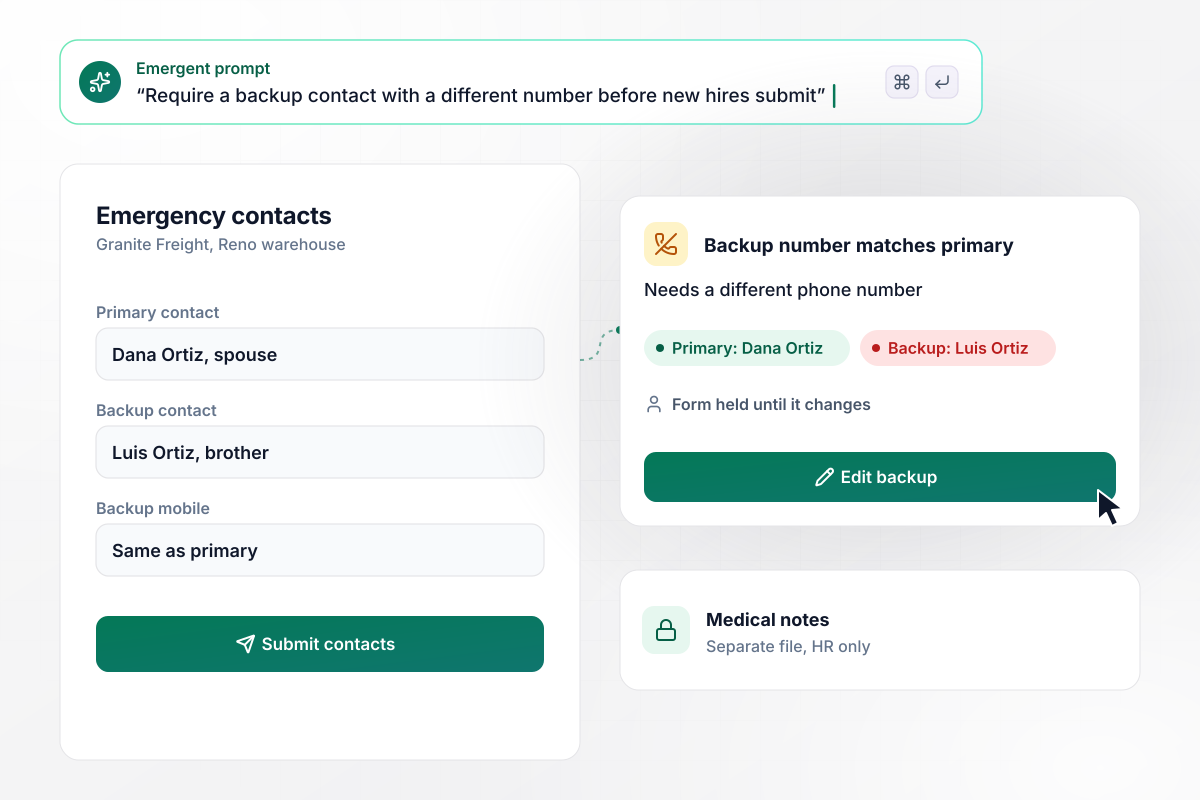
Two contacts on file before the first shift
Granite Freight hires forklift drivers for its Reno warehouse. Each new hire opens the form on a phone at orientation and adds the person to call first and a backup. The form will not submit until the backup has a different phone number. Allergies and medications are optional and go to a file only HR can open.
window.awbMockup = { newHires: "I run HR for Granite Freight's Reno warehouse. Build an emergency contact form new hires fill in on a phone at orientation: a primary and a backup contact, each with relationship and mobile number. Block the submit if both numbers match. Put allergies and medications in an optional section only HR can see, and save each record to the employee's file.", daycareEnrollment: "I direct Little Oaks Learning Center. Build an enrollment form where parents list emergency contacts, everyone allowed to pick up their child and any allergy. Show each child as a card on the Toddler Room tablet, with the allergy at the top and the pickup names underneath, so a teacher can check them at the door.", seniorLiving: "I manage Maple Ridge Senior Living. Keep a contact record for each resident's family. If a record has not been confirmed in 12 months, email the family a link to confirm or update their numbers. Give the front desk a list of everyone with no reply after 7 days, with the resident's room number.", summerCamps: "I direct Pine Hollow Camp. Build a camper emergency contact form for parents that asks for 2 contacts. Show me a table by cabin with how many campers have a backup listed. Email the families of any camper missing a backup, and show me who still has not answered before arrival day." };
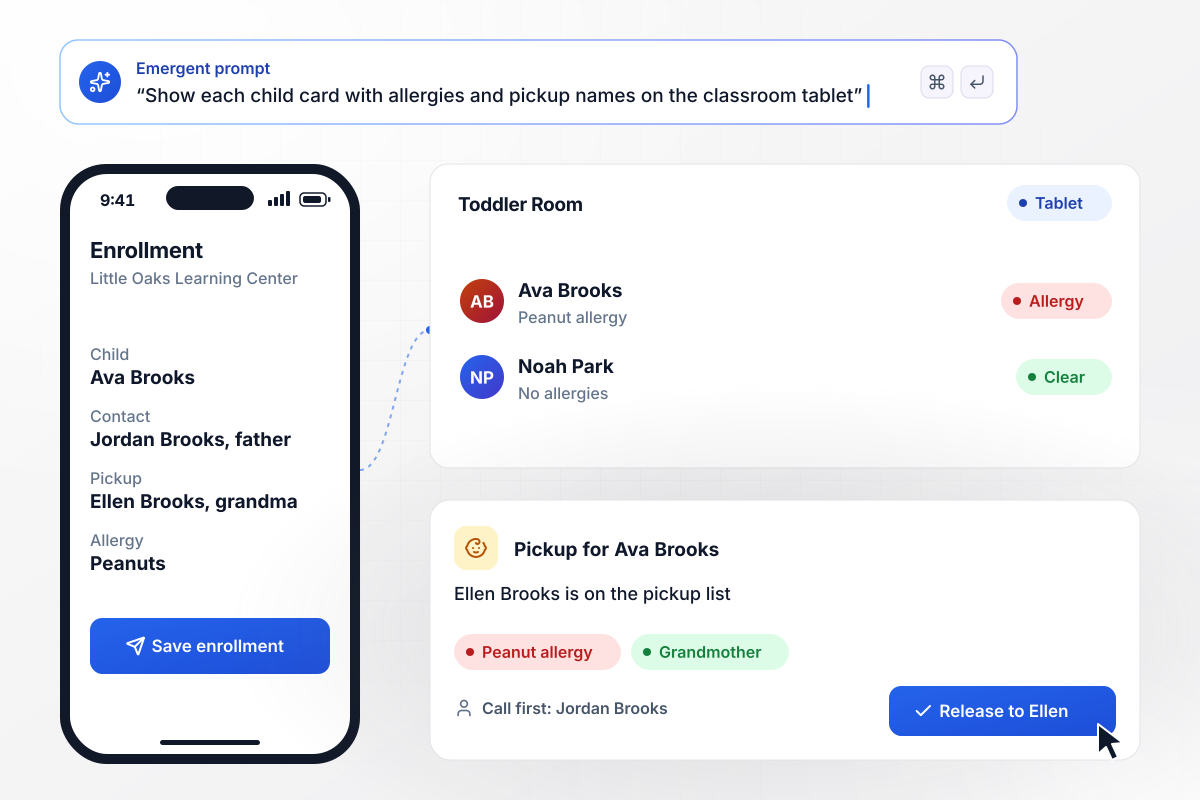
Allergies and pickup names on the classroom tablet
At Little Oaks Learning Center, parents complete enrollment on a phone, listing emergency contacts, everyone allowed to collect their child, and any allergy. The Toddler Room tablet shows each child as a card. When a grandmother arrives at pickup, the teacher sees her name and the peanut allergy together.
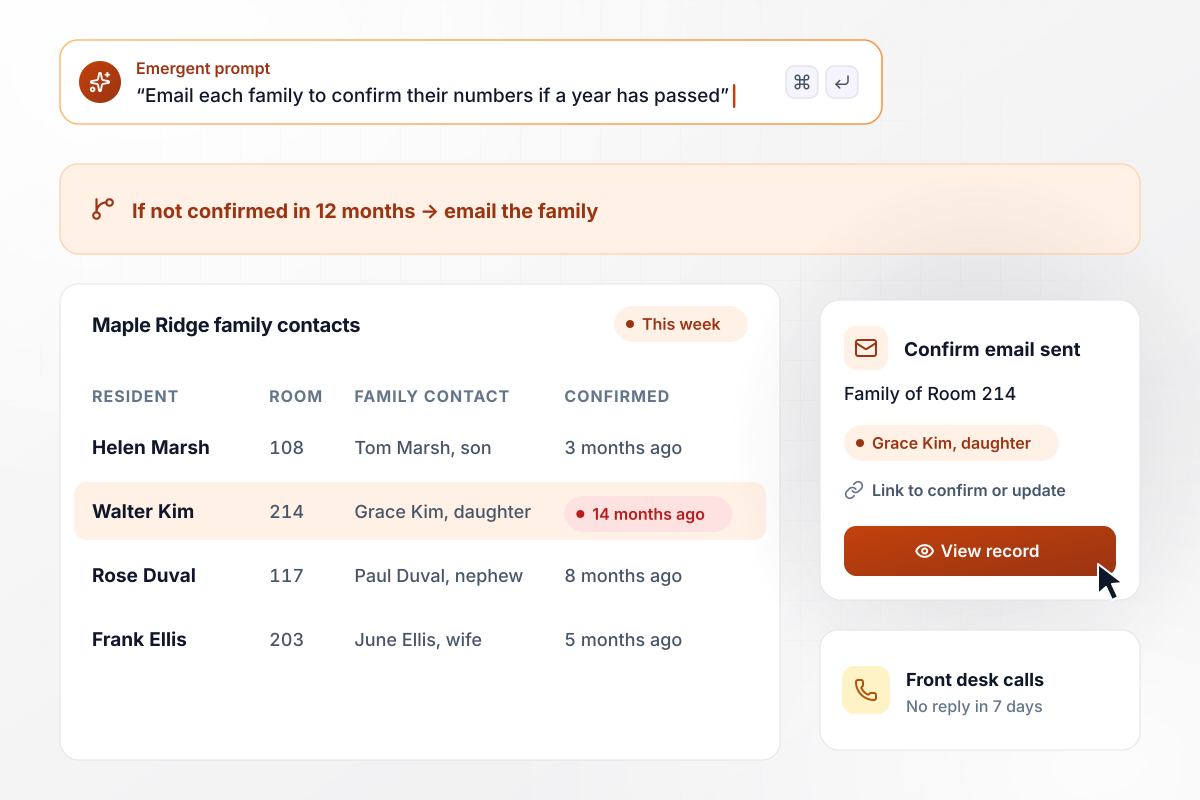
Once a year, every family checks its numbers
Maple Ridge Senior Living asks each resident's family to confirm their phone numbers every year. Any record not confirmed in 12 months gets an email with a confirm link. The front desk calls anyone with no reply in 7 days.
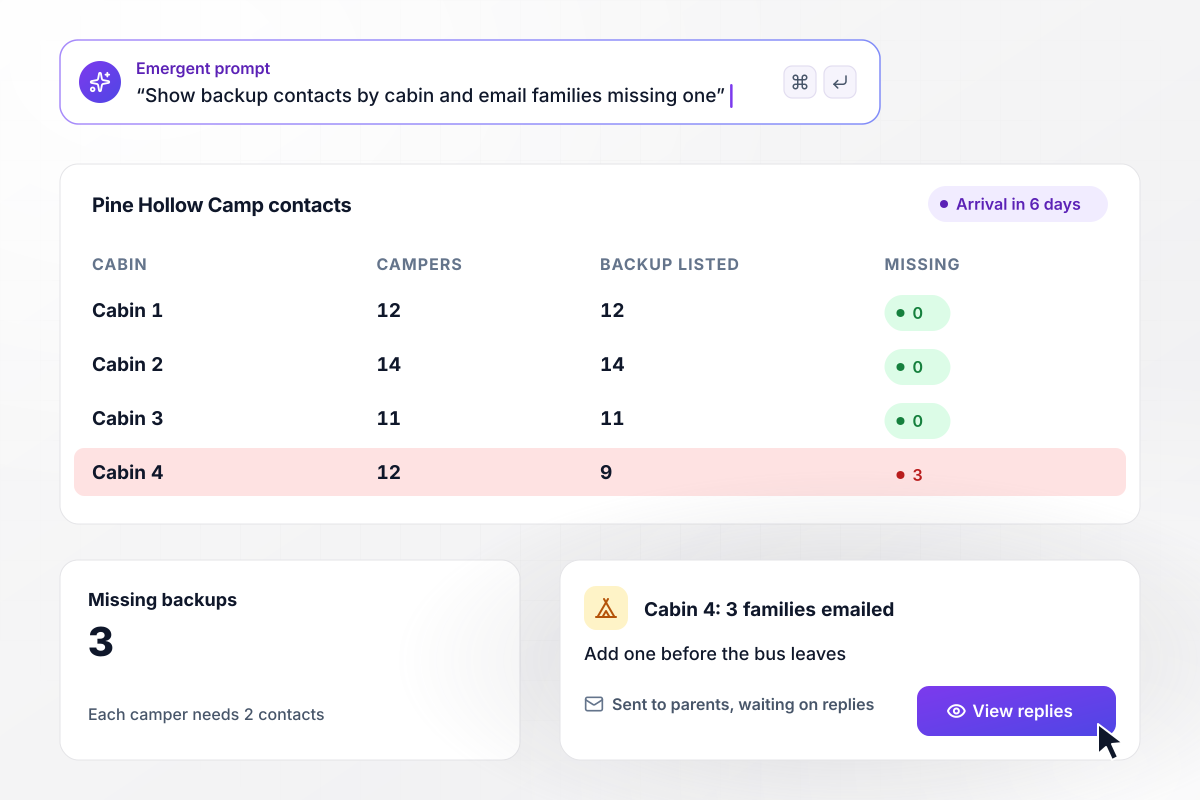
Cabin 4 has three campers with no backup
Six days before arrival, the director of Pine Hollow Camp checks contacts cabin by cabin. Every camper needs two people the camp can call. Cabin 4 has three campers with no backup listed, and those families get an email asking for one before the bus leaves.






How to Create an Emergency Contact Form
Seven steps to plan an emergency contact form that keeps a working number on file for everyone, then build and test it.
Picture the person making the call, such as a night supervisor or a teacher at pickup. List what they need on one screen. Names, relationships and phone numbers come first, and everything else can sit a tap away.
Require a primary and a backup contact, each with a mobile number. Ask that the backup lives somewhere else or keeps different hours. A spouse and a sibling across town cover more of the day than two people in one house.
Put allergies, medications, and conditions in an optional section of their own. Decide who may open it, for example HR or the school nurse. Leave it off the lookup screen that supervisors use.
Choose when every record gets checked, such as the hire anniversary or the first week of school. Write the reminder email and set how long people have to answer. Name the person who phones anyone who stays silent.
Write the fields, the rules, and the reminder schedule in one prompt in plain English. Emergent builds the form and the database behind it, with a lookup view for staff. Change any rule later by asking for it.
If your HR or school software has an API, connect it so new hires or enrolled children appear without retyping. Send updates back the same way. A Slack or email alert can tell the office when a record changes.
Open the form on a phone and try to submit it with one contact, then with the same number twice. Confirm the form stops you both times. Then look up the test record as a supervisor and place the call.
Why Emergent for Emergency Contacts?
A fillable PDF records the names once and goes in a drawer. Nobody learns the number changed until the call fails.

|
Jotform | Google Forms | Typeform | |
|---|---|---|---|---|
| How you build | Describe it in plain English | Templates, editor, AI generator | Editor, with Gemini drafting on some Workspace plans | Templates, editor, AI assist |
| Where responses live | A database table you own, plus any integration | Jotform account | Google Sheets | Typeform account |
| Response limits | No response caps | Monthly submission caps by plan; the form stops at the cap | No limit | Monthly response caps by plan; the form closes at the cap |
| Code ownership | Full code export to GitHub on paid plans | None | None | None |




Pick the Pricing Plan That Works for You
Choose the plan that fits your building ambitions. From weekend projects to enterprise applications, we've got you covered.




Find the right form
for whatever you're collecting
Frequently Asked Questions
Your Questions, Answered
Don't change this element unless you know what you are doing
More things you can build
with Emergent









on Emergent today


