

Build a Restaurant Reservation Form That Counts Every Cover
Create a restaurant reservation form that offers only seatings with room for the whole party and keeps every booking on record.
Build a restaurant reservation form that books tables by time and party size.
Trusted by Builders Worldwide
Active Builders Worldwide
Apps Successfully Created
Countries Globally Reached



Made for Seatings, Not Calendar Slots
A dining room sells seats in waves. These six parts keep each booking inside what the floor and the kitchen can serve.
Covers capped per seating
Set how many guests each 15-minute seating can take, night by night. A party that would push a seating past its cap sees the nearest times that still have room for everyone.
Party size limits
Choose how many guests the form books on its own. Bigger groups get a private dining request instead, with the room's minimum spend shown before they send it in for approval.
Deposits for large groups
Take a flat or per-guest deposit through Stripe or any processor with an API. A large-party request becomes a booking once the deposit clears and the events manager approves it.
Allergy and dietary notes
List the major food allergens as checkboxes, then add a note field for anything else. Every flag prints on the night's reservation sheet beside its table number and seat time.
Confirmations and reminders
Send a confirmation when a table is booked and a reminder a day ahead, each with a link to cancel. Your no-show terms appear in plain words in both, right above the cancel link.
On your site, in your repo
Put the form behind the Reserve button on your current site or on the restaurant's own domain, which uses credits with hosting included. On paid plans, export the code to GitHub.
Booking Rules From Four Dining Rooms
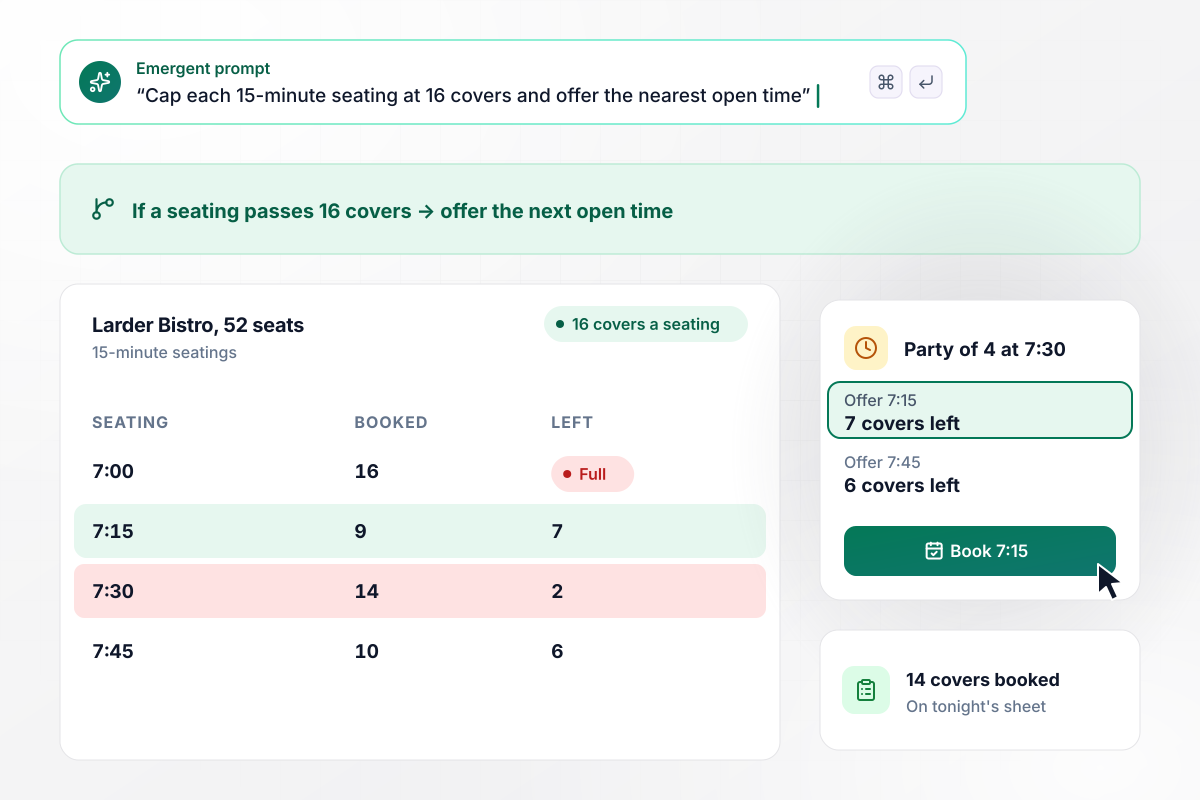
16 covers a seating, with 7:15 or 7:45 next
Larder Bistro seats 52 and takes 16 covers in each 15-minute seating, a pace its kitchen can plate. A party of four asks for 7:30, where 14 covers are already booked. The form offers 7:15, with 7 covers left, or 7:45, with 6. The host sees the booking land on tonight's sheet.
window.awbMockup = { coversPerSeating: "My bistro seats 52 and the kitchen can take 16 covers every 15 minutes. When a party asks for a time that would go over 16, show them the nearest earlier and later seatings that still fit the whole party, with how many covers are left in each. Put every booking on tonight's sheet for the host.", largeParties: "Any party over eight should not book a regular table. Send them to a private dining request instead. The room seats 24 and has a $1,500 food-and-beverage minimum. Ask for a $300 deposit through Stripe, then post the request in Slack so our events manager can approve it.", allergyNotes: "Ask every guest about the nine major food allergens with checkboxes, plus a free-text box for anything else. At 4 pm each day, post tonight's flagged tables to our kitchen channel in Slack, in seat-time order, with the table number and the allergy for each.", cancellations: "Email every guest 24 hours before their booking with Confirm and Cancel buttons. When a table cancels, put those covers back into the seating and email the next waitlist party that fits. Give them 20 minutes to claim the table, then offer it to the party after them." };
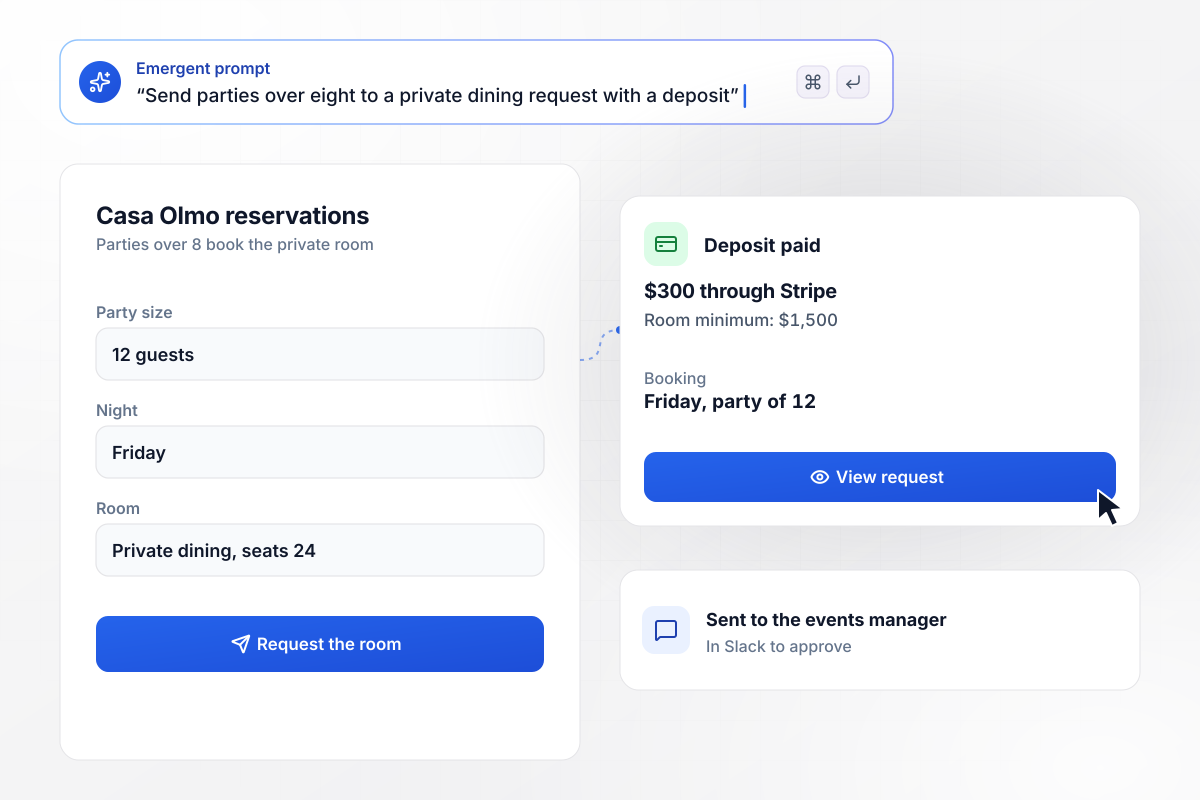
Over eight guests, it becomes a private dining request
Any party over eight at Casa Olmo skips the table picker. A request for 12 on Friday goes to the private dining room, which seats 24 and carries a $1,500 food-and-beverage minimum. The guest pays a $300 deposit through Stripe, and the events manager gets the request in Slack to approve.
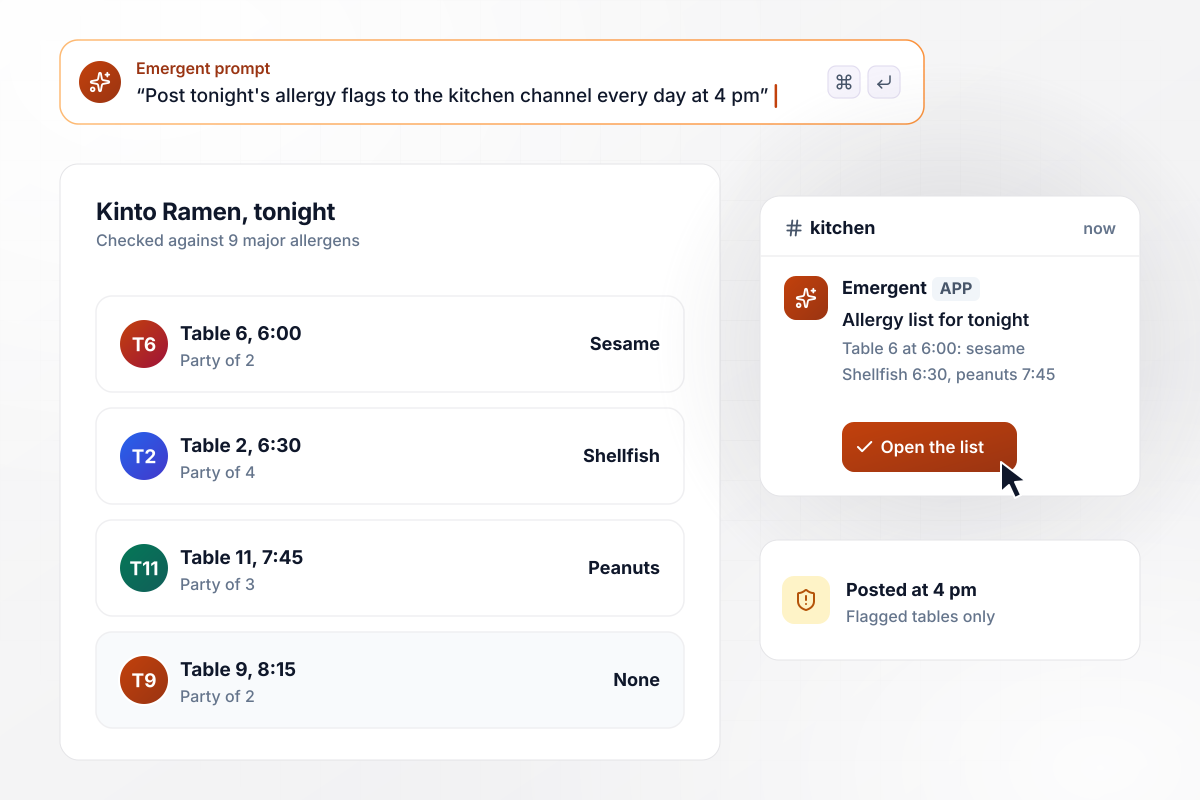
Allergies by table number, in the kitchen at 4 pm
Every booking at Kinto Ramen asks about the nine major food allergens, with a box for anything else. At 4 pm the kitchen channel in Slack gets tonight's flagged tables with their seat times. Table 6 at 6:00 tops the list with a sesame allergy.
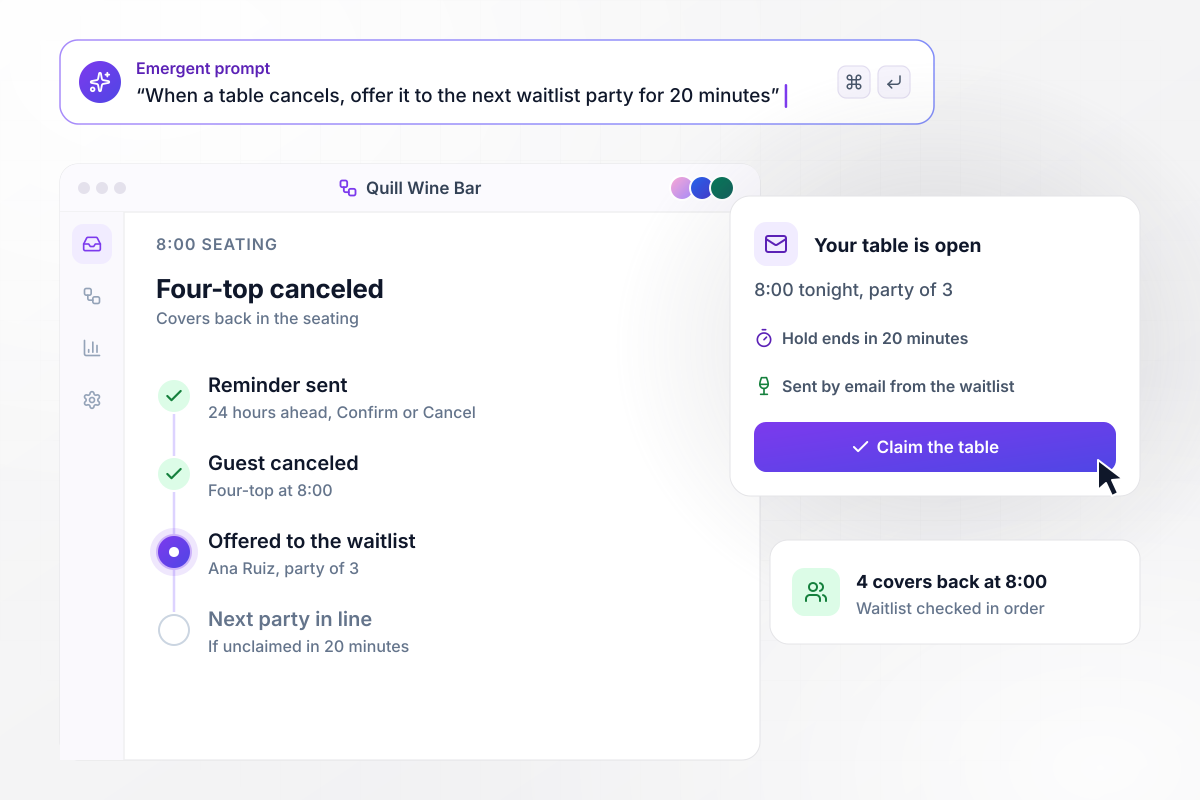
Tables freed when guests cancel go to the waitlist
Quill Wine Bar emails every guest 24 hours ahead with Confirm and Cancel buttons. When a four-top for 8:00 cancels, those covers go back into the seating. The next waitlist party that fits gets an email offering the table, and the offer holds for 20 minutes before it moves down the list.






How to Make a Restaurant Reservation Form
These seven steps turn your seating limits into a restaurant reservation form that takes only the bookings your kitchen can serve.
A cover is one guest: a table of four counts as four covers. Write how many covers each seating can take on each night, such as 16 every 15 minutes on Fridays. Note the first and last seating times too.
Pick the party size where online booking stops. Above it, send the request to a private room or a set menu, and note the minimum spend and deposit for each. A host can still seat a big walk-in by hand.
Say how long a late table is held and whether large groups pay a fee for not showing up. Keep it to two short sentences, because the terms print in every confirmation and reminder the guest receives.
Ask for the essentials first: when, how many, and a name with a phone number. Add allergies or a high chair only if the floor uses them. Drop any field the host never reads, since guests fill it in on a phone.
Paste the seating caps and party limits into the prompt, with the no-show terms last. Emergent builds the form and its bookings table, plus the confirmation emails. Change any rule by asking, such as moving the last Friday seating to 9:45.
Make a booking under a made-up name. Then try the cases a paper book handles badly: four guests into a nearly full seating, a group of nine, a sesame allergy, and a cancellation with a waitlist party ready.
Link the form from the restaurant's website and its Instagram bio, and paste it into replies to email inquiries. A QR code on the check presenter lets guests book a return visit before they leave.
Why Build Reservation Forms With Emergent?
Printable sheets and template galleries collect the same five fields. Emergent also builds the seating caps and the waitlist behind them.

|
Jotform | Google Forms | Typeform | |
|---|---|---|---|---|
| How you build | Describe it in plain English | Templates, editor, AI generator | Editor, with Gemini drafting on some Workspace plans | Templates, editor, AI assist |
| Response limits | No response caps | Monthly submission caps by plan; the form stops at the cap | No limit | Monthly response caps by plan; the form closes at the cap |
| Where responses live | A database table you own, plus any integration | Jotform account | Google Sheets | Typeform account |
| Payments in the form | Through your own Stripe account | Included, metered per plan | No | Paid plans |
| Code ownership | Full code export to GitHub on paid plans | None | None | None |




Pick the Pricing Plan That Works for You
Choose the plan that fits your building ambitions. From weekend projects to enterprise applications, we've got you covered.




Find the right form
for whatever you're collecting















Frequently Asked Questions
Your Questions, Answered
Don't change this element unless you know what you are doing
More things you can build
with Emergent









on Emergent today


