

Build a Hotel Booking Form for Inns and Group Room Blocks
Get a hotel booking form that offers only rooms open for the whole stay and saves each request to a table you own.
Build a hotel booking form that shows only rooms open for every night of the stay.
Trusted by Builders Worldwide
Active Builders Worldwide
Apps Successfully Created
Countries Globally Reached



What a Room Request Has to Get Right
Rooms sell one night at a time. These six parts keep each request in step with the room count and the deposit behind it.
Rooms counted night by night
Check every night of a requested stay against the rooms left of that type. When one night is sold out, the form names it and offers the nearest dates with a room open.
Minimum stays by date
Set a two-night minimum on weekends and three nights over a festival week. A request that falls short sees the stays that qualify, not an error message with no way forward.
A deposit before the hold
Take the first night or the whole stay through Stripe or any processor with an API. A request becomes a confirmed booking only after the deposit for that stay is paid in full.
Group links with their own rate
Give a wedding or a conference its own link, room count and nightly rate. Guests on it see only the group's dates, and the whole block closes on the cutoff day you pick.
Arrival notes for the desk
Ask for arrival time and bed type, plus a crib or any accessibility need. Answers land on the guest's record, and the desk gets a list of tomorrow's arrivals each evening.
Your domain, your code
Publish on the property's own domain, included with Emergent and billed in credits, or embed the form in your current site. Paid plans can export the full code to GitHub.
Where the Room Count Decides
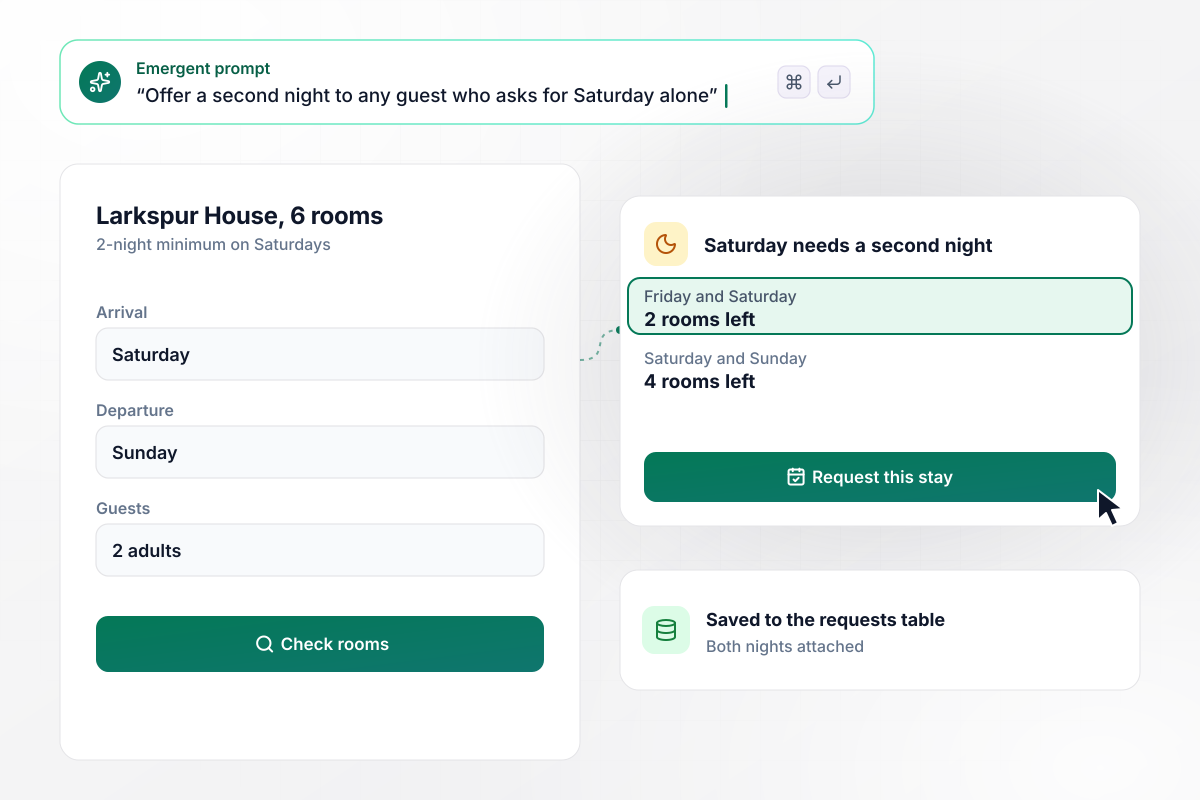
No Saturday without Friday or Sunday
Larkspur House has six rooms and sells Saturday night only as part of a two-night stay. A guest who asks for Saturday alone is offered Friday and Saturday, with 2 rooms left, or Saturday and Sunday, with 4. The guest picks one, and the request lands in the innkeeper's table with both nights attached.
window.awbMockup = { weekendMinimumStays: "I run a six-room bed and breakfast. Saturday nights only sell as part of a two-night stay. If a guest asks for Saturday alone, show them Friday and Saturday or Saturday and Sunday instead, with how many rooms are left for each. Save the request with both nights so I can confirm it from one list.", petFriendlyRooms: "My inn has 20 rooms and three of them take dogs. Only show the dog option when one of those three rooms is free for every night of the stay. Add a $40 pet fee to the quote, once per stay, and tell the guest which room they would get.", weddingRoomBlocks: "We reserved 20 rooms at a hotel for our wedding guests at $189 a night. Give guests a link with the wedding dates already filled in so they only pick a room type. 30 days before the wedding, close the block and send the unclaimed rooms back. After that, show the hotel's front desk number.", conferenceOverflow: "Our summit has 80 rooms at the main hotel and 40 at an overflow hotel across the street, both at $164 a night. Attendees request rooms on one form. When the main hotel's 80 are gone, put new requests in the overflow block with the same dates and rate, and post a note in our summit housing Slack channel." };
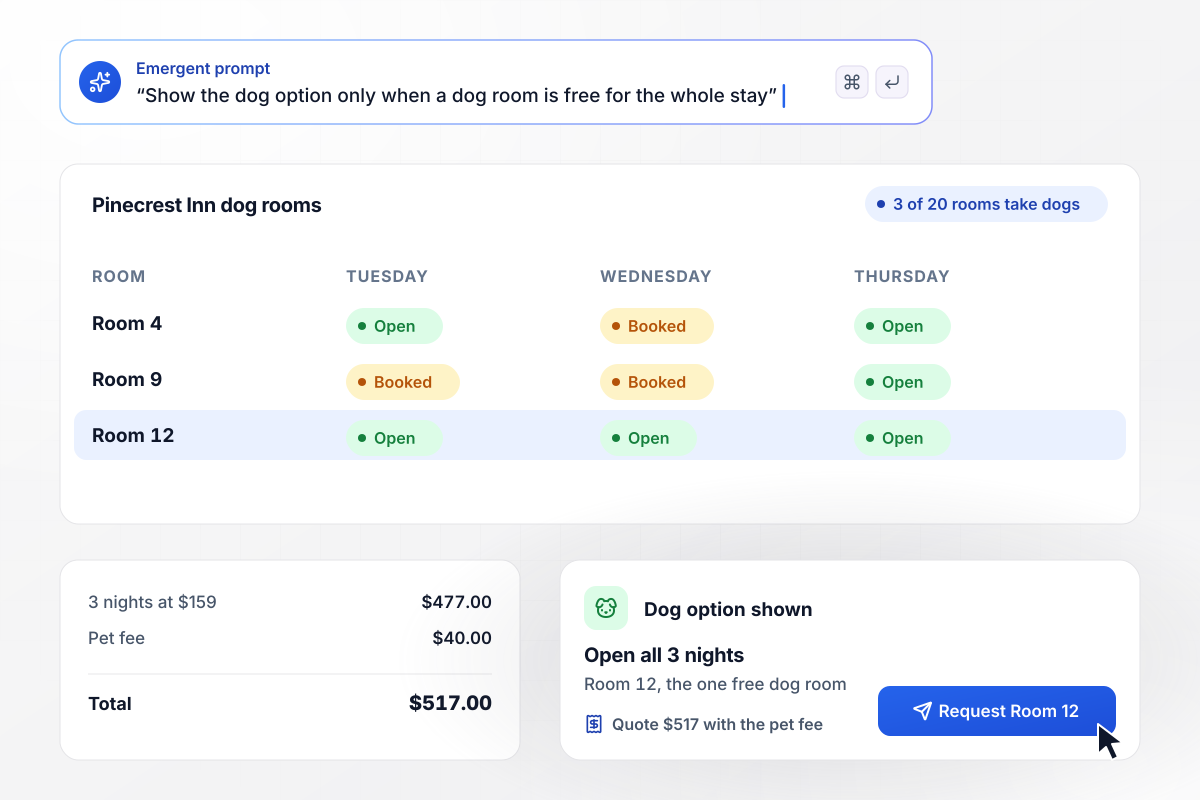
A dog room shows only when it is open every night
Three of the 20 rooms at the Pinecrest Inn take dogs. The dog option appears on a request only when one of those three is free on every night of the stay. A guest asking for three nights with a dog is offered Room 12, the one dog room open all three nights, at $517 including the $40 pet fee.
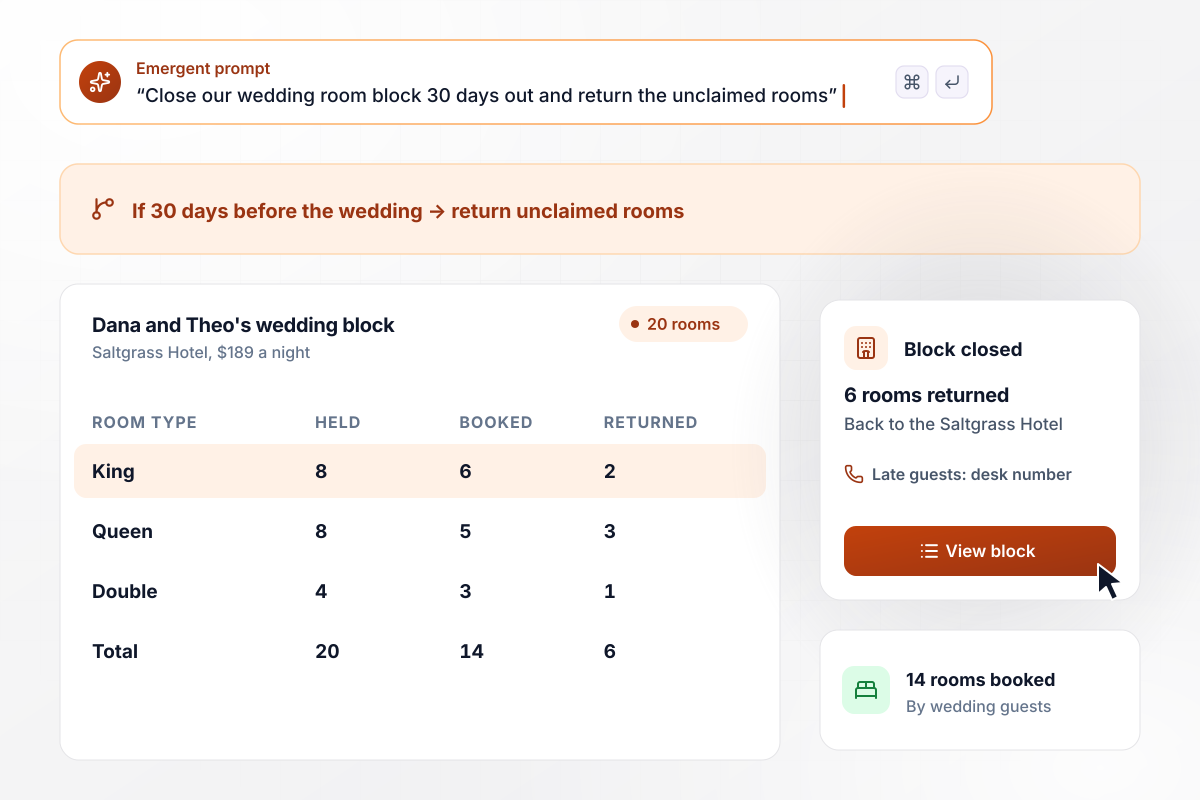
Any wedding room unclaimed by day 30 returns
Dana and Theo set aside 20 rooms at the Saltgrass Hotel at $189 a night. Guests book from the couple's link with the wedding dates filled in. At 30 days before the wedding, the block closes with 14 rooms booked and the 6 nobody claimed go back. Late guests see the front desk number.
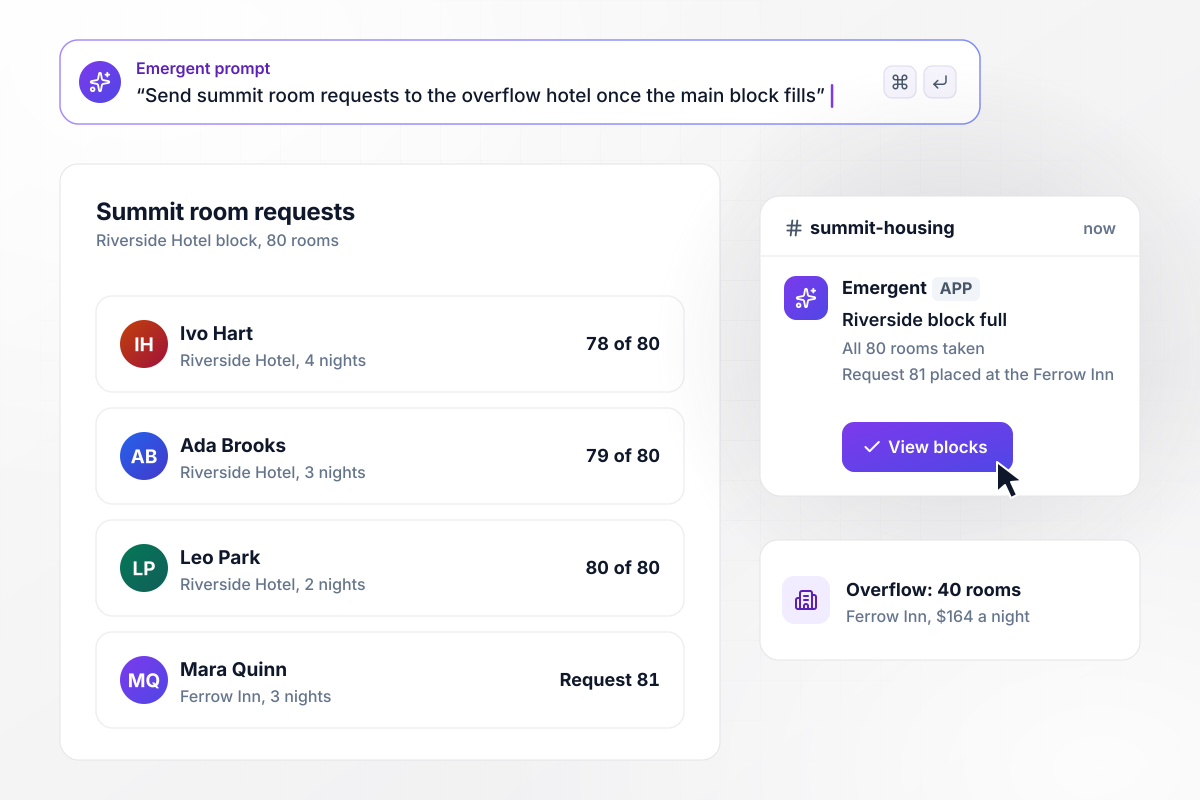
Request 81 keeps its rate at the overflow hotel
The Bitterroot Water Summit booked 80 rooms at the Riverside Hotel and 40 at the Ferrow Inn across the street, both at $164 a night. Once all 80 Riverside rooms are taken, request 81 is placed in the Ferrow Inn block with its dates and rate unchanged, and #summit-housing in Slack gets a note.






How to Make a Hotel Booking Form
Follow these seven steps to turn your room list and stay rules into a tested hotel booking form on the property's site.
List every room by type and how many guests it sleeps, such as four queens and two kings with a sofa bed. Requests are checked against this count. A room listed twice gets sold twice. Mark which rooms take dogs or have step-free access.
Note the minimum nights for weekends and holidays, the days guests may arrive, and any dates the property closes. Decide what a guest sees when a request breaks a rule: the nearest stay that qualifies, or a note asking them to call.
Pick the deposit, whether the first night or a fixed amount, and how long an unpaid request keeps its room. Write the cancellation terms in plain words, since they go into the confirmation email and the guest will read them before paying.
For a wedding or a conference, write down the rooms held, the nightly rate, the dates, and the cutoff. Say what happens at the cutoff, and where requests go once the block is full, such as a second hotel nearby.
Paste the room list and the rules into the prompt, with group blocks last. Emergent builds the form and the room table, plus the confirmation emails. Ask for changes in plain English, such as moving the wedding cutoff to 21 days.
Request a stay under a made-up name with a Stripe test card, then read the confirmation on a phone. Try the requests that trip small properties: Saturday alone, the last room of a type, a dog on a night the dog rooms are full.
Add the form behind the Book button on the property's site and in replies to email inquiries. Send each group its own link for the wedding website or the attendee confirmation, and watch which nights fill first.
Why Build Hotel Booking Forms With Emergent?
Galleries stop at the fields and PDFs come back by email. Emergent also builds the room count and group cutoffs behind them.

|
Jotform | Google Forms | Typeform | |
|---|---|---|---|---|
| How you build | Describe it in plain English | Templates, editor, AI generator | Editor, with Gemini drafting on some Workspace plans | Templates, editor, AI assist |
| Response limits | No response caps | Monthly submission caps by plan; the form stops at the cap | No limit | Monthly response caps by plan; the form closes at the cap |
| Where responses live | A database table you own, plus any integration | Jotform account | Google Sheets | Typeform account |
| Payments in the form | Through your own Stripe account | Included, metered per plan | No | Paid plans |
| Code ownership | Full code export to GitHub on paid plans | None | None | None |




Pick the Pricing Plan That Works for You
Choose the plan that fits your building ambitions. From weekend projects to enterprise applications, we've got you covered.




Find the right form
for whatever you're collecting















Frequently Asked Questions
Your Questions, Answered
Don't change this element unless you know what you are doing
More things you can build
with Emergent









on Emergent today


