

Build a Presentation Evaluation Form That Tallies the Scores
Build a presentation evaluation form that totals the rubric, averages peer ratings, and saves each score to a database you own.
Build a presentation evaluation form that saves every response to a database I own.
Trusted by Builders Worldwide
Active Builders Worldwide
Apps Successfully Created
Countries Globally Reached



Scores That Go Somewhere After the Talk
A paper rubric waits in a stack until someone adds it up. As a form, each evaluation is totaled on submit and saved as a row.
Rubric totals worked out on submit
Each criterion gets its own 1 to 5 scale and a line describing what a 5 looks like. The app adds up the criteria the moment the evaluator submits, and nobody totals a sheet by hand.
Questions that change with who is scoring
A teacher sees the full rubric, and a classmate sees two ratings and a comment box. Evaluators pick a role on the first screen, and the form shows only the questions for that role.
Results emailed to each presenter
When scoring closes, the app emails each presenter their total, the score on every criterion, and the comments on their talk. You decide whether evaluator names go with the comments.
Peer ratings averaged per group member
After a group presentation, teammates rate one another's contribution. The app averages the ratings each member receives and alerts the instructor when one drops below your line.
A QR code on the closing slide
Audience members scan the code and rate the talk on a phone, one question per screen. Every rating lands in the session's table, and there is no cap on how many people respond.
Code on GitHub, scores in your database
On paid plans, export the full code to your GitHub repository when a school or company wants the form running on its own servers. The scores themselves stay in a database you own.
Where Presentations Get Scored
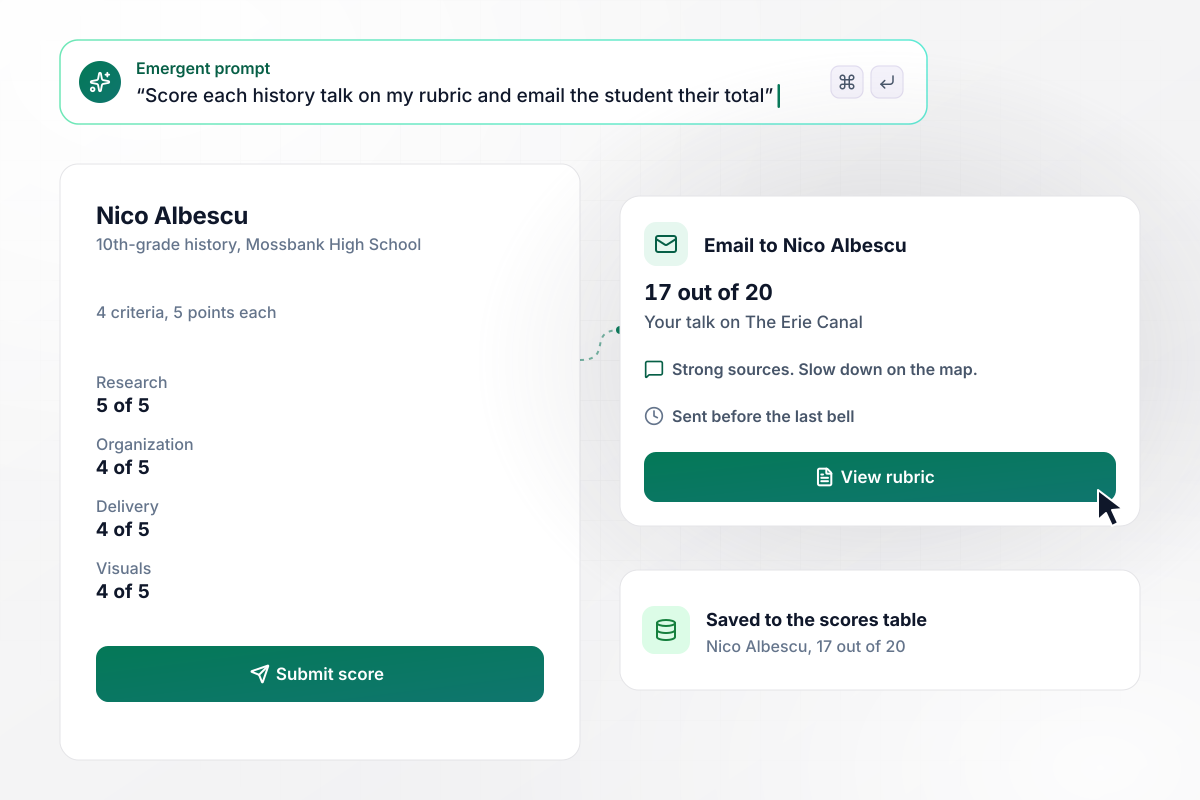
By the last bell, Nico has his 17 out of 20
Hedda Larrabee teaches 10th-grade history at Mossbank High School and scores each talk on her tablet while the student is still speaking. Her rubric has 4 criteria worth 5 points each. Nico Albescu's talk on the Erie Canal earns 17 out of 20, and the app emails him the score and her comment before the last bell.
window.awbMockup = { classrooms: "Build a presentation evaluation form I fill in on my tablet while each history student presents. Use a rubric of 4 criteria, each scored out of 5: research, organization, delivery, and visuals. Add up the total when I submit, and email the student their score out of 20 with my comment the same day.", conferences: "Build a session rating form for our farming conference. Every session's closing slide gets a QR code that opens the form on a phone, and attendees rate content and delivery from 1 to 5 with an optional comment. The Monday after the conference, email each speaker the averages and comments for their own session.", groupProjects: "Build a peer evaluation form for my marketing class. Students present in groups of 4, then rate each teammate's contribution from 1 to 5 with a comment. Average the ratings each student receives, and email me the name and comments of anyone whose average is under 3 before I post grades.", workplaceTraining: "Build an evaluation form for the capstone talks in our new-manager training. Two trainers score each talk out of 30 on their own. If their two totals are more than 5 points apart, hold the score and email both trainers to agree on one number before it goes in the trainee's file." };
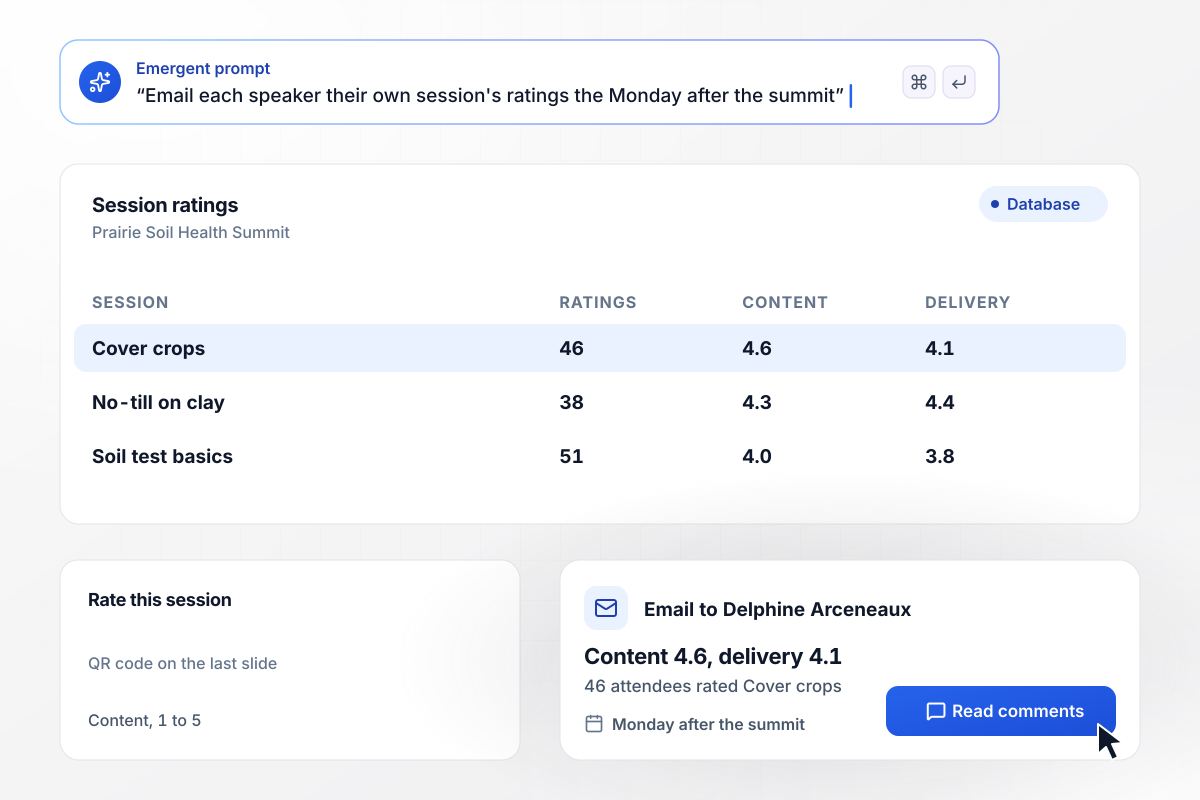
Every speaker hears from the room by Monday
The Prairie Soil Health Summit puts a QR code on the last slide of every session. After Delphine Arceneaux's talk on cover crops, 46 attendees rate its content and delivery from 1 to 5 on their phones. The Monday after the summit, the app emails her the session's averages: 4.6 for content and 4.1 for delivery.
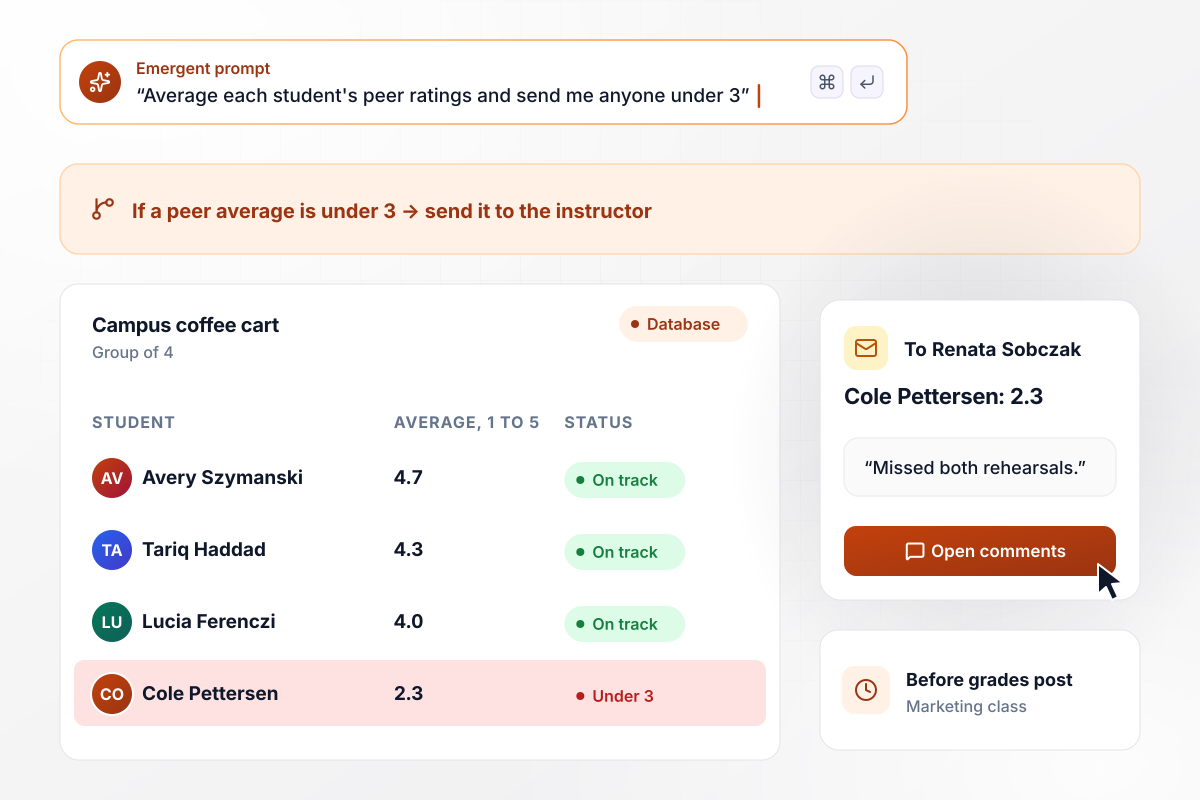
A peer average under 3 goes to the instructor
Renata Sobczak's marketing students present in groups of 4 and rate their 3 teammates' contribution from 1 to 5. The app averages what each student receives. Cole Pettersen, in the group that pitched a campus coffee cart, averages 2.3, and Renata gets his name and his teammates' comments before grades post.
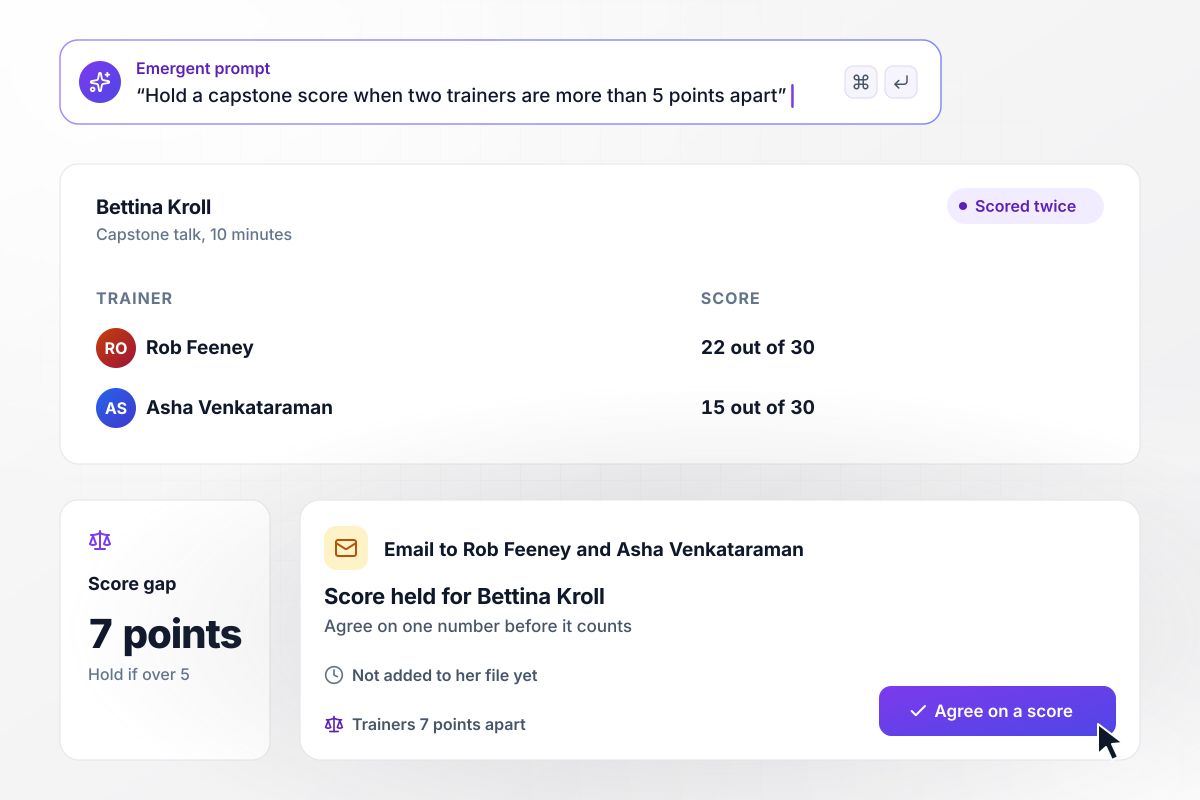
Trainers who differ by 7 points talk it over
Osprey Point Freight ends its new-manager program with a 10-minute capstone talk that two trainers score on their own. Rob Feeney gives Bettina Kroll 22 out of 30, and Asha Venkataraman gives her 15 out of 30. A gap over 5 points holds the score, and the app emails both trainers to agree on one number.






How to Create a Presentation Evaluation Form
Seven steps to turn your rubric into a presentation evaluation form that scores every talk and emails presenters their results.
Choose 4 or 5 things you will judge before you write a single question. Carnegie Mellon's Eberly Center describes a rubric's criteria as the aspects of performance that will be assessed, such as argument, evidence, and clarity. For a spoken talk, add delivery and timing.
Give every criterion a short line for the lowest and the top score. "Delivery: reads every slide aloud" is a 1, and "Delivery: speaks to the room, glances at notes" is a 5. Evaluators who disagree on a number can at least point to the same words.
List every kind of evaluator: the instructor, classmates, the audience, a second trainer. Write down which criteria each one scores. A classmate who saw the talk once can rate delivery fairly, while judging the accuracy of the research belongs with the instructor.
Settle when presenters see their scores. A single grader can send results the same day. When 30 classmates or a conference room rate a talk, wait until the form closes, so the first few ratings do not stand in for the whole room's average.
Write the decisions from the first four steps into one prompt. Emergent builds the form from it, along with the email each presenter receives. Change anything afterward by prompting again, such as adding a timing criterion for a 5-minute limit.
Have two people score the same practice talk on their own before the real round. Carnegie Mellon notes that rubrics help to ensure consistency across time and across graders. If their totals still differ by more than 3 points, rewrite the score lines they read differently.
After the first real round, open the scores table and look at each criterion's average. A criterion everyone rates 5 tells presenters nothing. Tighten its top line. A criterion with no comments may need an open question beside it.
Why Emergent for Presentation Evaluations?
A rubric template hands you the criteria. Emergent builds the scoring behind them and keeps each evaluation in a database you own.

|
Typeform | Jotform | AidaForm | |
|---|---|---|---|---|
| How you build | Describe it in plain English | Templates, editor, AI assist | Templates, editor, AI generator | Templates and a drag-and-drop builder |
| Where responses live | A database table you own, plus any integration | Typeform account | Jotform account | AidaForm account, plus Google Sheets and export |
| Response limits | No response caps | Monthly response caps by plan; the form closes at the cap | Monthly submission caps by plan; the form stops at the cap | Monthly response cap, paused until reset |
| Code ownership | Full code export to GitHub on paid plans | None | None | None |



Pick the Pricing Plan That Works for You
Choose the plan that fits your building ambitions. From weekend projects to enterprise applications, we've got you covered.




Find the right form
for whatever you're collecting














Frequently Asked Questions
Your Questions, Answered
Don't change this element unless you know what you are doing
More things you can build
with Emergent









on Emergent today


