

Build an Employee Evaluation Form for Every Review Cycle
Build an employee evaluation form that asks for an example behind every low score and keeps each signed review on file.
Build an employee evaluation form for my team's annual reviews.
Trusted by Builders Worldwide
Active Builders Worldwide
Apps Successfully Created
Countries Globally Reached



What Your Evaluation Form Should Handle
A Word template collects ratings. Emergent's version checks them, chases the late ones, and keeps the signed copy.
Rating scales defined in plain words
Labels every point on the scale with what it means for the role. A 3 on the support team then means the same as a 3 in sales, and managers read the definition as they score.
Goals carried over from the last review
Pulls the goals agreed last cycle into the new review and asks the manager to mark whether each one was met. Only after that do the competency ratings open for scoring.
Reminders until every review is in
Sends each manager an email and a Slack reminder for every open review, three days before the cycle closes and again on the last day. HR tracks who is late on one dashboard.
Sign-off by employee and manager
Captures the employee's and the manager's signatures once the meeting is over, each with a timestamp. Employees can add written comments of their own before they sign off.
Every review on one employee record
Stores each finished review as a row in a database you own, linked to the employee. HR can open three years of one person's ratings without digging through shared drives.
The code is yours to take
Exports the full app to your GitHub repo on paid plans. An engineer can connect it to your HR system through its API, or you can describe that connection and let Emergent write it.
Evaluation Forms for Every Kind of Review
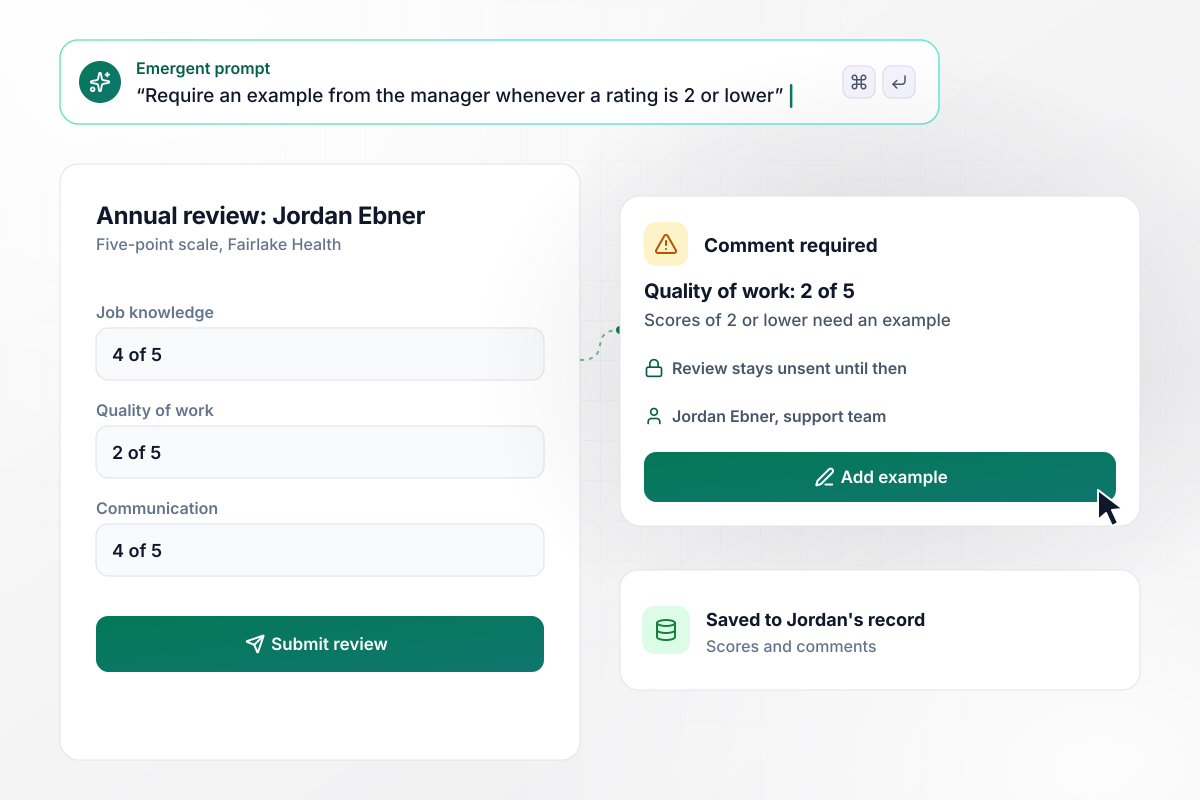
No low score without an example
A low score with no example leaves the employee nothing to fix. Managers rate each competency on a five-point scale, and any score of 2 or lower opens a required comment box. The review stays unsent until the manager describes what happened. Scores and comments then land on the employee's record.
window.awbMockup = { managerReviews: "Build an annual review form for the managers at my company. Each manager rates every competency on a five-point scale. Any score of 2 or lower opens a required comment box, and the review cannot be submitted until the manager writes an example of what happened. Save the scores and comments to the employee's record in our database.", selfEvaluations: "Make a self-evaluation that my employees fill in before their manager reviews them. They rate the same competencies the manager will. Hide their answers from the manager until both are submitted. Then show the two sets of ratings side by side in one table and mark any competency where they differ by 2 points or more as the first topic for the meeting.", peerFeedback: "Collect peer feedback on each team lead from up to four colleagues. Never show the team lead who wrote which answer. Keep the results locked until at least three peers have answered, then send the manager a Slack direct message with the average rating for each question and the written comments in shuffled order.", ninetyDayReviews: "Set up 90-day reviews for new hires on probation. On day 80, send the hiring manager a Slack direct message with the review form and a due date of day 90. The manager chooses whether probation ends or is extended. Record the decision on the new hire's profile so HR can see it." };
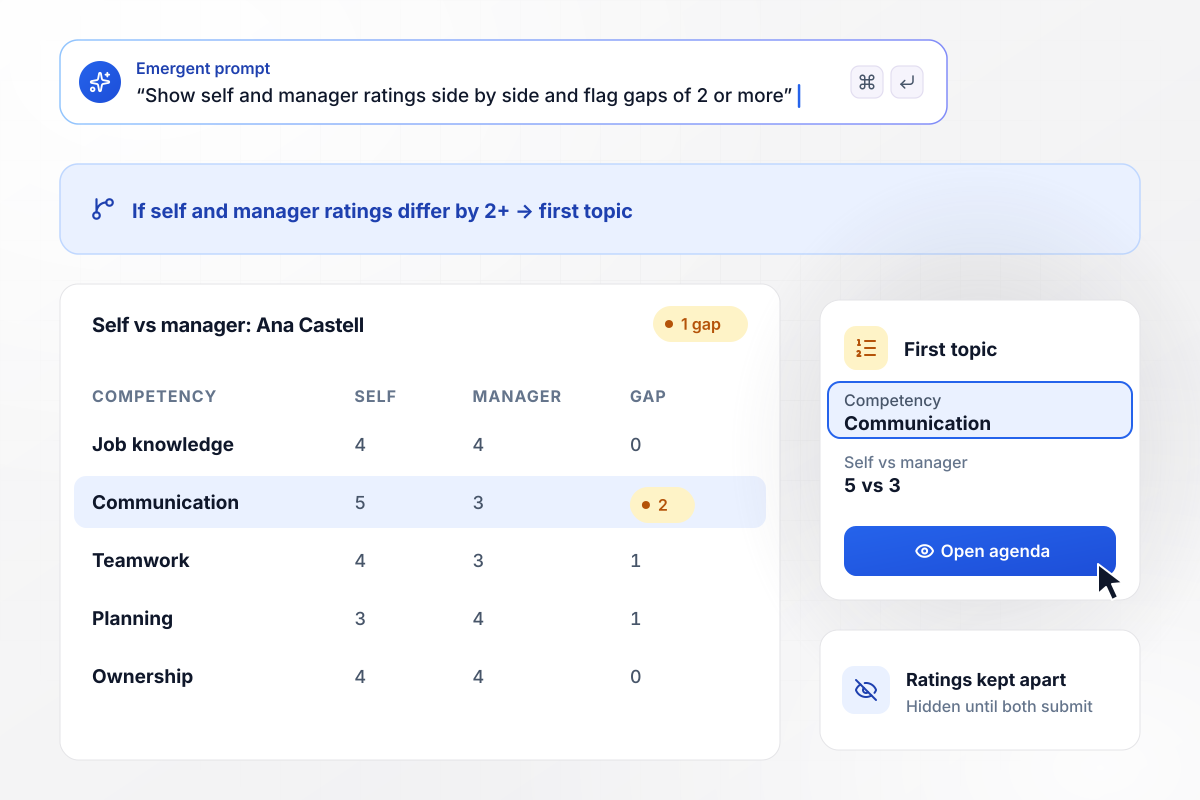
Two sets of ratings, one gap marked
Self-reviews earn their keep when both views sit side by side. The employee rates the same competencies first, and the manager rates without seeing those answers. The form lines the two up and marks any competency where they differ by 2 points or more as the first topic.
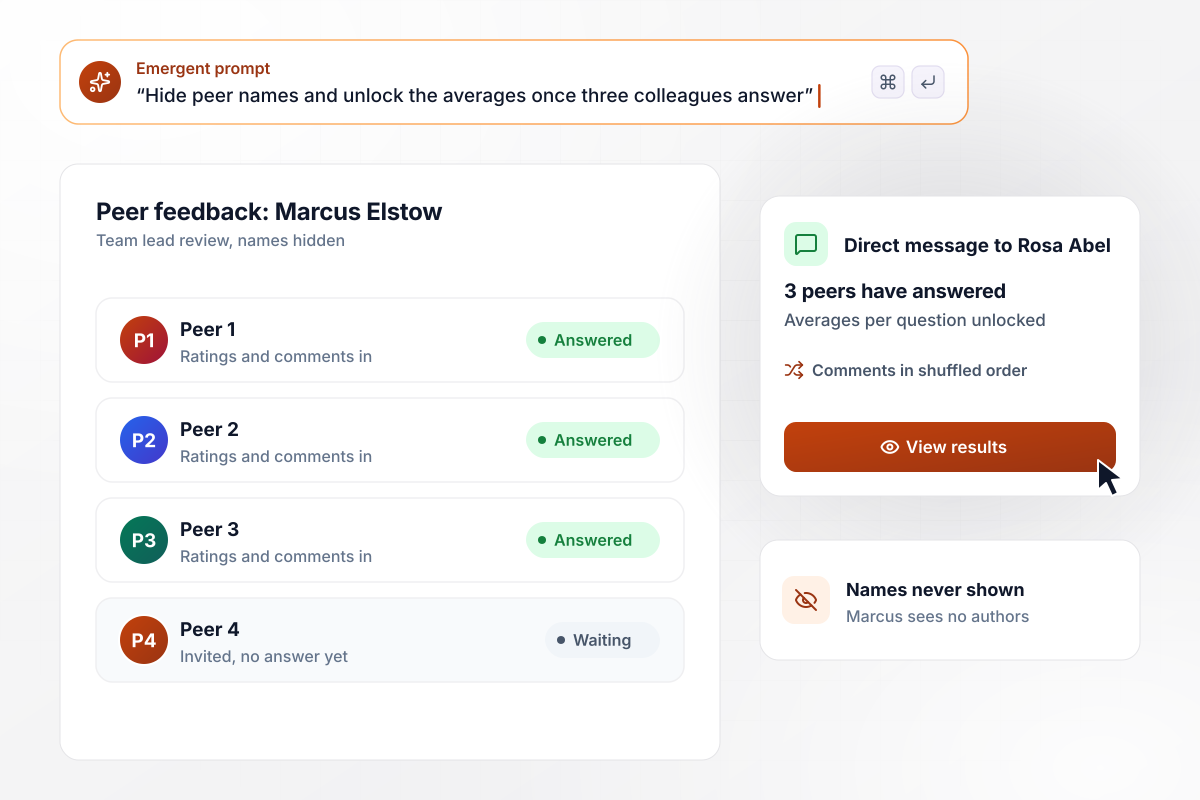
Peer names hidden, averages after three
Peers see things a manager misses, and they write more candidly when a comment cannot be traced back. The team lead never learns who wrote what. Results open once three peers have answered, and the manager gets a direct message with the average per question and the comments in shuffled order.
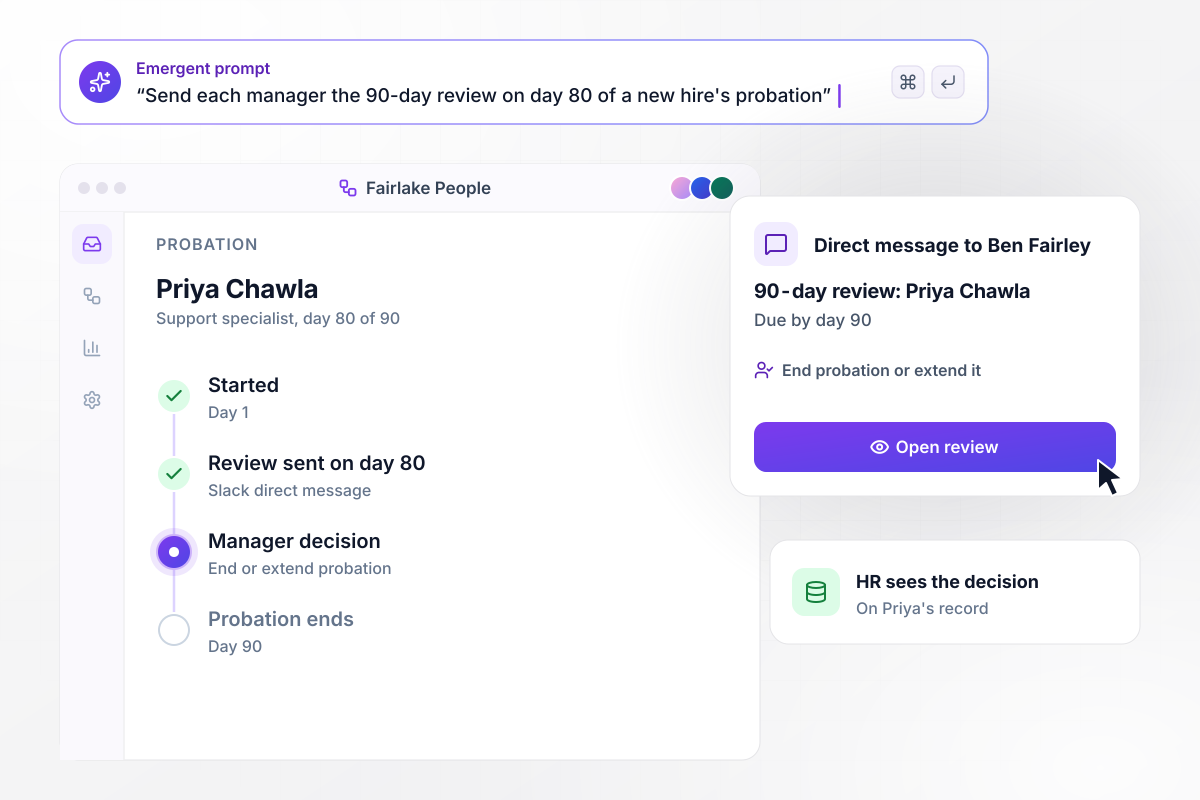
A 90-day review sent on day 80
New hires get their first review while there is still time to act on it. On day 80 of a 90-day probation, the app sends the manager a Slack direct message with the review form. The manager chooses whether probation ends or is extended, and HR sees that decision on the new hire's record.






How to Create an Employee Evaluation Form
Seven steps to create an employee evaluation form that ties every rating to evidence and ends with a signed copy HR can find.
Decide which reviews the form serves: an annual review, a self-review or a 90-day check for new hires. Each needs its own version. A new hire's first review asks about ramp-up, while an annual one weighs a full year of results.
List the competencies that matter for the role, such as job knowledge and communication. Five to seven is enough for a manager to rate with care. Add a goals section that carries forward what the employee agreed to last cycle.
Write one sentence for every point on a five-point scale, specific to the role. A 3 should read as solid, expected performance, not a warning. Show those definitions next to the rating buttons, where managers will read them.
Add a comment field to every competency and make it mandatory for the lowest scores. Ask for a dated example: a missed handoff on March 3, a customer escalation resolved in a day. Ratings with evidence hold up when an employee questions them.
Send the employee the same competencies a week before the manager rates. Keep their answers hidden from the manager until both are submitted. Comparing the two afterward shows where expectations drifted apart during the year.
Talk through the ratings before anyone signs. Add a line stating that the employee's signature confirms the review was shared and discussed, and does not mean agreement. Give the employee space for written comments next to that signature.
Save the final version with both signatures and the employee's comments. Federal rules require employers to keep personnel records tied to promotion, demotion or termination for at least one year. Store reviews where HR can find them later.
Why Build Evaluation Forms With Emergent?
Ratings, comments, signatures and reminders run through one app, backed by a database you own.

|
Google Forms | Jotform | Typeform | |
|---|---|---|---|---|
| How you build | Describe it in plain English | Editor, with Gemini drafting on some Workspace plans | Templates, editor, AI generator | Templates, editor, AI assist |
| Where responses live | A database table you own, plus any integration | Google Sheets | Jotform account | Typeform account |
| Code ownership | Full code export to GitHub on paid plans | None | None | None |
| Response limits | No response caps | No limit | Monthly submission caps by plan; the form stops at the cap | Monthly response caps by plan; the form closes at the cap |




Pick the Pricing Plan That Works for You
Choose the plan that fits your building ambitions. From weekend projects to enterprise applications, we've got you covered.




Find the right form
for whatever you're collecting















Frequently Asked Questions
Your Questions, Answered
Don't change this element unless you know what you are doing
More things you can build
with Emergent









on Emergent today


