

Build an Anonymous Feedback Form That Keeps Names Out
Build an anonymous feedback form with no name fields, results held for small groups, and comments saved to a database you own.
Build an anonymous feedback form for a 60-person company with no name field and a 1 to 5 rating on workload.
Trusted by Builders Worldwide
Active Builders Worldwide
Apps Successfully Created
Countries Globally Reached



What the Form Stores, and What It Never Asks
An anonymous feedback form is only as private as what it stores. Emergent builds the fields and the table from one prompt.
No field that asks who wrote it
Emergent builds the form with no sign-in and no name, email, or employee ID field. Open the response table and you will find no column that ties a comment to a person.
One question per screen on a phone
The form can show one question per screen, which suits a link opened from a QR code at the time clock. A rating, a topic, and one open comment fit in three taps and a short note.
New comments in Slack or email
Each new comment can post to a private Slack channel or arrive by email for the person who acts on it. The alert carries the comment and its rating, and never a name or an email.
Every comment in a database you own
Responses save as rows in a database you own, with a column for each question and the date. Filter one quarter by topic, or count how often the same complaint shows up again.
No cap on how many people answer
Open the form to every team at once. Emergent sets no response caps. A busy week of comments never closes the form early or holds new answers back behind a monthly limit.
The source code in your GitHub
Export the full code to your GitHub repository on paid plans. An engineer can read exactly which fields the app stores, which helps when staff ask whether it is anonymous at all.
Four Places Unsigned Feedback Gets Used
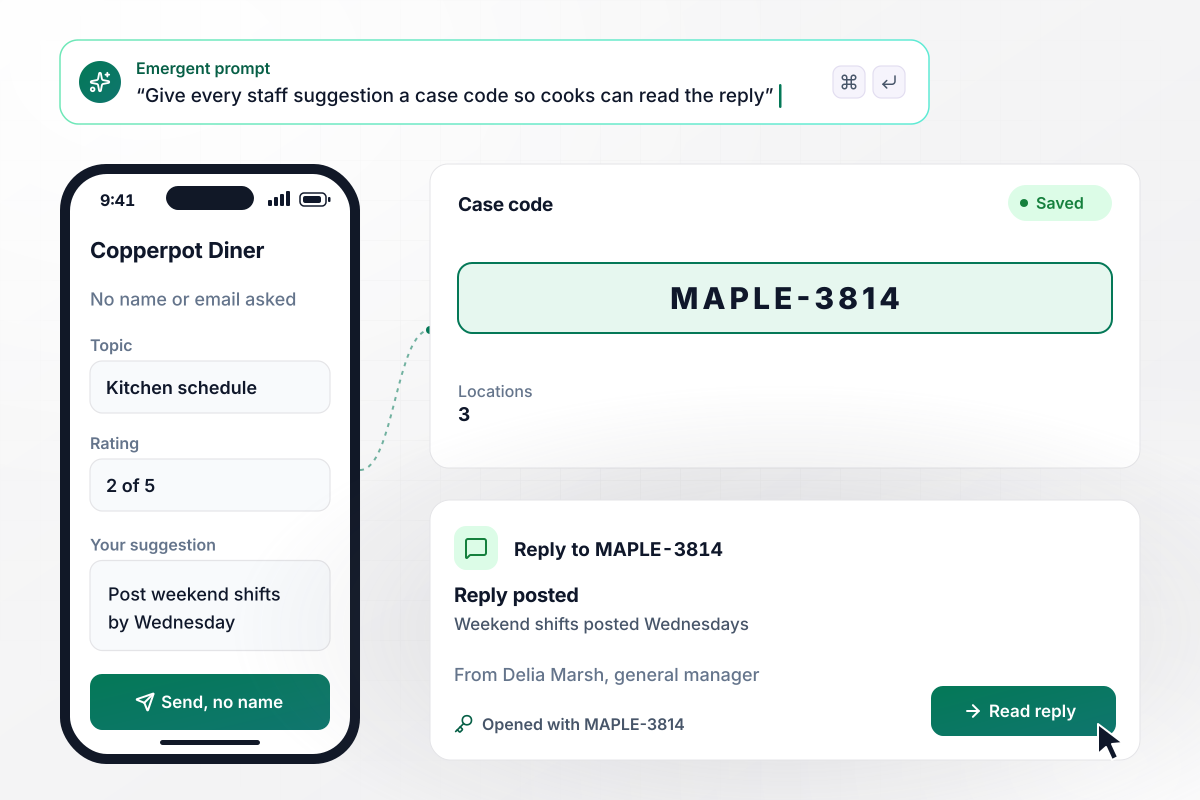
After the manager replies, the cook reads it by code
Copperpot Diner runs 3 locations and one staff suggestion form, opened from a QR code by each time clock. The form has no name or email field. Each submission gets a case code, such as MAPLE-3814. When general manager Delia Marsh posts a reply, the cook who wrote in enters that code to read it.
window.awbMockup = { staffSuggestions: "Build a staff suggestion form for my 3 restaurants that cooks open from a QR code by the time clock. Ask for a topic, a rating, and a comment, with no name or email field. Give each submission a case code, and let the cook enter that code to read the general manager's reply.", upwardFeedback: "Build upward feedback for my company's 12 managers that each team fills in twice a year. Ask for a rating and a comment about the manager, with no name field. Keep a manager's report closed until 5 direct reports have answered, and show each manager how many answers are in.", classFeedback: "Build an anonymous midterm feedback form for my biology class of 38 students. Save the date of each answer but not the time. Keep results closed until the form closes on Friday, then group the comments by theme and show me how many students answered.", allHandsQuestions: "Build an anonymous question form for my company's monthly all-hands. Drivers send questions ahead with no name field. On the day before the meeting, email me every question grouped by topic, with the topic that has the most questions at the top." };
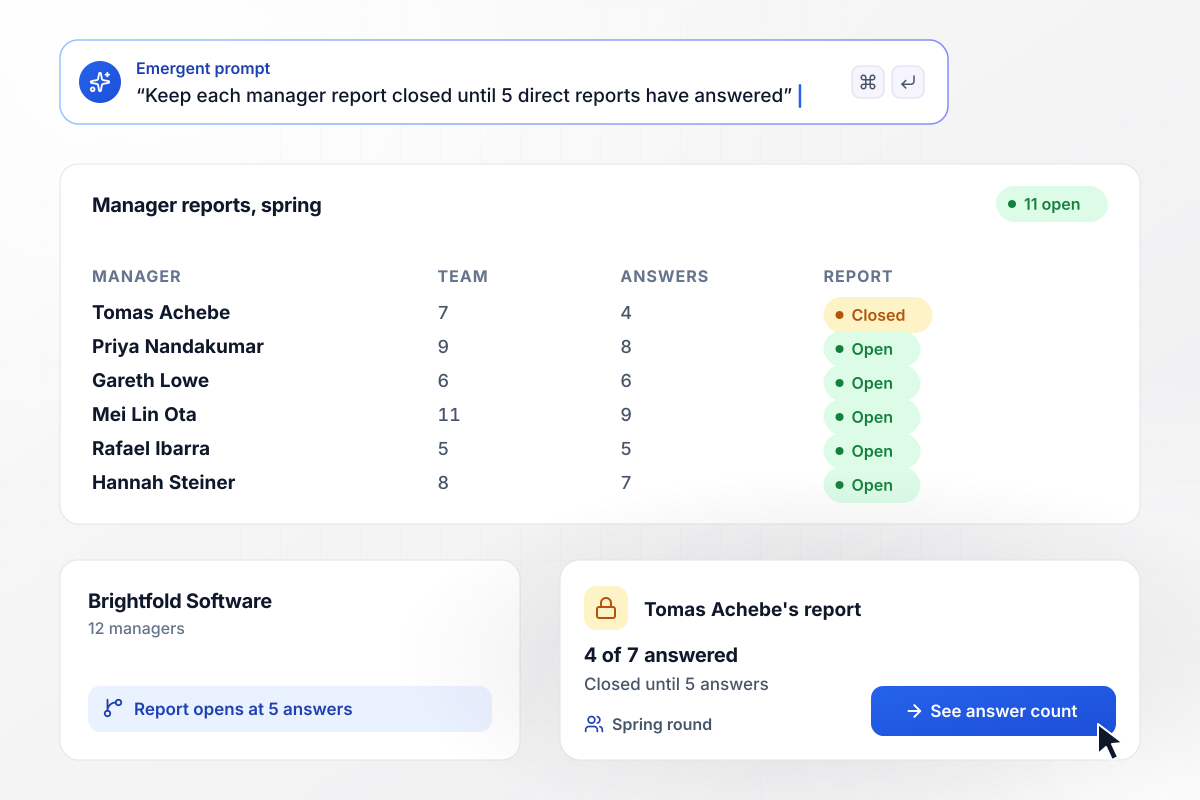
Before a fifth answer, no manager sees a report
Twice a year, Brightfold Software asks every team to rate its manager. A report opens only after 5 direct reports have answered, because one comment from a tiny team is easy to trace. Tomas Achebe leads 7 people and has 4 answers. His report stays closed. The other 11 managers already see theirs.
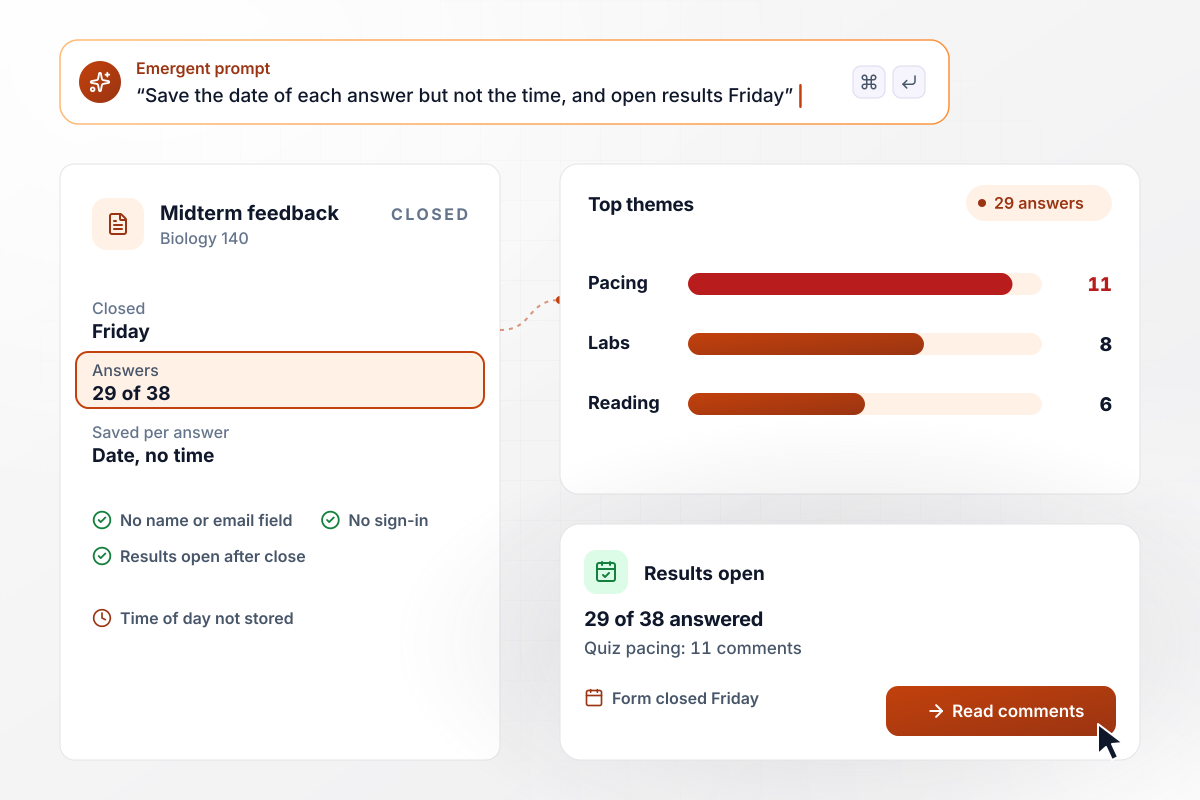
By Friday's close, 29 of 38 students answered
Dr. Nadia Brennan asks her Biology 140 class for anonymous feedback at midterm. The form saves the date of each answer but not the time. Without the time, a comment can't be matched to whoever left the lecture hall last. Results open when the form closes on Friday. Quiz pacing comes up most, in 11 comments.
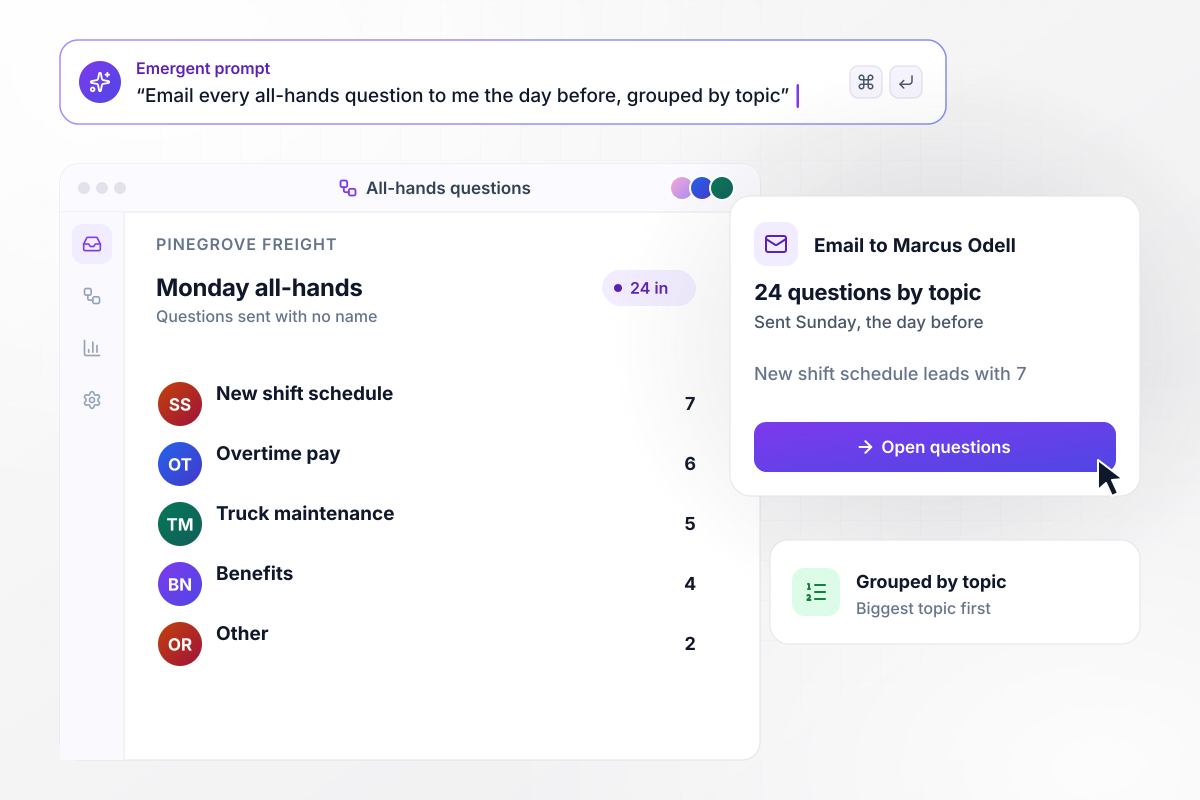
All 24 questions reach Marcus in one email by topic
Pinegrove Freight holds an all-hands every month on a Monday, and drivers send questions ahead through an anonymous form. On Sunday, the day before, the app emails CEO Marcus Odell all 24 questions grouped by topic. He starts with the new shift schedule, which leads with 7 questions.






How to Create an Anonymous Feedback Form
Seven steps to create an anonymous feedback form that stores no names, then build and test it with Emergent.
Write down who will answer, how many of them there are, and the one decision the feedback should inform. A team of 6 needs different rules than a company of 400, and a single clear purpose keeps the form short.
Remove name, email, employee ID, and sign-in. Then check the fields that remain: a department plus a job title plus a start year can point to one person on a small team. Keep only the fields you will act on.
Choose a minimum number of answers before any report opens, such as 5. Apply it to every slice of the results, including a filter by department or by shift, and not only to the total count.
Put the questions, the minimum group, and the columns the table should keep in one prompt. Emergent builds the form and the results view behind it, and you change any part of it by prompting again.
Connect Slack or email for alerts and choose who receives them. Send each comment to the person who can act on it, and keep the channel private when comments may mention a shift or a manager by name.
Decide how people will hear back. Give each submission a case code, post replies in a shared channel, or answer the top themes at a team meeting. Tell people in the form's intro which of these you will use.
Submit a test answer from a phone, then open the response table. Check that no column holds a name or an exact time you did not plan for, and that results stay closed below your minimum.
Why Build Anonymous Feedback With Emergent?
Emergent writes the form and its table from one prompt, leaves identity fields out, and never caps how many people answer.

|
Typeform | Jotform | SurveyMonkey | |
|---|---|---|---|---|
| How you build | Describe it in plain English | Templates, editor, AI assist | Templates, editor, AI generator | Survey builder with templates |
| Where responses live | A database table you own, plus any integration | Typeform account | Jotform account | SurveyMonkey account, plus export |
| Response limits | No response caps | Monthly response caps by plan; the form closes at the cap | Monthly submission caps by plan; the form stops at the cap | Response allowance per plan, overage billed on paid plans |
| Code ownership | Full code export to GitHub on paid plans | None | None | None |



Pick the Pricing Plan That Works for You
Choose the plan that fits your building ambitions. From weekend projects to enterprise applications, we've got you covered.




Find the right form
for whatever you're collecting















Frequently Asked Questions
Your Questions, Answered
Don't change this element unless you know what you are doing
More things you can build
with Emergent









on Emergent today


