

Build a Training Feedback Form That Follows Up
Create a training feedback form that goes out as the session ends, flags weak modules, and checks back a month later.
Build a training feedback form for my team.
Trusted by Builders Worldwide
Active Builders Worldwide
Apps Successfully Created
Countries Globally Reached



Everything That Happens After the Last Slide
Most templates stop at a page of rating scales. These six pieces connect each answer to a person and a next step.
A rating for every module of the course
Ask trainees to rate each module on its own scale, with a comment box under any low score. The trainer sees which hour of the day lost the room instead of one blended average.
Answers linked to the trainee's record
Prefill the trainee's name, the course, and the session date from the invite link. Every response lands on that person's training record, beside the courses they finished before.
A follow-up form a month later
Send a shorter form a few weeks after the course to ask whether the skill is in use. Their manager gets the same question, and both answers sit next to the scores from the day.
Alerts when a trainee is not ready
Message the trainer in Slack or by email when someone marks a module as not confident. The alert names the trainee and the module, and the trainer books a refresher before sign-off.
Results grouped by trainer and cohort
Filter every answer by the trainer who taught it or the cohort that took it. Put the spring cohort next to the fall one, or compare two trainers who teach the same course.
The full codebase in your own repo
Export the whole app to your GitHub on paid plans when training records have to live inside your HR systems. Host it yourself and change it like any other internal tool.
Four Trainings That Act on the Answers
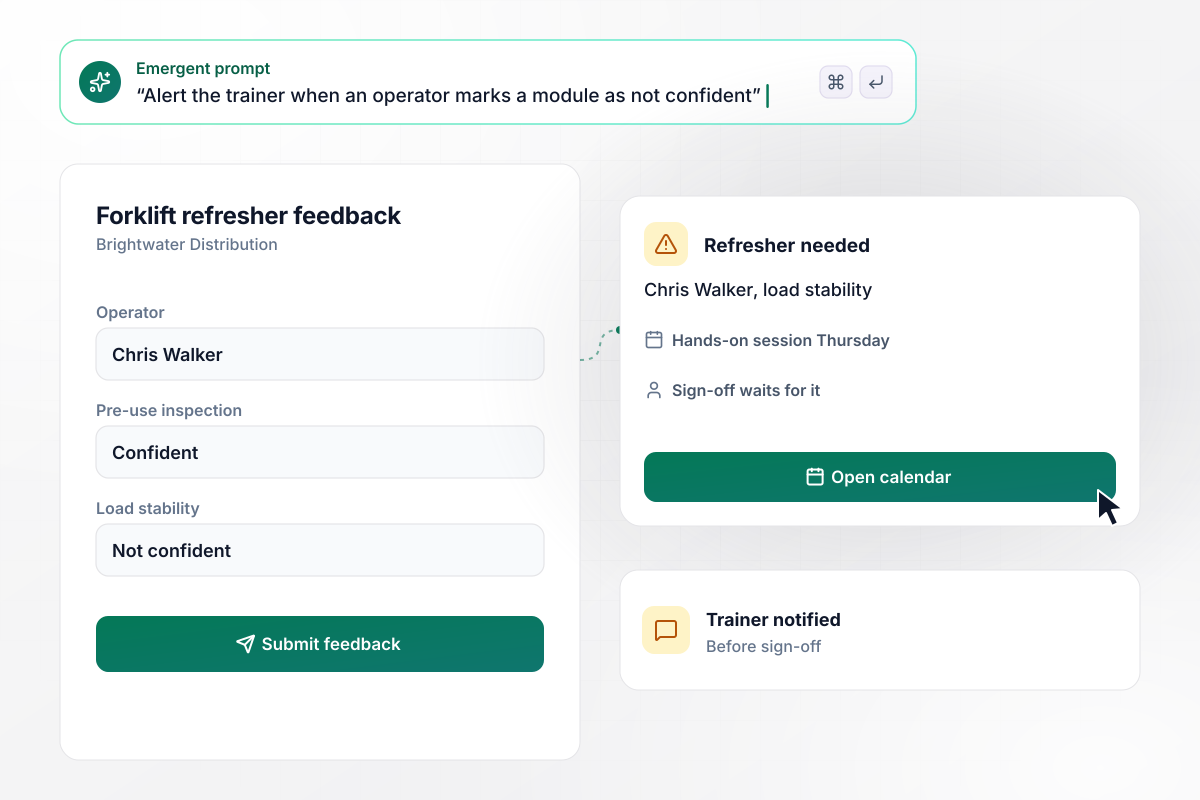
One shaky answer on load checks books a refresher
Brightwater Distribution runs a forklift refresher every spring. Before sign-off, each operator rates their confidence on every module. Chris Walker marked load stability as not confident. The trainer got a message, and a hands-on session with Chris went on the calendar for Thursday.
window.awbMockup = { safetyRefreshers: "I run safety training at a distribution warehouse. Build a feedback form for our forklift refresher where each operator rates their confidence on every module: pre-use inspection, load stability, and pedestrian zones. If anyone marks a module as not confident, message the trainer with the operator's name and the module before sign-off, and let the trainer book a hands-on session.", customerOnboarding: "I lead customer training at a software company. After each live admin session, send a feedback form that rates the session and ends with one question: could you build an approval rule on your own today? Roll the answers up by customer account, and message the account's success manager when fewer than half of its admins say yes.", frontlineCourses: "I manage training at a credit union. Build a feedback form for our fraud-spotting course that tellers fill in on the day itself. Thirty days later, send each teller a second form asking whether they have used the check fraud checklist at the window, and ask their branch manager the same question. Show both results next to the course score.", outsideCourses: "I'm the learning manager at an engineering firm. When an engineer comes back from a paid outside course, send them a feedback form on their phone with the course, the cost, and a 1 to 5 rating on whether they would send a colleague. If the rating is 2 or lower, hold any seats booked for the next cohort and send me their comments." };
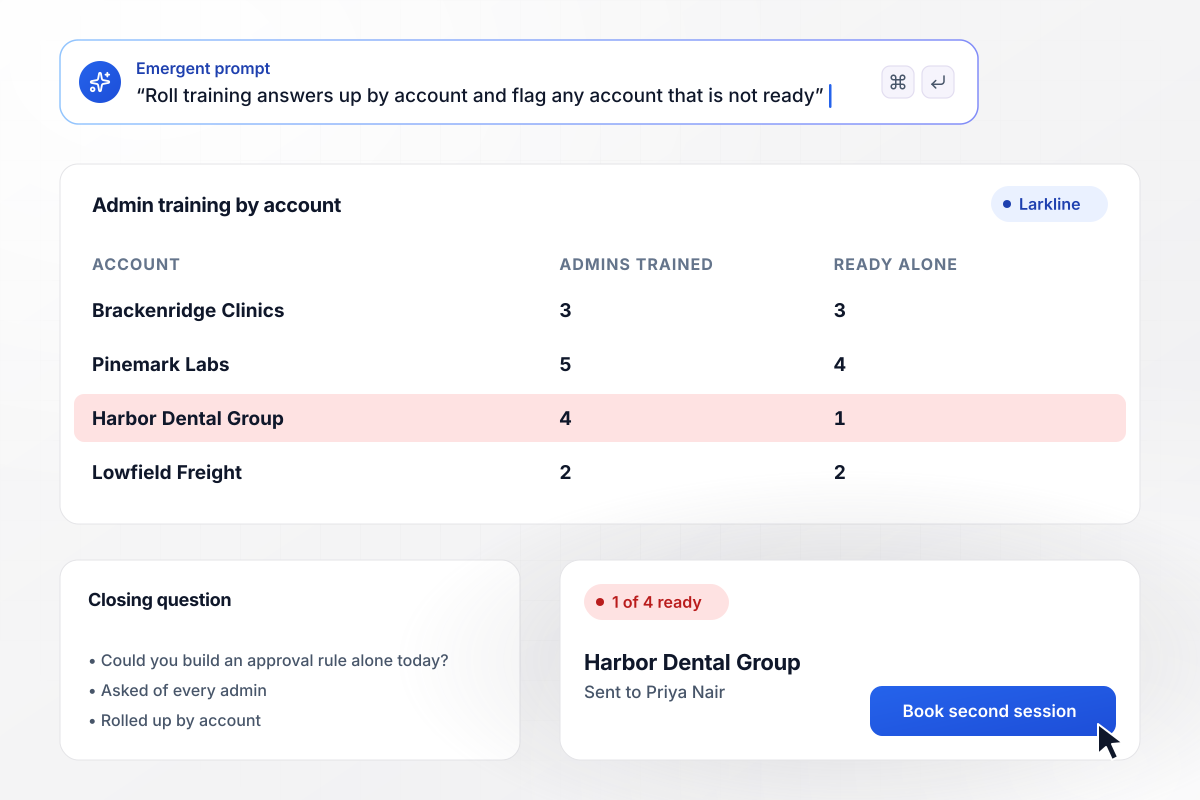
Which accounts can build approval rules alone
Larkline Software trains each new customer's admins live. The feedback form ends on one question: could you build an approval rule alone today? Answers roll up by account. Harbor Dental Group had 1 of 4 admins ready, and Priya Nair, its success manager, got a message to book a second session.
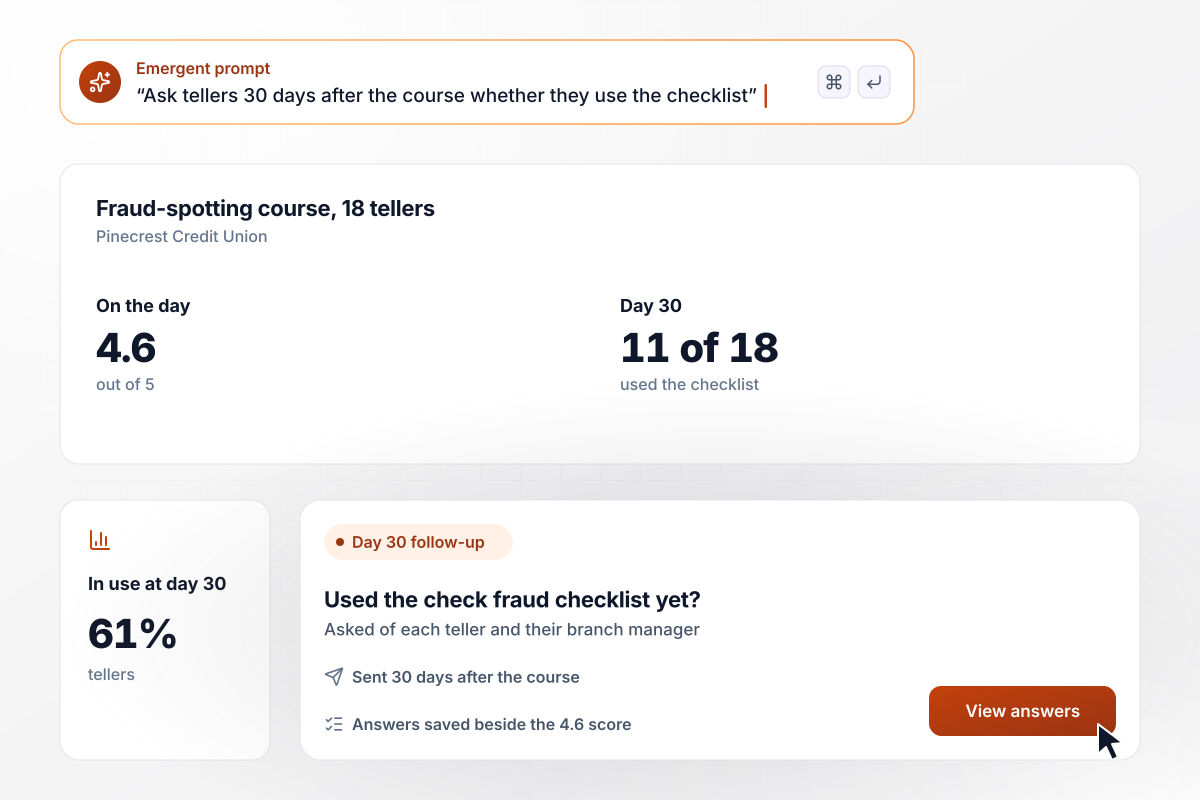
Thirty days later, who still uses the checklist
Pinecrest Credit Union taught 18 tellers a fraud-spotting course, which scored 4.6 out of 5 on the day itself. A second form 30 days later asked each teller whether they had used the check fraud checklist at the window. Eleven of the 18 had. Their branch managers got the same question.
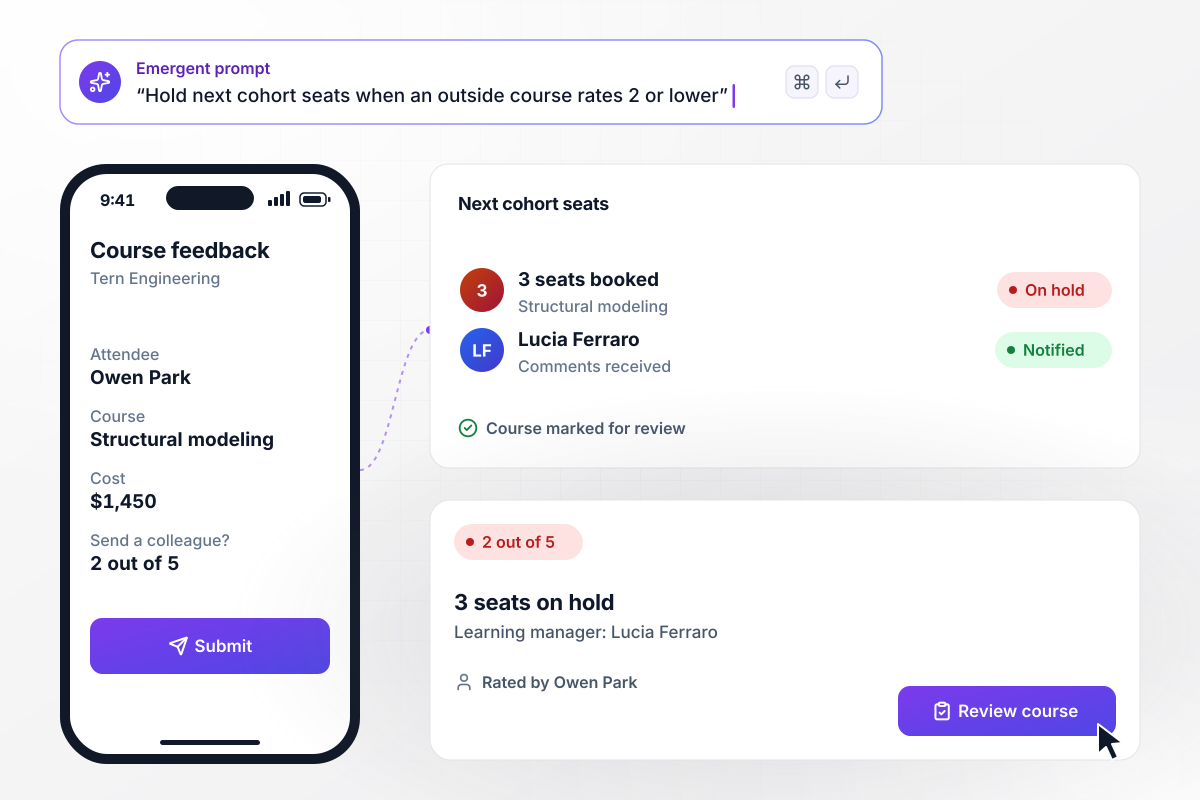
Three seats held on a 2 out of 5 verdict
Tern Engineering pays for outside courses and asks for feedback afterward. Owen Park took a $1,450 structural modeling course. On his phone, he rated it 2 out of 5 on whether he would send a colleague. Three seats booked for the next cohort went on hold, and Lucia Ferraro, the learning manager, got his comments.






How to Create a Training Feedback Form
Seven steps to write a training feedback form people finish before they leave, then build it with its follow-up in Emergent.
Write one line on what trainees should do differently after the course, such as running a pre-use forklift check unprompted. Every question on the form should help you learn whether that happened. Questions that cannot inform a decision about the course can go.
Give every module its own rating on one five-point scale, and label both ends in plain words. A single overall score hides the weak hour. Add a required comment box that opens under any rating of 2 or lower.
Close with two open questions: what the trainee will try first at work, and what was missing. These answers tell the trainer more than any average. They also give the follow-up form something specific to ask about later.
Put a QR code on the last slide and leave 10 minutes for the form. Response rates drop once people are back at their desks. For remote sessions, drop the link in the chat while everyone is still on the call.
Describe the course, the modules, the trainers, and who should hear about a low score. Emergent builds the form, the database behind it, and a results dashboard. Change a question later by asking for it in a sentence.
Set a shorter form to reach the trainee and their manager about a month after the course. Ask whether they have used it and what got in the way. Line those answers up against the scores from the day.
Fill in the form on a phone, as a trainee would, and time it. Mark one module as low and check that the comment box opens and the trainer gets the alert. Delete the test response before the session.
Why Use Emergent for Training Feedback?
A paper evaluation sheet is filled in while people pack up, then filed. Nobody asks a month later whether anything changed.

|
Jotform | Google Forms | Typeform | |
|---|---|---|---|---|
| How you build | Describe it in plain English | Templates, editor, AI generator | Editor, with Gemini drafting on some Workspace plans | Templates, editor, AI assist |
| Where responses live | A database table you own, plus any integration | Jotform account | Google Sheets | Typeform account |
| Response limits | No response caps | Monthly submission caps by plan; the form stops at the cap | No limit | Monthly response caps by plan; the form closes at the cap |
| Code ownership | Full code export to GitHub on paid plans | None | None | None |




Pick the Pricing Plan That Works for You
Choose the plan that fits your building ambitions. From weekend projects to enterprise applications, we've got you covered.




Find the right form
for whatever you're collecting














Frequently Asked Questions
Your Questions, Answered
Don't change this element unless you know what you are doing
More things you can build
with Emergent









on Emergent today


