

Build a Training Acknowledgment Form Signed at Each Session
Build a training acknowledgment form that saves who was trained, by whom, and when, in a database you own.
Build a training acknowledgment form my warehouse crew signs after each forklift safety session.
Trusted by Builders Worldwide
Active Builders Worldwide
Apps Successfully Created
Countries Globally Reached



What Every Signed Training Record Holds
A signature alone proves little. These six pieces turn a training acknowledgment form into a record you can look up later.
Course, trainer, and date on every signature
The app saves each signature with the course name, the trainer, the date, and the site. Six months later, a supervisor can see who taught that session and where it took place.
The statement each trainee agrees to
Write the acknowledgment in your own words, such as attending the full session and understanding the material. The wording a trainee saw is kept beside the signature.
Signatures captured on a phone or tablet
Trainees type their name and draw a signature with a finger. A crew can pass one tablet around after a talk, and a remote employee can sign from a link on their phone.
A list of who still has to sign
Assign a training to a group, and a screen shows who signed and who has not. The app emails a reminder to anyone missing a signature, and the list updates as each one comes in.
Each person's training history in one place
Each acknowledgment is a row in a database you own. Open one person to see every course they signed, or filter by course to see everyone who completed it this calendar year.
Code you can move to your own servers
Export the full codebase to your GitHub repository on paid plans when training records need to sit beside an HR system you already run. Host it anywhere and keep building.
Four Trainings That End in a Signature
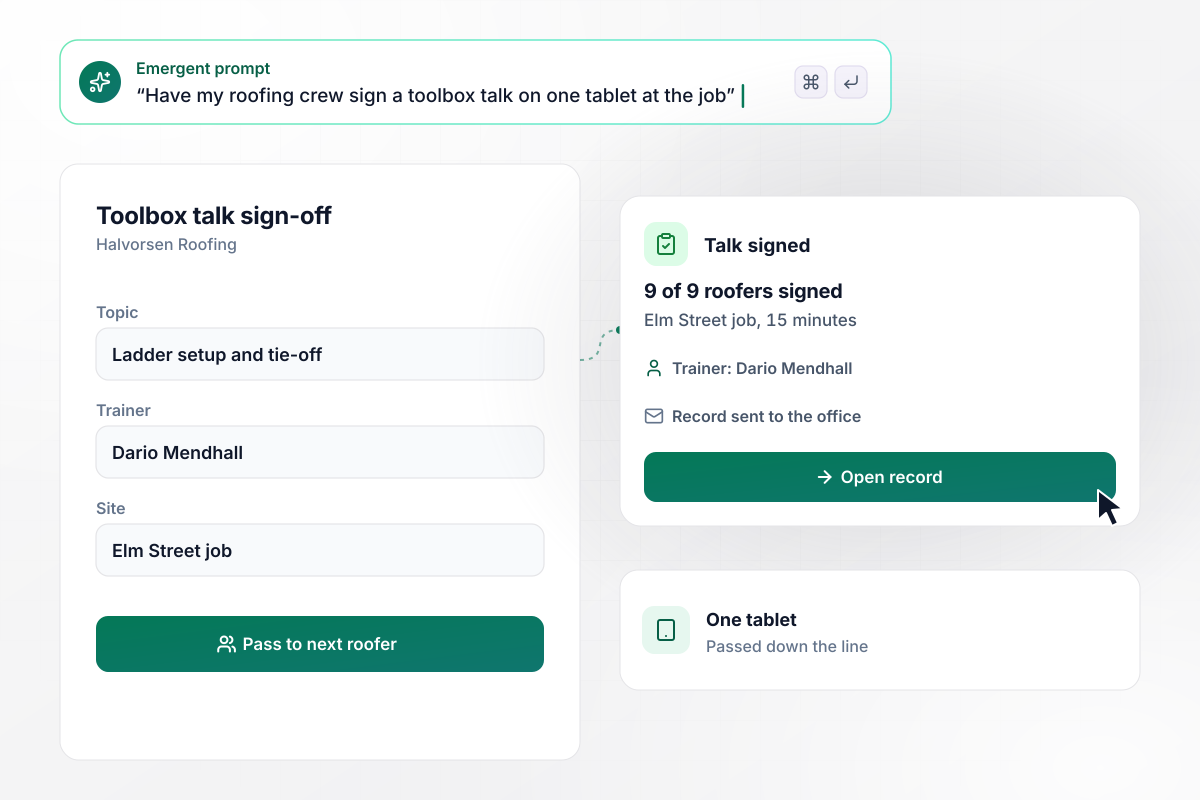
9 roofers sign one tablet before anyone climbs
Dario Mendhall gives the talk at the Elm Street job before the crew goes up: 15 minutes on setting and tying off ladders. Then he passes his tablet down the line. All 9 roofers at Halvorsen Roofing sign under the same topic and trainer, and the record reaches the office before the first shingle comes off.
window.awbMockup = { toolboxTalks: "Build a toolbox talk sign-off for my roofing crew. The crew lead picks the topic and the job site, gives the talk, then passes one tablet around so every roofer types their name and signs. Save the topic, the trainer, the site, and each signature as one record, and email it to the office.", onlineCourses: "Make a training acknowledgment for a phishing awareness video I assign to all 64 of my staff. After the video, ask 3 check questions. Anyone who answers one wrong goes back to the video before the signature box appears. Show me who has signed and who is still rewatching.", equipmentSignOffs: "Build an equipment sign-off for my restaurant's meat slicer. The new cook signs that they were trained on the blade guard and cleaning. Then the chef who trained them co-signs after watching them take the slicer apart. Mark the cook cleared on the date both signatures are in.", refresherTracking: "My property company repeats fire extinguisher training every 12 months. Set each technician's next due date from their last signed acknowledgment, and give me a dashboard of everyone due within 30 days. Let me send each of them an email reminder from that list." };
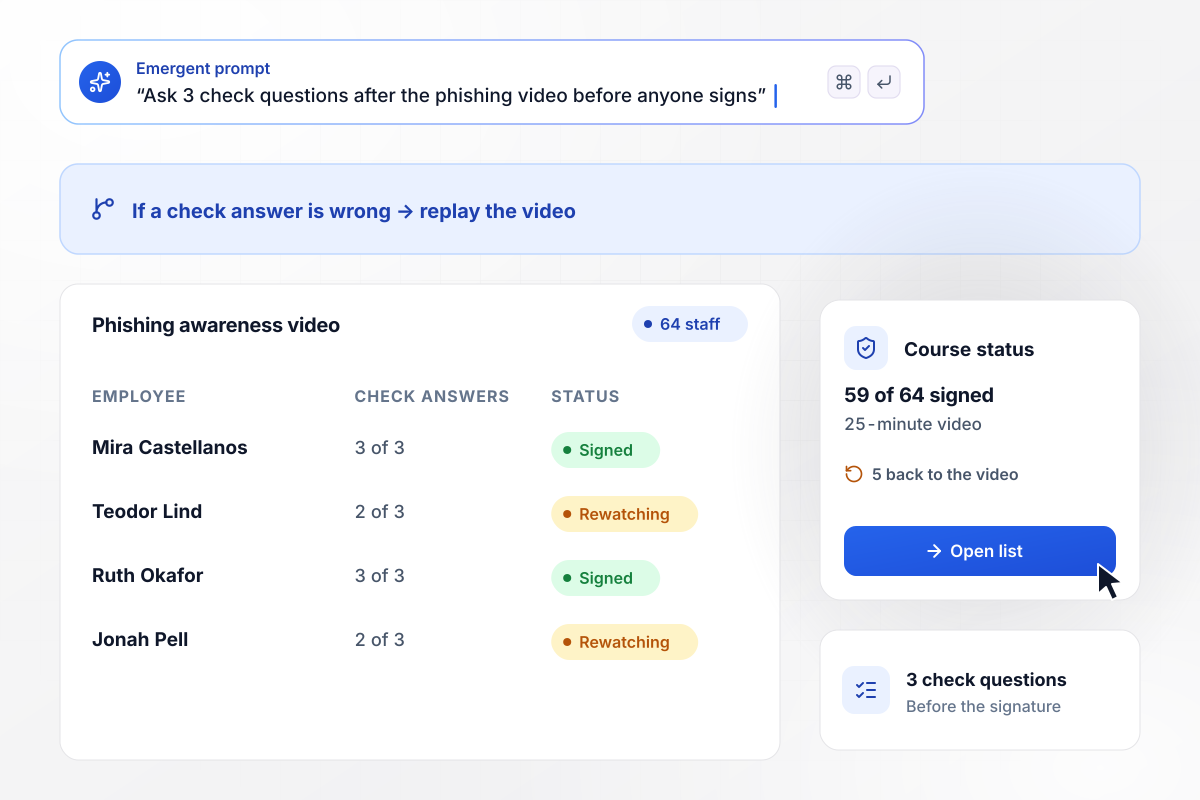
One wrong answer, and it is back to the video
Quillfeather Software assigns a 25-minute phishing awareness video to 64 staff. The signature box appears only after 3 check questions on what they watched, and a wrong answer sends that person back to the video. By the deadline, 59 of 64 have signed, and the 5 still rewatching sit on the security lead's list.
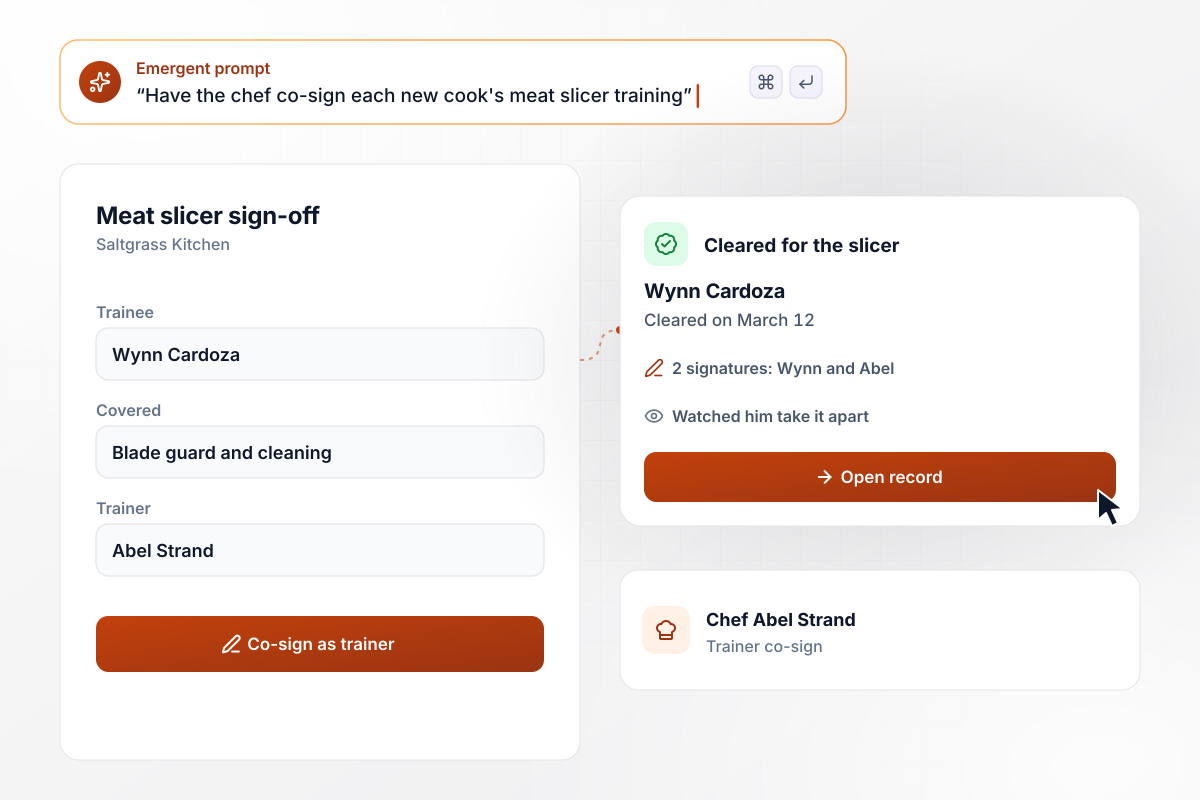
Abel co-signs when Wynn takes the slicer apart
New cooks at Saltgrass Kitchen stay off the meat slicer until two people sign. Chef Abel Strand walks Wynn Cardoza through the blade guard and cleaning, and Wynn signs that he was trained. Abel co-signs only after watching Wynn take the slicer apart and clean it himself. The record shows Wynn cleared on March 12.
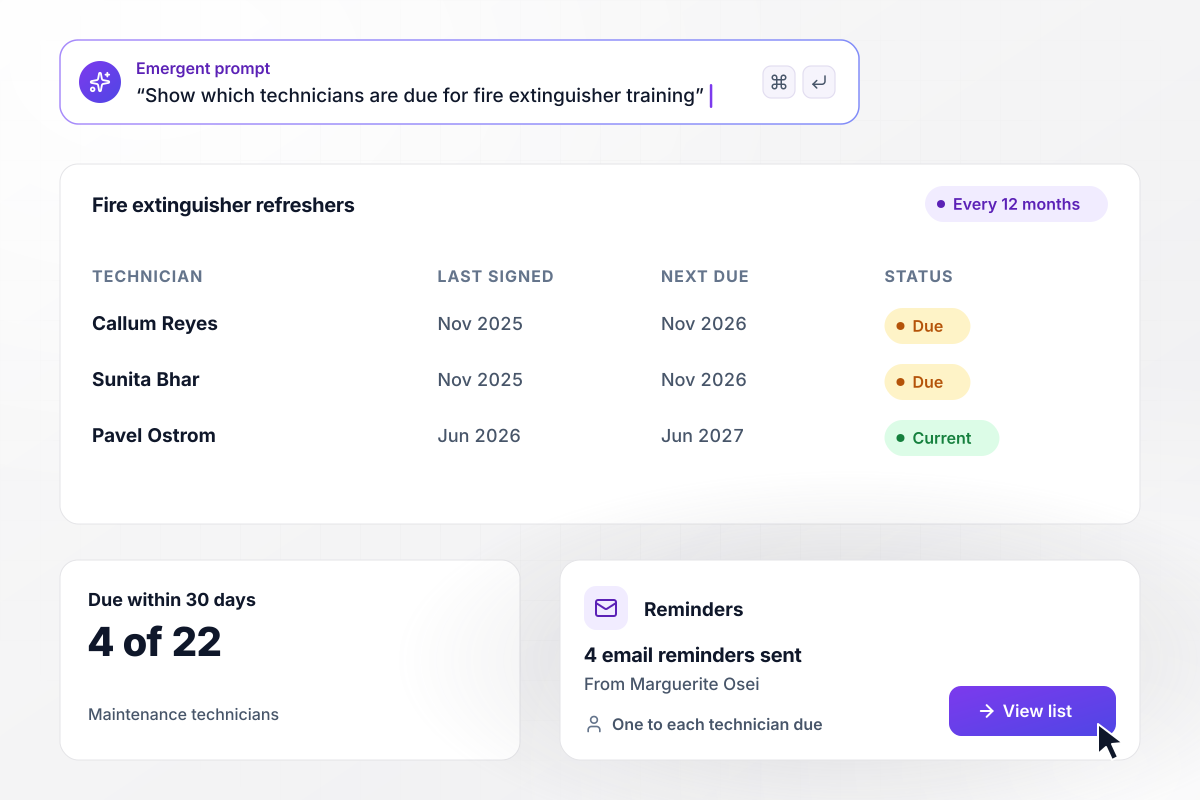
Who is due within 30 days, by name
Ostrander Property Group repeats fire extinguisher training every 12 months, and each signed acknowledgment sets a technician's next due date. Facilities manager Marguerite Osei opens a dashboard showing 4 of 22 technicians due within 30 days and emails each of the 4 a reminder from that list.






How to Make a Training Acknowledgment
Seven steps to create a training acknowledgment form that ties each signature to its course and trainer, then build it with Emergent.
Start with the trainings people already sign for on paper, such as safety talks, video courses, and equipment sign-offs. Each one becomes a type on the form, because a crew talk and a solo online course collect signatures in different ways.
Write the sentence the trainee signs under. Say what they confirm, such as attending the whole session and understanding it, and name a person to ask with questions. Keep it short enough to read on a phone before signing.
Add fields for the course name, who taught it, when it ran, and where. A signature with no course attached tells nobody what was covered when a supervisor looks it up months later. Make the course a required field.
Choose whether the trainee signs alone or a trainer co-signs after watching the skill. For group talks, let one tablet collect a signature from each attendee in turn under the same session details. Nobody retypes the topic for each person.
Put the training types, the statement, and the signing order into one prompt. Emergent builds the training acknowledgment form, the database behind it, and a screen showing who has signed. Change any question later by asking in plain English.
For training you repeat, set the interval your own policy uses, such as once a year. The app sets a next due date from each signature and emails a reminder to anyone coming due within the window you choose.
Sign a test record as a trainee on your phone, then co-sign it as the trainer. Check that the record lands in the table with the course and the date, and that the next due date is right.
Why Build Training Sign-Offs With Emergent?
A signature on a paper sheet shows someone signed. A record tied to the session shows what they signed for.

|
Jotform | Google Forms | Typeform | |
|---|---|---|---|---|
| How you build | Describe it in plain English | Templates, editor, AI generator | Editor, with Gemini drafting on some Workspace plans | Templates, editor, AI assist |
| Where responses live | A database table you own, plus any integration | Jotform account | Google Sheets | Typeform account |
| Response limits | No response caps | Monthly submission caps by plan; the form stops at the cap | No limit | Monthly response caps by plan; the form closes at the cap |
| Code ownership | Full code export to GitHub on paid plans | None | None | None |

Pick the Pricing Plan That Works for You
Choose the plan that fits your building ambitions. From weekend projects to enterprise applications, we've got you covered.




Find the right form
for whatever you're collecting















Frequently Asked Questions
Your Questions, Answered
Don't change this element unless you know what you are doing
More things you can build
with Emergent









on Emergent today


