

Build an Employee Handbook Acknowledgment Form by Version
Build an employee handbook acknowledgment form that records which version each employee signed, in a database you own.
Build an employee handbook acknowledgment form for a 48-person dental group with one page per policy section.
Trusted by Builders Worldwide
Active Builders Worldwide
Apps Successfully Created
Countries Globally Reached



Six Parts of an Acknowledgment You Can Prove
The employee handbook acknowledgment form Emergent builds keeps the version and date behind every signature, refusals included.
Each signature tied to one version
The app saves every e-signature with the handbook version number and the minute it was signed. A signature on version 4 stays with version 4 after version 5 goes out.
A statement about receipt, not agreement
The app shows your statement above the signature line. Keep it to receipt: the employee got the handbook and can ask questions, not that they agree with each policy.
A fresh round for each revision
Publishing a new handbook version asks every current employee to sign again. Start a round when a policy is added or changed, and skip it for a fixed typo or phone number.
Reminders until the last person signs
The app emails a reminder to anyone still unsigned after the number of days you choose. When the deadline passes, HR gets a Slack alert with the names of everyone left.
A recorded way to decline
Employees who will not sign can say so on the form and add their question. The app then asks their manager and a witness to sign a refusal note, filed with the record.
Records you own, code you can export
Acknowledgments are stored in a database you own, and the form has no response cap. Paid plans from Standard up export the full code to a GitHub repository you control.
Four Moments a Signature Has to Hold Up
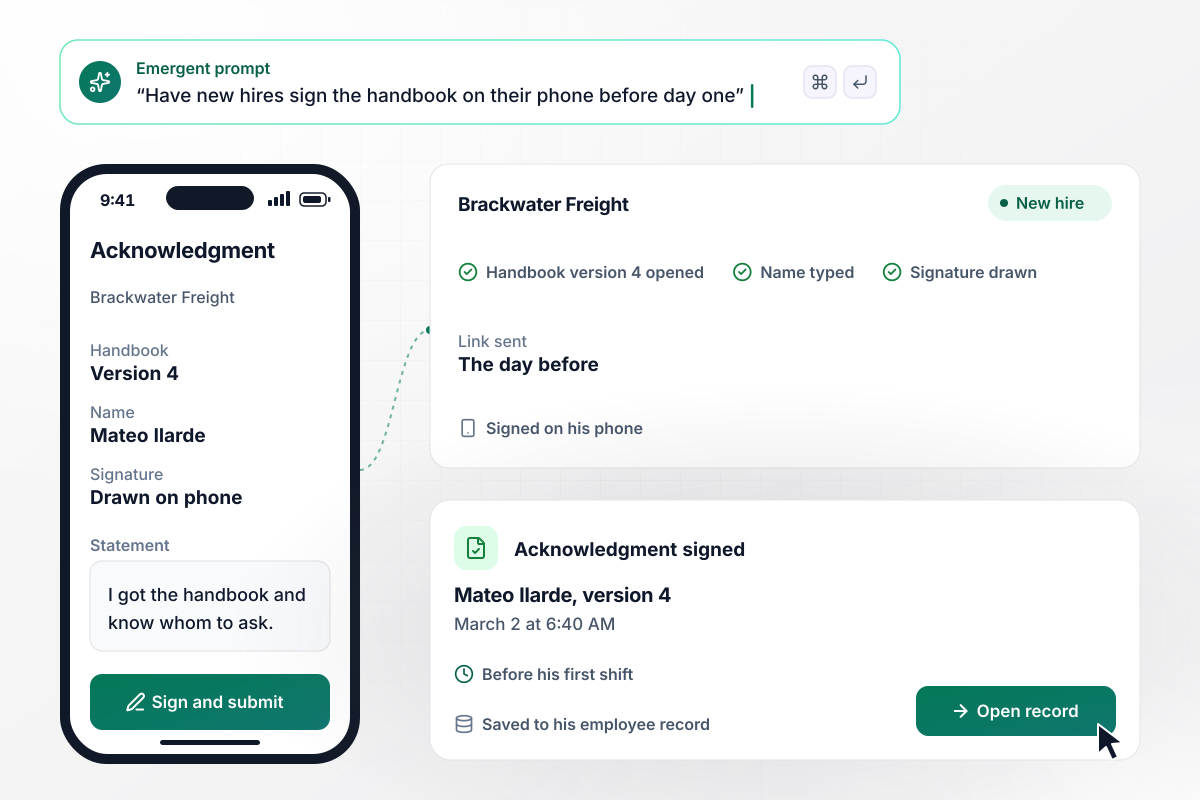
Before his first shift, version 4 is signed
Brackwater Freight sends every new hire the acknowledgment link the day before they start. Mateo Ilarde reads handbook version 4 on his phone, types his name, and draws his signature. His record shows version 4, signed March 2 at 6:40 AM, before his first shift.
window.awbMockup = { newHires: "Build a handbook acknowledgment form for my freight company that new hires sign on their phone the day before they start. Show the current handbook version, ask them to type their name and draw a signature, and save the version number and the exact time of signing to each employee's record.", handbookRevisions: "My dental group just published version 5 of our employee handbook with a new PTO policy. Send the acknowledgment to all 48 staff, show who has signed and who has not, and email a reminder with the link to version 5 to anyone still unsigned after 3 days.", refusals: "Add an option to my bakery's handbook acknowledgment form for employees who decline to sign, with a box for their question. When someone declines, ask their manager and a witness to sign a refusal note and file it with that employee's record for the handbook version.", disputes: "My veterinary practice needs to look up any employee's handbook acknowledgment fast. Show one record per signature with the handbook version, the date and time signed, the statement the employee saw above the signature line, and the signature itself, and let HR send that record to the practice owner." };
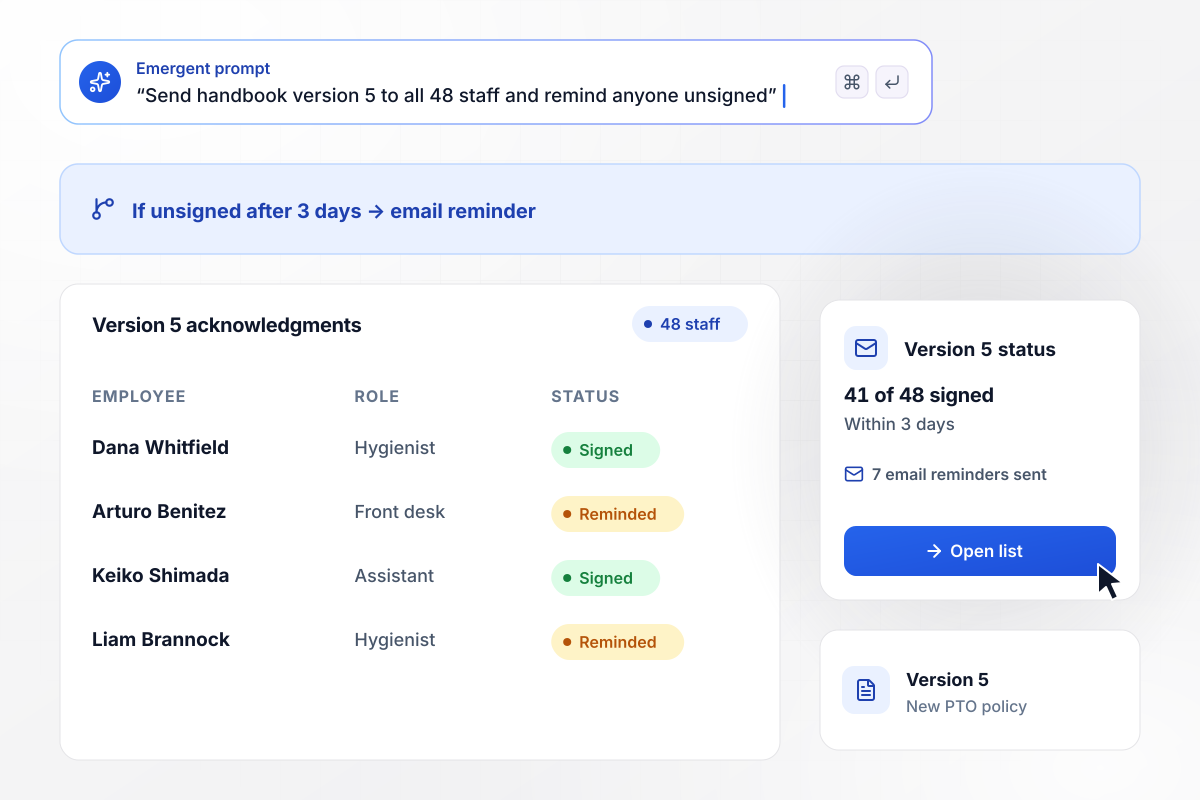
After version 5, 41 of 48 signed in 3 days
Tessaly Dental Group published handbook version 5 with a new PTO policy and sent the acknowledgment to all 48 staff. Within 3 days, 41 of 48 had signed. Anyone unsigned after 3 days got an email reminder. The other 7 each found a link to version 5 in their inbox.
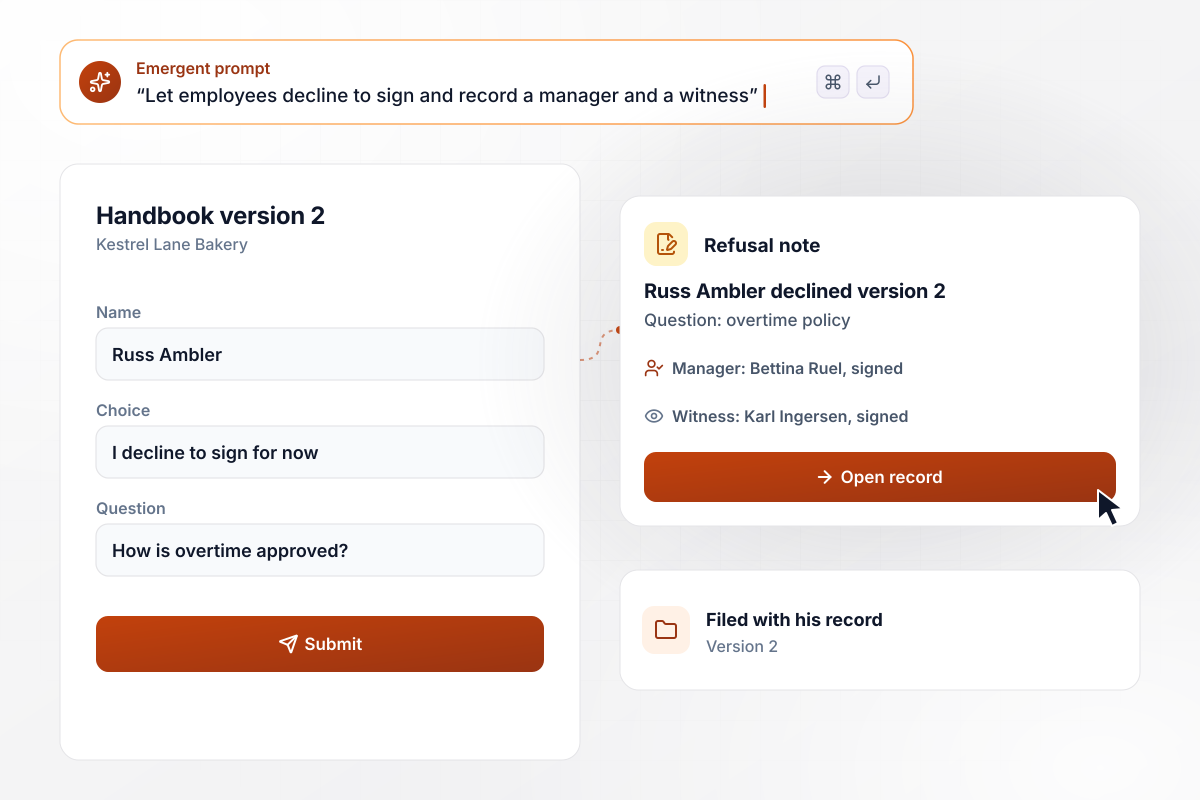
Russ said no, so a manager and a witness signed
Russ Ambler won't sign handbook version 2 at Kestrel Lane Bakery until someone explains the overtime policy. He picks the option "I decline to sign for now" and types his question. Manager Bettina Ruel and witness Karl Ingersen sign the refusal note, which is filed with his record.
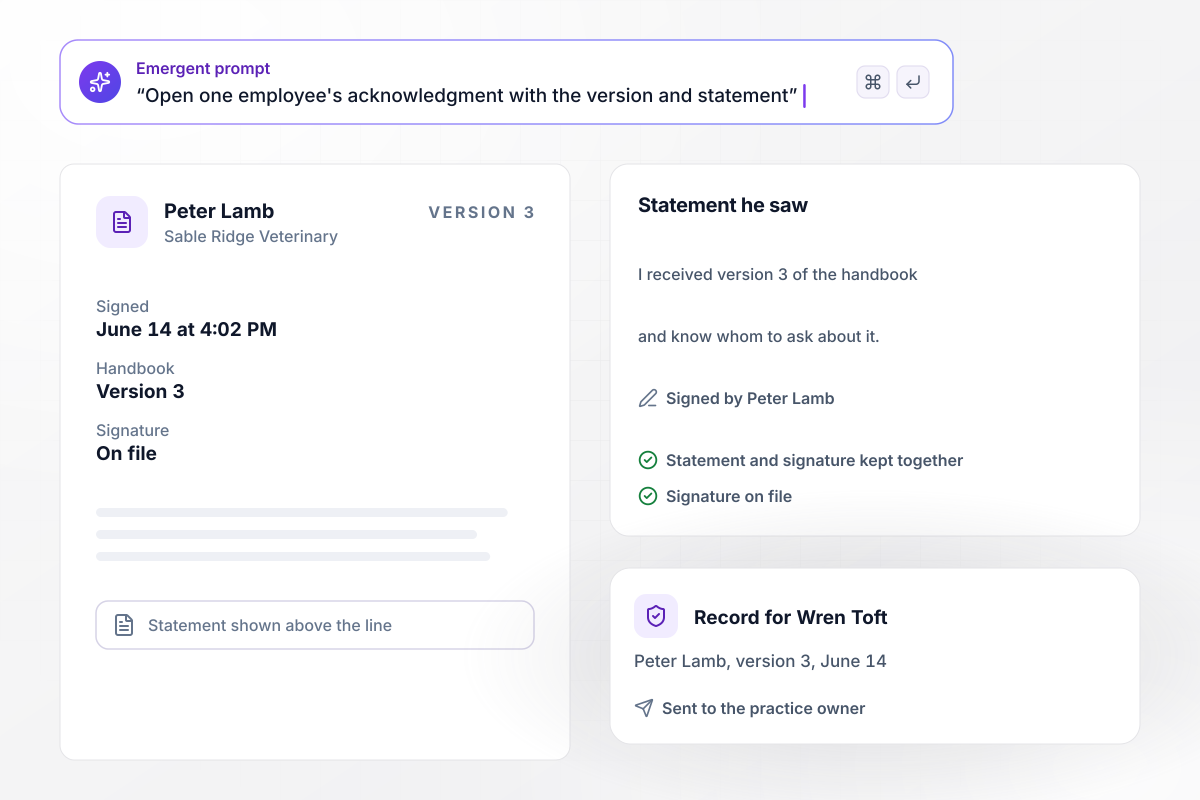
Who signed version 3, when, and what he saw
Wren Toft needs to know what Peter Lamb signed before a dispute over shift swaps at Sable Ridge Veterinary. She opens his record: version 3, signed June 14 at 4:02 PM, the statement he saw above the line, and his signature. She sends the record to the practice owner.






How to Create an Acknowledgment Form
Seven steps to create an employee handbook acknowledgment form that ties every signature to a version, then build it with Emergent.
Give the current handbook a version number and an effective date, and print both on its cover. If a signature is ever disputed, HR has to show the version and statement the employee saw along with who signed and when. The number makes the first part easy.
Write two or three sentences for the employee to sign: they received the handbook and know whom to ask about it. Say plainly that a signature means the book arrived, not that the employee accepts every rule in it. Read it aloud once before you publish it.
Ask for the printed name, the signature, and the date, and fill in the handbook version for the employee so nobody types it wrong. Add a space for a witness as well. You will want it ready on the day someone declines to sign.
Put a second choice next to the signature: decline to sign for now, with a box for the question behind it. When someone picks it, have a manager and a witness sign a refusal note, and file the note with that employee's record.
Write the statement and the refusal rule into the prompt as you would brief a colleague. Emergent builds the form from that prompt, along with the database that keeps one record per signature. Later edits to the wording are another prompt.
Decide how many days an employee has to sign, such as 3, and what follows: an email reminder to the employee, then a Slack alert to HR naming everyone still unsigned. Pick the hour the reminder goes out as well.
Sign the form as one test employee and decline it as another. Open both records and confirm that the signed one carries the right handbook version, and that the refusal note is waiting for a manager and a witness.
Why Build Acknowledgments With Emergent?
Emergent builds the form and the record behind each signature: the handbook version, the date, the wording shown, and any refusal.

|
Eddy | Jotform | Google Forms | |
|---|---|---|---|---|
| How you build | Describe it in plain English | Onboarding task or employee profile in Eddy | Templates, editor, AI generator | Editor, with Gemini drafting on some Workspace plans |
| Where responses live | A database table you own, plus any integration | Employee profile in Eddy | Jotform account | Google Sheets |
| Response limits | No response caps | Priced per person plus a monthly base fee | Monthly submission caps by plan; the form stops at the cap | No limit |
| Code ownership | Full code export to GitHub on paid plans | None | None | None |



Pick the Pricing Plan That Works for You
Choose the plan that fits your building ambitions. From weekend projects to enterprise applications, we've got you covered.




Find the right form
for whatever you're collecting















Frequently Asked Questions
Your Questions, Answered
Don't change this element unless you know what you are doing
More things you can build
with Emergent









on Emergent today


