

Build a Training Request Form That Routes Approvals by Cost
Get a training request form that totals each course's costs and sends the request to the right approver by amount.
Build a training request form for my company's five departments that asks for each course and its dates.
Trusted by Builders Worldwide
Active Builders Worldwide
Apps Successfully Created
Countries Globally Reached



What the Paper Version Leaves to HR
Paper forms collect a course and its cost, then wait for signatures. These six pieces carry each request through to an answer.
Costs that total themselves
Each cost gets its own line, with tuition and travel kept apart, and the form adds them as the employee types. An approver reads the full figure first, with the breakdown below.
A reason written in job terms
The form asks which skill the training teaches and which task it changes. A request that reads "pivot tables for the monthly close" is easier to approve than "spreadsheet class".
Approvers chosen by amount
Set a dollar line, and any request above it goes to a second person after the manager approves. Each of them then gets an alert that carries the costs and the reason.
One queue for the training team
Requests land in a single list marked approved, waitlisted, or declined. When a status changes, the requester gets an email with the new status and the reason behind it.
A budget balance per department
A dashboard subtracts each approved request from the department's yearly training budget. Before saying yes, a manager sees what the request would leave for the year.
Training history in a database you own
Each request and its decision save to a database you own, with finished courses, under the employee's name. At review time, a manager sees what a person asked for and completed.
Training Requests at Four Employers
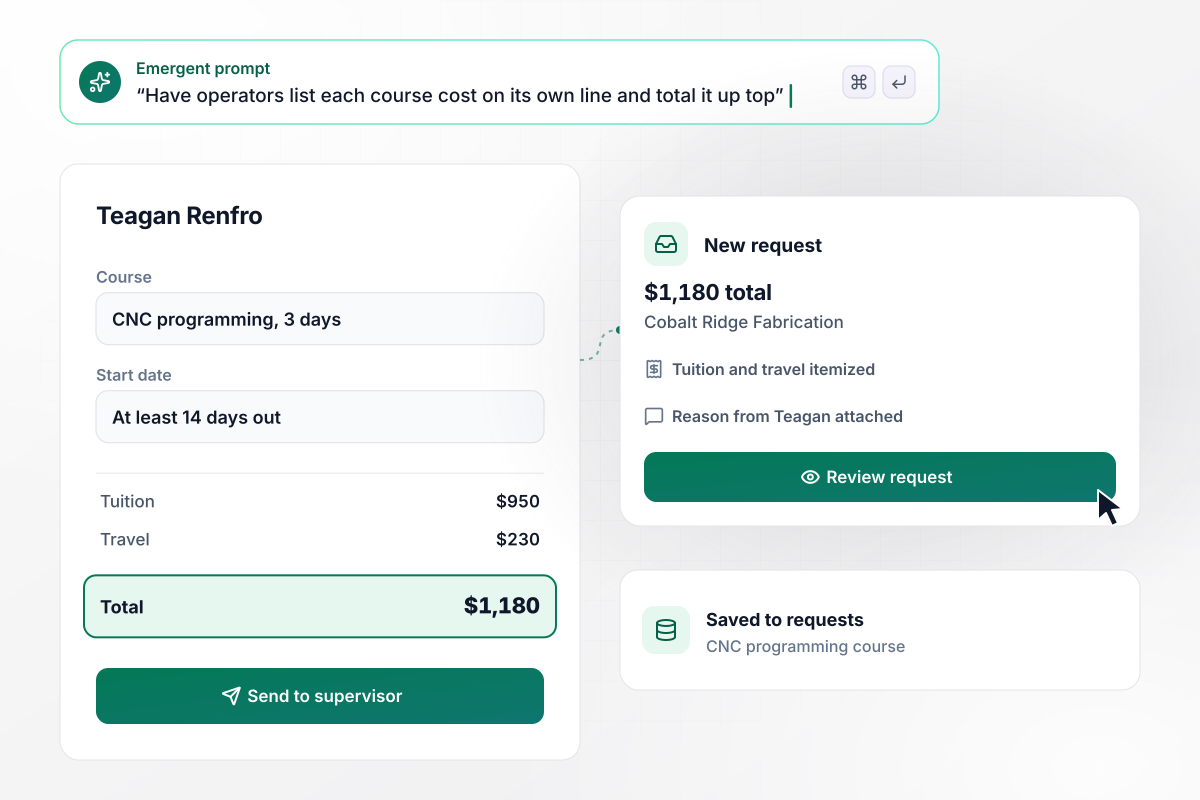
Teagan's $1,180 course arrives with its costs itemized
Teagan Renfro runs a CNC lathe at Cobalt Ridge Fabrication and wants a 3-day CNC programming course. Her request lists $950 in tuition and $230 in travel, with the $1,180 total at the top. The start date field accepts nothing less than 14 days out.
window.awbMockup = { manufacturing: "I run training at a metal fabrication shop. Build a training request form where an operator enters the course, the dates, and each cost on its own line, with tuition and travel added into a total at the top. Refuse start dates less than 14 days away, and send the request with the reason to the supervisor.", software: "Our software company needs two approvals for any training request over $1,000. Build a form that sends each request to the employee's manager first, then emails the engineering director when the amount is over the line. Put the cost, the dates, and the employee's reason in every approval message.", localGovernment: "I coordinate training for a water district. Give me one queue of every training request this month, marked approved, waitlisted, or declined, with the number of learners on each. When I waitlist or decline a request, email the supervisor who asked with the reason and the month it can be funded.", retail: "Our retail chain gives store operations a yearly training budget. Build a dashboard that subtracts each approved course from the budget and shows what is left. When a store lead requests a course, show the regional manager what would remain if it is approved before they decide." };
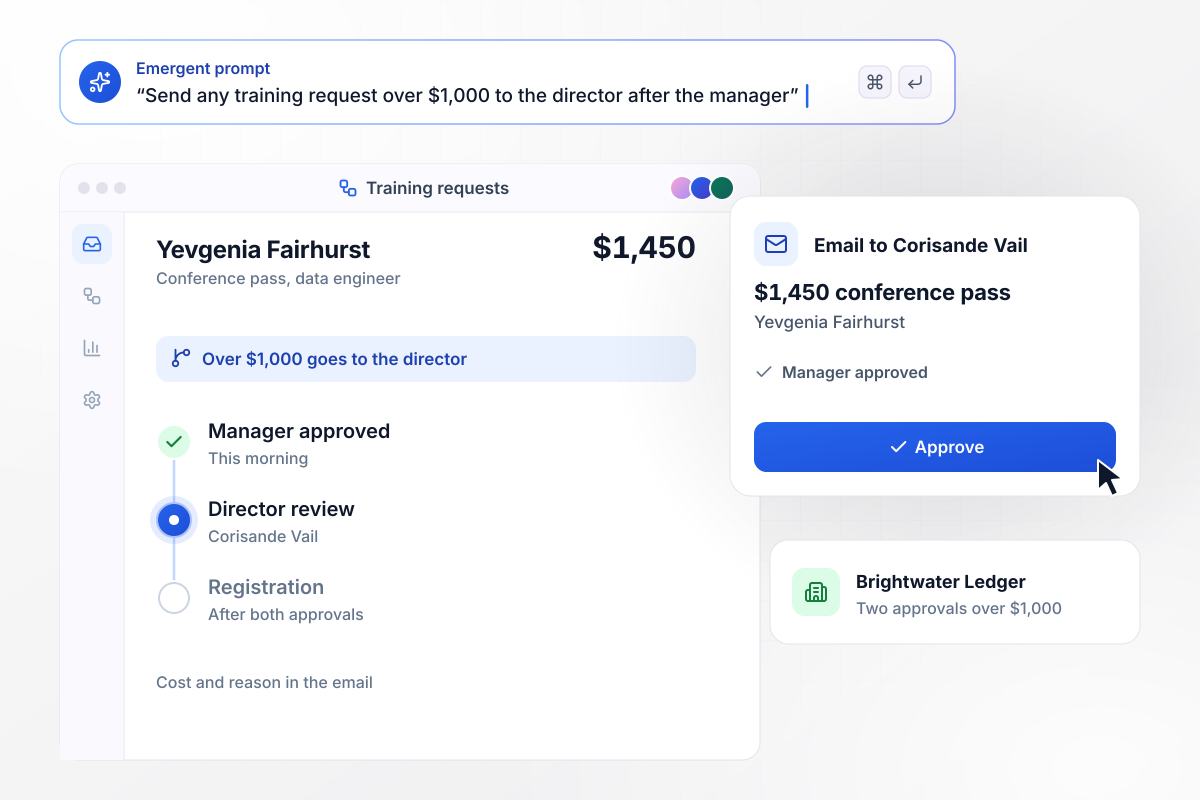
Over $1,000, the director approves after the manager
Brightwater Ledger asks for two approvals on any training request over $1,000. Data engineer Yevgenia Fairhurst requested a $1,450 conference pass, and her manager approved it this morning. The app then emailed engineering director Corisande Vail, with the cost and Yevgenia's reason in the message.
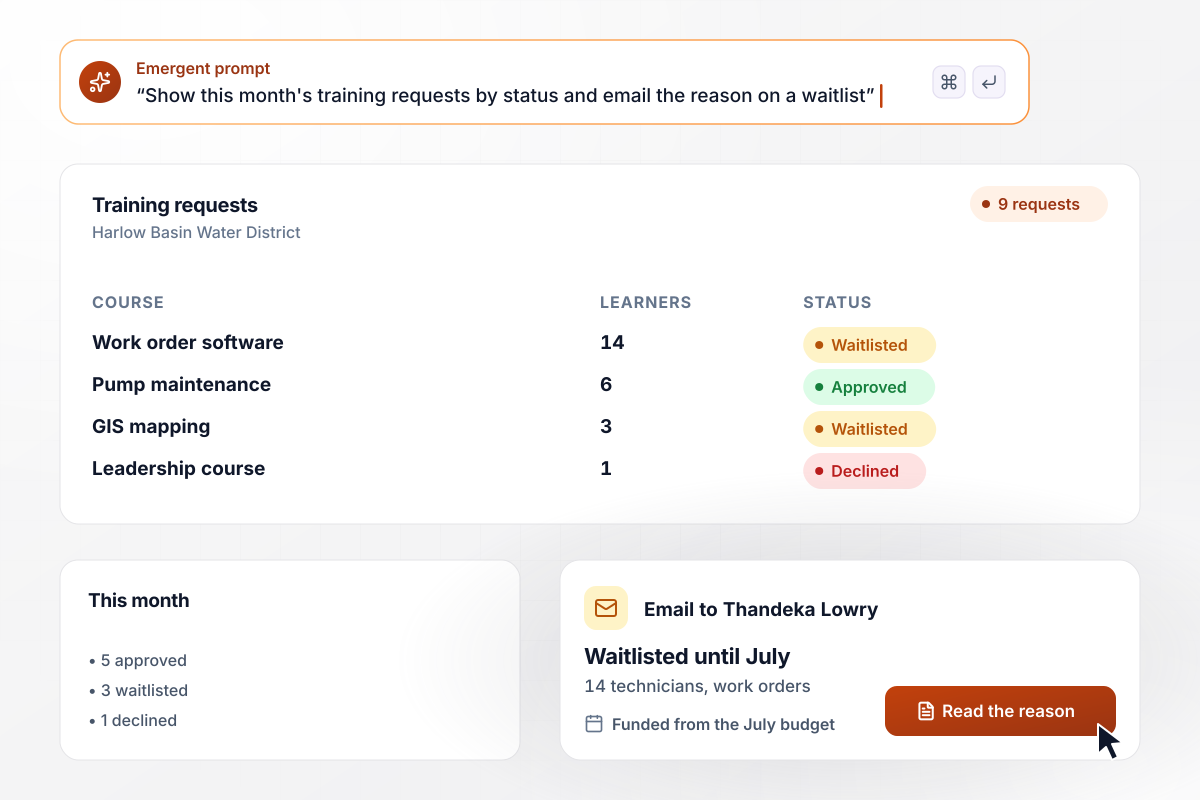
Waitlisted until July, a request for 14 gets a reason
The training coordinator at Harlow Basin Water District has 9 requests this month in one queue: 5 approved, 3 waitlisted, and 1 declined. Field supervisor Thandeka Lowry asked to train 14 technicians on new work order software. The request waits for the July budget, and her email says so.
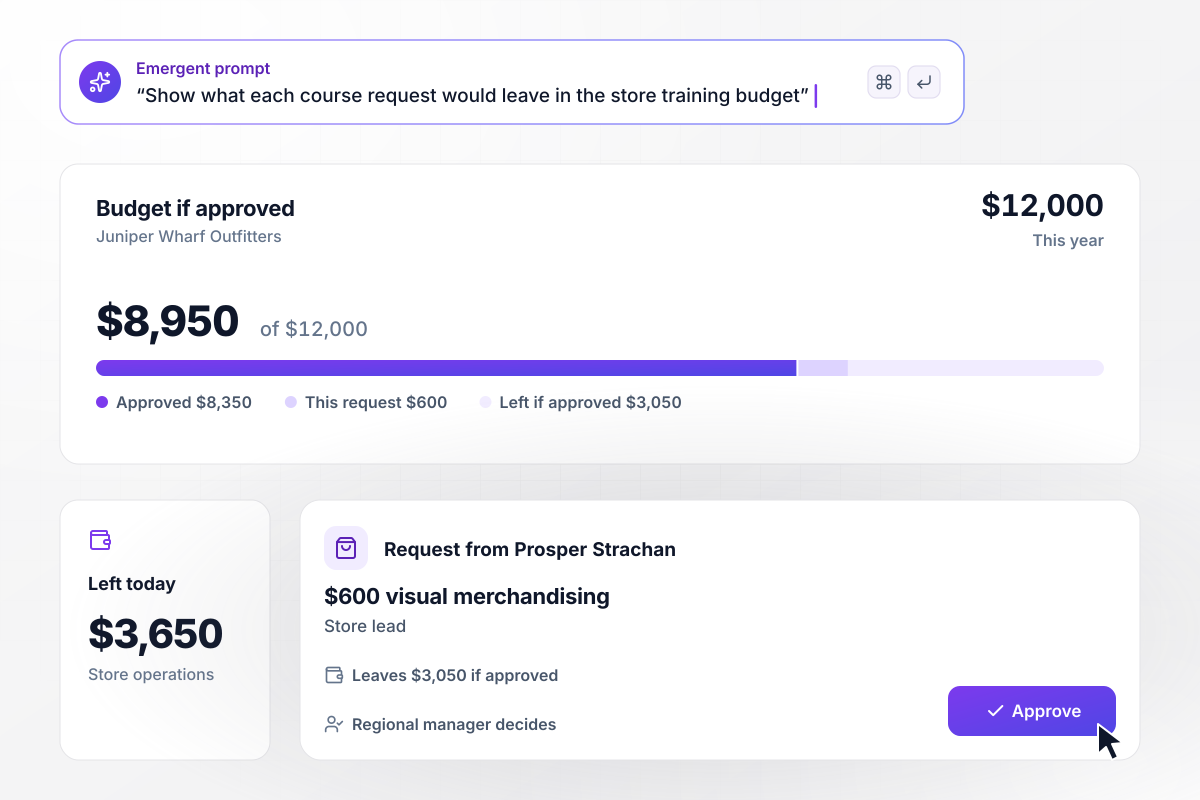
On a $12,000 budget, a $600 course leaves $3,050
Juniper Wharf Outfitters gives store operations a $12,000 training budget for the year, and $8,350 of it is already approved. Store lead Prosper Strachan has asked for a $600 visual merchandising course. The dashboard shows $3,650 left today and $3,050 if his request goes through, before the regional manager decides.






How to Build a Training Request Form
Follow these 7 steps to build a training request form that collects the costs, gets the right approvals, and tracks each decision.
Write down who says yes at each amount before you build anything. One college's HR form says every class and workshop must be pre-approved by the approving supervisor before the form goes to HR.
Ask for the program name and the provider, then the dates and where it runs. Add a link field for the provider's page, and the approver can read the agenda without asking for it.
Give tuition and travel separate fields, add lodging when a trip needs it, and let the form total them. Ask who pays the provider before anyone registers.
Ask for the skill the employee expects to gain and where they will use it at work. One college's form also asks whether the course is a component of the employee's professional development plan.
Pick the fewest days allowed between a request and the course start, and make the date field enforce it. Ask for more lead time on any course that needs flights or a hotel.
Draft the short reasons approvers will pick from, such as budget timing or a class already offered in house. The requester gets the reason with the decision instead of a bare no.
Enter a request your team approved last quarter and follow it to the final decision. Fix any step where the approver had to ask a question the form should have answered.
Why Use Emergent for Training Request Forms?
A training request form PDF waits for someone to walk it to each signer. A built form routes it and keeps the budget current.

|
Jotform | Google Forms | Typeform | |
|---|---|---|---|---|
| How you build | Describe it in plain English | Templates, editor, AI generator | Editor, with Gemini drafting on some Workspace plans | Templates, editor, AI assist |
| Where responses live | A database table you own, plus any integration | Jotform account | Google Sheets | Typeform account |
| Response limits | No response caps | Monthly submission caps by plan; the form stops at the cap | No limit | Monthly response caps by plan; the form closes at the cap |
| Code ownership | Full code export to GitHub on paid plans | None | None | None |


Pick the Pricing Plan That Works for You
Choose the plan that fits your building ambitions. From weekend projects to enterprise applications, we've got you covered.




Find the right form
for whatever you're collecting















Frequently Asked Questions
Your Questions, Answered
Don't change this element unless you know what you are doing
More things you can build
with Emergent









on Emergent today


