

Build a Potluck Sign-Up Sheet That Tracks Every Dish
Get a potluck sign-up sheet with a cap on each course and a dish reminder for every cook before the event.
Build a potluck sign-up sheet for my office holiday lunch where each person picks a course and names the dish they will bring.
Trusted by Builders Worldwide
Active Builders Worldwide
Apps Successfully Created
Countries Globally Reached



What the Sheet Handles Once People Sign Up
A potluck sign-up sheet lists who brings which dish. These six parts keep every course covered and every cook reminded.
Slots per course that close when full
Sets a number of slots for mains, sides, desserts, and drinks. Once a course is full, it drops off the list, and the next guest sees only the courses that still need a dish.
An allergen box on every dish
Asks each cook to tick what the dish contains, such as tree nuts or dairy. The host gets one list of the tagged dishes and can label each one on the table before guests arrive.
Servings counted against the guest list
Asks each household for its headcount and how many people its dish feeds. Servings are totaled by course against the headcount, and a short course shows up before anyone shops.
A reminder email the day before
Emails every guest who signed up on the evening before the event, with the dish they chose and the drop-off time. Set the send time and the wording when you describe the sheet.
One question per screen on a phone
Shows one question per screen, so a guest opening the link from a group text can pick a course and name a dish without any zooming. Each sign-up is saved once submitted.
Sign-ups in a database you own
Keeps every sign-up in a database you own instead of a paper grid taped to the break room fridge. On paid plans, export the full code of the sheet to your GitHub repository.
What the Sheet Did at Four Potlucks
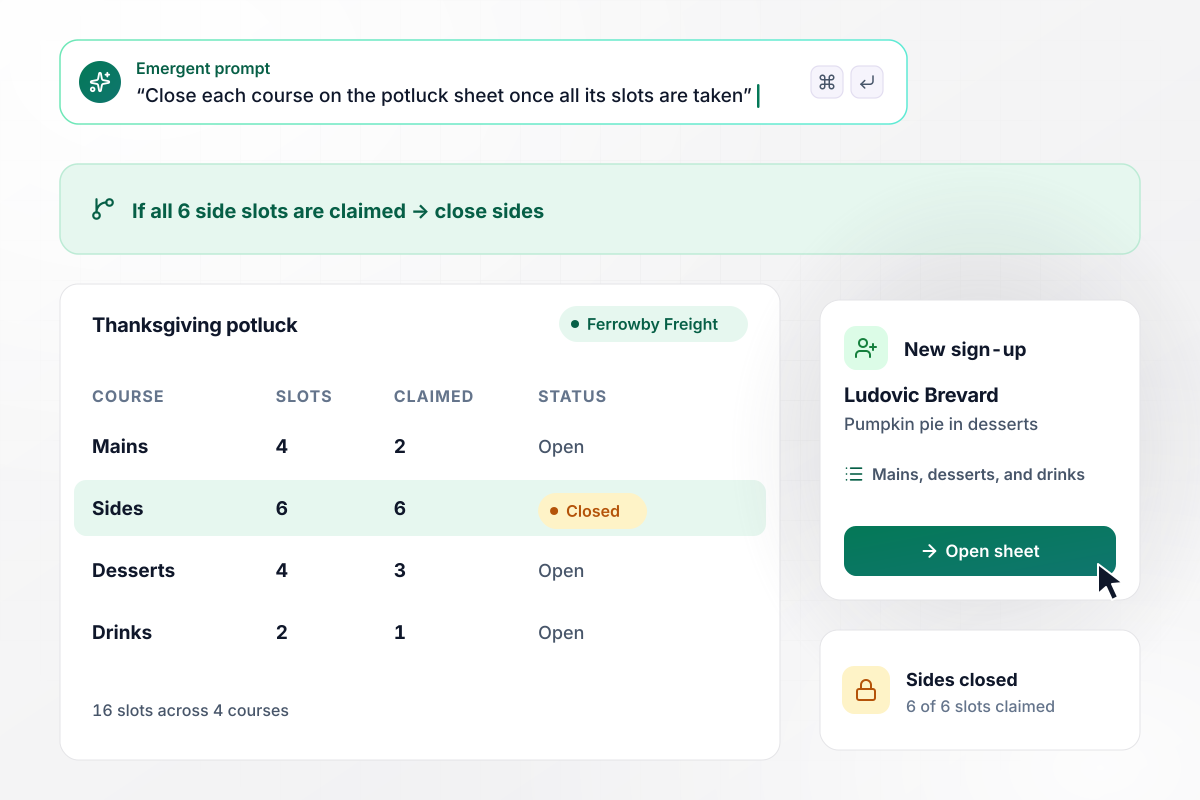
Sides close when all 6 slots fill
Wendeline Pruett runs the Thanksgiving potluck at the Ferrowby Freight office and splits the sheet into 4 mains, 6 sides, 4 desserts, and 2 drinks. When all 6 side slots are claimed, sides close. Ludovic Brevard signs up next, sees only mains, desserts, and drinks, and picks pumpkin pie.
window.awbMockup = { officePotlucks: "Build a potluck sign-up sheet for my office Thanksgiving lunch. Split it into 4 mains, 6 sides, 4 desserts, and 2 drinks, and ask for name and dish. Close a course once its slots are full; the next coworker should only see the courses that still need a dish. Show me a table of every sign-up by course.", churchDinners: "Build a sign-up sheet for my church's Christmas dinner. Ask each cook for their name, the dish, and whether it contains tree nuts, dairy, eggs, or gluten. Email our kitchen lead, Mirela Dobrescu, one list of every dish with tree nuts. She sets those dishes on a separate table.", blockParties: "Build a potluck sign-up sheet for my street's Halloween block party. Ask each household for its name, address, and dish. At 6 pm the evening before the party, email every household that signed up with its dish and the 5:30 pm drop-off time. Show me how many households have signed up.", familyReunions: "Build a sign-up sheet for my family reunion of 62 relatives. Ask each household for its headcount, its dish, the course, and how many people the dish feeds. Add up servings by course, and email me when any course feeds fewer people than the headcount, with how many servings it is short." };
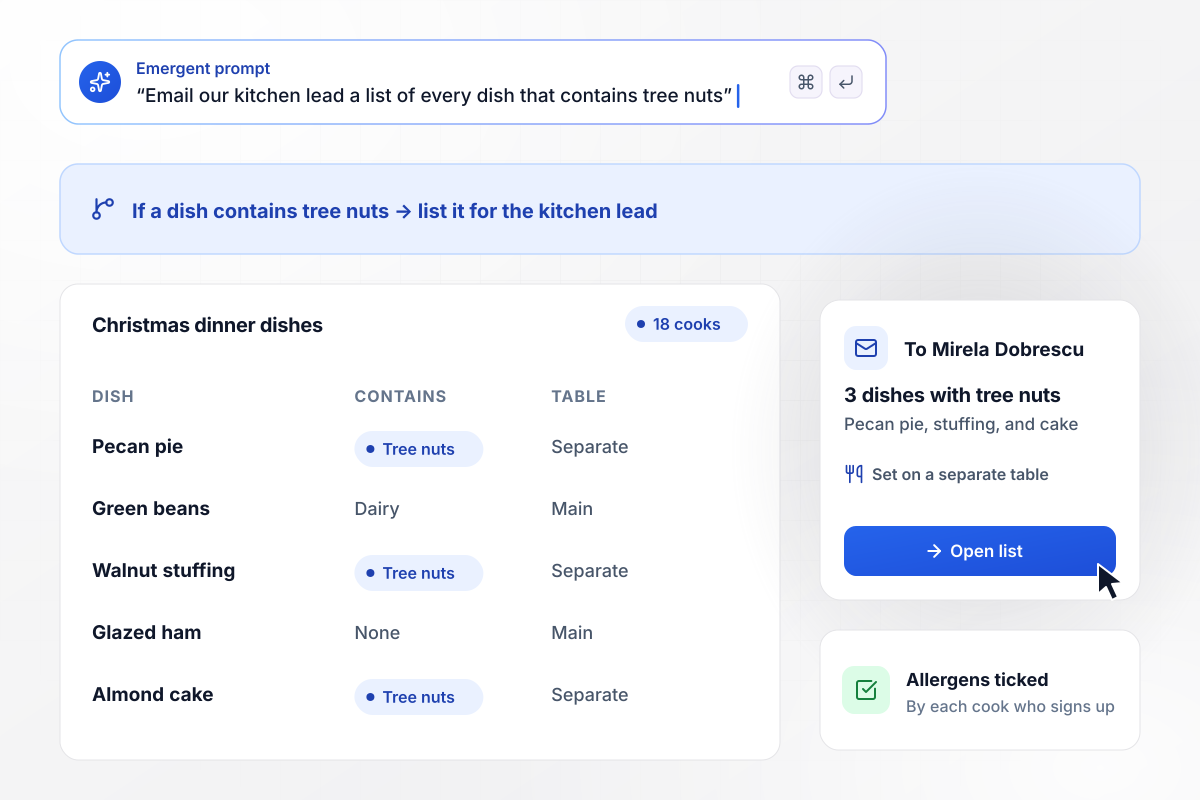
Each nut dish named in one email to the kitchen
Calderbrook Community Church serves a Christmas dinner after its evening service, and 18 cooks sign up to bring a dish. Each cook ticks tree nuts, dairy, eggs, or gluten. Kitchen lead Mirela Dobrescu gets one email listing the 3 dishes with tree nuts, and she sets them on a separate table.
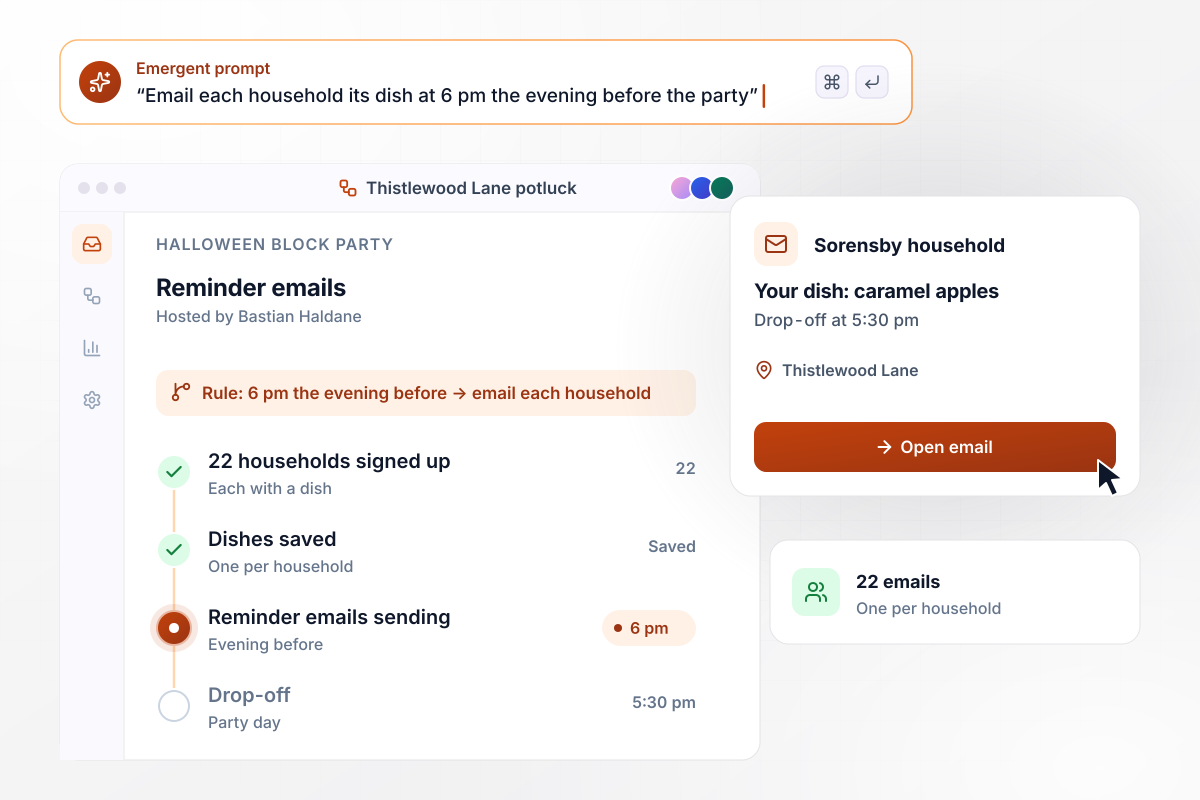
22 households, each emailed its dish the night before
Bastian Haldane closes Thistlewood Lane for a Halloween block party, and 22 households sign up with a dish. At 6 pm the evening before, each one gets an email naming its dish and the 5:30 pm drop-off. The Sorensby household's email reads caramel apples.
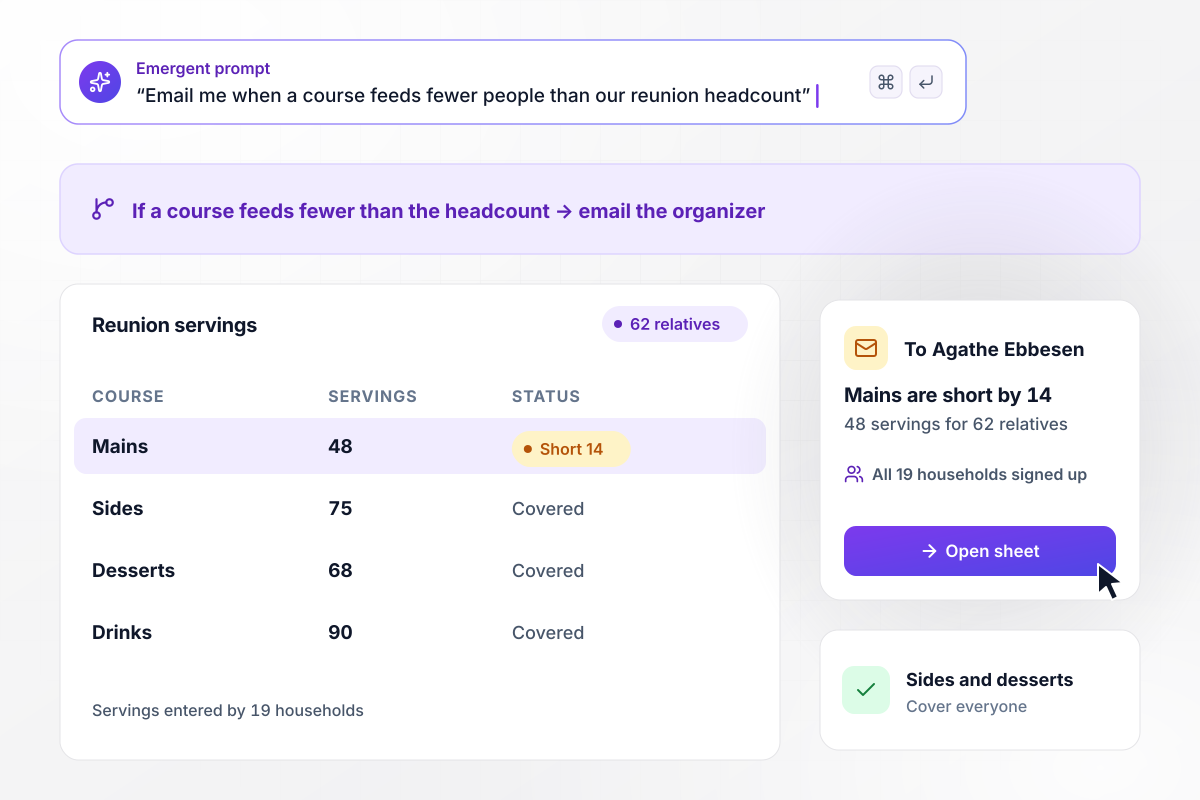
Short on mains by 14 servings, the organizer gets an alert
Agathe Ebbesen is planning a reunion for 62 relatives. Each household enters its headcount, its dish, and how many people the dish feeds. Once all 19 households sign up, mains cover 48 servings, fewer than the headcount. Agathe gets an email that mains are short by 14. Sides and desserts cover everyone.






How to Make a Potluck Sign-Up Sheet
These 7 steps plan a potluck sign-up sheet that fills every course and reminds each cook of their dish.
Get a headcount first from the RSVP replies, and write it at the top of your plan. Every later number comes from that one count, including the slots per course and how many servings each dish should feed the guests who said yes.
Decide how many dishes each course needs, and cap every course. For 30 guests, try 5 mains, 8 sides, 4 desserts, and 3 drinks. Add 2 slots for plates and ice, and assign them like any other dish on the sheet.
Add a checkbox list of allergens, such as tree nuts and dairy, plus a line for anything else. A guest with an allergy can read the sheet before the event instead of asking every cook at the table which dish is safe to eat.
A University of Florida IFAS extension post says to discard all perishable foods that have been left at room temperature for more than 2 hours. Set the drop-off time close to serving, and put the cold dishes out last.
Write one prompt that names each course with its slot count, asks the allergen question, and says who hears about a short course. Emergent builds the sheet and the database behind it. Change any part later by asking, such as adding a drinks slot.
Pick when the reminder goes out, such as the morning of the event, and what it says: the dish and the drop-off address. Guests who signed up three weeks earlier get their own dish back in writing, with time left to shop.
Sign up three times yourself, once into a course that is nearly full, and check that the course closes and the reminder names the right dish. Delete the test rows before anyone else signs up, then share the link in the group text.
Why Build Potluck Sign-Up Sheets With Emergent?
Emergent builds the sheet from a plain-English description, with no cap on sign-ups and a free tier that covers building and publishing it.

|
Google Forms | Jotform | Typeform | |
|---|---|---|---|---|
| How you build | Describe it in plain English | Editor, with Gemini drafting on some Workspace plans | Templates, editor, AI generator | Templates, editor, AI assist |
| Where responses live | A database table you own, plus any integration | Google Sheets | Jotform account | Typeform account |
| Response limits | No response caps | No limit | Monthly submission caps by plan; the form stops at the cap | Monthly response caps by plan; the form closes at the cap |
| Code ownership | Full code export to GitHub on paid plans | None | None | None |




Pick the Pricing Plan That Works for You
Choose the plan that fits your building ambitions. From weekend projects to enterprise applications, we've got you covered.




Find the right form
for whatever you're collecting















Frequently Asked Questions
Your Questions, Answered
Don't change this element unless you know what you are doing
More things you can build
with Emergent









on Emergent today


