

Build a Summer Camp Registration Form for the Whole Season
Build a summer camp registration form that totals each family's weeks at checkout and keeps every camper on file.
Build a summer camp registration form for my camp.
Trusted by Builders Worldwide
Active Builders Worldwide
Apps Successfully Created
Countries Globally Reached



What the Form Does Before Day One
Six parts of registration that a camp office would otherwise track in a spreadsheet.
Sessions parents tick, each with a limit
List every week or session with its dates and the ages it serves. Parents tick the ones they want, and a session stops taking campers once it reaches the limit you set for it.
Deposits and balances through Stripe
Connect Stripe and take a deposit or the full fee when the parent submits. Each camper's row shows what was paid and what is still owed, plus the date the balance falls due.
Allergy and medication answers
Ask about allergies and daily medications in a section of their own. Counselors open a list for their group that shows what each parent wrote, next to the camper's name.
Waivers signed inside the form
Give the activity waiver and photo permission their own screens, each ending in a signature box. The parent's signature is kept on the camper's record with the time it was signed.
Rosters for each cabin or group
Sort registered campers into groups by age or by cabin. Each counselor opens a roster for one group that lists the adults allowed at pickup and a phone number for each.
The app's code, yours to keep
Export the full registration app to GitHub on paid plans when a developer wants to add a parent portal or a staff schedule. The camp's own domain is included and uses credits.
Registration at Four Kinds of Camp
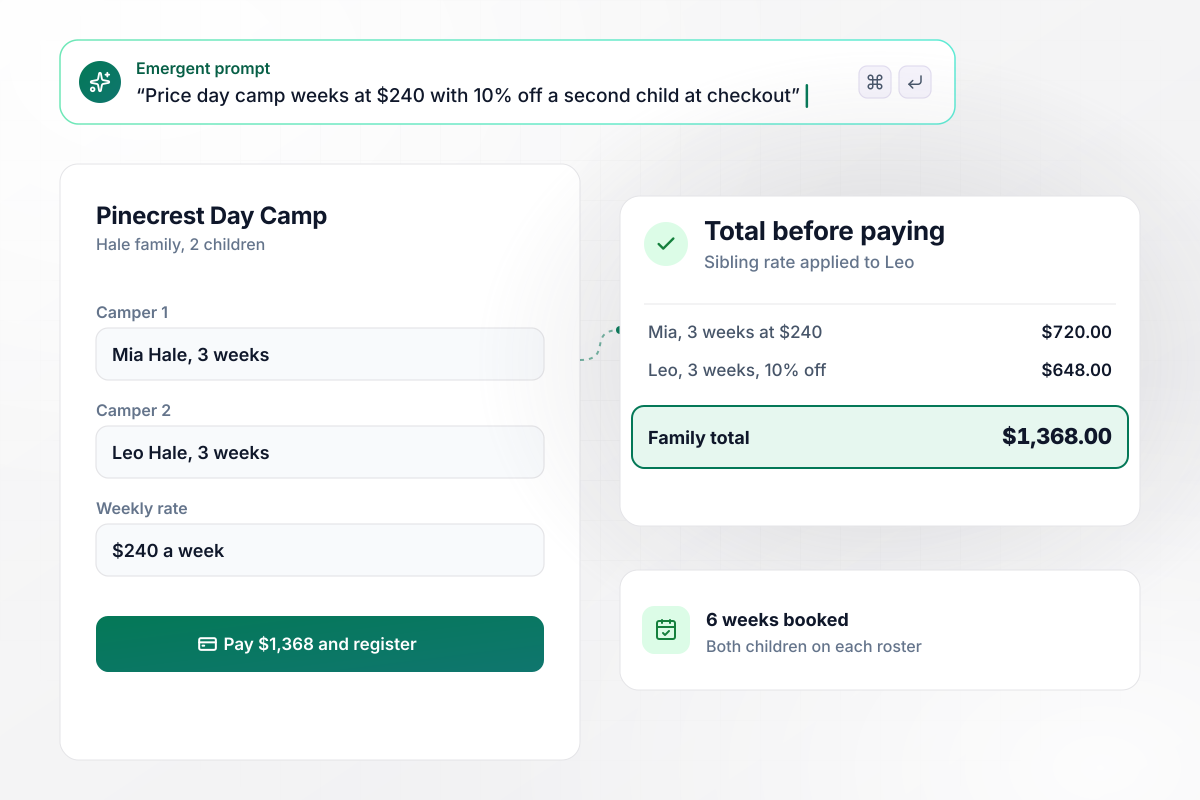
Six weeks for two children at a sibling rate
Pinecrest Day Camp charges $240 a week, and a second child from the same family gets 10% off. The Hale family enrolls Mia and Leo for 3 weeks each. Before paying, the parent sees Mia's weeks at $720 and Leo's at $648, for a total of $1,368. Both children go onto the roster for every week their parent picked.
window.awbMockup = { weeklyDayCamps: "My day camp charges $240 a week, and a second child from the same family gets 10% off. Build a registration form where parents pick weeks for each child and see the total before paying. A family with two children at 3 weeks each should see $720, $648 and $1,368. Put each child on the roster for every week chosen.", overnightCamps: "Campers at my overnight camp can request up to 2 bunkmates. Build a registration form that collects those requests, then mark a pair as mutual when two campers named each other. Show me a cabin board with mutual pairs at the top and one-way requests below, so I can plan cabins from the matched pairs.", specialtyCamps: "My robotics camp costs $450. Build a registration form that takes a $100 deposit through Stripe when a parent registers and records the $350 balance due June 1 on the camper's row. On May 25, email a reminder to every family whose balance is still open, and skip anyone who paid in full.", churchCamps: "Our church takes its youth group to a lake camp each July. Build a registration form that charges $185 to anyone who registers by April 30 and $210 from May 1, based on the day the parent submits. Give the youth pastor a list showing how many campers paid the early price and how many paid the regular one." };
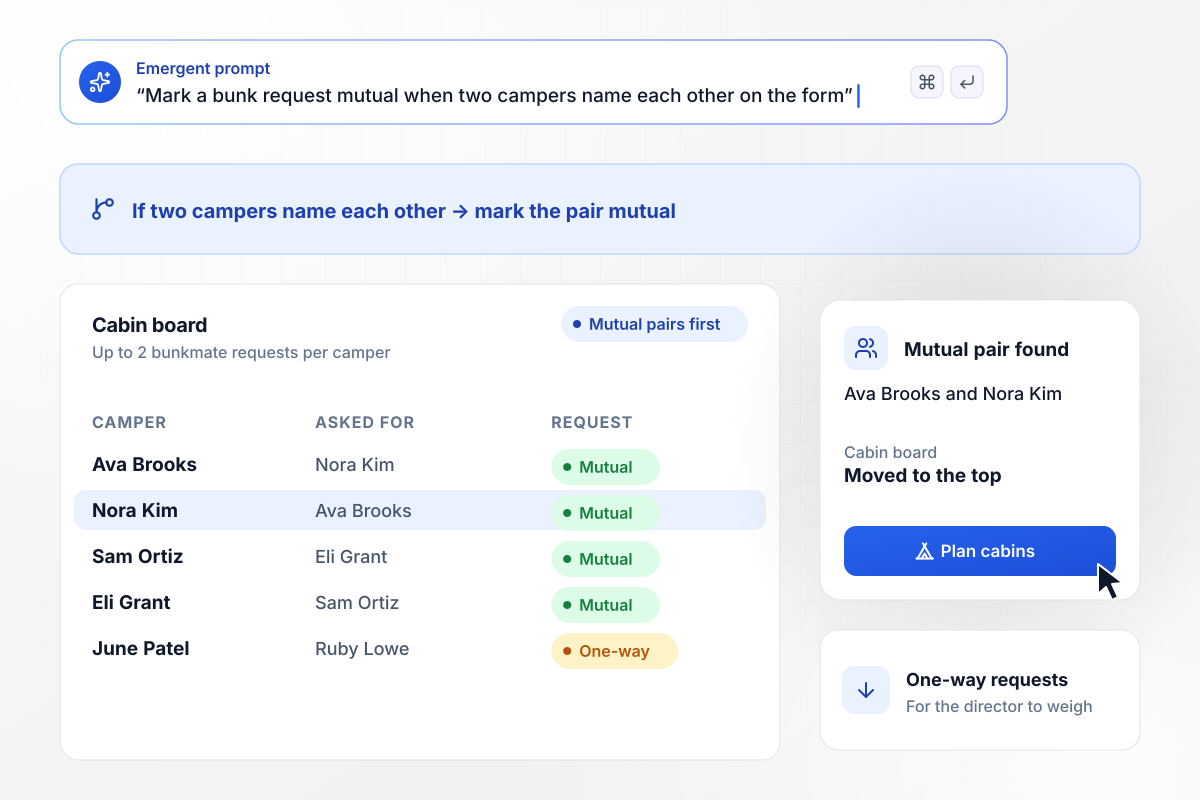
Bunk requests that both campers made rise to the top
Campers at Camp Alder Lake can name up to 2 bunkmates on the registration form. When two campers name each other, the pair is marked mutual and sorted to the top of the cabin board. One-way requests sit below them for the director to weigh. Cabin planning starts from the matched pairs.
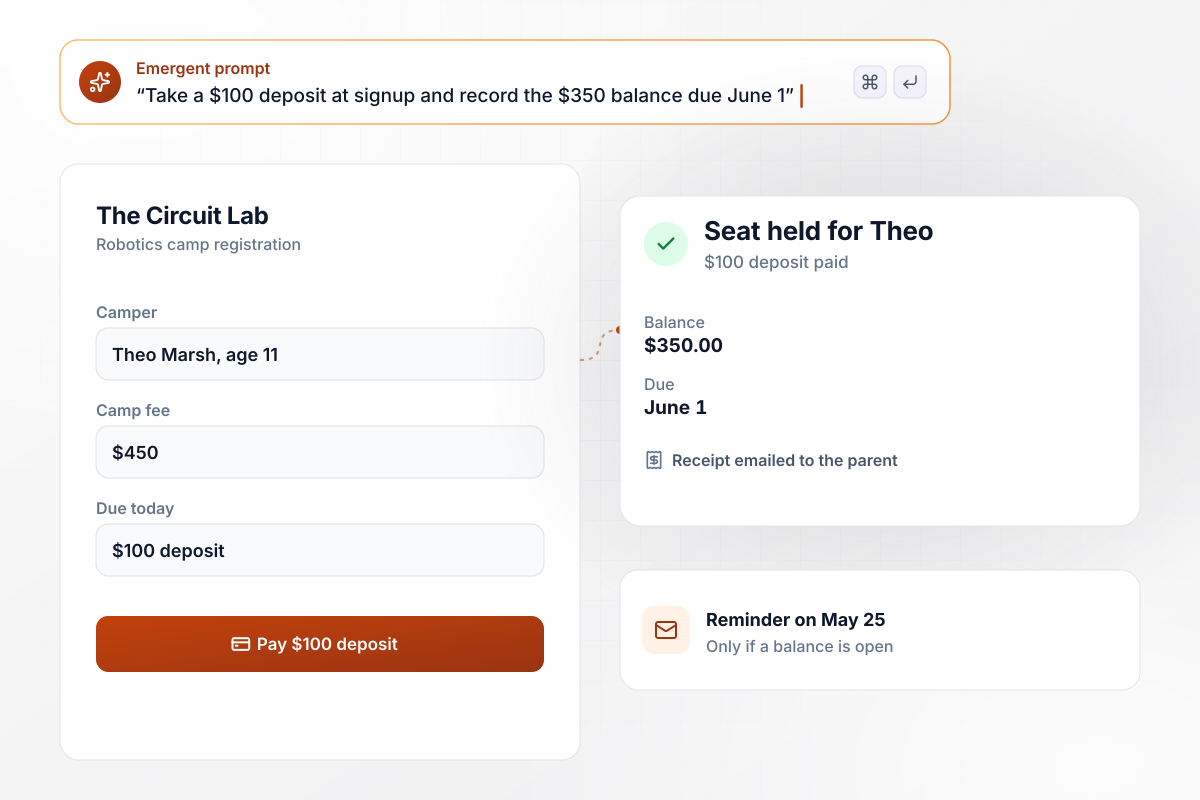
$100 to hold a seat, $350 due June 1
The Circuit Lab runs its robotics camp for $450. Parents pay a $100 deposit through Stripe when they register, and the camper's row records a $350 balance due June 1. On May 25, any family whose balance is still open gets an email reminder. Families who paid in full hear nothing.
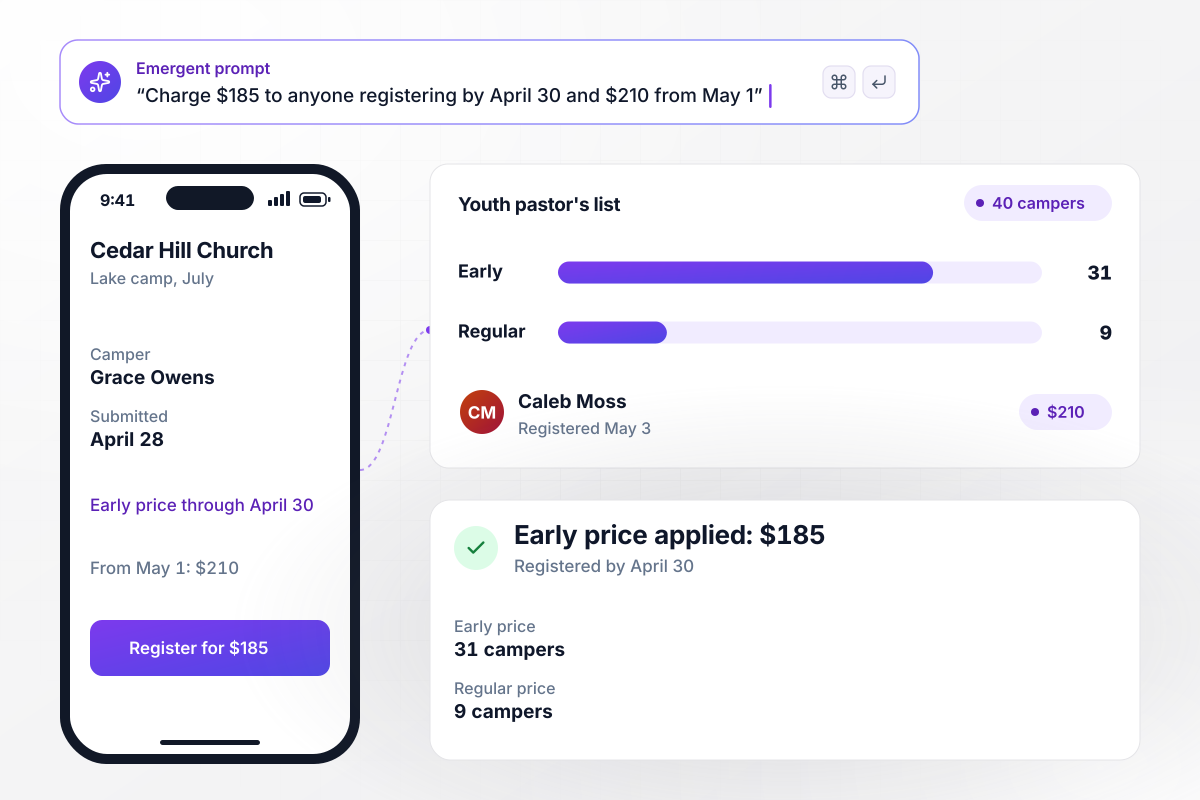
Register before May and pay $185
Cedar Hill Church takes its youth group to a lake camp each July. Parents who register by April 30 pay $185. From May 1 the price is $210, and the form charges whichever applies on the day the parent submits. The youth pastor's list shows 31 campers at the early price and 9 at the regular one.






How to Make a Camp Registration Form
Seven steps to plan a summer camp registration form around your sessions and test it before families sign up.
Write down each week or session your camp runs, along with the ages it serves. Give every line a price and the number of campers it takes. A half-day week and an overnight session are separate lines, each with its own limit.
Turn every discount into a sentence the form can apply: a lower rate for a second child, or a cheaper price for anyone who registers before a set date. Note whether a deposit holds the spot and when the remaining balance falls due.
Decide what counselors must know about each camper, such as allergies and the adults allowed at pickup. Keep the list short enough for a parent to finish in one sitting, and move optional questions to the end.
Give each waiver its own screen and end it with a signature box. If your camp runs swimming or off-site trips, name each activity on the waiver so parents can see exactly what they are agreeing to before they sign.
Paste the session list and the pricing rules into one prompt, with the camper questions below them. Emergent builds the form and the payment step, with a database of campers and families behind them. Ask for changes the same way, such as adding a late-August week.
Choose what parents see once a session fills. A waitlist suits a popular week. For other weeks, a note pointing to the next open session keeps families from giving up. Put the choice for each session into the prompt.
Register two made-up children as a parent would, paying with a test card. Check that the sibling rate and the deposit show correctly on each camper's row. Delete the test records before the link goes out to families.
Why Build Camp Registration With Emergent?
A printable form registers one camper. It cannot add up a family's weeks or tell the office which session is already full.

|
Jotform | Google Forms | Typeform | |
|---|---|---|---|---|
| How you build | Describe it in plain English | Templates, editor, AI generator | Editor, with Gemini drafting on some Workspace plans | Templates, editor, AI assist |
| Payments in the form | Through your own Stripe account | Included, metered per plan | No | Paid plans |
| Response limits | No response caps | Monthly submission caps by plan; the form stops at the cap | No limit | Monthly response caps by plan; the form closes at the cap |
| Where responses live | A database table you own, plus any integration | Jotform account | Google Sheets | Typeform account |
| Code ownership | Full code export to GitHub on paid plans | None | None | None |




Pick the Pricing Plan That Works for You
Choose the plan that fits your building ambitions. From weekend projects to enterprise applications, we've got you covered.




Find the right form
for whatever you're collecting















Frequently Asked Questions
Your Questions, Answered
Don't change this element unless you know what you are doing
More things you can build
with Emergent









on Emergent today


