

Build a Rental Application Form That Arrives Complete
Build a rental application form that takes the screening fee, reads pay stubs, and lists every applicant in a table you own.
Build a rental application form for my duplex.
Trusted by Builders Worldwide
Active Builders Worldwide
Apps Successfully Created
Countries Globally Reached



Every Answer the Rental Decision Needs
A paper rent application form arrives with a check clipped to it. These six features turn it into a file you can decide on.
The questions a landlord decides on
Asks for current and past addresses with each landlord's phone number, then the employer and monthly pay. Every person moving in is listed, with signed consent to a credit check.
The screening fee paid at submit
Collects the screening fee at the last step through the payment processor you connect, then emails an itemized receipt. Set the amount per property to match local fee caps.
Pay stubs read into monthly income
Reads each uploaded pay stub or offer letter into the employer and gross pay for the period, then works out monthly income. A stub it cannot read clearly goes to a person.
A separate link for each co-signer
Sends every adult on the application and any guarantor their own link. Each one enters their own income and signs for themselves, and the file shows who has not finished yet.
One table holding every applicant
Saves each application as a row in a database you own, showing the unit and move-in date beside income against rent. Filter by property, or open any row to see the uploads.
Your app as code in your repo
Exports the full source to GitHub on paid plans. A developer can connect it to your screening service or property software through an API, or you can describe the change in a prompt.
Rental Applications Across Housing Types
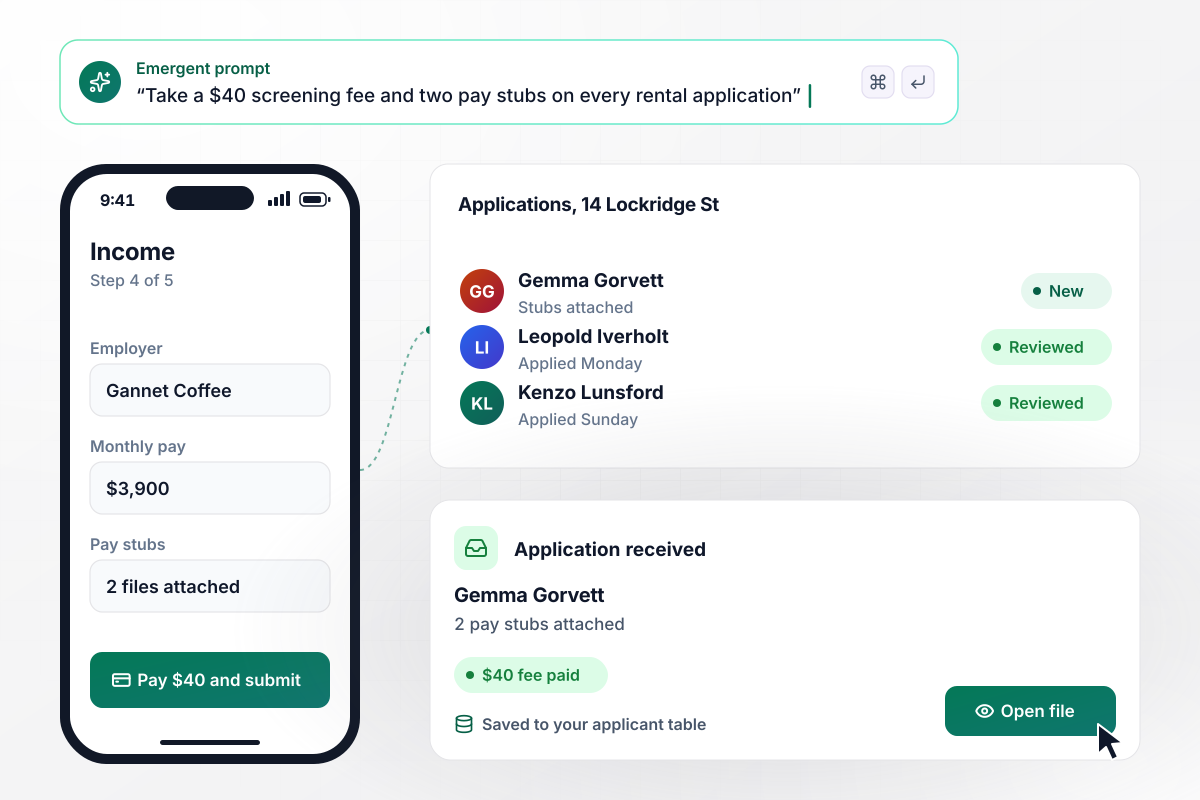
Fee paid and pay stubs attached in one sitting
Hilary rents out one side of her duplex and links the application from her listing. Applicants finish it on a phone: past addresses with landlord numbers, then monthly pay and two recent pay stubs. The $40 fee goes through Stripe at submit, and each application reaches her table with its stubs attached.
window.awbMockup = { smallLandlords: "I rent out one side of my duplex and want a rental application I can link from my listing. Ask for past addresses with landlord phone numbers, employer, monthly pay, and two recent pay stubs as uploads. Charge a $40 screening fee through Stripe when they submit, email a receipt, and put every application in a table with the stubs attached.", propertyManagers: "Build a rental application for Kingsgate Property Group. Show each applicant's monthly income next to the rent for the unit they want and list applications in the order they arrive. Anyone with income under three times the rent should go to a leasing agent for review instead of being declined, with an option to request savings statements or a guarantor.", affordableHousing: "Our Glenmoor building has income-restricted units. Build an application that lists everyone moving in and each adult's yearly income, adds the incomes up and compares the total with our limit for that household size. For a household of three the limit is $72,000. Households under the limit move to document review.", studentHousing: "Build a rental application for Elm Hall, our student building. Every student names a guarantor. Email the guarantor a separate link to enter their employer and income, then sign as guarantor. Keep the application marked incomplete until the guarantor signs, and show the leasing office which students are still waiting on a signature." };
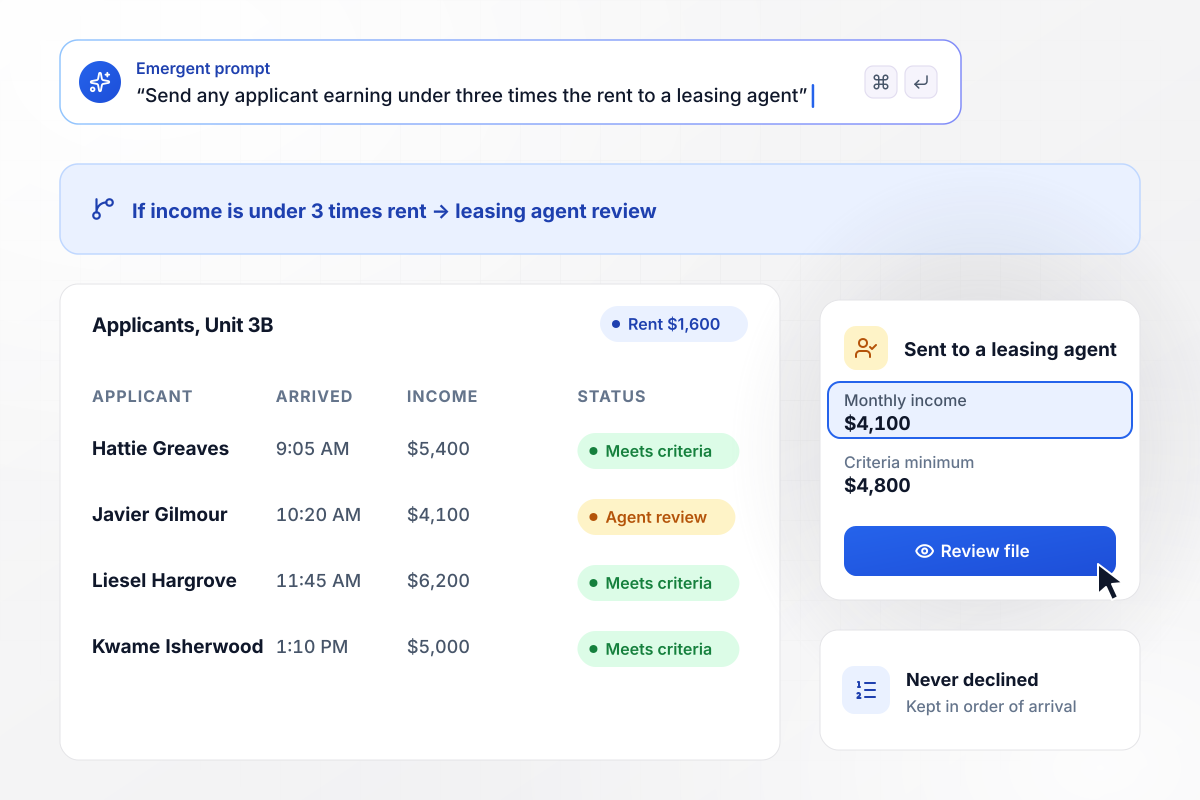
Income under three times rent goes to a person
Kingsgate Property Group posts one set of written criteria and applies it to every applicant in the order they arrive. Each file shows monthly income beside the rent. Anyone under three times the rent is never declined by the form: a leasing agent reviews the file and can ask for savings statements or a guarantor.
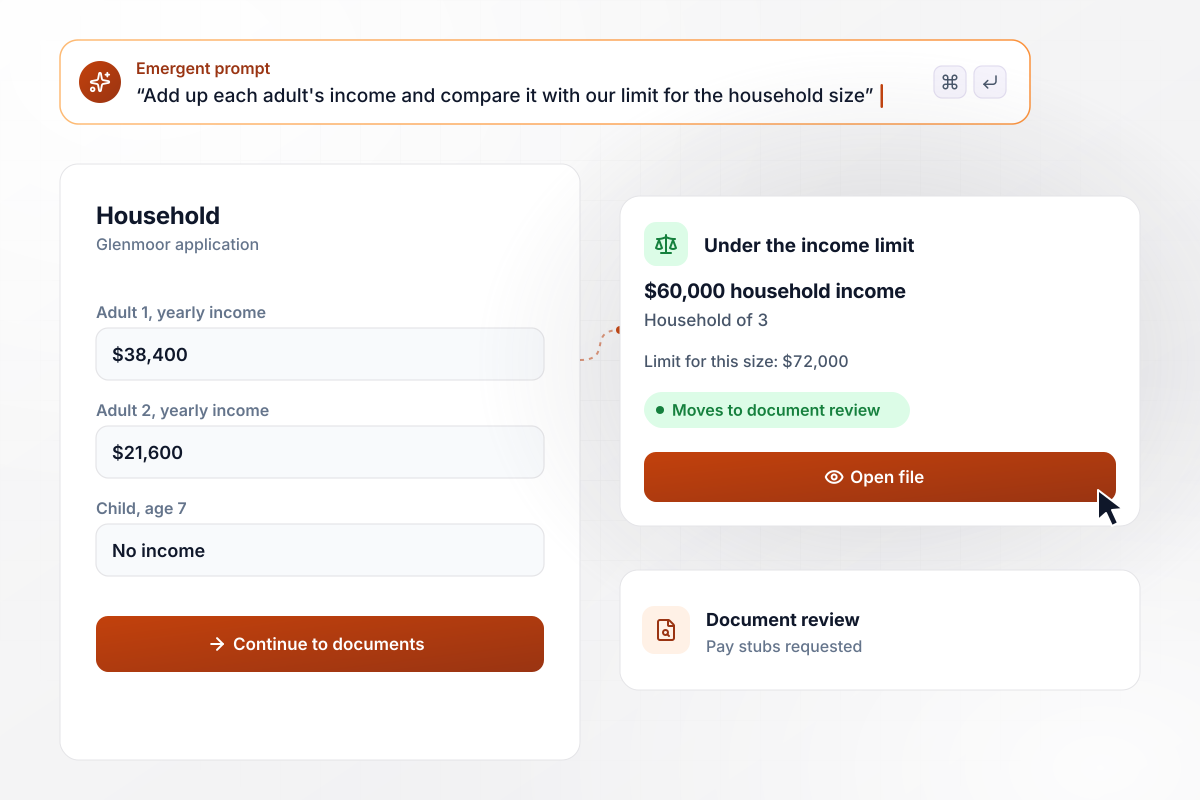
Household income measured against the limit for its size
Income-restricted units cap what a household can earn, and the cap rises with the number of people. The Glenmoor application lists everyone moving in and each adult's yearly income, then adds them up. A household of three earning $60,000 sits under the $72,000 limit and moves to document review.
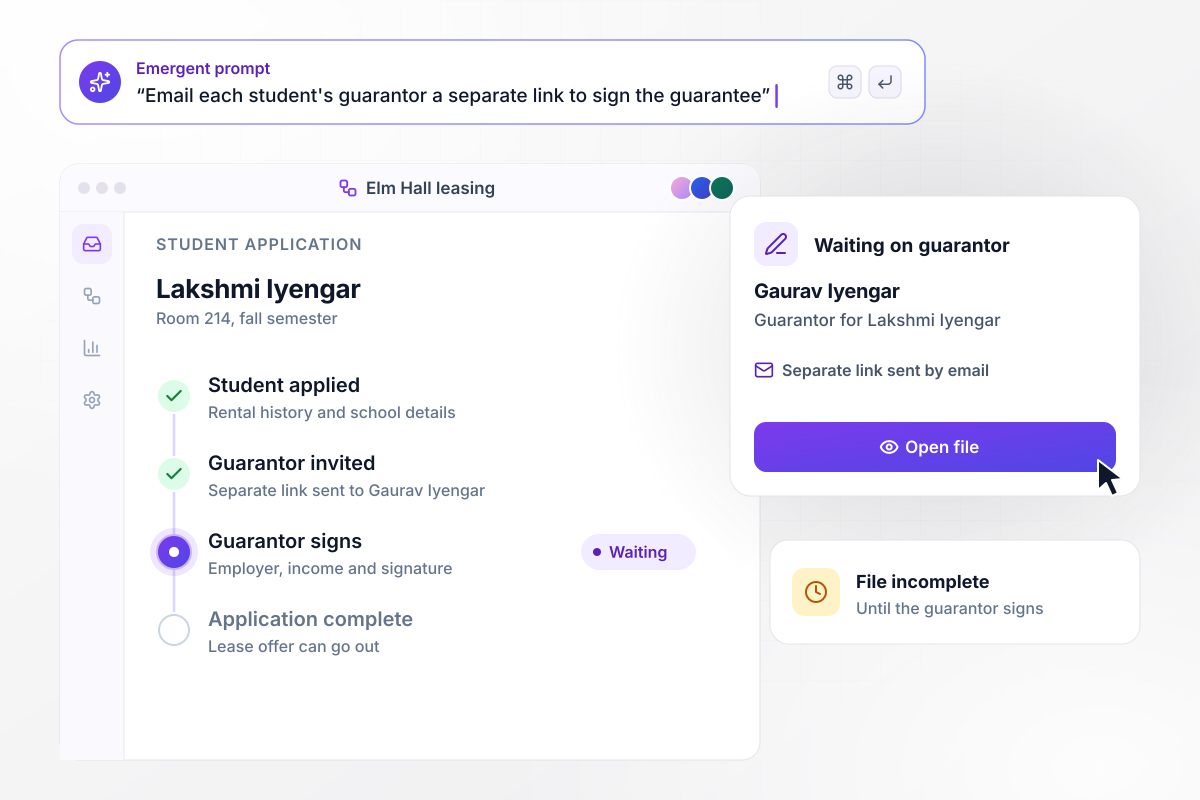
Each guarantor signs from a separate link
Students at Elm Hall rarely earn what a lease asks for, and each application names a guarantor. That guarantor gets an email with a separate link to enter their own employer and income, then sign as guarantor. The file stays incomplete until the signature is in, and the leasing office sees who is still waiting.






How to Create a Rental Application Form
These seven steps take a rental application form from written criteria to a decision letter, with Emergent building the form at step 4.
Set the minimum income and the credit standard that earn an approval, and put them in writing before the listing goes up. Review applications first come, first served. Each decision then has a reason you can point to later.
The Fair Housing Act bars decisions based on race, color, religion, sex, national origin, familial status, or disability. Drop any question that touches them, like country of birth or plans for children. Ask how many people will live there instead.
New York caps the screening fee at $20 or the actual cost, whichever is less. California sets its own cap, raises it each year with inflation, and requires an itemized receipt. Look up the rule for every state and city you rent in.
Paste your criteria and fee into the prompt and name the uploads you need, such as pay stubs or a photo ID. Emergent builds the form with a table for the applicants. Reword any question later by asking for the change in plain English.
Put the consent checkbox and your screening disclosure ahead of the fee step. Run the credit and background check through the screening service you already use, connected by its API, and its report lands on the applicant's row.
Confirm income with the employer, then call the previous landlord about late payments and the notice they gave. Compare what you hear with the written criteria before you decide, and record the outcome on the applicant's row.
Federal law requires an adverse action notice when anything in a screening report shaped a denial. It names the agency that supplied the report and tells the applicant they can get a free copy within 60 days.
Why Build Rental Applications With Emergent?
A downloaded PDF comes back handwritten. Here every application arrives typed, fee paid and pay stubs read.

|
Jotform | Google Forms | Typeform | |
|---|---|---|---|---|
| How you build | Describe it in plain English | Templates, editor, AI generator | Editor, with Gemini drafting on some Workspace plans | Templates, editor, AI assist |
| Payments in the form | Through your own Stripe account | Included, metered per plan | No | Paid plans |
| File uploads | Files saved to storage you own, no sign-in | Included; files count toward plan storage | Respondents must sign in to Google; files fill your Drive | Paid plans only |
| Where applications live | A database table you own, plus any integration | Jotform account | Google Sheets | Typeform account |
| Code ownership | Full code export to GitHub on paid plans | None | None | None |




Pick the Pricing Plan That Works for You
Choose the plan that fits your building ambitions. From weekend projects to enterprise applications, we've got you covered.




Find the right form
for whatever you're collecting















Frequently Asked Questions
Your Questions, Answered
Don't change this element unless you know what you are doing
More things you can build
with Emergent









on Emergent today


