

Build a Rental Agreement Form Tenants Fill and Sign Online
Create a rental agreement form that fills each lease from the renter's answers and keeps every signed copy in a database you own.
Build a rental agreement form for my rental properties.
Trusted by Builders Worldwide
Active Builders Worldwide
Apps Successfully Created
Countries Globally Reached



What a Rental Agreement Form Should Cover
Every agreement rests on the same core terms. These six features take each lease from those terms to a signed copy.
Every term in its own field
Emergent asks for the parties, the address, the lease term, the rent with its due date and grace period, the late fee, the deposit, utilities, pets and who handles repairs.
Follow-up questions where they apply
A tenant who says they have a dog is asked its breed and weight. One who parks on site gives a plate number for the permit. Anyone with no pet and no car never sees them.
A filled agreement ready to sign
Submitting the form fills every blank in the agreement and turns it into a PDF. Each party signs on screen with a finger or a mouse, and the clauses lock after the first signature.
The right disclosures on each lease
Record when each property was built, and units from before 1978 get the lead paint disclosure and EPA pamphlet in their packet. Attach state or city addenda by property too.
One table for every lease you manage
Each signed agreement becomes a row with its unit, tenants, rent, and end date. Filter the table by property, or search a tenant's name when a question about their unit comes in.
Your domain, your source code
Publish the form on a custom domain, included and billed in credits, or link it from a listing. On paid plans, export the source to GitHub when a developer adds a tenant portal.
Rental Agreement Forms for Every Property
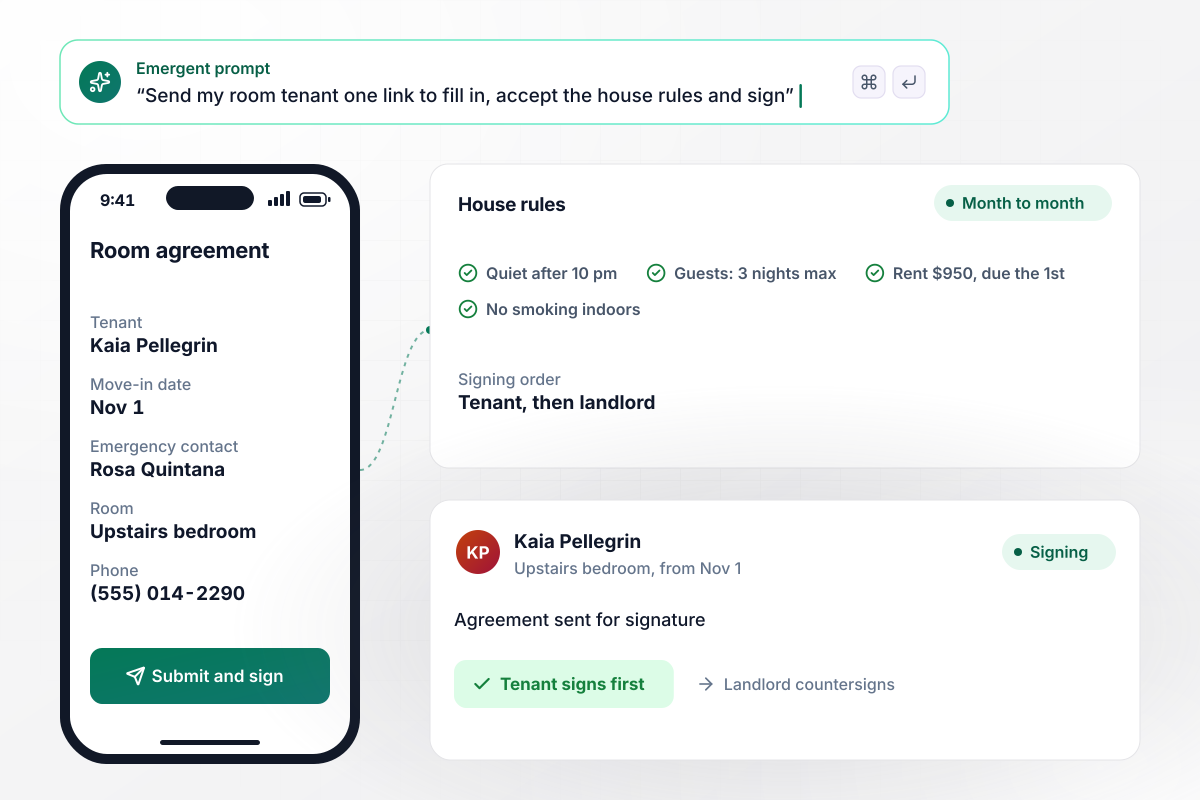
House rules the tenant signs before move-in
One link goes to the new tenant of a spare room. They enter a move-in date and an emergency contact, then read the house rules: quiet after 10 pm, no smoking indoors, overnight guests for 3 nights at most. Rent is $950, due on the 1st. The agreement goes out for signature the moment they submit.
window.awbMockup = { roomRentals: "I rent out a spare room month to month and need a rental agreement form for my new tenant. Ask for a move-in date and an emergency contact. Show my house rules: quiet after 10 pm, and overnight guests for 3 nights at most. Rent is $950, due on the 1st. Send the agreement for signature when they submit.", multiUnitBuildings: "I manage the 48 units at Thornapple Court. Build a rental agreement form for new tenants and keep every signed lease in one table with unit, tenant, monthly rent, and end date. Sort the table by end date and email me when any lease is within 60 days of ending so I can start the renewal.", roommateHouseholds: "Set up a shared rental agreement for three roommates on one lease. Rent is $2,400 a month, $800 each. Send every roommate a personal signing link that shows their share. Remind anyone who has not signed after two days, and email the finished agreement to all three once the last person signs.", vacationStays: "I rent out a lake house for short stays. Build a booking form with a rental agreement guests accept before booking: check-in at 4 pm, checkout by 11 am, six guests at most. Collect a $300 damage deposit through Stripe and confirm the stay only after the guest signs." };
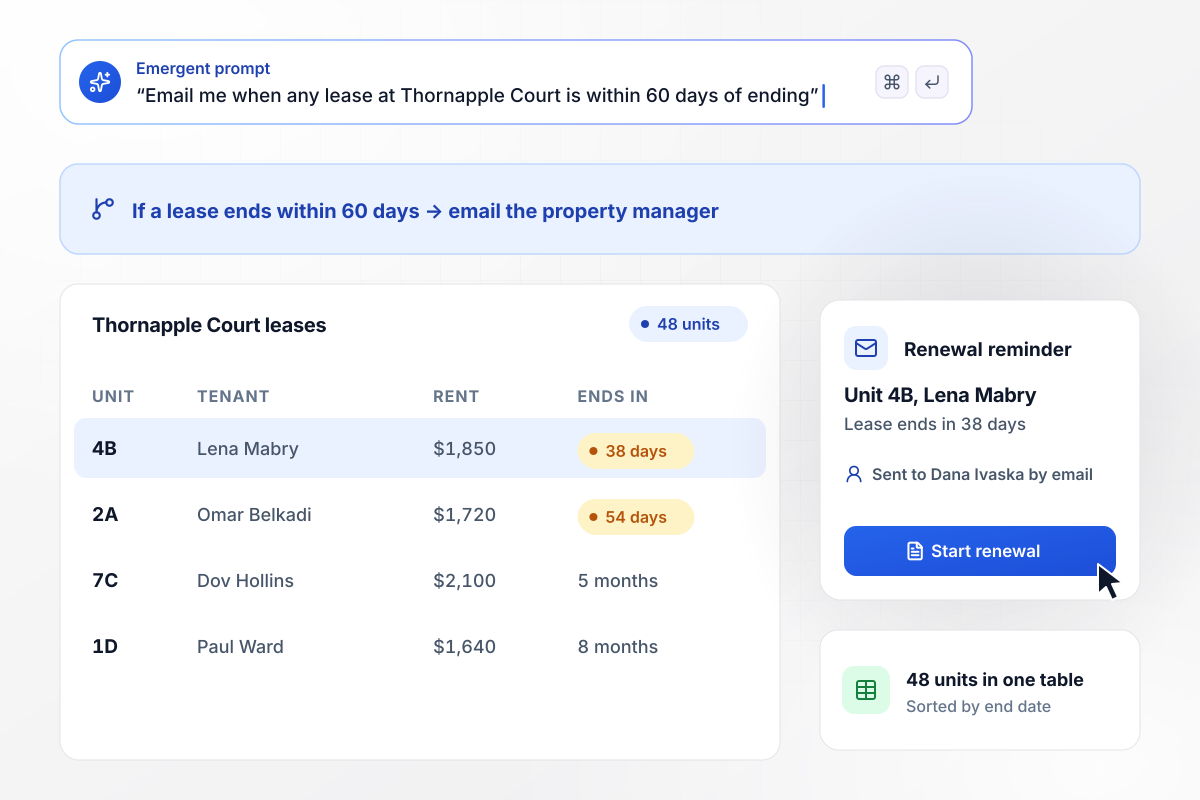
Leases ending within 60 days surface first
Every lease at Thornapple Court sits in one table, sorted by end date. Anything ending within 60 days rises to the top, and the property manager gets an email to start the renewal conversation. All 48 units stay in one view instead of a folder of PDFs.
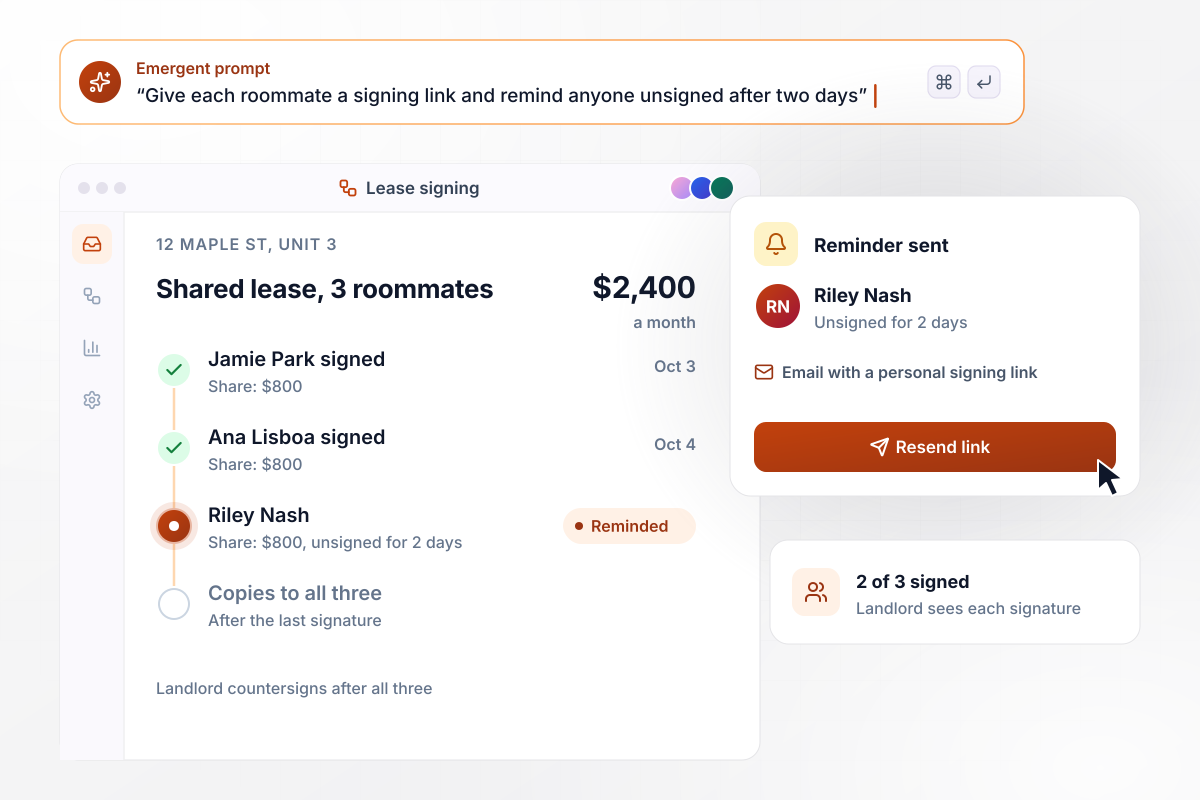
Nothing is final until the last roommate signs
Each roommate on the lease gets a personal signing link and sees their share: $800 of the $2,400 rent. The landlord can see who has signed. Anyone still unsigned after two days gets a reminder, and the finished copy reaches all three once the last signature is in.
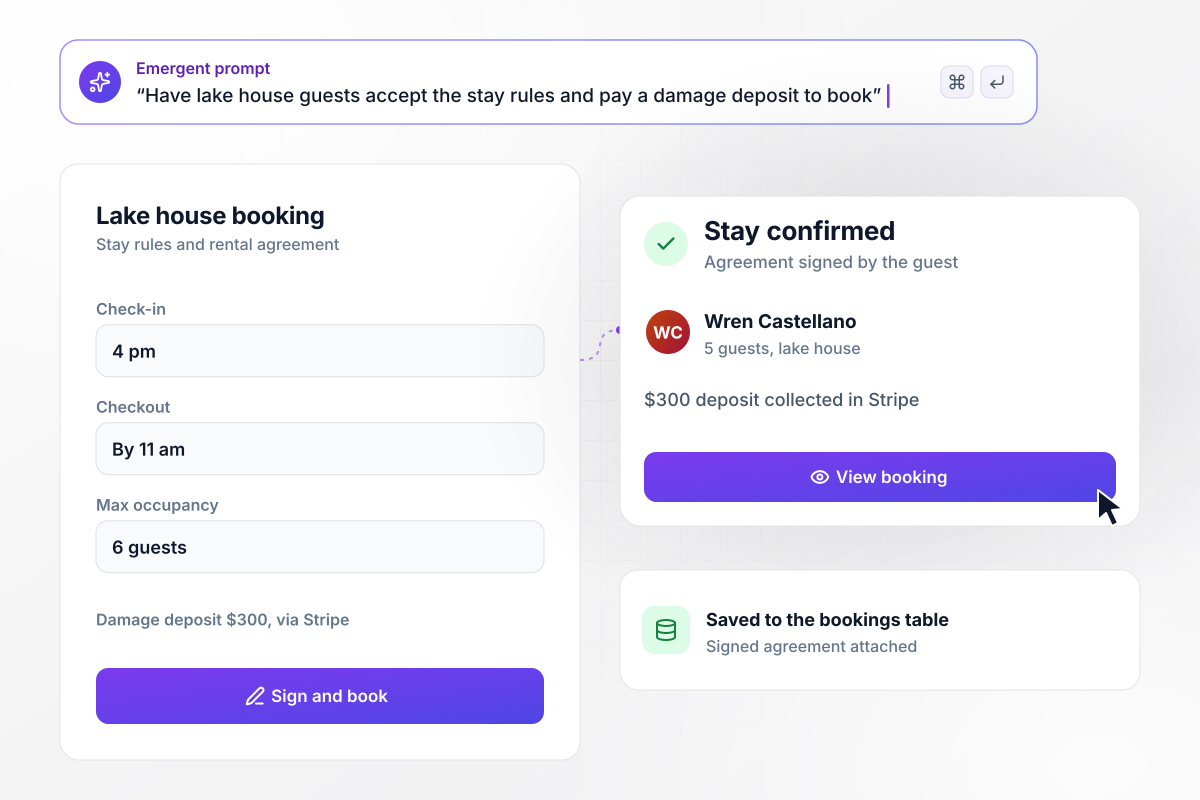
Collect the damage deposit with the booking
Guests booking the lake house accept the stay rules on the same form they book with: check-in at 4 pm, checkout by 11 am, six guests at most. A $300 damage deposit is collected through Stripe, and the stay is confirmed only after the guest signs.






How to Create a Rental Agreement Form
Seven steps to a rental agreement form that carries your own terms and collects each signature in the right order.
Write down what stays the same for every tenant at this property, from the rent figure to who fixes a leaking faucet. These become fixed text in the agreement, and no tenant can edit them when they fill in the form.
Ask only for what changes from one tenant to the next. Names of the adults on the lease and the move-in date are the core. Keep income and background questions for a separate screening step.
Deposit caps and return deadlines vary by state, and so do the disclosures a lease must carry. California, for example, caps most deposits at one month's rent and gives landlords 21 days after move-out to return them.
Describe the property and paste your terms into the prompt word for word. The fixed clauses then read exactly as you wrote them. Change any wording later by asking in plain English, and the update goes live on the same link.
Choose who signs and in what order. For example, put each tenant first and the landlord last. Add a guarantor as a separate signer for any tenant you approved on that condition.
Once an agreement is fully signed, pick the people who need to act on it, such as whoever hands over keys and the bookkeeper who sets up rent. Send each of them an email or Slack message with a direct link to the record.
Fill the form as a fictional tenant, sign as both parties and read the PDF line by line. Then have a local attorney review the agreement text before the first real tenant signs it. Fix anything they flag by prompting, and test once more.
Why Build Rental Agreements With Emergent?
A downloaded template ends at the blank page, and each signed copy still gets typed into your records by hand.

|
LawDepot | PlatoForms | Docusign | |
|---|---|---|---|---|
| How you build | Describe it in plain English | Questionnaire that writes the lease clauses | Upload a PDF or start from a template | Upload a document, place fields, reuse templates |
| Response limits | No response caps | Unlimited documents while subscribed, or pay per document | Monthly submission cap, forms stop at the cap | Envelope allowance per plan, then pay per envelope or upgrade |
| Payments in the form | Through your own Stripe account | No; it builds the document only | Stripe, PayPal or Square on paid plans | Higher plans, through a connected payment gateway |
| Where responses live | A database table you own, plus any integration | LawDepot account, under My Documents | PlatoForms account, export as CSV or PDF | Docusign account, downloadable as PDF |
| Code ownership | Full code export to GitHub on paid plans | None | None | None |




Pick the Pricing Plan That Works for You
Choose the plan that fits your building ambitions. From weekend projects to enterprise applications, we've got you covered.




Find the right form
for whatever you're collecting















Frequently Asked Questions
Your Questions, Answered
Don't change this element unless you know what you are doing
More things you can build
with Emergent









on Emergent today


